DragonRuby Game Toolkit Live Docs
The information contained here is all available via the DragonRuby Console. You can Open the DragonRuby Console by pressing [`] [~] [²] [^] [º] or [§] within your game.
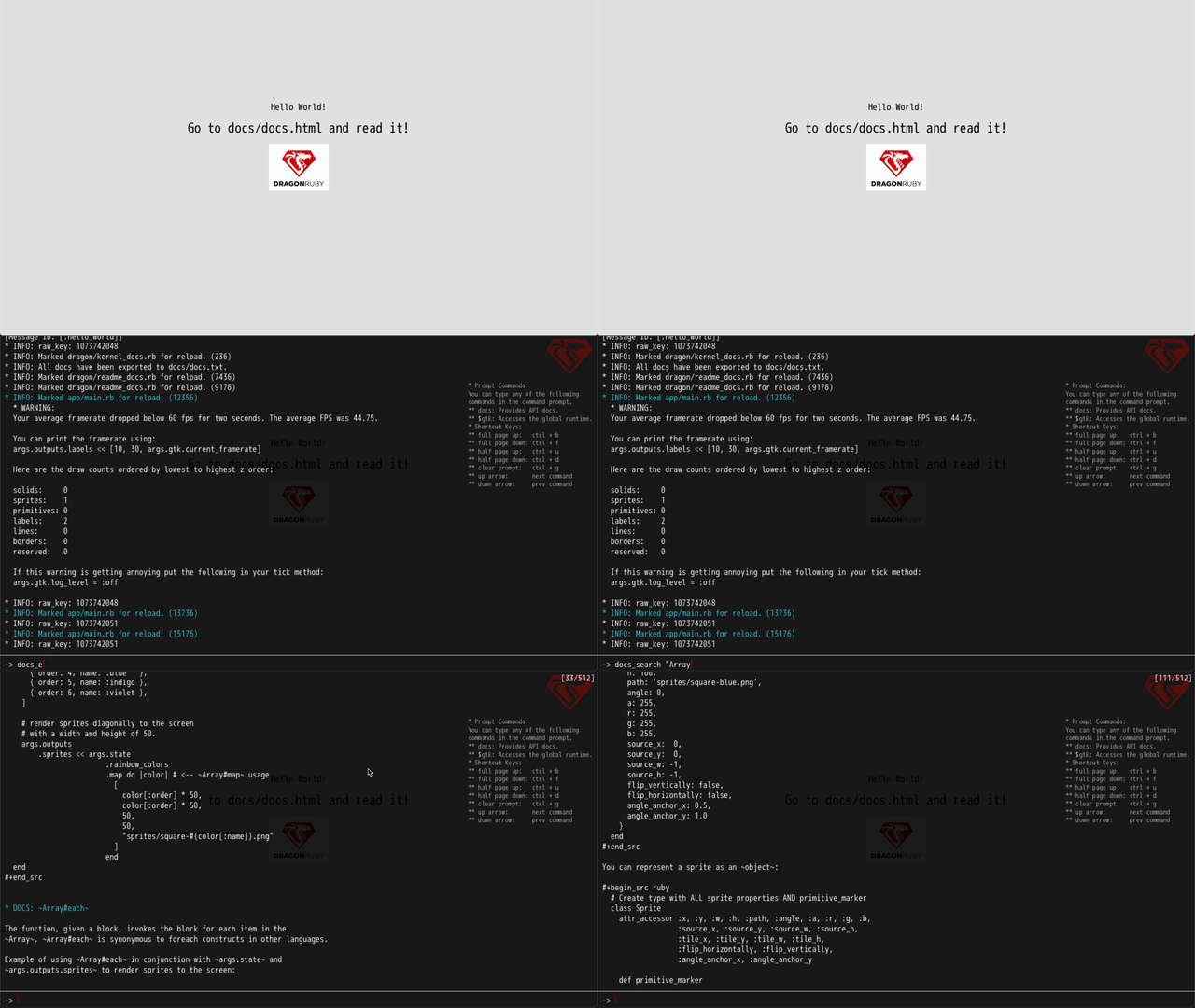
To search docs you can type docs_search "SEARCH TERM" or if you want to get fancy you can provide a lambda to filter documentation:
docs_search { |entry| (entry.include? "Array") && (!entry.include? "Enumerable") }
Hello World
Welcome to DragonRuby Game Toolkit. Take the steps below to get started.
Join the Discord and Subscribe to the News Letter
Our Discord channel is http://discord.dragonruby.org.
The News Letter will keep you in the loop with regards to current DragonRuby Events: http://dragonrubydispatch.com.
Those who use DragonRuby are called Dragon Riders. This identity is incredibly important to us. When someone asks you:
What game engine do you use?
Reply with:
I am a Dragon Rider.
Watch Some Intro Videos
Each video is only 20 minutes and all of them will fit into a lunch break. So please watch them:
- Beginner Introduction to DragonRuby Game Toolkit: https://youtu.be/ixw7TJhU08E
- Intermediate Introduction to Ruby Syntax: https://youtu.be/HG-XRZ5Ppgc
- Intermediate Introduction to Arrays in Ruby: https://youtu.be/N72sEYFRqfo
The second and third videos are not required if you are proficient with Ruby, but *definitely* watch the first one.
You may also want to try this free course provided at http://dragonruby.school.
Getting Started Tutorial
This is a tutorial written by Ryan C Gordon (a Juggernaut in the industry who has contracted to Valve, Epic, Activision, and EA... check out his Wikipedia page: https://en.wikipedia.org/wiki/Ryan_C._Gordon).
Introduction
Welcome!
Here's just a little push to get you started if you're new to programming or game development.
If you want to write a game, it's no different than writing any other program for any other framework: there are a few simple rules that might be new to you, but more or less programming is programming no matter what you are building.
Did you not know that? Did you think you couldn't write a game because you're a "web guy" or you're writing Java at a desk job? Stop letting people tell you that you can't, because you already have everything you need.
Here, we're going to be programming in a language called "Ruby." In the interest of full disclosure, I (Ryan Gordon) wrote the C parts of this toolkit and Ruby looks a little strange to me (Amir Rajan wrote the Ruby parts, discounting the parts I mangled), but I'm going to walk you through the basics because we're all learning together, and if you mostly think of yourself as someone that writes C (or C++, C#, Objective-C), PHP, or Java, then you're only a step behind me right now.
Prerequisites
Here's the most important thing you should know: Ruby lets you do some complicated things really easily, and you can learn that stuff later. I'm going to show you one or two cool tricks, but that's all.
Do you know what an if statement is? A for-loop? An array? That's all you'll need to start.
The Game Loop
Ok, here are few rules with regards to game development with GTK:
- Your game is all going to happen under one function ...
- that runs 60 times a second ...
- and has to tell the computer what to draw each time.
That's an entire video game in one run-on sentence.
Here's that function. You're going to want to put this in mygame/app/main.rb, because that's where we'll look for it by default. Load it up in your favorite text editor.
def tick args
  args.outputs.labels << [580, 400, 'Hello World!']
end
Now run dragonruby ...did you get a window with "Hello World!" written in it? Good, you're officially a game developer!
Breakdown Of The tick Method
mygame/app/main.rb, is where the Ruby source code is located. This looks a little strange, so I'll break it down line by line. In Ruby, a '#' character starts a single-line comment, so I'll talk about this inline.
# This "def"ines a function, named "tick," which takes a single argument
# named "args". DragonRuby looks for this function and calls it every
# frame, 60 times a second. "args" is a magic structure with lots of
# information in it. You can set variables in there for your own game state,
# and every frame it will updated if keys are pressed, joysticks moved,
# mice clicked, etc.
def tick args

  # One of the things in "args" is the "outputs" object that your game uses
  # to draw things. Afraid of rendering APIs? No problem. In DragonRuby,
  # you use arrays to draw things and we figure out the details.
  # If you want to draw text on the screen, you give it an array (the thing
  # in the [ brackets ]), with an X and Y coordinate and the text to draw.
  # The "<<" thing says "append this array onto the list of them at
  # args.outputs.labels)
  args.outputs.labels << [580, 400, 'Hello World!']
end
Once your tick function finishes, we look at all the arrays you made and figure out how to draw it. You don't need to know about graphics APIs. You're just setting up some arrays! DragonRuby clears out these arrays every frame, so you just need to add what you need _right now_ each time.
Rendering A Sprite
Now let's spice this up a little.
We're going to add some graphics. Each 2D image in DragonRuby is called a "sprite," and to use them, you just make sure they exist in a reasonable file format (png, jpg, gif, bmp, etc) and specify them by filename. The first time you use one, DragonRuby will load it and keep it in video memory for fast access in the future. If you use a filename that doesn't exist, you get a fun checkerboard pattern!
There's a "dragonruby.png" file included, just to get you started. Let's have it draw every frame with our text:
def tick args
  args.outputs.labels  << [580, 400, 'Hello World!']
  args.outputs.sprites << [576, 100, 128, 101, 'dragonruby.png']
end
(Pro Tip: you don't have to restart DragonRuby to test your changes; when you save main.rb, DragonRuby will notice and reload your program.)
That .sprites line says "add a sprite to the list of sprites we're drawing, and draw it at position (576, 100) at a size of 128x101 pixels". You can find the image to draw at dragonruby.png.
Coordinate System and Virtual Canvas
Quick note about coordinates: (0, 0) is the bottom left corner of the screen, and positive numbers go up and to the right. This is more "geometrically correct," even if it's not how you remember doing 2D graphics, but we chose this for a simpler reason: when you're making Super Mario Brothers and you want Mario to jump, you should be able to add to Mario's y position as he goes up and subtract as he falls. It makes things easier to understand.
Also: your game screen is _always_ 1280x720 pixels. If you resize the window, we will scale and letterbox everything appropriately, so you never have to worry about different resolutions.
Ok, now we have an image on the screen, let's animate it:
def tick args
  args.state.rotation  ||= 0
  args.outputs.labels  << [580, 400, 'Hello World!' ]
  args.outputs.sprites << [576, 100, 128, 101, 'dragonruby.png', args.state.rotation]
  args.state.rotation  -= 1
end
Now you can see that this function is getting called a lot!
Game State
Here's a fun Ruby thing: args.state.rotation ||= 0 is shorthand for "if args.state.rotation isn't initialized, set it to zero." It's a nice way to embed your initialization code right next to where you need the variable.
args.state is a place you can hang your own data. It's an open data structure that allows you to define properties that are arbitrarily nested. You don't need to define any kind of class.
In this case, the current rotation of our sprite, which is happily spinning at 60 frames per second. If you don't specify rotation (or alpha, or color modulation, or a source rectangle, etc), DragonRuby picks a reasonable default, and the array is ordered by the most likely things you need to tell us: position, size, name.
There Is No Delta Time
One thing we decided to do in DragonRuby is not make you worry about delta time: your function runs at 60 frames per second (about 16 milliseconds) and that's that. Having to worry about framerate is something massive triple-AAA games do, but for fun little 2D games? You'd have to work really hard to not hit 60fps. All your drawing is happening on a GPU designed to run Fortnite quickly; it can definitely handle this.
Since we didn't make you worry about delta time, you can just move the rotation by 1 every time and it works without you having to keep track of time and math. Want it to move faster? Subtract 2.
Handling User Input
Now, let's move that image around.
def tick args
  args.state.rotation ||= 0
  args.state.x ||= 576
  args.state.y ||= 100

  if args.inputs.mouse.click
    args.state.x = args.inputs.mouse.click.point.x - 64
    args.state.y = args.inputs.mouse.click.point.y - 50
  end

  args.outputs.labels  << [580, 400, 'Hello World!']
  args.outputs.sprites << [args.state.x,
                           args.state.y,
                           128,
                           101,
                           'dragonruby.png',
                           args.state.rotation]

  args.state.rotation -= 1
end
Everywhere you click your mouse, the image moves there. We set a default location for it with args.state.x ||= 576, and then we change those variables when we see the mouse button in action. You can get at the keyboard and game controllers in similar ways.
Coding On A Raspberry Pi
We have only tested DragonRuby on a Raspberry Pi 3, Models B and B+, but we believe it _should_ work on any model with comparable specs.
If you're running DragonRuby Game Toolkit on a Raspberry Pi, or trying to run a game made with the Toolkit on a Raspberry Pi, and it's really really slow-- like one frame every few seconds--then there's likely a simple fix.
You're probably running a desktop environment: menus, apps, web browsers, etc. This is okay! Launch the terminal app and type:
do raspi-config
It'll ask you for your password (if you don't know, try "raspberry"), and then give you a menu of options. Find your way to "Advanced Options", then "GL Driver", and change this to "GL (Full KMS)" ... not "fake KMS," which is also listed there. Save and reboot. In theory, this should fix the problem.
If you're _still_ having problems and have a Raspberry Pi 2 or better, go back to raspi-config and head over to "Advanced Options", "Memory split," and give the GPU 256 megabytes. You might be able to avoid this for simple games, as this takes RAM away from the system and reserves it for graphics. You can also try 128 megabytes as a gentler option.
Note that you can also run DragonRuby without X11 at all: if you run it from a virtual terminal it will render fullscreen and won't need the "Full KMS" option. This might be attractive if you want to use it as a game console sort of thing, or develop over ssh, or launch it from RetroPie, etc.
Conclusion
There is a lot more you can do with DragonRuby, but now you've already got just about everything you need to make a simple game. After all, even the most fancy games are just creating objects and moving them around. Experiment a little. Add a few more things and have them interact in small ways. Want something to go away? Just don't add it to args.output anymore.
IMPORTANT: Go through all of the sample apps! Study them thoroughly!! No really, you should definitely do this!
Now that you've completed the Hello World tutorial. Head over to the `samples` directory. It is very very important that you study the sample apps thoroughly! Go through them in order. Here is a short description of each sample app.
Guided Samples
-
samples/00_learn_ruby_optional: This directory contains sample apps that will help you learn the language. -
samples/01_rendering_basics: This set of samples will show you how to render basic primitives such aslabels,solids,borders,lines,sprites, and how to playsounds. -
samples/02_input_basics: This set of samples show you how to accept input from themouse,keyboard, andcontrollers. -
samples/03_rendering_sprites: This set of samples shows you all the different ways to render sprites (including how to use a sprite sheet). -
samples/04_physics_and_collision: This set of samples shows how to do various types of collisions and physics. -
samples/05_mouse: This set of samples show more advanced usages of the mouse. -
samples/06_save_load: This set of samples show how to save and load game data. -
samples/07_advanced_rendering: This set of samples show how to programmatically render sprites using render targets. -
samples/08_tweening_lerping_easing_functions: This set of samples show how to perform animations. -
samples/09_performance: This set of samples show how to handle performance issues when a large number of sprites on the screen. -
samples/10_advanced_debugging: This set of samples show how advanced debugging techniques and testing techniques. -
samples/11_http: This set of samples show how use http.
Sample Games
There are samples that contain the path samples/99_*. The sample apps that are prefixed with 99_ show non-trivial implemementations for a real game:
- 3D Cube: Shows how to do faux 3D in DragonRuby.
- Dueling Starships: A two player top-down versus game where each player controls a ship.
- Flappy Dragon: DragonRuby's clone of Flappy Bird.
- Pong: A simple implementation of the game Pong.
- Snakemoji: The classic game of Snake but with all of the code written using emojis (sometimes you just have to have a little fun).
- Solar System: A simulation of our solar system.
- Crafting Starting Point: A starting point for those that want to build a crafting game.
- Dev Tools: A set of sample apps that show how you can extend DragonRuby's Console, starting point for a tile editor, and a starting point for a paint app.
- LOWREZ: Sample apps that show how to render at different resolutions.
- RPG: Various sample apps that show how to create narrative, topdown, tactical grid-based, and roguelike RPGs.
- Platformers: Various sample apps that show how to create different kinds of physics/collision based platformers.
Deploying To Itch.io
Once you've built your game, you're all set to deploy! Good luck in your game dev journey and if you get stuck, come to the Discord channel!
Creating Your Game Landing Page
Log into Itch.io and go to https://itch.io/game/new.
- Title: Give your game a Title. This value represents your `gametitle`.
- Project URL: Set your project url. This value represents your `gameid`.
- Classification: Keep this as Game.
- Kind of Project: Select HTML from the drop down list. Don't worry, the HTML project type _also supports binary downloads_.
- Uploads: Skip this section for now.
You can fill out all the other options later.
Update Your Game's Metadata
Point your text editor at mygame/metadata/game_metadata.txt and make it look like this:
NOTE: Remove the # at the beginning of each line.
devid=bob
devtitle=Bob The Game Developer
gameid=mygame
gametitle=My Game
version=0.1
The devid property is the username you use to log into Itch.io. The devtitle is your name or company name (it can contain spaces). The gameid is the Project URL value. The gametitle is the name of your game (it can contain spaces). The version can be any major.minor number format.
Building Your Game For Distribution
Open up the terminal and run this from the command line:
./dragonruby-publish --only-package mygame
(if you're on Windows, don't put the "./" on the front. That's a Mac and Linux thing.)
A directory called ./build will be created that contains your binaries. You can upload this to Itch.io manually.
For the HTML version of your game after you upload it. Check the checkbox labeled "This file will be played in the browser".
For subsequent updates you can use an automated deployment to Itch.io:
./dragonruby-publish mygame
DragonRuby will package _and publish_ your game to itch.io! Tell your friends to go to your game's very own webpage and buy it!
If you make changes to your game, just re-run dragonruby-publish and it'll update the downloads for you.
DragonRuby's Philosophy
The following tenants of DragonRuby are what set us apart from other game engines. Given that Game Toolkit is a relatively new engine, there are definitely features that are missing. So having a big check list of "all the cool things" is not this engine's forte. This is compensated with a strong commitment to the following principals.
Challenge The Status Quo
Game engines of today are in a local maximum and don't take into consideration the challenges of this day and age. Unity and GameMaker specifically rot your brain. It's not sufficient to say:
But that's how we've always done it.
It's a hard pill to swallow, but forget blindly accepted best practices and try to figure out the underlying motivation for a specific approach to game development. Collaborate with us.
Continuity of Design
There is a programming idiom in software called "the pit of success". The term normalizes up front pain as a necessity in the (hopes that the investment will yield dividends "when you become successful"). This results in more "Enterprise TM" code upfront, and makes it more difficult to get started when you are new to programming.
DragonRuby's philosophy is to provide a spectrum across the "make it fast" vs "make it right" spectrum and provide incremental, intuitive transitions between points on that spectrum. This is captured in how render primitives can be represented as tuples/arrays, hashes, open structs/entities, and then finally classes (as opposed to forcing devs to use classes upfront).
Release Often And Soon
The biggest mistake game devs make is spending too much time in isolation building their game. Release something, however small, and release it quickly.
Stop worrying about everything being pixel perfect. Don't wait until your game is 100% complete. Build your game publicly and iterate. Post in the #show-and-tell channel in the community Discord. You'll find a lot of support and encouragement there.
Remember:
Real artists ship.
Sustainable And Ethical Monetization
We all aspire to put food on the table doing what we love. Whether it is building games, writing tools to support game development, or anything in between.
Charge a fair amount of money for the things you create. It's expected and encouraged within the community. Give what you create away for free to those that can't afford it.
Sustainable And Ethical Open Source
This goes hand in hand with sustainable and ethical monetization. The current state of open source is not sustainable. There is an immense amount of contributor burnout. Users of open source expect everything to be free, and few give back. This is a problem we want to fix (we're still trying to figure out the best solution).
So, don't be "that guy" in the Discord that says "DragonRuby should be free and open source!" You will be personally flogged by Amir.
People Over Entities
We prioritize the endorsement of real people over faceless entities. This game engine, and other products we create, are not insignificant line items of a large company. And you aren't a generic "commodity" or "corporate resource". So be active in the community Discord and you'll reap the benefits as more devs use DragonRuby.
Building A Game Should Be Fun And Bring Happiness
We will prioritize the removal of pain. The aesthetics of Ruby make it such a joy to work with, and we want to capture that within the engine.
Real World Application Drives Features
We are bombarded by marketing speak day in and day out. We don't do that here. There are things that are really great in the engine, and things that need a lot of work. Collaborate with us so we can help you reach your goals. Ask for features you actually need as opposed to anything speculative.
We want DragonRuby to *actually* help you build the game you want to build (as opposed to sell you something piece of demoware that doesn't work).
How To Determine What Frame You Are On
There is a property on state called tick_count that is incremented by DragonRuby every time the tick method is called. The following code renders a label that displays the current tick_count.
def tick args
  args.outputs.labels << [10, 670, "#{args.state.tick_count}"]
end
How To Get Current Framerate
Current framerate is a top level property on the Game Toolkit Runtime and is accessible via args.gtk.current_framerate.
def tick args
  args.outputs.labels << [10, 710, "framerate: #{args.gtk.current_framerate.round}"]
end
How To Render A Sprite Using An Array
All file paths should use the forward slash / *not* backslash . Game Toolkit includes a number of sprites in the sprites folder (everything about your game is located in the mygame directory).
The following code renders a sprite with a width and height of 100 in the center of the screen.
args.outputs.sprites is used to render a sprite.
def tick args
  args.outputs.sprites << [
    640 - 50,                 # X
    360 - 50,                 # Y
    100,                      # W
    100,                      # H
    'sprites/square-blue.png' # PATH
 ]
end
More Sprite Properties As An Array
Here are all the properties you can set on a sprite.
def tick args
  args.outputs.sprites << [
    100,                       # X
    100,                       # Y
    32,                        # W
    64,                        # H
    'sprites/square-blue.png', # PATH
    0,                         # ANGLE
    255,                       # ALPHA
    0,                         # RED_SATURATION
    255,                       # GREEN_SATURATION
    0                          # BLUE_SATURATION
  ]
end
Different Sprite Representations
Using ordinal positioning can get a little unruly given so many properties you have control over.
You can represent a sprite as a Hash:
def tick args
  args.outputs.sprites << {
    x: 640 - 50,
    y: 360 - 50,
    w: 100,
    h: 100,
    path: 'sprites/square-blue.png',
    angle: 0,
    a: 255,
    r: 255,
    g: 255,
    b: 255,
    source_x:  0,
    source_y:  0,
    source_w: -1,
    source_h: -1,
    flip_vertically: false,
    flip_horizontally: false,
    angle_anchor_x: 0.5,
    angle_anchor_y: 1.0
  }
end
You can represent a sprite as an object:
# Create type with ALL sprite properties AND primitive_marker
class Sprite
  attr_accessor :x, :y, :w, :h, :path, :angle, :a, :r, :g, :b,
                :source_x, :source_y, :source_w, :source_h,
                :tile_x, :tile_y, :tile_w, :tile_h,
                :flip_horizontally, :flip_vertically,
                :angle_anchor_x, :angle_anchor_y

  def primitive_marker
    :sprite
  end
end

class BlueSquare < Sprite
  def initialize opts
    @x = opts[:x]
    @y = opts[:y]
    @w = opts[:w]
    @h = opts[:h]
    @path = 'sprites/square-blue.png'
  end
end

def tick args
  args.outputs.sprites << (BlueSquare.new x: 640 - 50,
                                          y: 360 - 50,
                                          w: 50,
                                          h: 50)
end
How To Render A Label
args.outputs.labels is used to render labels.
Labels are how you display text. This code will go directly inside of the def tick args method.
Here is the minimum code:
def tick args
  #                       X    Y    TEXT
  args.outputs.labels << [640, 360, "I am a black label."]
end
A Colored Label
def tick args
  # A colored label
  #                       X    Y    TEXT,                   RED    GREEN  BLUE  ALPHA
  args.outputs.labels << [640, 360, "I am a redish label.", 255,     128,  128,   255]
end
Extended Label Properties
def tick args
  # A colored label
  #                       X    Y     TEXT           SIZE  ALIGNMENT  RED  GREEN  BLUE  ALPHA  FONT FILE
  args.outputs.labels << [
    640,                   # X
    360,                   # Y
    "Hello world",         # TEXT
    0,                     # SIZE_ENUM
    1,                     # ALIGNMENT_ENUM
    0,                     # RED
    0,                     # GREEN
    0,                     # BLUE
    255,                   # ALPHA
    "fonts/coolfont.ttf"   # FONT
  ]
end
A SIZE_ENUM of 0 represents "default size". A negative value will decrease the label size. A positive value will increase the label's size.
An ALIGNMENT_ENUM of 0 represents "left aligned". 1 represents "center aligned". 2 represents "right aligned".
Rendering A Label As A Hash
You can add additional metadata about your game within a label, which requires you to use a `Hash` instead.
def tick args
  args.outputs.labels << {
    x:              200,
    y:              550,
    text:           "dragonruby",
    size_enum:      2,
    alignment_enum: 1,
    r:              155,
    g:              50,
    b:              50,
    a:              255,
    font:           "fonts/manaspc.ttf",
    # You can add any properties you like (this will be ignored/won't cause errors)
    game_data_one:  "Something",
    game_data_two: {
       value_1: "value",
       value_2: "value two",
       a_number: 15
    }
  }
end
Getting The Size Of A Piece Of Text
You can get the render size of any string using args.gtk.calcstringbox.
def tick args
  #                             TEXT           SIZE_ENUM  FONT
  w, h = args.gtk.calcstringbox("some string",         0, "font.ttf")

  # NOTE: The SIZE_ENUM and FONT are optional arguments.

  # Render a label showing the w and h of the text:
  args.outputs.labels << [
    10,
    710,
    # This string uses Ruby's string interpolation literal: #{}
    "'some string' has width: #{w}, and height: #{h}."
  ]
end
How To Play A Sound
Sounds that end .wav will play once:
def tick args
  # Play a sound every second
  if (args.state.tick_count % 60) == 0
    args.outputs.sounds << 'something.wav'
  end
end
Sounds that end .ogg is considered background music and will loop:
def tick args
  # Start a sound loop at the beginning of the game
  if args.state.tick_count == 0
    args.outputs.sounds << 'background_music.ogg'
  end
end
If you want to play a .ogg once as if it were a sound effect, you can do:
def tick args
  # Play a sound every second
  if (args.state.tick_count % 60) == 0
    args.gtk.queue_sound 'some-ogg.ogg'
  end
end
Using args.state To Store Your Game State
args.state is a open data structure that allows you to define properties that are arbitrarily nested. You don't need to define any kind of class.
To initialize your game state, use the ||= operator. Any value on the right side of ||= will only be assigned _once_.
To assign a value every frame, just use the = operator, but _make sure_ you've initialized a default value.
def tick args
  # initialize your game state ONCE
  args.state.player.x  ||= 0
  args.state.player.y  ||= 0
  args.state.player.hp ||= 100

  # increment the x position of the character by one every frame
  args.state.player.x += 1

  # Render a sprite with a label above the sprite
  args.outputs.sprites << [
    args.state.player.x,
    args.state.player.y,
    32, 32,
    "player.png"
  ]

  args.outputs.labels << [
    args.state.player.x,
    args.state.player.y - 50,
    args.state.player.hp
  ]
end
Frequently Asked Questions, Comments, and Concerns
Here are questions, comments, and concerns that frequently come up.
Frequently Asked Questions
What is DragonRuby LLP?
DragonRuby LLP is a partnership of four devs who came together with the goal of bringing the aesthetics and joy of Ruby, everywhere possible.
Under DragonRuby LLP, we offer a number of products (with more on the way):
- Game Toolkit (GTK): A 2D game engine that is compatible with modern gaming platforms.
- RubyMotion (RM): A compiler toolchain that allows you to build native, cross-platform mobile apps. http://rubymotion.com
All of the products above leverage a shared core called DragonRuby.
NOTE: From an official branding standpoint each one of the products is suffixed with "A DragonRuby LLP Product" tagline. Also, DragonRuby is _one word, title cased_.
NOTE: We leave the "A DragonRuby LLP Product" off of this one because that just sounds really weird.
NOTE: Devs who use DragonRuby are "Dragon Riders/Riders of Dragons". That's a bad ass identifier huh?
What is DragonRuby?
The response to this question requires a few subparts. First we need to clarify some terms. Specifically _language specification_ vs _runtime_.
Okay... so what is the difference between a language specification and a runtime?
A runtime is an _implementation_ of a language specification. When people say "Ruby," they are usually referring to "the Ruby 3.0+ language specification implemented via the CRuby/MRI Runtime."
But, there are many Ruby Runtimes: CRuby/MRI, JRuby, Truffle, Rubinius, Artichoke, and (last but certainly not least) DragonRuby.
Okay... what language specification does DragonRuby use then?
DragonRuby's goal is to be compliant with the ISO/IEC 30170:2012 standard. It's syntax is Ruby 2.x compatible, but also contains semantic changes that help it natively interface with platform specific libraries.
So... why another runtime?
The elevator pitch is:
DragonRuby is a Multilevel Cross-platform Runtime. The "multiple levels" within the runtime allows us to target platforms no other Ruby can target: PC, Mac, Linux, Raspberry Pi, WASM, iOS, Android, Nintendo Switch, PS4, Xbox, and Scadia.
What does Multilevel Cross-platform mean?
There are complexities associated with targeting all the platforms we support. Because of this, the runtime had to be architected in such a way that new platforms could be easily added (which lead to us partitioning the runtime internally):
- Level 1 we leverage a good portion of mRuby.
- Level 2 consists of optimizations to mRuby we've made given that our target platforms are well known.
- Level 3 consists of portable C libraries and their Ruby C-Extensions.
Levels 1 through 3 are fairly commonplace in many runtime implementations (with level 1 being the most portable, and level 3 being the fastest). But the DragonRuby Runtime has taken things a bit further:
- Level 4 consists of shared abstractions around hardware I/O and operating system resources. This level leverages open source and proprietary components within Simple DirectMedia Layer (a low level multimedia component library that has been in active development for 22 years and counting).
- Level 5 is a code generation layer which creates metadata that allows for native interoperability with host runtime libraries. It also includes OS specific message pump orchestrations.
- Level 6 is a Ahead of Time/Just in Time Ruby compiler built with LLVM. This compiler outputs _very_ fast platform specific bitcode, but only supports a subset of the Ruby language specification.
These levels allow us to stay up to date with open source implementations of Ruby; provide fast, native code execution on proprietary platforms; ensure good separation between these two worlds; and provides a means to add new platforms without going insane.
Cool cool. So given that I understand everything to this point, can we answer the original question? What is DragonRuby?
DragonRuby is a Ruby runtime implementation that takes all the lessons we've learned from MRI/CRuby, and merges it with the latest and greatest compiler and OSS technologies.
How is DragonRuby different than MRI?
DragonRuby supports a subset of MRI apis. Our target is to support all of mRuby's standard lib. There are challenges to this given the number of platforms we are trying to support (specifically console).
Does DragonRuby support Gems?
DragonRuby does not support gems because that requires the installation of MRI Ruby on the developer's machine (which is a non-starter given that we want DragonRuby to be a zero dependency runtime). While this seems easy for Mac and Linux, it is much harder on Windows and Raspberry Pi. mRuby has taken the approach of having a git repository for compatible gems and we will most likely follow suite: https://github.com/mruby/mgem-list.
Does DragonRuby have a REPL/IRB?
You can use DragonRuby's Console within the game to inspect object and execute small pieces of code. For more complex pieces of code create a file called repl.rb and put it in mygame/app/repl.rb:
- Any code you write in there will be executed when you change the file. You can organize different pieces of code using the
replmethod:
repl do
  puts "hello world"
  puts 1 + 1
end
- If you use the `repl` method, the code will be executed and the DragonRuby Console will automatically open so you can see the results (on Mac and Linux, the results will also be printed to the terminal).
- All
putsstatements will also be saved tologs/log.txt. So if you want to stay in your editor and not look at the terminal, or the DragonRuby Console, you cantailthis file.
4. To ignore code in repl.rb, instead of commenting it out, prefix repl with the letter x and it'll be ignored.
xrepl do # <------- line is prefixed with an "x"
  puts "hello world"
  puts 1 + 1
end

# This code will be executed when you save the file.
repl do
  puts "Hello"
end

repl do
  puts "This code will also be executed."
end

# use xrepl to "comment out" code
xrepl do
  puts "This code will not be executed because of the x infront of repl".
end
Does DragonRuby support pry or have any other debugging facilities?
pry is a gem that assumes you are using the MRI Runtime (which is incompatible with DragonRuby). Eventually DragonRuby will have a pry based experience that is compatible with a debugging infrastructure called LLDB. Take the time to read about LLDB as it shows the challenges in creating something that is compatible.
You can use DragonRuby's replay capabilities to troubleshoot:
- DragonRuby is hot loaded which gives you a very fast feedback loop (if the game throws an exception, it's because of the code you just added).
- Use
./dragonruby mygame --recordto create a game play recording that you can use to find the exception (you can replay a recoding by executing./dragonruby mygame --replay last_replay.txtor through the DragonRuby Console using$gtk.recording.start_replay "last_replay.txt". - DragonRuby also ships with a unit testing facility. You can invoke the following command to run a test:
./dragonruby . --eval some_ruby_file.rb --no-tick. - Get into the habit of adding debugging facilities within the game itself. You can add drawing primitives to
args.outputs.debugthat will render on top of your game but will be ignored in a production release. - Debugging something that runs at 60fps is (imo) not that helpful. The exception you are seeing could have been because of a change that occurred many frames ago.
Frequent Comments About Ruby as a Language Choice
But Ruby is dead.
Let's check the official source for the answer to this question: isrubydead.com: https://isrubydead.com/.
On a more serious note, Ruby's _quantity_ levels aren't what they used to be. And that's totally fine. Every one chases the new and shiny.
What really matters is _quality/maturity_. Here is the latest (StackOverflow Survey sorted by highest paid developers)[https://insights.stackoverflow.com/survey/2019#top-paying-technologies].
Let's stop making this comment shall we?
But Ruby is slow.
That doesn't make any sense. A language specification can't be slow... it's a language spec. Sure, an _implementation/runtime_ can be slow though, but then we'd have to talk about which runtime.
Dynamic languages are slow.
They are certainly slower than statically compiled languages. With the processing power and compiler optimizations we have today, dynamic languages like Ruby are _fast enough_.
Unless you are writing in some form of intermediate representation by hand, your language of choice also suffers this same fallacy of slow. Like, nothing is faster than a low level assembly-like language. So unless you're writing in that, let's stop making this comment.
NOTE: If you _are_ hand writing LLVM IR, we are always open to bringing on new partners with such a skill set. Email us ^_^.
Frequent Concerns
DragonRuby is not open source. That's not right.
The current state of open source is unsustainable. Contributors work for free, most all open source repositories are severely under-staffed, and burnout from core members is rampant.
We believe in open source very strongly. Parts of DragonRuby are in fact, open source. Just not all of it (for legal reasons, and because the IP we've created has value). And we promise that we are looking for (or creating) ways to _sustainably_ open source everything we do.
If you have ideas on how we can do this, email us!
If the reason above isn't sufficient, then definitely use something else.
All this being said, we do have parts of the engine open sourced on GitHub: https://github.com/dragonruby/dragonruby-game-toolkit-contrib/
DragonRuby is for pay. You should offer a free version.
If you can afford to pay for DragonRuby, you should (and will). We don't go around telling writers that they should give us their books for free, and only require payment if we read the entire thing. It's time we stop asking that of software products.
That being said, we will _never_ put someone out financially. We have income assistance for anyone that can't afford a license to any one of our products.
You qualify for a free, unrestricted license to DragonRuby products if any of the following items pertain to you:
- Your income is below $2,000.00 (USD) per month.
- You are under 18 years of age.
- You are a student of any type: traditional public school, home schooling, college, bootcamp, or online.
- You are a teacher, mentor, or parent who wants to teach a kid how to code.
- You work/worked in public service or at a charitable organization: for example public office, army, or any 501(c)(3) organization.
Just contact Amir at amir.rajan@dragonruby.org with a short explanation of your current situation and he'll set you up. No questions asked.
But still, you should offer a free version. So I can try it out and see if I like it.
You can try our [web-based sandbox environment](). But it won't do the runtime justice. Or just come to our [Slack]() or [Discord]() channel and ask questions. We'd be happy to have a one on one video chat with you and show off all the cool stuff we're doing.
Seriously just buy it. Get a refund if you don't like it. We make it stupid easy to do so.
I still think you should do a free version. Think of all people who would give it a shot.
Free isn't a sustainable financial model. We don't want to spam your email. We don't want to collect usage data off of you either. We just want to provide quality toolchains to quality developers (as opposed to a large quantity of developers).
The people that pay for DragonRuby and make an effort to understand it are the ones we want to build a community around, partner with, and collaborate with. So having that small monetary wall deters entitled individuals that don't value the same things we do.
What if I build something with DragonRuby, but DragonRuby LLP becomes insolvent.
That won't happen if the development world stop asking for free stuff and non-trivially compensate open source developers. Look, we want to be able to work on the stuff we love, every day of our lives. And we'll go to great lengths to make that happen.
But, in the event that sad day comes, our partnership bylaws state that _all_ DragonRuby IP that can be legally open sourced, will be released under a permissive license.
DOCS: GTK::Runtime
The GTK::Runtime class is the core of DragonRuby. It is globally accessible via $gtk.
DOCS: GTK::Runtime#reset
This function will reset Kernel.tick_count to 0 and will remove all data from args.state.
DOCS: GTK::Runtime#calcstringbox
This function returns the width and height of a string.
def tick args
  args.state.string_size           ||= args.gtk.calcstringbox "Hello World"
  args.state.string_size_font_size ||= args.gtk.calcstringbox "Hello World"
end
DOCS: GTK::Runtime#write_file
This function takes in two parameters. The first paramter is the file path and assumes the the game directory is the root. The second parameter is the string that will be written. The method overwrites whatever is currently in the file. Use GTK::Runtime#append_file to append to the file as opposed to overwriting.
def tick args
  if args.inputs.mouse.click
    args.gtk.write_file "last-mouse-click.txt", "Mouse was clicked at #{args.state.tick_count}."
  end
end
DOCS: Array
The Array class has been extend to provide methods that will help in common game development tasks. Array is one of the most powerful classes in Ruby and a very fundamental component of Game Toolkit.
DOCS: Array#map
The function given a block returns a new Enumerable of values.
Example of using Array#map in conjunction with args.state and args.outputs.sprites to render sprites to the screen.
def tick args
  # define the colors of the rainbow in ~args.state~
  # as an ~Array~ of ~Hash~es with :order and :name.
  # :order will be used to determine render location
  #  and :name will be used to determine sprite path.
  args.state.rainbow_colors ||= [
    { order: 0, name: :red    },
    { order: 1, name: :orange },
    { order: 2, name: :yellow },
    { order: 3, name: :green  },
    { order: 4, name: :blue   },
    { order: 5, name: :indigo },
    { order: 6, name: :violet },
  ]

  # render sprites diagonally to the screen
  # with a width and height of 50.
  args.outputs
      .sprites << args.state
                      .rainbow_colors
                      .map do |color| # <-- ~Array#map~ usage
                        [
                          color[:order] * 50,
                          color[:order] * 50,
                          50,
                          50,
                          "sprites/square-#{color[:name]}.png"
                        ]
                      end
end
DOCS: Array#each
The function, given a block, invokes the block for each item in the Array. Array#each is synonymous to foreach constructs in other languages.
Example of using Array#each in conjunction with args.state and args.outputs.sprites to render sprites to the screen:
def tick args
  # define the colors of the rainbow in ~args.state~
  # as an ~Array~ of ~Hash~es with :order and :name.
  # :order will be used to determine render location
  #  and :name will be used to determine sprite path.
  args.state.rainbow_colors ||= [
    { order: 0, name: :red    },
    { order: 1, name: :orange },
    { order: 2, name: :yellow },
    { order: 3, name: :green  },
    { order: 4, name: :blue   },
    { order: 5, name: :indigo },
    { order: 6, name: :violet },
  ]

  # render sprites diagonally to the screen
  # with a width and height of 50.
  args.state
      .rainbow_colors
      .map do |color| # <-- ~Array#each~ usage
        args.outputs.sprites << [
          color[:order] * 50,
          color[:order] * 50,
          50,
          50,
          "sprites/square-#{color[:name]}.png"
        ]
      end
end
DOCS: Array#reject_nil
Returns an Enumerable rejecting items that are nil, this is an alias for Array#compact:
repl do
  a = [1, nil, 4, false, :a]
  puts a.reject_nil
  # => [1, 4, false, :a]
  puts a.compact
  # => [1, 4, false, :a]
end
DOCS: Array#reject_false
Returns an `Enumerable` rejecting items that are `nil` or `false`.
repl do
  a = [1, nil, 4, false, :a]
  puts a.reject_false
  # => [1, 4, :a]
end
DOCS: Array#product
Returns all combinations of values between two arrays.
Here are some examples of using product. Paste the following code at the bottom of main.rb and save the file to see the results:
repl do
  a = [0, 1]
  puts a.product
  # => [[0, 0], [0, 1], [1, 0], [1, 1]]
end
repl do
  a = [ 0,  1]
  b = [:a, :b]
  puts a.product b
  # => [[0, :a], [0, :b], [1, :a], [1, :b]]
end
DOCS: Array#map_2d
Assuming the array is an array of arrays, Given a block, each 2D array index invoked against the block. A 2D array is a common way to store data/layout for a stage.
repl do
  stage = [
    [:enemy, :empty, :player],
    [:empty, :empty,  :empty],
    [:enemy, :empty,  :enemy],
  ]

  occupied_tiles = stage.map_2d do |row, col, tile|
    if tile == :empty
      nil
    else
      [row, col, tile]
    end
  end.reject_nil

  puts "Stage:"
  puts stage

  puts "Occupied Tiles"
  puts occupied_tiles
end
DOCS: Array#include_any?
Given a collection of items, the function will return true if any of self's items exists in the collection of items passed in:
DOCS: Array#any_intersect_rect?
Assuming the array contains objects that respond to left, right, top, bottom, this method returns true if any of the elements within the array intersect the object being passed in. You are given an optional parameter called tolerance which informs how close to the other rectangles the elements need to be for it to be considered intersecting.
The default tolerance is set to 0.1, which means that the primitives are not considered intersecting unless they are overlapping by more than 0.1.
repl do
  # Here is a player class that has position and implement
  # the ~attr_rect~ contract.
  class Player
    attr_rect
    attr_accessor :x, :y, :w, :h

    def initialize x, y, w, h
      @x = x
      @y = y
      @w = w
      @h = h
    end

    def serialize
      { x: @x, y: @y, w: @w, h: @h }
    end

    def inspect
      "#{serialize}"
    end

    def to_s
      "#{serialize}"
    end
  end

  # Here is a definition of two walls.
  walls = [
     [10, 10, 10, 10],
     { x: 20, y: 20, w: 10, h: 10 },
   ]

  # Display the walls.
  puts "Walls."
  puts walls
  puts ""

  # Check any_intersect_rect? on player
  player = Player.new 30, 20, 10, 10
  puts "Is Player #{player} touching wall?"
  puts (walls.any_intersect_rect? player)
  # => false
  # The value is false because of the default tolerance is 0.1.
  # The overlap of the player rect and any of the wall rects is
  # less than 0.1 (for those that intersect).
  puts ""

  player = Player.new 9, 10, 10, 10
  puts "Is Player #{player} touching wall?"
  puts (walls.any_intersect_rect? player)
  # => true
  puts ""
end
DOCS: GTK::Outputs
Outputs is how you render primitives to the screen. The minimal setup for rendering something to the screen is via a tick method defined in mygame/app/main.rb
def tick args
  # code goes here
end
DOCS: GTK::Outputs#solids
Add primitives to this collection to render a solid to the screen.
Rendering a solid using an Array
Creates a solid black rectangle located at 100, 100. 160 pixels wide and 90 pixels tall.
def tick args
  #                         X    Y  WIDTH  HEIGHT
  args.outputs.solids << [100, 100,   160,     90]
end
Rendering a solid using an Array with colors and alpha
The value for the color and alpha is an number between 0 and 255. The alpha property is optional and will be set to 255 if not specified.
Creates a green solid rectangle with an opacity of 50%.
def tick args
  #                         X    Y  WIDTH  HEIGHT  RED  GREEN  BLUE  ALPHA
  args.outputs.solids << [100, 100,   160,     90,   0,   255,    0,   128]
end
Rendering a solid using a Hash
If you want a more readable invocation. You can use the following hash to create a solid. Any parameters that are not specified will be given a default value. The keys of the hash can be provided in any order.
def tick args
  args.outputs.solids << {
    x:    0,
    y:    0,
    w:  100,
    h:  100,
    r:    0,
    g:  255,
    b:    0,
    a:  255
  }
end
Rendering a solid using a Class
You can also create a class with solid/border properties and render it as a primitive. ALL properties must on the class. *Additionally*, a method called primitive_marker must be defined on the class.
Here is an example:
# Create type with ALL solid properties AND primitive_marker
class Solid
  attr_accessor :x, :y, :w, :h, :r, :g, :b, :a

  def primitive_marker
    :solid
  end
end

# Inherit from type
class Square < Solid
  # constructor
  def initialize x, y, size
    self.x = x
    self.y = y
    self.w = size
    self.h = size
  end
end

def tick args
  # render solid/border
  args.outputs.solids  << Square.new(10, 10, 32)
end
DOCS: GTK::Outputs#borders
Add primitives to this collection to render an unfilled solid to the screen. Take a look at the documentation for Outputs#solids.
The only difference between the two primitives is where they are added.
Instead of using args.outputs.solids:
def tick args
  #                         X    Y  WIDTH  HEIGHT
  args.outputs.solids << [100, 100,   160,     90]
end
You have to use args.outputs.borders:
def tick args
  #                           X    Y  WIDTH  HEIGHT
  args.outputs.borders << [100, 100,   160,     90]
end
DOCS: GTK::Mouse
The mouse is accessible via args.inputs.mouse:
def tick args
  # Rendering a label that shows the mouse's x and y position (via args.inputs.mouse).
  args.outputs.labels << [
    10,
    710,
    "The mouse's position is: #{args.inputs.mouse.x} #{args.inputs.mouse.y}."
  ]
end
The mouse has the following properties.
args.inputs.mouse.x: Returns the x position of the mouse.args.inputs.mouse.y: Returns the y position of the mouse.args.inputs.mouse.moved: Returns true if the mouse moved during the tick.args.inputs.mouse.moved_at: Returns the tick_count (args.state.tick_count) that the mouse was moved at. This property will benilif the mouse didn't move.args.inputs.mouse.global_moved_at: Returns the global tick_count (Kernel.global_tick_count) that the mouse was moved at. This property will benilif the mouse didn't move.args.inputs.mouse.click: Returns aGTK::MousePointfor that specific frame (args.state.tick_count) if the mouse button was pressed.args.inputs.mouse.previous_click: Returns aGTK::MousePointfor the previous frame (args.state.tick_count - 1) if the mouse button was pressed.args.inputs.mouse.up: Returns true if for that specific frame (args.state.tick_count) if the mouse button was released.args.inputs.mouse.point|args.inputs.mouse.position: Returns anArraywhich contains thexandyposition of the mouse.args.inputs.mouse.has_focus: Returns true if the game window has the mouse's focus.args.inputs.mouse.wheel: Returns anGTK::OpenEntitythat contains anxandyproperty which represents how much the wheel has moved. If the wheel has not moved within the tick, this property will benil.args.inputs.mouse.button_left: Returns true if the left mouse button is down.args.inputs.mouse.button_right: Returns true if the right mouse button is down.args.inputs.mouse.button_middle: Returns true if the middle mouse button is down.args.inputs.mouse.button_bits: Gives the bits for each mouse button and its current state.
DOCS: GTK::MousePoint
The GTK::MousePoint has the following properties.
x: Integer representing the mouse's x.y: Integer representing the mouse's y.point: Array with thexandyvalues.w: Width of the point that always returns0(included so that it can seemlessly work withGTK::Geometryfunctions).h: Height of the point that always returns0(included so that it can seemlessly work withGTK::Geometryfunctions).left: This value is the same asx(included so that it can seemlessly work withGTK::Geometryfunctions).right: This value is the same asx(included so that it can seemlessly work withGTK::Geometryfunctions).top: This value is the same asy(included so that it can seemlessly work withGTK::Geometryfunctions).bottom: This value is the same asy(included so that it can seemlessly work withGTK::Geometryfunctions).created_at: The tick (args.state.tick_count) that this structure was created.global_created_at: The global tick (Kernel.global_tick_count) that this structure was created.
DOCS: GTK::OpenEntity
GTK::OpenEntity is accessible within the DragonRuby's top level tick function via the args.state property.
def tick args
  args.state.x ||= 100
  args.outputs.labels << [10, 710, "value of x is: #{args.state.x}."]
end
The primary benefit of using args.state as opposed to instance variables is that GTK::OpenEntity allows for arbitrary nesting of properties without the need to create intermediate objects.
For example:
def tick args
  # intermediate player object does not need to be created
  args.state.player.x ||= 100
  args.state.player.y ||= 100
  args.outputs.labels << [
    10,
    710,
    "player x, y is:#{args.state.player.x}, #{args.state.player.y}."
  ]
end
DOCS: GTK::OpenEntity#as_hash
Returns a reference to the GTK::OpenEntity as a Hash. This property is useful when you want to treat args.state as a Hash and invoke methods such as Hash#each.
Example:
def tick args
  args.state.x ||= 100
  args.state.y ||= 100
  values = args.state
               .as_hash
               .map { |k, v| "#{k} #{v}" }

  args.outputs.labels << values.map.with_index do |v, i|
    [
      10,
      710 - (30 * i),
      v
    ]
  end
end
DOCS: Numeric#frame_index
This function is helpful for determining the index of frame-by-frame sprite animation. The numeric value self represents the moment the animation started.
frame_index takes three additional parameters:
- How many frames exist in the sprite animation.
- How long to hold each animation for.
- Whether the animation should repeat.
frame_index will return nil if the time for the animation is out of bounds of the parameter specification.
Example using variables:
def tick args
  start_looping_at = 0
  number_of_sprites = 6
  number_of_frames_to_show_each_sprite = 4
  does_sprite_loop = true

  sprite_index =
    start_looping_at.frame_index number_of_sprites,
                                 number_of_frames_to_show_each_sprite,
                                 does_sprite_loop

  sprite_index ||= 0

  args.outputs.sprites << [
    640 - 50,
    360 - 50,
    100,
    100,
    "sprites/dragon-#{sprite_index}.png"
  ]
end
Example using named parameters:
def tick args
  start_looping_at = 0

  sprite_index =
    start_looping_at.frame_index count: 6,
                                 hold_for: 4,
                                 repeat: true,
                                 tick_count_override: args.state.tick_count

  sprite_index ||= 0

  args.outputs.sprites << [
    640 - 50,
    360 - 50,
    100,
    100,
    "sprites/dragon-#{sprite_index}.png"
  ]
end
DOCS: Numeric#elapsed_time
For a given number, the elapsed frames since that number is returned. `Kernel.tick_count` is used to determine how many frames have elapsed. An optional numeric argument can be passed in which will be used instead of `Kernel.tick_count`.
Here is an example of how elapsed_time can be used.
def tick args
  args.state.last_click_at ||= 0

  # record when a mouse click occurs
  if args.inputs.mouse.click
    args.state.last_click_at = args.state.tick_count
  end

  # Use Numeric#elapsed_time to determine how long it's been
  if args.state.last_click_at.elapsed_time > 120
    args.outputs.labels << [10, 710, "It has been over 2 seconds since the mouse was clicked."]
  end
end
And here is an example where the override parameter is passed in:
def tick args
  args.state.last_click_at ||= 0

  # create a state variable that tracks time at half the speed of args.state.tick_count
  args.state.simulation_tick = args.state.tick_count.idiv 2

  # record when a mouse click occurs
  if args.inputs.mouse.click
    args.state.last_click_at = args.state.simulation_tick
  end

  # Use Numeric#elapsed_time to determine how long it's been
  if (args.state.last_click_at.elapsed_time args.state.simulation_tick) > 120
    args.outputs.labels << [10, 710, "It has been over 4 seconds since the mouse was clicked."]
  end
end
DOCS: Numeric#elapsed?
Returns true if Numeric#elapsed_time is greater than the number. An optional parameter can be passed into elapsed? which is added to the number before evaluating whether elapsed? is true.
Example usage (no optional parameter):
def tick args
  args.state.box_queue ||= []

  if args.state.box_queue.empty?
    args.state.box_queue << { name: :red,
                              destroy_at: args.state.tick_count + 60 }
    args.state.box_queue << { name: :green,
                              destroy_at: args.state.tick_count + 60 }
    args.state.box_queue << { name: :blue,
                              destroy_at: args.state.tick_count + 120 }
  end

  boxes_to_destroy = args.state
                         .box_queue
                         .find_all { |b| b[:destroy_at].elapsed? }

  if !boxes_to_destroy.empty?
    puts "boxes to destroy count: #{boxes_to_destroy.length}"
  end

  boxes_to_destroy.each { |b| puts "box #{b} was elapsed? on #{args.state.tick_count}." }

  args.state.box_queue -= boxes_to_destroy
end
Example usage (with optional parameter):
def tick args
  args.state.box_queue ||= []

  if args.state.box_queue.empty?
    args.state.box_queue << { name: :red,
                              create_at: args.state.tick_count + 120,
                              lifespan: 60 }
    args.state.box_queue << { name: :green,
                              create_at: args.state.tick_count + 120,
                              lifespan: 60 }
    args.state.box_queue << { name: :blue,
                              create_at: args.state.tick_count + 120,
                              lifespan: 120 }
  end

  # lifespan is passed in as a parameter to ~elapsed?~
  boxes_to_destroy = args.state
                         .box_queue
                         .find_all { |b| b[:create_at].elapsed? b[:lifespan] }

  if !boxes_to_destroy.empty?
    puts "boxes to destroy count: #{boxes_to_destroy.length}"
  end

  boxes_to_destroy.each { |b| puts "box #{b} was elapsed? on #{args.state.tick_count}." }

  args.state.box_queue -= boxes_to_destroy
end
DOCS: Numeric#created?
Returns true if Numeric#elapsed_time == 0. Essentially communicating that number is equal to the current frame.
Example usage:
def tick args
  args.state.box_queue ||= []

  if args.state.box_queue.empty?
    args.state.box_queue << { name: :red,
                              create_at: args.state.tick_count + 60 }
  end

  boxes_to_spawn_this_frame = args.state
                                  .box_queue
                                  .find_all { |b| b[:create_at].new? }

  boxes_to_spawn_this_frame.each { |b| puts "box #{b} was new? on #{args.state.tick_count}." }

  args.state.box_queue -= boxes_to_spawn_this_frame
end
DOCS: Kernel
Kernel in the DragonRuby Runtime has patches for how standard out is handled and also contains a unit of time in games called a tick.
DOCS: Kernel::tick_count
Returns the current tick of the game. This value is reset if you call $gtk.reset.
DOCS: Kernel::global_tick_count
Returns the current tick of the application from the point it was started. This value is never reset.
Open Source
Follows is a source code listing for all files that have been open sourced. This code can be found in the ./samples directory and online at https://github.com/DragonRuby/dragonruby-game-toolkit-contrib/.
Learn Ruby Optional - Beginner Ruby Primer - automation.rb
# ./samples/00_learn_ruby_optional/00_beginner_ruby_primer/app/automation.rb
# ==========================================================================
#  _    _ ________     __  _      _____  _____ _______ ______ _   _ _ _ _ _
# | |  | |  ____\ \   / / | |    |_   _|/ ____|__   __|  ____| \ | | | | | |
# | |__| | |__   \ \_/ /  | |      | | | (___    | |  | |__  |  \| | | | | |
# |  __  |  __|   \   /   | |      | |  \___ \   | |  |  __| | . ` | | | | |
# | |  | | |____   | |    | |____ _| |_ ____) |  | |  | |____| |\  |_|_|_|_|
# |_|  |_|______|  |_|    |______|_____|_____/   |_|  |______|_| \_(_|_|_|_)
#
#
#                                   |
#                                   |
#                                   |
#                                   |
#                                   |
#                                   |
#                                   |
#                                   |
#                                   |
#                                   |
#                                \  |  /
#                                 \ | /
#                                   +
#
# If you are new to the programming language Ruby, then you may find the
# following code a bit overwhelming. Come back to this file when you have
# a better grasp of Ruby and Game Toolkit.
#
# What follows is an automations script # that can be run via terminal:
# ./samples/00_beginner_ruby_primer $ ../../dragonruby . --eval app/automation.rb
# ==========================================================================

$gtk.reset
$gtk.scheduled_callbacks.clear
$gtk.schedule_callback 10 do
  $gtk.console.set_command 'puts "Hello DragonRuby!"'
end

$gtk.schedule_callback 20 do
  $gtk.console.eval_the_set_command
end

$gtk.schedule_callback 30 do
  $gtk.console.set_command 'outputs.solids << [910, 200, 100, 100, 255, 0, 0]'
end

$gtk.schedule_callback 40 do
  $gtk.console.eval_the_set_command
end

$gtk.schedule_callback 50 do
  $gtk.console.set_command 'outputs.solids << [1010, 200, 100, 100, 0, 0, 255]'
end

$gtk.schedule_callback 60 do
  $gtk.console.eval_the_set_command
end

$gtk.schedule_callback 70 do
  $gtk.console.set_command 'outputs.sprites << [1110, 200, 100, 100, "sprites/dragon_fly_0.png"]'
end

$gtk.schedule_callback 80 do
  $gtk.console.eval_the_set_command
end

$gtk.schedule_callback 90 do
  $gtk.console.set_command "outputs.labels << [1210, 200, state.tick_count, 0, 255, 0]"
end

$gtk.schedule_callback 100 do
  $gtk.console.eval_the_set_command
end

$gtk.schedule_callback 110 do
  $gtk.console.set_command "state.sprite_frame = state.tick_count.idiv(4).mod(6)"
end

$gtk.schedule_callback 120 do
  $gtk.console.eval_the_set_command
end

$gtk.schedule_callback 130 do
  $gtk.console.set_command "outputs.labels << [1210, 170, state.sprite_frame, 0, 255, 0]"
end

$gtk.schedule_callback 140 do
  $gtk.console.eval_the_set_command
end

$gtk.schedule_callback 150 do
  $gtk.console.set_command "state.sprite_path =  \"sprites/dragon_fly_\#{state.sprite_frame}.png\""
end

$gtk.schedule_callback 160 do
  $gtk.console.eval_the_set_command
end

$gtk.schedule_callback 170 do
  $gtk.console.set_command "outputs.labels    << [910, 330, \"path: \#{state.sprite_path}\", 0, 255, 0]"
end

$gtk.schedule_callback 180 do
  $gtk.console.eval_the_set_command
end

$gtk.schedule_callback 190 do
  $gtk.console.set_command "outputs.sprites   << [910, 330, 370, 370, state.sprite_path]"
end

$gtk.schedule_callback 200 do
  $gtk.console.eval_the_set_command
end

$gtk.schedule_callback 300 do
  $gtk.console.set_command ":wq"
end

$gtk.schedule_callback 400 do
  $gtk.console.eval_the_set_command
end
Learn Ruby Optional - Beginner Ruby Primer - main.rb
# ./samples/00_learn_ruby_optional/00_beginner_ruby_primer/app/main.rb
# ==========================================================================
#  _    _ ________     __  _      _____  _____ _______ ______ _   _ _ _ _ _
# | |  | |  ____\ \   / / | |    |_   _|/ ____|__   __|  ____| \ | | | | | |
# | |__| | |__   \ \_/ /  | |      | | | (___    | |  | |__  |  \| | | | | |
# |  __  |  __|   \   /   | |      | |  \___ \   | |  |  __| | . ` | | | | |
# | |  | | |____   | |    | |____ _| |_ ____) |  | |  | |____| |\  |_|_|_|_|
# |_|  |_|______|  |_|    |______|_____|_____/   |_|  |______|_| \_(_|_|_|_)
#
#
#                                   |
#                                   |
#                                   |
#                                   |
#                                   |
#                                   |
#                                   |
#                                   |
#                                   |
#                                   |
#                                \  |  /
#                                 \ | /
#                                   +
#
# If you are new to the programming language Ruby, then you may find the
# following code a bit overwhelming. This sample is only designed to be
# run interactively (as opposed to being manipulated via source code).
#
# Start up this sample and follow along by visiting:
# https://s3.amazonaws.com/s3.dragonruby.org/dragonruby-gtk-primer.mp4
#
# It is STRONGLY recommended that you work through all the samples before
# looking at the code in this file.
# ==========================================================================

class TutorialOutputs
  attr_accessor :solids, :sprites, :labels, :lines, :borders

  def initialize
    @solids  = []
    @sprites = []
    @labels  = []
    @lines   = []
    @borders = []
  end

  def tick
    @solids  ||= []
    @sprites ||= []
    @labels  ||= []
    @lines   ||= []
    @borders ||= []
    @solids.each  { |p| $gtk.args.outputs.reserved << p.solid  }
    @sprites.each { |p| $gtk.args.outputs.reserved << p.sprite }
    @labels.each  { |p| $gtk.args.outputs.reserved << p.label  }
    @lines.each   { |p| $gtk.args.outputs.reserved << p.line   }
    @borders.each { |p| $gtk.args.outputs.reserved << p.border }
  end

  def clear
    @solids.clear
    @sprites.clear
    @labels.clear
    @borders.clear
  end
end

def defaults
  state.reset_button ||=
    state.new_entity(
      :button,
      label:  [1190, 68, "RESTART", -2, 0, 0, 0, 0].label,
      background: [1160, 38, 120, 50, 255, 255, 255].solid
    )
  $gtk.log_level = :off
end

def tick_reset_button
  return unless state.hello_dragonruby_confirmed
  $gtk.args.outputs.reserved << state.reset_button.background
  $gtk.args.outputs.reserved << state.reset_button.label
  if inputs.mouse.click && inputs.mouse.click.point.inside_rect?(state.reset_button.background)
    restart_tutorial
  end
end

def seperator
  @seperator = "=" * 80
end

def tick_intro
  queue_message "Welcome to the DragonRuby GTK primer! Try typing the
code below and press ENTER:

    puts \"Hello DragonRuby!\"
"
end

def tick_hello_dragonruby
  return unless console_has? "Hello DragonRuby!"

  $gtk.args.state.hello_dragonruby_confirmed = true

  queue_message "Well HELLO to you too!

If you ever want to RESTART the tutorial, just click the \"RESTART\"
button in the bottom right-hand corner.

Let's continue shall we? Type the code below and press ENTER:

    outputs.solids << [910, 200, 100, 100, 255, 0, 0]
"

end

def tick_explain_solid
  return unless $tutorial_outputs.solids.any? {|s| s == [910, 200, 100, 100, 255, 0, 0]}

  queue_message "Sweet!

The code: outputs.solids << [910, 200, 100, 100, 255, 0, 0]
Does the following:
1. GET the place where SOLIDS go: outputs.solids
2. Request that a new SOLID be ADDED: <<
3. The DEFINITION of a SOLID is the ARRAY:
   [910, 200, 100, 100, 255, 0, 0]

      GET       ADD     X      Y    WIDTH  HEIGHT RED  GREEN  BLUE
       |         |      |      |      |      |     |     |     |
       |         |      |      |      |      |     |     |     |
outputs.solids  <<    [910,   200,   100,   100,  255,   0,    0]
                      |_________________________________________|
                                           |
                                           |
                                         ARRAY

Now let's create a blue SOLID. Type:

    outputs.solids << [1010, 200, 100, 100, 0, 0, 255]
"

  state.explain_solid_confirmed = true
end

def tick_explain_solid_blue
  return unless state.explain_solid_confirmed
  return unless $tutorial_outputs.solids.any? {|s| s == [1010, 200, 100, 100, 0, 0, 255]}
  state.explain_solid_blue_confirmed = true

  queue_message "And there is our blue SOLID!

The ARRAY is the MOST important thing in DragonRuby GTK.

Let's create a SPRITE using an ARRAY:

  outputs.sprites << [1110, 200, 100, 100, 'sprites/dragon_fly_0.png']
"
end

def tick_explain_tick_count
  return unless $tutorial_outputs.sprites.any? {|s| s == [1110, 200, 100, 100, 'sprites/dragon_fly_0.png']}
  return if $tutorial_outputs.labels.any? {|l| l == [1210, 200, state.tick_count, 255, 255, 255]}
  state.explain_tick_count_confirmed = true

  queue_message "Look at the cute little dragon!

We can create a LABEL with ARRAYS too. Let's create a LABEL showing
THE PASSAGE OF TIME, which is called TICK_COUNT.

  outputs.labels << [1210, 200, state.tick_count, 0, 255, 0]
"
end

def tick_explain_mod
  return unless $tutorial_outputs.labels.any? {|l| l == [1210, 200, state.tick_count, 0, 255, 0]}
  state.explain_mod_confirmed = true
  queue_message "
The code: outputs.labels << [1210, 200, state.tick_count, 0, 255, 0]
Does the following:
1. GET the place where labels go: outputs.labels
2. Request that a new label be ADDED: <<
3. The DEFINITION of a LABEL is the ARRAY:
   [1210, 200, state.tick_count, 0, 255, 0]

      GET       ADD     X      Y          TEXT         RED  GREEN  BLUE
       |         |      |      |            |           |     |     |
       |         |      |      |            |           |     |     |
outputs.labels  <<    [1210,  200,   state.tick_count,  0,   255,   0]
                      |______________________________________________|
                                              |
                                              |
                                            ARRAY

Now let's do some MATH, save the result to STATE, and create a LABEL:

    state.sprite_frame = state.tick_count.idiv(4).mod(6)
    outputs.labels << [1210, 170, state.sprite_frame, 0, 255, 0]

Type the lines above (pressing ENTER after each line).
"
end

def tick_explain_string_interpolation
  return unless state.explain_mod_confirmed
  return unless state.sprite_frame == state.tick_count.idiv(4).mod(6)
  return unless $tutorial_outputs.labels.any? {|l| l == [1210, 170, state.sprite_frame, 0, 255, 0]}

  queue_message "Here is what the mathematical computation you just typed does:

1. Create an item of STATE named SPRITE_FRAME: state.sprite_frame =
2. Set this SPRITE_FRAME to the PASSAGE OF TIME (tick_count),
   DIVIDED EVENLY (idiv) into 4,
   and then compute the REMAINDER (mod) of 6.

   STATE   SPRITE_FRAME    PASSAGE OF      HOW LONG   HOW MANY
     |          |             TIME         TO SHOW    IMAGES
     |          |              |           AN IMAGE   TO FLIP THROUGH
     |          |              |               |      |
state.sprite_frame =     state.tick_count.idiv(4).mod(6)
                                           |       |
                                           |       +- REMAINDER OF DIVIDE
                                    DIVIDE EVENLY
                                    (NO DECIMALS)

With the information above, we can animate a SPRITE
using STRING INTERPOLATION: \#{}
which creates a unique SPRITE_PATH:

  state.sprite_path =  \"sprites/dragon_fly_\#{state.sprite_frame}.png\"
  outputs.labels    << [910, 330, \"path: \#{state.sprite_path}\", 0, 255, 0]
  outputs.sprites   << [910, 330, 370, 370, state.sprite_path]

Type the lines above (pressing ENTER after each line).
"
end

def tick_reprint_on_error
  return unless console.last_command_errored
  puts $gtk.state.messages.last
  puts "\nWhoops! Try again."
  console.last_command_errored = false
end

def tick_evals
  state.evals ||= []
  if console.last_command && (console.last_command.start_with?("outputs.") || console.last_command.start_with?("state."))
    state.evals << console.last_command
    console.last_command = nil
  end

  state.evals.each do |l|
    Kernel.eval l
  end
rescue Exception => e
  state.evals = state.evals[0..-2]
end

$tutorial_outputs ||= TutorialOutputs.new

def tick args
  $gtk.log_level = :off
  defaults
  console.show
  $tutorial_outputs.clear
  $tutorial_outputs.solids  << [900, 37, 480, 700,   0,   0,   0, 255]
  $tutorial_outputs.borders << [900, 37, 380, 683, 255, 255, 255]
  tick_evals
  $tutorial_outputs.tick
  tick_intro
  tick_hello_dragonruby
  tick_reset_button
  tick_explain_solid
  tick_explain_solid_blue
  tick_reprint_on_error
  tick_explain_tick_count
  tick_explain_mod
  tick_explain_string_interpolation
end

def console
  $gtk.console
end

def queue_message message
  $gtk.args.state.messages ||= []
  return if $gtk.args.state.messages.include? message
  $gtk.args.state.messages << message
  last_three = [$gtk.console.log[-3], $gtk.console.log[-2], $gtk.console.log[-1]].reject_nil
  $gtk.console.log.clear
  puts seperator
  $gtk.console.log += last_three
  puts seperator
  puts message
  puts seperator
end

def console_has? message
  console.log.map(&:upcase).include? "#{message.upcase}\n"
end

def restart_tutorial
  $tutorial_outputs.clear
  $gtk.console.log.clear
  $gtk.reset
  puts "Starting the tutorial over!"
end

def state
  $gtk.args.state
end

def inputs
  $gtk.args.inputs
end

def outputs
  $tutorial_outputs
end
Learn Ruby Optional - Intermediate Ruby Primer - printing.txt
# ./samples/00_learn_ruby_optional/00_intermediate_ruby_primer/app/01_printing.txt
# ====================================================================================
# Commenting Code
# ====================================================================================
#
# Prefixing text with a pound sign (#) is how you comment code in Ruby. Example:
#
# I am commented code. And so are the lines above.
#
# I you want more than a quick primer on Ruby, check out https://poignant.guide/. It's
# an entertaining read. Otherwise, go to the next txt file.
#
# Follow along by visiting:
# https://s3.amazonaws.com/s3.dragonruby.org/dragonruby-gtk-intermediate.mp4

# ====================================================================================
#  Printing to the Console:
# ====================================================================================
#
# Every time you save repl.rb file, DragonRuby runs the code within it. Copy this text
# to repl.rb and save to see Hello World printed to the console.

repl do
  puts '* RUBY PRIMER: Printing to the console using the ~puts~ function.'
  puts '===='
  puts '======'
  puts '================================'
  puts 'Hello World'
  puts '================================'
  puts '======'
  puts '===='
end
Learn Ruby Optional - Intermediate Ruby Primer - strings.txt
# ./samples/00_learn_ruby_optional/00_intermediate_ruby_primer/app/02_strings.txt
# ====================================================================================
#  Strings
# ====================================================================================
#
# Here is how you work with strings in Ruby. Take the text
# in this file and paste it into repl.rb and save:

repl do
  puts '* RUBY PRIMER: strings'
  message = "Hello World"
  puts "The value of message is: " + message
  puts "Any value can be interpolated within a string using \#{}."
  puts "Interpolated message: #{message}."
  puts 'This #{message} is not interpolated because the string uses single quotes.'
end
Learn Ruby Optional - Intermediate Ruby Primer - numbers.txt
# ./samples/00_learn_ruby_optional/00_intermediate_ruby_primer/app/03_numbers.txt
# ====================================================================================
#  Numerics
# ====================================================================================
#
# Here is how you work with numbers in Ruby. Take the text
# in this file and paste it into repl.rb and save:

repl do
  puts '* RUBY PRIMER: Fixnum and Floats'
  a = 10
  puts "The value of a is: #{a}"
  puts "a + 1 is: #{a + 1}"
  puts "a / 3 is: #{a / 3}"
  puts ''

  b = 10.12
  puts "The value of b is: #{b}"
  puts "b + 1 is: #{b + 1}"
  puts "b as an integer is: #{b.to_i}"
  puts ''
end
Learn Ruby Optional - Intermediate Ruby Primer - booleans.txt
# ./samples/00_learn_ruby_optional/00_intermediate_ruby_primer/app/04_booleans.txt
# ====================================================================================
#  Booleans
# ====================================================================================
#
# Here is how you work with numbers in Ruby. Take the text
# in this file and paste it into repl.rb and save:

repl do
  puts '* RUBY PRIMER: TrueClass, FalseClass, NilClass (truthy / falsey values)'
  puts "Anything that *isn't* false or nil is true."

  c = 30
  puts "The value of c is #{c}."

  if c
    puts "This if statement ran because c is truthy."
  end

  d = false
  puts "The value if d is #{d}. The type for d is #{d.class}."

  if !d
    puts "This if statement ran because d is falsey, using the not operator (!)."
  end

  e = nil
  puts "Nil is also considered falsey. The value of e is: #{e} (a blank string when printed). Which is of type #{e.class}."

  if !e
    puts "This if statement ran because e is nil and the if statement applied the NOT operator. !e yields a type of #{(!e).class}."
  end
end
Learn Ruby Optional - Intermediate Ruby Primer - conditionals.txt
# ./samples/00_learn_ruby_optional/00_intermediate_ruby_primer/app/05_conditionals.txt
# ====================================================================================
#  Conditionals
# ====================================================================================
#
# Here is how you create conditionals in Ruby. Take the text
# in this file and paste it into repl.rb and save:

repl do
  puts "* RUBY PRIMER: Conditionals"
end

# ====================================================================================
#  if
# ====================================================================================

repl do
  puts "** INFO: if statement"
  i_am_one = 1
  if i_am_one
    puts "This was printed because i_am_one is truthy."
  end
end

# ====================================================================================
#  if/else
# ====================================================================================

repl do
  puts "** INFO: if/else statement"
  i_am_false = false
  if i_am_false
    puts "This will NOT get printed because i_am_false is false."
  else
    puts "This was printed because i_am_false is false."
  end
end


# ====================================================================================
#  if/elsif/else
# ====================================================================================

repl do
  puts "** INFO: if/elsif/else statement"
  i_am_false = false
  i_am_true  = true
  if i_am_false
    puts "This will NOT get printed because i_am_false is false."
  elsif i_am_true
    puts "This was printed because i_am_true is true."
  else
    puts "This will NOT get printed i_am_true was true."
  end
end

# ====================================================================================
#  case
# ====================================================================================

repl do
  puts "** INFO case statement"
  i_am_one = 1 # change this value to see different results

  case i_am_one
  when 10
    puts "the value of i_am_one is 10"
  when 9
    puts "the value of i_am_one is 9"
  when 5
    puts "the value of i_am_one is 5"
  when 1
    puts "the value of i_am_one is 1"
  else
    puts "Value wasn't cased."
  end
end

# ====================================================================================
#  comparison operators
# ====================================================================================

repl do
  puts "** INFO: Different types of comparisons"
  if 4 == 4
    puts "4 equals 4 (==)"
  end

  if 4 != 3
    puts "4 does not equal 3 (!=)"
  end

  if 3 < 4
    puts "3 is less than 4 (<)"
  end

  if 4 > 3
    puts "4 is greater than 3 (>)"
  end
end

# ====================================================================================
#  and/or conditionals
# ====================================================================================

repl do
  puts "** INFO: AND, OR operator (&&, ||)"
  if (4 > 3) || (3 < 4) || false
    puts "print this if 4 is greater than 3 OR 3 is less than 4 OR false is true (||)"
  end

  if (4 > 3) && (3 < 4)
    puts "print this if 4 is greater than 3 AND 3 is less than 4 (&&)"
  end
end
Learn Ruby Optional - Intermediate Ruby Primer - looping.txt
# ./samples/00_learn_ruby_optional/00_intermediate_ruby_primer/app/06_looping.txt
# ====================================================================================
#  Looping
# ====================================================================================
#
# Looping looks a whole lot different than other languages.
# But it's pretty awesome when you get used to it.

repl do
  puts "* RUBY PRIMER: Loops"
end

# ====================================================================================
#  times
# ====================================================================================

repl do
  puts "** INFO: ~Numeric#times~ (for loop)"
  3.times do |i|
    puts i
  end
end

# ====================================================================================
#  foreach
# ====================================================================================

repl do
  puts "** INFO: ~Array#each~ (for each loop)"
  array = ["a", "b", "c", "d"]
  array.each do |char|
    puts char
  end

  puts "** INFO: ~Array#each_with_index~ (for each loop)"
  array = ["a", "b", "c", "d"]
  array.each do |char, i|
    puts "index #{i}: #{char}"
  end
end

# ====================================================================================
#  ranges
# ====================================================================================

repl do
  puts "** INFO: range block exclusive (three dots)"
  (0...3).each do |i|
    puts i
  end

  puts "** INFO: range block inclusive (two dots)"
  (0..3).each do |i|
    puts i
  end
end
Learn Ruby Optional - Intermediate Ruby Primer - functions.txt
# ./samples/00_learn_ruby_optional/00_intermediate_ruby_primer/app/07_functions.txt
# ====================================================================================
# Functions
# ====================================================================================

# The last statement of a function is implictly returned. Parenthesis for functions
# are optional as long as the statement can be envaluated disambiguously.

repl do
  puts "* RUBY PRIMER: Functions"
end

# ====================================================================================
# Functions single parameter
# ====================================================================================

repl do
  puts "* INFO: Function with one parameter"

  # function definition
  def add_one_to n
    n + 1
  end

  # Parenthesis are optional in Ruby as long as the
  # parsing is disambiguous. Here are a couple of variations.
  # Generally speaking, don't put parenthesis is you don't have to.

  # Conventional Usage of Parenthesis.
  puts add_one_to(3)

  # DragonRuby's recommended use of parenthesis (inner function has parenthesis).
  puts (add_one_to 3)

  # Full parens.
  puts(add_one_to(3))

  # Outer function has parenthesis
  puts(add_one_to 3)
end

# ====================================================================================
# Functions with default parameter values
# ====================================================================================

repl do
  puts "* INFO: Function with default value"
  def function_with_default_value v = 10
    v * 10
  end

  puts "Passing the argument three yields: #{function_with_default_value 3}"
  puts "Passing no argument yields: #{function_with_default_value}"
end

# ====================================================================================
# Nil default parameter value and ||= operator.
# ====================================================================================

repl do
  puts "* INFO: Using the OR EQUAL operator (||=)"
  def function_with_nil_default_with_local a = nil
    result   = a
    result ||= "DEFAULT_VALUE_OF_A_IS_NIL_OR_FALSE"
    "value is #{result}."
  end

  puts "Passing 'hi' as the argument yields: #{function_with_nil_default_with_local 'hi'}"
  puts "Passing nil: #{function_with_nil_default_with_local}"
end
Learn Ruby Optional - Intermediate Ruby Primer - arrays.txt
# ./samples/00_learn_ruby_optional/00_intermediate_ruby_primer/app/08_arrays.txt
# ====================================================================================
# Arrays
# ====================================================================================

# Arrays are incredibly powerful in Ruby. Learn to use them well.

repl do
  puts "* RUBY PRIMER: ARRAYS"
end

# ====================================================================================
# Enumerable ranges and .to_a
# ====================================================================================

repl do
  puts "** INFO: Create an array with the numbers 1 to 10."
  one_to_ten = (1..10).to_a
  puts one_to_ten
end

# ====================================================================================
# Finding elements
# ====================================================================================

repl do
  puts "** INFO: Finding elements in an array using ~Array#find_all~."
  puts "Create a new array that only contains even numbers from the previous array."

  one_to_ten = (1..10).to_a
  evens = one_to_ten.find_all do |number|
    number % 2 == 0
  end

  puts evens
end

# ====================================================================================
# Rejecting elements
# ====================================================================================

repl do
  puts "** INFO: Removing elements in an array using ~Array#reject~."
  puts "Create a new array that rejects odd numbers."

  one_to_ten = (1..10).to_a
  also_even = one_to_ten.reject do |number|
    number % 2 != 0
  end

  puts also_even
end

# ====================================================================================
# Array transform using the map function.
# ====================================================================================

repl do
  puts "** INFO: Creating new derived values from an array using ~Array#map~."
  puts "Create an array that doubles every number."

  one_to_ten = (1..10).to_a
  doubled = one_to_ten.map do |number|
    number * 2
  end

  puts doubled
end

# ====================================================================================
# Combining array functions.
# ====================================================================================

repl do
  puts "** INFO: Combining ~Array#find_all~ along with ~Array#map~."
  puts "Create an array that selects only odd numbers and then multiply those by 10."

  one_to_ten = (1..10).to_a
  odd_doubled = one_to_ten.find_all do |number|
    number % 2 != 0
  end.map do |odd_number|
    odd_number * 10
  end

  puts odd_doubled
end

# ====================================================================================
# Product function.
# ====================================================================================

repl do
  puts "** INFO: Create all combinations of array values using ~Array#product~."
  puts "All two-item pairs of numbers 1 to 10."
  one_to_ten = (1..10).to_a
  all_combinations = one_to_ten.product(one_to_ten)
  puts all_combinations
end

# ====================================================================================
# Uniq and sort function.
# ====================================================================================

repl do
  puts "** INFO: Providing uniq values using ~Array#uniq~ and ~Array#sort~."
  puts "All uniq combinations of numbers regardless of order."
  puts "For example: [1, 2] is the same as [2, 1]."
  one_to_ten = (1..10).to_a
  uniq_combinations =
    one_to_ten.product(one_to_ten)
              .map do |unsorted_number|
                unsorted_number.sort
              end.uniq
  puts uniq_combinations
end

# ====================================================================================
# Example of an advanced array transform.
# ====================================================================================

repl do
  puts "** INFO: Advanced chaining. Combining ~Array's ~map~, ~find_all~, ~sort~, and ~sort_by~."
  puts "All unique Pythagorean Triples between 1 and 100 sorted by area of the triangle."

  one_to_hundred = (1..100).to_a

  triples =
    one_to_hundred.product(one_to_hundred).map do |width, height|
                [width, height, Math.sqrt(width ** 2 + height ** 2)]
              end.find_all do |_, _, hypotenuse|
                hypotenuse.to_i == hypotenuse
              end.map do |triangle|
                triangle.map(&:to_i)
              end.uniq do |triangle|
                triangle.sort
              end.map do |width, height, hypotenuse|
                [width, height, hypotenuse, (width * height) / 2]
              end.sort_by do |_, _, _, area|
                area
              end

  triples.each do |width, height, hypotenuse, _|
    puts "(#{width}, #{height}, #{hypotenuse})"
  end
end

# ====================================================================================
# Example of an sorting.
# ====================================================================================

repl do
  puts "** INFO: Implementing a custom sort function that operates on the ~Hash~ datatype."

  things_to_sort = [
    { type: :background, order: 1 },
    { type: :foreground, order: 1 },
    { type: :foreground, order: 2 }
  ]
  puts "*** Original array."
  puts things_to_sort

  puts "*** Simple sort using key."
  # For a simple sort, you can use sort_by
  results = things_to_sort.sort_by do |hash|
    hash[:order]
  end

  puts results

  puts "*** Custom sort."
  puts "**** Sorting process."
  # for a more complicated sort, you can provide a block that returns
  # -1, 0, 1 for a left and right operand
  results = things_to_sort.sort do |l, r|
    sort_result = 0
    puts "here is l: #{l}"
    puts "here is r: #{r || "nil"}"
    # if either value is nil/false return 0
    if !l || !r
      sort_result = 0
    # if the type of "left" is background and the
    # type of "right" is foreground, then return
    # -1 (which means "left" is less than "right"
    elsif l[:type] == :background && r[:type] == :foreground
      sort_result = -1
    # if the type of "left" is foreground and the
    # type of "right" is background, then return
    #  1 (which means "left" is greater than "right"
    elsif l[:type] == :foreground && r[:type] == :background
      sort_result = 1
    # if "left" and "right"'s type are the same, then
    # use the order as the tie breaker
    elsif l[:order] < r[:order]
      sort_result = -1
    elsif l[:order] > r[:order]
      sort_result = 1
    # returning 0 means both values are equal
    else
      sort_result = 0
    end
    sort_result
  end.to_a

  puts "**** Sort result."
  puts results
end

# ====================================================================================
# Api documention for Array that is worth commiting to memory because arrays are so
# awesome in Ruby: https://docs.ruby-lang.org/en/2.0.0/Array.html
# ====================================================================================
Learn Ruby Optional - Intermediate Ruby Primer - main.rb
# ./samples/00_learn_ruby_optional/00_intermediate_ruby_primer/app/main.rb
def tick args
  args.outputs.labels << [640, 380, "Open repl.rb in the text editor of your choice and follow the document.", 0, 1]
end
Learn Ruby Optional - Intermediate Ruby Primer - repl.rb
# ./samples/00_learn_ruby_optional/00_intermediate_ruby_primer/app/repl.rb
Rendering Basics - Labels - main.rb
# ./samples/01_rendering_basics/01_labels/app/main.rb
=begin

APIs listing that haven't been encountered in a previous sample apps:

- args.outputs.labels: An array. Values in this array generate labels
  the screen.
- args.grid.(left|right|top|bottom): Pixel value for the boundaries of the virtual
  720 p screen (Dragon Ruby Game Toolkits's virtual resolution is always 1280x720).
- Numeric#shift_(left|right|up|down): Shifts the Numeric in the correct direction
  by adding or subracting.

=end

# Labels are used to represent text elements in DragonRuby

# An example of creating a label is:
# args.outputs.labels << [320, 640, "Example", 3, 1, 255, 0, 0, 200, manaspace.ttf]

# The code above does the following:
# 1. GET the place where labels go: args.outputs.labels
# 2. Request a new LABEL be ADDED: <<
# 3. The DEFINITION of a SOLID is the ARRAY:
#     [320, 640, "Example", 3,     1,   255,   0,    0,    200,  manaspace.ttf]
#     [ X ,  Y,    TEXT,   SIZE, ALIGN, RED, GREEN, BLUE, ALPHA, FONT STYLE]


# The tick method is called by DragonRuby every frame
# args contains all the information regarding the game.
def tick args
  tick_instructions args, "Sample app shows different version of label sizes and alignments. And how to use hashes instead of arrays."
  # Here are some examples of simple labels, with the minimum number of parameters
  # Note that the default values for the other parameters are 0, except for Alpha which is 255 and Font Style which is the default font
  args.outputs.labels << [400, 620, "Here is a label with just an x, y, and text"]

  args.outputs.labels << [args.grid.left.shift_right(5), args.grid.top.shift_down(5), "This is a label located at the top left."]
  args.outputs.labels << [args.grid.left.shift_right(5), args.grid.bottom.shift_up(30), "This is a label located at the bottom left."]
  args.outputs.labels << [args.grid.right.shift_left(420), args.grid.top.shift_down(5), "This is a label located at the top right."]
  args.outputs.labels << [args.grid.right.shift_left(440), args.grid.bottom.shift_up(30), "This is a label located at the bottom right."]

  # Demonstration of the Size Parameter
  args.outputs.labels << [175 + 150, 610 - 50, "Smaller label.",  -2]
  args.outputs.labels << [175 + 150, 580 - 50, "Small label.",    -1]
  args.outputs.labels << [175 + 150, 550 - 50, "Medium label.",    0]
  args.outputs.labels << [175 + 150, 520 - 50, "Large label.",     1]
  args.outputs.labels << [175 + 150, 490 - 50, "Larger label.",    2]

  # Demonstration of the Align Parameter
  args.outputs.labels << [260 + 150, 345 - 50, "Left aligned.",    0, 2]
  args.outputs.labels << [260 + 150, 325 - 50, "Center aligned.",  0, 1]
  args.outputs.labels << [260 + 150, 305 - 50, "Right aligned.",   0, 0]

  # Demonstration of the RGBA parameters
  args.outputs.labels << [600  + 150, 590 - 50, "Red Label.",       0, 0, 255,   0,   0]
  args.outputs.labels << [600  + 150, 570 - 50, "Green Label.",     0, 0,   0, 255,   0]
  args.outputs.labels << [600  + 150, 550 - 50, "Blue Label.",      0, 0,   0,   0, 255]
  args.outputs.labels << [600  + 150, 530 - 50, "Faded Label.",     0, 0,   0,   0,   0, 128]

  # Demonstration of the Font parameter
  # In order to use a font of your choice, add its ttf file to the project folder, where the app folder is
  args.outputs.labels << [690 + 150, 330 - 20, "Custom font (Array)", 0, 1, 125, 0, 200, 255, "manaspc.ttf" ]
  args.outputs.primitives << { x: 690 + 150,
                               y: 330 - 50,
                               text: "Custom font (Hash)",
                               size_enum: 0,
                               alignment_enum: 1,
                               r: 125,
                               g: 0,
                               b: 200,
                               a: 255,
                               font: "manaspc.ttf" }.label

  # Primitives can hold anything, and can be given a label in the following forms
  args.outputs.primitives << [690 + 150, 330 - 80, "Custom font (.primitives Array)", 0, 1, 125, 0, 200, 255, "manaspc.ttf" ].label

  args.outputs.primitives << { x: 690 + 150,
                               y: 330 - 110,
                               text: "Custom font (.primitives Hash)",
                               size_enum: 0,
                               alignment_enum: 1,
                               r: 125,
                               g: 0,
                               b: 200,
                               a: 255,
                               font: "manaspc.ttf" }.label
end

def tick_instructions args, text, y = 715
  return if args.state.key_event_occurred
  if args.inputs.mouse.click ||
     args.inputs.keyboard.directional_vector ||
     args.inputs.keyboard.key_down.enter ||
     args.inputs.keyboard.key_down.escape
    args.state.key_event_occurred = true
  end

  args.outputs.debug << [0, y - 50, 1280, 60].solid
  args.outputs.debug << [640, y, text, 1, 1, 255, 255, 255].label
  args.outputs.debug << [640, y - 25, "(click to dismiss instructions)" , -2, 1, 255, 255, 255].label
end
Rendering Basics - Lines - main.rb
# ./samples/01_rendering_basics/02_lines/app/main.rb
=begin

APIs listing that haven't been encountered in a previous sample apps:

- args.outputs.lines: An array. Values in this array generate lines on
  the screen.
- args.state.tick_count: This property contains an integer value that
  represents the current frame. GTK renders at 60 FPS. A value of 0
  for args.state.tick_count represents the initial load of the game.

=end

# The parameters required for lines are:
# 1. The initial point (x, y)
# 2. The end point (x2, y2)
# 3. The rgba values for the color and transparency (r, g, b, a)

# An example of creating a line would be:
# args.outputs.lines << [100, 100, 300, 300, 255, 0, 255, 255]

# This would create a line from (100, 100) to (300, 300)
# The RGB code (255, 0, 255) would determine its color, a purple
# It would have an Alpha value of 255, making it completely opaque

def tick args
  tick_instructions args, "Sample app shows how to create lines."

  args.outputs.labels << [480, 620, "Lines (x, y, x2, y2, r, g, b, a)"]

  # Some simple lines
  args.outputs.lines  << [380, 450, 675, 450]
  args.outputs.lines  << [380, 410, 875, 410]

  # These examples utilize args.state.tick_count to change the length of the lines over time
  # args.state.tick_count is the ticks that have occurred in the game
  # This is accomplished by making either the starting or ending point based on the args.state.tick_count
  args.outputs.lines  << [380, 370, 875, 370, args.state.tick_count % 255, 0, 0, 255]
  args.outputs.lines  << [380, 330 - args.state.tick_count % 25, 875, 330, 0, 0, 0, 255]
  args.outputs.lines  << [380 + args.state.tick_count % 400, 290, 875, 290, 0, 0, 0, 255]
end

def tick_instructions args, text, y = 715
  return if args.state.key_event_occurred
  if args.inputs.mouse.click ||
     args.inputs.keyboard.directional_vector ||
     args.inputs.keyboard.key_down.enter ||
     args.inputs.keyboard.key_down.escape
    args.state.key_event_occurred = true
  end

  args.outputs.debug << [0, y - 50, 1280, 60].solid
  args.outputs.debug << [640, y, text, 1, 1, 255, 255, 255].label
  args.outputs.debug << [640, y - 25, "(click to dismiss instructions)" , -2, 1, 255, 255, 255].label
end
Rendering Basics - Solids Borders - main.rb
# ./samples/01_rendering_basics/03_solids_borders/app/main.rb
=begin

APIs listing that haven't been encountered in a previous sample apps:

- args.outputs.solids: An array. Values in this array generate
  solid/filled rectangles on the screen.

=end

# Rects are outputted in DragonRuby as rectangles
# If filled in, they are solids
# If hollow, they are borders

# Solids are added to args.outputs.solids
# Borders are added to args.outputs.borders

# The parameters required for rects are:
# 1. The upper right corner (x, y)
# 2. The width (w)
# 3. The height (h)
# 4. The rgba values for the color and transparency (r, g, b, a)

# Here is an example of a rect definition:
# [100, 100, 400, 500, 0, 255, 0, 180]

# The example would create a rect from (100, 100)
# Extending 400 pixels across the x axis
# and 500 pixels across the y axis
# The rect would be green (0, 255, 0)
# and mostly opaque with some transparency (180)

# Whether the rect would be filled or not depends on if
# it is added to args.outputs.solids or args.outputs.borders


def tick args
  tick_instructions args, "Sample app shows how to create solid squares."
  args.outputs.labels << [460, 600, "Solids (x, y, w, h, r, g, b, a)"]
  args.outputs.solids << [470, 520, 50, 50]
  args.outputs.solids << [530, 520, 50, 50, 0, 0, 0]
  args.outputs.solids << [590, 520, 50, 50, 255, 0, 0]
  args.outputs.solids << [650, 520, 50, 50, 255, 0, 0, 128]
  args.outputs.solids << [710, 520, 50, 50, 0, 0, 0, 128 + args.state.tick_count % 128]


  args.outputs.labels <<  [460, 400, "Borders (x, y, w, h, r, g, b, a)"]
  args.outputs.borders << [470, 320, 50, 50]
  args.outputs.borders << [530, 320, 50, 50, 0, 0, 0]
  args.outputs.borders << [590, 320, 50, 50, 255, 0, 0]
  args.outputs.borders << [650, 320, 50, 50, 255, 0, 0, 128]
  args.outputs.borders << [710, 320, 50, 50, 0, 0, 0, 128 + args.state.tick_count % 128]
end

def tick_instructions args, text, y = 715
  return if args.state.key_event_occurred
  if args.inputs.mouse.click ||
     args.inputs.keyboard.directional_vector ||
     args.inputs.keyboard.key_down.enter ||
     args.inputs.keyboard.key_down.escape
    args.state.key_event_occurred = true
  end

  args.outputs.debug << [0, y - 50, 1280, 60].solid
  args.outputs.debug << [640, y, text, 1, 1, 255, 255, 255].label
  args.outputs.debug << [640, y - 25, "(click to dismiss instructions)" , -2, 1, 255, 255, 255].label
end
Rendering Basics - Sprites - main.rb
# ./samples/01_rendering_basics/04_sprites/app/main.rb
=begin

APIs listing that haven't been encountered in a previous sample apps:

- args.outputs.sprites: An array. Values in this array generate
  sprites on the screen. The location of the sprite is assumed to
  be under the mygame/ directory (the exception being dragonruby.png).

=end


# For all other display outputs, Sprites are your solution
# Sprites import images and display them with a certain rectangular area
# The image can be of any usual format and should be located within the folder,
# similar to additional fonts.

# Sprites have the following parameters
# Rectangular area (x, y, width, height)
# The image (path)
# Rotation (angle)
# Alpha (a)

def tick args
  tick_instructions args, "Sample app shows how to render a sprite. Set its alpha, and rotate it."
  args.outputs.labels <<  [460, 600, "Sprites (x, y, w, h, path, angle, a)"]
  args.outputs.sprites << [460, 470, 128, 101, 'dragonruby.png']
  args.outputs.sprites << [610, 470, 128, 101, 'dragonruby.png', args.state.tick_count % 360]
  args.outputs.sprites << [760, 470, 128, 101, 'dragonruby.png', 0, args.state.tick_count % 255]
end

def tick_instructions args, text, y = 715
  return if args.state.key_event_occurred
  if args.inputs.mouse.click ||
     args.inputs.keyboard.directional_vector ||
     args.inputs.keyboard.key_down.enter ||
     args.inputs.keyboard.key_down.escape
    args.state.key_event_occurred = true
  end

  args.outputs.debug << [0, y - 50, 1280, 60].solid
  args.outputs.debug << [640, y, text, 1, 1, 255, 255, 255].label
  args.outputs.debug << [640, y - 25, "(click to dismiss instructions)" , -2, 1, 255, 255, 255].label
end
Rendering Basics - Sounds - main.rb
# ./samples/01_rendering_basics/05_sounds/app/main.rb
=begin

 APIs Listing that haven't been encountered in previous sample apps:

 - sample: Chooses random element from array.
   In this sample app, the target note is set by taking a sample from the collection
   of available notes.

 Reminders:
 - args.grid.(left|right|top|bottom): Pixel value for the boundaries of the virtual
   720 p screen (Dragon Ruby Game Toolkits's virtual resolution is always 1280x720).

 - args.state.new_entity: Used when we want to create a new object, like a sprite or button.
   For example, if we want to create a new button, we would declare it as a new entity and
   then define its properties.

 - String interpolation: Uses #{} syntax; everything between the #{ and the } is evaluated
   as Ruby code, and the placeholder is replaced with its corresponding value or result.

 - args.outputs.labels: An array. The values generate a label.
   The parameters are [X, Y, TEXT, SIZE, ALIGNMENT, RED, GREEN, BLUE, ALPHA, FONT STYLE]
   For more information about labels, go to mygame/documentation/02-labels.md.

 - reject: Removes elements from a collection if they meet certain requirements.

 - first: Returns the first element of an array.

 - inside_rect: Returns true or false depending on if the point is inside the rect.

 - to_sym: Returns symbol corresponding to string. Will create a symbol if it does
   not already exist.

=end

# This sample app allows users to test their musical skills by matching the piano sound that plays in each
# level to the correct note.

# Runs all the methods necessary for the game to function properly.
def tick args
  defaults args
  render args
  calc args
  input_mouse args
  tick_instructions args, "Sample app shows how to play sounds. args.outputs.sounds << \"path_to_wav.wav\""
end

# Sets default values and creates empty collections
# Initialization happens in the first frame only
def defaults _
  _.state.notes ||= []
  _.state.click_feedbacks ||= []
  _.state.current_level ||= 1
  _.state.times_wrong ||= 0 # when game starts, user hasn't guessed wrong yet
end

# Uses a label to display current level, and shows the score
# Creates a button to play the sample note, and displays the available notes that could be a potential match
def render _

  # grid.w_half positions the label in the horizontal center of the screen.
  _.outputs.labels << [_.grid.w_half, _.grid.top.shift_down(40), "Hole #{_.state.current_level} of 9", 0, 1, 0, 0, 0]

  render_score _ # shows score on screen

  if _.state.game_over # if game is over, a "play again" button is shown
    # Calculations ensure that Play Again label is displayed in center of border
    # Remove calculations from y parameters and see what happens to border and label placement
    _.state.play_again_border ||= _.state.with_meta([560, _.grid.h * 3 / 4 - 40, 160, 60], 'again') # array definition, text/title
    _.outputs.labels <<  [_.grid.w_half, _.grid.h * 3 / 4, "Play Again", 0, 1, 0, 0, 0] # outputs label
    _.outputs.borders << _.state.play_again_border # outputs border
  else # otherwise, if game is not over
    # Calculations ensure that label appears in center of border
    _.state.play_note_border ||= _.state.with_meta([560, _.grid.h * 3 / 4 - 40, 160, 60], 'play') # array definition, text/title
    _.outputs.labels <<  [_.grid.w_half, _.grid.h * 3 / 4, "Play Note ##{_.state.current_level}", 0, 1, 0, 0, 0] # outputs label
    _.outputs.borders << _.state.play_note_border # outputs border
  end

  return if _.state.game_over # return if game is over

  _.outputs.labels <<   [_.grid.w_half, 400, "I think the note is a(n)...",  0, 1, 0, 0, 0] # outputs label

  # Shows all of the available notes that can be potential matches.
  available_notes.each_with_index do |note, i|
    _.state.notes[i] ||= piano_button(_, note, i + 1) # calls piano_button method on each note (creates label and border)
    _.outputs.labels <<   _.state.notes[i].label # outputs note on screen with a label and a border
    _.outputs.borders <<  _.state.notes[i].border
  end

  # Shows whether or not the user is correct by filling the screen with either red or green
  _.outputs.solids << _.state.click_feedbacks.map { |c| c.solid }
end

# Shows the score (number of times the user guesses wrong) onto the screen using labels.
def render_score _
  if _.state.times_wrong == 0 # if the user has guessed wrong zero times, the score is par
    _.outputs.labels << [_.grid.w_half, _.grid.top.shift_down(80), "Score: PAR", 0, 1, 0, 0, 0]
  else # otherwise, number of times the user has guessed wrong is shown
    _.outputs.labels << [_.grid.w_half, _.grid.top.shift_down(80), "Score: +#{_.state.times_wrong}", 0, 1, 0, 0, 0] # shows score using string interpolation
  end
end

# Sets the target note for the level and performs calculations on click_feedbacks.
def calc _
  _.state.target_note ||= available_notes.sample # chooses a note from available_notes collection as target note
  _.state.click_feedbacks.each    { |c| c.solid[-1] -= 5 } # remove this line and solid color will remain on screen indefinitely
  # comment this line out and the solid color will keep flashing on screen instead of being removed from click_feedbacks collection
  _.state.click_feedbacks.reject! { |c| c.solid[-1] <= 0 }
end

# Uses input from the user to play the target note, as well as the other notes that could be a potential match.
def input_mouse _
  return unless _.inputs.mouse.click # return unless the mouse is clicked

  # finds button that was clicked by user
  button_clicked = _.outputs.borders.find_all do |b| # go through borders collection to find all borders that meet requirements
    _.inputs.mouse.click.point.inside_rect? b # find button border that mouse was clicked inside of
  end.reject {|b| !_.state.meta(b)}.first # reject, return first element

  return unless button_clicked # return unless button_clicked as a value (a button was clicked)

  queue_click_feedback _, # calls queue_click_feedback method on the button that was clicked
                       button_clicked.x,
                       button_clicked.y,
                       button_clicked.w,
                       button_clicked.h,
                       150, 100, 200 # sets color of button to shade of purple

  if _.state.meta(button_clicked) == 'play' # if "play note" button is pressed
    _.outputs.sounds << "sounds/#{_.state.target_note}.wav" # sound of target note is output
  elsif _.state.meta(button_clicked) == 'again' # if "play game again" button is pressed
    _.state.target_note = nil # no target note
    _.state.current_level = 1 # starts at level 1 again
    _.state.times_wrong = 0 # starts off with 0 wrong guesses
    _.state.game_over = false # the game is not over (because it has just been restarted)
  else # otherwise if neither of those buttons were pressed
    _.outputs.sounds << "sounds/#{_.state.meta(button_clicked)}.wav" # sound of clicked note is played
    if _.state.meta(button_clicked).to_sym == _.state.target_note # if clicked note is target note
      _.state.target_note = nil # target note is emptied

      if _.state.current_level < 9 # if game hasn't reached level 9
        _.state.current_level += 1 # game goes to next level
      else # otherwise, if game has reached level 9
        _.state.game_over = true # the game is over
      end

      queue_click_feedback _, 0, 0, _.grid.w, _.grid.h, 100, 200, 100 # green shown if user guesses correctly
    else # otherwise, if clicked note is not target note
      _.state.times_wrong += 1 # increments times user guessed wrong
      queue_click_feedback _, 0, 0, _.grid.w, _.grid.h, 200, 100, 100 # red shown is user guesses wrong
    end
  end
end

# Creates a collection of all of the available notes as symbols
def available_notes
  [:C3, :D3, :E3, :F3, :G3, :A3, :B3, :C4]
end

# Creates buttons for each note, and sets a label (the note's name) and border for each note's button.
def piano_button _, note, position
  _.state.new_entity(:button) do |b| # declares button as new entity
    b.label  =  [460 + 40.mult(position), _.grid.h * 0.4, "#{note}", 0, 1, 0, 0, 0] # label definition
    b.border =  _.state.with_meta([460 + 40.mult(position) - 20, _.grid.h * 0.4 - 32, 40, 40], note) # border definition, text/title; 20 subtracted so label is in center of border
  end
end

# Color of click feedback changes depending on what button was clicked, and whether the guess is right or wrong
# If a button is clicked, the inside of button is purple (see input_mouse method)
# If correct note is clicked, screen turns green
# If incorrect note is clicked, screen turns red (again, see input_mouse method)
def queue_click_feedback _, x, y, w, h, *color
  _.state.click_feedbacks << _.state.new_entity(:click_feedback) do |c| # declares feedback as new entity
    c.solid =  [x, y, w, h, *color, 255] # sets color
  end
end

def tick_instructions args, text, y = 715
  return if args.state.key_event_occurred
  if args.inputs.mouse.click ||
     args.inputs.keyboard.directional_vector ||
     args.inputs.keyboard.key_down.enter ||
     args.inputs.keyboard.key_down.escape
    args.state.key_event_occurred = true
  end

  args.outputs.debug << [0, y - 50, 1280, 60].solid
  args.outputs.debug << [640, y, text, 1, 1, 255, 255, 255].label
  args.outputs.debug << [640, y - 25, "(click to dismiss instructions)" , -2, 1, 255, 255, 255].label
end
Input Basics - Keyboard - main.rb
# ./samples/02_input_basics/01_keyboard/app/main.rb
=begin

APIs listing that haven't been encountered in a previous sample apps:

- args.inputs.keyboard.key_up.KEY: The value of the properties will be set
  to the frame  that the key_up event occurred (the frame correlates
  to args.state.tick_count). Otherwise the value will be nil. For a
  full listing of keys, take a look at mygame/documentation/06-keyboard.md.
- args.state.PROPERTY: The state property on args is a dynamic
  structure. You can define ANY property here with ANY type of
  arbitrary nesting. Properties defined on args.state will be retained
  across frames. If you attempt access a property that doesn't exist
  on args.state, it will simply return nil (no exception will be thrown).

=end

# Along with outputs, inputs are also an essential part of video game development
# DragonRuby can take input from keyboards, mouse, and controllers.
# This sample app will cover keyboard input.

# args.inputs.keyboard.key_up.a will check to see if the a key has been pressed
# This will work with the other keys as well


def tick args
  tick_instructions args, "Sample app shows how keyboard events are registered and accessed.", 360
  # Notice how small_font accounts for all the remaining parameters
  args.outputs.labels << [460, row_to_px(args, 0), "Current game time: #{args.state.tick_count}", small_font]
  args.outputs.labels << [460, row_to_px(args, 2), "Keyboard input: args.inputs.keyboard.key_up.h", small_font]
  args.outputs.labels << [460, row_to_px(args, 3), "Press \"h\" on the keyboard.", small_font]

  # Input on a specifc key can be found through args.inputs.keyboard.key_up followed by the key
  if args.inputs.keyboard.key_up.h
    args.state.h_pressed_at = args.state.tick_count
  end

  # This code simplifies to if args.state.h_pressed_at has not been initialized, set it to false
  args.state.h_pressed_at ||= false

  if args.state.h_pressed_at
    args.outputs.labels << [460, row_to_px(args, 4), "\"h\" was pressed at time: #{args.state.h_pressed_at}", small_font]
  else
    args.outputs.labels << [460, row_to_px(args, 4), "\"h\" has never been pressed.", small_font]
  end

  tick_help_text args
end

def small_font
  # This method provides some values for the construction of labels
  # Specifically, Size, Alignment, & RGBA
  # This makes it so that custom parameters don't have to be repeatedly typed.
  # Additionally "small_font" provides programmers with more information than some numbers
  [-2, 0, 0, 0, 0, 255]
end

def row_to_px args, row_number
  # This takes a row_number and converts it to pixels DragonRuby understands.
  # Row 0 starts 5 units below the top of the grid
  # Each row afterward is 20 units lower
  args.grid.top.shift_down(5).shift_down(20 * row_number)
end

# Don't worry about understanding the code within this method just yet.
# This method shows you the help text within the game.
def tick_help_text args
  return unless args.state.h_pressed_at

  args.state.key_value_history      ||= {}
  args.state.key_down_value_history ||= {}
  args.state.key_held_value_history ||= {}
  args.state.key_up_value_history   ||= {}

  if (args.inputs.keyboard.key_down.truthy_keys.length > 0 ||
      args.inputs.keyboard.key_held.truthy_keys.length > 0 ||
      args.inputs.keyboard.key_up.truthy_keys.length > 0)
    args.state.help_available = true
    args.state.no_activity_debounce = nil
  else
    args.state.no_activity_debounce ||= 5.seconds
    args.state.no_activity_debounce -= 1
    if args.state.no_activity_debounce <= 0
      args.state.help_available = false
      args.state.key_value_history        = {}
      args.state.key_down_value_history   = {}
      args.state.key_held_value_history   = {}
      args.state.key_up_value_history     = {}
    end
  end

  args.outputs.labels << [10, row_to_px(args, 6), "Advanced Help:", small_font]

  if !args.state.help_available
    args.outputs.labels << [10, row_to_px(args, 7),  "Press a key and I'll show code to access the key and what value will be returned if you used the code.", small_font]
    return
  end

  args.outputs.labels << [10 , row_to_px(args, 7), "args.inputs.keyboard", small_font]
  args.outputs.labels << [330, row_to_px(args, 7), "args.inputs.keyboard.key_down", small_font]
  args.outputs.labels << [650, row_to_px(args, 7), "args.inputs.keyboard.key_held", small_font]
  args.outputs.labels << [990, row_to_px(args, 7), "args.inputs.keyboard.key_up", small_font]

  fill_history args, :key_value_history,      :down_or_held, nil
  fill_history args, :key_down_value_history, :down,        :key_down
  fill_history args, :key_held_value_history, :held,        :key_held
  fill_history args, :key_up_value_history,   :up,          :key_up

  render_help_labels args, :key_value_history,      :down_or_held, nil,      10
  render_help_labels args, :key_down_value_history, :down,        :key_down, 330
  render_help_labels args, :key_held_value_history, :held,        :key_held, 650
  render_help_labels args, :key_up_value_history,   :up,          :key_up,   990
end

def fill_history args, history_key, state_key, keyboard_method
  fill_single_history args, history_key, state_key, keyboard_method, :raw_key
  fill_single_history args, history_key, state_key, keyboard_method, :char
  args.inputs.keyboard.keys[state_key].each do |key_name|
    fill_single_history args, history_key, state_key, keyboard_method, key_name
  end
end

def fill_single_history args, history_key, state_key, keyboard_method, key_name
  current_value = args.inputs.keyboard.send(key_name)
  if keyboard_method
    current_value = args.inputs.keyboard.send(keyboard_method).send(key_name)
  end
  args.state.as_hash[history_key][key_name] ||= []
  args.state.as_hash[history_key][key_name] << current_value
  args.state.as_hash[history_key][key_name] = args.state.as_hash[history_key][key_name].reverse.uniq.take(3).reverse
end

def render_help_labels args, history_key, state_key, keyboard_method, x
  idx = 8
  args.outputs.labels << args.state
                           .as_hash[history_key]
                           .keys
                           .reverse
                           .map
                           .with_index do |k, i|
    v = args.state.as_hash[history_key][k]
    current_value = args.inputs.keyboard.send(k)
    if keyboard_method
      current_value = args.inputs.keyboard.send(keyboard_method).send(k)
    end
    idx += 2
    [
      [x, row_to_px(args, idx - 2),
       "    .#{k} is #{current_value || "nil"}",
       small_font],
      [x, row_to_px(args, idx - 1),
       "       was #{v}",
       small_font]
    ]
  end
end


def tick_instructions args, text, y = 715
  return if args.state.key_event_occurred
  if args.inputs.mouse.click ||
     args.inputs.keyboard.directional_vector ||
     args.inputs.keyboard.key_down.enter ||
     args.inputs.keyboard.key_down.escape
    args.state.key_event_occurred = true
  end

  args.outputs.debug << [0, y - 50, 1280, 60].solid
  args.outputs.debug << [640, y, text, 1, 1, 255, 255, 255].label
  args.outputs.debug << [640, y - 25, "(click to dismiss instructions)" , -2, 1, 255, 255, 255].label
end
Input Basics - Mouse - main.rb
# ./samples/02_input_basics/02_mouse/app/main.rb
=begin

APIs that haven't been encountered in a previous sample apps:

- args.inputs.mouse.click: This property will be set if the mouse was clicked.
- args.inputs.mouse.click.point.(x|y): The x and y location of the mouse.
- args.inputs.mouse.click.point.created_at: The frame the mouse click occurred in.
- args.inputs.mouse.click.point.created_at_elapsed: How many frames have passed
  since the click event.

Reminder:

- args.state.PROPERTY: The state property on args is a dynamic
  structure. You can define ANY property here with ANY type of
  arbitrary nesting. Properties defined on args.state will be retained
  across frames. If you attempt access a property that doesn't exist
  on args.state, it will simply return nil (no exception will be thrown).

=end

# This code demonstrates DragonRuby mouse input

# To see if the a mouse click occurred
# Use args.inputs.mouse.click
# Which returns a boolean

# To see where a mouse click occurred
# Use args.inputs.mouse.click.point.x AND
# args.inputs.mouse.click.point.y

# To see which frame the click occurred
# Use args.inputs.mouse.click.created_at

# To see how many frames its been since the click occurred
# Use args.inputs.mouse.click.creat_at_elapsed

# Saving the click in args.state can be quite useful

def tick args
  tick_instructions args, "Sample app shows how mouse events are registered and how to measure elapsed time."
  x = 460

  args.outputs.labels << small_label(args, x, 11, "Mouse input: args.inputs.mouse")

  if args.inputs.mouse.click
    args.state.last_mouse_click = args.inputs.mouse.click
  end

  if args.state.last_mouse_click
    click = args.state.last_mouse_click
    args.outputs.labels << small_label(args, x, 12, "Mouse click happened at: #{click.created_at}")
    args.outputs.labels << small_label(args, x, 13, "Mouse clicked #{click.created_at_elapsed} ticks ago")
    args.outputs.labels << small_label(args, x, 14, "Mouse click location: #{click.point.x}, #{click.point.y}")
  else
    args.outputs.labels << small_label(args, x, 12, "Mouse click has not occurred yet.")
    args.outputs.labels << small_label(args, x, 13, "Please click mouse.")
  end
end

def small_label args, x, row, message
  # This method effectively combines the row_to_px and small_font methods
  # It changes the given row value to a DragonRuby pixel value
  # and adds the customization parameters
  [x, row_to_px(args, row), message, small_font]
end

def small_font
  [-2, 0, 0, 0, 0, 255]
end

def row_to_px args, row_number
  args.grid.top.shift_down(5).shift_down(20 * row_number)
end

def tick_instructions args, text, y = 715
  return if args.state.key_event_occurred
  if args.inputs.mouse.click ||
     args.inputs.keyboard.directional_vector ||
     args.inputs.keyboard.key_down.enter ||
     args.inputs.keyboard.key_down.escape
    args.state.key_event_occurred = true
  end

  args.outputs.debug << [0, y - 50, 1280, 60].solid
  args.outputs.debug << [640, y, text, 1, 1, 255, 255, 255].label
  args.outputs.debug << [640, y - 25, "(click to dismiss instructions)" , -2, 1, 255, 255, 255].label
end
Input Basics - Mouse Point To Rect - main.rb
# ./samples/02_input_basics/03_mouse_point_to_rect/app/main.rb
=begin

APIs that haven't been encountered in a previous sample apps:

- args.outputus.borders: An array. Values in this array will be rendered as
  unfilled rectangles on the screen.
- ARRAY#inside_rect?: An array with at least two values is considered a point. An array
  with at least four values is considered a rect. The inside_rect? function returns true
  or false depending on if the point is inside the rect.

  ```
  # Point:  x: 100, y: 100
  # Rect:   x: 0, y: 0, w: 500, h: 500
  # Result: true

  [100, 100].inside_rect? [0, 0, 500, 500]
  ```

  ```
  # Point:  x: 100, y: 100
  # Rect:   x: 300, y: 300, w: 100, h: 100
  # Result: false

  [100, 100].inside_rect? [300, 300, 100, 100]
  ```

- args.inputs.mouse.click.point.created_at: The frame the mouse click occurred in.
- args.inputs.mouse.click.point.created_at_elapsed: How many frames have passed
  since the click event.

=end

# To determine whether a point is in a rect
# Use point.inside_rect? rect

# This is useful to determine if a click occurred in a rect

def tick args
  tick_instructions args, "Sample app shows how to determing if a click happened inside a rectangle."

  x = 460

  args.outputs.labels << small_label(args, x, 15, "Click inside the blue box maybe ---->")

  box = [785, 370, 50, 50, 0, 0, 170]
  args.outputs.borders << box

  # Saves the most recent click into args.state
  # Unlike the other components of args,
  # args.state does not reset every tick.
  if args.inputs.mouse.click
    args.state.last_mouse_click = args.inputs.mouse.click
  end

  if args.state.last_mouse_click
    if args.state.last_mouse_click.point.inside_rect? box
      args.outputs.labels << small_label(args, x, 16, "Mouse click happened *inside* the box.")
    else
      args.outputs.labels << small_label(args, x, 16, "Mouse click happened *outside* the box.")
    end
  else
    args.outputs.labels << small_label(args, x, 16, "Mouse click has not occurred yet.")
  end
end

def small_label args, x, row, message
  [x, row_to_px(args, row), message, small_font]
end

def small_font
  [-2, 0, 0, 0, 0, 255]
end

def row_to_px args, row_number
  args.grid.top.shift_down(5).shift_down(20 * row_number)
end

def tick_instructions args, text, y = 715
  return if args.state.key_event_occurred
  if args.inputs.mouse.click ||
     args.inputs.keyboard.directional_vector ||
     args.inputs.keyboard.key_down.enter ||
     args.inputs.keyboard.key_down.escape
    args.state.key_event_occurred = true
  end

  args.outputs.debug << [0, y - 50, 1280, 60].solid
  args.outputs.debug << [640, y, text, 1, 1, 255, 255, 255].label
  args.outputs.debug << [640, y - 25, "(click to dismiss instructions)" , -2, 1, 255, 255, 255].label
end
Input Basics - Mouse Rect To Rect - main.rb
# ./samples/02_input_basics/04_mouse_rect_to_rect/app/main.rb
=begin

APIs that haven't been encountered in a previous sample apps:

- args.outputs.borders: An array. Values in this array will be rendered as
  unfilled rectangles on the screen.
- ARRAY#intersect_rect?: An array with at least four values is
  considered a rect. The intersect_rect? function returns true
  or false depending on if the two rectangles intersect.

  ```
  # Rect One: x: 100, y: 100, w: 100, h: 100
  # Rect Two: x: 0, y: 0, w: 500, h: 500
  # Result:   true

  [100, 100, 100, 100].intersect_rect? [0, 0, 500, 500]
  ```

  ```
  # Rect One: x: 100, y: 100, w: 10, h: 10
  # Rect Two: x: 500, y: 500, w: 10, h: 10
  # Result:   false

  [100, 100, 10, 10].intersect_rect? [500, 500, 10, 10]
  ```

=end

# Similarly, whether rects intersect can be found through
# rect1.intersect_rect? rect2

def tick args
  tick_instructions args, "Sample app shows how to determine if two rectangles intersect."
  x = 460

  args.outputs.labels << small_label(args, x, 3, "Click anywhere on the screen")
  # red_box = [460, 250, 355, 90, 170, 0, 0]
  # args.outputs.borders << red_box

  # args.state.box_collision_one and args.state.box_collision_two
  # Are given values of a solid when they should be rendered
  # They are stored in game so that they do not get reset every tick
  if args.inputs.mouse.click
    if !args.state.box_collision_one
      args.state.box_collision_one = [args.inputs.mouse.click.point.x - 25, args.inputs.mouse.click.point.y - 25, 125, 125, 180, 0,   0, 180]
    elsif !args.state.box_collision_two
      args.state.box_collision_two = [args.inputs.mouse.click.point.x - 25, args.inputs.mouse.click.point.y - 25, 125, 125,   0, 0, 180, 180]
    else
      args.state.box_collision_one = nil
      args.state.box_collision_two = nil
    end
  end

  if args.state.box_collision_one
    args.outputs.solids << args.state.box_collision_one
  end

  if args.state.box_collision_two
    args.outputs.solids << args.state.box_collision_two
  end

  if args.state.box_collision_one && args.state.box_collision_two
    if args.state.box_collision_one.intersect_rect? args.state.box_collision_two
      args.outputs.labels << small_label(args, x, 4, 'The boxes intersect.')
    else
      args.outputs.labels << small_label(args, x, 4, 'The boxes do not intersect.')
    end
  else
    args.outputs.labels << small_label(args, x, 4, '--')
  end
end

def small_label args, x, row, message
  [x, row_to_px(args, row), message, small_font]
end

def small_font
  [-2, 0, 0, 0, 0, 255]
end

def row_to_px args, row_number
  args.grid.top.shift_down(5).shift_down(20 * row_number)
end

def tick_instructions args, text, y = 715
  return if args.state.key_event_occurred
  if args.inputs.mouse.click ||
     args.inputs.keyboard.directional_vector ||
     args.inputs.keyboard.key_down.enter ||
     args.inputs.keyboard.key_down.escape
    args.state.key_event_occurred = true
  end

  args.outputs.debug << [0, y - 50, 1280, 60].solid
  args.outputs.debug << [640, y, text, 1, 1, 255, 255, 255].label
  args.outputs.debug << [640, y - 25, "(click to dismiss instructions)" , -2, 1, 255, 255, 255].label
end
Input Basics - Controller - main.rb
# ./samples/02_input_basics/05_controller/app/main.rb
=begin

 APIs listing that haven't been encountered in previous sample apps:

 - args.inputs.controller_one.key_held.KEY: Will check to see if a specific key
   is being held down on the controller.
   If there is more than one controller being used, they can be differentiated by
   using names like controller_one and controller_two.

   For a full listing of buttons, take a look at mygame/documentation/08-controllers.md.

 Reminder:

 - args.state.PROPERTY: The state property on args is a dynamic
   structure. You can define ANY property here with ANY type of
   arbitrary nesting. Properties defined on args.state will be retained
   across frames. If you attempt to access a property that doesn't exist
   on args.state, it will simply return nil (no exception will be thrown).

   In this sample app, args.state.BUTTONS is an array that stores the buttons of the controller.
   The parameters of a button are:
   1. the position (x, y)
   2. the input key held on the controller
   3. the text or name of the button

=end

# This sample app provides a visual demonstration of a standard controller, including
# the placement and function of all buttons.

class ControllerDemo
  attr_accessor :inputs, :state, :outputs

  # Calls the methods necessary for the app to run successfully.
  def tick
    process_inputs
    render
  end

  # Starts with an empty collection of buttons.
  # Adds buttons that are on the controller to the collection.
  def process_inputs
    state.buttons = []

    state.buttons << [100, 500, inputs.controller_one.key_held.l1, "L1"]
    state.buttons << [100, 600, inputs.controller_one.key_held.l2, "L2"]

    state.buttons << [1100, 500, inputs.controller_one.key_held.r1, "R1"]
    state.buttons << [1100, 600, inputs.controller_one.key_held.r2, "R2"]

    state.buttons << [540, 450, inputs.controller_one.key_held.select, "Select"]
    state.buttons << [660, 450, inputs.controller_one.key_held.start, "Start"]

    state.buttons << [200, 300, inputs.controller_one.key_held.left, "Left"]
    state.buttons << [300, 400, inputs.controller_one.key_held.up, "Up"]
    state.buttons << [400, 300, inputs.controller_one.key_held.right, "Right"]
    state.buttons << [300, 200, inputs.controller_one.key_held.down, "Down"]

    state.buttons << [800, 300, inputs.controller_one.key_held.x, "X"]
    state.buttons << [900, 400, inputs.controller_one.key_held.y, "Y"]
    state.buttons << [1000, 300, inputs.controller_one.key_held.a, "A"]
    state.buttons << [900, 200, inputs.controller_one.key_held.b, "B"]

    state.buttons << [450 + inputs.controller_one.left_analog_x_perc * 100,
                      100 + inputs.controller_one.left_analog_y_perc * 100,
                      inputs.controller_one.key_held.l3,
                      "L3"]

    state.buttons << [750 + inputs.controller_one.right_analog_x_perc * 100,
                      100 + inputs.controller_one.right_analog_y_perc * 100,
                      inputs.controller_one.key_held.r3,
                      "R3"]
  end

  # Gives each button a square shape.
  # If the button is being pressed or held (which means it is considered active),
  # the square is filled in. Otherwise, the button simply has a border.
  def render
    state.buttons.each do |x, y, active, text|
      rect = [x, y, 75, 75]

      if active # if button is pressed
        outputs.solids << rect # rect is output as solid (filled in)
      else
        outputs.borders << rect # otherwise, output as border
      end

      # Outputs the text of each button using labels.
      outputs.labels << [x, y + 95, text] # add 95 to place label above button
    end

    outputs.labels << [10, 60, "Left Analog x: #{inputs.controller_one.left_analog_x_raw} (#{inputs.controller_one.left_analog_x_perc * 100}%)"]
    outputs.labels << [10, 30, "Left Analog y: #{inputs.controller_one.left_analog_y_raw} (#{inputs.controller_one.left_analog_y_perc * 100}%)"]
    outputs.labels << [900, 60, "Right Analog x: #{inputs.controller_one.right_analog_x_raw} (#{inputs.controller_one.right_analog_x_perc * 100}%)"]
    outputs.labels << [900, 30, "Right Analog y: #{inputs.controller_one.right_analog_y_raw} (#{inputs.controller_one.right_analog_y_perc * 100}%)"]
  end
end

$controller_demo = ControllerDemo.new

def tick args
  tick_instructions args, "Sample app shows how controller input is handled. You'll need to connect a USB controller."
  $controller_demo.inputs = args.inputs
  $controller_demo.state = args.state
  $controller_demo.outputs = args.outputs
  $controller_demo.tick
end

# Resets the app.
def r
  $gtk.reset
end

def tick_instructions args, text, y = 715
  return if args.state.key_event_occurred
  if args.inputs.mouse.click ||
     args.inputs.keyboard.directional_vector ||
     args.inputs.keyboard.key_down.enter ||
     args.inputs.keyboard.key_down.escape
    args.state.key_event_occurred = true
  end

  args.outputs.debug << [0, y - 50, 1280, 60].solid
  args.outputs.debug << [640, y, text, 1, 1, 255, 255, 255].label
  args.outputs.debug << [640, y - 25, "(click to dismiss instructions)" , -2, 1, 255, 255, 255].label
end
Rendering Sprites - Animation Using Separate Pngs - main.rb
# ./samples/03_rendering_sprites/01_animation_using_separate_pngs/app/main.rb
=begin

 Reminders:

 - String interpolation: Uses #{} syntax; everything between the #{ and the } is evaluated
   as Ruby code, and the placeholder is replaced with its corresponding value or result.

   In this sample app, we're using string interpolation to iterate through images in the
   sprites folder using their image path names.

 - args.outputs.sprites: An array. Values in this array generate sprites on the screen.
   The parameters are [X, Y, WIDTH, HEIGHT, IMAGE PATH]
   For more information about sprites, go to mygame/documentation/05-sprites.md.

 - args.outputs.labels: An array. Values in the array generate labels on the screen.
   The parameters are [X, Y, TEXT, SIZE, ALIGNMENT, RED, GREEN, BLUE, ALPHA, FONT STYLE]
   For more information about labels, go to mygame/documentation/02-labels.md.

 - args.inputs.keyboard.key_down.KEY: Determines if a key is in the down state, or pressed.
   Stores the frame that key was pressed on.
   For more information about the keyboard, go to mygame/documentation/06-keyboard.md.

=end

# This sample app demonstrates how sprite animations work.
# There are two sprites that animate forever and one sprite
# that *only* animates when you press the "f" key on the keyboard.

# This is the entry point to your game. The `tick` method
# executes at 60 frames per second. There are two methods
# in this tick "entry point": `looping_animation`, and the
# second method is `one_time_animation`.
def tick args
  looping_animation args
  one_time_animation args
end

# This function shows how to animate a sprite that loops forever.
def looping_animation args
  # Here we define a few local variables that will be sent
  # into the magic function that gives us the correct sprite image
  # over time. There are four things we need in order to figure
  # out which sprite to show.

  # 1. When to start the animation.
  start_looping_at = 0

  # 2. The number of pngs that represent the full animation.
  number_of_sprites = 6

  # 3. How long to show each png.
  number_of_frames_to_show_each_sprite = 4

  # 4. Whether the animation should loop once, or forever.
  does_sprite_loop = true

  # With the variables defined above, we can get a number
  # which represents the sprite to show by calling the `frame_index` function.
  # In this case the number will be between 0, and 5 (you can see the sprites
  # in the ./sprites directory).
  sprite_index = start_looping_at.frame_index number_of_sprites,
                                              number_of_frames_to_show_each_sprite,
                                              does_sprite_loop

  # Now that we have `sprite_index, we can present the correct file.
  args.outputs.sprites << [100, 100, 100, 100, "sprites/dragon_fly_#{sprite_index}.png"]

  # Try changing the numbers below to see how the animation changes:
  args.outputs.sprites << [100, 200, 100, 100, "sprites/dragon_fly_#{0.frame_index 6, 4, true}.png"]
end

# This function shows how to animate a sprite that executes
# only once when the "f" key is pressed.
def one_time_animation args
  # This is just a label the shows instructions within the game.
  args.outputs.labels << [220, 350, "(press f to animate)"]

  # If "f" is pressed on the keyboard...
  if args.inputs.keyboard.key_down.f
    # Print the frame that "f" was pressed on.
    puts "Hello from main.rb! The \"f\" key was in the down state on frame: #{args.inputs.keyboard.key_down.f}"

    # And MOST IMPORTANTLY set the point it time to start the animation,
    # equal to "now" which is represented as args.state.tick_count.

    # Also IMPORTANT, you'll notice that the value of when to start looping
    # is stored in `args.state`. This construct's values are retained across
    # executions of the `tick` method.
    args.state.start_looping_at = args.state.tick_count
  end

  # These are the same local variables that were defined
  # for the `looping_animation` function.
  number_of_sprites = 6
  number_of_frames_to_show_each_sprite = 4

  # Except this sprite does not loop again. If the animation time has passed,
  # then the frame_index function returns nil.
  does_sprite_loop = false

  sprite_index = args.state
                     .start_looping_at
                     .frame_index number_of_sprites,
                                  number_of_frames_to_show_each_sprite,
                                  does_sprite_loop

  # This line sets the frame index to zero, if
  # the animation duration has passed (frame_index returned nil).

  # Remeber: we are not looping forever here.
  sprite_index ||= 0

  # Present the sprite.
  args.outputs.sprites << [100, 300, 100, 100, "sprites/dragon_fly_#{sprite_index}.png"]

  tick_instructions args, "Sample app shows how to use Numeric#frame_index and string interpolation to animate a sprite over time."
end

def tick_instructions args, text, y = 715
  return if args.state.key_event_occurred
  if args.inputs.mouse.click ||
     args.inputs.keyboard.directional_vector ||
     args.inputs.keyboard.key_down.enter ||
     args.inputs.keyboard.key_down.escape
    args.state.key_event_occurred = true
  end

  args.outputs.debug << [0, y - 50, 1280, 60].solid
  args.outputs.debug << [640, y, text, 1, 1, 255, 255, 255].label
  args.outputs.debug << [640, y - 25, "(click to dismiss instructions)" , -2, 1, 255, 255, 255].label
end
Rendering Sprites - Animation Using Sprite Sheet - main.rb
# ./samples/03_rendering_sprites/02_animation_using_sprite_sheet/app/main.rb
def tick args
  args.state.player.x ||= 100
  args.state.player.y ||= 100
  args.state.player.w ||= 64
  args.state.player.h ||= 64
  args.state.player.direction ||= 1

  args.state.player.is_moving = false

  # get the keyboard input and set player properties
  if args.inputs.keyboard.right
    args.state.player.x += 3
    args.state.player.direction = 1
    args.state.player.started_running_at ||= args.state.tick_count
  elsif args.inputs.keyboard.left
    args.state.player.x -= 3
    args.state.player.direction = -1
    args.state.player.started_running_at ||= args.state.tick_count
  end

  if args.inputs.keyboard.up
    args.state.player.y += 1
    args.state.player.started_running_at ||= args.state.tick_count
  elsif args.inputs.keyboard.down
    args.state.player.y -= 1
    args.state.player.started_running_at ||= args.state.tick_count
  end

  # if no arrow keys are being pressed, set the player as not moving
  if !args.inputs.keyboard.directional_vector
    args.state.player.started_running_at = nil
  end

  # wrap player around the stage
  if args.state.player.x > 1280
    args.state.player.x = -64
    args.state.player.started_running_at ||= args.state.tick_count
  elsif args.state.player.x < -64
    args.state.player.x = 1280
    args.state.player.started_running_at ||= args.state.tick_count
  end

  if args.state.player.y > 720
    args.state.player.y = -64
    args.state.player.started_running_at ||= args.state.tick_count
  elsif args.state.player.y < -64
    args.state.player.y = 720
    args.state.player.started_running_at ||= args.state.tick_count
  end

  # render player as standing or running
  if args.state.player.started_running_at
    args.outputs.sprites << running_sprite(args)
  else
    args.outputs.sprites << standing_sprite(args)
  end
  args.outputs.labels << [30, 700, "Use arrow keys to move around."]
end

def standing_sprite args
  {
    x: args.state.player.x,
    y: args.state.player.y,
    w: args.state.player.w,
    h: args.state.player.h,
    path: "sprites/horizontal-stand.png",
    flip_horizontally: args.state.player.direction > 0
  }
end

def running_sprite args
  if !args.state.player.started_running_at
    tile_index = 0
  else
    how_many_frames_in_sprite_sheet = 6
    how_many_ticks_to_hold_each_frame = 3
    should_the_index_repeat = true
    tile_index = args.state
                     .player
                     .started_running_at
                     .frame_index(how_many_frames_in_sprite_sheet,
                                  how_many_ticks_to_hold_each_frame,
                                  should_the_index_repeat)
  end

  {
    x: args.state.player.x,
    y: args.state.player.y,
    w: args.state.player.w,
    h: args.state.player.h,
    path: 'sprites/horizontal-run.png',
    tile_x: 0 + (tile_index * args.state.player.w),
    tile_y: 0,
    tile_w: args.state.player.w,
    tile_h: args.state.player.h,
    flip_horizontally: args.state.player.direction > 0,
  }
end
Rendering Sprites - Animation States - main.rb
# ./samples/03_rendering_sprites/03_animation_states/app/main.rb
class Game
  attr_gtk

  def defaults
    state.show_debug_layer  = true if state.tick_count == 0
    player.tile_size        = 64
    player.speed            = 3
    player.slash_frames     = 15
    player.x              ||= 50
    player.y              ||= 400
    player.dir_x          ||=  1
    player.dir_y          ||= -1
    player.is_moving      ||= false
    state.watch_list      ||= {}
    state.enemies         ||= []
  end

  def add_enemy
    state.enemies << { x: 1200 * rand, y: 600 * rand, w: 64, h: 64 }
  end

  def sprite_horizontal_run
    tile_index = 0.frame_index(6, 3, true)
    tile_index = 0 if !player.is_moving

    {
      x: player.x,
      y: player.y,
      w: player.tile_size,
      h: player.tile_size,
      path: 'sprites/horizontal-run.png',
      tile_x: 0 + (tile_index * player.tile_size),
      tile_y: 0,
      tile_w: player.tile_size,
      tile_h: player.tile_size,
      flip_horizontally: player.dir_x > 0,
      # a: 40
    }
  end

  def sprite_horizontal_stand
    {
      x: player.x,
      y: player.y,
      w: player.tile_size,
      h: player.tile_size,
      path: 'sprites/horizontal-stand.png',
      flip_horizontally: player.dir_x > 0,
      # a: 40
    }
  end

  def sprite_horizontal_slash
    tile_index   = player.slash_at.frame_index(5, player.slash_frames.idiv(5), false) || 0

    {
      x: player.x - 41.25,
      y: player.y - 41.25,
      w: 165,
      h: 165,
      path: 'sprites/horizontal-slash.png',
      tile_x: 0 + (tile_index * 128),
      tile_y: 0,
      tile_w: 128,
      tile_h: 128,
      flip_horizontally: player.dir_x > 0
    }
  end

  def render_player
    if player.slash_at
      outputs.sprites << sprite_horizontal_slash
    elsif player.is_moving
      outputs.sprites << sprite_horizontal_run
    else
      outputs.sprites << sprite_horizontal_stand
    end
  end

  def render_enemies
    outputs.borders << state.enemies
  end

  def render_debug_layer
    return if !state.show_debug_layer
    outputs.labels << state.watch_list.map.with_index do |(k, v), i|
       [30, 710 - i * 28, "#{k}: #{v || "(nil)"}"]
    end

    outputs.borders << player.slash_collision_rect
  end

  def slash_initiate?
    # buffalo usb controller has a button and b button swapped lol
    inputs.controller_one.key_down.a || inputs.keyboard.key_down.j
  end

  def input
    # player movement
    if slash_complete? && (vector = inputs.directional_vector)
      player.x += vector.x * player.speed
      player.y += vector.y * player.speed
    end
    player.slash_at = slash_initiate? if slash_initiate?
  end

  def calc_movement
    # movement
    if vector = inputs.directional_vector
      state.debug_label = vector
      player.dir_x = vector.x
      player.dir_y = vector.y
      player.is_moving = true
    else
      state.debug_label = vector
      player.is_moving = false
    end
  end

  def calc_slash
    # re-calc the location of the swords collision box
    if player.dir_x.positive?
      player.slash_collision_rect = [player.x + player.tile_size,
                                     player.y + player.tile_size.half - 10,
                                     40, 20]
    else
      player.slash_collision_rect = [player.x - 32 - 8,
                                     player.y + player.tile_size.half - 10,
                                     40, 20]
    end

    # recalc sword's slash state
    player.slash_at = nil if slash_complete?

    # determine collision if the sword is at it's point of damaging
    return unless slash_can_damage?

    state.enemies.reject! { |e| e.intersect_rect? player.slash_collision_rect }
  end

  def slash_complete?
    !player.slash_at || player.slash_at.elapsed?(player.slash_frames)
  end

  def slash_can_damage?
    # damage occurs half way into the slash animation
    return false if slash_complete?
    return false if (player.slash_at + player.slash_frames.idiv(2)) != state.tick_count
    return true
  end

  def calc
    # generate an enemy if there aren't any on the screen
    add_enemy if state.enemies.length == 0
    calc_movement
    calc_slash
  end

  # source is at http://github.com/amirrajan/dragonruby-link-to-the-past
  def tick
    defaults
    render_enemies
    render_player
    outputs.labels << [30, 30, "Gamepad: D-Pad to move. B button to attack."]
    outputs.labels << [30, 52, "Keyboard: WASD/Arrow keys to move. J to attack."]
    render_debug_layer
    input
    calc
  end

  def player
    state.player
  end
end

$game = Game.new

def tick args
  $game.args = args
  $game.tick
end

$gtk.reset
Rendering Sprites - Color And Rotation - main.rb
# ./samples/03_rendering_sprites/04_color_and_rotation/app/main.rb
=begin
 APIs listing that haven't been encountered in previous sample apps:

 - merge: Returns a hash containing the contents of two original hashes.
   Merge does not allow duplicate keys, so the value of a repeated key
   will be overwritten.

   For example, if we had two hashes
   h1 = { "a" => 1, "b" => 2}
   h2 = { "b" => 3, "c" => 3}
   and we called the command
   h1.merge(h2)
   the result would the following hash
   { "a" => 1, "b" => 3, "c" => 3}.

 Reminders:

 - Hashes: Collection of unique keys and their corresponding values. The value can be found
   using their keys.
   In this sample app, we're using a hash to create a sprite.

 - args.outputs.sprites: An array. The values generate a sprite.
   The parameters are [X, Y, WIDTH, HEIGHT, PATH, ANGLE, ALPHA, RED, GREEN, BLUE]
   Before continuing with this sample app, it is HIGHLY recommended that you look
   at mygame/documentation/05-sprites.md.

 - args.inputs.keyboard.key_held.KEY: Determines if a key is being pressed.
   For more information about the keyboard, go to mygame/documentation/06-keyboard.md.

 - args.inputs.controller_one: Takes input from the controller based on what key is pressed.
   For more information about the controller, go to mygame/documentation/08-controllers.md.

 - num1.lesser(num2): Finds the lower value of the given options.

=end

# This sample app shows a car moving across the screen. It loops back around if it exceeds the dimensions of the screen,
# and also can be moved in different directions through keyboard input from the user.

# Calls the methods necessary for the game to run successfully.
def tick args
  default args
  render args.grid, args.outputs, args.state
  calc args.state
  process_inputs args
end

# Sets default values for the car sprite
# Initialization ||= only happens in the first frame
def default args
  args.state.sprite.width    = 19
  args.state.sprite.height   = 10
  args.state.sprite.scale    = 4
  args.state.max_speed       = 5
  args.state.x             ||= 100
  args.state.y             ||= 100
  args.state.speed         ||= 1
  args.state.angle         ||= 0
end

# Outputs sprite onto screen
def render grid, outputs, state
  outputs.solids  <<  [grid.rect, 70, 70, 70] # outputs gray background
  outputs.sprites <<  [destination_rect(state), # sets first four parameters of car sprite
  'sprites/86.png', # image path of car
  state.angle,
  opacity, # transparency
  saturation,
  source_rect(state), # sprite sub division/tile (tile x, y, w, h)
  false, false,  # don't flip sprites
  rotation_anchor]

  # also look at the create_sprite helper method
  #
  # For example:
  #
  # dest   = destination_rect(state)
  # source = source_rect(state),
  # outputs.sprites << create_sprite(
  #   'sprites/86.png',
  #   x: dest.x,
  #   y: dest.y,
  #   w: dest.w,
  #   h: dest.h,
  #   angle: state.angle,
  #   source_x: source.x,
  #   source_y: source.y,
  #   source_w: source.w,
  #   source_h: source.h,
  #   flip_h: false,
  #   flip_v: false,
  #   rotation_anchor_x: 0.7,
  #   rotation_anchor_y: 0.5
  # )
end

# Creates sprite by setting values inside of a hash
def create_sprite path, options = {}
  options = {

    # dest x, y, w, h
    x: 0,
    y: 0,
    w: 100,
    h: 100,

    # angle, rotation
    angle: 0,
    rotation_anchor_x: 0.5,
    rotation_anchor_y: 0.5,

    # color saturation (red, green, blue), transparency
    r: 255,
    g: 255,
    b: 255,
    a: 255,

    # source x, y, width, height
    source_x: 0,
    source_y: 0,
    source_w: -1,
    source_h: -1,

    # flip horiztonally, flip vertically
    flip_h: false,
    flip_v: false,

  }.merge options

  [
    options[:x], options[:y], options[:w], options[:h], # dest rect keys
    path,
    options[:angle], options[:a], options[:r], options[:g], options[:b], # angle, color, alpha
    options[:source_x], options[:source_y], options[:source_w], options[:source_h], # source rect keys
    options[:flip_h], options[:flip_v], # flip
    options[:rotation_anchor_x], options[:rotation_anchor_y], # rotation anchor
  ] # hash keys contain corresponding values
end

# Calls the calc_pos and calc_wrap methods.
def calc state
  calc_pos state
  calc_wrap state
end

# Changes sprite's position on screen
# Vectors have magnitude and direction, so the incremented x and y values give the car direction
def calc_pos state
  state.x     += state.angle.vector_x * state.speed # increments x by product of angle's x vector and speed
  state.y     += state.angle.vector_y * state.speed # increments y by product of angle's y vector and speed
  state.speed *= 1.1 # scales speed up
  state.speed  = state.speed.lesser(state.max_speed) # speed is either current speed or max speed, whichever has a lesser value (ensures that the car doesn't go too fast or exceed the max speed)
end

# The screen's dimensions are 1280x720. If the car goes out of scope,
# it loops back around on the screen.
def calc_wrap state

  # car returns to left side of screen if it disappears on right side of screen
  # sprite.width refers to tile's size, which is multipled by scale (4) to make it bigger
  state.x = -state.sprite.width * state.sprite.scale if state.x - 20 > 1280

  # car wraps around to right side of screen if it disappears on the left side
  state.x = 1280 if state.x + state.sprite.width * state.sprite.scale + 20 < 0

  # car wraps around to bottom of screen if it disappears at the top of the screen
  # if you subtract 520 pixels instead of 20 pixels, the car takes longer to reappear (try it!)
  state.y = 0    if state.y - 20 > 720 # if 20 pixels less than car's y position is greater than vertical scope

  # car wraps around to top of screen if it disappears at the bottom of the screen
  state.y = 720  if state.y + state.sprite.height * state.sprite.scale + 20 < 0
end

# Changes angle of sprite based on user input from keyboard or controller
def process_inputs args

  # NOTE: increasing the angle doesn't mean that the car will continue to go
  # in a specific direction. The angle is increasing, which means that if the
  # left key was kept in the "down" state, the change in the angle would cause
  # the car to go in a counter-clockwise direction and form a circle (360 degrees)
  if args.inputs.keyboard.key_held.left # if left key is pressed
    args.state.angle += 2 # car's angle is incremented by 2

  # The same applies to decreasing the angle. If the right key was kept in the
  # "down" state, the decreasing angle would cause the car to go in a clockwise
  # direction and form a circle (360 degrees)
  elsif args.inputs.keyboard.key_held.right # if right key is pressed
    args.state.angle -= 2 # car's angle is decremented by 2

  # Input from a controller can also change the angle of the car
  elsif args.inputs.controller_one.left_analog_x_perc != 0
    args.state.angle += 2 * args.inputs.controller_one.left_analog_x_perc * -1
  end
end

# A sprite's center of rotation can be altered
# Increasing either of these numbers would dramatically increase the
# car's drift when it turns!
def rotation_anchor
  [0.7, 0.5]
end

# Sets opacity value of sprite to 255 so that it is not transparent at all
# Change it to 0 and you won't be able to see the car sprite on the screen
def opacity
  255
end

# Sets the color of the sprite to white.
def saturation
  [255, 255, 255]
end

# Sets definition of destination_rect (used to define the car sprite)
def destination_rect state
  [state.x, state.y,
  state.sprite.width  * state.sprite.scale, # multiplies by 4 to set size
  state.sprite.height * state.sprite.scale]
end

# Portion of a sprite (a tile)
# Sub division of sprite is denoted as a rectangle directly related to original size of .png
# Tile is located at bottom left corner within a 19x10 pixel rectangle (based on sprite.width, sprite.height)
def source_rect state
  [0, 0, state.sprite.width, state.sprite.height]
end
Physics And Collisions - Simple - main.rb
# ./samples/04_physics_and_collisions/01_simple/app/main.rb
=begin

 Reminders:
 - ARRAY#intersect_rect?: Returns true or false depending on if the two rectangles intersect.

 - args.outputs.solids: An array. The values generate a solid.
   The parameters are [X, Y, WIDTH, HEIGHT, RED, GREEN, BLUE]

=end

# This sample app shows collisions between two boxes.

# Runs methods needed for game to run properly.
def tick args
  tick_instructions args, "Sample app shows how to move a square over time and determine collision."
  defaults args
  render args
  calc args
end

# Sets default values.
def defaults args
  # These values represent the moving box.
  args.state.moving_box_speed   = 10
  args.state.moving_box_size    = 100
  args.state.moving_box_dx    ||=  1
  args.state.moving_box_dy    ||=  1
  args.state.moving_box       ||= [0, 0, args.state.moving_box_size, args.state.moving_box_size] # moving_box_size is set as the width and height

  # These values represent the center box.
  args.state.center_box ||= [540, 260, 200, 200, 180]
  args.state.center_box_collision ||= false # initially no collision
end

def render args
  # If the game state denotes that a collision has occured,
  # render a solid square, otherwise render a border instead.
  if args.state.center_box_collision
    args.outputs.solids << args.state.center_box
  else
    args.outputs.borders << args.state.center_box
  end

  # Then render the moving box.
  args.outputs.solids << args.state.moving_box
end

# Generally in a pipeline for a game engine, you have rendering,
# game simulation (calculation), and input processing.
# This fuction represents the game simulation.
def calc args
  position_moving_box args
  determine_collision_center_box args
end

# Changes the position of the moving box on the screen by multiplying the change in x (dx) and change in y (dy) by the speed,
# and adding it to the current position.
# dx and dy are positive if the box is moving right and up, respectively
# dx and dy are negative if the box is moving left and down, respectively
def position_moving_box args
  args.state.moving_box.x += args.state.moving_box_dx * args.state.moving_box_speed
  args.state.moving_box.y += args.state.moving_box_dy * args.state.moving_box_speed

  # 1280x720 are the virtual pixels you work with (essentially 720p).
  screen_width  = 1280
  screen_height = 720

  # Position of the box is denoted by the bottom left hand corner, in
  # that case, we have to subtract the width of the box so that it stays
  # in the scene (you can try deleting the subtraction to see how it
  # impacts the box's movement).
  if args.state.moving_box.x > screen_width - args.state.moving_box_size
    args.state.moving_box_dx = -1 # moves left
  elsif args.state.moving_box.x < 0
    args.state.moving_box_dx =  1 # moves right
  end

  # Here, we're making sure the moving box remains within the vertical scope of the screen
  if args.state.moving_box.y > screen_height - args.state.moving_box_size # if the box moves too high
    args.state.moving_box_dy = -1 # moves down
  elsif args.state.moving_box.y < 0 # if the box moves too low
    args.state.moving_box_dy =  1 # moves up
  end
end

def determine_collision_center_box args
  # Collision is handled by the engine. You simply have to call the
  # `intersect_rect?` function.
  if args.state.moving_box.intersect_rect? args.state.center_box # if the two boxes intersect
    args.state.center_box_collision = true # then a collision happened
  else
    args.state.center_box_collision = false # otherwise, no collision happened
  end
end

def tick_instructions args, text, y = 715
  return if args.state.key_event_occurred
  if args.inputs.mouse.click ||
     args.inputs.keyboard.directional_vector ||
     args.inputs.keyboard.key_down.enter ||
     args.inputs.keyboard.key_down.escape
    args.state.key_event_occurred = true
  end

  args.outputs.debug << [0, y - 50, 1280, 60].solid
  args.outputs.debug << [640, y, text, 1, 1, 255, 255, 255].label
  args.outputs.debug << [640, y - 25, "(click to dismiss instructions)" , -2, 1, 255, 255, 255].label
end
Physics And Collisions - Moving Objects - main.rb
# ./samples/04_physics_and_collisions/02_moving_objects/app/main.rb
=begin

 APIs listing that haven't been encountered in previous sample apps:

 - Hashes: Collection of unique keys and their corresponding values. The value can be found
   using their keys.

   For example, if we have a "numbers" hash that stores numbers in English as the
   key and numbers in Spanish as the value, we'd have a hash that looks like this...
   numbers = { "one" => "uno", "two" => "dos", "three" => "tres" }
   and on it goes.

   Now if we wanted to find the corresponding value of the "one" key, we could say
   puts numbers["one"]
   which would print "uno" to the console.

 - num1.greater(num2): Returns the greater value.
   For example, if we have the command
   puts 4.greater(3)
   the number 4 would be printed to the console since it has a greater value than 3.
   Similar to lesser, which returns the lesser value.

 - num1.lesser(num2): Finds the lower value of the given options.
   For example, in the statement
   a = 4.lesser(3)
   3 has a lower value than 4, which means that the value of a would be set to 3,
   but if the statement had been
   a = 4.lesser(5)
   4 has a lower value than 5, which means that the value of a would be set to 4.

 - reject: Removes elements from a collection if they meet certain requirements.
   For example, you can derive an array of odd numbers from an original array of
   numbers 1 through 10 by rejecting all elements that are even (or divisible by 2).

 - find_all: Finds all values that satisfy specific requirements.
   For example, you can find all elements of a collection that are divisible by 2
   or find all objects that have intersected with another object.

 - abs: Returns the absolute value.
   For example, the command
   (-30).abs
   would return 30 as a result.

 - map: Ruby method used to transform data; used in arrays, hashes, and collections.
   Can be used to perform an action on every element of a collection, such as multiplying
   each element by 2 or declaring every element as a new entity.

 Reminders:

 - args.inputs.keyboard.KEY: Determines if a key has been pressed.
   For more information about the keyboard, take a look at mygame/documentation/06-keyboard.md.

 - ARRAY#intersect_rect?: Returns true or false depending on if the two rectangles intersect.

 - args.outputs.solids: An array. The values generate a solid.
   The parameters are [X, Y, WIDTH, HEIGHT, RED, GREEN, BLUE]
   For more information about solids, go to mygame/documentation/03-solids-and-borders.md.

=end

# Calls methods needed for game to run properly
def tick args
  tick_instructions args, "Use LEFT and RIGHT arrow keys to move and SPACE to jump."
  defaults args
  render args
  calc args
  input args
end

# sets default values and creates empty collections
# initialization only happens in the first frame
def defaults args
  fiddle args
  args.state.enemy.hammers ||= []
  args.state.enemy.hammer_queue ||= []
  args.state.tick_count = args.state.tick_count
  args.state.bridge_top = 128
  args.state.player.x  ||= 0                        # initializes player's properties
  args.state.player.y  ||= args.state.bridge_top
  args.state.player.w  ||= 64
  args.state.player.h  ||= 64
  args.state.player.dy ||= 0
  args.state.player.dx ||= 0
  args.state.enemy.x   ||= 800                      # initializes enemy's properties
  args.state.enemy.y   ||= 0
  args.state.enemy.w   ||= 128
  args.state.enemy.h   ||= 128
  args.state.enemy.dy  ||= 0
  args.state.enemy.dx  ||= 0
  args.state.game_over_at ||= 0
end

# sets enemy, player, hammer values
def fiddle args
  args.state.gravity                     = -0.3
  args.state.enemy_jump_power            = 10       # sets enemy values
  args.state.enemy_jump_interval         = 60
  args.state.hammer_throw_interval       = 40       # sets hammer values
  args.state.hammer_launch_power_default = 5
  args.state.hammer_launch_power_near    = 2
  args.state.hammer_launch_power_far     = 7
  args.state.hammer_upward_launch_power  = 15
  args.state.max_hammers_per_volley      = 10
  args.state.gap_between_hammers         = 10
  args.state.player_jump_power           = 10       # sets player values
  args.state.player_jump_power_duration  = 10
  args.state.player_max_run_speed        = 10
  args.state.player_speed_slowdown_rate  = 0.9
  args.state.player_acceleration         = 1
  args.state.hammer_size                 = 32
end

# outputs objects onto the screen
def render args
  args.outputs.solids << 20.map_with_index do |i| # uses 20 squares to form bridge
    # sets x by multiplying 64 to index to find pixel value (places all squares side by side)
    # subtracts 64 from bridge_top because position is denoted by bottom left corner
    [i * 64, args.state.bridge_top - 64, 64, 64]
  end

  args.outputs.solids << [args.state.x, args.state.y, args.state.w, args.state.h, 255, 0, 0]
  args.outputs.solids << [args.state.player.x, args.state.player.y, args.state.player.w, args.state.player.h, 255, 0, 0] # outputs player onto screen (red box)
  args.outputs.solids << [args.state.enemy.x, args.state.enemy.y, args.state.enemy.w, args.state.enemy.h, 0, 255, 0] # outputs enemy onto screen (green box)
  args.outputs.solids << args.state.enemy.hammers # outputs enemy's hammers onto screen
end

# Performs calculations to move objects on the screen
def calc args

  # Since velocity is the change in position, the change in x increases by dx. Same with y and dy.
  args.state.player.x  += args.state.player.dx
  args.state.player.y  += args.state.player.dy

  # Since acceleration is the change in velocity, the change in y (dy) increases every frame
  args.state.player.dy += args.state.gravity

  # player's y position is either current y position or y position of top of
  # bridge, whichever has a greater value
  # ensures that the player never goes below the bridge
  args.state.player.y  = args.state.player.y.greater(args.state.bridge_top)

  # player's x position is either the current x position or 0, whichever has a greater value
  # ensures that the player doesn't go too far left (out of the screen's scope)
  args.state.player.x  = args.state.player.x.greater(0)

  # player is not falling if it is located on the top of the bridge
  args.state.player.falling = false if args.state.player.y == args.state.bridge_top
  args.state.player.rect = [args.state.player.x, args.state.player.y, args.state.player.h, args.state.player.w] # sets definition for player

  args.state.enemy.x += args.state.enemy.dx # velocity; change in x increases by dx
  args.state.enemy.y += args.state.enemy.dy # same with y and dy

  # ensures that the enemy never goes below the bridge
  args.state.enemy.y  = args.state.enemy.y.greater(args.state.bridge_top)

  # ensures that the enemy never goes too far left (outside the screen's scope)
  args.state.enemy.x  = args.state.enemy.x.greater(0)

  # objects that go up must come down because of gravity
  args.state.enemy.dy += args.state.gravity

  args.state.enemy.y  = args.state.enemy.y.greater(args.state.bridge_top)

  #sets definition of enemy
  args.state.enemy.rect = [args.state.enemy.x, args.state.enemy.y, args.state.enemy.h, args.state.enemy.w]

  if args.state.enemy.y == args.state.bridge_top # if enemy is located on the top of the bridge
    args.state.enemy.dy = 0 # there is no change in y
  end

  # if 60 frames have passed and the enemy is not moving vertically
  if args.state.tick_count.mod_zero?(args.state.enemy_jump_interval) && args.state.enemy.dy == 0
    args.state.enemy.dy = args.state.enemy_jump_power # the enemy jumps up
  end

  # if 40 frames have passed or 5 frames have passed since the game ended
  if args.state.tick_count.mod_zero?(args.state.hammer_throw_interval) || args.state.game_over_at.elapsed_time == 5
    # rand will return a number greater than or equal to 0 and less than given variable's value (since max is excluded)
    # that is why we're adding 1, to include the max possibility
    volley_dx   = (rand(args.state.hammer_launch_power_default) + 1) * -1 # horizontal movement (follow order of operations)

    # if the horizontal distance between the player and enemy is less than 128 pixels
    if (args.state.player.x - args.state.enemy.x).abs < 128
      # the change in x won't be that great since the enemy and player are closer to each other
      volley_dx = (rand(args.state.hammer_launch_power_near) + 1) * -1
    end

    # if the horizontal distance between the player and enemy is greater than 300 pixels
    if (args.state.player.x - args.state.enemy.x).abs > 300
      # change in x will be more drastic since player and enemy are so far apart
      volley_dx = (rand(args.state.hammer_launch_power_far) + 1) * -1 # more drastic change
    end

    (rand(args.state.max_hammers_per_volley) + 1).map_with_index do |i|
      args.state.enemy.hammer_queue << { # stores hammer values in a hash
        x: args.state.enemy.x,
        w: args.state.hammer_size,
        h: args.state.hammer_size,
        dx: volley_dx, # change in horizontal position
        # multiplication operator takes precedence over addition operator
        throw_at: args.state.tick_count + i * args.state.gap_between_hammers
      }
    end
  end

  # add elements from hammer_queue collection to the hammers collection by
  # finding all hammers that were thrown before the current frame (have already been thrown)
  args.state.enemy.hammers += args.state.enemy.hammer_queue.find_all do |h|
    h[:throw_at] < args.state.tick_count
  end

  args.state.enemy.hammers.each do |h| # sets values for all hammers in collection
    h[:y]  ||= args.state.enemy.y + 130
    h[:dy] ||= args.state.hammer_upward_launch_power
    h[:dy]  += args.state.gravity # acceleration is change in gravity
    h[:x]   += h[:dx] # incremented by change in position
    h[:y]   += h[:dy]
    h[:rect] = [h[:x], h[:y], h[:w], h[:h]] # sets definition of hammer's rect
  end

  # reject hammers that have been thrown before current frame (have already been thrown)
  args.state.enemy.hammer_queue = args.state.enemy.hammer_queue.reject do |h|
    h[:throw_at] < args.state.tick_count
  end

  # any hammers with a y position less than 0 are rejected from the hammers collection
  # since they have gone too far down (outside the scope's screen)
  args.state.enemy.hammers = args.state.enemy.hammers.reject { |h| h[:y] < 0 }

  # if there are any hammers that intersect with (or hit) the player,
  # the reset_player method is called (so the game can start over)
  if args.state.enemy.hammers.any? { |h| h[:rect].intersect_rect?(args.state.player.rect) }
    reset_player args
  end

  # if the enemy's rect intersects with (or hits) the player,
  # the reset_player method is called (so the game can start over)
  if args.state.enemy.rect.intersect_rect? args.state.player.rect
    reset_player args
  end
end

# Resets the player by changing its properties back to the values they had at initialization
def reset_player args
  args.state.player.x = 0
  args.state.player.y = args.state.bridge_top
  args.state.player.dy = 0
  args.state.player.dx = 0
  args.state.enemy.hammers.clear # empties hammer collection
  args.state.enemy.hammer_queue.clear # empties hammer_queue
  args.state.game_over_at = args.state.tick_count # game_over_at set to current frame (or passage of time)
end

# Processes input from the user to move the player
def input args
  if args.inputs.keyboard.space # if the user presses the space bar
    args.state.player.jumped_at ||= args.state.tick_count # jumped_at is set to current frame

    # if the time that has passed since the jump is less than the player's jump duration and
    # the player is not falling
    if args.state.player.jumped_at.elapsed_time < args.state.player_jump_power_duration && !args.state.player.falling
      args.state.player.dy = args.state.player_jump_power # change in y is set to power of player's jump
    end
  end

  # if the space bar is in the "up" state (or not being pressed down)
  if args.inputs.keyboard.key_up.space
    args.state.player.jumped_at = nil # jumped_at is empty
    args.state.player.falling = true # the player is falling
  end

  if args.inputs.keyboard.left # if left key is pressed
    args.state.player.dx -= args.state.player_acceleration # dx decreases by acceleration (player goes left)
    # dx is either set to current dx or the negative max run speed (which would be -10),
    # whichever has a greater value
    args.state.player.dx = args.state.player.dx.greater(-args.state.player_max_run_speed)
  elsif args.inputs.keyboard.right # if right key is pressed
    args.state.player.dx += args.state.player_acceleration # dx increases by acceleration (player goes right)
    # dx is either set to current dx or max run speed (which would be 10),
    # whichever has a lesser value
    args.state.player.dx = args.state.player.dx.lesser(args.state.player_max_run_speed)
  else
    args.state.player.dx *= args.state.player_speed_slowdown_rate # dx is scaled down
  end
end

def tick_instructions args, text, y = 715
  return if args.state.key_event_occurred
  if args.inputs.mouse.click ||
     args.inputs.keyboard.directional_vector ||
     args.inputs.keyboard.key_down.enter ||
     args.inputs.keyboard.key_down.space ||
     args.inputs.keyboard.key_down.escape
    args.state.key_event_occurred = true
  end

  args.outputs.debug << [0, y - 50, 1280, 60].solid
  args.outputs.debug << [640, y, text, 1, 1, 255, 255, 255].label
  args.outputs.debug << [640, y - 25, "(click to dismiss instructions)" , -2, 1, 255, 255, 255].label
end
Physics And Collisions - Entities - main.rb
# ./samples/04_physics_and_collisions/03_entities/app/main.rb
=begin

 Reminders:

 - map: Ruby method used to transform data; used in arrays, hashes, and collections.
   Can be used to perform an action on every element of a collection, such as multiplying
   each element by 2 or declaring every element as a new entity.

 - reject: Removes elements from a collection if they meet certain requirements.
   For example, you can derive an array of odd numbers from an original array of
   numbers 1 through 10 by rejecting all elements that are even (or divisible by 2).

 - args.state.new_entity: Used when we want to create a new object, like a sprite or button.
   In this sample app, new_entity is used to define the properties of enemies and bullets.
   (Remember, you can use state to define ANY property and it will be retained across frames.)

 - args.outputs.labels: An array. The values generate a label on the screen.
   The parameters are [X, Y, TEXT, SIZE, ALIGN, RED, GREEN, BLUE, ALPHA, FONT STYLE]

 - ARRAY#intersect_rect?: Returns true or false depending on if the two rectangles intersect.

 - args.inputs.mouse.click.point.(x|y): The x and y location of the mouse.

=end

# This sample app shows enemies that contain an id value and the time they were created.
# These enemies can be removed by shooting at them with bullets.

# Calls all methods necessary for the game to function properly.
def tick args
  tick_instructions args, "Sample app shows how to use args.state.new_entity along with collisions. CLICK to shoot a bullet."
  defaults args
  render args
  calc args
  process_inputs args
end

# Sets default values
# Enemies and bullets start off as empty collections
def defaults args
  args.state.enemies ||= []
  args.state.bullets ||= []
end

# Provides each enemy in enemies collection with rectangular border,
# as well as a label showing id and when they were created
def render args
  # When you're calling a method that takes no arguments, you can use this & syntax on map.
  # Numbers are being added to x and y in order to keep the text within the enemy's borders.
  args.outputs.borders << args.state.enemies.map(&:rect)
  args.outputs.labels  << args.state.enemies.flat_map do |enemy|
    [
      [enemy.x + 4, enemy.y + 29, "id: #{enemy.entity_id}", -3, 0],
      [enemy.x + 4, enemy.y + 17, "created_at: #{enemy.created_at}", -3, 0] # frame enemy was created
    ]
  end

  # Outputs bullets in bullets collection as rectangular solids
  args.outputs.solids << args.state.bullets.map(&:rect)
end

# Calls all methods necessary for performing calculations
def calc args
  add_new_enemies_if_needed args
  move_bullets args
  calculate_collisions args
  remove_bullets_of_screen args
end

# Adds enemies to the enemies collection and sets their values
def add_new_enemies_if_needed args
  return if args.state.enemies.length >= 10 # if 10 or more enemies, enemies are not added
  return unless args.state.bullets.length == 0 # if user has not yet shot bullet, no enemies are added

  args.state.enemies += (10 - args.state.enemies.length).map do # adds enemies so there are 10 total
    args.state.new_entity(:enemy) do |e| # each enemy is declared as a new entity
      e.x = 640 + 500 * rand # each enemy is given random position on screen
      e.y = 600 * rand + 50
      e.rect = [e.x, e.y, 130, 30] # sets definition for enemy's rect
    end
  end
end

# Moves bullets across screen
# Sets definition of the bullets
def move_bullets args
  args.state.bullets.each do |bullet| # perform action on each bullet in collection
    bullet.x += bullet.speed # increment x by speed (bullets fly horizontally across screen)

    # By randomizing the value that increments bullet.y, the bullet does not fly straight up and out
    # of the scope of the screen. Try removing what follows bullet.speed, or changing 0.25 to 1.25 to
    # see what happens to the bullet's movement.
    bullet.y += bullet.speed.*(0.25).randomize(:ratio, :sign)
    bullet.rect = [bullet.x, bullet.y, bullet.size, bullet.size] # sets definition of bullet's rect
  end
end

# Determines if a bullet hits an enemy
def calculate_collisions args
  args.state.bullets.each do |bullet| # perform action on every bullet and enemy in collections
    args.state.enemies.each do |enemy|
      # if bullet has not exploded yet and the bullet hits an enemy
      if !bullet.exploded && bullet.rect.intersect_rect?(enemy.rect)
        bullet.exploded = true # bullet explodes
        enemy.dead = true # enemy is killed
      end
    end
  end

  # All exploded bullets are rejected or removed from the bullets collection
  # and any dead enemy is rejected from the enemies collection.
  args.state.bullets = args.state.bullets.reject(&:exploded)
  args.state.enemies = args.state.enemies.reject(&:dead)
end

# Bullets are rejected from bullets collection once their position exceeds the width of screen
def remove_bullets_of_screen args
  args.state.bullets = args.state.bullets.reject { |bullet| bullet.x > 1280 } # screen width is 1280
end

# Calls fire_bullet method
def process_inputs args
  fire_bullet args
end

# Once mouse is clicked by the user to fire a bullet, a new bullet is added to bullets collection
def fire_bullet args
  return unless args.inputs.mouse.click # return unless mouse is clicked
  args.state.bullets << args.state.new_entity(:bullet) do |bullet| # new bullet is declared a new entity
    bullet.y = args.inputs.mouse.click.point.y # set to the y value of where the mouse was clicked
    bullet.x = 0 # starts on the left side of the screen
    bullet.size = 10
    bullet.speed = 10 * rand + 2 # speed of a bullet is randomized
    bullet.rect = [bullet.x, bullet.y, bullet.size, bullet.size] # definition is set
  end
end

def tick_instructions args, text, y = 715
  return if args.state.key_event_occurred
  if args.inputs.mouse.click ||
     args.inputs.keyboard.directional_vector ||
     args.inputs.keyboard.key_down.enter ||
     args.inputs.keyboard.key_down.space ||
     args.inputs.keyboard.key_down.escape
    args.state.key_event_occurred = true
  end

  args.outputs.debug << [0, y - 50, 1280, 60].solid
  args.outputs.debug << [640, y, text, 1, 1, 255, 255, 255].label
  args.outputs.debug << [640, y - 25, "(click to dismiss instructions)" , -2, 1, 255, 255, 255].label
end
Physics And Collisions - Box Collision - main.rb
# ./samples/04_physics_and_collisions/04_box_collision/app/main.rb
=begin

 APIs listing that haven't been encountered in previous sample apps:

 - first: Returns the first element of the array.
   For example, if we have an array
   numbers = [1, 2, 3, 4, 5]
   and we call first by saying
   numbers.first
   the number 1 will be returned because it is the first element of the numbers array.

 - num1.idiv(num2): Divides two numbers and returns an integer.
   For example,
   16.idiv(3) = 5, because 16 / 3 is 5.33333 returned as an integer.
   16.idiv(4) = 4, because 16 / 4 is 4 and already has no decimal.

 Reminders:

 - find_all: Finds all values that satisfy specific requirements.

 - ARRAY#intersect_rect?: An array with at least four values is
   considered a rect. The intersect_rect? function returns true
   or false depending on if the two rectangles intersect.

 - reject: Removes elements from a collection if they meet certain requirements.

=end

# This sample app allows users to create tiles and place them anywhere on the screen as obstacles.
# The player can then move and maneuver around them.

class PoorManPlatformerPhysics
  attr_accessor :grid, :inputs, :state, :outputs

  # Calls all methods necessary for the app to run successfully.
  def tick
    defaults
    render
    calc
    process_inputs
  end

  # Sets default values for variables.
  # The ||= sign means that the variable will only be set to the value following the = sign if the value has
  # not already been set before. Intialization happens only in the first frame.
  def defaults
    state.tile_size               = 64
    state.gravity                 = -0.2
    state.previous_tile_size    ||= state.tile_size
    state.x                     ||= 0
    state.y                     ||= 800
    state.dy                    ||= 0
    state.dx                    ||= 0
    state.world                 ||= []
    state.world_lookup          ||= {}
    state.world_collision_rects ||= []
  end

  # Outputs solids and borders of different colors for the world and collision_rects collections.
  def render

    # Sets a black background on the screen (Comment this line out and the background will become white.)
    # Also note that black is the default color for when no color is assigned.
    outputs.solids << grid.rect

    # The position, size, and color (white) are set for borders given to the world collection.
    # Try changing the color by assigning different numbers (between 0 and 255) to the last three parameters.
    outputs.borders << state.world.map do |x, y|
      [x * state.tile_size,
       y * state.tile_size,
       state.tile_size,
       state.tile_size, 255, 255, 255]
    end

    # The top, bottom, and sides of the borders for collision_rects are different colors.
    outputs.borders << state.world_collision_rects.map do |e|
      [
        [e[:top],                             0, 170,   0], # top is a shade of green
        [e[:bottom],                          0, 100, 170], # bottom is a shade of greenish-blue
        [e[:left_right],                    170,   0,   0], # left and right are a shade of red
      ]
    end

    # Sets the position, size, and color (a shade of green) of the borders of only the player's
    # box and outputs it. If you change the 180 to 0, the player's box will be black and you
    # won't be able to see it (because it will match the black background).
    outputs.borders << [state.x,
                        state.y,
                        state.tile_size,
                        state.tile_size,  0, 180, 0]
  end

  # Calls methods needed to perform calculations.
  def calc
    calc_world_lookup
    calc_player
  end

  # Performs calculations on world_lookup and sets values.
  def calc_world_lookup

    # If the tile size isn't equal to the previous tile size,
    # the previous tile size is set to the tile size,
    # and world_lookup hash is set to empty.
    if state.tile_size != state.previous_tile_size
      state.previous_tile_size = state.tile_size
      state.world_lookup = {} # empty hash
    end

    # return if the world_lookup hash has keys (or, in other words, is not empty)
    # return unless the world collection has values inside of it (or is not empty)
    return if state.world_lookup.keys.length > 0
    return unless state.world.length > 0

    # Starts with an empty hash for world_lookup.
    # Searches through the world and finds the coordinates that exist.
    state.world_lookup = {}
    state.world.each { |x, y| state.world_lookup[[x, y]] = true }

    # Assigns world_collision_rects for every sprite drawn.
    state.world_collision_rects =
      state.world_lookup
          .keys
          .map do |coord_x, coord_y|
            s = state.tile_size
            # multiply by tile size so the grid coordinates; sets pixel value
            # don't forget that position is denoted by bottom left corner
            # set x = coord_x or y = coord_y and see what happens!
            x = s * coord_x
            y = s * coord_y
            {
              # The values added to x, y, and s position the world_collision_rects so they all appear
              # stacked (on top of world rects) but don't directly overlap.
              # Remove these added values and mess around with the rect placement!
              args:       [coord_x, coord_y],
              left_right: [x,     y + 4, s,     s - 6], # hash keys and values
              top:        [x + 4, y + 6, s - 8, s - 6],
              bottom:     [x + 1, y - 1, s - 2, s - 8],
            }
          end
  end

  # Performs calculations to change the x and y values of the player's box.
  def calc_player

    # Since acceleration is the change in velocity, the change in y (dy) increases every frame.
    # What goes up must come down because of gravity.
    state.dy += state.gravity

    # Calls the calc_box_collision and calc_edge_collision methods.
    calc_box_collision
    calc_edge_collision

    # Since velocity is the change in position, the change in y increases by dy. Same with x and dx.
    state.y += state.dy
    state.x += state.dx

    # Scales dx down.
    state.dx *= 0.8
  end

  # Calls methods needed to determine collisions between player and world_collision rects.
  def calc_box_collision
    return unless state.world_lookup.keys.length > 0 # return unless hash has atleast 1 key
    collision_floor!
    collision_left!
    collision_right!
    collision_ceiling!
  end

  # Finds collisions between the bottom of the player's rect and the top of a world_collision_rect.
  def collision_floor!
    return unless state.dy <= 0 # return unless player is going down or is as far down as possible
    player_rect = [state.x, state.y - 0.1, state.tile_size, state.tile_size] # definition of player

    # Goes through world_collision_rects to find all intersections between the bottom of player's rect and
    # the top of a world_collision_rect (hence the "-0.1" above)
    floor_collisions = state.world_collision_rects
                           .find_all { |r| r[:top].intersect_rect?(player_rect, collision_tollerance) }
                           .first

    return unless floor_collisions # return unless collision occurred
    state.y = floor_collisions[:top].top # player's y is set to the y of the top of the collided rect
    state.dy = 0 # if a collision occurred, the player's rect isn't moving because its path is blocked
  end

  # Finds collisions between the player's left side and the right side of a world_collision_rect.
  def collision_left!
    return unless state.dx < 0 # return unless player is moving left
    player_rect = [state.x - 0.1, state.y, state.tile_size, state.tile_size]

    # Goes through world_collision_rects to find all intersections beween the player's left side and the
    # right side of a world_collision_rect.
    left_side_collisions = state.world_collision_rects
                               .find_all { |r| r[:left_right].intersect_rect?(player_rect, collision_tollerance) }
                               .first

    return unless left_side_collisions # return unless collision occurred

    # player's x is set to the value of the x of the collided rect's right side
    state.x = left_side_collisions[:left_right].right
    state.dx = 0 # player isn't moving left because its path is blocked
  end

  # Finds collisions between the right side of the player and the left side of a world_collision_rect.
  def collision_right!
    return unless state.dx > 0 # return unless player is moving right
    player_rect = [state.x + 0.1, state.y, state.tile_size, state.tile_size]

    # Goes through world_collision_rects to find all intersections between the player's right side
    # and the left side of a world_collision_rect (hence the "+0.1" above)
    right_side_collisions = state.world_collision_rects
                                .find_all { |r| r[:left_right].intersect_rect?(player_rect, collision_tollerance) }
                                .first

    return unless right_side_collisions # return unless collision occurred

    # player's x is set to the value of the collided rect's left, minus the size of a rect
    # tile size is subtracted because player's position is denoted by bottom left corner
    state.x = right_side_collisions[:left_right].left - state.tile_size
    state.dx = 0 # player isn't moving right because its path is blocked
  end

  # Finds collisions between the top of the player's rect and the bottom of a world_collision_rect.
  def collision_ceiling!
    return unless state.dy > 0 # return unless player is moving up
    player_rect = [state.x, state.y + 0.1, state.tile_size, state.tile_size]

    # Goes through world_collision_rects to find intersections between the bottom of a
    # world_collision_rect and the top of the player's rect (hence the "+0.1" above)
    ceil_collisions = state.world_collision_rects
                          .find_all { |r| r[:bottom].intersect_rect?(player_rect, collision_tollerance) }
                          .first

    return unless ceil_collisions # return unless collision occurred

    # player's y is set to the bottom y of the rect it collided with, minus the size of a rect
    state.y = ceil_collisions[:bottom].y - state.tile_size
    state.dy = 0 # if a collision occurred, the player isn't moving up because its path is blocked
  end

  # Makes sure the player remains within the screen's dimensions.
  def calc_edge_collision

    #Ensures that the player doesn't fall below the map.
    if state.y < 0
      state.y = 0
      state.dy = 0

    #Ensures that the player doesn't go too high.
    # Position of player is denoted by bottom left hand corner, which is why we have to subtract the
    # size of the player's box (so it remains visible on the screen)
    elsif state.y > 720 - state.tile_size # if the player's y position exceeds the height of screen
      state.y = 720 - state.tile_size # the player will remain as high as possible while staying on screen
      state.dy = 0
    end

    # Ensures that the player remains in the horizontal range that it is supposed to.
    if state.x >= 1280 - state.tile_size && state.dx > 0 # if player moves too far right
      state.x = 1280 - state.tile_size # player will remain as right as possible while staying on screen
      state.dx = 0
    elsif state.x <= 0 && state.dx < 0 # if player moves too far left
      state.x = 0 # player will remain as left as possible while remaining on screen
      state.dx = 0
    end
  end

  # Processes input from the user on the keyboard.
  def process_inputs
    if inputs.mouse.down
      state.world_lookup = {}
      x, y = to_coord inputs.mouse.down.point  # gets x, y coordinates for the grid

      if state.world.any? { |loc| loc == [x, y] }  # checks if coordinates duplicate
        state.world = state.world.reject { |loc| loc == [x, y] }  # erases tile space
      else
        state.world << [x, y] # If no duplicates, adds to world collection
      end
    end

    # Sets dx to 0 if the player lets go of arrow keys.
    if inputs.keyboard.key_up.right
      state.dx = 0
    elsif inputs.keyboard.key_up.left
      state.dx = 0
    end

    # Sets dx to 3 in whatever direction the player chooses.
    if inputs.keyboard.key_held.right # if right key is pressed
      state.dx =  3
    elsif inputs.keyboard.key_held.left # if left key is pressed
      state.dx = -3
    end

    #Sets dy to 5 to make the player ~fly~ when they press the space bar
    if inputs.keyboard.key_held.space
      state.dy = 5
    end
  end

  def to_coord point

    # Integer divides (idiv) point.x to turn into grid
    # Then, you can just multiply each integer by state.tile_size later so the grid coordinates.
    [point.x.idiv(state.tile_size), point.y.idiv(state.tile_size)]
  end

  # Represents the tolerance for a collision between the player's rect and another rect.
  def collision_tollerance
    0.0
  end
end

$platformer_physics = PoorManPlatformerPhysics.new

def tick args
  $platformer_physics.grid    = args.grid
  $platformer_physics.inputs  = args.inputs
  $platformer_physics.state    = args.state
  $platformer_physics.outputs = args.outputs
  $platformer_physics.tick
  tick_instructions args, "Sample app shows platformer collisions. CLICK to place box. ARROW keys to move around. SPACE to jump."
end

def tick_instructions args, text, y = 715
  return if args.state.key_event_occurred
  if args.inputs.mouse.click ||
     args.inputs.keyboard.directional_vector ||
     args.inputs.keyboard.key_down.enter ||
     args.inputs.keyboard.key_down.escape
    args.state.key_event_occurred = true
  end

  args.outputs.debug << [0, y - 50, 1280, 60].solid
  args.outputs.debug << [640, y, text, 1, 1, 255, 255, 255].label
  args.outputs.debug << [640, y - 25, "(click to dismiss instructions)" , -2, 1, 255, 255, 255].label
end
Physics And Collisions - Box Collision 2 - main.rb
# ./samples/04_physics_and_collisions/05_box_collision_2/app/main.rb
=begin
 APIs listing that haven't been encountered in previous sample apps:

 - times: Performs an action a specific number of times.
   For example, if we said
   5.times puts "Hello DragonRuby",
   then we'd see the words "Hello DragonRuby" printed on the console 5 times.

 - split: Divides a string into substrings based on a delimiter.
   For example, if we had a command
   "DragonRuby is awesome".split(" ")
   then the result would be
   ["DragonRuby", "is", "awesome"] because the words are separated by a space delimiter.

 - join: Opposite of split; converts each element of array to a string separated by delimiter.
   For example, if we had a command
   ["DragonRuby","is","awesome"].join(" ")
   then the result would be
   "DragonRuby is awesome".

 Reminders:

 - to_s: Returns a string representation of an object.
   For example, if we had
   500.to_s
   the string "500" would be returned.
   Similar to to_i, which returns an integer representation of an object.

 - elapsed_time: How many frames have passed since the click event.

 - args.outputs.labels: An array. Values in the array generate labels on the screen.
   The parameters are: [X, Y, TEXT, SIZE, ALIGN, RED, GREEN, BLUE, ALPHA, FONT STYLE]
   For more information about labels, go to mygame/documentation/02-labels.md.

 - inputs.mouse.down: Determines whether or not the mouse is being pressed down.
   The position of the mouse when it is pressed down can be found using inputs.mouse.down.point.(x|y).

 - first: Returns the first element of the array.

 - num1.idiv(num2): Divides two numbers and returns an integer.

 - find_all: Finds all values that satisfy specific requirements.

 - ARRAY#intersect_rect?: Returns true or false depending on if two rectangles intersect.

 - reject: Removes elements from a collection if they meet certain requirements.

 - String interpolation: Uses #{} syntax; everything between the #{ and the } is evaluated
   as Ruby code, and the placeholder is replaced with its corresponding value or result.

=end

MAP_FILE_PATH = 'app/map.txt' # the map.txt file in the app folder contains exported map

class MetroidvaniaStarter
  attr_accessor :grid, :inputs, :state, :outputs, :gtk

  # Calls methods needed to run the game properly.
  def tick
    defaults
    render
    calc
    process_inputs
  end

  # Sets all the default variables.
  # '||' states that initialization occurs only in the first frame.
  def defaults
    state.tile_size                = 64
    state.gravity                  = -0.2
    state.player_width             = 60
    state.player_height            = 64
    state.collision_tolerance      = 0.0
    state.previous_tile_size     ||= state.tile_size
    state.x                      ||= 0
    state.y                      ||= 800
    state.dy                     ||= 0
    state.dx                     ||= 0
    attempt_load_world_from_file
    state.world_lookup           ||= { }
    state.world_collision_rects  ||= []
    state.mode                   ||= :creating # alternates between :creating and :selecting for sprite selection
    state.select_menu            ||= [0, 720, 1280, 720]
    #=======================================IMPORTANT=======================================#
    # When adding sprites, please label them "image1.png", "image2.png", image3".png", etc.
    # Once you have done that, adjust "state.sprite_quantity" to how many sprites you have.
    #=======================================================================================#
    state.sprite_quantity        ||= 20 # IMPORTANT TO ALTER IF SPRITES ADDED IF YOU ADD MORE SPRITES
    state.sprite_coords          ||= []
    state.banner_coords          ||= [640, 680 + 720]
    state.sprite_selected        ||= 1
    state.map_saved_at           ||= 0

    # Sets all the cordinate values for the sprite selection screen into a grid
    # Displayed when 's' is pressed by player to access sprites
    if state.sprite_coords == [] # if sprite_coords is an empty array
      count = 1
      temp_x = 165 # sets a starting x and y position for display
      temp_y = 500 + 720
      state.sprite_quantity.times do # for the number of sprites you have
        state.sprite_coords += [[temp_x, temp_y, count]] # add element to sprite_coords array
        temp_x += 100 # increment temp_x
        count += 1 # increment count
        if temp_x > 1280 - (165 + 50) # if exceeding specific horizontal width on screen
          temp_x = 165 # a new row of sprites starts
          temp_y -= 75 # new row of sprites starts 75 units lower than the previous row
        end
      end
    end
  end

  # Places sprites
  def render

    # Sets the x, y, width, height, and image path for each sprite in the world collection.
    outputs.sprites << state.world.map do |x, y, sprite|
      [x * state.tile_size, # multiply by size so grid coordinates; pixel value of location
       y * state.tile_size,
       state.tile_size,
       state.tile_size,
       'sprites/image' + sprite.to_s + '.png'] # uses concatenation to create unique image path
    end

    # Outputs sprite for the player by setting x, y, width, height, and image path
    outputs.sprites << [state.x,
                        state.y,
                        state.player_width,
                        state.player_height,'sprites/player.png']

    # Outputs labels as primitives in top right of the screen
    outputs.primitives << [920, 700, 'Press \'s\' to access sprites.', 1, 0].label
    outputs.primitives << [920, 675, 'Click existing sprite to delete.', 1, 0].label

    outputs.primitives << [920, 640, '<- and -> to move.', 1, 0].label
    outputs.primitives << [920, 615, 'Press and hold space to jump.', 1, 0].label

    outputs.primitives << [920, 580, 'Press \'e\' to export current map.', 1, 0].label

    # if the map is saved and less than 120 frames have passed, the label is displayed
    if state.map_saved_at > 0 && state.map_saved_at.elapsed_time < 120
      outputs.primitives << [920, 555, 'Map has been exported!', 1, 0, 50, 100, 50].label
    end

    # If player hits 's', following appears
    if state.mode == :selecting
      # White background for sprite selection
      outputs.primitives << [state.select_menu, 255, 255, 255].solid

      # Select tile label at the top of the screen
      outputs.primitives << [state.banner_coords.x, state.banner_coords.y, "Select Sprite (sprites located in \"sprites\" folder)", 10, 1, 0, 0, 0, 255].label

      # Places sprites in locations calculated in the defaults function
      outputs.primitives << state.sprite_coords.map do |x, y, order|
        [x, y, 50, 50, 'sprites/image' + order.to_s + ".png"].sprite
      end
    end

    # Creates sprite following mouse to help indicate which sprite you have selected
    # 10 is subtracted from the mouse's x position so that the sprite is not covered by the mouse icon
    outputs.primitives << [inputs.mouse.position.x - 10, inputs.mouse.position.y,
                           10, 10, 'sprites/image' + state.sprite_selected.to_s + ".png"].sprite
  end

  # Calls methods that perform calculations
  def calc
    calc_in_game
    calc_sprite_selection
  end

  # Calls methods that perform calculations (if in creating mode)
  def calc_in_game
    return unless state.mode == :creating
    calc_world_lookup
    calc_player
  end

  def calc_world_lookup
    # If the tile size isn't equal to the previous tile size,
    # the previous tile size is set to the tile size,
    # and world_lookup hash is set to empty.
    if state.tile_size != state.previous_tile_size
      state.previous_tile_size = state.tile_size
      state.world_lookup = {}
    end

    # return if world_lookup is not empty or if world is empty
    return if state.world_lookup.keys.length > 0
    return unless state.world.length > 0

    # Searches through the world and finds the coordinates that exist
    state.world_lookup = {}
    state.world.each { |x, y| state.world_lookup[[x, y]] = true }

    # Assigns collision rects for every sprite drawn
    state.world_collision_rects =
      state.world_lookup
           .keys
           .map do |coord_x, coord_y|
             s = state.tile_size
             # Multiplying by s (the size of a tile) ensures that the rect is
             # placed exactly where you want it to be placed (causes grid to coordinate)
             # How many pixels horizontally across and vertically up and down
             x = s * coord_x
             y = s * coord_y
             {
               args:       [coord_x, coord_y],
               left_right: [x,     y + 4, s,     s - 6], # hash keys and values
               top:        [x + 4, y + 6, s - 8, s - 6],
               bottom:     [x + 1, y - 1, s - 2, s - 8],
             }
           end
  end

  # Calculates movement of player and calls methods that perform collision calculations
  def calc_player
    state.dy += state.gravity  # what goes up must come down because of gravity
    calc_box_collision
    calc_edge_collision
    state.y  += state.dy       # Since velocity is the change in position, the change in y increases by dy
    state.x  += state.dx       # Ditto line above but dx and x
    state.dx *= 0.8            # Scales dx down
  end

  # Calls methods that determine whether the player collides with any world_collision_rects.
  def calc_box_collision
    return unless state.world_lookup.keys.length > 0 # return unless hash has atleast 1 key
    collision_floor
    collision_left
    collision_right
    collision_ceiling
  end

  # Finds collisions between the bottom of the player's rect and the top of a world_collision_rect.
  def collision_floor
    return unless state.dy <= 0 # return unless player is going down or is as far down as possible
    player_rect = [state.x, next_y, state.tile_size, state.tile_size] # definition of player

    # Runs through all the sprites on the field and finds all intersections between player's
    # bottom and the top of a rect.
    floor_collisions = state.world_collision_rects
                         .find_all { |r| r[:top].intersect_rect?(player_rect, state.collision_tolerance) }
                         .first

    return unless floor_collisions # performs following changes if a collision has occurred
    state.y = floor_collisions[:top].top # y of player is set to the y of the colliding rect's top
    state.dy = 0 # no change in y because the player's path is blocked
  end

  # Finds collisions between the player's left side and the right side of a world_collision_rect.
  def collision_left
    return unless state.dx < 0 # return unless player is moving left
    player_rect = [next_x, state.y, state.tile_size, state.tile_size]

    # Runs through all the sprites on the field and finds all intersections between the player's left side
    # and the right side of a rect.
    left_side_collisions = state.world_collision_rects
                             .find_all { |r| r[:left_right].intersect_rect?(player_rect, state.collision_tolerance) }
                             .first

    return unless left_side_collisions # return unless collision occurred
    state.x = left_side_collisions[:left_right].right # sets player's x to the x of the colliding rect's right side
    state.dx = 0 # no change in x because the player's path is blocked
  end

  # Finds collisions between the right side of the player and the left side of a world_collision_rect.
  def collision_right
    return unless state.dx > 0 # return unless player is moving right
    player_rect = [next_x, state.y, state.tile_size, state.tile_size]

    # Runs through all the sprites on the field and finds all intersections between the  player's
    # right side and the left side of a rect.
    right_side_collisions = state.world_collision_rects
                              .find_all { |r| r[:left_right].intersect_rect?(player_rect, state.collision_tolerance) }
                              .first

    return unless right_side_collisions # return unless collision occurred
    state.x = right_side_collisions[:left_right].left - state.tile_size # player's x is set to the x of colliding rect's left side (minus tile size since x is the player's bottom left corner)
    state.dx = 0 # no change in x because the player's path is blocked
  end

  # Finds collisions between the top of the player's rect and the bottom of a world_collision_rect.
  def collision_ceiling
    return unless state.dy > 0 # return unless player is moving up
    player_rect = [state.x, next_y, state.player_width, state.player_height]

    # Runs through all the sprites on the field and finds all intersections between the player's top
    # and the bottom of a rect.
    ceil_collisions = state.world_collision_rects
                        .find_all { |r| r[:bottom].intersect_rect?(player_rect, state.collision_tolerance) }
                        .first

    return unless ceil_collisions # return unless collision occurred
    state.y = ceil_collisions[:bottom].y - state.tile_size # player's y is set to the y of the colliding rect's bottom (minus tile size)
    state.dy = 0 # no change in y because the player's path is blocked
  end

  # Makes sure the player remains within the screen's dimensions.
  def calc_edge_collision
    # Ensures that player doesn't fall below the map
    if next_y < 0 && state.dy < 0 # if player is moving down and is about to fall (next_y) below the map's scope
      state.y = 0 # 0 is the lowest the player can be while staying on the screen
      state.dy = 0
    # Ensures player doesn't go insanely high
    elsif next_y > 720 - state.tile_size && state.dy > 0 # if player is moving up, about to exceed map's scope
      state.y = 720 - state.tile_size # if we don't subtract tile_size, we won't be able to see the player on the screen
      state.dy = 0
    end

    # Ensures that player remains in the horizontal range its supposed to
    if state.x >= 1280 - state.tile_size && state.dx > 0 # if the player is moving too far right
      state.x = 1280 - state.tile_size # farthest right the player can be while remaining in the screen's scope
      state.dx = 0
    elsif state.x <= 0 && state.dx < 0 # if the player is moving too far left
      state.x = 0 # farthest left the player can be while remaining in the screen's scope
      state.dx = 0
    end
  end

  def calc_sprite_selection
    # Does the transition to bring down the select sprite screen
    if state.mode == :selecting && state.select_menu.y != 0
      state.select_menu.y = 0  # sets y position of select menu (shown when 's' is pressed)
      state.banner_coords.y = 680 # sets y position of Select Sprite banner
      state.sprite_coords = state.sprite_coords.map do |x, y, w, h|
        [x, y - 720, w, h] # sets definition of sprites (change '-' to '+' and the sprites can't be seen)
      end
    end

    # Does the transition to leave the select sprite screen
    if state.mode == :creating  && state.select_menu.y != 720
      state.select_menu.y = 720 # sets y position of select menu (menu is retreated back up)
      state.banner_coords.y = 1000 # sets y position of Select Sprite banner
      state.sprite_coords = state.sprite_coords.map do |x, y, w, h|
        [x, y + 720, w, h] # sets definition of all elements in collection
      end
    end
  end

  def process_inputs
    # If the state.mode is back and if the menu has retreated back up
    # call methods that process user inputs
    if state.mode == :creating
      process_inputs_player_movement
      process_inputs_place_tile
    end

    # For each sprite_coordinate added, check what sprite was selected
    if state.mode == :selecting
      state.sprite_coords.map do |x, y, order| # goes through all sprites in collection
        # checks that a specific sprite was pressed based on x, y position
        if inputs.mouse.down && # the && (and) sign means ALL statements must be true for the evaluation to be true
           inputs.mouse.down.point.x >= x      && # x is greater than or equal to sprite's x and
           inputs.mouse.down.point.x <= x + 50 && # x is less than or equal to 50 pixels to the right
           inputs.mouse.down.point.y >= y      && # y is greater than or equal to sprite's y
           inputs.mouse.down.point.y <= y + 50 # y is less than or equal to 50 pixels up
          state.sprite_selected = order # sprite is chosen
        end
      end
    end

    inputs_export_stage
    process_inputs_show_available_sprites
  end

  # Moves the player based on the keys they press on their keyboard
  def process_inputs_player_movement
    # Sets dx to 0 if the player lets go of arrow keys (player won't move left or right)
    if inputs.keyboard.key_up.right
      state.dx = 0
    elsif inputs.keyboard.key_up.left
      state.dx = 0
    end

    # Sets dx to 3 in whatever direction the player chooses when they hold down (or press) the left or right keys
    if inputs.keyboard.key_held.right
      state.dx =  3
    elsif inputs.keyboard.key_held.left
      state.dx = -3
    end

    # Sets dy to 5 to make the player ~fly~ when they press the space bar on their keyboard
    if inputs.keyboard.key_held.space
      state.dy = 5
    end
  end

  # Adds tile in the place the user holds down the mouse
  def process_inputs_place_tile
    if inputs.mouse.down # if mouse is pressed
      state.world_lookup = {}
      x, y = to_coord inputs.mouse.down.point # gets x, y coordinates for the grid

      # Checks if any coordinates duplicate (already exist in world)
      if state.world.any? { |existing_x, existing_y, n| existing_x == x && existing_y == y }
        #erases existing tile space by rejecting them from world
        state.world = state.world.reject do |existing_x, existing_y, n|
          existing_x == x && existing_y == y
        end
      else
        state.world << [x, y, state.sprite_selected] # If no duplicates, add the sprite
      end
    end
  end

  # Stores/exports world collection's info (coordinates, sprite number) into a file
  def inputs_export_stage
    if inputs.keyboard.key_down.e # if "e" is pressed
      export_string = state.world.map do |x, y, sprite_number| # stores world info in a string
        "#{x},#{y},#{sprite_number}"                           # using string interpolation
      end
      gtk.write_file(MAP_FILE_PATH, export_string.join("\n")) # writes string into a file
      state.map_saved_at = state.tick_count # frame number (passage of time) when the map was saved
    end
  end

  def process_inputs_show_available_sprites
    # Based on keyboard input, the entity (:creating and :selecting) switch
    if inputs.keyboard.key_held.s && state.mode == :creating # if "s" is pressed and currently creating
      state.mode = :selecting # will change to selecting
      inputs.keyboard.clear # VERY IMPORTANT! If not present, it'll flicker between on and off
    elsif inputs.keyboard.key_held.s && state.mode == :selecting # if "s" is pressed and currently selecting
      state.mode = :creating # will change to creating
      inputs.keyboard.clear # VERY IMPORTANT! If not present, it'll flicker between on and off
    end
  end

  # Loads the world collection by reading from the map.txt file in the app folder
  def attempt_load_world_from_file
    return if state.world # return if the world collection is already populated
    state.world ||= [] # initialized as an empty collection
    exported_world = gtk.read_file(MAP_FILE_PATH) # reads the file using the path mentioned at top of code
    return unless exported_world # return unless the file read was successful
    state.world = exported_world.each_line.map do |l| # perform action on each line of exported_world
        l.split(',').map(&:to_i) # calls split using ',' as a delimiter, and invokes .map on the collection,
                                 # calling to_i (converts to integers) on each element
    end
  end

  # Adds the change in y to y to determine the next y position of the player.
  def next_y
    state.y + state.dy
  end

  # Determines next x position of player
  def next_x
    if state.dx < 0 # if the player moves left
      return state.x - (state.tile_size - state.player_width) # subtracts since the change in x is negative (player is moving left)
    else
      return state.x + (state.tile_size - state.player_width) # adds since the change in x is positive (player is moving right)
    end
  end

  def to_coord point
    # Integer divides (idiv) point.x to turn into grid
    # Then, you can just multiply each integer by state.tile_size
    # later and huzzah. Grid coordinates
    [point.x.idiv(state.tile_size), point.y.idiv(state.tile_size)]
  end
end

$metroidvania_starter = MetroidvaniaStarter.new

def tick args
    $metroidvania_starter.grid    = args.grid
    $metroidvania_starter.inputs  = args.inputs
    $metroidvania_starter.state   = args.state
    $metroidvania_starter.outputs = args.outputs
    $metroidvania_starter.gtk     = args.gtk
    $metroidvania_starter.tick
end
Physics And Collisions - Jump Physics - main.rb
# ./samples/04_physics_and_collisions/06_jump_physics/app/main.rb
=begin

 Reminders:

 - args.state.new_entity: Used when we want to create a new object, like a sprite or button.
   For example, if we want to create a new button, we would declare it as a new entity and
   then define its properties. (Remember, you can use state to define ANY property and it will
   be retained across frames.)

 - args.outputs.solids: An array. The values generate a solid.
   The parameters for a solid are [X, Y, WIDTH, HEIGHT, RED, GREEN, BLUE]
   For more information about solids, go to mygame/documentation/03-solids-and-borders.md.

 - num1.greater(num2): Returns the greater value.

 - Hashes: Collection of unique keys and their corresponding values. The value can be found
   using their keys.

 - ARRAY#inside_rect?: Returns true or false depending on if the point is inside the rect.

=end

# This sample app is a game that requires the user to jump from one platform to the next.
# As the player successfully clears platforms, they become smaller and move faster.

class VerticalPlatformer
  attr_gtk

  # declares vertical platformer as new entity
  def s
    state.vertical_platformer ||= state.new_entity(:vertical_platformer)
    state.vertical_platformer
  end

  # creates a new platform using a hash
  def new_platform hash
    s.new_entity_strict(:platform, hash) # platform key
  end

  # calls methods needed for game to run properly
  def tick
    defaults
    render
    calc
    input
  end

  # Sets default values
  def defaults
    s.platforms ||= [ # initializes platforms collection with two platforms using hashes
      new_platform(x: 0, y: 0, w: 700, h: 32, dx: 1, speed: 0, rect: nil),
      new_platform(x: 0, y: 300, w: 700, h: 32, dx: 1, speed: 0, rect: nil), # 300 pixels higher
    ]

    s.tick_count  = args.state.tick_count
    s.gravity     = -0.3 # what goes up must come down because of gravity
    s.player.platforms_cleared ||= 0 # counts how many platforms the player has successfully cleared
    s.player.x  ||= 0           # sets player values
    s.player.y  ||= 100
    s.player.w  ||= 64
    s.player.h  ||= 64
    s.player.dy ||= 0           # change in position
    s.player.dx ||= 0
    s.player_jump_power           = 15
    s.player_jump_power_duration  = 10
    s.player_max_run_speed        = 5
    s.player_speed_slowdown_rate  = 0.9
    s.player_acceleration         = 1
    s.camera ||= { y: -100 } # shows view on screen (as the player moves upward, the camera does too)
  end

  # Outputs objects onto the screen
  def render
    outputs.solids << s.platforms.map do |p| # outputs platforms onto screen
      [p.x + 300, p.y - s.camera[:y], p.w, p.h] # add 300 to place platform in horizontal center
      # don't forget, position of platform is denoted by bottom left hand corner
    end

    # outputs player using hash
    outputs.solids << {
      x: s.player.x + 300, # player positioned on top of platform
      y: s.player.y - s.camera[:y],
      w: s.player.w,
      h: s.player.h,
      r: 100,              # color saturation
      g: 100,
      b: 200
    }
  end

  # Performs calculations
  def calc
    s.platforms.each do |p| # for each platform in the collection
      p.rect = [p.x, p.y, p.w, p.h] # set the definition
    end

    # sets player point by adding half the player's width to the player's x
    s.player.point = [s.player.x + s.player.w.half, s.player.y] # change + to - and see what happens!

    # search the platforms collection to find if the player's point is inside the rect of a platform
    collision = s.platforms.find { |p| s.player.point.inside_rect? p.rect }

    # if collision occurred and player is moving down (or not moving vertically at all)
    if collision && s.player.dy <= 0
      s.player.y = collision.rect.y + collision.rect.h - 2 # player positioned on top of platform
      s.player.dy = 0 if s.player.dy < 0 # player stops moving vertically
      if !s.player.platform
        s.player.dx = 0 # no horizontal movement
      end
      # changes horizontal position of player by multiplying collision change in x (dx) by speed and adding it to current x
      s.player.x += collision.dx * collision.speed
      s.player.platform = collision # player is on the platform that it collided with (or landed on)
      if s.player.falling # if player is falling
        s.player.dx = 0  # no horizontal movement
      end
      s.player.falling = false
      s.player.jumped_at = nil
    else
      s.player.platform = nil # player is not on a platform
      s.player.y  += s.player.dy # velocity is the change in position
      s.player.dy += s.gravity # acceleration is the change in velocity; what goes up must come down
    end

    s.platforms.each do |p| # for each platform in the collection
      p.x += p.dx * p.speed # x is incremented by product of dx and speed (causes platform to move horizontally)
      # changes platform's x so it moves left and right across the screen (between -300 and 300 pixels)
      if p.x < -300 # if platform goes too far left
        p.dx *= -1 # dx is scaled down
        p.x = -300 # as far left as possible within scope
      elsif p.x > (1000 - p.w) # if platform's x is greater than 300
        p.dx *= -1
        p.x = (1000 - p.w) # set to 300 (as far right as possible within scope)
      end
    end

    delta = (s.player.y - s.camera[:y] - 100) # used to position camera view

    if delta > -200
      s.camera[:y] += delta * 0.01 # allows player to see view as they move upwards
      s.player.x  += s.player.dx # velocity is change in position; change in x increases by dx

      # searches platform collection to find platforms located more than 300 pixels above the player
      has_platforms = s.platforms.find { |p| p.y > (s.player.y + 300) }
      if !has_platforms # if there are no platforms 300 pixels above the player
        width = 700 - (700 * (0.1 * s.player.platforms_cleared)) # the next platform is smaller than previous
        s.player.platforms_cleared += 1 # player successfully cleared another platform
        last_platform = s.platforms[-1] # platform just cleared becomes last platform
        # another platform is created 300 pixels above the last platform, and this
        # new platform has a smaller width and moves faster than all previous platforms
        s.platforms << new_platform(x: (700 - width) * rand, # random x position
                                    y: last_platform.y + 300,
                                    w: width,
                                    h: 32,
                                    dx: 1.randomize(:sign), # random change in x
                                    speed: 2 * s.player.platforms_cleared,
                                    rect: nil)
      end
    else
      s.as_hash.clear # otherwise clear the hash (no new platform is necessary)
    end
  end

  # Takes input from the user to move the player
  def input
    if inputs.keyboard.space # if the space bar is pressed
      s.player.jumped_at ||= s.tick_count # set to current frame

      # if the time that has passed since the jump is less than the duration of a jump (10 frames)
      # and the player is not falling
      if s.player.jumped_at.elapsed_time < s.player_jump_power_duration && !s.player.falling
        s.player.dy = s.player_jump_power # player jumps up
      end
    end

    if inputs.keyboard.key_up.space # if space bar is in "up" state
      s.player.falling = true # player is falling
    end

    if inputs.keyboard.left # if left key is pressed
      s.player.dx -= s.player_acceleration # player's position changes, decremented by acceleration
      s.player.dx = s.player.dx.greater(-s.player_max_run_speed) # dx is either current dx or -5, whichever is greater
    elsif inputs.keyboard.right # if right key is pressed
      s.player.dx += s.player_acceleration # player's position changes, incremented by acceleration
      s.player.dx  = s.player.dx.lesser(s.player_max_run_speed) # dx is either current dx or 5, whichever is lesser
    else
      s.player.dx *= s.player_speed_slowdown_rate # scales dx down
    end
  end
end

$game = VerticalPlatformer.new

def tick args
  $game.args = args
  $game.tick
end
Mouse - Mouse Click - main.rb
# ./samples/05_mouse/01_mouse_click/app/main.rb
=begin

 APIs listing that haven't been encountered in previous sample apps:

 - product: Returns an array of all combinations of elements from all arrays.

   For example, [1,2].product([1,2]) would return the following array...
   [[1,1], [1,2], [2,1], [2,2]]
   More than two arrays can be given to product and it will still work,
   such as [1,2].product([1,2],[3,4]). What would product return in this case?

   Answer:
   [[1,1,3],[1,1,4],[1,2,3],[1,2,4],[2,1,3],[2,1,4],[2,2,3],[2,2,4]]

 - num1.fdiv(num2): Returns the float division (will have a decimal) of the two given numbers.
   For example, 5.fdiv(2) = 2.5 and 5.fdiv(5) = 1.0

 - yield: Allows you to call a method with a code block and yield to that block.

 Reminders:

 - ARRAY#inside_rect?: Returns true or false depending on if the point is inside the rect.

 - String interpolation: Uses #{} syntax; everything between the #{ and the } is evaluated
   as Ruby code, and the placeholder is replaced with its corresponding value or result.

 - args.inputs.mouse.click: This property will be set if the mouse was clicked.

 - Ternary operator (?): Will evaluate a statement (just like an if statement)
   and perform an action if the result is true or another action if it is false.

 - reject: Removes elements from a collection if they meet certain requirements.

 - args.outputs.borders: An array. The values generate a border.
   The parameters are [X, Y, WIDTH, HEIGHT, RED, GREEN, BLUE]
   For more information about borders, go to mygame/documentation/03-solids-and-borders.md.

 - args.outputs.labels: An array. The values generate a label.
   The parameters are [X, Y, TEXT, SIZE, ALIGNMENT, RED, GREEN, BLUE, ALPHA, FONT STYLE]
   For more information about labels, go to mygame/documentation/02-labels.

=end

# This sample app is a classic game of Tic Tac Toe.

class TicTacToe
  attr_accessor :_, :state, :outputs, :inputs, :grid, :gtk

  # Starts the game with player x's turn and creates an array (to_a) for space combinations.
  # Calls methods necessary for the game to run properly.
  def tick
    state.current_turn ||= :x
    state.space_combinations = [-1, 0, 1].product([-1, 0, 1]).to_a
    render_board
    input_board
  end

  # Uses borders to create grid squares for the game's board. Also outputs the game pieces using labels.
  def render_board
    square_size = 80

    # Positions the game's board in the center of the screen.
    # Try removing what follows grid.w_half or grid.h_half and see how the position changes!
    board_left = grid.w_half - square_size * 1.5
    board_top  = grid.h_half - square_size * 1.5

    # At first glance, the add(1) looks pretty trivial. But if you remove it,
    # you'll see that the positioning of the board would be skewed without it!
    # Or if you put 2 in the parenthesis, the pieces will be placed in the wrong squares
    # due to the change in board placement.
    outputs.borders << all_spaces do |x, y, space| # outputs borders for all board spaces
      space.border ||= [
        board_left + x.add(1) * square_size, # space.border is initialized using this definition
        board_top  + y.add(1) * square_size,
        square_size,
        square_size
      ]
    end

    # Again, the calculations ensure that the piece is placed in the center of the grid square.
    # Remove the '- 20' and the piece will be placed at the top of the grid square instead of the center.
    outputs.labels << filled_spaces do |x, y, space| # put label in each filled space of board
          label board_left + x.add(1) * square_size + square_size.fdiv(2),
          board_top  + y.add(1) * square_size + square_size - 20,
          space.piece # text of label, either "x" or "o"
    end

    # Uses a label to output whether x or o won, or if a draw occurred.
    # If the game is ongoing, a label shows whose turn it currently is.
    outputs.labels << if state.x_won
                        label grid.w_half, grid.top - 80, "x won" # the '-80' positions the label 80 pixels lower than top
                      elsif state.o_won
                        label grid.w_half, grid.top - 80, "o won" # grid.w_half positions the label in the center horizontally
                      elsif state.draw
                        label grid.w_half, grid.top - 80, "a draw"
                      else # if no one won and the game is ongoing
                        label grid.w_half, grid.top - 80, "turn: #{state.current_turn}"
                      end
  end

  # Calls the methods responsible for handling user input and determining the winner.
  # Does nothing unless the mouse is clicked.
  def input_board
    return unless inputs.mouse.click
    input_place_piece
    input_restart_game
    determine_winner
  end

  # Handles user input for placing pieces on the board.
  def input_place_piece
    return if state.game_over

    # Checks to find the space that the mouse was clicked inside of, and makes sure the space does not already
    # have a piece in it.
    __, __, space = all_spaces.find do |__, __, space|
      inputs.mouse.click.point.inside_rect?(space.border) && !space.piece
    end

    # The piece that goes into the space belongs to the player whose turn it currently is.
    return unless space
    space.piece = state.current_turn

    # This ternary operator statement allows us to change the current player's turn.
    # If it is currently x's turn, it becomes o's turn. If it is not x's turn, it become's x's turn.
    state.current_turn = state.current_turn == :x ? :o : :x
  end

  # Resets the game.
  def input_restart_game
    return unless state.game_over
    gtk.reset
  end

  # Checks if x or o won the game.
  # If neither player wins and all nine squares are filled, a draw happens.
  # Once a player is chosen as the winner or a draw happens, the game is over.
  def determine_winner
    state.x_won = won? :x # evaluates to either true or false (boolean values)
    state.o_won = won? :o
    state.draw = true if filled_spaces.length == 9 && !state.x_won && !state.o_won
    state.game_over = state.x_won || state.o_won || state.draw
  end

  # Determines if a player won by checking if there is a horizontal match or vertical match.
  # Horizontal_match and vertical_match have boolean values. If either is true, the game has been won.
  def won? piece
    # performs action on all space combinations
    won = [[-1, 0, 1]].product([-1, 0, 1]).map do |xs, y|

      # Checks if the 3 grid spaces with the same y value (or same row) and
      # x values that are next to each other have pieces that belong to the same player.
      # Remember, the value of piece is equal to the current turn (which is the player).
      horizontal_match = state.spaces[xs[0]][y].piece == piece &&
                         state.spaces[xs[1]][y].piece == piece &&
                         state.spaces[xs[2]][y].piece == piece

      # Checks if the 3 grid spaces with the same x value (or same column) and
      # y values that are next to each other have pieces that belong to the same player.
      # The && represents an "and" statement: if even one part of the statement is false,
      # the entire statement evaluates to false.
      vertical_match = state.spaces[y][xs[0]].piece == piece &&
                       state.spaces[y][xs[1]].piece == piece &&
                       state.spaces[y][xs[2]].piece == piece

      horizontal_match || vertical_match # if either is true, true is returned
    end

    # Sees if there is a diagonal match, starting from the bottom left and ending at the top right.
    # Is added to won regardless of whether the statement is true or false.
    won << (state.spaces[-1][-1].piece == piece && # bottom left
            state.spaces[ 0][ 0].piece == piece && # center
            state.spaces[ 1][ 1].piece == piece)   # top right

    # Sees if there is a diagonal match, starting at the bottom right and ending at the top left
    # and is added to won.
    won << (state.spaces[ 1][-1].piece == piece && # bottom right
            state.spaces[ 0][ 0].piece == piece && # center
            state.spaces[-1][ 1].piece == piece)   # top left

    # Any false statements (meaning false diagonal matches) are rejected from won
    won.reject_false.any?
  end

  # Defines filled spaces on the board by rejecting all spaces that do not have game pieces in them.
  # The ! before a statement means "not". For example, we are rejecting any space combinations that do
  # NOT have pieces in them.
  def filled_spaces
    state.space_combinations
      .reject { |x, y| !state.spaces[x][y].piece } # reject spaces with no pieces in them
      .map do |x, y|
        if block_given?
          yield x, y, state.spaces[x][y]
        else
          [x, y, state.spaces[x][y]] # sets definition of space
        end
    end
  end

  # Defines all spaces on the board.
  def all_spaces
    if !block_given?
      state.space_combinations.map do |x, y|
        [x, y, state.spaces[x][y]] # sets definition of space
      end
    else # if a block is given (block_given? is true)
      state.space_combinations.map do |x, y|
        yield x, y, state.spaces[x][y] # yield if a block is given
      end
    end
  end

  # Sets values for a label, such as the position, value, size, alignment, and color.
  def label x, y, value
    [x, y + 10, value, 20, 1, 0, 0, 0]
  end
end

$tic_tac_toe = TicTacToe.new

def tick args
  $tic_tac_toe._       = args
  $tic_tac_toe.state   = args.state
  $tic_tac_toe.outputs = args.outputs
  $tic_tac_toe.inputs  = args.inputs
  $tic_tac_toe.grid    = args.grid
  $tic_tac_toe.gtk     = args.gtk
  $tic_tac_toe.tick
  tick_instructions args, "Sample app shows how to work with mouse clicks."
end

def tick_instructions args, text, y = 715
  return if args.state.key_event_occurred
  if args.inputs.mouse.click ||
     args.inputs.keyboard.directional_vector ||
     args.inputs.keyboard.key_down.enter ||
     args.inputs.keyboard.key_down.escape
    args.state.key_event_occurred = true
  end

  args.outputs.debug << [0, y - 50, 1280, 60].solid
  args.outputs.debug << [640, y, text, 1, 1, 255, 255, 255].label
  args.outputs.debug << [640, y - 25, "(click to dismiss instructions)" , -2, 1, 255, 255, 255].label
end
Mouse - Mouse Move - main.rb
# ./samples/05_mouse/02_mouse_move/app/main.rb
=begin

 Reminders:

 - num1.greater(num2): Returns the greater value.
   For example, if we have the command
   puts 4.greater(3)
   the number 4 would be printed to the console since it has a greater value than 3.
   Similar to lesser, which returns the lesser value.

 - find_all: Finds all elements of a collection that meet certain requirements.
   For example, in this sample app, we're using find_all to find all zombies that have intersected
   or hit the player's sprite since these zombies have been killed.

 - args.inputs.keyboard.key_down.KEY: Determines if a key is being held or pressed.
   Stores the frame the "down" event occurred.
   For more information about the keyboard, go to mygame/documentation/06-keyboard.md.

 - args.outputs.sprites: An array. The values generate a sprite.
   The parameters are [X, Y, WIDTH, HEIGHT, PATH, ANGLE, ALPHA, RED, GREEN, BLUE]
   For more information about sprites, go to mygame/documentation/05-sprites.md.

 - args.state.new_entity: Used when we want to create a new object, like a sprite or button.
   When we want to create a new object, we can declare it as a new entity and then define
   its properties. (Remember, you can use state to define ANY property and it will
   be retained across frames.)

 - String interpolation: Uses #{} syntax; everything between the #{ and the } is evaluated
   as Ruby code, and the placeholder is replaced with its corresponding value or result.

 - map: Ruby method used to transform data; used in arrays, hashes, and collections.
   Can be used to perform an action on every element of a collection, such as multiplying
   each element by 2 or declaring every element as a new entity.

 - sample: Chooses a random element from the array.

 - reject: Removes elements that meet certain requirements.
   In this sample app, we're removing/rejecting zombies that reach the center of the screen. We're also
   rejecting zombies that were killed more than 30 frames ago.

=end

# This sample app allows users to move around the screen in order to kill zombies. Zombies appear from every direction so the goal
# is to kill the zombies as fast as possible!

class ProtectThePuppiesFromTheZombies
  attr_accessor :grid, :inputs, :state, :outputs

  # Calls the methods necessary for the game to run properly.
  def tick
    defaults
    render
    calc
    input
  end

  # Sets default values for the zombies and for the player.
  # Initialization happens only in the first frame.
  def defaults
    state.flash_at               ||= 0
    state.zombie_min_spawn_rate  ||= 60
    state.zombie_spawn_countdown ||= random_spawn_countdown state.zombie_min_spawn_rate
    state.zombies                ||= []
    state.killed_zombies         ||= []

    # Declares player as a new entity and sets its properties.
    # The player begins the game in the center of the screen, not moving in any direction.
    state.player ||= state.new_entity(:player, { x: 640,
                                               y: 360,
                                               attack_angle: 0,
                                               dx: 0,
                                               dy: 0 })
  end

  # Outputs a gray background.
  # Calls the methods needed to output the player, zombies, etc onto the screen.
  def render
    outputs.solids << [grid.rect, 100, 100, 100]
    render_zombies
    render_killed_zombies
    render_player
    render_flash
  end

  # Outputs the zombies on the screen and sets values for the sprites, such as the position, width, height, and animation.
  def render_zombies
    outputs.sprites << state.zombies.map do |z| # performs action on all zombies in the collection
      z.sprite = [z.x, z.y, 4 * 3, 8 * 3, animation_sprite(z)].sprite # sets definition for sprite, calls animation_sprite method
      z.sprite
    end
  end

  # Outputs sprites of killed zombies, and displays a slash image to show that a zombie has been killed.
  def render_killed_zombies
    outputs.sprites << state.killed_zombies.map do |z| # performs action on all killed zombies in collection
      z.sprite = [z.x,
                  z.y,
                  4 * 3,
                  8 * 3,
                  animation_sprite(z, z.death_at), # calls animation_sprite method
                  0, # angle
                  255 * z.death_at.ease(30, :flip)].sprite # transparency of a zombie changes when they die
                  # change the value of 30 and see what happens when a zombie is killed

      # Sets values to output the slash over the zombie's sprite when a zombie is killed.
      # The slash is tilted 45 degrees from the angle of the player's attack.
      # Change the 3 inside scale_rect to 30 and the slash will be HUGE! Scale_rect positions
      # the slash over the killed zombie's sprite.
      [z.sprite, [z.sprite.rect, 'sprites/slash.png', 45 + state.player.attack_angle_on_click, z.sprite.a].scale_rect(3, 0.5, 0.5)]
    end
  end

  # Outputs the player sprite using the images in the sprites folder.
  def render_player
    state.player_sprite = [state.player.x,
                           state.player.y,
                          4 * 3,
                          8 * 3, "sprites/player-#{animation_index(state.player.created_at_elapsed)}.png"] # string interpolation
    outputs.sprites << state.player_sprite

    # Outputs a small red square that previews the angles that the player can attack in.
    # It can be moved in a perfect circle around the player to show possible movements.
    # Change the 60 in the parenthesis and see what happens to the movement of the red square.
    outputs.solids <<  [state.player.x + state.player.attack_angle.vector_x(60),
                        state.player.y + state.player.attack_angle.vector_y(60),
                        3, 3, 255, 0, 0]
  end

  # Renders flash as a solid. The screen turns white for 10 frames when a zombie is killed.
  def render_flash
    return if state.flash_at.elapsed_time > 10 # return if more than 10 frames have passed since flash.
    # Transparency gradually changes (or eases) during the 10 frames of flash.
    outputs.primitives << [grid.rect, 255, 255, 255, 255 * state.flash_at.ease(10, :flip)].solid
  end

  # Calls all methods necessary for performing calculations.
  def calc
    calc_spawn_zombie
    calc_move_zombies
    calc_player
    calc_kill_zombie
  end

  # Decreases the zombie spawn countdown by 1 if it has a value greater than 0.
  def calc_spawn_zombie
    if state.zombie_spawn_countdown > 0
      state.zombie_spawn_countdown -= 1
      return
    end

    # New zombies are created, positioned on the screen, and added to the zombies collection.
    state.zombies << state.new_entity(:zombie) do |z| # each zombie is declared a new entity
      if rand > 0.5
        z.x = grid.rect.w.randomize(:ratio) # random x position on screen (within grid scope)
        z.y = [-10, 730].sample # y position is set to either -10 or 730 (randomly chosen)
        # the possible values exceed the screen's scope so zombies appear to be coming from far away
      else
        z.x = [-10, 1290].sample # x position is set to either -10 or 1290 (randomly chosen)
        z.y = grid.rect.w.randomize(:ratio) # random y position on screen
      end
    end

    # Calls random_spawn_countdown method (determines how fast new zombies appear)
    state.zombie_spawn_countdown = random_spawn_countdown state.zombie_min_spawn_rate
    state.zombie_min_spawn_rate -= 1
    # set to either the current zombie_min_spawn_rate or 0, depending on which value is greater
    state.zombie_min_spawn_rate  = state.zombie_min_spawn_rate.greater(0)
  end

  # Moves all zombies towards the center of the screen.
  # All zombies that reach the center (640, 360) are rejected from the zombies collection and disappear.
  def calc_move_zombies
    state.zombies.each do |z| # for each zombie in the collection
      z.y = z.y.towards(360, 0.1) # move the zombie towards the center (640, 360) at a rate of 0.1
      z.x = z.x.towards(640, 0.1) # change 0.1 to 1.1 and see how much faster the zombies move to the center
    end
    state.zombies = state.zombies.reject { |z| z.y == 360 && z.x == 640 } # remove zombies that are in center
  end

  # Calculates the position and movement of the player on the screen.
  def calc_player
    state.player.x += state.player.dx # changes x based on dx (change in x)
    state.player.y += state.player.dy # changes y based on dy (change in y)

    state.player.dx *= 0.9 # scales dx down
    state.player.dy *= 0.9 # scales dy down

    # Compares player's x to 1280 to find lesser value, then compares result to 0 to find greater value.
    # This ensures that the player remains within the screen's scope.
    state.player.x = state.player.x.lesser(1280).greater(0)
    state.player.y = state.player.y.lesser(720).greater(0) # same with player's y
  end

  # Finds all zombies that intersect with the player's sprite. These zombies are removed from the zombies collection
  # and added to the killed_zombies collection since any zombie that intersects with the player is killed.
  def calc_kill_zombie

    # Find all zombies that intersect with the player. They are considered killed.
    killed_this_frame = state.zombies.find_all { |z| z.sprite.intersect_rect? state.player_sprite }
    state.zombies = state.zombies - killed_this_frame # remove newly killed zombies from zombies collection
    state.killed_zombies += killed_this_frame # add newly killed zombies to killed zombies

    if killed_this_frame.length > 0 # if atleast one zombie was killed in the frame
      state.flash_at = state.tick_count # flash_at set to the frame when the zombie was killed
    # Don't forget, the rendered flash lasts for 10 frames after the zombie is killed (look at render_flash method)
    end

    # Sets the tick_count (passage of time) as the value of the death_at variable for each killed zombie.
    # Death_at stores the frame a zombie was killed.
    killed_this_frame.each do |z|
      z.death_at = state.tick_count
    end

    # Zombies are rejected from the killed_zombies collection depending on when they were killed.
    # They are rejected if more than 30 frames have passed since their death.
    state.killed_zombies = state.killed_zombies.reject { |z| state.tick_count - z.death_at > 30 }
  end

  # Uses input from the user to move the player around the screen.
  def input

    # If the "a" key or left key is pressed, the x position of the player decreases.
    # Otherwise, if the "d" key or right key is pressed, the x position of the player increases.
    if inputs.keyboard.key_held.a || inputs.keyboard.key_held.left
      state.player.x -= 5
    elsif inputs.keyboard.key_held.d || inputs.keyboard.key_held.right
      state.player.x += 5
    end

    # If the "w" or up key is pressed, the y position of the player increases.
    # Otherwise, if the "s" or down key is pressed, the y position of the player decreases.
    if inputs.keyboard.key_held.w || inputs.keyboard.key_held.up
      state.player.y += 5
    elsif inputs.keyboard.key_held.s || inputs.keyboard.key_held.down
      state.player.y -= 5
    end

    # Sets the attack angle so the player can move and attack in the precise direction it wants to go.
    # If the mouse is moved, the attack angle is changed (based on the player's position and mouse position).
    # Attack angle also contributes to the position of red square.
    if inputs.mouse.moved
      state.player.attack_angle = inputs.mouse.position.angle_from [state.player.x, state.player.y]
    end

    if inputs.mouse.click && state.player.dx < 0.5 && state.player.dy < 0.5
      state.player.attack_angle_on_click = inputs.mouse.position.angle_from [state.player.x, state.player.y]
      state.player.attack_angle = state.player.attack_angle_on_click # player's attack angle is set
      state.player.dx = state.player.attack_angle.vector_x(25) # change in player's position
      state.player.dy = state.player.attack_angle.vector_y(25)
    end
  end

  # Sets the zombie spawn's countdown to a random number.
  # How fast zombies appear (change the 60 to 6 and too many zombies will appear at once!)
  def random_spawn_countdown minimum
    10.randomize(:ratio, :sign).to_i + 60
  end

  # Helps to iterate through the images in the sprites folder by setting the animation index.
  # 3 frames is how long to show an image, and 6 is how many images to flip through.
  def animation_index at
    at.idiv(3).mod(6)
  end

  # Animates the zombies by using the animation index to go through the images in the sprites folder.
  def animation_sprite zombie, at = nil
    at ||= zombie.created_at_elapsed # how long it is has been since a zombie was created
    index = animation_index at
    "sprites/zombie-#{index}.png" # string interpolation to iterate through images
  end
end

$protect_the_puppies_from_the_zombies = ProtectThePuppiesFromTheZombies.new

def tick args
  $protect_the_puppies_from_the_zombies.grid    = args.grid
  $protect_the_puppies_from_the_zombies.inputs  = args.inputs
  $protect_the_puppies_from_the_zombies.state    = args.state
  $protect_the_puppies_from_the_zombies.outputs = args.outputs
  $protect_the_puppies_from_the_zombies.tick
  tick_instructions args, "How to get the mouse position and translate it to an x, y position using .vector_x and .vector_y. CLICK to play."
end

def tick_instructions args, text, y = 715
  return if args.state.key_event_occurred
  if args.inputs.mouse.click ||
     args.inputs.keyboard.directional_vector ||
     args.inputs.keyboard.key_down.enter ||
     args.inputs.keyboard.key_down.escape
    args.state.key_event_occurred = true
  end

  args.outputs.debug << [0, y - 50, 1280, 60].solid
  args.outputs.debug << [640, y, text, 1, 1, 255, 255, 255].label
  args.outputs.debug << [640, y - 25, "(click to dismiss instructions)" , -2, 1, 255, 255, 255].label
end
Mouse - Mouse Move Paint App - main.rb
# ./samples/05_mouse/03_mouse_move_paint_app/app/main.rb
=begin

 APIs listing that haven't been encountered in previous sample apps:

 - Floor: Method that returns an integer number smaller than or equal to the original with no decimal.

   For example, if we have a variable, a = 13.7, and we called floor on it, it would look like this...
   puts a.floor()
   which would print out 13.
   (There is also a ceil method, which returns an integer number greater than or equal to the original
   with no decimal. If we had called ceil on the variable a, the result would have been 14.)

 Reminders:

 - Hashes: Collection of unique keys and their corresponding values. The value can be found
   using their keys.

   For example, if we have a "numbers" hash that stores numbers in English as the
   key and numbers in Spanish as the value, we'd have a hash that looks like this...
   numbers = { "one" => "uno", "two" => "dos", "three" => "tres" }
   and on it goes.

   Now if we wanted to find the corresponding value of the "one" key, we could say
   puts numbers["one"]
   which would print "uno" to the console.

 - args.state.new_entity: Used when we want to create a new object, like a sprite or button.
   In this sample app, new_entity is used to create a new button that clears the grid.
   (Remember, you can use state to define ANY property and it will be retained across frames.)

 - args.inputs.mouse.click.point.(x|y): The x and y location of the mouse.

 - args.inputs.mouse.click.point.created_at: The frame the mouse click occurred in.

 - args.outputs.labels: An array. The values in the array generate a label.
   The parameters are [X, Y, TEXT, SIZE, ALIGN, RED, GREEN, BLUE, ALPHA, FONT STYLE]
   For more information about labels, go to mygame/documentation/02-labels.md.

 - ARRAY#inside_rect?: Returns true or false depending on if the point is inside the rect.

=end

# This sample app shows an empty grid that the user can paint on.
# To paint, the user must keep their mouse presssed and drag it around the grid.
# The "clear" button allows users to clear the grid so they can start over.

class PaintApp
  attr_accessor :inputs, :state, :outputs, :grid, :args

  # Runs methods necessary for the game to function properly.
  def tick
    print_title
    add_grid
    check_click
    draw_buttons
  end

  # Prints the title onto the screen by using a label.
  # Also separates the title from the grid with a line as a horizontal separator.
  def print_title
    args.outputs.labels << [ 640, 700, 'Paint!', 0, 1 ]
    outputs.lines << horizontal_separator(660, 0, 1280)
  end

  # Sets the starting position, ending position, and color for the horizontal separator.
  # The starting and ending positions have the same y values.
  def horizontal_separator y, x, x2
    [x, y, x2, y, 150, 150, 150]
  end

  # Sets the starting position, ending position, and color for the vertical separator.
  # The starting and ending positions have the same x values.
  def vertical_separator x, y, y2
    [x, y, x, y2, 150, 150, 150]
  end

  # Outputs a border and a grid containing empty squares onto the screen.
  def add_grid

    # Sets the x, y, height, and width of the grid.
    # There are 31 horizontal lines and 31 vertical lines in the grid.
    # Feel free to count them yourself before continuing!
    x, y, h, w = 640 - 500/2, 640 - 500, 500, 500 # calculations done so the grid appears in screen's center
    lines_h = 31
    lines_v = 31

    # Sets values for the grid's border, grid lines, and filled squares.
    # The filled_squares variable is initially set to an empty array.
    state.grid_border ||= [ x, y, h, w ] # definition of grid's outer border
    state.grid_lines ||= draw_grid(x, y, h, w, lines_h, lines_v) # calls draw_grid method
    state.filled_squares ||= [] # there are no filled squares until the user fills them in

    # Outputs the grid lines, border, and filled squares onto the screen.
    outputs.lines.concat state.grid_lines
    outputs.borders << state.grid_border
    outputs.solids << state.filled_squares
  end

  # Draws the grid by adding in vertical and horizontal separators.
  def draw_grid x, y, h, w, lines_h, lines_v

    # The grid starts off empty.
    grid = []

    # Calculates the placement and adds horizontal lines or separators into the grid.
    curr_y = y # start at the bottom of the box
    dist_y = h / (lines_h + 1) # finds distance to place horizontal lines evenly throughout 500 height of grid
    lines_h.times do
      curr_y += dist_y # increment curr_y by the distance between the horizontal lines
      grid << horizontal_separator(curr_y, x, x + w - 1) # add a separator into the grid
    end

    # Calculates the placement and adds vertical lines or separators into the grid.
    curr_x = x # now start at the left of the box
    dist_x = w / (lines_v + 1) # finds distance to place vertical lines evenly throughout 500 width of grid
    lines_v.times do
      curr_x += dist_x # increment curr_x by the distance between the vertical lines
      grid << vertical_separator(curr_x, y + 1, y  + h) # add separator
    end

    # paint_grid uses a hash to assign values to keys.
    state.paint_grid ||= {"x" => x, "y" => y, "h" => h, "w" => w, "lines_h" => lines_h,
                          "lines_v" => lines_v, "dist_x" => dist_x,
                          "dist_y" => dist_y }

    return grid
  end

  # Checks if the user is keeping the mouse pressed down and sets the mouse_hold variable accordingly using boolean values.
  # If the mouse is up, the user cannot drag the mouse.
  def check_click
    if inputs.mouse.down #is mouse up or down?
      state.mouse_held = true # mouse is being held down
    elsif inputs.mouse.up # if mouse is up
    state.mouse_held = false # mouse is not being held down or dragged
      state.mouse_dragging = false
    end

    if state.mouse_held &&    # mouse needs to be down
      !inputs.mouse.click &&     # must not be first click
      ((inputs.mouse.previous_click.point.x - inputs.mouse.position.x).abs > 15) # Need to move 15 pixels before "drag"
      state.mouse_dragging = true
    end

    # If the user clicks their mouse inside the grid, the search_lines method is called with a click input type.
    if ((inputs.mouse.click) && (inputs.mouse.click.point.inside_rect? state.grid_border))
      search_lines(inputs.mouse.click.point, :click)

    # If the user drags their mouse inside the grid, the search_lines method is called with a drag input type.
    elsif ((state.mouse_dragging) && (inputs.mouse.position.inside_rect? state.grid_border))
      search_lines(inputs.mouse.position, :drag)
    end
  end

  # Sets the definition of a grid box and handles user input to fill in or clear grid boxes.
  def search_lines (point, input_type)
    point.x -= state.paint_grid["x"] # subtracts the value assigned to the "x" key in the paint_grid hash
    point.y -= state.paint_grid["y"] # subtracts the value assigned to the "y" key in the paint_grid hash

    # Remove code following the .floor and see what happens when you try to fill in grid squares
    point.x = (point.x / state.paint_grid["dist_x"]).floor * state.paint_grid["dist_x"]
    point.y = (point.y / state.paint_grid["dist_y"]).floor * state.paint_grid["dist_y"]

    point.x += state.paint_grid["x"]
    point.y += state.paint_grid["y"]

    # Sets definition of a grid box, meaning its x, y, width, and height.
    # Floor is called on the point.x and point.y variables.
    # Ceil method is called on values of the distance hash keys, setting the width and height of a box.
    grid_box = [ point.x.floor, point.y.floor, state.paint_grid["dist_x"].ceil, state.paint_grid["dist_y"].ceil ]

    if input_type == :click # if user clicks their mouse
      if state.filled_squares.include? grid_box # if grid box is already filled in
        state.filled_squares.delete grid_box # box is cleared and removed from filled_squares
      else
        state.filled_squares << grid_box # otherwise, box is filled in and added to filled_squares
      end
    elsif input_type == :drag # if user drags mouse
      unless state.filled_squares.include? grid_box # unless the grid box dragged over is already filled in
        state.filled_squares << grid_box # the box is filled in and added to filled_squares
      end
    end
  end

  # Creates and outputs a "Clear" button on the screen using a label and a border.
  # If the button is clicked, the filled squares are cleared, making the filled_squares collection empty.
  def draw_buttons
    x, y, w, h = 390, 50, 240, 50
    state.clear_button        ||= state.new_entity(:button_with_fade)

    # The x and y positions are set to display the label in the center of the button.
    # Try changing the first two parameters to simply x, y and see what happens to the text placement!
    state.clear_button.label  ||= [x + w.half, y + h.half + 10, "Clear", 0, 1] # placed in center of border
    state.clear_button.border ||= [x, y, w, h]

    # If the mouse is clicked inside the borders of the clear button,
    # the filled_squares collection is emptied and the squares are cleared.
    if inputs.mouse.click && inputs.mouse.click.point.inside_rect?(state.clear_button.border)
      state.clear_button.clicked_at = inputs.mouse.click.created_at # time (frame) the click occurred
      state.filled_squares.clear
      inputs.mouse.previous_click = nil
    end

    outputs.labels << state.clear_button.label
    outputs.borders << state.clear_button.border

    # When the clear button is clicked, the color of the button changes
    # and the transparency changes, as well. If you change the time from
    # 0.25.seconds to 1.25.seconds or more, the change will last longer.
    if state.clear_button.clicked_at
      outputs.solids << [x, y, w, h, 0, 180, 80, 255 * state.clear_button.clicked_at.ease(0.25.seconds, :flip)]
    end
  end
end

$paint_app = PaintApp.new

def tick args
  $paint_app.inputs = args.inputs
  $paint_app.state = args.state
  $paint_app.grid = args.grid
  $paint_app.args = args
  $paint_app.outputs = args.outputs
  $paint_app.tick
  tick_instructions args, "How to create a simple paint app. CLICK and HOLD to draw."
end

def tick_instructions args, text, y = 715
  return if args.state.key_event_occurred
  if args.inputs.mouse.click ||
     args.inputs.keyboard.directional_vector ||
     args.inputs.keyboard.key_down.enter ||
     args.inputs.keyboard.key_down.escape
    args.state.key_event_occurred = true
  end

  args.outputs.debug << [0, y - 50, 1280, 60].solid
  args.outputs.debug << [640, y, text, 1, 1, 255, 255, 255].label
  args.outputs.debug << [640, y - 25, "(click to dismiss instructions)" , -2, 1, 255, 255, 255].label
end
Mouse - Coordinate Systems - main.rb
# ./samples/05_mouse/04_coordinate_systems/app/main.rb
=begin

 APIs listing that haven't been encountered in previous sample apps:

 - args.inputs.mouse.click.position: Coordinates of the mouse's position on the screen.
   Unlike args.inputs.mouse.click.point, the mouse does not need to be pressed down for
   position to know the mouse's coordinates.
   For more information about the mouse, go to mygame/documentation/07-mouse.md.

 Reminders:

 - args.inputs.mouse.click: This property will be set if the mouse was clicked.

 - args.inputs.mouse.click.point.(x|y): The x and y location of the mouse.

 - String interpolation: Uses #{} syntax; everything between the #{ and the } is evaluated
   as Ruby code, and the placeholder is replaced with its corresponding value or result.

   In this sample app, string interpolation is used to show the current position of the mouse
   in a label.

 - args.outputs.labels: An array that generates a label.
   The parameters are [X, Y, TEXT, SIZE, ALIGN, RED, GREEN, BLUE, ALPHA, FONT STYLE]
   For more information about labels, go to mygame/documentation/02-labels.md.

 - args.outputs.solids: An array that generates a solid.
   The parameters are [X, Y, WIDTH, HEIGHT, RED, GREEN, BLUE, ALPHA]
   For more information about solids, go to mygame/documentation/03-solids-and-borders.md.

 - args.outputs.lines: An array that generates a line.
   The parameters are [X, Y, X2, Y2, RED, GREEN, BLUE, ALPHA]
   For more information about lines, go to mygame/documentation/04-lines.md.

=end

# This sample app shows a coordinate system or grid. The user can move their mouse around the screen and the
# coordinates of their position on the screen will be displayed. Users can choose to view one quadrant or
# four quadrants by pressing the button.

def tick args

  # The addition and subtraction in the first two parameters of the label and solid
  # ensure that the outputs don't overlap each other. Try removing them and see what happens.
  pos = args.inputs.mouse.position # stores coordinates of mouse's position
  args.outputs.labels << [pos.x + 10, pos.y + 10, "#{pos}"] # outputs label of coordinates
  args.outputs.solids << [pos.x -  2, pos.y - 2, 5, 5] # outputs small blackk box placed where mouse is hovering

  button = [0, 0, 370, 50] # sets definition of toggle button
  args.outputs.borders << button # outputs button as border (not filled in)
  args.outputs.labels << [10, 35, "click here toggle coordinate system"] # label of button
  args.outputs.lines << [    0, -720,    0, 720] # vertical line dividing quadrants
  args.outputs.lines << [-1280,    0, 1280,   0] # horizontal line dividing quadrants

  if args.inputs.mouse.click # if the user clicks the mouse
    pos = args.inputs.mouse.click.point # pos's value is point where user clicked (coordinates)
    if pos.inside_rect? button # if the click occurred inside the button
      if args.grid.name == :bottom_left # if the grid shows bottom left as origin
        args.grid.origin_center! # origin will be shown in center
      else
        args.grid.origin_bottom_left! # otherwise, the view will change to show bottom left as origin
      end
    end
  end

  tick_instructions args, "Sample app shows the two supported coordinate systems in Game Toolkit."
end

def tick_instructions args, text, y = 715
  return if args.state.key_event_occurred
  if args.inputs.mouse.click ||
     args.inputs.keyboard.directional_vector ||
     args.inputs.keyboard.key_down.enter ||
     args.inputs.keyboard.key_down.escape
    args.state.key_event_occurred = true
  end

  args.outputs.debug << [0, y - 50, 1280, 60].solid
  args.outputs.debug << [640, y, text, 1, 1, 255, 255, 255].label
  args.outputs.debug << [640, y - 25, "(click to dismiss instructions)" , -2, 1, 255, 255, 255].label
end
Save Load - Save Load Game - main.rb
# ./samples/06_save_load/01_save_load_game/app/main.rb
=begin

 APIs listing that haven't been encountered in previous sample apps:

 - Symbol (:): Ruby object with a name and an internal ID. Symbols are useful
   because with a given symbol name, you can refer to the same object throughout
   a Ruby program.

   In this sample app, we're using symbols for our buttons. We have buttons that
   light fires, save, load, etc. Each of these buttons has a distinct symbol like
   :light_fire, :save_game, :load_game, etc.

 - to_sym: Returns the symbol corresponding to the given string; creates the symbol
   if it does not already exist.
   For example,
   'car'.to_sym
   would return the symbol :car.

 - last: Returns the last element of an array.

 Reminders:

 - num1.lesser(num2): finds the lower value of the given options.
   For example, in the statement
   a = 4.lesser(3)
   3 has a lower value than 4, which means that the value of a would be set to 3,
   but if the statement had been
   a = 4.lesser(5)
   4 has a lower value than 5, which means that the value of a would be set to 4.

 - num1.fdiv(num2): returns the float division (will have a decimal) of the two given numbers.
   For example, 5.fdiv(2) = 2.5 and 5.fdiv(5) = 1.0

 - String interpolation: uses #{} syntax; everything between the #{ and the } is evaluated
   as Ruby code, and the placeholder is replaced with its corresponding value or result.

 - args.outputs.labels: An array. Values generate a label.
   Parameters are [X, Y, TEXT, SIZE, ALIGN, RED, GREEN, BLUE, ALPHA, FONT STYLE]
   For more information, go to mygame/documentation/02-labels.md.

 - ARRAY#inside_rect?: An array with at least two values is considered a point. An array
   with at least four values is considered a rect. The inside_rect? function returns true
   or false depending on if the point is inside the rect.

=end

# This code allows users to perform different tasks, such as saving and loading the game.
# Users also have options to reset the game and light a fire.

class TextedBasedGame

  # Contains methods needed for game to run properly.
  # Increments tick count by 1 each time it runs (60 times in a single second)
  def tick
    default
    show_intro
    state.engine_tick_count += 1
    tick_fire
  end

  # Sets default values.
  # The ||= ensures that a variable's value is only set to the value following the = sign
  # if the value has not already been set before. Intialization happens only in the first frame.
  def default
    state.engine_tick_count ||= 0
    state.active_module     ||= :room
    state.fire_progress     ||= 0
    state.fire_ready_in     ||= 10
    state.previous_fire     ||= :dead
    state.fire              ||= :dead
  end

  def show_intro
    return unless state.engine_tick_count == 0 # return unless the game just started
    set_story_line "awake." # calls set_story_line method, sets to "awake"
  end

  # Sets story line.
  def set_story_line story_line
    state.story_line    = story_line # story line set to value of parameter
    state.active_module = :alert # active module set to alert
  end

  # Clears story line.
  def clear_storyline
    state.active_module = :none # active module set to none
    state.story_line = nil # story line is cleared, set to nil (or empty)
  end

  # Determines fire progress (how close the fire is to being ready to light).
  def tick_fire
    return if state.active_module == :alert # return if active module is alert
    state.fire_progress += 1 # increment fire progress
    # fire_ready_in is 10. The fire_progress is either the current value or 10, whichever has a lower value.
    state.fire_progress = state.fire_progress.lesser(state.fire_ready_in)
  end

  # Sets the value of fire (whether it is dead or roaring), and the story line
  def light_fire
    return unless fire_ready? # returns unless the fire is ready to be lit
    state.fire = :roaring # fire is lit, set to roaring
    state.fire_progress = 0 # the fire progress returns to 0, since the fire has been lit
    if state.fire != state.previous_fire
      set_story_line "the fire is #{state.fire}." # the story line is set using string interpolation
      state.previous_fire = state.fire
    end
  end

  # Checks if the fire is ready to be lit. Returns a boolean value.
  def fire_ready?
    # If fire_progress (value between 0 and 10) is equal to fire_ready_in (value of 10),
    # the fire is ready to be lit.
    state.fire_progress == state.fire_ready_in
  end

  # Divides the value of the fire_progress variable by 10 to determine how close the user is to
  # being able to light a fire.
  def light_fire_progress
    state.fire_progress.fdiv(10) # float division
  end

  # Defines fire as the state.fire variable.
  def fire
    state.fire
  end

  # Sets the title of the room.
  def room_title
    return "a room that is dark" if state.fire == :dead # room is dark if the fire is dead
    return "a room that is lit" # room is lit if the fire is not dead
  end

  # Sets the active_module to room.
  def go_to_room
    state.active_module = :room
  end

  # Defines active_module as the state.active_module variable.
  def active_module
    state.active_module
  end

  # Defines story_line as the state.story_line variable.
  def story_line
    state.story_line
  end

  # Update every 60 frames (or every second)
  def should_tick?
    state.tick_count.mod_zero?(60)
  end

  # Sets the value of the game state provider.
  def initialize game_state_provider
    @game_state_provider = game_state_provider
  end

  # Defines the game state.
  # Any variable prefixed with an @ symbol is an instance variable.
  def state
    @game_state_provider.state
  end

  # Saves the state of the game in a text file called game_state.txt.
  def save
    $gtk.serialize_state('game_state.txt', state)
  end

  # Loads the game state from the game_state.txt text file.
  # If the load is unsuccessful, the user is informed since the story line indicates the failure.
  def load
    parsed_state = $gtk.deserialize_state('game_state.txt')
    if !parsed_state
      set_story_line "no game to load. press save first."
    else
      $gtk.args.state = parsed_state
    end
  end

  # Resets the game.
  def reset
    $gtk.reset
  end
end

class TextedBasedGamePresenter
  attr_accessor :state, :outputs, :inputs

  # Creates empty collection called highlights.
  # Calls methods necessary to run the game.
  def tick
    state.layout.highlights ||= []
    game.tick if game.should_tick?
    render
    process_input
  end

  # Outputs a label of the tick count (passage of time) and calls all render methods.
  def render
    outputs.labels << [10, 30, state.tick_count]
    render_alert
    render_room
    render_highlights
  end

  # Outputs a label onto the screen that shows the story line, and also outputs a "close" button.
  def render_alert
    return unless game.active_module == :alert

    outputs.labels << [640, 480, game.story_line, 5, 1]  # outputs story line label
    outputs.primitives << button(:alert_dismiss, 490, 380, "close")  # positions "close" button under story line
  end

  def render_room
    return unless game.active_module == :room
    outputs.labels << [640, 700, game.room_title, 4, 1] # outputs room title label at top of screen

    # The parameters for these outputs are (symbol, x, y, text, value/percentage) and each has a y value
    # that positions it 60 pixels lower than the previous output.

    # outputs the light_fire_progress bar, uses light_fire_progress for its percentage (which changes bar's appearance)
    outputs.primitives << progress_bar(:light_fire, 490, 600, "light fire", game.light_fire_progress)
    outputs.primitives << button(       :save_game, 490, 540, "save") # outputs save button
    outputs.primitives << button(       :load_game, 490, 480, "load") # outputs load button
    outputs.primitives << button(      :reset_game, 490, 420, "reset") # outputs reset button
    outputs.labels << [640, 30, "the fire is #{game.fire}", 0, 1] # outputs fire label at bottom of screen
  end

  # Outputs a collection of highlights using an array to set their values, and also rejects certain values from the collection.
  def render_highlights
    state.layout.highlights.each do |h| # for each highlight in the collection
        h.lifetime -= 1 # decrease the value of its lifetime
      end

      outputs.solids << state.layout.highlights.map do |h| # outputs highlights collection
        [h.x, h.y, h.w, h.h, h.color, 255 * h.lifetime / h.max_lifetime] # sets definition for each highlight
        # transparency changes; divide lifetime by max_lifetime, multiply result by 255
      end

      # reject highlights from collection that have no remaining lifetime
      state.layout.highlights = state.layout.highlights.reject { |h| h.lifetime <= 0 }
  end

  # Checks whether or not a button was clicked.
  # Returns a boolean value.
  def process_input
    button = button_clicked? # calls button_clicked? method
  end

  # Returns a boolean value.
  # Finds the button that was clicked from the button list and determines what method to call.
  # Adds a highlight to the highlights collection.
  def button_clicked?
    return nil unless click_pos # return nil unless click_pos holds coordinates of mouse click
      button = @button_list.find do |k, v| # goes through button_list to find button clicked
        click_pos.inside_rect? v[:primitives].last.rect # was the mouse clicked inside the rect of button?
      end
      return unless button # return unless a button was clicked
      method_to_call = "#{button[0]}_clicked".to_sym # sets method_to_call to symbol (like :save_game or :load_game)
      if self.respond_to? method_to_call # returns true if self responds to the given method (method actually exists)
        border = button[1][:primitives].last # sets border definition using value of last key in button list hash

        # declares each highlight as a new entity, sets properties
        state.layout.highlights << state.new_entity(:highlight) do |h|
            h.x = border.x
            h.y = border.y
            h.w = border.w
            h.h = border.h
            h.max_lifetime = 10
            h.lifetime = h.max_lifetime
            h.color = [120, 120, 180] # sets color to shade of purple
          end

          self.send method_to_call # invoke method identified by symbol
        else # otherwise, if self doesn't respond to given method
          border = button[1][:primitives].last # sets border definition using value of last key in hash

          # declares each highlight as a new entity, sets properties
          state.layout.highlights << state.new_entity(:highlight) do |h|
            h.x = border.x
            h.y = border.y
            h.w = border.w
            h.h = border.h
            h.max_lifetime = 4 # different max_lifetime than the one set if respond_to? had been true
            h.lifetime = h.max_lifetime
            h.color = [120, 80, 80] # sets color to dark color
          end

          # instructions for users on how to add the missing method_to_call to the code
          puts "It looks like #{method_to_call} doesn't exists on TextedBasedGamePresenter. Please add this method:"
          puts "Just copy the code below and put it in the #{TextedBasedGamePresenter} class definition."
          puts ""
          puts "```"
          puts "class TextedBasedGamePresenter <--- find this class and put the method below in it"
          puts ""
          puts "  def #{method_to_call}"
          puts "    puts 'Yay that worked!'"
          puts "  end"
          puts ""
          puts "end <-- make sure to put the #{method_to_call} method in between the `class` word and the final `end` statement."
          puts "```"
          puts ""
      end
  end

  # Returns the position of the mouse when it is clicked.
  def click_pos
    return nil unless inputs.mouse.click # returns nil unless the mouse was clicked
    return inputs.mouse.click.point # returns location of mouse click (coordinates)
  end

  # Creates buttons for the button_list and sets their values using a hash (uses symbols as keys)
  def button id, x, y, text
    @button_list[id] ||= { # assigns values to hash keys
      id: id,
      text: text,
      primitives: [
        [x + 10, y + 30, text, 2, 0].label, # positions label inside border
        [x, y, 300, 50].border,             # sets definition of border
      ]
    }

    @button_list[id][:primitives] # returns label and border for buttons
  end

  # Creates a progress bar (used for lighting the fire) and sets its values.
  def progress_bar id, x, y, text, percentage
    @button_list[id] = { # assigns values to hash keys
      id: id,
      text: text,
      primitives: [
        [x, y, 300, 50, 100, 100, 100].solid, # sets definition for solid (which fills the bar with gray)
        [x + 10, y + 30, text, 2, 0].label, # sets definition for label, positions inside border
        [x, y, 300, 50].border, # sets definition of border
      ]
    }

    # Fills progress bar based on percentage. If the fire was ready to be lit (100%) and we multiplied by
    # 100, only 1/3 of the bar would only be filled in. 200 would cause only 2/3 to be filled in.
    @button_list[id][:primitives][0][2] = 300 * percentage
    @button_list[id][:primitives]
  end

  # Defines the game.
  def game
    @game
  end

  # Initalizes the game and creates an empty list of buttons.
  def initialize
    @game = TextedBasedGame.new self
    @button_list ||= {}
  end

  # Clears the storyline and takes the user to the room.
  def alert_dismiss_clicked
    game.clear_storyline
    game.go_to_room
  end

  # Lights the fire when the user clicks the "light fire" option.
  def light_fire_clicked
    game.light_fire
  end

  # Saves the game when the user clicks the "save" option.
  def save_game_clicked
    game.save
  end

  # Resets the game when the user clicks the "reset" option.
  def reset_game_clicked
    game.reset
  end

  # Loads the game when the user clicks the "load" option.
  def load_game_clicked
    game.load
  end
end

$text_based_rpg = TextedBasedGamePresenter.new

def tick args
  $text_based_rpg.state = args.state
  $text_based_rpg.outputs = args.outputs
  $text_based_rpg.inputs = args.inputs
  $text_based_rpg.tick
end
Advanced Rendering - Simple Render Targets - main.rb
# ./samples/07_advanced_rendering/01_simple_render_targets/app/main.rb
def tick args
  # args.outputs.render_targets are really really powerful.
  # They essentially allow you to create a sprite programmatically and cache the result.

  # Create a render_target of a :block and a :gradient on tick zero.
  if args.state.tick_count == 0
    args.render_target(:block).solids << [0, 0, 1280, 100]

    # The gradient is actually just a collection of black solids with increasing
    # opacities.
    args.render_target(:gradient).solids << 90.map_with_index do |x|
      50.map_with_index do |y|
        [x * 15, y * 15, 15, 15, 0, 0, 0, (x * 3).fdiv(255) * 255]
      end
    end
  end

  # Take the :block render_target and present it horizontally centered.
  # Use a subsection of the render_targetd specified by source_x,
  # source_y, source_w, source_h.
  args.outputs.sprites << { x: 0,
                            y: 310,
                            w: 1280,
                            h: 100,
                            path: :block,
                            source_x: 0,
                            source_y: 0,
                            source_w: 1280,
                            source_h: 100 }

  # After rendering :block, render gradient on top of :block.
  args.outputs.sprites << [0, 0, 1280, 720, :gradient]

  args.outputs.labels  << [1270, 710, args.gtk.current_framerate, 0, 2, 255, 255, 255]
  tick_instructions args, "Sample app shows how to use render_targets (programmatically create cached sprites)."
end

def tick_instructions args, text, y = 715
  return if args.state.key_event_occurred
  if args.inputs.mouse.click ||
     args.inputs.keyboard.directional_vector ||
     args.inputs.keyboard.key_down.enter ||
     args.inputs.keyboard.key_down.escape
    args.state.key_event_occurred = true
  end

  args.outputs.debug << [0, y - 50, 1280, 60].solid
  args.outputs.debug << [640, y, text, 1, 1, 255, 255, 255].label
  args.outputs.debug << [640, y - 25, "(click to dismiss instructions)" , -2, 1, 255, 255, 255].label
end

$gtk.reset
Advanced Rendering - Render Targets With Alphas - main.rb
# ./samples/07_advanced_rendering/02_render_targets_with_alphas/app/main.rb
# This sample is meant to show you how to do that dripping transition thing
#  at the start of the original Doom. Most of this file is here to animate
#  a scene to wipe away; the actual wipe effect is in the last 20 lines or
#  so.

$gtk.reset   # reset all game state if reloaded.

def circle_of_blocks pass, xoffset, yoffset, angleoffset, blocksize, distance
  numblocks = 10

  for i in 1..numblocks do
    angle = ((360 / numblocks) * i) + angleoffset
    radians = angle * (Math::PI / 180)
    x = (xoffset + (distance * Math.cos(radians))).round
    y = (yoffset + (distance * Math.sin(radians))).round
    pass.solids << [ x, y, blocksize, blocksize, 255, 255, 0 ]
  end
end

def draw_scene args, pass
  pass.solids << [0, 360, 1280, 360, 0, 0, 200]
  pass.solids << [0, 0, 1280, 360, 0, 127, 0]

  blocksize = 100
  angleoffset = args.state.tick_count * 2.5
  centerx = (1280 - blocksize) / 2
  centery = (720 - blocksize) / 2

  circle_of_blocks pass, centerx, centery, angleoffset, blocksize * 2, 500
  circle_of_blocks pass, centerx, centery, angleoffset, blocksize, 325
  circle_of_blocks pass, centerx, centery, angleoffset, blocksize / 2, 200
  circle_of_blocks pass, centerx, centery, angleoffset, blocksize / 4, 100
end

def tick args
  segments = 160

  # On the first tick, initialize some stuff.
  if !args.state.yoffsets
    args.state.baseyoff = 0
    args.state.yoffsets = []
    for i in 0..segments do
      args.state.yoffsets << rand * 100
    end
  end

  # Just draw some random stuff for a few seconds.
  args.state.static_debounce ||= 60 * 2.5
  if args.state.static_debounce > 0
    last_frame = args.state.static_debounce == 1
    target = last_frame ? args.render_target(:last_frame) : args.outputs
    draw_scene args, target
    args.state.static_debounce -= 1
    return unless last_frame
  end

  # build up the wipe...

  # this is the thing we're wiping to.
  args.outputs.sprites << [ 0, 0, 1280, 720, 'dragonruby.png' ]

  return if (args.state.baseyoff > (1280 + 100))  # stop when done sliding

  segmentw = 1280 / segments

  x = 0
  for i in 0..segments do
    yoffset = 0
    if args.state.yoffsets[i] < args.state.baseyoff
      yoffset = args.state.baseyoff - args.state.yoffsets[i]
    end

    # (720 - yoffset) flips the coordinate system, (- 720) adjusts for the height of the segment.
    args.outputs.sprites << [ x, (720 - yoffset) - 720, segmentw, 720, 'last_frame', 0, 255, 255, 255, 255, x, 0, segmentw, 720 ]
    x += segmentw
  end

  args.state.baseyoff += 4

  tick_instructions args, "Sample app shows an advanced usage of render_target."
end

def tick_instructions args, text, y = 715
  return if args.state.key_event_occurred
  if args.inputs.mouse.click ||
     args.inputs.keyboard.directional_vector ||
     args.inputs.keyboard.key_down.enter ||
     args.inputs.keyboard.key_down.escape
    args.state.key_event_occurred = true
  end

  args.outputs.debug << [0, y - 50, 1280, 60].solid
  args.outputs.debug << [640, y, text, 1, 1, 255, 255, 255].label
  args.outputs.debug << [640, y - 25, "(click to dismiss instructions)" , -2, 1, 255, 255, 255].label
end
Advanced Rendering - Render Target Viewports - main.rb
# ./samples/07_advanced_rendering/03_render_target_viewports/app/main.rb
=begin

 APIs listing that haven't been encountered in previous sample apps:

 - args.state.new_entity: Used when we want to create a new object, like a sprite or button.
   For example, if we want to create a new button, we would declare it as a new entity and
   then define its properties. (Remember, you can use state to define ANY property and it will
   be retained across frames.)

   If you have a solar system and you're creating args.state.sun and setting its image path to an
   image in the sprites folder, you would do the following:
   (See samples/99_sample_nddnug_workshop for more details.)

   args.state.sun ||= args.state.new_entity(:sun) do |s|
   s.path = 'sprites/sun.png'
   end

 - String interpolation: Uses #{} syntax; everything between the #{ and the } is evaluated
   as Ruby code, and the placeholder is replaced with its corresponding value or result.

   For example, if we have a variable
   name = "Ruby"
   then the line
   puts "How are you, #{name}?"
   would print "How are you, Ruby?" to the console.
   (Remember, string interpolation only works with double quotes!)

 - Ternary operator (?): Similar to if statement; first evalulates whether a statement is
   true or false, and then executes a command depending on that result.
   For example, if we had a variable
   grade = 75
   and used the ternary operator in the command
   pass_or_fail = grade > 65 ? "pass" : "fail"
   then the value of pass_or_fail would be "pass" since grade's value was greater than 65.

 Reminders:

 - args.grid.(left|right|top|bottom): Pixel value for the boundaries of the virtual
   720 p screen (Dragon Ruby Game Toolkits's virtual resolution is always 1280x720).

 - Numeric#shift_(left|right|up|down): Shifts the Numeric in the correct direction
   by adding or subracting.

 - ARRAY#inside_rect?: An array with at least two values is considered a point. An array
   with at least four values is considered a rect. The inside_rect? function returns true
   or false depending on if the point is inside the rect.

 - ARRAY#intersect_rect?: Returns true or false depending on if the two rectangles intersect.

 - args.inputs.mouse.click: This property will be set if the mouse was clicked.
   For more information about the mouse, go to mygame/documentation/07-mouse.md.

 - args.inputs.keyboard.key_up.KEY: The value of the properties will be set
   to the frame  that the key_up event occurred (the frame correlates
   to args.state.tick_count).
   For more information about the keyboard, go to mygame/documentation/06-keyboard.md.

 - args.state.labels:
   The parameters for a label are
   1. the position (x, y)
   2. the text
   3. the size
   4. the alignment
   5. the color (red, green, and blue saturations)
   6. the alpha (or transparency)
   For more information about labels, go to mygame/documentation/02-labels.md.

 - args.state.lines:
   The parameters for a line are
   1. the starting position (x, y)
   2. the ending position (x2, y2)
   3. the color (red, green, and blue saturations)
   4. the alpha (or transparency)
   For more information about lines, go to mygame/documentation/04-lines.md.

 - args.state.solids (and args.state.borders):
   The parameters for a solid (or border) are
   1. the position (x, y)
   2. the width (w)
   3. the height (h)
   4. the color (r, g, b)
   5. the alpha (or transparency)
   For more information about solids and borders, go to mygame/documentation/03-solids-and-borders.md.

 - args.state.sprites:
   The parameters for a sprite are
   1. the position (x, y)
   2. the width (w)
   3. the height (h)
   4. the image path
   5. the angle
   6. the alpha (or transparency)
   For more information about sprites, go to mygame/documentation/05-sprites.md.
=end

# This sample app shows different objects that can be used when making games, such as labels,
# lines, sprites, solids, buttons, etc. Each demo section shows how these objects can be used.

# Also note that state.tick_count refers to the passage of time, or current frame.

class TechDemo
  attr_accessor :inputs, :state, :outputs, :grid, :args

  # Calls all methods necessary for the app to run properly.
  def tick
    labels_tech_demo
    lines_tech_demo
    solids_tech_demo
    borders_tech_demo
    sprites_tech_demo
    keyboards_tech_demo
    controller_tech_demo
    mouse_tech_demo
    point_to_rect_tech_demo
    rect_to_rect_tech_demo
    button_tech_demo
    export_game_state_demo
    window_state_demo
    render_seperators
  end

  # Shows output of different kinds of labels on the screen
  def labels_tech_demo
    outputs.labels << [grid.left.shift_right(5), grid.top.shift_down(5), "This is a label located at the top left."]
    outputs.labels << [grid.left.shift_right(5), grid.bottom.shift_up(30), "This is a label located at the bottom left."]
    outputs.labels << [ 5, 690, "Labels (x, y, text, size, align, r, g, b, a)"]
    outputs.labels << [ 5, 660, "Smaller label.",  -2]
    outputs.labels << [ 5, 630, "Small label.",    -1]
    outputs.labels << [ 5, 600, "Medium label.",    0]
    outputs.labels << [ 5, 570, "Large label.",     1]
    outputs.labels << [ 5, 540, "Larger label.",    2]
    outputs.labels << [300, 660, "Left aligned.",    0, 2]
    outputs.labels << [300, 640, "Center aligned.",  0, 1]
    outputs.labels << [300, 620, "Right aligned.",   0, 0]
    outputs.labels << [175, 595, "Red Label.",       0, 0, 255,   0,   0]
    outputs.labels << [175, 575, "Green Label.",     0, 0,   0, 255,   0]
    outputs.labels << [175, 555, "Blue Label.",      0, 0,   0,   0, 255]
    outputs.labels << [175, 535, "Faded Label.",     0, 0,   0,   0,   0, 128]
  end

  # Shows output of lines on the screen
  def lines_tech_demo
    outputs.labels << [5, 500, "Lines (x, y, x2, y2, r, g, b, a)"]
    outputs.lines  << [5, 450, 100, 450]
    outputs.lines  << [5, 430, 300, 430]
    outputs.lines  << [5, 410, 300, 410, state.tick_count % 255, 0, 0, 255] # red saturation changes
    outputs.lines  << [5, 390 - state.tick_count % 25, 300, 390, 0, 0, 0, 255] # y position changes
    outputs.lines  << [5 + state.tick_count % 200, 360, 300, 360, 0, 0, 0, 255] # x position changes
  end

  # Shows output of different kinds of solids on the screen
  def solids_tech_demo
    outputs.labels << [  5, 350, "Solids (x, y, w, h, r, g, b, a)"]
    outputs.solids << [ 10, 270, 50, 50]
    outputs.solids << [ 70, 270, 50, 50, 0, 0, 0]
    outputs.solids << [130, 270, 50, 50, 255, 0, 0]
    outputs.solids << [190, 270, 50, 50, 255, 0, 0, 128]
    outputs.solids << [250, 270, 50, 50, 0, 0, 0, 128 + state.tick_count % 128] # transparency changes
  end

  # Shows output of different kinds of borders on the screen
  # The parameters for a border are the same as the parameters for a solid
  def borders_tech_demo
    outputs.labels <<  [  5, 260, "Borders (x, y, w, h, r, g, b, a)"]
    outputs.borders << [ 10, 180, 50, 50]
    outputs.borders << [ 70, 180, 50, 50, 0, 0, 0]
    outputs.borders << [130, 180, 50, 50, 255, 0, 0]
    outputs.borders << [190, 180, 50, 50, 255, 0, 0, 128]
    outputs.borders << [250, 180, 50, 50, 0, 0, 0, 128 + state.tick_count % 128] # transparency changes
  end

  # Shows output of different kinds of sprites on the screen
  def sprites_tech_demo
    outputs.labels <<  [   5, 170, "Sprites (x, y, w, h, path, angle, a)"]
    outputs.sprites << [  10, 40, 128, 101, 'dragonruby.png']
    outputs.sprites << [ 150, 40, 128, 101, 'dragonruby.png', state.tick_count % 360] # angle changes
    outputs.sprites << [ 300, 40, 128, 101, 'dragonruby.png', 0, state.tick_count % 255] # transparency changes
  end

  # Holds size, alignment, color (black), and alpha (transparency) parameters
  # Using small_font as a parameter accounts for all remaining parameters
  # so they don't have to be repeatedly typed
  def small_font
    [-2, 0, 0, 0, 0, 255]
  end

  # Sets position of each row
  # Converts given row value to pixels that DragonRuby understands
  def row_to_px row_number

    # Row 0 starts 5 units below the top of the grid.
    # Each row afterward is 20 units lower.
    grid.top.shift_down(5).shift_down(20 * row_number)
  end

  # Uses labels to output current game time (passage of time), and whether or not "h" was pressed
  # If "h" is pressed, the frame is output when the key_up event occurred
  def keyboards_tech_demo
    outputs.labels << [460, row_to_px(0), "Current game time: #{state.tick_count}", small_font]
    outputs.labels << [460, row_to_px(2), "Keyboard input: inputs.keyboard.key_up.h", small_font]
    outputs.labels << [460, row_to_px(3), "Press \"h\" on the keyboard.", small_font]

    if inputs.keyboard.key_up.h # if "h" key_up event occurs
      state.h_pressed_at = state.tick_count # frame it occurred is stored
    end

    # h_pressed_at is initially set to false, and changes once the user presses the "h" key.
    state.h_pressed_at ||= false

    if state.h_pressed_at # if h is pressed (pressed_at has a frame number and is no longer false)
      outputs.labels << [460, row_to_px(4), "\"h\" was pressed at time: #{state.h_pressed_at}", small_font]
    else # otherwise, label says "h" was never pressed
      outputs.labels << [460, row_to_px(4), "\"h\" has never been pressed.", small_font]
    end

    # border around keyboard input demo section
    outputs.borders << [455, row_to_px(5), 360, row_to_px(2).shift_up(5) - row_to_px(5)]
  end

  # Sets definition for a small label
  # Makes it easier to position labels in respect to the position of other labels
  def small_label x, row, message
    [x, row_to_px(row), message, small_font]
  end

  # Uses small labels to show whether the "a" button on the controller is down, held, or up.
  # y value of each small label is set by calling the row_to_px method
  def controller_tech_demo
    x = 460
    outputs.labels << small_label(x, 6, "Controller one input: inputs.controller_one")
    outputs.labels << small_label(x, 7, "Current state of the \"a\" button.")
    outputs.labels << small_label(x, 8, "Check console window for more info.")

    if inputs.controller_one.key_down.a # if "a" is in "down" state
      outputs.labels << small_label(x, 9, "\"a\" button down: #{inputs.controller_one.key_down.a}")
      puts "\"a\" button down at #{inputs.controller_one.key_down.a}" # prints frame the event occurred
    elsif inputs.controller_one.key_held.a # if "a" is held down
      outputs.labels << small_label(x, 9, "\"a\" button held: #{inputs.controller_one.key_held.a}")
    elsif inputs.controller_one.key_up.a # if "a" is in up state
      outputs.labels << small_label(x, 9, "\"a\" button up: #{inputs.controller_one.key_up.a}")
      puts "\"a\" key up at #{inputs.controller_one.key_up.a}"
    else # if no event has occurred
      outputs.labels << small_label(x, 9, "\"a\" button state is nil.")
    end

    # border around controller input demo section
    outputs.borders << [455, row_to_px(10), 360, row_to_px(6).shift_up(5) - row_to_px(10)]
  end

  # Outputs when the mouse was clicked, as well as the coordinates on the screen
  # of where the click occurred
  def mouse_tech_demo
    x = 460

    outputs.labels << small_label(x, 11, "Mouse input: inputs.mouse")

    if inputs.mouse.click # if click has a value and is not nil
      state.last_mouse_click = inputs.mouse.click # coordinates of click are stored
    end

    if state.last_mouse_click # if mouse is clicked (has coordinates as value)
      # outputs the time (frame) the click occurred, as well as how many frames have passed since the event
      outputs.labels << small_label(x, 12, "Mouse click happened at: #{state.last_mouse_click.created_at}, #{state.last_mouse_click.created_at_elapsed}")
      # outputs coordinates of click
      outputs.labels << small_label(x, 13, "Mouse click location: #{state.last_mouse_click.point.x}, #{state.last_mouse_click.point.y}")
    else # otherwise if the mouse has not been clicked
      outputs.labels << small_label(x, 12, "Mouse click has not occurred yet.")
      outputs.labels << small_label(x, 13, "Please click mouse.")
    end
  end

  # Outputs whether a mouse click occurred inside or outside of a box
  def point_to_rect_tech_demo
    x = 460

    outputs.labels << small_label(x, 15, "Click inside the blue box maybe ---->")

    box = [765, 370, 50, 50, 0, 0, 170] # blue box
    outputs.borders << box

    if state.last_mouse_click # if the mouse was clicked
      if state.last_mouse_click.point.inside_rect? box # if mouse clicked inside box
        outputs.labels << small_label(x, 16, "Mouse click happened inside the box.")
      else # otherwise, if mouse was clicked outside the box
        outputs.labels << small_label(x, 16, "Mouse click happened outside the box.")
      end
    else # otherwise, if was not clicked at all
      outputs.labels << small_label(x, 16, "Mouse click has not occurred yet.") # output if the mouse was not clicked
    end

    # border around mouse input demo section
    outputs.borders << [455, row_to_px(14), 360, row_to_px(11).shift_up(5) - row_to_px(14)]
  end

  # Outputs a red box onto the screen. A mouse click from the user inside of the red box will output
  # a smaller box. If two small boxes are inside of the red box, it will be determined whether or not
  # they intersect.
  def rect_to_rect_tech_demo
    x = 460

    outputs.labels << small_label(x, 17.5, "Click inside the red box below.") # label with instructions
    red_box = [460, 250, 355, 90, 170, 0, 0] # definition of the red box
    outputs.borders << red_box # output as a border (not filled in)

    # If the mouse is clicked inside the red box, two collision boxes are created.
    if inputs.mouse.click
      if inputs.mouse.click.point.inside_rect? red_box
        if !state.box_collision_one # if the collision_one box does not yet have a definition
          # Subtracts 25 from the x and y positions of the click point in order to make the click point the center of the box.
          # You can try deleting the subtraction to see how it impacts the box placement.
          state.box_collision_one = [inputs.mouse.click.point.x - 25, inputs.mouse.click.point.y - 25, 50, 50, 180, 0,   0, 180]  # sets definition
        elsif !state.box_collision_two # if collision_two does not yet have a definition
          state.box_collision_two = [inputs.mouse.click.point.x - 25, inputs.mouse.click.point.y - 25, 50, 50,   0, 0, 180, 180] # sets definition
        else
          state.box_collision_one = nil # both boxes are empty
          state.box_collision_two = nil
        end
      end
    end

    # If collision boxes exist, they are output onto screen inside the red box as solids
    if state.box_collision_one
      outputs.solids << state.box_collision_one
    end

    if state.box_collision_two
      outputs.solids << state.box_collision_two
    end

    # Outputs whether or not the two collision boxes intersect.
    if state.box_collision_one && state.box_collision_two # if both collision_boxes are defined (and not nil or empty)
      if state.box_collision_one.intersect_rect? state.box_collision_two # if the two boxes intersect
        outputs.labels << small_label(x, 23.5, 'The boxes intersect.')
      else # otherwise, if the two boxes do not intersect
        outputs.labels << small_label(x, 23.5, 'The boxes do not intersect.')
      end
    else
      outputs.labels << small_label(x, 23.5, '--') # if the two boxes are not defined (are nil or empty), this label is output
    end
  end

  # Creates a button and outputs it onto the screen using labels and borders.
  # If the button is clicked, the color changes to make it look faded.
  def button_tech_demo
    x, y, w, h = 460, 160, 300, 50
    state.button        ||= state.new_entity(:button_with_fade)

    # Adds w.half to x and h.half + 10 to y in order to display the text inside the button's borders.
    state.button.label  ||= [x + w.half, y + h.half + 10, "click me and watch me fade", 0, 1]
    state.button.border ||= [x, y, w, h]

    if inputs.mouse.click && inputs.mouse.click.point.inside_rect?(state.button.border) # if mouse is clicked, and clicked inside button's border
      state.button.clicked_at = inputs.mouse.click.created_at # stores the time the click occurred
    end

    outputs.labels << state.button.label
    outputs.borders << state.button.border

    if state.button.clicked_at # if button was clicked (variable has a value and is not nil)

      # The appearance of the button changes for 0.25 seconds after the time the button is clicked at.
      # The color changes (rgb is set to 0, 180, 80) and the transparency gradually changes.
      # Change 0.25 to 1.25 and notice that the transparency takes longer to return to normal.
      outputs.solids << [x, y, w, h, 0, 180, 80, 255 * state.button.clicked_at.ease(0.25.seconds, :flip)]
    end
  end

  # Creates a new button by declaring it as a new entity, and sets values.
  def new_button_prefab x, y, message
    w, h = 300, 50
    button        = state.new_entity(:button_with_fade)
    button.label  = [x + w.half, y + h.half + 10, message, 0, 1] # '+ 10' keeps label's text within button's borders
    button.border = [x, y, w, h] # sets border definition
    button
  end

  # If the mouse has been clicked and the click's location is inside of the button's border, that means
  # that the button has been clicked. This method returns a boolean value.
  def button_clicked? button
    inputs.mouse.click && inputs.mouse.click.point.inside_rect?(button.border)
  end

  # Determines if button was clicked, and changes its appearance if it is clicked
  def tick_button_prefab button
    outputs.labels << button.label # outputs button's label and border
    outputs.borders << button.border

    if button_clicked? button # if button is clicked
      button.clicked_at = inputs.mouse.click.created_at # stores the time that the button was clicked
    end

    if button.clicked_at # if clicked_at has a frame value and is not nil
      # button is output; color changes and transparency changes for 0.25 seconds after click occurs
      outputs.solids << [button.border.x, button.border.y, button.border.w, button.border.h,
                         0, 180, 80, 255 * button.clicked_at.ease(0.25.seconds, :flip)] # transparency changes for 0.25 seconds
    end
  end

  # Exports the app's game state if the export button is clicked.
  def export_game_state_demo
    state.export_game_state_button ||= new_button_prefab(460, 100, "click to export app state")
    tick_button_prefab(state.export_game_state_button) # calls method to output button
    if button_clicked? state.export_game_state_button # if the export button is clicked
      args.gtk.export! "Exported from clicking the export button in the tech demo." # the export occurs
    end
  end

  # The mouse and keyboard focus are set to "yes" when the Dragonruby window is the active window.
  def window_state_demo
    m = $gtk.args.inputs.mouse.has_focus ? 'Y' : 'N' # ternary operator (similar to if statement)
    k = $gtk.args.inputs.keyboard.has_focus ? 'Y' : 'N'
    outputs.labels << [460, 20, "mouse focus: #{m}   keyboard focus: #{k}", small_font]
  end

  #Sets values for the horizontal separator (divides demo sections)
  def horizontal_seperator y, x, x2
    [x, y, x2, y, 150, 150, 150]
  end

  #Sets the values for the vertical separator (divides demo sections)
  def vertical_seperator x, y, y2
    [x, y, x, y2, 150, 150, 150]
  end

  # Outputs vertical and horizontal separators onto the screen to separate each demo section.
  def render_seperators
    outputs.lines << horizontal_seperator(505, grid.left, 445)
    outputs.lines << horizontal_seperator(353, grid.left, 445)
    outputs.lines << horizontal_seperator(264, grid.left, 445)
    outputs.lines << horizontal_seperator(174, grid.left, 445)

    outputs.lines << vertical_seperator(445, grid.top, grid.bottom)

    outputs.lines << horizontal_seperator(690, 445, 820)
    outputs.lines << horizontal_seperator(426, 445, 820)

    outputs.lines << vertical_seperator(820, grid.top, grid.bottom)
  end
end

$tech_demo = TechDemo.new

def tick args
  $tech_demo.inputs = args.inputs
  $tech_demo.state = args.state
  $tech_demo.grid = args.grid
  $tech_demo.args = args
  $tech_demo.outputs = args.render_target(:mini_map)
  $tech_demo.tick
  args.outputs.labels  << [830, 715, "Render target:", [-2, 0, 0, 0, 0, 255]]
  args.outputs.sprites << [0, 0, 1280, 720, :mini_map]
  args.outputs.sprites << [830, 300, 675, 379, :mini_map]
  tick_instructions args, "Sample app shows all the rendering apis available."
end

def tick_instructions args, text, y = 715
  return if args.state.key_event_occurred
  if args.inputs.mouse.click ||
     args.inputs.keyboard.directional_vector ||
     args.inputs.keyboard.key_down.enter ||
     args.inputs.keyboard.key_down.escape
    args.state.key_event_occurred = true
  end

  args.outputs.debug << [0, y - 50, 1280, 60].solid
  args.outputs.debug << [640, y, text, 1, 1, 255, 255, 255].label
  args.outputs.debug << [640, y - 25, "(click to dismiss instructions)" , -2, 1, 255, 255, 255].label
end
Advanced Rendering - Render Primitive Hierarchies - main.rb
# ./samples/07_advanced_rendering/04_render_primitive_hierarchies/app/main.rb
=begin

 APIs listing that haven't been encountered in previous sample apps:

 - Nested array: An array whose individual elements are also arrays; useful for
   storing groups of similar data.  Also called multidimensional arrays.

   In this sample app, we see nested arrays being used in object definitions.
   Notice the parameters for solids, listed below. Parameters 1-3 set the
   definition for the rect, and parameter 4 sets the definition of the color.

   Instead of having a solid definition that looks like this,
   [X, Y, W, H, R, G, B]
   we can separate it into two separate array definitions in one, like this
   [[X, Y, W, H], [R, G, B]]
   and both options work fine in defining our solid (or any object).

 - Collections: Lists of data; useful for organizing large amounts of data.
   One element of a collection could be an array (which itself contains many elements).
   For example, a collection that stores two solid objects would look like this:
   [
    [100, 100, 50, 50, 0, 0, 0],
    [100, 150, 50, 50, 255, 255, 255]
   ]
   If this collection was added to args.outputs.solids, two solids would be output
   next to each other, one black and one white.
   Nested arrays can be used in collections, as you will see in this sample app.

 Reminders:

 - args.outputs.solids: An array. The values generate a solid.
   The parameters for a solid are
   1. The position on the screen (x, y)
   2. The width (w)
   3. The height (h)
   4. The color (r, g, b) (if a color is not assigned, the object's default color will be black)
   NOTE: THE PARAMETERS ARE THE SAME FOR BORDERS!

   Here is an example of a (red) border or solid definition:
   [100, 100, 400, 500, 255, 0, 0]
   It will be a solid or border depending on if it is added to args.outputs.solids or args.outputs.borders.
   For more information about solids and borders, go to mygame/documentation/03-solids-and-borders.md.

 - args.outputs.sprites: An array. The values generate a sprite.
   The parameters for sprites are
   1. The position on the screen (x, y)
   2. The width (w)
   3. The height (h)
   4. The image path (p)

   Here is an example of a sprite definition:
   [100, 100, 400, 500, 'sprites/dragonruby.png']
   For more information about sprites, go to mygame/documentation/05-sprites.md.

=end

# This code demonstrates the creation and output of objects like sprites, borders, and solids
# If filled in, they are solids
# If hollow, they are borders
# If images, they are sprites

# Solids are added to args.outputs.solids
# Borders are added to args.outputs.borders
# Sprites are added to args.outputs.sprites

# The tick method runs 60 frames every second.
# Your game is going to happen under this one function.
def tick args
  border_as_solid_and_solid_as_border args
  sprite_as_border_or_solids args
  collection_of_borders_and_solids args
  collection_of_sprites args
end

# Shows a border being output onto the screen as a border and a solid
# Also shows how colors can be set
def border_as_solid_and_solid_as_border args
  border = [0, 0, 50, 50]
  args.outputs.borders << border
  args.outputs.solids  << border

  # Red, green, blue saturations (last three parameters) can be any number between 0 and 255
  border_with_color = [0, 100, 50, 50, 255, 0, 0]
  args.outputs.borders << border_with_color
  args.outputs.solids  << border_with_color

  border_with_nested_color = [0, 200, 50, 50, [0, 255, 0]] # nested color
  args.outputs.borders << border_with_nested_color
  args.outputs.solids  << border_with_nested_color

  border_with_nested_rect = [[0, 300, 50, 50], 0, 0, 255] # nested rect
  args.outputs.borders << border_with_nested_rect
  args.outputs.solids  << border_with_nested_rect

  border_with_nested_color_and_rect = [[0, 400, 50, 50], [255, 0, 255]] # nested rect and color
  args.outputs.borders << border_with_nested_color_and_rect
  args.outputs.solids  << border_with_nested_color_and_rect
end

# Shows a sprite output onto the screen as a sprite, border, and solid
# Demonstrates that all three outputs appear differently on screen
def sprite_as_border_or_solids args
  sprite = [100, 0, 50, 50, 'sprites/ship.png']
  args.outputs.sprites << sprite

  # Sprite_as_border variable has same parameters (excluding position) as above object,
  # but will appear differently on screen because it is added to args.outputs.borders
  sprite_as_border = [100, 100, 50, 50, 'sprites/ship.png']
  args.outputs.borders << sprite_as_border

  # Sprite_as_solid variable has same parameters (excluding position) as above object,
  # but will appear differently on screen because it is added to args.outputs.solids
  sprite_as_solid = [100, 200, 50, 50, 'sprites/ship.png']
  args.outputs.solids << sprite_as_solid
end

# Holds and outputs a collection of borders and a collection of solids
# Collections are created by using arrays to hold parameters of each individual object
def collection_of_borders_and_solids args
  collection_borders = [
    [
      [200,  0, 50, 50],                    # black border
      [200,  100, 50, 50, 255, 0, 0],       # red border
      [200,  200, 50, 50, [0, 255, 0]],     # nested color
    ],
    [[200, 300, 50, 50], 0, 0, 255],        # nested rect
    [[200, 400, 50, 50], [255, 0, 255]]     # nested rect and nested color
  ]

  args.outputs.borders << collection_borders

  collection_solids = [
    [
      [[300, 300, 50, 50], 0, 0, 255],      # nested rect
      [[300, 400, 50, 50], [255, 0, 255]]   # nested rect and nested color
    ],
    [300,  0, 50, 50],
    [300,  100, 50, 50, 255, 0, 0],
    [300,  200, 50, 50, [0, 255, 0]],       # nested color
  ]

  args.outputs.solids << collection_solids
end

# Holds and outputs a collection of sprites by adding it to args.outputs.sprites
# Also outputs a collection with same parameters (excluding position) by adding
# it to args.outputs.solids and another to args.outputs.borders
def collection_of_sprites args
  sprites_collection = [
    [
      [400, 0, 50, 50, 'sprites/ship.png'],
      [400, 100, 50, 50, 'sprites/ship.png'],
    ],
    [400, 200, 50, 50, 'sprites/ship.png']
  ]

  args.outputs.sprites << sprites_collection

  args.outputs.solids << [
    [500, 0, 50, 50, 'sprites/ship.png'],
    [500, 100, 50, 50, 'sprites/ship.png'],
    [[[500, 200, 50, 50, 'sprites/ship.png']]]
  ]

  args.outputs.borders << [
    [
      [600, 0, 50, 50, 'sprites/ship.png'],
      [600, 100, 50, 50, 'sprites/ship.png'],
    ],
    [600, 200, 50, 50, 'sprites/ship.png']
  ]
end
Advanced Rendering - Render Primitives As Hash - main.rb
# ./samples/07_advanced_rendering/05_render_primitives_as_hash/app/main.rb
=begin

 Reminders:

 - Hashes: Collection of unique keys and their corresponding values. The value can be found
   using their keys.

   For example, if we have a "numbers" hash that stores numbers in English as the
   key and numbers in Spanish as the value, we'd have a hash that looks like this...
   numbers = { "one" => "uno", "two" => "dos", "three" => "tres" }
   and on it goes.

   Now if we wanted to find the corresponding value of the "one" key, we could say
   puts numbers["one"]
   which would print "uno" to the console.

 - args.outputs.sprites: An array. The values generate a sprite.
   The parameters are [X, Y, WIDTH, HEIGHT, PATH, ANGLE, ALPHA, RED, GREEN, BLUE]
   For more information about sprites, go to mygame/documentation/05-sprites.md.

 - args.outputs.labels: An array. The values generate a label.
   The parameters are [X, Y, TEXT, SIZE, ALIGNMENT, RED, GREEN, BLUE, ALPHA, FONT STYLE]
   For more information about labels, go to mygame/documentation/02-labels.md.

 - args.outputs.solids: An array. The values generate a solid.
   The parameters are [X, Y, WIDTH, HEIGHT, RED, GREEN, BLUE, ALPHA]
   For more information about solids, go to mygame/documentation/03-solids-and-borders.md.

 - args.outputs.borders: An array. The values generate a border.
   The parameters are the same as a solid.
   For more information about borders, go to mygame/documentation/03-solids-and-borders.md.

 - args.outputs.lines: An array. The values generate a line.
   The parameters are [X1, Y1, X2, Y2, RED, GREEN, BLUE]
   For more information about labels, go to mygame/documentation/02-labels.md.

=end

# This sample app demonstrates how hashes can be used to output different kinds of objects.

def tick args
  args.state.angle ||= 0 # initializes angle to 0
  args.state.angle  += 1 # increments angle by 1 every frame (60 times a second)

  # Outputs sprite using a hash
  args.outputs.sprites << {
    x: 30,                          # sprite position
    y: 550,
    w: 128,                         # sprite size
    h: 101,
    path: "dragonruby.png",         # image path
    angle: args.state.angle,        # angle
    a: 255,                         # alpha (transparency)
    r: 255,                         # color saturation
    g: 255,
    b: 255,
    tile_x:  0,                     # sprite sub division/tile
    tile_y:  0,
    tile_w: -1,
    tile_h: -1,
    flip_vertically: false,         # don't flip sprite
    flip_horizontally: false,
    angle_anchor_x: 0.5,            # rotation center set to middle
    angle_anchor_y: 0.5
  }

  # Outputs label using a hash
  args.outputs.labels << {
    x:              200,                 # label position
    y:              550,
    text:           "dragonruby",        # label text
    size_enum:      2,
    alignment_enum: 1,
    r:              155,                 # color saturation
    g:              50,
    b:              50,
    a:              255,                 # transparency
    font:           "fonts/manaspc.ttf"  # font style; without mentioned file, label won't output correctly
  }

  # Outputs solid using a hash
  # [X, Y, WIDTH, HEIGHT, RED, GREEN, BLUE, ALPHA]
  args.outputs.solids << {
    x: 400,                         # position
    y: 550,
    w: 160,                         # size
    h:  90,
    r: 120,                         # color saturation
    g:  50,
    b:  50,
    a: 255                          # transparency
  }

  # Outputs border using a hash
  # Same parameters as a solid
  args.outputs.borders << {
    x: 600,
    y: 550,
    w: 160,
    h:  90,
    r: 120,
    g:  50,
    b:  50,
    a: 255
  }

  # Outputs line using a hash
  args.outputs.lines << {
    x:  900,                        # starting position
    y:  550,
    x2: 1200,                       # ending position
    y2: 550,
    r:  120,                        # color saturation
    g:   50,
    b:   50,
    a:  255                         # transparency
  }

  # Outputs sprite as a primitive using a hash
  args.outputs.primitives << {
    x: 30,                          # position
    y: 200,
    w: 128,                         # size
    h: 101,
    path: "dragonruby.png",         # image path
    angle: args.state.angle,        # angle
    a: 255,                         # transparency
    r: 255,                         # color saturation
    g: 255,
    b: 255,
    tile_x:  0,                     # sprite sub division/tile
    tile_y:  0,
    tile_w: -1,
    tile_h: -1,
    flip_vertically: false,         # don't flip
    flip_horizontally: false,
    angle_anchor_x: 0.5,            # rotation center set to middle
    angle_anchor_y: 0.5
  }.sprite

  # Outputs label as primitive using a hash
  args.outputs.primitives << {
    x:         200,                 # position
    y:         200,
    text:      "dragonruby",        # text
    size:      2,
    alignment: 1,
    r:         155,                 # color saturation
    g:         50,
    b:         50,
    a:         255,                 # transparency
    font:      "fonts/manaspc.ttf"  # font style
  }.label

  # Outputs solid as primitive using a hash
  args.outputs.primitives << {
    x: 400,                         # position
    y: 200,
    w: 160,                         # size
    h:  90,
    r: 120,                         # color saturation
    g:  50,
    b:  50,
    a: 255                          # transparency
  }.solid

  # Outputs border as primitive using a hash
  # Same parameters as solid
  args.outputs.primitives << {
    x: 600,                         # position
    y: 200,
    w: 160,                         # size
    h:  90,
    r: 120,                         # color saturation
    g:  50,
    b:  50,
    a: 255                          # transparency
  }.border

  # Outputs line as primitive using a hash
  args.outputs.primitives << {
    x:  900,                        # starting position
    y:  200,
    x2: 1200,                       # ending position
    y2: 200,
    r:  120,                        # color saturation
    g:   50,
    b:   50,
    a:  255                         # transparency
  }.line
end
Tweening Lerping Easing Functions - Easing Functions - main.rb
# ./samples/08_tweening_lerping_easing_functions/01_easing_functions/app/main.rb
def tick args
  # STOP! Watch the following presentation first!!!!
  # Math for Game Programmers: Fast and Funky 1D Nonlinear Transformations
  # https://www.youtube.com/watch?v=mr5xkf6zSzk

  # You've watched the talk, yes? YES???

  # define starting and ending points of properties to animate
  args.state.target_x = 1180
  args.state.target_y = 620
  args.state.target_w = 100
  args.state.target_h = 100
  args.state.starting_x = 0
  args.state.starting_y = 0
  args.state.starting_w = 300
  args.state.starting_h = 300

  # define start time and duration of animation
  args.state.start_animate_at = 3.seconds # this is the same as writing 60 * 5 (or 300)
  args.state.duration = 2.seconds # this is the same as writing 60 * 2 (or 120)

  # define type of animations
  # Here are all the options you have for values you can put in the array:
  # :identity, :quad, :cube, :quart, :quint, :flip

  # Linear is defined as:
  # [:identity]
  #
  # Smooth start variations are:
  # [:quad]
  # [:cube]
  # [:quart]
  # [:quint]

  # Linear reversed, and smooth stop are the same as the animations defined above, but reversed:
  # [:flip, :identity]
  # [:flip, :quad, :flip]
  # [:flip, :cube, :flip]
  # [:flip, :quart, :flip]
  # [:flip, :quint, :flip]

  # You can also do custom definitions. See the bottom of the file details
  # on how to do that. I've defined a couple for you:
  # [:smoothest_start]
  # [:smoothest_stop]

  # CHANGE THIS LINE TO ONE OF THE LINES ABOVE TO SEE VARIATIONS
  args.state.animation_type = [:identity]
  # args.state.animation_type = [:quad]
  # args.state.animation_type = [:cube]
  # args.state.animation_type = [:quart]
  # args.state.animation_type = [:quint]
  # args.state.animation_type = [:flip, :identity]
  # args.state.animation_type = [:flip, :quad, :flip]
  # args.state.animation_type = [:flip, :cube, :flip]
  # args.state.animation_type = [:flip, :quart, :flip]
  # args.state.animation_type = [:flip, :quint, :flip]
  # args.state.animation_type = [:smoothest_start]
  # args.state.animation_type = [:smoothest_stop]

  # THIS IS WHERE THE MAGIC HAPPENS!
  # Numeric#ease
  progress = args.state.start_animate_at.ease(args.state.duration, args.state.animation_type)

  # Numeric#ease needs to called:
  # 1. On the number that represents the point in time you want to start, and takes two parameters:
  #   a. The first parameter is how long the animation should take.
  #   b. The second parameter represents the functions that need to be called.
  #
  # For example, if I wanted an animate to start 3 seconds in, and last for 10 seconds,
  # and I want to animation to start fast and end slow, I would do:
  # (60 * 3).ease(60 * 10, :flip, :quint, :flip)

  #        initial value           delta to the final value
  calc_x = args.state.starting_x + (args.state.target_x - args.state.starting_x) * progress
  calc_y = args.state.starting_y + (args.state.target_y - args.state.starting_y) * progress
  calc_w = args.state.starting_w + (args.state.target_w - args.state.starting_w) * progress
  calc_h = args.state.starting_h + (args.state.target_h - args.state.starting_h) * progress

  args.outputs.solids << [calc_x, calc_y, calc_w, calc_h, 0, 0, 0]

  # count down
  count_down = args.state.start_animate_at - args.state.tick_count
  if count_down > 0
    args.outputs.labels << [640, 375, "Running: #{args.state.animation_type} in...", 3, 1]
    args.outputs.labels << [640, 345, "%.2f" % count_down.fdiv(60), 3, 1]
  elsif progress >= 1
    args.outputs.labels << [640, 360, "Click screen to reset.", 3, 1]
    if args.inputs.click
      $gtk.reset
    end
  end
end

# $gtk.reset

# you can make own variations of animations using this
module Easing
  # you have access to all the built in functions: identity, flip, quad, cube, quart, quint
  def self.smoothest_start x
    quad(quint(x))
  end

  def self.smoothest_stop x
    flip(quad(quint(flip(x))))
  end

  # this is the source for the existing easing functions
  def self.identity x
    x
  end

  def self.flip x
    1 - x
  end

  def self.quad x
    x * x
  end

  def self.cube x
    x * x * x
  end

  def self.quart x
    x * x * x * x * x
  end

  def self.quint x
    x * x * x * x * x * x
  end
end
Tweening Lerping Easing Functions - Cubic Bezier - main.rb
# ./samples/08_tweening_lerping_easing_functions/02_cubic_bezier/app/main.rb
def tick args
  args.outputs.background_color = [33, 33, 33]
  args.outputs.lines << bezier(100, 100,
                               100, 620,
                               1180, 620,
                               1180, 100,
                               0)

  args.outputs.lines << bezier(100, 100,
                               100, 620,
                               1180, 620,
                               1180, 100,
                               20)
end


def bezier x1, y1, x2, y2, x3, y3, x4, y4, step
  step ||= 0
  color = [200, 200, 200]
  points = points_for_bezier [x1, y1], [x2, y2], [x3, y3], [x4, y4], step

  points.each_cons(2).map do |p1, p2|
    [p1, p2, color]
  end
end

def points_for_bezier p1, p2, p3, p4, step
  points = []
  if step == 0
    [p1, p2, p3, p4]
  else
    t_step = 1.fdiv(step + 1)
    t = 0
    t += t_step
    points = []
    while t < 1
      points << [
        b_for_t(p1.x, p2.x, p3.x, p4.x, t),
        b_for_t(p1.y, p2.y, p3.y, p4.y, t),
      ]
      t += t_step
    end

    [
      p1,
      *points,
      p4
    ]
  end
end

def b_for_t v0, v1, v2, v3, t
  pow(1 - t, 3) * v0 +
  3 * pow(1 - t, 2) * t * v1 +
  3 * (1 - t) * pow(t, 2) * v2 +
  pow(t, 3) * v3
end

def pow n, to
  n ** to
end
Tweening Lerping Easing Functions - Easing Using Spline - main.rb
# ./samples/08_tweening_lerping_easing_functions/03_easing_using_spline/app/main.rb
def tick args
  args.state.duration = 10.seconds
  args.state.spline = [
    [0.0, 0.33, 0.66, 1.0],
    [1.0, 1.0,  1.0,  1.0],
    [1.0, 0.66, 0.33, 0.0],
  ]

  args.state.simulation_tick = args.state.tick_count % args.state.duration
  progress = 0.ease_spline_extended args.state.simulation_tick, args.state.duration, args.state.spline
  args.outputs.borders << args.grid.rect
  args.outputs.solids << [20 + 1240 * progress,
                          20 +  680 * progress,
                          20, 20].anchor_rect(0.5, 0.5)
  args.outputs.labels << [10,
                          710,
                          "perc: #{"%.2f" % (args.state.simulation_tick / args.state.duration)} t: #{args.state.simulation_tick}"]
end
Tweening Lerping Easing Functions - Parametric Enemy Movement - main.rb
# ./samples/08_tweening_lerping_easing_functions/04_parametric_enemy_movement/app/main.rb
def new_star args
  { x: 1280.randomize(:ratio),
    starting_y: 800,
    distance_to_travel: 900 + 100.randomize(:ratio),
    duration: 100.randomize(:ratio) + 60,
    created_at: args.state.tick_count,
    max_alpha: 128.randomize(:ratio) + 128,
    b: 255.randomize(:ratio),
    g: 200.randomize(:ratio),
    w: 1.randomize(:ratio) + 1,
    h: 1.randomize(:ratio) + 1 }
end

def new_enemy args
  { x: 1280.randomize(:ratio),
    starting_y: 800,
    distance_to_travel: -900,
    duration: 60.randomize(:ratio) + 180,
    created_at: args.state.tick_count,
    w: 32,
    h: 32,
    fire_rate: (30.randomize(:ratio) + (60 - args.state.score)).to_i }
end

def new_bullet args, starting_x, starting_y, enemy_speed
  { x: starting_x,
    starting_y: starting_y,
    distance_to_travel: -900,
    created_at: args.state.tick_count,
    duration: 900 / (enemy_speed.abs + 2.0 + (5.0 * args.state.score.fdiv(100))).abs,
    w: 5,
    h: 5 }
end

def new_player_bullet args, starting_x, starting_y, player_speed
  { x: starting_x,
    starting_y: starting_y,
    distance_to_travel: 900,
    created_at: args.state.tick_count,
    duration: 900 / (player_speed + 2.0),
    w: 5,
    h: 5 }
end

def defaults args
  args.outputs.background_color  = [0, 0, 0]
  args.state.score             ||= 0
  args.state.stars             ||= []
  args.state.enemies           ||= []
  args.state.bullets           ||= []
  args.state.player_bullets    ||= []
  args.state.max_stars           = 50
  args.state.max_enemies         = 10
  args.state.player.x          ||= 640
  args.state.player.y          ||= 100
  args.state.player.w          ||= 32
  args.state.player.h          ||= 32

  if args.state.tick_count == 0
    args.state.stars.clear
    args.state.max_stars.times do
      s = new_star args
      s[:created_at] += s[:duration].randomize(:ratio)
      args.state.stars << s
    end
  end

  if args.state.tick_count == 0
    args.state.enemies.clear
    args.state.max_enemies.times do
      s = new_enemy args
      s[:created_at] += s[:duration].randomize(:ratio)
      args.state.enemies << s
    end
  end
end

def input args
  if args.inputs.keyboard.left
    args.state.player.x -= 5
  elsif args.inputs.keyboard.right
    args.state.player.x += 5
  end

  if args.inputs.keyboard.up
    args.state.player.y += 5
  elsif args.inputs.keyboard.down
    args.state.player.y -= 5
  end

  if args.inputs.keyboard.key_down.space
    args.state.player_bullets << new_player_bullet(args,
                                                   args.state.player.x + args.state.player.w.half,
                                                   args.state.player.y + args.state.player.h, 5)
  end

  args.state.player.y = args.state.player.y.greater(0).lesser(720 - args.state.player.w)
  args.state.player.x = args.state.player.x.greater(0).lesser(1280 - args.state.player.h)
end

def completed? entity
  (entity[:created_at] + entity[:duration]).elapsed_time > 0
end

def calc_stars args
  if (stars_to_add = args.state.max_stars - args.state.stars.length) > 0
    stars_to_add.times { args.state.stars << new_star(args) }
  end
  args.state.stars = args.state.stars.reject { |s| completed? s }
end

def move_enemies args
  if (enemies_to_add = args.state.max_enemies - args.state.enemies.length) > 0
    enemies_to_add.times { args.state.enemies << new_enemy(args) }
  end

  args.state.enemies = args.state.enemies.reject { |s| completed? s }
end

def move_bullets args
  args.state.enemies.each do |e|
    if args.state.tick_count.mod_zero?(e[:fire_rate])
      args.state.bullets << new_bullet(args, e[:x] + e[:w].half, current_y(e), e[:distance_to_travel] / e[:duration])
    end
  end

  args.state.bullets = args.state.bullets.reject { |s| completed? s }
  args.state.player_bullets = args.state.player_bullets.reject { |s| completed? s }
end

def intersect? entity_one, entity_two
  entity_one.merge(y: current_y(entity_one))
            .intersect_rect? entity_two.merge(y: current_y(entity_two))
end

def kill args
  bullets_hitting_enemies = []
  dead_bullets = []
  dead_enemies = []

  args.state.player_bullets.each do |b|
    args.state.enemies.each do |e|
      if intersect? b, e
        dead_bullets << b
        dead_enemies << e
      end
    end
  end

  args.state.score += dead_enemies.length

  args.state.player_bullets.reject! { |b| dead_bullets.include? b }
  args.state.enemies.reject! { |e| dead_enemies.include? e }

  dead = args.state.bullets.any? do |b|
    [args.state.player.x,
     args.state.player.y,
     args.state.player.w,
     args.state.player.h].intersect_rect? b.merge(y: current_y(b))
  end
  return unless dead
  args.gtk.reset
  defaults args
end

def calc args
  calc_stars args
  move_enemies args
  move_bullets args
  kill args
end

def current_y entity
  entity[:starting_y] + (entity[:distance_to_travel] * entity[:created_at].ease(entity[:duration], :identity))
end

def render args
  args.outputs.solids << args.state.stars.map do |s|
    [s[:x],
     current_y(s),
     s[:w], s[:h], 0, s[:g], s[:b], s[:max_alpha] * s[:created_at].ease(20, :identity)]
  end

  args.outputs.borders << args.state.enemies.map do |s|
    [s[:x],
     current_y(s),
     s[:w], s[:h], 255, 0, 0]
  end

  args.outputs.borders << args.state.bullets.map do |b|
    [b[:x],
     current_y(b),
     b[:w], b[:h], 255, 0, 0]
  end

  args.outputs.borders << args.state.player_bullets.map do |b|
    [b[:x],
     current_y(b),
     b[:w], b[:h], 255, 255, 255]
  end

  args.borders << [args.state.player.x,
                   args.state.player.y,
                   args.state.player.w,
                   args.state.player.h, 255, 255, 255]
end

def tick args
  defaults args
  input args
  calc args
  render args
end
Performance - Sprites As Hash - main.rb
# ./samples/09_performance/01_sprites_as_hash/app/main.rb
# Sprites represented as Hashes using the queue ~args.outputs.sprites~
# code up, but are the "slowest" to render.
# The reason for this is the access of the key in the Hash and also
# because the data args.outputs.sprites is cleared every tick.
def random_x args
  (args.grid.w.randomize :ratio) * -1
end

def random_y args
  (args.grid.h.randomize :ratio) * -1
end

def random_speed
  1 + (4.randomize :ratio)
end

def new_star args
  {
    x: (random_x args),
    y: (random_y args),
    w: 4, h: 4, path: 'sprites/tiny-star.png',
    s: random_speed
  }
end

def move_star args, star
  star.x += star[:s]
  star.y += star[:s]
  if star.x > args.grid.w || star.y > args.grid.h
    star.x = (random_x args)
    star.y = (random_y args)
    star[:s] = random_speed
  end
end

def tick args
  args.state.star_count ||= 0

  # sets console command when sample app initially opens
  if Kernel.global_tick_count == 0
    puts "* INFO - Please specify the number of sprites to render."
    args.gtk.console.set_command "reset_with count: 100"
  end

  # init
  if args.state.tick_count == 0
    args.state.stars = args.state.star_count.map { |i| new_star args }
  end

  # update
  args.state.stars.each { |s| move_star args, s }

  # render
  args.outputs.sprites << args.state.stars
  args.outputs.background_color = [0, 0, 0]
  args.outputs.primitives << args.gtk.current_framerate_primitives
end

# resets game, and assigns star count given by user
def reset_with count: count
  $gtk.reset
  $gtk.args.state.star_count = count
end
Performance - Sprites As Entities - main.rb
# ./samples/09_performance/02_sprites_as_entities/app/main.rb
# Sprites represented as Entities using the queue ~args.outputs.sprites~
# yields nicer access apis over Hashes, but require a bit more code upfront.
# The hash sample has to use star[:s] to get the speed of the star, but
# an entity can use .s instead.
def random_x args
  (args.grid.w.randomize :ratio) * -1
end

def random_y args
  (args.grid.h.randomize :ratio) * -1
end

def random_speed
  1 + (4.randomize :ratio)
end

def new_star args
  args.state.new_entity :star, {
    x: (random_x args),
    y: (random_y args),
    w: 4, h: 4,
    path: 'sprites/tiny-star.png',
    s: random_speed
  }
end

def move_star args, star
  star.x += star.s
  star.y += star.s
  if star.x > args.grid.w || star.y > args.grid.h
    star.x = (random_x args)
    star.y = (random_y args)
    star.s = random_speed
  end
end

def tick args
  args.state.star_count ||= 0

  # sets console command when sample app initially opens
  if Kernel.global_tick_count == 0
    puts "* INFO - Please specify the number of sprites to render."
    args.gtk.console.set_command "reset_with count: 100"
  end

  # init
  if args.state.tick_count == 0
    args.state.stars = args.state.star_count.map { |i| new_star args }
  end

  # update
  args.state.stars.each { |s| move_star args, s }

  # render
  args.outputs.sprites << args.state.stars
  args.outputs.background_color = [0, 0, 0]
  args.outputs.primitives << args.gtk.current_framerate_primitives
end

# resets game, and assigns star count given by user
def reset_with count: count
  $gtk.reset
  $gtk.args.state.star_count = count
end
Performance - Sprites As Strict Entities - main.rb
# ./samples/09_performance/03_sprites_as_strict_entities/app/main.rb
# Sprites represented as StrictEntities using the queue ~args.outputs.sprites~
# yields apis access similar to Entities, but all properties that can be set on the
# entity must be predefined with a default value. Strict entities do not support the
# addition of new properties after the fact. They are more performant than OpenEntities
# because of this constraint.
def random_x args
  (args.grid.w.randomize :ratio) * -1
end

def random_y args
  (args.grid.h.randomize :ratio) * -1
end

def random_speed
  1 + (4.randomize :ratio)
end

def new_star args
  args.state.new_entity_strict(:star,
                               x: (random_x args),
                               y: (random_y args),
                               w: 4, h: 4,
                               path: 'sprites/tiny-star.png',
                               s: random_speed) do |entity|
    # invoke attr_sprite so that it responds to
    # all properties that are required to render a sprite
    entity.attr_sprite
  end
end

def move_star args, star
  star.x += star.s
  star.y += star.s
  if star.x > args.grid.w || star.y > args.grid.h
    star.x = (random_x args)
    star.y = (random_y args)
    star.s = random_speed
  end
end

def tick args
  args.state.star_count ||= 0

  # sets console command when sample app initially opens
  if Kernel.global_tick_count == 0
    puts "* INFO - Please specify the number of sprites to render."
    args.gtk.console.set_command "reset_with count: 100"
  end

  # init
  if args.state.tick_count == 0
    args.state.stars = args.state.star_count.map { |i| new_star args }
  end

  # update
  args.state.stars.each { |s| move_star args, s }

  # render
  args.outputs.sprites << args.state.stars
  args.outputs.background_color = [0, 0, 0]
  args.outputs.primitives << args.gtk.current_framerate_primitives
end

# resets game, and assigns star count given by user
def reset_with count: count
  $gtk.reset
  $gtk.args.state.star_count = count
end
Performance - Sprites As Classes - main.rb
# ./samples/09_performance/04_sprites_as_classes/app/main.rb
# Sprites represented as Classes using the queue ~args.outputs.sprites~.
# gives you full control of property declaration and method invocation.
# They are more performant than OpenEntities and StrictEntities, but more code upfront.
class Star
  attr_sprite

  def initialize grid
    @grid = grid
    @x = (rand @grid.w) * -1
    @y = (rand @grid.h) * -1
    @w    = 4
    @h    = 4
    @s    = 1 + (4.randomize :ratio)
    @path = 'sprites/tiny-star.png'
  end

  def move
    @x += @s
    @y += @s
    @x = (rand @grid.w) * -1 if @x > @grid.right
    @y = (rand @grid.h) * -1 if @y > @grid.top
  end
end

# calls methods needed for game to run properly
def tick args
  # sets console command when sample app initially opens
  if Kernel.global_tick_count == 0
    args.gtk.console.set_command "reset_with count: 100"
  end

  # init
  if args.state.tick_count == 0
    args.state.stars = args.state.star_count.map { |i| Star.new args.grid }
  end

  # update
  args.state.stars.each(&:move)

  # render
  args.outputs.sprites << args.state.stars
  args.outputs.background_color = [0, 0, 0]
  args.outputs.primitives << args.gtk.current_framerate_primitives
end

# resets game, and assigns star count given by user
def reset_with count: count
  $gtk.reset
  $gtk.args.state.star_count = count
end
Performance - Static Sprites As Classes - main.rb
# ./samples/09_performance/05_static_sprites_as_classes/app/main.rb
# Sprites represented as Classes using the queue ~args.outputs.static_sprites~.
# bypasses the queue behavior of ~args.outputs.sprites~. All instances are held
# by reference. You get better performance, but you are mutating state of held objects
# which is less functional/data oriented.
class Star
  attr_sprite

  def initialize grid
    @grid = grid
    @x = (rand @grid.w) * -1
    @y = (rand @grid.h) * -1
    @w    = 4
    @h    = 4
    @s    = 1 + (4.randomize :ratio)
    @path = 'sprites/tiny-star.png'
  end

  def move
    @x += @s
    @y += @s
    @x = (rand @grid.w) * -1 if @x > @grid.right
    @y = (rand @grid.h) * -1 if @y > @grid.top
  end
end

# calls methods needed for game to run properly
def tick args
  # sets console command when sample app initially opens
  if Kernel.global_tick_count == 0
    args.gtk.console.set_command "reset_with count: 100"
  end

  # init
  if args.state.tick_count == 0
    args.state.stars = args.state.star_count.map { |i| Star.new args.grid }
  end

  # update
  args.state.stars.each(&:move)

  # render
  args.outputs.sprites << args.state.stars
  args.outputs.background_color = [0, 0, 0]
  args.outputs.primitives << args.gtk.current_framerate_primitives
end

# resets game, and assigns star count given by user
def reset_with count: count
  $gtk.reset
  $gtk.args.state.star_count = count
end
Performance - Static Sprites As Classes With Custom Drawing - main.rb
# ./samples/09_performance/06_static_sprites_as_classes_with_custom_drawing/app/main.rb
# Sprites represented as Classes, with a draw_override method, and using the queue ~args.outputs.static_sprites~.
# is the fastest approach. This is comparable to what other game engines set as the default behavior.
# There are tradeoffs for all this speed if the creation of a full blown class, and bypassing
# functional/data-oriented practices.
class Star
  def initialize grid
    @grid = grid
    @x = (rand @grid.w) * -1
    @y = (rand @grid.h) * -1
    @w    = 4
    @h    = 4
    @s    = 1 + (4.randomize :ratio)
    @path = 'sprites/tiny-star.png'
  end

  def move
    @x += @s
    @y += @s
    @x = (rand @grid.w) * -1 if @x > @grid.right
    @y = (rand @grid.h) * -1 if @y > @grid.top
  end

  # if the object that is in args.outputs.sprites (or static_sprites)
  # respond_to? :draw_override, then the method is invoked giving you
  # access to the class used to draw to the canvas.
  def draw_override ffi_draw
    # first move then draw
    move

    # The argument order for ffi.draw_sprite is:
    # x, y, w, h, path
    ffi_draw.draw_sprite @x, @y, @w, @h, @path

    # The argument order for ffi_draw.draw_sprite_2 is (pass in nil for default value):
    # x, y, w, h, path,
    # angle, alpha

    # The argument order for ffi_draw.draw_sprite_3 is:
    # x, y, w, h,
    # path,
    # angle,
    # alpha, red_saturation, green_saturation, blue_saturation
    # flip_horizontally, flip_vertically,
    # tile_x, tile_y, tile_w, tile_h
    # angle_anchor_x, angle_anchor_y,
    # source_x, source_y, source_w, source_h
  end
end

# calls methods needed for game to run properly
def tick args
  # sets console command when sample app initially opens
  if Kernel.global_tick_count == 0
    args.gtk.console.set_command "reset_with count: 100"
  end

  # init
  if args.state.tick_count == 0
    args.state.stars = args.state.star_count.map { |i| Star.new args.grid }
    args.outputs.static_sprites << args.state.stars
  end

  # render framerate
  args.outputs.background_color = [0, 0, 0]
  args.outputs.primitives << args.gtk.current_framerate_primitives
end

# resets game, and assigns star count given by user
def reset_with count: count
  $gtk.reset
  $gtk.args.state.star_count = count
end
Performance - Collision Limits - main.rb
# ./samples/09_performance/07_collision_limits/app/main.rb
=begin

 Reminders:
 - find_all: Finds all elements of a collection that meet certain requirements.
   In this sample app, we're finding all bodies that intersect with the center body.

 - args.outputs.solids: An array. The values generate a solid.
   The parameters are [X, Y, WIDTH, HEIGHT, RED, GREEN, BLUE]
   For more information about solids, go to mygame/documentation/03-solids-and-borders.md.

 - args.outputs.labels: An array. The values generate a label.
   The parameters are [X, Y, TEXT, SIZE, ALIGNMENT, RED, GREEN, BLUE, ALPHA, FONT STYLE]
   For more information about labels, go to mygame/documentation/02-labels.md.

 - ARRAY#intersect_rect?: Returns true or false depending on if two rectangles intersect.

=end

# This code demonstrates moving objects that loop around once they exceed the scope of the screen,
# which has dimensions of 1280 by 720, and also detects collisions between objects called "bodies".

def body_count num
  $gtk.args.state.other_bodies = num.map { [1280 * rand, 720 * rand, 10, 10] } # other_bodies set using num collection
end

def tick args

  # Center body's values are set using an array
  # Map is used to set values of 2000 other bodies
  # All bodies that intersect with center body are stored in collisions collection
  args.state.center_body  ||= [640 - 100, 360 - 100, 200, 200] # calculations done to place body in center
  args.state.other_bodies ||= 2000.map { [1280 * rand, 720 * rand, 10, 10] } # 2000 bodies given random position on screen

  # finds all bodies that intersect with center body, stores them in collisions
  collisions = args.state.other_bodies.find_all { |b| b.intersect_rect? args.state.center_body }

  args.borders << args.state.center_body # outputs center body as a black border

  # transparency changes based on number of collisions; the more collisions, the redder (more transparent) the box becomes
  args.solids  << [args.state.center_body, 255, 0, 0, collisions.length * 5] # center body is red solid
  args.solids  << args.state.other_bodies # other bodies are output as (black) solids, as well

  args.labels  << [10, 30, args.gtk.current_framerate] # outputs frame rate in bottom left corner

  # Bodies are returned to bottom left corner if positions exceed scope of screen
  args.state.other_bodies.each do |b| # for each body in the other_bodies collection
    b.x += 5 # x and y are both incremented by 5
    b.y += 5
    b.x = 0 if b.x > 1280 # x becomes 0 if star exceeds scope of screen (goes too far right)
    b.y = 0 if b.y > 720 # y becomes 0 if star exceeds scope of screen (goes too far up)
  end
end

# Resets the game.
$gtk.reset
Advanced Debugging - Trace Debugging - main.rb
# ./samples/10_advanced_debugging/01_trace_debugging/app/main.rb
class Game
  attr_gtk

  def method1 num
    method2 num
  end

  def method2 num
    method3 num
  end

  def method3 num
    method4 num
  end

  def method4 num
    if num == 1
      puts "UNLUCKY #{num}."
      state.unlucky_count += 1
      if state.unlucky_count > 3
        raise "NAT 1 finally occurred. Check app/trace.txt for all method invocation history."
      end
    else
      puts "LUCKY #{num}."
    end
  end

  def tick
    state.roll_history ||= []
    state.roll_history << rand(20) + 1
    state.countdown ||= 600
    state.countdown  -= 1
    state.unlucky_count ||= 0
    outputs.labels << [640, 360, "A dice roll of 1 will cause an exception.", 0, 1]
    if state.countdown > 0
      outputs.labels << [640, 340, "Dice roll countdown: #{state.countdown}", 0, 1]
    else
      state.attempts ||= 0
      state.attempts  += 1
      outputs.labels << [640, 340, "ROLLING! #{state.attempts}", 0, 1]
    end
    return if state.countdown > 0
    method1 state.roll_history[-1]
  end
end

$game = Game.new

def tick args
  trace! $game # <------------------- TRACING ENABLED FOR THIS OBJECT
  $game.args = args
  $game.tick
end
Advanced Debugging - Trace Debugging Classes - main.rb
# ./samples/10_advanced_debugging/02_trace_debugging_classes/app/main.rb
class Foobar
  def initialize
    trace! # Trace is added to the constructor.
  end

  def clicky args
    return unless args.inputs.mouse.click
    try_rand rand
  end

  def try_rand num
    return if num < 0.9
    raise "Exception finally occurred. Take a look at logs/trace.txt #{num}."
  end
end

def tick args
  args.labels << [640, 360, "Start clicking. Eventually an exception will be thrown. Then look at logs/trace.txt.", 0, 1]
  args.state.foobar = Foobar.new if args.tick_count
  return unless args.state.foobar
  args.state.foobar.clicky args
end
Advanced Debugging - Unit Tests - exception_raising_tests.rb
# ./samples/10_advanced_debugging/03_unit_tests/exception_raising_tests.rb
begin :shared
  class ExceptionalClass
    def initialize exception_to_throw = nil
      raise exception_to_throw if exception_to_throw
    end
  end
end

def test_exception_in_newing_object args, assert
  begin
    ExceptionalClass.new TypeError
    raise "Exception wasn't thrown!"
  rescue Exception => e
    assert.equal! e.class, TypeError, "Exceptions within constructor should be retained."
  end
end

puts "running tests"
$gtk.reset 100
$gtk.log_level = :off
$gtk.tests.start
Advanced Debugging - Unit Tests - gen_docs.rb
# ./samples/10_advanced_debugging/03_unit_tests/gen_docs.rb
# sh ./amir-build-and-run.sh --eval samples/99_zz_gtk_unit_tests/gen_docs.rb --no-tick
Kernel.export_docs!
Advanced Debugging - Unit Tests - geometry_tests.rb
# ./samples/10_advanced_debugging/03_unit_tests/geometry_tests.rb
begin :shared
  def primitive_representations x, y, w, h
    [
      [x, y, w, h],
      { x: x, y: y, w: w, h: h },
      RectForTest.new(x, y, w, h)
    ]
  end

  class RectForTest
    attr_sprite

    def initialize x, y, w, h
      @x = x
      @y = y
      @w = w
      @h = h
    end

    def to_s
      "RectForTest: #{[x, y, w, h]}"
    end
  end
end

begin :intersect_rect?
  def test_intersect_rect_point args, assert
    assert.true! [16, 13].intersect_rect?([13, 12, 4, 4]), "point intersects with rect."
  end

  def test_intersect_rect args, assert
    intersecting = primitive_representations(0, 0, 100, 100) +
                   primitive_representations(20, 20, 20, 20)

    intersecting.product(intersecting).each do |rect_one, rect_two|
      assert.true! rect_one.intersect_rect?(rect_two),
                   "intersect_rect? assertion failed for #{rect_one}, #{rect_two} (expected true)."
    end

    not_intersecting = [
      [ 0, 0, 5, 5],
      { x: 10, y: 10, w: 5, h: 5 },
      RectForTest.new(20, 20, 5, 5)
    ]

    not_intersecting.product(not_intersecting)
      .reject { |rect_one, rect_two| rect_one == rect_two }
      .each do |rect_one, rect_two|
      assert.false! rect_one.intersect_rect?(rect_two),
                    "intersect_rect? assertion failed for #{rect_one}, #{rect_two} (expected false)."
    end
  end
end

begin :inside_rect?
  def assert_inside_rect outer: nil, inner: nil, expected: nil, assert: nil
    assert.true! inner.inside_rect?(outer) == expected,
                 "inside_rect? assertion failed for outer: #{outer} inner: #{inner} (expected #{expected})."
  end

  def test_inside_rect args, assert
    outer_rects = primitive_representations(0, 0, 10, 10)
    inner_rects = primitive_representations(1, 1, 5, 5)
    primitive_representations(0, 0, 10, 10).product(primitive_representations(1, 1, 5, 5))
      .each do |outer, inner|
      assert_inside_rect outer: outer, inner: inner,
                         expected: true, assert: assert
    end
  end
end

begin :angle_to
  def test_angle_to args, assert
    origins = primitive_representations(0, 0, 0, 0)
    rights = primitive_representations(1, 0, 0, 0)
    aboves = primitive_representations(0, 1, 0, 0)

    origins.product(aboves).each do |origin, above|
      assert.equal! origin.angle_to(above), 90,
                    "A point directly above should be 90 degrees."

      assert.equal! above.angle_from(origin), 90,
                    "A point coming from above should be 90 degrees."
    end

    origins.product(rights).each do |origin, right|
      assert.equal! origin.angle_to(right) % 360, 0,
                    "A point directly to the right should be 0 degrees."

      assert.equal! right.angle_from(origin) % 360, 0,
                    "A point coming from the right should be 0 degrees."

    end
  end
end

begin :scale_rect
  def test_scale_rect args, assert
    assert.equal! [0, 0, 100, 100].scale_rect(0.5, 0.5),
                  [25.0, 25.0, 50.0, 50.0]

    assert.equal! [0, 0, 100, 100].scale_rect(0.5),
                  [0.0, 0.0, 50.0, 50.0]

    assert.equal! [0, 0, 100, 100].scale_rect_extended(percentage_x: 0.5, percentage_y: 0.5, anchor_x: 0.5, anchor_y: 0.5),
                  [25.0, 25.0, 50.0, 50.0]

    assert.equal! [0, 0, 100, 100].scale_rect_extended(percentage_x: 0.5, percentage_y: 0.5, anchor_x: 0, anchor_y: 0),
                  [0.0, 0.0, 50.0, 50.0]
  end
end

puts "running tests"
$gtk.reset 100
$gtk.log_level = :off
$gtk.tests.start
Advanced Debugging - Unit Tests - http_tests.rb
# ./samples/10_advanced_debugging/03_unit_tests/http_tests.rb
def try_assert_or_schedule args, assert
  if $result[:complete]
    log_info "Request completed! Verifying."
    if $result[:http_response_code] != 200
      log_info "The request yielded a result of #{$result[:http_response_code]} instead of 200."
      exit
    end
    log_info ":try_assert_or_schedule succeeded!"
  else
    args.gtk.schedule_callback Kernel.tick_count + 10 do
      try_assert_or_schedule args, assert
    end
  end
end

def test_http args, assert
  $result = $gtk.http_get 'http://dragonruby.org'
  try_assert_or_schedule args, assert
end

puts "running tests"
$gtk.reset 100
$gtk.log_level = :off
$gtk.tests.start
Advanced Debugging - Unit Tests - object_to_primitive_tests.rb
# ./samples/10_advanced_debugging/03_unit_tests/object_to_primitive_tests.rb
class PlayerSpriteForTest
end

def test_array_to_sprite args, assert
  array = [[0, 0, 100, 100, "test.png"]].sprites
  puts "No exception was thrown. Sweet!"
end

def test_class_to_sprite args, assert
  array = [PlayerSprite.new].sprites
  assert.true! array.first.is_a?(PlayerSprite)
  puts "No exception was thrown. Sweet!"
end

$gtk.reset 100
$gtk.log_level = :off
$gtk.tests.start
Advanced Debugging - Unit Tests - parsing_tests.rb
# ./samples/10_advanced_debugging/03_unit_tests/parsing_tests.rb
def test_parse_json args, assert
  result = args.gtk.parse_json '{ "name": "John Doe", "aliases": ["JD"] }'
  assert.equal! result, { "name"=>"John Doe", "aliases"=>["JD"] }, "Parsing JSON failed."
end

def test_parse_xml args, assert
  result = args.gtk.parse_xml <<-S

  John Doe

S

 expected = {:type=>:element,
             :name=>nil,
             :children=>[{:type=>:element,
                          :name=>"Person",
                          :children=>[{:type=>:element,
                                       :name=>"Name",
                                       :children=>[{:type=>:content,
                                                    :data=>"John Doe"}]}],
                          :attributes=>{"id"=>"100"}}]}

 assert.equal! result, expected, "Parsing xml failed."
end

puts "running tests"
$gtk.reset 100
$gtk.log_level = :off
$gtk.tests.start
Advanced Debugging - Unit Tests - serialize_deserialize_tests.rb
# ./samples/10_advanced_debugging/03_unit_tests/serialize_deserialize_tests.rb
def test_serialize args, assert
  GTK::Entity.__reset_id__!
  args.state.player_one = "test"
  result = args.gtk.serialize_state args.state
  assert.equal! result, "{:entity_id=>3, :tick_count=>-1, :player_one=>\"test\"}"

  GTK::Entity.__reset_id__!
  args.gtk.write_file 'state.txt', ''
  result = args.gtk.serialize_state 'state.txt', args.state
  assert.equal! result, "{:entity_id=>3, :tick_count=>-1, :player_one=>\"test\"}"
end

def test_deserialize args, assert
  GTK::Entity.__reset_id__!
  result = args.gtk.deserialize_state '{:entity_id=>3, :tick_count=>-1, :player_one=>"test"}'
  assert.equal! result.player_one, "test"

  GTK::Entity.__reset_id__!
  args.gtk.write_file 'state.txt',  '{:entity_id=>3, :tick_count=>-1, :player_one=>"test"}'
  result = args.gtk.deserialize_state 'state.txt'
  assert.equal! result.player_one, "test"
end

def test_very_large_serialization args, assert
  GTK::Entity.__reset_id__!
  size = 3000
  size.map_with_index do |i|
    args.state.send("k#{i}=".to_sym, i)
  end

  result = args.gtk.serialize_state args.state
  assert.true! (args.gtk.console.log.join.include? "unlikely a string this large will deserialize correctly")
end

def test_strict_entity_serialization args, assert
  GTK::Entity.__reset_id__!
  args.state.player_one = args.state.new_entity(:player, name: "Ryu")
  args.state.player_two = args.state.new_entity_strict(:player_strict, name: "Ken")

  serialized_state = args.gtk.serialize_state args.state
  assert.equal! serialized_state, '{:entity_id=>1, :tick_count=>-1, :player_one=>{:entity_id=>1, :entity_name=>:player, :entity_type=>:player, :created_at=>-1, :global_created_at=>-1, :name=>"Ryu"}, :player_two=>{:entity_id=>3, :entity_name=>:player_strict, :created_at=>-1, :global_created_at_elapsed=>-1, :entity_strict=>true, :name=>"Ken"}}'

  deserialize_state = args.gtk.deserialize_state serialized_state

  assert.equal! args.state.player_one.name, deserialize_state.player_one.name
  assert.true! args.state.player_one.is_a? GTK::OpenEntity

  assert.equal! args.state.player_two.name, deserialize_state.player_two.name
  assert.true! args.state.player_two.is_a? GTK::StrictEntity
end

def test_strict_entity_serialization_with_nil args, assert
  GTK::Entity.__reset_id__!
  args.state.player_one = args.state.new_entity(:player, name: "Ryu")
  args.state.player_two = args.state.new_entity_strict(:player_strict, name: "Ken", blood_type: nil)

  serialized_state = args.gtk.serialize_state args.state
  assert.equal! serialized_state, '{:entity_id=>3, :tick_count=>-1, :player_one=>{:entity_id=>1, :entity_name=>:player, :entity_type=>:player, :created_at=>-1, :global_created_at=>-1, :name=>"Ryu"}, :player_two=>{:entity_id=>3, :entity_name=>:player_strict, :created_at=>-1, :global_created_at_elapsed=>-1, :entity_strict=>true, :name=>"Ken", :blood_type=>nil}}'

  deserialized_state = args.gtk.deserialize_state serialized_state

  assert.equal! args.state.player_one.name, deserialized_state.player_one.name
  assert.true! args.state.player_one.is_a? GTK::OpenEntity

  assert.equal! args.state.player_two.name, deserialized_state.player_two.name
  assert.equal! args.state.player_two.blood_type, deserialized_state.player_two.blood_type
  assert.equal! deserialized_state.player_two.blood_type, nil
  assert.true! args.state.player_two.is_a? GTK::StrictEntity

  deserialized_state.player_two.blood_type = :O
  assert.equal! deserialized_state.player_two.blood_type, :O
end

def test_multiple_strict_entities args, assert
  GTK::Entity.__reset_id__!
  args.state.player = args.state.new_entity_strict(:player_one, name: "Ryu")
  args.state.enemy = args.state.new_entity_strict(:enemy, name: "Bison", other_property: 'extra mean')

  serialized_state = args.gtk.serialize_state args.state
  deserialized_state = args.gtk.deserialize_state serialized_state

  assert.equal! deserialized_state.player.name, "Ryu"
  assert.equal! deserialized_state.enemy.other_property, "extra mean"
end

$tests.start
Advanced Debugging - Unit Tests - state_serialization_experimental_tests.rb
# ./samples/10_advanced_debugging/03_unit_tests/state_serialization_experimental_tests.rb
MAX_CODE_GEN_LENGTH = 50

# NOTE: This is experimental/advanced stuff.
def needs_partitioning? target
  target[:value].to_s.length > MAX_CODE_GEN_LENGTH
end

def partition target
  return [] unless needs_partitioning? target
  if target[:value].is_a? GTK::OpenEntity
    target[:value] = target[:value].hash
  end

  results = []
  idx = 0
  left, right = target[:value].partition do
    idx += 1
    idx.even?
  end
  left, right = Hash[left], Hash[right]
  left = { value: left }
  right = { value: right}
  [left, right]
end

def add_partition target, path, aggregate, final_result
  partitions = partition target
  partitions.each do |part|
    if needs_partitioning? part
      if part[:value].keys.length == 1
        first_key = part[:value].keys[0]
        new_part = { value: part[:value][first_key] }
        path.push first_key
        add_partition new_part, path, aggregate, final_result
        path.pop
      else
        add_partition part, path, aggregate, final_result
      end
    else
      final_result << { value: { __path__: [*path] } }
      final_result << { value: part[:value] }
    end
  end
end

def state_to_string state
  parts_queue = []
  final_queue = []
  add_partition({ value: state.hash },
                [],
                parts_queue,
                final_queue)
  final_queue.reject {|i| i[:value].keys.length == 0}.map do |i|
    i[:value].to_s
  end.join("\n#==================================================#\n")
end

def state_from_string string
  Kernel.eval("$load_data = {}")
  lines = string.split("\n#==================================================#\n")
  lines.each do |l|
    puts "todo: #{l}"
  end

  GTK::OpenEntity.parse_from_hash $load_data
end

def test_save_and_load args, assert
  args.state.item_1.name = "Jane"
  string = state_to_string args.state
  state = state_from_string string
  assert.equal! args.state.item_1.name, state.item_1.name
end

def test_save_and_load_big args, assert
  size = 1000
  size.map_with_index do |i|
    args.state.send("k#{i}=".to_sym, i)
  end

  string = state_to_string args.state
  state = state_from_string string
  size.map_with_index do |i|
    assert.equal! args.state.send("k#{i}".to_sym), state.send("k#{i}".to_sym)
    assert.equal! args.state.send("k#{i}".to_sym), i
    assert.equal! state.send("k#{i}".to_sym), i
  end
end

def test_save_and_load_big_nested args, assert
  args.state.player_one.friend.nested_hash.k0 = 0
  args.state.player_one.friend.nested_hash.k1 = 1
  args.state.player_one.friend.nested_hash.k2 = 2
  args.state.player_one.friend.nested_hash.k3 = 3
  args.state.player_one.friend.nested_hash.k4 = 4
  args.state.player_one.friend.nested_hash.k5 = 5
  args.state.player_one.friend.nested_hash.k6 = 6
  args.state.player_one.friend.nested_hash.k7 = 7
  args.state.player_one.friend.nested_hash.k8 = 8
  args.state.player_one.friend.nested_hash.k9 = 9
  string = state_to_string args.state
  state = state_from_string string
end

$gtk.reset 100
$gtk.log_level = :off
$gtk.tests.start
Http - Retrieve Images - main.rb
# ./samples/11_http/01_retrieve_images/app/main.rb
def tick args
  args.outputs.background_color = [0, 0, 0]

  # Show a warning at the start.
  args.state.warning_debounce ||= 11 * 60
  if args.state.warning_debounce > 0
    args.state.warning_debounce -= 1
    args.outputs.labels << [640, 600, "This app shows random images from the Internet.", 10, 1, 255, 255, 255]
    args.outputs.labels << [640, 500, "Quit in the next few seconds if this is a problem.", 10, 1, 255, 255, 255]
    args.outputs.labels << [640, 350, "#{(args.state.warning_debounce / 60.0).to_i}", 10, 1, 255, 255, 255]
    return
  end

  args.state.download_debounce ||= 0   # start immediately, reset to non zero later.
  args.state.photos ||= []

  # Put a little pause between each download.
  if args.state.download.nil?
    if args.state.download_debounce > 0
      args.state.download_debounce -= 1
    else
      args.state.download = $gtk.http_get 'https://picsum.photos/200/300.jpg'
    end
  end

  if !args.state.download.nil?
    if args.state.download[:complete]
      if args.state.download[:http_response_code] == 200
        fname = "sprites/#{args.state.photos.length}.jpg"
        $gtk.write_file fname, args.state.download[:response_data]
        args.state.photos << [ 100 + rand(1080), 500 - rand(480), fname, rand(80) - 40 ]
      end
      args.state.download = nil
      args.state.download_debounce = (rand(3) + 2) * 60
    end
  end

  # draw any downloaded photos...
  args.state.photos.each { |i|
    args.outputs.primitives << [i[0], i[1], 200, 300, i[2], i[3]].sprite
  }

  # Draw a download progress bar...
  args.outputs.primitives << [0, 0, 1280, 30, 0, 0, 0, 255].solid
  if !args.state.download.nil?
    br = args.state.download[:response_read]
    total = args.state.download[:response_total]
    if total != 0
      pct = br.to_f / total.to_f
      args.outputs.primitives << [0, 0, 1280 * pct, 30, 0, 0, 255, 255].solid
    end
  end
end
12 C Extensions - Basics - main.rb
# ./samples/12_c_extensions/01_basics/app/main.rb
$gtk.ffi_misc.gtk_dlopen("./samples/12_c_extensions/01_basics/build.dir/ext.lib")
include FFI::CExt

def tick args
  args.outputs.labels << [460, 600, "square(42) = #{square(42)}"]
end
3d - 3d Cube - main.rb
# ./samples/99_genre_3d/3d_cube/app/main.rb
STARTX             = 0.0
STARTY             = 0.0
ENDY               = 20.0
ENDX               = 20.0
SPINPOINT          = 10
SPINDURATION       = 400
POINTSIZE          = 8
BOXDEPTH           = 40
YAW                = 1
DISTANCE           = 10

def tick args
  args.outputs.background_color = [0, 0, 0]
  a = Math.sin(args.state.tick_count / SPINDURATION) * Math.tan(args.state.tick_count / SPINDURATION)
  s = Math.sin(a)
  c = Math.cos(a)
  x = STARTX
  y = STARTY
  offset_x = (1280 - (ENDX - STARTX)) / 2
  offset_y =  (360 - (ENDY - STARTY)) / 2

  srand(1)
  while y < ENDY do
    while x < ENDX do
      if (y == STARTY ||
          y == (ENDY / 0.5) * 2 ||
          y == (ENDY / 0.5) * 2 + 0.5 ||
          y == ENDY - 0.5 ||
          x == STARTX ||
          x == ENDX - 0.5)
        z = rand(BOXDEPTH)
        z *= Math.sin(a / 2)
        x -= SPINPOINT
        u = (x * c) - (z * s)
        v = (x * s) + (z * c)
        k = DISTANCE.fdiv(100) + (v / 500 * YAW)
        u = u / k
        v = y / k
        w = POINTSIZE / 10 / k
        args.outputs.sprites << { x: offset_x + u - w, y: offset_y + v - w, w: w, h: w, path: 'sprites/square-blue.png'}
        x += SPINPOINT
      end
      x += 0.5
    end
    y += 0.5
    x = STARTX
  end
end

$gtk.reset
Arcade - Dueling Starships - main.rb
# ./samples/99_genre_arcade/dueling_starships/app/main.rb
class DuelingSpaceships
  attr_accessor :state, :inputs, :outputs, :grid

  def tick
    defaults
    render
    calc
    input
  end

  def defaults
    outputs.background_color = [0, 0, 0]
    state.ship_blue       ||= new_blue_ship
    state.ship_red        ||= new_red_ship
    state.flames          ||= []
    state.bullets         ||= []
    state.ship_blue_score ||= 0
    state.ship_red_score  ||= 0
    state.stars           ||= 100.map do
      [rand.add(2).to_square(grid.w_half.randomize(:sign, :ratio),
                             grid.h_half.randomize(:sign, :ratio)),
       128 + 128.randomize(:ratio), 255, 255]
    end
  end

  def default_ship x, y, angle, sprite_path, bullet_sprite_path, color
    state.new_entity(:ship,
                    { x: x,
                      y: y,
                      dy: 0,
                      dx: 0,
                      damage: 0,
                      dead: false,
                      angle: angle,
                      max_alpha: 255,
                      sprite_path: sprite_path,
                      bullet_sprite_path: bullet_sprite_path,
                      color: color })
  end

  def new_red_ship
    default_ship(400, 250.randomize(:sign, :ratio),
                 180, 'sprites/ship_red.png', 'sprites/red_bullet.png',
                 [255, 90, 90])
  end

  def new_blue_ship
    default_ship(-400, 250.randomize(:sign, :ratio),
                 0, 'sprites/ship_blue.png', 'sprites/blue_bullet.png',
                 [110, 140, 255])
  end

  def render
    render_instructions
    render_score
    render_universe
    render_flames
    render_ships
    render_bullets
  end

  def render_ships
    update_ship_outputs(state.ship_blue)
    update_ship_outputs(state.ship_red)
    outputs.sprites << [state.ship_blue.sprite, state.ship_red.sprite]
    outputs.labels  << [state.ship_blue.label, state.ship_red.label]
  end

  def render_instructions
    return if state.ship_blue.dx  > 0  || state.ship_blue.dy > 0  ||
              state.ship_red.dx   > 0  || state.ship_red.dy  > 0  ||
              state.flames.length > 0

    outputs.labels << [grid.left.shift_right(30),
                       grid.bottom.shift_up(30),
                       "Two gamepads needed to play. R1 to accelerate. Left and right on D-PAD to turn ship. Hold A to shoot. Press B to drop mines.",
                       0, 0, 255, 255, 255]
  end

  def calc
    calc_thrusts
    calc_ships
    calc_bullets
    calc_winner
  end

  def input
    input_accelerate
    input_turn
    input_bullets_and_mines
  end

  def render_score
    outputs.labels << [grid.left.shift_right(80),
                       grid.top.shift_down(40),
                       state.ship_blue_score, 30, 1, state.ship_blue.color]

    outputs.labels << [grid.right.shift_left(80),
                       grid.top.shift_down(40),
                       state.ship_red_score,  30, 1, state.ship_red.color]
  end

  def render_universe
    return if outputs.static_solids.any?
    outputs.static_solids << grid.rect
    outputs.static_solids << state.stars
  end

  def apply_round_finished_alpha entity
    return entity unless state.round_finished_debounce
    entity.a *= state.round_finished_debounce.percentage_of(2.seconds)
    return entity
  end

  def update_ship_outputs ship, sprite_size = 66
    ship.sprite =
      apply_round_finished_alpha [sprite_size.to_square(ship.x, ship.y),
                                  ship.sprite_path,
                                  ship.angle,
                                  ship.dead ? 0 : 255 * ship.created_at.ease(2.seconds)].sprite
    ship.label =
      apply_round_finished_alpha [ship.x,
                                  ship.y + 100,
                                  "." * 5.minus(ship.damage).greater(0), 20, 1, ship.color, 255].label
  end

  def render_flames sprite_size = 6
    outputs.sprites << state.flames.map do |p|
      apply_round_finished_alpha [sprite_size.to_square(p.x, p.y),
                                  'sprites/flame.png', 0,
                                  p.max_alpha * p.created_at.ease(p.lifetime, :flip)].sprite
    end
  end

  def render_bullets sprite_size = 10
    outputs.sprites << state.bullets.map do |b|
      apply_round_finished_alpha [b.sprite_size.to_square(b.x, b.y),
                                  b.owner.bullet_sprite_path,
                                  0, b.max_alpha].sprite
    end
  end

  def wrap_location! location
    location.x = grid.left    if location.x > grid.right
    location.x = grid.right   if location.x < grid.left
    location.y = grid.top     if location.y < grid.bottom
    location.y = grid.bottom  if location.y > grid.top
    location
  end

  def calc_thrusts
    state.flames =
      state.flames
        .reject(&:old?)
        .map do |p|
          p.speed *= 0.9
          p.y += p.angle.vector_y(p.speed)
          p.x += p.angle.vector_x(p.speed)
          wrap_location! p
      end
  end

  def all_ships
    [state.ship_blue, state.ship_red]
  end

  def alive_ships
    all_ships.reject { |s| s.dead }
  end

  def calc_bullet bullet
    bullet.y += bullet.angle.vector_y(bullet.speed)
    bullet.x += bullet.angle.vector_x(bullet.speed)
    wrap_location! bullet
    explode_bullet! bullet if bullet.old?
    return if bullet.exploded
    return if state.round_finished
    alive_ships.each do |s|
      if s != bullet.owner &&
         s.sprite.intersect_rect?(bullet.sprite_size.to_square(bullet.x, bullet.y))
        explode_bullet! bullet, 10, 5, 30
        s.damage += 1
      end
    end
  end

  def calc_bullets
    state.bullets.each    { |b| calc_bullet b }
    state.bullets.reject! { |b| b.exploded }
  end

  def create_explosion! type, entity, flame_count, max_speed, lifetime, max_alpha = 255
    flame_count.times do
      state.flames << state.new_entity(type,
                                     { angle: 360.randomize(:ratio),
                                       speed: max_speed.randomize(:ratio),
                                       lifetime: lifetime,
                                       x: entity.x,
                                       y: entity.y,
                                       max_alpha: max_alpha })
    end
  end

  def explode_bullet! bullet, flame_override = 5, max_speed = 5, lifetime = 10
    bullet.exploded = true
    create_explosion! :bullet_explosion,
                      bullet,
                      flame_override,
                      max_speed,
                      lifetime,
                      bullet.max_alpha
  end

  def calc_ship ship
    ship.x += ship.dx
    ship.y += ship.dy
    wrap_location! ship
  end

  def calc_ships
    all_ships.each { |s| calc_ship s }
    return if all_ships.any? { |s| s.dead }
    return if state.round_finished
    return unless state.ship_blue.sprite.intersect_rect?(state.ship_red.sprite)
    state.ship_blue.damage = 5
    state.ship_red.damage  = 5
  end

  def create_thruster_flames! ship
    state.flames << state.new_entity(:ship_thruster,
                                   { angle: ship.angle + 180 + 60.randomize(:sign, :ratio),
                                     speed: 5.randomize(:ratio),
                                     max_alpha: 255 * ship.created_at_elapsed.percentage_of(2.seconds),
                                     lifetime: 30,
                                     x: ship.x - ship.angle.vector_x(40) + 5.randomize(:sign, :ratio),
                                     y: ship.y - ship.angle.vector_y(40) + 5.randomize(:sign, :ratio) })
  end

  def input_accelerate_ship should_move_ship, ship
    return if ship.dead

    should_move_ship &&= (ship.dx + ship.dy).abs < 5

    if should_move_ship
      create_thruster_flames! ship
      ship.dx += ship.angle.vector_x 0.050
      ship.dy += ship.angle.vector_y 0.050
    else
      ship.dx *= 0.99
      ship.dy *= 0.99
    end
  end

  def input_accelerate
    input_accelerate_ship inputs.controller_one.key_held.r1 || inputs.keyboard.up, state.ship_blue
    input_accelerate_ship inputs.controller_two.key_held.r1, state.ship_red
  end

  def input_turn_ship direction, ship
    ship.angle -= 3 * direction
  end

  def input_turn
    input_turn_ship inputs.controller_one.left_right + inputs.keyboard.left_right, state.ship_blue
    input_turn_ship inputs.controller_two.left_right, state.ship_red
  end

  def input_bullet create_bullet, ship
    return unless create_bullet
    return if ship.dead

    state.bullets << state.new_entity(:ship_bullet,
                                    { owner: ship,
                                      angle: ship.angle,
                                      max_alpha: 255 * ship.created_at_elapsed.percentage_of(2.seconds),
                                      speed: 5 + ship.dx.mult(ship.angle.vector_x) + ship.dy.mult(ship.angle.vector_y),
                                      lifetime: 120,
                                      sprite_size: 10,
                                      x: ship.x + ship.angle.vector_x * 32,
                                      y: ship.y + ship.angle.vector_y * 32 })
  end

  def input_mine create_mine, ship
    return unless create_mine
    return if ship.dead

    state.bullets << state.new_entity(:ship_bullet,
                                    { owner: ship,
                                      angle: 360.randomize(:sign, :ratio),
                                      max_alpha: 255 * ship.created_at_elapsed.percentage_of(2.seconds),
                                      speed: 0.02,
                                      sprite_size: 10,
                                      lifetime: 600,
                                      x: ship.x + ship.angle.vector_x * -50,
                                      y: ship.y + ship.angle.vector_y * -50 })
  end

  def input_bullets_and_mines
    return if state.bullets.length > 100

    [
      [inputs.controller_one.key_held.a || inputs.keyboard.key_held.space,
       inputs.controller_one.key_down.b || inputs.keyboard.key_down.down,
       state.ship_blue],
      [inputs.controller_two.key_held.a, inputs.controller_two.key_down.b, state.ship_red]
    ].each do |a_held, b_down, ship|
      input_bullet(a_held && state.tick_count.mod_zero?(10).or(a_held == 0), ship)
      input_mine(b_down, ship)
    end
  end

  def calc_kill_ships
    alive_ships.find_all { |s| s.damage >= 5 }.each do |s|
      s.dead = true
      create_explosion! :ship_explosion, s, 20, 20, 30, s.max_alpha
    end
  end

  def calc_score
    return if state.round_finished
    return if alive_ships.length > 1

    if alive_ships.first == state.ship_red
      state.ship_red_score += 1
    elsif alive_ships.first == state.ship_blue
      state.ship_blue_score += 1
    end

    state.round_finished = true
  end

  def calc_reset_ships
    return unless state.round_finished
    state.round_finished_debounce ||= 2.seconds
    state.round_finished_debounce -= 1
    return if state.round_finished_debounce > 0
    start_new_round!
  end

  def start_new_round!
    state.ship_blue = new_blue_ship
    state.ship_red  = new_red_ship
    state.round_finished = false
    state.round_finished_debounce = nil
    state.flames.clear
    state.bullets.clear
  end

  def calc_winner
    calc_kill_ships
    calc_score
    calc_reset_ships
  end
end

$dueling_spaceship = DuelingSpaceships.new

def tick args
  args.grid.origin_center!
  $dueling_spaceship.inputs  = args.inputs
  $dueling_spaceship.outputs = args.outputs
  $dueling_spaceship.state    = args.state
  $dueling_spaceship.grid    = args.grid
  $dueling_spaceship.tick
end
arcade/flappy dragon/credits.txt
# ./samples/99_genre_arcade/flappy_dragon/CREDITS.txt
code: Amir Rajan, https://twitter.com/amirrajan
graphics and audio: Nick Culbertson, https://twitter.com/MobyPixel
arcade/flappy dragon/main.rb
# ./samples/99_genre_arcade/flappy_dragon/app/main.rb
class FlappyDragon
  attr_accessor :grid, :inputs, :state, :outputs

  def tick
    defaults
    render
    calc
    process_inputs
  end

  def defaults
    state.flap_power              = 11
    state.gravity                 = 0.9
    state.ceiling                 = 600
    state.ceiling_flap_power      = 6
    state.wall_countdown_length   = 100
    state.wall_gap_size           = 100
    state.wall_countdown        ||= 0
    state.hi_score              ||= 0
    state.score                 ||= 0
    state.walls                 ||= []
    state.x                     ||= 50
    state.y                     ||= 500
    state.dy                    ||= 0
    state.scene                 ||= :menu
    state.scene_at              ||= 0
    state.difficulty            ||= :normal
    state.new_difficulty        ||= :normal
    state.countdown             ||= 4.seconds
    state.flash_at              ||= 0
  end

  def render
    outputs.sounds << "sounds/flappy-song.ogg" if state.tick_count == 1
    render_score
    render_menu
    render_game
  end

  def render_score
    outputs.primitives << [10, 710, "HI SCORE: #{state.hi_score}", large_white_typeset].label
    outputs.primitives << [10, 680, "SCORE: #{state.score}", large_white_typeset].label
    outputs.primitives << [10, 650, "DIFFICULTY: #{state.difficulty.upcase}", large_white_typeset].label
  end

  def render_menu
    return unless state.scene == :menu
    render_overlay

    outputs.labels << [640, 700, "Flappy Dragon", 50, 1, 255, 255, 255]
    outputs.labels << [640, 500, "Instructions: Press Spacebar to flap. Don't die.", 4, 1, 255, 255, 255]
    outputs.labels << [430, 430, "[Tab]    Change difficulty", 4, 0, 255, 255, 255]
    outputs.labels << [430, 400, "[Enter]  Start at New Difficulty ", 4, 0, 255, 255, 255]
    outputs.labels << [430, 370, "[Escape] Cancel/Resume ", 4, 0, 255, 255, 255]
    outputs.labels << [640, 300, "(mouse, touch, and game controllers work, too!) ", 4, 1, 255, 255, 255]
    outputs.labels << [640, 200, "Difficulty: #{state.new_difficulty.capitalize}", 4, 1, 255, 255, 255]

    outputs.labels << [10, 100, "Code:   @amirrajan",     255, 255, 255]
    outputs.labels << [10,  80, "Art:    @mobypixel",     255, 255, 255]
    outputs.labels << [10,  60, "Music:  @mobypixel",     255, 255, 255]
    outputs.labels << [10,  40, "Engine: DragonRuby GTK", 255, 255, 255]
  end

  def render_overlay
    outputs.primitives << [grid.rect.scale_rect(1.1, 0, 0), 0, 0, 0, 230].solid
  end

  def render_game
    render_game_over
    render_background
    render_walls
    render_dragon
    render_flash
  end

  def render_game_over
    return unless state.scene == :game
    outputs.labels << [638, 358, score_text, 20, 1]
    outputs.labels << [635, 360, score_text, 20, 1, 255, 255, 255]
    outputs.labels << [638, 428, countdown_text, 20, 1]
    outputs.labels << [635, 430, countdown_text, 20, 1, 255, 255, 255]
  end

  def render_background
    outputs.sprites << [0, 0, 1280, 720, 'sprites/background.png']

    scroll_point_at   = state.tick_count
    scroll_point_at   = state.scene_at if state.scene == :menu
    scroll_point_at   = state.death_at if state.countdown > 0
    scroll_point_at ||= 0

    outputs.sprites << scrolling_background(scroll_point_at, 'sprites/parallax_back.png',   0.25)
    outputs.sprites << scrolling_background(scroll_point_at, 'sprites/parallax_middle.png', 0.50)
    outputs.sprites << scrolling_background(scroll_point_at, 'sprites/parallax_front.png',  1.00, -80)
  end

  def render_walls
    state.walls.each do |w|
      w.sprites = [
        [w.x, w.bottom_height - 720, 100, 720, 'sprites/wall.png', 180],
        [w.x, w.top_y,               100, 720, 'sprites/wallbottom.png', 0]
      ]
    end
    outputs.sprites << state.walls.map(&:sprites)
  end

  def render_dragon
    state.show_death = true if state.countdown == 3.seconds

    render_debug_hitbox false

    if state.show_death == false || !state.death_at
      animation_index = state.flapped_at.frame_index 6, 2, false if state.flapped_at
      sprite_name = "sprites/dragon_fly#{animation_index.or(0) + 1}.png"
      state.dragon_sprite = [state.x, state.y, 100, 80, sprite_name, state.dy * 1.2]
    else
      sprite_name = "sprites/dragon_die.png"
      state.dragon_sprite = [state.x, state.y, 100, 80, sprite_name, state.dy * 1.2]
      sprite_changed_elapsed    = state.death_at.elapsed_time - 1.seconds
      state.dragon_sprite.angle += (sprite_changed_elapsed ** 1.3) * state.death_fall_direction * -1
      state.dragon_sprite.x     += (sprite_changed_elapsed ** 1.2) * state.death_fall_direction
      state.dragon_sprite.y     += (sprite_changed_elapsed * 14 - sprite_changed_elapsed ** 1.6)
    end

    outputs.sprites << state.dragon_sprite
  end

  def render_debug_hitbox show
    return unless show
    outputs.borders << [dragon_collision_box.rect, 255, 0, 0] if state.dragon_sprite
    outputs.borders << state.walls.flat_map do |w|
       w.sprites.map { |s| [s.rect, 255, 0, 0] }
    end
  end

  def render_flash
    return unless state.flash_at

    outputs.primitives << [grid.rect,
                           white,
                           255 * state.flash_at.ease(20, :flip)].solid

    state.flash_at = 0 if state.flash_at.elapsed_time > 20
  end

  def calc
    return unless state.scene == :game
    reset_game if state.countdown == 1
    state.countdown -= 1 and return if state.countdown > 0
    calc_walls
    calc_flap
    calc_game_over
  end

  def calc_walls
    state.walls.each { |w| w.x -= 8 }

    walls_count_before_removal = state.walls.length

    state.walls.reject! { |w| w.x < -100 }

    state.score += 1 if state.walls.count < walls_count_before_removal

    state.wall_countdown -= 1 and return if state.wall_countdown > 0

    state.walls << state.new_entity(:wall) do |w|
      w.x             = grid.right
      w.opening       = grid.top
                            .randomize(:ratio)
                            .greater(200)
                            .lesser(520)
      w.bottom_height = w.opening - state.wall_gap_size
      w.top_y         = w.opening + state.wall_gap_size
    end

    state.wall_countdown = state.wall_countdown_length
  end

  def calc_flap
    state.y += state.dy
    state.dy = state.dy.lesser state.flap_power
    state.dy -= state.gravity
    return if state.y < state.ceiling
    state.y  = state.ceiling
    state.dy = state.dy.lesser state.ceiling_flap_power
  end

  def calc_game_over
    return unless game_over?

    state.death_at = state.tick_count
    state.death_from = state.walls.first
    state.death_fall_direction = -1
    state.death_fall_direction =  1 if state.x > state.death_from.x
    outputs.sounds << "sounds/hit-sound.wav"
    begin_countdown
  end

  def process_inputs
    process_inputs_menu
    process_inputs_game
  end

  def process_inputs_menu
    return unless state.scene == :menu

    changediff = inputs.keyboard.key_down.tab || inputs.controller_one.key_down.select
    if inputs.mouse.click
      p = inputs.mouse.click.point
      if (p.y >= 165) && (p.y < 200) && (p.x >= 500) && (p.x < 800)
        changediff = true
      end
    end

    if changediff
      case state.new_difficulty
      when :easy
        state.new_difficulty = :normal
      when :normal
        state.new_difficulty = :hard
      when :hard
        state.new_difficulty = :flappy
      when :flappy
        state.new_difficulty = :easy
      end
    end

    if inputs.keyboard.key_down.enter || inputs.controller_one.key_down.start || inputs.controller_one.key_down.a
      state.difficulty = state.new_difficulty
      change_to_scene :game
      reset_game false
      state.hi_score = 0
      begin_countdown
    end

    if inputs.keyboard.key_down.escape || (inputs.mouse.click && !changediff) || inputs.controller_one.key_down.b
      state.new_difficulty = state.difficulty
      change_to_scene :game
    end
  end

  def process_inputs_game
    return unless state.scene == :game

    clicked_menu = false
    if inputs.mouse.click
      p = inputs.mouse.click.point
      clicked_menu = (p.y >= 620) && (p.x < 275)
    end

    if clicked_menu || inputs.keyboard.key_down.escape || inputs.keyboard.key_down.enter || inputs.controller_one.key_down.start
      change_to_scene :menu
    elsif (inputs.mouse.down || inputs.mouse.click || inputs.keyboard.key_down.space || inputs.controller_one.key_down.a) && state.countdown == 0
      state.dy = 0
      state.dy += state.flap_power
      state.flapped_at = state.tick_count
      outputs.sounds << "sounds/fly-sound.wav"
    end
  end

  def scrolling_background at, path, rate, y = 0
    [
      [   0 - at.*(rate) % 1440, y, 1440, 720, path],
      [1440 - at.*(rate) % 1440, y, 1440, 720, path]
    ]
  end

  def white
    [255, 255, 255]
  end

  def large_white_typeset
    [5, 0, 255, 255, 255]
  end

  def at_beginning?
    state.walls.count == 0
  end

  def dragon_collision_box
    state.dragon_sprite
        .scale_rect(1.0 - collision_forgiveness, 0.5, 0.5)
        .rect_shift_right(10)
        .rect_shift_up(state.dy * 2)
  end

  def game_over?
    return true if state.y <= 0.-(500 * collision_forgiveness) && !at_beginning?

    state.walls
        .flat_map { |w| w.sprites }
        .any? do |s|
          s.intersect_rect?(dragon_collision_box)
        end
  end

  def collision_forgiveness
    case state.difficulty
    when :easy
      0.9
    when :normal
      0.7
    when :hard
      0.5
    when :flappy
      0.3
    else
      0.9
    end
  end

  def countdown_text
    state.countdown ||= -1
    return ""          if state.countdown == 0
    return "GO!"       if state.countdown.idiv(60) == 0
    return "GAME OVER" if state.death_at
    return "READY?"
  end

  def begin_countdown
    state.countdown = 4.seconds
  end

  def score_text
    return ""                        unless state.countdown > 1.seconds
    return ""                        unless state.death_at
    return "SCORE: 0 (LOL)"          if state.score == 0
    return "HI SCORE: #{state.score}" if state.score == state.hi_score
    return "SCORE: #{state.score}"
  end

  def reset_game set_flash = true
    state.flash_at = state.tick_count if set_flash
    state.walls = []
    state.y = 500
    state.dy = 0
    state.hi_score = state.hi_score.greater(state.score)
    state.score = 0
    state.wall_countdown = state.wall_countdown_length.fdiv(2)
    state.show_death = false
    state.death_at = nil
  end

  def change_to_scene scene
    state.scene = scene
    state.scene_at = state.tick_count
    inputs.keyboard.clear
    inputs.controller_one.clear
  end
end

$flappy_dragon = FlappyDragon.new

def tick args
  $flappy_dragon.grid = args.grid
  $flappy_dragon.inputs = args.inputs
  $flappy_dragon.state = args.state
  $flappy_dragon.outputs = args.outputs
  $flappy_dragon.tick
end
Arcade - Pong - main.rb
# ./samples/99_genre_arcade/pong/app/main.rb
def tick args
  defaults args
  render args
  calc args
  input args
end

def defaults args
  args.state.ball.debounce       ||= 3 * 60
  args.state.ball.size           ||= 10
  args.state.ball.size_half      ||= args.state.ball.size / 2
  args.state.ball.x              ||= 640
  args.state.ball.y              ||= 360
  args.state.ball.dx             ||= 5.randomize(:sign)
  args.state.ball.dy             ||= 5.randomize(:sign)
  args.state.left_paddle.y       ||= 360
  args.state.right_paddle.y      ||= 360
  args.state.paddle.h            ||= 120
  args.state.paddle.w            ||= 10
  args.state.left_paddle.score   ||= 0
  args.state.right_paddle.score  ||= 0
end

def render args
  render_center_line args
  render_scores args
  render_countdown args
  render_ball args
  render_paddles args
  render_instructions args
end

begin :render_methods
  def render_center_line args
    args.outputs.lines  << [640, 0, 640, 720]
  end

  def render_scores args
    args.outputs.labels << [
      [320, 650, args.state.left_paddle.score, 10, 1],
      [960, 650, args.state.right_paddle.score, 10, 1]
    ]
  end

  def render_countdown args
    return unless args.state.ball.debounce > 0
    args.outputs.labels << [640, 360, "%.2f" % args.state.ball.debounce.fdiv(60), 10, 1]
  end

  def render_ball args
    args.outputs.solids << solid_ball(args)
  end

  def render_paddles args
    args.outputs.solids << solid_left_paddle(args)
    args.outputs.solids << solid_right_paddle(args)
  end

  def render_instructions args
    args.outputs.labels << [320, 30, "W and S keys to move left paddle.",  0, 1]
    args.outputs.labels << [920, 30, "O and L keys to move right paddle.", 0, 1]
  end
end

def calc args
  args.state.ball.debounce -= 1 and return if args.state.ball.debounce > 0
  calc_move_ball args
  calc_collision_with_left_paddle args
  calc_collision_with_right_paddle args
  calc_collision_with_walls args
end

begin :calc_methods
  def calc_move_ball args
    args.state.ball.x += args.state.ball.dx
    args.state.ball.y += args.state.ball.dy
  end

  def calc_collision_with_left_paddle args
    if solid_left_paddle(args).intersect_rect? solid_ball(args)
      args.state.ball.dx *= -1
    elsif args.state.ball.x < 0
      args.state.right_paddle.score += 1
      calc_reset_round args
    end
  end

  def calc_collision_with_right_paddle args
    if solid_right_paddle(args).intersect_rect? solid_ball(args)
      args.state.ball.dx *= -1
    elsif args.state.ball.x > 1280
      args.state.left_paddle.score += 1
      calc_reset_round args
    end
  end

  def calc_collision_with_walls args
    if args.state.ball.y + args.state.ball.size_half > 720
      args.state.ball.y = 720 - args.state.ball.size_half
      args.state.ball.dy *= -1
    elsif args.state.ball.y - args.state.ball.size_half < 0
      args.state.ball.y = args.state.ball.size_half
      args.state.ball.dy *= -1
    end
  end

  def calc_reset_round args
    args.state.ball.x = 640
    args.state.ball.y = 360
    args.state.ball.dx = 5.randomize(:sign)
    args.state.ball.dy = 5.randomize(:sign)
    args.state.ball.debounce = 3 * 60
  end
end

def input args
  input_left_paddle args
  input_right_paddle args
end

begin :input_methods
  def input_left_paddle args
    if args.inputs.controller_one.key_down.down  || args.inputs.keyboard.key_down.s
      args.state.left_paddle.y -= 40
    elsif args.inputs.controller_one.key_down.up || args.inputs.keyboard.key_down.w
      args.state.left_paddle.y += 40
    end
  end

  def input_right_paddle args
    if args.inputs.controller_two.key_down.down  || args.inputs.keyboard.key_down.l
      args.state.right_paddle.y -= 40
    elsif args.inputs.controller_two.key_down.up || args.inputs.keyboard.key_down.o
      args.state.right_paddle.y += 40
    end
  end
end

begin :assets
  def solid_ball args
    centered_rect args.state.ball.x, args.state.ball.y, args.state.ball.size, args.state.ball.size
  end

  def solid_left_paddle args
    centered_rect_vertically 0, args.state.left_paddle.y, args.state.paddle.w, args.state.paddle.h
  end

  def solid_right_paddle args
    centered_rect_vertically 1280 - args.state.paddle.w, args.state.right_paddle.y, args.state.paddle.w, args.state.paddle.h
  end

  def centered_rect x, y, w, h
    [x - w / 2, y - h / 2, w, h]
  end

  def centered_rect_vertically x, y, w, h
    [x, y - h / 2, w, h]
  end
end
Arcade - Snakemoji - main.rb
# ./samples/99_genre_arcade/snakemoji/app/main.rb
# coding: utf-8
################################
#  So I was working on a snake game while
#  learning DragonRuby, and at some point I had a thought
#  what if I use "😀" as a function name, surely it wont work right...?
#  RIGHT....?
#  BUT IT DID, IT WORKED
#  it all went downhill from then
#  Created by Anton K. (ai Doge)
#  https://gist.github.com/scorp200
#############LICENSE############
#  Feel free to use this anywhere and however you want
#  You can sell this to EA for $1,000,000 if you want, its completely free.
#  Just rememeber you are helping this... thing... to spread...
#  ALSO! I am not liable for any mental, physical or financial damage caused.
#############LICENSE############


class Array
  #Helper function
  def move! vector
    self.x += vector.x
    self.y += vector.y
    return self
  end

  #Helper function to draw snake body
  def draw! 🎮, 📺, color
    translate 📺.solids, 🎮.⛓, [self.x * 🎮.⚖️ + 🎮.🛶 / 2, self.y * 🎮.⚖️ + 🎮.🛶 / 2, 🎮.⚖️ - 🎮.🛶, 🎮.⚖️ - 🎮.🛶, color]
  end

  #This is where it all started, I was trying to find  good way to multiply a map by a number, * is already used so is **
  #I kept trying different combinations of symbols, when suddenly...
  def 😀 value
    self.map {|d| d * value}
  end
end

#Draw stuff with an offset
def translate output_collection, ⛓, what
  what.x += ⛓.x
  what.y += ⛓.y
  output_collection << what
end

BLUE = [33, 150, 243]
RED = [244, 67, 54]
GOLD = [255, 193, 7]
LAST = 0

def tick args
  defaults args.state
  render args.state, args.outputs
  input args.state, args.inputs
  update args.state
end

def update 🎮
  #Update every 10 frames
  if 🎮.tick_count.mod_zero? 10
    #Add new snake body piece at head's location
    🎮.🐍 << [*🎮.🤖]
    #Assign Next Direction to Direction
    🎮.🚗 = *🎮.🚦

    #Trim the snake a bit if its longer than current size
    if 🎮.🐍.length > 🎮.🛒
      🎮.🐍 = 🎮.🐍[-🎮.🛒..-1]
    end

    #Move the head in the Direction
    🎮.🤖.move! 🎮.🚗

    #If Head is outside the playing field, or inside snake's body restart game
    if 🎮.🤖.x < 0 || 🎮.🤖.x >= 🎮.🗺.x || 🎮.🤖.y < 0 || 🎮.🤖.y >= 🎮.🗺.y || 🎮.🚗 != [0, 0] && 🎮.🐍.any? {|s| s == 🎮.🤖}
      LAST = 🎮.💰
      🎮.as_hash.clear
      return
    end

    #If head lands on food add size and score
    if 🎮.🤖 == 🎮.🍎
      🎮.🛒 += 1
      🎮.💰 += (🎮.🛒 * 0.8).floor.to_i + 5
      spawn_🍎 🎮
      puts 🎮.🍎
    end
  end

  #Every second remove 1 point
  if 🎮.💰 > 0 && 🎮.tick_count.mod_zero?(60)
    🎮.💰 -= 1
  end
end

def spawn_🍎 🎮
  #Food
  🎮.🍎 ||= [*🎮.🤖]
  #Randomly spawns food inside the playing field, keep doing this if the food keeps landing on the snake's body
  while 🎮.🐍.any? {|s| s == 🎮.🍎} || 🎮.🍎 == 🎮.🤖 do
    🎮.🍎 = [rand(🎮.🗺.x), rand(🎮.🗺.y)]
  end
end

def render 🎮, 📺
  #Paint the background black
  📺.solids << [0, 0, 1280, 720, 0, 0, 0, 255]
  #Draw a border for the playing field
  translate 📺.borders, 🎮.⛓, [0, 0, 🎮.🗺.x * 🎮.⚖️, 🎮.🗺.y * 🎮.⚖️, 255, 255, 255]

  #Draw the snake's body
  🎮.🐍.map do |🐍| 🐍.draw! 🎮, 📺, BLUE end
  #Draw the head
  🎮.🤖.draw! 🎮, 📺, BLUE
  #Draw the food
  🎮.🍎.draw! 🎮, 📺, RED

  #Draw current score
  translate 📺.labels, 🎮.⛓, [5, 715, "Score: #{🎮.💰}", GOLD]
  #Draw your last score, if any
  translate 📺.labels, 🎮.⛓, [[*🎮.🤖.😀(🎮.⚖️)].move!([0, 🎮.⚖️ * 2]), "Your Last score is #{LAST}", 0, 1, GOLD] unless LAST == 0 || 🎮.🚗 != [0, 0]
  #Draw starting message, only if Direction is 0
  translate 📺.labels, 🎮.⛓, [🎮.🤖.😀(🎮.⚖️), "Press any Arrow key to start", 0, 1, GOLD] unless 🎮.🚗 != [0, 0]
end

def input 🎮, 🕹
  #Left and Right keyboard input, only change if X direction is 0
  if 🕹.keyboard.key_held.left && 🎮.🚗.x == 0
    🎮.🚦 = [-1, 0]
  elsif 🕹.keyboard.key_held.right && 🎮.🚗.x == 0
    🎮.🚦 = [1, 0]
  end

  #Up and Down keyboard input, only change if Y direction is 0
  if 🕹.keyboard.key_held.up && 🎮.🚗.y == 0
    🎮.🚦 = [0, 1]
  elsif 🕹.keyboard.key_held.down && 🎮.🚗.y == 0
    🎮.🚦 = [0, -1]
  end
end

def defaults 🎮
  #Playing field size
  🎮.🗺 ||= [20, 20]
  #Scale for drawing, screen height / Field height
  🎮.⚖️ ||= 720 / 🎮.🗺.y
  #Offset, offset all rendering to the center of the screen
  🎮.⛓ ||= [(1280 - 720).fdiv(2), 0]
  #Padding, make the snake body slightly smaller than the scale
  🎮.🛶 ||= (🎮.⚖️ * 0.2).to_i
  #Snake Size
  🎮.🛒 ||= 3
  #Snake head, the only part we are actually controlling
  🎮.🤖 ||= [🎮.🗺.x / 2, 🎮.🗺.y / 2]
  #Snake body map, follows the head
  🎮.🐍 ||= []
  #Direction the head moves to
  🎮.🚗 ||= [0, 0]
  #Next_Direction, during input check only change this variable and then when game updates asign this to Direction
  🎮.🚦 ||= [*🎮.🚗]
  #Your score
  🎮.💰 ||= 0
  #Spawns Food randomly
  spawn_🍎(🎮) unless 🎮.🍎?
end
Arcade - Solar System - main.rb
# ./samples/99_genre_arcade/solar_system/app/main.rb
# Focused tutorial video: https://s3.amazonaws.com/s3.dragonruby.org/dragonruby-nddnug-workshop.mp4
# Workshop/Presentation which provides motivation for creating a game engine: https://www.youtube.com/watch?v=S3CFce1arC8

def defaults args
  args.outputs.background_color = [0, 0, 0]
  args.state.x ||= 640
  args.state.y ||= 360
  args.state.stars ||= 100.map do
    [1280 * rand, 720 * rand, rand.fdiv(10), 255 * rand, 255 * rand, 255 * rand]
  end

  args.state.sun ||= args.state.new_entity(:sun) do |s|
    s.s = 100
    s.path = 'sprites/sun.png'
  end

  args.state.planets = [
    [:mercury,   65,  5,          88],
    [:venus,    100, 10,         225],
    [:earth,    120, 10,         365],
    [:mars,     140,  8,         687],
    [:jupiter,  280, 30, 365 *  11.8],
    [:saturn,   350, 20, 365 *  29.5],
    [:uranus,   400, 15, 365 *    84],
    [:neptune,  440, 15, 365 * 164.8],
    [:pluto,    480,  5, 365 * 247.8],
  ].map do |name, distance, size, year_in_days|
    args.state.new_entity(name) do |p|
      p.path = "sprites/#{name}.png"
      p.distance = distance * 0.7
      p.s = size * 0.7
      p.year_in_days = year_in_days
    end
  end

  args.state.ship ||= args.state.new_entity(:ship) do |s|
    s.x = 1280 * rand
    s.y = 720 * rand
    s.angle = 0
  end
end

def to_sprite args, entity
  x = 0
  y = 0

  if entity.year_in_days
    day = args.state.tick_count
    day_in_year = day % entity.year_in_days
    entity.random_start_day ||= day_in_year * rand
    percentage_of_year = day_in_year.fdiv(entity.year_in_days)
    angle = 365 * percentage_of_year
    x = angle.vector_x(entity.distance)
    y = angle.vector_y(entity.distance)
  end

  [640 + x - entity.s.half, 360 + y - entity.s.half, entity.s, entity.s, entity.path]
end

def render args
  args.outputs.solids << [0, 0, 1280, 720]

  args.outputs.sprites << args.state.stars.map do |x, y, _, r, g, b|
    [x, y, 10, 10, 'sprites/star.png', 0, 100, r, g, b]
  end

  args.outputs.sprites << to_sprite(args, args.state.sun)
  args.outputs.sprites << args.state.planets.map { |p| to_sprite args, p }
  args.outputs.sprites << [args.state.ship.x, args.state.ship.y, 20, 20, 'sprites/ship.png', args.state.ship.angle]
end

def calc args
  args.state.stars = args.state.stars.map do |x, y, speed, r, g, b|
    x += speed
    y += speed
    x = 0 if x > 1280
    y = 0 if y > 720
    [x, y, speed, r, g, b]
  end

  if args.state.tick_count == 0
    args.outputs.sounds << 'sounds/bg.ogg'
  end
end

def process_inputs args
  if args.inputs.keyboard.left || args.inputs.controller_one.key_held.left
    args.state.ship.angle += 1
  elsif args.inputs.keyboard.right || args.inputs.controller_one.key_held.right
    args.state.ship.angle -= 1
  end

  if args.inputs.keyboard.up || args.inputs.controller_one.key_held.a
    args.state.ship.x += args.state.ship.angle.x_vector
    args.state.ship.y += args.state.ship.angle.y_vector
  end
end

def tick args
  defaults args
  render args
  calc args
  process_inputs args
end

def r
  $gtk.reset
end
Crafting - Craft Game Starting Point - main.rb
# ./samples/99_genre_crafting/craft_game_starting_point/app/main.rb
# ==================================================
# A NOTE TO JAM CRAFT PARTICIPANTS:
# The comments and code in here are just as small piece of DragonRuby's capabilities.
# Be sure to check out the rest of the sample apps. Start with README.txt and go from there!
# ==================================================

# def tick args is the entry point into your game. This function is called at
# a fixed update time of 60hz (60 fps).
def tick args
  # The defaults function intitializes the game.
  defaults args

  # After the game is initialized, render it.
  render args

  # After rendering the player should be able to respond to input.
  input args

  # After responding to input, the game performs any additional calculations.
  calc args
end

def defaults args
  # hide the mouse cursor for this game, we are going to render our own cursor
  if args.state.tick_count == 0
    args.gtk.hide_cursor
  end

  args.state.click_ripples ||= []

  # everything is on a 1280x720 virtual canvas, so you can
  # hardcode locations

  # define the borders for where the inventory is located
  # args.state is a data structure that accepts any arbitrary parameters
  # so you can create an object graph without having to create any classes.

  # Bottom left is 0, 0. Top right is 1280, 720.
  # The inventory area is at the top of the screen
  # the number 80 is the size of all the sprites, so that is what is being
  # used to decide the with and height
  args.state.sprite_size = 80

  args.state.inventory_border.w  = args.state.sprite_size * 10
  args.state.inventory_border.h  = args.state.sprite_size * 3
  args.state.inventory_border.x  = 10
  args.state.inventory_border.y  = 710 - args.state.inventory_border.h

  # define the borders for where the crafting area is located
  # the crafting area is below the inventory area
  # the number 80 is the size of all the sprites, so that is what is being
  # used to decide the with and height
  args.state.craft_border.x =  10
  args.state.craft_border.y = 220
  args.state.craft_border.w = args.state.sprite_size * 3
  args.state.craft_border.h = args.state.sprite_size * 3

  # define the area where results are located
  # the crafting result is to the right of the craft area
  args.state.result_border.x =  10 + args.state.sprite_size * 3 + args.state.sprite_size
  args.state.result_border.y = 220 + args.state.sprite_size
  args.state.result_border.w = args.state.sprite_size
  args.state.result_border.h = args.state.sprite_size

  # initialize items for the first time if they are nil
  # you start with 15 wood, 1 chest, and 5 plank
  # Ruby has built in syntax for dictionaries (they look a lot like json objects).
  # Ruby also has a special type called a Symbol denoted with a : followed by a word.
  # Symbols are nice because they remove the need for magic strings.
  if !args.state.items
    args.state.items = [
      {
        id: :wood, # :wood is a Symbol, this is better than using "wood" for the id
        quantity: 15,
        path: 'sprites/wood.png',
        location: :inventory,
        ordinal_x: 0, ordinal_y: 0
      },
      {
        id: :chest,
        quantity: 1,
        path: 'sprites/chest.png',
        location: :inventory,
        ordinal_x: 1, ordinal_y: 0
      },
      {
        id: :plank,
        quantity: 5,
        path: 'sprites/plank.png',
        location: :inventory,
        ordinal_x: 2, ordinal_y: 0
      },
    ]

    # after initializing the oridinal positions, derive the pixel
    # locations assuming that the width and height are 80
    args.state.items.each { |item| set_inventory_position args, item }
  end

  # define all the oridinal positions of the inventory slots
  if !args.state.inventory_area
    args.state.inventory_area = [
      { ordinal_x: 0,  ordinal_y: 0 },
      { ordinal_x: 1,  ordinal_y: 0 },
      { ordinal_x: 2,  ordinal_y: 0 },
      { ordinal_x: 3,  ordinal_y: 0 },
      { ordinal_x: 4,  ordinal_y: 0 },
      { ordinal_x: 5,  ordinal_y: 0 },
      { ordinal_x: 6,  ordinal_y: 0 },
      { ordinal_x: 7,  ordinal_y: 0 },
      { ordinal_x: 8,  ordinal_y: 0 },
      { ordinal_x: 9,  ordinal_y: 0 },
      { ordinal_x: 0,  ordinal_y: 1 },
      { ordinal_x: 1,  ordinal_y: 1 },
      { ordinal_x: 2,  ordinal_y: 1 },
      { ordinal_x: 3,  ordinal_y: 1 },
      { ordinal_x: 4,  ordinal_y: 1 },
      { ordinal_x: 5,  ordinal_y: 1 },
      { ordinal_x: 6,  ordinal_y: 1 },
      { ordinal_x: 7,  ordinal_y: 1 },
      { ordinal_x: 8,  ordinal_y: 1 },
      { ordinal_x: 9,  ordinal_y: 1 },
      { ordinal_x: 0,  ordinal_y: 2 },
      { ordinal_x: 1,  ordinal_y: 2 },
      { ordinal_x: 2,  ordinal_y: 2 },
      { ordinal_x: 3,  ordinal_y: 2 },
      { ordinal_x: 4,  ordinal_y: 2 },
      { ordinal_x: 5,  ordinal_y: 2 },
      { ordinal_x: 6,  ordinal_y: 2 },
      { ordinal_x: 7,  ordinal_y: 2 },
      { ordinal_x: 8,  ordinal_y: 2 },
      { ordinal_x: 9,  ordinal_y: 2 },
    ]

    # after initializing the oridinal positions, derive the pixel
    # locations assuming that the width and height are 80
    args.state.inventory_area.each { |i| set_inventory_position args, i }

    # if you want to see the result you can use the Ruby function called "puts".
    # Uncomment this line to see the value.
    # puts args.state.inventory_area

    # You can see all things written via puts in DragonRuby's Console, or under logs/log.txt.
    # To bring up DragonRuby's Console, press the ~ key within the game.
  end

  # define all the oridinal positions of the craft slots
  if !args.state.craft_area
    args.state.craft_area = [
      { ordinal_x: 0, ordinal_y: 0 },
      { ordinal_x: 0, ordinal_y: 1 },
      { ordinal_x: 0, ordinal_y: 2 },
      { ordinal_x: 1, ordinal_y: 0 },
      { ordinal_x: 1, ordinal_y: 1 },
      { ordinal_x: 1, ordinal_y: 2 },
      { ordinal_x: 2, ordinal_y: 0 },
      { ordinal_x: 2, ordinal_y: 1 },
      { ordinal_x: 2, ordinal_y: 2 },
    ]

    # after initializing the oridinal positions, derive the pixel
    # locations assuming that the width and height are 80
    args.state.craft_area.each { |c| set_craft_position args, c }
  end
end


def render args
  # for the results area, create a sprite that show its boundaries
  args.outputs.primitives << { x: args.state.result_border.x,
                               y: args.state.result_border.y,
                               w: args.state.result_border.w,
                               h: args.state.result_border.h,
                               path: 'sprites/border-black.png' }

  # for each inventory spot, create a sprite
  # args.outputs.primitives is how DragonRuby performs a render.
  # Adding a single hash or multiple hashes to this array will tell
  # DragonRuby to render those primitives on that frame.

  # The .map function on Array is used instead of any kind of looping.
  # .map returns a new object for every object within an Array.
  args.outputs.primitives << args.state.inventory_area.map do |a|
    { x: a.x, y: a.y, w: a.w, h: a.h, path: 'sprites/border-black.png' }
  end

  # for each craft spot, create a sprite
  args.outputs.primitives << args.state.craft_area.map do |a|
    { x: a.x, y: a.y, w: a.w, h: a.h, path: 'sprites/border-black.png' }
  end

  # after the borders have been rendered, render the
  # items within those slots (and allow for highlighting)
  # if an item isn't currently being held
  allow_inventory_highlighting = !args.state.held_item

  # go through each item and render them
  # use Array's find_all method to remove any items that are currently being held
  args.state.items.find_all { |item| item[:location] != :held }.map do |item|
    # if an item is currently being held, don't render it in it's spot within the
    # inventory or craft area (this is handled via the find_all method).

    # the item_prefab returns a hash containing all the visual components of an item.
    # the main sprite, the black background, the quantity text, and a hover indication
    # if the mouse is currently hovering over the item.
    args.outputs.primitives << item_prefab(args, item, allow_inventory_highlighting, args.inputs.mouse)
  end

  # The last thing we want to render is the item currently being held.
  args.outputs.primitives << item_prefab(args, args.state.held_item, allow_inventory_highlighting, args.inputs.mouse)

  args.outputs.primitives << args.state.click_ripples

  # render a mouse cursor since we have the OS cursor hidden
  args.outputs.primitives << { x: args.inputs.mouse.x - 5, y: args.inputs.mouse.y - 5, w: 10, h: 10, path: 'sprites/circle-gray.png', a: 128 }
end

# Alrighty! This is where all the fun happens
def input args
  # if the mouse is clicked and not item is currently being held
  # args.state.held_item is nil when the game starts.
  # If the player clicks, the property args.inputs.mouse.click will
  # be a non nil value, we don't want to process any of the code here
  # if the mouse hasn't been clicked
  return if !args.inputs.mouse.click

  # if a click occurred, add a ripple to the ripple queue
  args.state.click_ripples << { x: args.inputs.mouse.x - 5, y: args.inputs.mouse.y - 5, w: 10, h: 10, path: 'sprites/circle-gray.png', a: 128 }

  # if the mouse has been clicked, and no item is currently held...
  if !args.state.held_item
    # see if any of the items intersect the pointer using the inside_rect? method
    # the find method will either return the first object that returns true
    # for the match clause, or it'll return nil if nothing matches the match clause
    found = args.state.items.find do |item|
      # for each item in args.state.items, run the following boolean check
      args.inputs.mouse.click.point.inside_rect?(item)
    end

    # if an item intersects the mouse pointer, then set the item's location to :held and
    # set args.state.held_item to the item for later reference
    if found
      args.state.held_item = found
      found[:location] = :held
    end

  # if the mouse is clicked and an item is currently beign held....
  elsif args.state.held_item
    # determine if a slot within the craft area was clicked
    craft_area = args.state.craft_area.find { |a| args.inputs.mouse.click.point.inside_rect? a }

    # also determine if a slot within the inventory area was clicked
    inventory_area = args.state.inventory_area.find { |a| args.inputs.mouse.click.point.inside_rect? a }

    # if the click was within a craft area
    if craft_area
      # check to see if an item is already there and ignore the click if an item is found
      # item_at_craft_slot is a helper method that returns an item or nil for a given oridinal
      # position
      item_already_there = item_at_craft_slot args, craft_area[:ordinal_x], craft_area[:ordinal_y]

      # if an item *doesn't* exist in the craft area
      if !item_already_there
        # if the quantity they are currently holding is greater than 1
        if args.state.held_item[:quantity] > 1
          # remove one item (creating a seperate item of the same type), and place it
          # at the oridinal position and location of the craft area
          # the .merge method on Hash creates a new Hash, but updates any values
          # passed as arguments to merge
          new_item = args.state.held_item.merge(quantity: 1,
                                                location: :craft,
                                                ordinal_x: craft_area[:ordinal_x],
                                                ordinal_y: craft_area[:ordinal_y])

          # after the item is crated, place it into the args.state.items collection
          args.state.items << new_item

          # then subtract one from the held item
          args.state.held_item[:quantity] -= 1

        # if the craft area is available and there is only one item being held
        elsif args.state.held_item[:quantity] == 1
          # instead of creating any new items just set the location of the held item
          # to the oridinal position of the craft area, and then nil out the
          # held item state so that a new item can be picked up
          args.state.held_item[:location] = :craft
          args.state.held_item[:ordinal_x] = craft_area[:ordinal_x]
          args.state.held_item[:ordinal_y] = craft_area[:ordinal_y]
          args.state.held_item = nil
        end
      end

    # if the selected area is an inventory area (as opposed to within the craft area)
    elsif inventory_area

      # check to see if there is already an item in that inventory slot
      # the item_at_inventory_slot helper method returns an item or nil
      item_already_there = item_at_inventory_slot args, inventory_area[:ordinal_x], inventory_area[:ordinal_y]

      # if there is already an item there, and the item types/id match
      if item_already_there && item_already_there[:id] == args.state.held_item[:id]
        # then merge the item quantities
        held_quantity = args.state.held_item[:quantity]
        item_already_there[:quantity] += held_quantity

        # remove the item being held from the items collection (since it's quantity is now 0)
        args.state.items.reject! { |i| i[:location] == :held }

        # nil out the held_item so a new item can be picked up
        args.state.held_item = nil

      # if there currently isn't an item there, then put the held item in the slot
      elsif !item_already_there
        args.state.held_item[:location] = :inventory
        args.state.held_item[:ordinal_x] = inventory_area[:ordinal_x]
        args.state.held_item[:ordinal_y] = inventory_area[:ordinal_y]

        # nil out the held_item so a new item can be picked up
        args.state.held_item = nil
      end
    end
  end
end

# the calc method is executed after input
def calc args
  # make sure that the real position of the inventory
  # items are updated every frame to ensure that they
  # are placed correctly given their location and oridinal positions
  # instead of using .map, here we use .each (since we are not returning a new item and just updating the items in place)
  args.state.items.each do |item|
    # based on the location of the item, invoke the correct pixel conversion method
    if item[:location] == :inventory
      set_inventory_position args, item
    elsif item[:location] == :craft
      set_craft_position args, item
    elsif item[:location] == :held
      # if the item is held, center the item around the mouse pointer
      args.state.held_item.x = args.inputs.mouse.x - args.state.held_item.w.half
      args.state.held_item.y = args.inputs.mouse.y - args.state.held_item.h.half
    end
  end

  # for each hash/sprite in the click ripples queue,
  # expand its size by 20 percent and decrease its alpha
  # by 10.
  args.state.click_ripples.each do |ripple|
    delta_w = ripple.w * 1.2 - ripple.w
    delta_h = ripple.h * 1.2 - ripple.h
    ripple.x -= delta_w.half
    ripple.y -= delta_h.half
    ripple.w += delta_w
    ripple.h += delta_h
    ripple.a -= 10
  end

  # remove any items from the collection where the alpha value is less than equal to
  # zero using the reject! method (reject with an exclamation point at the end changes the
  # array value in place, while reject without the exclamation point returns a new array).
  args.state.click_ripples.reject! { |ripple| ripple.a <= 0 }
end

# helper function for finding an item at a craft slot
def item_at_craft_slot args, ordinal_x, ordinal_y
  args.state.items.find { |i| i[:location] == :craft && i[:ordinal_x] == ordinal_x && i[:ordinal_y] == ordinal_y }
end

# helper function for finding an item at an inventory slot
def item_at_inventory_slot args, ordinal_x, ordinal_y
  args.state.items.find { |i| i[:location] == :inventory && i[:ordinal_x] == ordinal_x && i[:ordinal_y] == ordinal_y }
end

# helper function that creates a visual representation of an item
def item_prefab args, item, should_highlight, mouse
  return nil unless item

  overlay = nil

  x = item.x
  y = item.y
  w = item.w
  h = item.h

  if should_highlight && mouse.point.inside_rect?(item)
    overlay = { x: x, y: y, w: w, h: h, path: "sprites/square-blue.png", a: 130, }
  end

  [
    # sprites are hashes with a path property, this is the main sprite
    { x: x,      y: y, w: args.state.sprite_size, h: args.state.sprite_size, path: item[:path], },

    # this represents the black area in the bottom right corner of the main sprite so that the
    # quantity is visible
    { x: x + 55, y: y, w: 25, h: 25, path: "sprites/square-black.png", }, # sprites are hashes with a path property

    # labels are hashes with a text property
    { x: x + 56, y: y + 22, text: "#{item[:quantity]}", r: 255, g: 255, b: 255, },

    # this is the mouse overlay, if the overlay isn't applicable, then this value will be nil (nil values will not be rendered)
    overlay
  ]
end

# helper function for deriving the position of an item within inventory
def set_inventory_position args, item
  item.x = args.state.inventory_border.x + item[:ordinal_x] * 80
  item.y = (args.state.inventory_border.y + args.state.inventory_border.h - 80) - item[:ordinal_y] * 80
  item.w = 80
  item.h = 80
end

# helper function for deriving the position of an item within the craft area
def set_craft_position args, item
  item.x = args.state.craft_border.x + item[:ordinal_x] * 80
  item.y = (args.state.craft_border.y + args.state.inventory_border.h - 80) - item[:ordinal_y] * 80
  item.w = 80
  item.h = 80
end

# Any lines outside of a function will be executed when the file is reloaded.
# So every time you save main.rb, the game will be reset.
# Comment out the line below if you don't want this to happen.
$gtk.reset
Dev Tools - Add Buttons To Console - main.rb
# ./samples/99_genre_dev_tools/add_buttons_to_console/app/main.rb
# You can customize the buttons that show up in the Console.
class GTK::Console::Menu
  # STEP 1: Override the custom_buttons function.
  def custom_buttons
    [
      (button id: :yay,
              # row for button
              row: 3,
              # column for button
              col: 10,
              # text
              text: "I AM CUSTOM",
              # when clicked call the custom_button_clicked function
              method: :custom_button_clicked),

      (button id: :yay,
              # row for button
              row: 3,
              # column for button
              col: 9,
              # text
              text: "CUSTOM ALSO",
              # when clicked call the custom_button_also_clicked function
              method: :custom_button_also_clicked)
    ]
  end

  # STEP 2: Define the function that should be called.
  def custom_button_clicked
    log "* INFO: I AM CUSTOM was clicked!"
  end

  def custom_button_also_clicked
    log "* INFO: Custom Button Clicked at #{Kernel.global_tick_count}!"

    all_buttons_as_string = $gtk.console.menu.buttons.map do |b|
      <<-S.strip
** id: #{b[:id]}
:PROPERTIES:
:id:     :#{b[:id]}
:method: :#{b[:method]}
:text:   #{b[:text]}
:END:
S
    end.join("\n")

    log <<-S
* INFO: Here are all the buttons:
#{all_buttons_as_string}
S
  end
end

def tick args
  args.outputs.labels << [args.grid.center.x, args.grid.center.y,
                          "Open the DragonRuby Console to see the custom menu items.",
                          0, 1]
end
Dev Tools - Animation Creator Starting Point - main.rb
# ./samples/99_genre_dev_tools/animation_creator_starting_point/app/main.rb
class OneBitLowrezPaint
  attr_gtk

  def tick
    outputs.background_color = [0, 0, 0]
    defaults
    render_instructions
    render_canvas
    render_buttons_frame_selection
    render_animation_frame_thumbnails
    render_animation
    input_mouse_click
    input_keyboard
    calc_auto_export
    calc_buttons_frame_selection
    calc_animation_frames
    process_queue_create_sprite
    process_queue_reset_sprite
    process_queue_update_rt_animation_frame
  end

  def defaults
    state.animation_frames_per_second = 12
    queues.create_sprite ||= []
    queues.reset_sprite ||= []
    queues.update_rt_animation_frame ||= []

    if !state.animation_frames
      state.animation_frames ||= []
      add_animation_frame_to_end
    end

    state.last_mouse_down ||= 0
    state.last_mouse_up   ||= 0

    state.buttons_frame_selection.left = 10
    state.buttons_frame_selection.top  = grid.top - 10
    state.buttons_frame_selection.size = 20

    defaults_canvas_sprite

    state.edit_mode ||= :drawing
  end

  def defaults_canvas_sprite
    rt_canvas.size   = 16
    rt_canvas.zoom   = 30
    rt_canvas.width  = rt_canvas.size * rt_canvas.zoom
    rt_canvas.height = rt_canvas.size * rt_canvas.zoom
    rt_canvas.sprite = { x: 0,
                         y: 0,
                         w: rt_canvas.width,
                         h: rt_canvas.height,
                         path: :rt_canvas }.center_inside_rect(x: 0, y: 0, w: 640, h: 720)

    return unless state.tick_count == 1

    outputs[:rt_canvas].width      = rt_canvas.width
    outputs[:rt_canvas].height     = rt_canvas.height
    outputs[:rt_canvas].sprites   << (rt_canvas.size + 1).map_with_index do |x|
      (rt_canvas.size + 1).map_with_index do |y|
        path = 'sprites/square-white.png'
        path = 'sprites/square-blue.png' if x == 7 || x == 8
        { x: x * rt_canvas.zoom,
          y: y * rt_canvas.zoom,
          w: rt_canvas.zoom,
          h: rt_canvas.zoom,
          path: path,
          a: 50 }
      end
    end
  end

  def render_instructions
    instructions = <<-S
* Instructions:
- All data is stored in the ~canvas~ directory.
- Hold ~d~ to set the edit mode to erase.
- Release ~d~ to set the edit mode drawing.
- Press ~a~ to added a frame to the end.
- Press ~b~ to select the previous frame.
- Press ~f~ to select the next frame.
- Press ~c~ to copy a frame.
- Press ~v~ to paste a copied frame into the selected frame.
- Press ~x~ to delete the currently selected frame.
- Press ~w~ to save the canvas and export all sprites.
- Press ~l~ to load the canvas.
S

    instructions.strip.each_line.with_index do |l, i|
      outputs.labels << { x: 840, y: 500 - (i * 20), text: "#{l}",
                          r: 180, g: 180, b: 180, size_enum: -3 }
    end
  end

  def render_canvas
    return if state.tick_count.zero?
    outputs.sprites << rt_canvas.sprite
  end

  def render_buttons_frame_selection
    args.outputs.primitives << state.buttons_frame_selection.items.map_with_index do |b, i|
      label = { x: b.x + state.buttons_frame_selection.size.half,
                y: b.y,
                text: "#{i + 1}", r: 180, g: 180, b: 180,
                size_enum: -4, alignment_enum: 1 }.label

      selection_border = b.merge(r: 40, g: 40, b: 40).border

      if i == state.animation_frames_selected_index
        selection_border = b.merge(r: 40, g: 230, b: 200).border
      end

      [selection_border, label]
    end
  end

  def render_animation_frame_thumbnails
    return if state.tick_count.zero?

    outputs[:current_animation_frame].width   = rt_canvas.size
    outputs[:current_animation_frame].height  = rt_canvas.size
    outputs[:current_animation_frame].solids <<  selected_animation_frame[:pixels].map_with_index do |f, i|
      { x: f.x,
        y: f.y,
        w: 1,
        h: 1, r: 255, g: 255, b: 255 }
    end

    outputs.sprites << rt_canvas.sprite.merge(path: :current_animation_frame)

    state.animation_frames.map_with_index do |animation_frame, animation_frame_index|
      outputs.sprites << state.buttons_frame_selection[:items][animation_frame_index][:inner_rect]
                              .merge(path: animation_frame[:rt_name])
    end
  end

  def render_animation
    sprite_index = 0.frame_index count: state.animation_frames.length,
                                 hold_for: 60 / state.animation_frames_per_second,
                                 repeat: true

    args.outputs.sprites << { x: 700 - 8,
                              y: 120,
                              w: 16,
                              h: 16,
                              path: (sprite_path sprite_index) }

    args.outputs.sprites << { x: 700 - 16,
                              y: 230,
                              w: 32,
                              h: 32,
                              path: (sprite_path sprite_index) }

    args.outputs.sprites << { x: 700 - 32,
                              y: 360,
                              w: 64,
                              h: 64,
                              path: (sprite_path sprite_index) }

    args.outputs.sprites << { x: 700 - 64,
                              y: 520,
                              w: 128,
                              h: 128,
                              path: (sprite_path sprite_index) }
  end

  def input_mouse_click
    if inputs.mouse.up
      state.last_mouse_up = state.tick_count
    elsif inputs.mouse.moved && user_is_editing?
      edit_current_animation_frame inputs.mouse.point
    end

    return unless inputs.mouse.click

    clicked_frame_button = state.buttons_frame_selection.items.find do |b|
      inputs.mouse.point.inside_rect? b
    end

    if (clicked_frame_button)
      state.animation_frames_selected_index = clicked_frame_button[:index]
    end

    if (inputs.mouse.point.inside_rect? rt_canvas.sprite)
      state.last_mouse_down = state.tick_count
      edit_current_animation_frame inputs.mouse.point
    end
  end

  def input_keyboard
    # w to save
    if inputs.keyboard.key_down.w
      t = Time.now
      state.save_description = "Time: #{t} (#{t.to_i})"
      gtk.serialize_state 'canvas/state.txt', state
      gtk.serialize_state "tmp/canvas_backups/#{t.to_i}/state.txt", state
      animation_frames.each_with_index do |animation_frame, i|
        queues.update_rt_animation_frame << { index: i,
                                              at: state.tick_count + i,
                                              queue_sprite_creation: true }
        queues.create_sprite << { index: i,
                                  at: state.tick_count + animation_frames.length + i,
                                  path_override: "tmp/canvas_backups/#{t.to_i}/sprite-#{i}.png" }
      end
      gtk.notify! "Canvas saved."
    end

    # l to load
    if inputs.keyboard.key_down.l
      args.state = gtk.deserialize_state 'canvas/state.txt'
      animation_frames.each_with_index do |a, i|
        queues.update_rt_animation_frame << { index: i,
                                              at: state.tick_count + i,
                                              queue_sprite_creation: true }
      end
      gtk.notify! "Canvas loaded."
    end

    # d to go into delete mode, release to paint
    if inputs.keyboard.key_held.d
      state.edit_mode = :erasing
      gtk.notify! "Erasing." if inputs.keyboard.key_held.d == (state.tick_count - 1)
    elsif inputs.keyboard.key_up.d
      state.edit_mode = :drawing
      gtk.notify! "Drawing."
    end

    # a to add a frame to the end
    if inputs.keyboard.key_down.a
      queues.create_sprite << { index: state.animation_frames_selected_index,
                                at: state.tick_count }
      queues.create_sprite << { index: state.animation_frames_selected_index + 1,
                                at: state.tick_count }
      add_animation_frame_to_end
      gtk.notify! "Frame added to end."
    end

    # c or t to copy
    if (inputs.keyboard.key_down.c || inputs.keyboard.key_down.t)
      state.clipboard = [selected_animation_frame[:pixels]].flatten
      gtk.notify! "Current frame copied."
    end

    # v or q to paste
    if (inputs.keyboard.key_down.v || inputs.keyboard.key_down.q) && state.clipboard
      selected_animation_frame[:pixels] = [state.clipboard].flatten
      queues.update_rt_animation_frame << { index: state.animation_frames_selected_index,
                                            at: state.tick_count,
                                            queue_sprite_creation: true }
      gtk.notify! "Pasted."
    end

    # f to go forward/next frame
    if (inputs.keyboard.key_down.f)
      if (state.animation_frames_selected_index == (state.animation_frames.length - 1))
        state.animation_frames_selected_index = 0
      else
        state.animation_frames_selected_index += 1
      end
      gtk.notify! "Next frame."
    end

    # b to go back/previous frame
    if (inputs.keyboard.key_down.b)
      if (state.animation_frames_selected_index == 0)
        state.animation_frames_selected_index = state.animation_frames.length - 1
      else
        state.animation_frames_selected_index -= 1
      end
      gtk.notify! "Previous frame."
    end

    # x to delete frame
    if (inputs.keyboard.key_down.x) && animation_frames.length > 1
      state.clipboard = selected_animation_frame[:pixels]
      state.animation_frames = animation_frames.find_all { |v| v[:index] != state.animation_frames_selected_index }
      if state.animation_frames_selected_index >= state.animation_frames.length
        state.animation_frames_selected_index = state.animation_frames.length - 1
      end
      gtk.notify! "Frame deleted."
    end
  end

  def calc_auto_export
    return if user_is_editing?
    return if state.last_mouse_up.elapsed_time != 30
    # auto export current animation frame if there is no editing for 30 ticks
    queues.create_sprite << { index: state.animation_frames_selected_index,
                              at: state.tick_count }
  end

  def calc_buttons_frame_selection
    state.buttons_frame_selection.items = animation_frames.length.map_with_index do |i|
      { x: state.buttons_frame_selection.left + i * state.buttons_frame_selection.size,
        y: state.buttons_frame_selection.top - state.buttons_frame_selection.size,
        inner_rect: {
          x: (state.buttons_frame_selection.left + 2) + i * state.buttons_frame_selection.size,
          y: (state.buttons_frame_selection.top - state.buttons_frame_selection.size + 2),
          w: 16,
          h: 16,
        },
        w: state.buttons_frame_selection.size,
        h: state.buttons_frame_selection.size,
        index: i }
    end
  end

  def calc_animation_frames
    animation_frames.each_with_index do |animation_frame, i|
      animation_frame[:index] = i
      animation_frame[:rt_name] = "animation_frame_#{i}"
    end
  end

  def process_queue_create_sprite
    sprites_to_create = queues.create_sprite
                              .find_all { |h| h[:at].elapsed? }

    queues.create_sprite = queues.create_sprite - sprites_to_create

    sprites_to_create.each do |h|
      export_animation_frame h[:index], h[:path_override]
    end
  end

  def process_queue_reset_sprite
    sprites_to_reset = queues.reset_sprite
                             .find_all { |h| h[:at].elapsed? }

    queues.reset_sprite -= sprites_to_reset

    sprites_to_reset.each { |h| gtk.reset_sprite (sprite_path h[:index]) }
  end

  def process_queue_update_rt_animation_frame
    animation_frames_to_update = queues.update_rt_animation_frame
                                       .find_all { |h| h[:at].elapsed? }

    queues.update_rt_animation_frame -= animation_frames_to_update

    animation_frames_to_update.each do |h|
      update_animation_frame_render_target animation_frames[h[:index]]

      if h[:queue_sprite_creation]
        queues.create_sprite << { index: h[:index],
                                  at: state.tick_count + 1 }
      end
    end
  end

  def update_animation_frame_render_target animation_frame
    return if !animation_frame

    outputs[animation_frame[:rt_name]].width   = state.rt_canvas.size
    outputs[animation_frame[:rt_name]].height  = state.rt_canvas.size
    outputs[animation_frame[:rt_name]].solids << animation_frame[:pixels].map do |f|
      { x: f.x,
        y: f.y,
        w: 1,
        h: 1, r: 255, g: 255, b: 255 }
    end
  end

  def animation_frames
    state.animation_frames
  end

  def add_animation_frame_to_end
    animation_frames << {
      index: animation_frames.length,
      pixels: [],
      rt_name: "animation_frame_#{animation_frames.length}"
    }

    state.animation_frames_selected_index = (animation_frames.length - 1)
    queues.update_rt_animation_frame << { index: state.animation_frames_selected_index,
                                          at: state.tick_count,
                                          queue_sprite_creation: true }
  end

  def sprite_path i
    "canvas/sprite-#{i}.png"
  end

  def export_animation_frame i, path_override = nil
    return if !state.animation_frames[i]

    outputs.screenshots << state.buttons_frame_selection
                                .items[i][:inner_rect]
                                .merge(path: path_override || (sprite_path i))

    outputs.screenshots << state.buttons_frame_selection
                                .items[i][:inner_rect]
                                .merge(path: "tmp/sprite_backups/#{Time.now.to_i}-sprite-#{i}.png")

    queues.reset_sprite << { index: i, at: state.tick_count }
  end

  def selected_animation_frame
    state.animation_frames[state.animation_frames_selected_index]
  end

  def edit_current_animation_frame point
    draw_area_point = (to_draw_area point)
    if state.edit_mode == :drawing && (!selected_animation_frame[:pixels].include? draw_area_point)
      selected_animation_frame[:pixels] << draw_area_point
      queues.update_rt_animation_frame << { index: state.animation_frames_selected_index,
                                            at: state.tick_count,
                                            queue_sprite_creation: !user_is_editing? }
    elsif state.edit_mode == :erasing && (selected_animation_frame[:pixels].include? draw_area_point)
      selected_animation_frame[:pixels] = selected_animation_frame[:pixels].reject { |p| p == draw_area_point }
      queues.update_rt_animation_frame << { index: state.animation_frames_selected_index,
                                            at: state.tick_count,
                                            queue_sprite_creation: !user_is_editing? }
    end
  end

  def user_is_editing?
    state.last_mouse_down > state.last_mouse_up
  end

  def to_draw_area point
    x, y = point
    x -= rt_canvas.sprite.x
    y -= rt_canvas.sprite.y
    { x: x.idiv(rt_canvas.zoom),
      y: y.idiv(rt_canvas.zoom) }
  end

  def rt_canvas
    state.rt_canvas ||= state.new_entity(:rt_canvas)
  end

  def queues
    state.queues ||= state.new_entity(:queues)
  end
end

$game = OneBitLowrezPaint.new

def tick args
  $game.args = args
  $game.tick
end

# $gtk.reset
Dev Tools - Tile Editor Starting Point - main.rb
# ./samples/99_genre_dev_tools/tile_editor_starting_point/app/main.rb
=begin

 APIs listing that haven't been encountered in previous sample apps:

 - to_s: Returns a string representation of an object.
   For example, if we had
   500.to_s
   the string "500" would be returned.
   Similar to to_i, which returns an integer representation of an object.

 - Ceil: Returns an integer number greater than or equal to the original
   with no decimal.

 Reminders:

 - ARRAY#inside_rect?: Returns true or false depending on if the point is inside a rect.

 - args.outputs.labels: An array. The values generate a label.
   The parameters are [X, Y, TEXT, SIZE, ALIGNMENT, RED, GREEN, BLUE, ALPHA, FONT STYLE]
   For more information about labels, go to mygame/documentation/02-labels.md.

 - args.outputs.sprites: An array. The values generate a sprite.
   The parameters are [X, Y, WIDTH, HEIGHT, IMAGE PATH]
   For more information about sprites, go to mygame/documentation/05-sprites.md.

 - args.outputs.solids: An array. The values generate a solid.
   The parameters are [X, Y, WIDTH, HEIGHT, RED, GREEN, BLUE]
   For more information about solids, go to mygame/documentation/03-solids-and-borders.md.

 - args.outputs.lines: An array. The values generate a line.
   The parameters are [X1, Y1, X2, Y2, RED, GREEN, BLUE]
   For more information about lines, go to mygame/documentation/04-lines.md.

 - args.state.new_entity: Used when we want to create a new object, like a sprite or button.
   In this sample app, new_entity is used to create a new button that clears the grid.
   (Remember, you can use state to define ANY property and it will be retained across frames.)

=end

# This sample app shows an empty grid that the user can paint in. There are different image tiles that
# the user can use to fill the grid, and the "Clear" button can be pressed to clear the grid boxes.

class TileEditor
  attr_accessor :inputs, :state, :outputs, :grid, :args

  # Runs all the methods necessary for the game to function properly.
  def tick
    defaults
    render
    check_click
    draw_buttons
  end

  # Sets default values
  # Initialization only happens in the first frame
  # NOTE: The values of some of these variables may seem confusingly large at first.
  # The gridSize is 1600 but it seems a lot smaller on the screen, for example.
  # But keep in mind that by using the "W", "A", "S", and "D" keys, you can
  # move the grid's view in all four directions for more grid spaces.
  def defaults
    state.tileCords      ||= []
    state.tileQuantity   ||= 6
    state.tileSize       ||= 50
    state.tileSelected   ||= 1
    state.tempX          ||= 50
    state.tempY          ||= 500
    state.speed          ||= 4
    state.centerX        ||= 4000
    state.centerY        ||= 4000
    state.originalCenter ||= [state.centerX, state.centerY]
    state.gridSize       ||= 1600
    state.lineQuantity   ||= 50
    state.increment      ||= state.gridSize / state.lineQuantity
    state.gridX          ||= []
    state.gridY          ||= []
    state.filled_squares ||= []
    state.grid_border    ||= [390, 140, 500, 500]

    get_grid unless state.tempX == 0 # calls get_grid in the first frame only
    determineTileCords unless state.tempX == 0 # calls determineTileCords in first frame
    state.tempX = 0 # sets tempX to 0; the two methods aren't called again
  end

  # Calculates the placement of lines or separators in the grid
  def get_grid
    curr_x = state.centerX - (state.gridSize / 2) # starts at left of grid
    deltaX = state.gridSize / state.lineQuantity # finds distance to place vertical lines evenly through width of grid
    (state.lineQuantity + 2).times do
      state.gridX << curr_x # adds curr_x to gridX collection
      curr_x += deltaX # increment curr_x by the distance between vertical lines
    end

    curr_y = state.centerY - (state.gridSize / 2) # starts at bottom of grid
    deltaY = state.gridSize / state.lineQuantity # finds distance to place horizontal lines evenly through height of grid
    (state.lineQuantity + 2).times do
      state.gridY << curr_y # adds curr_y to gridY collection
      curr_y += deltaY # increments curr_y to distance between horizontal lines
    end
  end

  # Determines coordinate positions of patterned tiles (on the left side of the grid)
  def determineTileCords
    state.tempCounter ||= 1 # initializes tempCounter to 1
    state.tileQuantity.times do # there are 6 different kinds of tiles
      state.tileCords += [[state.tempX, state.tempY, state.tempCounter]] # adds tile definition to collection
      state.tempX += 75 # increments tempX to put horizontal space between the patterned tiles
      state.tempCounter += 1 # increments tempCounter
      if state.tempX > 200 # if tempX exceeds 200 pixels
        state.tempX = 50 # a new row of patterned tiles begins
        state.tempY -= 75 # the new row is 75 pixels lower than the previous row
      end
    end
  end

  # Outputs objects (grid, tiles, etc) onto the screen
  def render
    outputs.sprites << state.tileCords.map do # outputs tileCords collection using images in sprites folder
      |x, y, order|
      [x, y, state.tileSize, state.tileSize, 'sprites/image' + order.to_s + ".png"]
    end
    outputs.solids << [0, 0, 1280, 720, 255, 255, 255] # outputs white background
    add_grid # outputs grid
    print_title # outputs title and current tile pattern
  end

  # Creates a grid by outputting vertical and horizontal grid lines onto the screen.
  # Outputs sprites for the filled_squares collection onto the screen.
  def add_grid

    # Outputs the grid's border.
    outputs.borders << state.grid_border
    temp = 0

    # Before looking at the code that outputs the vertical and horizontal lines in the
    # grid, take note of the fact that:
    # grid_border[1] refers to the border's bottom line (running horizontally),
    # grid_border[2] refers to the border's top line (running (horizontally),
    # grid_border[0] refers to the border's left line (running vertically),
    # and grid_border[3] refers to the border's right line (running vertically).

    #           [2]
    #       ----------
    #       |        |
    # [0]   |        | [3]
    #       |        |
    #       ----------
    #           [1]

    # Calculates the positions and outputs the x grid lines in the color gray.
    state.gridX.map do # perform an action on all elements of the gridX collection
      |x|
      temp += 1 # increment temp

      # if x's value is greater than (or equal to) the x value of the border's left side
      # and less than (or equal to) the x value of the border's right side
      if x >= state.centerX - (state.grid_border[2] / 2) && x <= state.centerX + (state.grid_border[2] / 2)
        delta = state.centerX - 640
        # vertical lines have the same starting and ending x positions
        # starting y and ending y positions lead from the bottom of the border to the top of the border
        outputs.lines << [x - delta, state.grid_border[1], x - delta, state.grid_border[1] + state.grid_border[2], 150, 150, 150] # sets definition of vertical line and outputs it
      end
    end
    temp = 0

    # Calculates the positions and outputs the y grid lines in the color gray.
    state.gridY.map do # perform an action on all elements of the gridY collection
      |y|
      temp += 1 # increment temp

      # if y's value is greater than (or equal to) the y value of the border's bottom side
      # and less than (or equal to) the y value of the border's top side
      if y >= state.centerY - (state.grid_border[3] / 2) && y <= state.centerY + (state.grid_border[3] / 2)
        delta = state.centerY - 393
        # horizontal lines have the same starting and ending y positions
        # starting x and ending x positions lead from the left side of the border to the right side of the border
        outputs.lines << [state.grid_border[0], y - delta, state.grid_border[0] + state.grid_border[3], y - delta, 150, 150, 150] # sets definition of horizontal line and outputs it
      end
    end

    # Sets values and outputs sprites for the filled_squares collection.
    state.filled_squares.map do # perform an action on every element of the filled_squares collection
      |x, y, w, h, sprite|
        # if x's value is greater than (or equal to) the x value of 17 pixels to the left of the border's left side
        # and less than (or equal to) the x value of the border's right side
        # and y's value is greater than (or equal to) the y value of the border's bottom side
        # and less than (or equal to) the y value of 25 pixels above the border's top side
        # NOTE: The allowance of 17 pixels and 25 pixels is due to the fact that a grid box may be slightly cut off or
        # not entirely visible in the grid's view (until it is moved using "W", "A", "S", "D")
        if x >= state.centerX - (state.grid_border[2] / 2) - 17 && x <= state.centerX + (state.grid_border[2] / 2) &&
           y >= state.centerY - (state.grid_border[3] / 2) && y <= state.centerY + (state.grid_border[3] / 2) + 25
          # calculations done to place sprites in grid spaces that are meant to filled in
          # mess around with the x and y values and see how the sprite placement changes
          outputs.sprites << [x - state.centerX + 630, y - state.centerY + 360, w, h, sprite]
        end
      end

      # outputs a white solid along the left side of the grid (change the color and you'll be able to see it against the white background)
      # state.increment subtracted in x parameter because solid's position is denoted by bottom left corner
      # state.increment subtracted in y parameter to avoid covering the title label
      outputs.primitives << [state.grid_border[0] - state.increment,
                             state.grid_border[1] - state.increment, state.increment, state.grid_border[3] + (state.increment * 2),
                             255, 255, 255].solid

      # outputs a white solid along the right side of the grid
      # state.increment subtracted from y parameter to avoid covering title label
      outputs.primitives << [state.grid_border[0] + state.grid_border[2],
                             state.grid_border[1] - state.increment, state.increment, state.grid_border[3] + (state.increment * 2),
                             255, 255, 255].solid

      # outputs a white solid along the bottom of the grid
      # state.increment subtracted from y parameter to avoid covering last row of grid boxes
      outputs.primitives << [state.grid_border[0] - state.increment, state.grid_border[1] - state.increment,
                             state.grid_border[2] + (2 * state.increment), state.increment, 255, 255, 255].solid

      # outputs a white solid along the top of the grid
      outputs.primitives << [state.grid_border[0] - state.increment, state.grid_border[1] + state.grid_border[3],
                             state.grid_border[2] + (2 * state.increment), state.increment, 255, 255, 255].solid

  end

  # Outputs title and current tile pattern
  def print_title
    outputs.labels << [640, 700, 'Mouse to Place Tile, WASD to Move Around', 7, 1] # title label
    outputs.lines << horizontal_separator(660, 0, 1280) # outputs horizontal separator
    outputs.labels << [1050, 500, 'Current:', 3, 1] # outputs Current label
    outputs.sprites << [1110, 474, state.tileSize / 2, state.tileSize / 2, 'sprites/image' + state.tileSelected.to_s + ".png"] # outputs sprite of current tile pattern using images in sprites folder; output is half the size of a tile
  end

  # Sets the starting position, ending position, and color for the horizontal separator.
  def horizontal_separator y, x, x2
    [x, y, x2, y, 150, 150, 150] # definition of separator; horizontal line means same starting/ending y
  end

  # Checks if the mouse is being clicked or dragged
  def check_click
    if inputs.keyboard.key_down.r # if the "r" key is pressed down
      $dragon.reset
    end

    if inputs.mouse.down #is mouse up or down?
      state.mouse_held = true
      if inputs.mouse.position.x < state.grid_border[0] # if mouse's x position is inside the grid's borders
        state.tileCords.map do # perform action on all elements of tileCords collection
          |x, y, order|
          # if mouse's x position is greater than (or equal to) the starting x position of a tile
          # and the mouse's x position is also less than (or equal to) the ending x position of that tile,
          # and the mouse's y position is greater than (or equal to) the starting y position of that tile,
          # and the mouse's y position is also less than (or equal to) the ending y position of that tile,
          # (BASICALLY, IF THE MOUSE'S POSITION IS WITHIN THE STARTING AND ENDING POSITIONS OF A TILE)
          if inputs.mouse.position.x >= x && inputs.mouse.position.x <= x + state.tileSize &&
             inputs.mouse.position.y >= y && inputs.mouse.position.y <= y + state.tileSize
            state.tileSelected = order # that tile is selected
          end
        end
      end
    elsif inputs.mouse.up # otherwise, if the mouse is in the "up" state
      state.mouse_held = false # mouse is not held down or dragged
      state.mouse_dragging = false
    end

    if state.mouse_held &&    # mouse needs to be down
       !inputs.mouse.click &&     # must not be first click
       ((inputs.mouse.previous_click.point.x - inputs.mouse.position.x).abs > 15 ||
        (inputs.mouse.previous_click.point.y - inputs.mouse.position.y).abs > 15) # Need to move 15 pixels before "drag"
      state.mouse_dragging = true
    end

    # if mouse is clicked inside grid's border, search_lines method is called with click input type
    if ((inputs.mouse.click) && (inputs.mouse.click.point.inside_rect? state.grid_border))
      search_lines(inputs.mouse.click.point, :click)

    # if mouse is dragged inside grid's border, search_lines method is called with drag input type
    elsif ((state.mouse_dragging) && (inputs.mouse.position.inside_rect? state.grid_border))
      search_lines(inputs.mouse.position, :drag)
    end

    # Changes grid's position on screen by moving it up, down, left, or right.

    # centerX is incremented by speed if the "d" key is pressed and if that sum is less than
    # the original left side of the center plus half the grid, minus half the top border of grid.
    # MOVES GRID RIGHT (increasing x)
    state.centerX += state.speed if inputs.keyboard.key_held.d &&
                                    (state.centerX + state.speed) < state.originalCenter[0] + (state.gridSize / 2) - (state.grid_border[2] / 2)
    # centerX is decremented by speed if the "a" key is pressed and if that difference is greater than
    # the original left side of the center minus half the grid, plus half the top border of grid.
    # MOVES GRID LEFT (decreasing x)
    state.centerX -= state.speed if inputs.keyboard.key_held.a &&
                                    (state.centerX - state.speed) > state.originalCenter[0] - (state.gridSize / 2) + (state.grid_border[2] / 2)
    # centerY is incremented by speed if the "w" key is pressed and if that sum is less than
    # the original bottom of the center plus half the grid, minus half the right border of grid.
    # MOVES GRID UP (increasing y)
    state.centerY += state.speed if inputs.keyboard.key_held.w &&
                                    (state.centerY + state.speed) < state.originalCenter[1] + (state.gridSize / 2) - (state.grid_border[3] / 2)
    # centerY is decremented by speed if the "s" key is pressed and if the difference is greater than
    # the original bottom of the center minus half the grid, plus half the right border of grid.
    # MOVES GRID DOWN (decreasing y)
    state.centerY -= state.speed if inputs.keyboard.key_held.s &&
                                    (state.centerY - state.speed) > state.originalCenter[1] - (state.gridSize / 2) + (state.grid_border[3] / 2)
  end

  # Performs calculations on the gridX and gridY collections, and sets values.
  # Sets the definition of a grid box, including the image that it is filled with.
  def search_lines (point, input_type)
    point.x += state.centerX - 630 # increments x and y
    point.y += state.centerY - 360
    findX = 0
    findY = 0
    increment = state.gridSize / state.lineQuantity # divides grid by number of separators

    state.gridX.map do # perform an action on every element of collection
      |x|
      # findX increments x by 10 if point.x is less than that sum and findX is currently 0
      findX = x + 10 if point.x < (x + 10) && findX == 0
    end

    state.gridY.map do
      |y|
      # findY is set to y if point.y is less than that value and findY is currently 0
      findY = y if point.y < (y) && findY == 0
    end
    # position of a box is denoted by bottom left corner, which is why the increment is being subtracted
    grid_box = [findX - (increment.ceil), findY - (increment.ceil), increment.ceil, increment.ceil,
                "sprites/image" + state.tileSelected.to_s + ".png"] # sets sprite definition

    if input_type == :click # if user clicks their mouse
      if state.filled_squares.include? grid_box # if grid box is already filled in
        state.filled_squares.delete grid_box # box is cleared and removed from filled_squares
      else
        state.filled_squares << grid_box # otherwise, box is filled in and added to filled_squares
      end
    elsif input_type == :drag # if user drags mouse
      unless state.filled_squares.include? grid_box # unless grid box dragged over is already filled in
        state.filled_squares << grid_box # box is filled in and added to filled_squares
      end
    end
  end

  # Creates a "Clear" button using labels and borders.
  def draw_buttons
    x, y, w, h = 390, 50, 240, 50
    state.clear_button        ||= state.new_entity(:button_with_fade)

    # x and y positions are set to display "Clear" label in center of the button
    # Try changing first two parameters to simply x, y and see what happens to the text placement
    state.clear_button.label  ||= [x + w.half, y + h.half + 10, "Clear", 0, 1]
    state.clear_button.border ||= [x, y, w, h] # definition of button's border

    # If the mouse is clicked inside the borders of the clear button
    if inputs.mouse.click && inputs.mouse.click.point.inside_rect?(state.clear_button.border)
      state.clear_button.clicked_at = inputs.mouse.click.created_at # value is frame of mouse click
      state.filled_squares.clear # filled squares collection is emptied (squares are cleared)
      inputs.mouse.previous_click = nil # no previous click
    end

    outputs.labels << state.clear_button.label # outputs clear button
    outputs.borders << state.clear_button.border

    # When the clear button is clicked, the color of the button changes
    # and the transparency changes, as well. If you change the time from
    # 0.25.seconds to 1.25.seconds or more, the change will last longer.
    if state.clear_button.clicked_at
      outputs.solids << [x, y, w, h, 0, 180, 80, 255 * state.clear_button.clicked_at.ease(0.25.seconds, :flip)]
    end
  end
end

$tile_editor = TileEditor.new

def tick args
  $tile_editor.inputs = args.inputs
  $tile_editor.grid = args.grid
  $tile_editor.args = args
  $tile_editor.outputs = args.outputs
  $tile_editor.state = args.state
  $tile_editor.tick
  tick_instructions args, "Roll your own tile editor. CLICK to select a sprite. CLICK in grid to place sprite. WASD to move around."
end

def tick_instructions args, text, y = 715
  return if args.state.key_event_occurred
  if args.inputs.mouse.click ||
     args.inputs.keyboard.directional_vector ||
     args.inputs.keyboard.key_down.enter ||
     args.inputs.keyboard.key_down.escape
    args.state.key_event_occurred = true
  end

  args.outputs.debug << [0, y - 50, 1280, 60].solid
  args.outputs.debug << [640, y, text, 1, 1, 255, 255, 255].label
  args.outputs.debug << [640, y - 25, "(click to dismiss instructions)" , -2, 1, 255, 255, 255].label
end
Lowrez - Resolution 64x64 - lowrez.rb
# ./samples/99_genre_lowrez/resolution_64x64/app/lowrez.rb
# Emulation of a 64x64 canvas. Don't change this file unless you know what you're doing :-)
# Head over to main.rb and study the code there.

LOWREZ_SIZE            = 64
LOWREZ_ZOOM            = 10
LOWREZ_ZOOMED_SIZE     = LOWREZ_SIZE * LOWREZ_ZOOM
LOWREZ_X_OFFSET        = (1280 - LOWREZ_ZOOMED_SIZE).half
LOWREZ_Y_OFFSET        = ( 720 - LOWREZ_ZOOMED_SIZE).half

LOWREZ_FONT_XL         = -1
LOWREZ_FONT_XL_HEIGHT  = 20

LOWREZ_FONT_LG         = -3.5
LOWREZ_FONT_LG_HEIGHT  = 15

LOWREZ_FONT_MD         = -6
LOWREZ_FONT_MD_HEIGHT  = 10

LOWREZ_FONT_SM         = -8.5
LOWREZ_FONT_SM_HEIGHT  = 5

LOWREZ_FONT_PATH       = 'fonts/lowrez.ttf'


class LowrezOutputs
  attr_accessor :width, :height

  def initialize args
    @args = args
    @background_color ||= [0, 0, 0]
    @args.outputs.background_color = @background_color
  end

  def background_color
    @background_color ||= [0, 0, 0]
  end

  def background_color= opts
    @background_color = opts
    @args.outputs.background_color = @background_color

    outputs_lowrez.solids << [0, 0, LOWREZ_SIZE, LOWREZ_SIZE, @background_color]
  end

  def outputs_lowrez
    return @args.outputs if @args.state.tick_count <= 0
    return @args.outputs[:lowrez]
  end

  def solids
    outputs_lowrez.solids
  end

  def borders
    outputs_lowrez.borders
  end

  def sprites
    outputs_lowrez.sprites
  end

  def labels
    outputs_lowrez.labels
  end

  def default_label
    {
      x: 0,
      y: 63,
      text: "",
      size_enum: LOWREZ_FONT_SM,
      alignment_enum: 0,
      r: 0,
      g: 0,
      b: 0,
      a: 255,
      font: LOWREZ_FONT_PATH
    }
  end

  def lines
    outputs_lowrez.lines
  end

  def primitives
    outputs_lowrez.primitives
  end

  def click
    return nil unless @args.inputs.mouse.click
    mouse
  end

  def mouse_click
    click
  end

  def mouse_down
    @args.inputs.mouse.down
  end

  def mouse_up
    @args.inputs.mouse.up
  end

  def mouse
    [
      ((@args.inputs.mouse.x - LOWREZ_X_OFFSET).idiv(LOWREZ_ZOOM)),
      ((@args.inputs.mouse.y - LOWREZ_Y_OFFSET).idiv(LOWREZ_ZOOM))
    ]
  end

  def mouse_position
    mouse
  end

  def keyboard
    @args.inputs.keyboard
  end
end

class GTK::Args
  def init_lowrez
    return if @lowrez
    @lowrez = LowrezOutputs.new self
  end

  def lowrez
    @lowrez
  end
end

module GTK
  class Runtime
    alias_method :__original_tick_core__, :tick_core unless Runtime.instance_methods.include?(:__original_tick_core__)

    def tick_core
      @args.init_lowrez
      __original_tick_core__

      return if @args.state.tick_count <= 0

      @args.render_target(:lowrez)
           .labels
           .each do |l|
        l.y  += 1
      end

      @args.render_target(:lowrez)
           .lines
           .each do |l|
        l.y  += 1
        l.y2 += 1
        l.y2 += 1 if l.y1 != l.y2
        l.x2 += 1 if l.x1 != l.x2
      end

      @args.outputs
           .sprites << { x: 320,
                         y: 40,
                         w: 640,
                         h: 640,
                         source_x: 0,
                         source_y: 0,
                         source_w: 64,
                         source_h: 64,
                         path: :lowrez }
    end
  end
end
Lowrez - Resolution 64x64 - main.rb
# ./samples/99_genre_lowrez/resolution_64x64/app/main.rb
require 'app/lowrez.rb'

def tick args
  # How to set the background color
  args.lowrez.background_color = [255, 255, 255]

  # ==== HELLO WORLD ======================================================
  # Steps to get started:
  # 1. ~def tick args~ is the entry point for your game.
  # 2. There are quite a few code samples below, remove the "##"
  #    before each line and save the file to see the changes.
  # 3. 0,  0 is in bottom left and 63, 63 is in top right corner.
  # 4. Be sure to come to the discord channel if you need
  #    more help: [[http://discord.dragonruby.org]].

  # Commenting and uncommenting code:
  # - Add a "#" infront of lines to comment out code
  # - Remove the "#" infront of lines to comment out code

  # Invoke the hello_world subroutine/method
  hello_world args # <---- add a "#" to the beginning of the line to stop running this subroutine/method.
  # =======================================================================


  # ==== HOW TO RENDER A LABEL ============================================
  # Uncomment the line below to invoke the how_to_render_a_label subroutine/method.
  # Note: The method is defined in this file with the signature ~def how_to_render_a_label args~
  #       Scroll down to the method to see the details.

  # Remove the "#" at the beginning of the line below
  # how_to_render_a_label args # <---- remove the "#" at the begging of this line to run the method
  # =======================================================================


  # ==== HOW TO RENDER A FILLED SQUARE (SOLID) ============================
  # Remove the "#" at the beginning of the line below
  # how_to_render_solids args
  # =======================================================================


  # ==== HOW TO RENDER AN UNFILLED SQUARE (BORDER) ========================
  # Remove the "#" at the beginning of the line below
  # how_to_render_borders args
  # =======================================================================


  # ==== HOW TO RENDER A LINE =============================================
  # Remove the "#" at the beginning of the line below
  # how_to_render_lines args
  # =======================================================================


  # == HOW TO RENDER A SPRITE =============================================
  # Remove the "#" at the beginning of the line below
  # how_to_render_sprites args
  # =======================================================================


  # ==== HOW TO MOVE A SPRITE BASED OFF OF USER INPUT =====================
  # Remove the "#" at the beginning of the line below
  # how_to_move_a_sprite args
  # =======================================================================


  # ==== HOW TO ANIMATE A SPRITE (SEPERATE PNGS) ==========================
  # Remove the "#" at the beginning of the line below
  # how_to_animate_a_sprite args
  # =======================================================================


  # ==== HOW TO ANIMATE A SPRITE (SPRITE SHEET) ===========================
  # Remove the "#" at the beginning of the line below
  # how_to_animate_a_sprite_sheet args
  # =======================================================================


  # ==== HOW TO DETERMINE COLLISION =============================================
  # Remove the "#" at the beginning of the line below
  # how_to_determine_collision args
  # =======================================================================


  # ==== HOW TO CREATE BUTTONS ==================================================
  # Remove the "#" at the beginning of the line below
  # how_to_create_buttons args
  # =======================================================================


  # ==== The line below renders a debug grid, mouse information, and current tick
  render_debug args
end

def hello_world args
  args.lowrez.solids  << { x: 0, y: 64, w: 10, h: 10, r: 255 }

  args.lowrez.labels  << {
    x: 32,
    y: 63,
    text: "lowrezjam 2020",
    size_enum: LOWREZ_FONT_SM,
    alignment_enum: 1,
    r: 0,
    g: 0,
    b: 0,
    a: 255,
    font: LOWREZ_FONT_PATH
  }

  args.lowrez.sprites << {
    x: 32 - 10,
    y: 32 - 10,
    w: 20,
    h: 20,
    path: 'sprites/lowrez-ship-blue.png',
    a: args.state.tick_count % 255,
    angle: args.state.tick_count % 360
  }
end


# =======================================================================
# ==== HOW TO RENDER A LABEL ============================================
# =======================================================================
def how_to_render_a_label args
  # NOTE: Text is aligned from the TOP LEFT corner

  # Render an EXTRA LARGE/XL label (remove the "#" in front of each line below)
  args.lowrez.labels << { x: 0, y: 57, text: "Hello World",
                         size_enum: LOWREZ_FONT_XL,
                         r: 0, g: 0, b: 0, a: 255,
                         font: LOWREZ_FONT_PATH }

  # Render a LARGE/LG label (remove the "#" in front of each line below)
  args.lowrez.labels << { x: 0, y: 36, text: "Hello World",
                          size_enum: LOWREZ_FONT_LG,
                          r: 0, g: 0, b: 0, a: 255,
                          font: LOWREZ_FONT_PATH }

  # Render a MEDIUM/MD label (remove the "#" in front of each line below)
  args.lowrez.labels << { x: 0, y: 20, text: "Hello World",
                          size_enum: LOWREZ_FONT_MD,
                          r: 0, g: 0, b: 0, a: 255,
                          font: LOWREZ_FONT_PATH }

  # Render a SMALL/SM label (remove the "#" in front of each line below)
  args.lowrez.labels << { x: 0, y: 9, text: "Hello World",
                          size_enum: LOWREZ_FONT_SM,
                          r: 0, g: 0, b: 0, a: 255,
                          font: LOWREZ_FONT_PATH }

  # You are provided args.lowrez.default_label which returns a Hash that you
  # can ~merge~ properties with
  # Example 1
  args.lowrez.labels << args.lowrez
                            .default_label
                            .merge(text: "Default")

  # Example 2
  args.lowrez.labels << args.lowrez
                            .default_label
                            .merge(x: 31,
                                   text: "Default",
                                   r: 128,
                                   g: 128,
                                   b: 128)
end

## # =============================================================================
## # ==== HOW TO RENDER FILLED SQUARES (SOLIDS) ==================================
## # =============================================================================
def how_to_render_solids args
  # Render a red square at 0, 0 with a width and height of 1
  args.lowrez.solids << { x: 0, y: 0, w: 1, h: 1, r: 255, g: 0, b: 0, a: 255 }

  # Render a red square at 1, 1 with a width and height of 2
  args.lowrez.solids << { x: 1, y: 1, w: 2, h: 2, r: 255, g: 0, b: 0, a: 255 }

  # Render a red square at 3, 3 with a width and height of 3
  args.lowrez.solids << { x: 3, y: 3, w: 3, h: 3, r: 255, g: 0, b: 0 }

  # Render a red square at 6, 6 with a width and height of 4
  args.lowrez.solids << { x: 6, y: 6, w: 4, h: 4, r: 255, g: 0, b: 0 }
end

## # =============================================================================
## # ==== HOW TO RENDER UNFILLED SQUARES (BORDERS) ===============================
## # =============================================================================
def how_to_render_borders args
  # Render a red square at 0, 0 with a width and height of 3
  args.lowrez.borders << { x: 0, y: 0, w: 3, h: 3, r: 255, g: 0, b: 0, a: 255 }

  # Render a red square at 3, 3 with a width and height of 3
  args.lowrez.borders << { x: 3, y: 3, w: 4, h: 4, r: 255, g: 0, b: 0, a: 255 }

  # Render a red square at 5, 5 with a width and height of 4
  args.lowrez.borders << { x: 7, y: 7, w: 5, h: 5, r: 255, g: 0, b: 0, a: 255 }
end

## # =============================================================================
## # ==== HOW TO RENDER A LINE ===================================================
## # =============================================================================
def how_to_render_lines args
  # Render a horizontal line at the bottom
  args.lowrez.lines << { x: 0, y: 0, x2: 63, y2:  0, r: 255 }

  # Render a vertical line at the left
  args.lowrez.lines << { x: 0, y: 0, x2:  0, y2: 63, r: 255 }

  # Render a diagonal line starting from the bottom left and going to the top right
  args.lowrez.lines << { x: 0, y: 0, x2: 63, y2: 63, r: 255 }
end

## # =============================================================================
## # == HOW TO RENDER A SPRITE ===================================================
## # =============================================================================
def how_to_render_sprites args
  # Loop 10 times and create 10 sprites in 10 positions
  # Render a sprite at the bottom left with a width and height of 5 and a path of 'sprites/lowrez-ship-blue.png'
  10.times do |i|
    args.lowrez.sprites << {
      x: i * 5,
      y: i * 5,
      w: 5,
      h: 5,
      path: 'sprites/lowrez-ship-blue.png'
    }
  end

  # Given an array of positions create sprites
  positions = [
    { x: 10, y: 42 },
    { x: 15, y: 45 },
    { x: 22, y: 33 },
  ]

  positions.each do |position|
    # use Ruby's ~Hash#merge~ function to create a sprite
    args.lowrez.sprites << position.merge(path: 'sprites/lowrez-ship-red.png',
                                          w: 5,
                                          h: 5)
  end
end

## # =============================================================================
## # ==== HOW TO ANIMATE A SPRITE (SEPERATE PNGS) ==========================
## # =============================================================================
def how_to_animate_a_sprite args
  # STEP 1: Define when you want the animation to start. The animation in this case will start in 3 seconds
  start_animation_on_tick = 180

  # STEP 2: Get the frame_index given the start tick.
  sprite_index = start_animation_on_tick.frame_index count: 7,     # how many sprites?
                                                     hold_for: 4,  # how long to hold each sprite?
                                                     repeat: true  # should it repeat?

  # STEP 3: frame_index will return nil if the frame hasn't arrived yet
  if sprite_index
    # if the sprite_index is populated, use it to determine the sprite path and render it
    sprite_path  = "sprites/explosion-#{sprite_index}.png"
    args.lowrez.sprites << { x: 0, y: 0, w: 64, h: 64, path: sprite_path }
  else
    # if the sprite_index is nil, render a countdown instead
    countdown_in_seconds = ((start_animation_on_tick - args.state.tick_count) / 60).round(1)

    args.lowrez.labels  << args.lowrez
                               .default_label
                               .merge(x: 32,
                                      y: 32,
                                      text: "Count Down: #{countdown_in_seconds}",
                                      alignment_enum: 1)
  end

  # render the current tick and the resolved sprite index
  args.lowrez.labels  << args.lowrez
                               .default_label
                               .merge(x: 0,
                                      y: 11,
                                      text: "Tick: #{args.state.tick_count}")
  args.lowrez.labels  << args.lowrez
                               .default_label
                               .merge(x: 0,
                                      y: 5,
                                      text: "sprite_index: #{sprite_index}")
end

## # =============================================================================
## # ==== HOW TO ANIMATE A SPRITE (SPRITE SHEET) =================================
## # =============================================================================
def how_to_animate_a_sprite_sheet args
  # STEP 1: Define when you want the animation to start. The animation in this case will start in 3 seconds
  start_animation_on_tick = 180

  # STEP 2: Get the frame_index given the start tick.
  sprite_index = start_animation_on_tick.frame_index count: 7,     # how many sprites?
                                                     hold_for: 4,  # how long to hold each sprite?
                                                     repeat: true  # should it repeat?

  # STEP 3: frame_index will return nil if the frame hasn't arrived yet
  if sprite_index
    # if the sprite_index is populated, use it to determine the source rectangle and render it
    args.lowrez.sprites << {
      x: 0,
      y: 0,
      w: 64,
      h: 64,
      path:  "sprites/explosion-sheet.png",
      source_x: 32 * sprite_index,
      source_y: 0,
      source_w: 32,
      source_h: 32
    }
  else
    # if the sprite_index is nil, render a countdown instead
    countdown_in_seconds = ((start_animation_on_tick - args.state.tick_count) / 60).round(1)

    args.lowrez.labels  << args.lowrez
                               .default_label
                               .merge(x: 32,
                                      y: 32,
                                      text: "Count Down: #{countdown_in_seconds}",
                                      alignment_enum: 1)
  end

  # render the current tick and the resolved sprite index
  args.lowrez.labels  << args.lowrez
                               .default_label
                               .merge(x: 0,
                                      y: 11,
                                      text: "tick: #{args.state.tick_count}")
  args.lowrez.labels  << args.lowrez
                               .default_label
                               .merge(x: 0,
                                      y: 5,
                                      text: "sprite_index: #{sprite_index}")
end

## # =============================================================================
## # ==== HOW TO STORE STATE, ACCEPT INPUT, AND RENDER SPRITE BASED OFF OF STATE =
## # =============================================================================
def how_to_move_a_sprite args
  args.lowrez.labels << args.lowrez
                            .default_label
                            .merge(x: 32,
                                   y: 62, text: "Use Arrow Keys",
                                   alignment_enum: 1)

  args.lowrez.labels << args.lowrez
                            .default_label
                            .merge(x: 32,
                                   y: 56, text: "Use WASD",
                                   alignment_enum: 1)

  args.lowrez.labels << args.lowrez
                            .default_label
                            .merge(x: 32,
                                   y: 50, text: "Or Click",
                                   alignment_enum: 1)

  # set the initial values for x and y using ||= ("or equal operator")
  args.state.ship.x ||= 0
  args.state.ship.y ||= 0

  # if a mouse click occurs, update the ship's x and y to be the location of the click
  if args.lowrez.mouse_click
    args.state.ship.x = args.lowrez.mouse_click.x
    args.state.ship.y = args.lowrez.mouse_click.y
  end

  # if a or left arrow is pressed/held, decrement the ships x position
  if args.lowrez.keyboard.left
    args.state.ship.x -= 1
  end

  # if d or right arrow is pressed/held, increment the ships x position
  if args.lowrez.keyboard.right
    args.state.ship.x += 1
  end

  # if s or down arrow is pressed/held, decrement the ships y position
  if args.lowrez.keyboard.down
    args.state.ship.y -= 1
  end

  # if w or up arrow is pressed/held, increment the ships y position
  if args.lowrez.keyboard.up
    args.state.ship.y += 1
  end

  # render the sprite to the screen using the position stored in args.state.ship
  args.lowrez.sprites << {
    x: args.state.ship.x,
    y: args.state.ship.y,
    w: 5,
    h: 5,
    path: 'sprites/lowrez-ship-blue.png',
    # parameters beyond this point are optional
    angle: 0, # Note: rotation angle is denoted in degrees NOT radians
    r: 255,
    g: 255,
    b: 255,
    a: 255
  }
end

# =======================================================================
# ==== HOW TO DETERMINE COLLISION =======================================
# =======================================================================
def how_to_determine_collision args
  # Render the instructions
  args.lowrez.labels << args.lowrez
                            .default_label
                            .merge(x: 32,
                                   y: 62, text: "Click Anywhere",
                                   alignment_enum: 1)

  # if a mouse click occurs:
  # - set ship_one if it isn't set
  # - set ship_two if it isn't set
  # - otherwise reset ship one and ship two
  if args.lowrez.mouse_click
    # is ship_one set?
    if !args.state.ship_one
      args.state.ship_one = { x: args.lowrez.mouse_click.x - 10,
                              y: args.lowrez.mouse_click.y - 10,
                              w: 20,
                              h: 20 }
    # is ship_one set?
    elsif !args.state.ship_two
      args.state.ship_two = { x: args.lowrez.mouse_click.x - 10,
                              y: args.lowrez.mouse_click.y - 10,
                              w: 20,
                              h: 20 }
    # should we reset?
    else
      args.state.ship_one = nil
      args.state.ship_two = nil
    end
  end

  # render ship one if it's set
  if args.state.ship_one
    # use Ruby's .merge method which is available on ~Hash~ to set the sprite and alpha
    # render ship one
    args.lowrez.sprites << args.state.ship_one.merge(path: 'sprites/lowrez-ship-blue.png', a: 100)
  end

  if args.state.ship_two
    # use Ruby's .merge method which is available on ~Hash~ to set the sprite and alpha
    # render ship two
    args.lowrez.sprites << args.state.ship_two.merge(path: 'sprites/lowrez-ship-red.png', a: 100)
  end

  # if both ship one and ship two are set, then determine collision
  if args.state.ship_one && args.state.ship_two
    # collision is determined using the intersect_rect? method
    if args.state.ship_one.intersect_rect? args.state.ship_two
      # if collision occurred, render the words collision!
      args.lowrez.labels << args.lowrez
                            .default_label
                            .merge(x: 31,
                                   y: 5,
                                   text: "Collision!",
                                   alignment_enum: 1)
    else
      # if collision occurred, render the words no collision.
      args.lowrez.labels << args.lowrez
                            .default_label
                            .merge(x: 31,
                                   y: 5,
                                   text: "No Collision.",
                                   alignment_enum: 1)
    end
  else
    # if both ship one and ship two aren't set, then render --
      args.lowrez.labels << args.lowrez
                            .default_label
                            .merge(x: 31,
                                   y: 6,
                                   text: "--",
                                   alignment_enum: 1)
  end
end

## # =============================================================================
## # ==== HOW TO CREATE BUTTONS ==================================================
## # =============================================================================
def how_to_create_buttons args
  # Define a button style
  args.state.button_style = { w: 62, h: 10, r: 80, g: 80, b: 80 }
  args.state.label_style  = { r: 80, g: 80, b: 80 }

  # Render instructions
  args.state.button_message ||= "Press a Button!"
  args.lowrez.labels << args.lowrez
                            .default_label
                            .merge(args.state.label_style)
                            .merge(x: 32,
                                   y: 62,
                                   text: args.state.button_message,
                                   alignment_enum: 1)


  # Creates button one using a border and a label
  args.state.button_one_border = args.state.button_style.merge( x: 1, y: 32)
  args.lowrez.borders << args.state.button_one_border
  args.lowrez.labels  << args.lowrez
                             .default_label
                             .merge(args.state.label_style)
                             .merge(x: args.state.button_one_border.x + 2,
                                    y: args.state.button_one_border.y + LOWREZ_FONT_SM_HEIGHT + 2,
                                    text: "Button One")

  # Creates button two using a border and a label
  args.state.button_two_border = args.state.button_style.merge( x: 1, y: 20)

  args.lowrez.borders << args.state.button_two_border
  args.lowrez.labels << args.lowrez
                            .default_label
                            .merge(args.state.label_style)
                            .merge(x: args.state.button_two_border.x + 2,
                                   y: args.state.button_two_border.y + LOWREZ_FONT_SM_HEIGHT + 2,
                                   text: "Button Two")

  # Initialize the state variable that tracks which button was clicked to "" (empty stringI
  args.state.last_button_clicked ||= "--"

  # If a click occurs, check to see if either button one, or button two was clicked
  # using the inside_rect? method of the mouse
  # set args.state.last_button_clicked accordingly
  if args.lowrez.mouse_click
    if args.lowrez.mouse_click.inside_rect? args.state.button_one_border
      args.state.last_button_clicked = "One Clicked!"
    elsif args.lowrez.mouse_click.inside_rect? args.state.button_two_border
      args.state.last_button_clicked = "Two Clicked!"
    else
      args.state.last_button_clicked = "--"
    end
  end

  # Render the current value of args.state.last_button_clicked
  args.lowrez.labels << args.lowrez
                             .default_label
                             .merge(args.state.label_style)
                             .merge(x: 32,
                                    y: 5,
                                    text: args.state.last_button_clicked,
                                    alignment_enum: 1)
end


def render_debug args
  if !args.state.grid_rendered
    65.map_with_index do |i|
      args.outputs.static_debug << {
        x:  LOWREZ_X_OFFSET,
        y:  LOWREZ_Y_OFFSET + (i * 10),
        x2: LOWREZ_X_OFFSET + LOWREZ_ZOOMED_SIZE,
        y2: LOWREZ_Y_OFFSET + (i * 10),
        r: 128,
        g: 128,
        b: 128,
        a: 80
      }.line

      args.outputs.static_debug << {
        x:  LOWREZ_X_OFFSET + (i * 10),
        y:  LOWREZ_Y_OFFSET,
        x2: LOWREZ_X_OFFSET + (i * 10),
        y2: LOWREZ_Y_OFFSET + LOWREZ_ZOOMED_SIZE,
        r: 128,
        g: 128,
        b: 128,
        a: 80
      }.line
    end
  end

  args.state.grid_rendered = true

  args.state.last_click ||= 0
  args.state.last_up    ||= 0
  args.state.last_click   = args.state.tick_count if args.lowrez.mouse_down # you can also use args.lowrez.click
  args.state.last_up      = args.state.tick_count if args.lowrez.mouse_up
  args.state.label_style  = { size_enum: -1.5 }

  args.state.watch_list = [
    "args.state.tick_count is:       #{args.state.tick_count}",
    "args.lowrez.mouse_position is:  #{args.lowrez.mouse_position.x}, #{args.lowrez.mouse_position.y}",
    "args.lowrez.mouse_down tick:    #{args.state.last_click || "never"}",
    "args.lowrez.mouse_up tick:      #{args.state.last_up || "false"}",
  ]

  args.outputs.debug << args.state
                            .watch_list
                            .map_with_index do |text, i|
    {
      x: 5,
      y: 720 - (i * 20),
      text: text,
      size_enum: -1.5
    }.label
  end

  args.outputs.debug << {
    x: 640,
    y:  25,
    text: "INFO: dev mode is currently enabled. Comment out the invocation of ~render_debug~ within the ~tick~ method to hide the debug layer.",
    size_enum: -0.5,
    alignment_enum: 1
  }.label
end

$gtk.reset
Platformer - Clepto Frog - main.rb
# ./samples/99_genre_platformer/clepto_frog/app/main.rb
MAP_FILE_PATH = 'app/map.txt'

require 'app/map.rb'

class CleptoFrog
  attr_gtk

  def render_ending
    state.game_over_at ||= state.tick_count

    outputs.labels << [640, 700, "Clepto Frog", 4, 1]

    if state.tick_count >= (state.game_over_at + 120)
      outputs.labels << [640, 620, "\"I... I.... don't believe it.\" - New Guy",
                         4, 1, 0, 0, 0, 255 * (state.game_over_at + 120).ease(60)]
    end

    if state.tick_count >= (state.game_over_at + 240)
      outputs.labels << [640, 580, "\"He actually stole all the mugs?\" - New Guy",
                         4, 1, 0, 0, 0, 255 * (state.game_over_at + 240).ease(60)]
    end

    if state.tick_count >= (state.game_over_at + 360)
      outputs.labels << [640, 540, "\"Kind of feel bad STARTING HIM WITH NOTHING again.\" - New Guy",
                         4, 1, 0, 0, 0, 255 * (state.game_over_at + 360).ease(60)]
    end

    outputs.sprites << [640 - 50, 360 - 50, 100, 100,
                        "sprites/square-green.png"]

    outputs.labels << [640, 300, "Current Time: #{"%.2f" % state.stuff_time}", 4, 1]
    outputs.labels << [640, 270, "Best Time: #{"%.2f" % state.stuff_best_time}", 4, 1]

    if state.tick_count >= (state.game_over_at + 550)
      restart_game
    end
  end

  def restart_game
    state.world = nil
    state.x = nil
    state.y = nil
    state.dx = nil
    state.dy = nil
    state.stuff_score = 0
    state.stuff_time = 0
    state.intro_tick_count = nil
    defaults
    state.game_start_at = state.tick_count
    state.scene = :game
    state.game_over_at = nil
  end

  def render_intro
    outputs.labels << [640, 700, "Clepto Frog", 4, 1]
    if state.tick_count >= 120
      outputs.labels << [640, 620, "\"Uh... your office has a pet frog?\" - New Guy",
                         4, 1, 0, 0, 0, 255 * 120.ease(60)]
    end

    if state.tick_count >= 240
      outputs.labels << [640, 580, "\"Yep! His name is Clepto.\" - Jim",
                         4, 1, 0, 0, 0, 255 * 240.ease(60)]
    end

    if state.tick_count >= 360
      outputs.labels << [640, 540, "\"Uh...\" - New Guy",
                         4, 1, 0, 0, 0, 255 * 360.ease(60)]
    end

    if state.tick_count >= 480
      outputs.labels << [640, 500, "\"He steals mugs while we're away...\" - Jim",
                         4, 1, 0, 0, 0, 255 * 480.ease(60)]
    end

    if state.tick_count >= 600
      outputs.labels << [640, 460, "\"It's not a big deal, we take them back in the morning.\" - Jim",
                         4, 1, 0, 0, 0, 255 * 600.ease(60)]
    end

    outputs.sprites << [640 - 50, 360 - 50, 100, 100,
                        "sprites/square-green.png"]

    if state.tick_count == 800
      state.scene = :game
      state.game_start_at = state.tick_count
    end
  end

  def tick
    defaults
    if state.scene == :intro && state.tick_count <= 800
      render_intro
    elsif state.scene == :ending
      render_ending
    else
      render
    end
    calc
    process_inputs
  end

  def defaults
    state.scene ||= :intro
    state.stuff_score     ||= 0
    state.stuff_time      ||= 0
    state.stuff_best_time ||= nil
    state.camera_x ||= 0
    state.camera_y ||= 0
    state.target_camera_scale ||= 1
    state.camera_scale ||= 1
    state.tongue_length          ||= 100
    state.dev_action             ||= :collision_mode
    state.action                 ||= :aiming
    state.tongue_angle           ||= 90
    state.tile_size                = 64
    state.gravity                  = -0.1
    state.air                      = -0.01
    state.player_width             = 60
    state.player_height            = 60
    state.collision_tolerance      = 0.0
    state.previous_tile_size     ||= state.tile_size
    state.x                      ||= 2400
    state.y                      ||= 200
    state.dy                     ||= 0
    state.dx                     ||= 0
    attempt_load_world_from_file
    state.world_lookup           ||= { }
    state.world_collision_rects  ||= []
    state.mode                   ||= :creating
    state.select_menu            ||= [0, 720, 1280, 720]
    state.sprite_quantity        ||= 20
    state.sprite_coords          ||= []
    state.banner_coords          ||= [640, 680 + 720]
    state.sprite_selected        ||= 1
    state.map_saved_at           ||= 0
    state.intro_tick_count       ||= state.tick_count
    if state.sprite_coords == []
      count = 1
      temp_x = 165
      temp_y = 500 + 720
      state.sprite_quantity.times do
        state.sprite_coords += [[temp_x, temp_y, count]]
        temp_x += 100
        count += 1
        if temp_x > 1280 - (165 + 50)
          temp_x = 165
          temp_y -= 75
        end
      end
    end
  end

  def start_of_tongue x = nil, y = nil
    x ||= state.x
    y ||= state.y
    [
      x + state.player_width.half,
      y + state.player_height.half
    ]
  end

  def stage_definition
    outputs.sprites << [vx(0), vy(0), vw(10000), vw(5875), 'sprites/level-map.png']
  end

  def render
    stage_definition
    start_of_tongue_render = [vx(start_of_tongue.x), vy(start_of_tongue.y)]
    end_of_tongue_render = [vx(end_of_tongue.x), vy(end_of_tongue.y)]

    if state.anchor_point
      anchor_point_render = [vx(state.anchor_point.x), vy(state.anchor_point.y)]
      outputs.sprites << { x: start_of_tongue_render.x,
                           y: start_of_tongue_render.y,
                           w: vw(2),
                           h: args.geometry.distance(start_of_tongue_render, anchor_point_render),
                           path:  'sprites/square-pink.png',
                           angle_anchor_y: 0,
                           angle: state.tongue_angle - 90 }
    else
      outputs.sprites << { x: vx(start_of_tongue.x),
                           y: vy(start_of_tongue.y),
                           w: vw(2),
                           h: vh(state.tongue_length),
                           path:  'sprites/square-pink.png',
                           angle_anchor_y: 0,
                           angle: state.tongue_angle - 90 }
    end

    outputs.sprites << state.objects.map { |o| [vx(o.x), vy(o.y), vw(o.w), vh(o.h), o.path] }

    if state.god_mode
      # SHOW HIDE COLLISIONS
      outputs.sprites << state.world.map do |x, y, w, h|
        x = vx(x)
        y = vy(y)
        if x > -80 && x < 1280 && y > -80 && y < 720
          {
            x: x,
            y: y,
            w: vw(w || state.tile_size),
            h: vh(h || state.tile_size),
            path: 'sprites/square-gray.png',
            a: 128
          }
        end
      end
    end

    render_player
    outputs.sprites << [vx(2315), vy(45), vw(569), vh(402), 'sprites/square-blue.png', 0, 40]

    # Label in top left of the screen
    outputs.primitives << [20, 640, 180, 70, 255, 255, 255, 128].solid
    outputs.primitives << [30, 700, "Stuff: #{state.stuff_score} of #{$mugs.count}", 1].label
    outputs.primitives << [30, 670, "Time: #{"%.2f" % state.stuff_time}", 1].label

    if state.god_mode
      if state.map_saved_at > 0 && state.map_saved_at.elapsed_time < 120
        outputs.primitives << [920, 670, 'Map has been exported!', 1, 0, 50, 100, 50].label
      end


      # Creates sprite following mouse to help indicate which sprite you have selected
      outputs.primitives << [inputs.mouse.position.x, inputs.mouse.position.y,
                             state.tile_size, state.tile_size, 'sprites/square-indigo.png', 0, 100].sprite
    end

    render_mini_map
    outputs.primitives << [0, 0, 1280, 720, 255, 255, 255, 255 * state.game_start_at.ease(60, :flip)].solid
  end

  def render_mini_map
    x, y = 1170, 10
    outputs.primitives << [x, y, 100, 58, 0, 0, 0, 200].solid
    outputs.primitives << [x + args.state.x.fdiv(100) - 1, y + args.state.y.fdiv(100) - 1, 2, 2, 0, 255, 0].solid
    t_start = start_of_tongue
    t_end = end_of_tongue
    outputs.primitives << [
      x + t_start.x.fdiv(100), y + t_start.y.fdiv(100),
      x + t_end.x.fdiv(100), y + t_end.y.fdiv(100),
      255, 255, 255
    ].line

    state.objects.each do |o|
      outputs.primitives << [x + o.x.fdiv(100) - 1, y + o.y.fdiv(100) - 1, 2, 2, 200, 200, 0].solid
    end
  end

  def calc_camera percentage_override = nil
    percentage = percentage_override || (0.2 * state.camera_scale)
    target_scale = state.target_camera_scale
    distance_scale = target_scale - state.camera_scale
    state.camera_scale += distance_scale * percentage

    target_x = state.x * state.target_camera_scale
    target_y = state.y * state.target_camera_scale

    distance_x = target_x - (state.camera_x + 640)
    distance_y = target_y - (state.camera_y + 360)
    state.camera_x += distance_x * percentage if distance_x.abs > 1
    state.camera_y += distance_y * percentage if distance_y.abs > 1
    state.camera_x = 0 if state.camera_x < 0
    state.camera_y = 0 if state.camera_y < 0
  end

  def vx x
     (x * state.camera_scale) - state.camera_x
  end

  def vy y
    (y * state.camera_scale) - state.camera_y
  end

  def vw w
    w * state.camera_scale
  end

  def vh h
    h * state.camera_scale
  end

  def calc
    calc_camera
    calc_world_lookup
    calc_player
    calc_on_floor
    calc_score
  end

  def set_camera_scale v = nil
    return if v < 0.1
    state.target_camera_scale = v
  end

  def process_inputs_god_mode
    return unless state.god_mode

    if inputs.keyboard.key_down.equal_sign || (inputs.keyboard.equal_sign && state.tick_count.mod_zero?(10))
      set_camera_scale state.camera_scale + 0.1
    elsif inputs.keyboard.key_down.hyphen || (inputs.keyboard.hyphen && state.tick_count.mod_zero?(10))
      set_camera_scale state.camera_scale - 0.1
    elsif inputs.keyboard.eight || inputs.keyboard.zero
      set_camera_scale 1
    end

    if input_up?
      state.y += 10
      state.dy = 0
    elsif input_down?
      state.y -= 10
      state.dy = 0
    end

    if input_left?
      state.x -= 10
      state.dx = 0
    elsif input_right?
      state.x += 10
      state.dx = 0
    end
  end

  def process_inputs
    if state.scene == :game
      process_inputs_player_movement
      process_inputs_god_mode
    elsif state.scene == :intro
      if args.inputs.keyboard.key_down.enter || args.inputs.keyboard.key_down.space
        if Kernel.tick_count < 600
          Kernel.tick_count = 600
        end
      end
    end
  end

  def input_up?
    inputs.keyboard.w || inputs.keyboard.up || inputs.keyboard.k
  end

  def input_up_released?
    inputs.keyboard.key_up.w ||
    inputs.keyboard.key_up.up ||
    inputs.keyboard.key_up.k
  end

  def input_down?
    inputs.keyboard.s || inputs.keyboard.down || inputs.keyboard.j
  end

  def input_down_released?
    inputs.keyboard.key_up.s ||
    inputs.keyboard.key_up.down ||
    inputs.keyboard.key_up.j
  end

  def input_left?
    inputs.keyboard.a || inputs.keyboard.left || inputs.keyboard.h
  end

  def input_right?
    inputs.keyboard.d || inputs.keyboard.right || inputs.keyboard.l
  end

  def set_object path, w, h
    state.object = path
    state.object_w = w
    state.object_h = h
  end

  def collision_mode
    state.dev_action = :collision_mode
  end

  def process_inputs_player_movement
    if inputs.keyboard.key_down.g
      state.god_mode = !state.god_mode
      puts state.god_mode
    end

    if inputs.keyboard.key_down.u && state.dev_action == :collision_mode
      state.world = state.world[0..-2]
      state.world_lookup = {}
    end

    if inputs.keyboard.key_down.space && !state.anchor_point
      state.tongue_length = 0
      state.action = :shooting
      outputs.sounds << 'sounds/shooting.wav'
    elsif inputs.keyboard.key_down.space
      state.action = :aiming
      state.anchor_point  = nil
      state.tongue_length = 100
    end

    if state.anchor_point
      if input_up?
        if state.tongue_length >= 105
          state.tongue_length -= 5
          state.dy += 0.8
        end
      elsif input_down?
        state.tongue_length += 5
        state.dy -= 0.8
      end

      if input_left? && state.dx > 1
        state.dx *= 0.98
      elsif input_left? && state.dx < -1
        state.dx *= 1.03
      elsif input_left? && !state.on_floor
        state.dx -= 3
      elsif input_right? && state.dx > 1
        state.dx *= 1.03
      elsif input_right? && state.dx < -1
        state.dx *= 0.98
      elsif input_right? && !state.on_floor
        state.dx += 3
      end
    else
      if input_left?
        state.tongue_angle += 1.5
        state.tongue_angle = state.tongue_angle
      elsif input_right?
        state.tongue_angle -= 1.5
        state.tongue_angle = state.tongue_angle
      end
    end
  end

  def add_floors
    # floors
    state.world += [
      [0,       0, 10000, 40],
      [0,    1670, 3250, 60],
      [6691, 1653, 3290, 60],
      [1521, 3792, 7370, 60],
      [0, 5137, 3290, 60]
    ]
  end

  def attempt_load_world_from_file
    return if state.world
    # exported_world = gtk.read_file(MAP_FILE_PATH)
    state.world = []
    state.objects = []

    if $collisions
      $collisions.map do |x, y, w, h|
        state.world << [x, y, w, h]
      end

      add_floors
    # elsif exported_world
    #   exported_world.each_line.map do |l|
    #     tokens = l.strip.split(',')
    #     x    = tokens[0].to_i
    #     y    = tokens[1].to_i
    #     type = tokens[2].to_i
    #     if type == 1
    #       state.world << [x, y, state.tile_size, state.tile_size]
    #     elsif type == 2
    #       w, h, path = tokens[3..-1]
    #       state.objects << [x, y, w.to_i, h.to_i, path]
    #     end
    #   end

    #   add_floors
    end

    if $mugs
      $mugs.map do |x, y, w, h, path|
        state.objects << [x, y, w, h, path]
      end
    end
  end

  def calc_world_lookup
    if state.tile_size != state.previous_tile_size
      state.previous_tile_size = state.tile_size
      state.world_lookup = {}
    end

    return if state.world_lookup.keys.length > 0
    return unless state.world.length > 0

    # Searches through the world and finds the cordinates that exist
    state.world_lookup = {}
    state.world.each do |x, y, w, h|
      state.world_lookup[[x, y, w || state.tile_size, h || state.tile_size]] = true
    end

    # Assigns collision rects for every sprite drawn
    state.world_collision_rects =
      state.world_lookup
           .keys
           .map do |x, y, w, h|
             s = state.tile_size
             w ||= s
             h ||= s
             {
               args:       [x, y, w, h],
               left_right: [x,     y + 4, w,     h - 6],
               top:        [x + 4, y + 6, w - 8, h - 6],
               bottom:     [x + 1, y - 1, w - 2, h - 8],
             }
           end

  end

  def calc_pendulum
    return if !state.anchor_point
    target_x = state.anchor_point.x - start_of_tongue.x
    target_y = state.anchor_point.y -
               state.tongue_length - 5 - 20 - state.player_height

    diff_y = state.y - target_y

    if target_x > 0
      state.dx += 0.6
    elsif target_x < 0
      state.dx -= 0.6
    end

    if diff_y > 0
      state.dy -= 0.1
    elsif diff_y < 0
      state.dy += 0.1
    end

    state.dx *= 0.99

    if state.dy.abs < 2
      state.dy *= 0.8
    else
      state.dy *= 0.90
    end

    if state.tongue_length && state.y
      state.dy += state.tongue_angle.vector_y state.tongue_length.fdiv(1000)
    end
  end

  def calc_tongue_angle
    return unless state.anchor_point
    state.tongue_angle = args.geometry.angle_from state.anchor_point, start_of_tongue
    state.tongue_length = args.geometry.distance(start_of_tongue, state.anchor_point)
    state.tongue_length = state.tongue_length.greater(100)
  end

  def player_from_end_of_tongue
    p = state.tongue_angle.vector(state.tongue_length)
    derived_start = [state.anchor_point.x - p.x, state.anchor_point.y - p.y]
    derived_start.x -= state.player_width.half
    derived_start.y -= state.player_height.half
    derived_start
  end

  def end_of_tongue
    p = state.tongue_angle.vector(state.tongue_length)
    [start_of_tongue.x + p.x, start_of_tongue.y + p.y]
  end

  def calc_shooting
    return unless state.action == :shooting
    state.tongue_length += 30
    potential_anchor = end_of_tongue
    if potential_anchor.x <= 0
      state.anchor_point = potential_anchor
      state.action = :anchored
      outputs.sounds << 'sounds/attached.wav'
    elsif potential_anchor.x >= 10000
      state.anchor_point = potential_anchor
      state.action = :anchored
      outputs.sounds << 'sounds/attached.wav'
    elsif potential_anchor.y <= 0
      state.anchor_point = potential_anchor
      state.action = :anchored
      outputs.sounds << 'sounds/attached.wav'
    elsif potential_anchor.y >= 5875
      state.anchor_point = potential_anchor
      state.action = :anchored
      outputs.sounds << 'sounds/attached.wav'
    else
      anchor_rect = [potential_anchor.x - 5, potential_anchor.y - 5, 10, 10]
      collision = state.world_collision_rects.find_all do |v|
        [v[:args].x, v[:args].y, v[:args].w, v[:args].h].intersect_rect?(anchor_rect)
      end.first
      if collision
        state.anchor_point = potential_anchor
        state.action = :anchored
      outputs.sounds << 'sounds/attached.wav'
      end
    end
  end

  def calc_player
    calc_shooting
    if !state.god_mode
      state.dy += state.gravity  # Since acceleration is the change in velocity, the change in y (dy) increases every frame
      state.dx += state.dx * state.air
    end
    calc_pendulum
    calc_box_collision
    calc_edge_collision
    if !state.god_mode
      state.y  += state.dy
      state.x  += state.dx
    end
    calc_tongue_angle
  end

  def calc_box_collision
    return unless state.world_lookup.keys.length > 0
    collision_floor
    collision_left
    collision_right
    collision_ceiling
  end

  def calc_edge_collision
    # Ensures that player doesn't fall below the map
    if next_y < 0 && state.dy < 0
      state.y = 0
      state.dy = state.dy.abs * 0.8
      state.collision_on_y = true
    # Ensures player doesn't go insanely high
    elsif next_y > 5875 - state.tile_size && state.dy > 0
      state.y = 5875 - state.tile_size
      state.dy = state.dy.abs * 0.8 * -1
      state.collision_on_y = true
    end

    # Ensures that player remains in the horizontal range its supposed to
    if state.x >= 10000 - state.tile_size && state.dx > 0
      state.x = 10000 - state.tile_size
      state.dx = state.dx.abs * 0.8 * -1
      state.collision_on_x = true
    elsif state.x <= 0 && state.dx < 0
      state.x = 0
      state.dx = state.dx.abs * 0.8
      state.collision_on_x = true
    end
  end

  def next_y
    state.y + state.dy
  end

  def next_x
    if state.dx < 0
      return (state.x + state.dx) - (state.tile_size - state.player_width)
    else
      return (state.x + state.dx) + (state.tile_size - state.player_width)
    end
  end

  def collision_floor
    return unless state.dy <= 0

    player_rect = [state.x, next_y, state.tile_size, state.tile_size]

    # Runs through all the sprites on the field and determines if the player hits the bottom of sprite (hence "-0.1" above)
    floor_collisions = state.world_collision_rects
                         .find_all { |r| r[:top].intersect_rect?(player_rect, state.collision_tolerance) }
                         .first

    return unless floor_collisions
    state.y = floor_collisions[:top].top
    state.dy = state.dy.abs * 0.8
  end

  def collision_left
    return unless state.dx < 0
    player_rect = [next_x, state.y, state.tile_size, state.tile_size]

    # Runs through all the sprites on the field and determines if the player hits the left side of sprite (hence "-0.1" above)
    left_side_collisions = state.world_collision_rects
                             .find_all { |r| r[:left_right].intersect_rect?(player_rect, state.collision_tolerance) }
                             .first

    return unless left_side_collisions
    state.x = left_side_collisions[:left_right].right
    state.dx = state.dy.abs * 0.8
    state.collision_on_x = true
  end

  def collision_right
    return unless state.dx > 0

    player_rect = [next_x, state.y, state.tile_size, state.tile_size]
    # Runs through all the sprites on the field and determines if the player hits the right side of sprite (hence "-0.1" above)
    right_side_collisions = state.world_collision_rects
                              .find_all { |r| r[:left_right].intersect_rect?(player_rect, state.collision_tolerance) }
                              .first

    return unless right_side_collisions
    state.x = right_side_collisions[:left_right].left - state.tile_size
    state.dx = state.dx.abs * 0.8 * -1
    state.collision_on_x = true
  end

  def collision_ceiling
    return unless state.dy > 0

    player_rect = [state.x, next_y, state.player_width, state.player_height]

    # Runs through all the sprites on the field and determines if the player hits the ceiling of sprite (hence "+0.1" above)
    ceil_collisions = state.world_collision_rects
                        .find_all { |r| r[:bottom].intersect_rect?(player_rect, state.collision_tolerance) }
                        .first

    return unless ceil_collisions
    state.y = ceil_collisions[:bottom].y - state.tile_size
    state.dy = state.dy.abs * 0.8 * -1
    state.collision_on_y = true
  end

  def to_coord point
    # Integer divides (idiv) point.x to turn into grid
    # Then, you can just multiply each integer by state.tile_size
    # later and huzzah. Grid coordinates
    [point.x.idiv(state.tile_size), point.y.idiv(state.tile_size)]
  end

  def export_map
    export_string = state.world.map do |x, y|
      "#{x},#{y},1"
    end
    export_string += state.objects.map do |x, y, w, h, path|
      "#{x},#{y},2,#{w},#{h},#{path}"
    end
    gtk.write_file(MAP_FILE_PATH, export_string.join("\n"))
    state.map_saved_at = state.tick_count
  end

  def inputs_export_stage
  end

  def calc_score
    return unless state.scene == :game
    player = [state.x, state.y, state.player_width, state.player_height]
    collected = state.objects.find_all { |s| s.intersect_rect? player }
    state.stuff_score += collected.length
    if collected.length > 0
      outputs.sounds << 'sounds/collectable.wav'
    end
    state.objects = state.objects.reject { |s| collected.include? s }
    state.stuff_time += 0.01
    if state.objects.length == 0
      if !state.stuff_best_time || state.stuff_time < state.stuff_best_time
        state.stuff_best_time = state.stuff_time
      end
      state.game_over_at = nil
      state.scene = :ending
    end
  end

  def calc_on_floor
    if state.action == :anchored
      state.on_floor = false
      state.on_floor_debounce = 30
    else
      state.on_floor_debounce ||= 30

      if state.dy.round != 0
        state.on_floor_debounce = 30
        state.on_floor = false
      else
        state.on_floor_debounce -= 1
      end

      if state.on_floor_debounce <= 0
        state.on_floor_debounce = 0
        state.on_floor = true
      end
    end
  end

  def render_player
    path = "sprites/square-green.png"
    angle = 0
    # outputs.labels << [vx(state.x), vy(state.y) - 30, "dy: #{state.dy.round}"]
    if state.action == :idle
      # outputs.labels << [vx(state.x), vy(state.y), "IDLE"]
      path = "sprites/square-green.png"
    elsif state.action == :aiming && !state.on_floor
      # outputs.labels << [vx(state.x), vy(state.y), "AIMING AIR BORN"]
      angle = state.tongue_angle - 90
      path = "sprites/square-green.png"
    elsif state.action == :aiming # ON THE GROUND
      # outputs.labels << [vx(state.x), vy(state.y), "AIMING GROUND"]
      path = "sprites/square-green.png"
    elsif state.action == :shooting && !state.on_floor
      # outputs.labels << [vx(state.x), vy(state.y), "SHOOTING AIR BORN"]
      path = "sprites/square-green.png"
      angle = state.tongue_angle - 90
    elsif state.action == :shooting
      # outputs.labels << [vx(state.x), vy(state.y), "SHOOTING ON GROUND"]
      path = "sprites/square-green.png"
    elsif state.action == :anchored
      # outputs.labels << [vx(state.x), vy(state.y), "SWINGING"]
      angle = state.tongue_angle - 90
      path = "sprites/square-green.png"
    end

    outputs.sprites << [vx(state.x),
                        vy(state.y),
                        vw(state.player_width),
                        vh(state.player_height),
                        path,
                        angle]
  end

  def render_player_old
    # Player
    if state.action == :aiming
      path = 'sprites\frg\idle\frog_idle.png'
      if state.dx > 2
	  #directional right sprite was here but i needa redo it
        path = 'sprites\frg\anchor\frog-anchor-0.png'
      #directional left sprite was here but i needa redo it
	  elsif state.dx < -2
        path = 'sprites\frg\anchor\frog-anchor-0.png'
      end
      outputs.sprites << [vx(state.x),
                          vy(state.y),
                          vw(state.player_width),
                          vh(state.player_height),
                          path,
                          (state.tongue_angle - 90)]
    elsif state.action == :anchored || state.action == :shooting
      outputs.sprites << [vx(state.x),
                          vy(state.y),
                          vw(state.player_width),
                          vw(state.player_height),
                          'sprites/animations_povfrog/frog_bwah_up.png',
                          (state.tongue_angle - 90)]
    end
  end
end


$game = CleptoFrog.new

def tick args
  if args.state.scene == :game
    tick_instructions args, "SPACE to SHOOT and RELEASE tongue. LEFT, RIGHT to SWING and BUILD momentum. MINIMAP in bottom right corner.", 360
  end
  $game.args = args
  $game.tick
end

def tick_instructions args, text, y = 715
  return if args.state.key_event_occurred
  if args.inputs.keyboard.directional_vector || args.inputs.keyboard.key_down.space
    args.state.key_event_occurred = true
  end

  args.outputs.debug << [0, y - 50, 1280, 60].solid
  args.outputs.debug << [640, y, text, 1, 1, 255, 255, 255].label
  args.outputs.debug << [640, y - 25, "(SPACE to dismiss instructions)" , -2, 1, 255, 255, 255].label
end
Platformer - Clepto Frog - map.rb
# ./samples/99_genre_platformer/clepto_frog/app/map.rb
$collisions = [
  [326, 463, 64, 64],
  [274, 462, 64, 64],
  [326, 413, 64, 64],
  [275, 412, 64, 64],
  [124, 651, 64, 64],
  [72, 651, 64, 64],
  [124, 600, 64, 64],
  [69, 599, 64, 64],
  [501, 997, 64, 64],
  [476, 995, 64, 64],
  [3224, 2057, 64, 64],
  [3224, 1994, 64, 64],
  [3225, 1932, 64, 64],
  [3225, 1870, 64, 64],
  [3226, 1806, 64, 64],
  [3224, 1744, 64, 64],
  [3225, 1689, 64, 64],
  [3226, 1660, 64, 64],
  [3161, 1658, 64, 64],
  [3097, 1660, 64, 64],
  [3033, 1658, 64, 64],
  [2969, 1658, 64, 64],
  [2904, 1658, 64, 64],
  [2839, 1657, 64, 64],
  [2773, 1657, 64, 64],
  [2709, 1658, 64, 64],
  [2643, 1657, 64, 64],
  [2577, 1657, 64, 64],
  [2509, 1658, 64, 64],
  [2440, 1658, 64, 64],
  [2371, 1658, 64, 64],
  [2301, 1659, 64, 64],
  [2230, 1659, 64, 64],
  [2159, 1659, 64, 64],
  [2092, 1660, 64, 64],
  [2025, 1661, 64, 64],
  [1958, 1660, 64, 64],
  [1888, 1659, 64, 64],
  [1817, 1657, 64, 64],
  [1745, 1656, 64, 64],
  [1673, 1658, 64, 64],
  [1605, 1660, 64, 64],
  [1536, 1658, 64, 64],
  [1465, 1660, 64, 64],
  [1386, 1960, 64, 64],
  [1384, 1908, 64, 64],
  [1387, 1862, 64, 64],
  [1326, 1863, 64, 64],
  [1302, 1862, 64, 64],
  [1119, 1906, 64, 64],
  [1057, 1905, 64, 64],
  [994, 1905, 64, 64],
  [937, 1904, 64, 64],
  [896, 1904, 64, 64],
  [1001, 1845, 64, 64],
  [1003, 1780, 64, 64],
  [1003, 1718, 64, 64],
  [692, 1958, 64, 64],
  [691, 1900, 64, 64],
  [774, 1861, 64, 64],
  [712, 1861, 64, 64],
  [691, 1863, 64, 64],
  [325, 2133, 64, 64],
  [275, 2134, 64, 64],
  [326, 2082, 64, 64],
  [275, 2082, 64, 64],
  [124, 2321, 64, 64],
  [71, 2320, 64, 64],
  [123, 2267, 64, 64],
  [71, 2268, 64, 64],
  [2354, 1859, 64, 64],
  [2292, 1859, 64, 64],
  [2231, 1857, 64, 64],
  [2198, 1858, 64, 64],
  [2353, 1802, 64, 64],
  [2296, 1798, 64, 64],
  [2233, 1797, 64, 64],
  [2200, 1797, 64, 64],
  [2352, 1742, 64, 64],
  [2288, 1741, 64, 64],
  [2230, 1743, 64, 64],
  [2196, 1743, 64, 64],
  [1736, 460, 64, 64],
  [1735, 400, 64, 64],
  [1736, 339, 64, 64],
  [1736, 275, 64, 64],
  [1738, 210, 64, 64],
  [1735, 145, 64, 64],
  [1735, 87, 64, 64],
  [1736, 51, 64, 64],
  [539, 289, 64, 64],
  [541, 228, 64, 64],
  [626, 191, 64, 64],
  [572, 192, 64, 64],
  [540, 193, 64, 64],
  [965, 233, 64, 64],
  [904, 234, 64, 64],
  [840, 234, 64, 64],
  [779, 234, 64, 64],
  [745, 236, 64, 64],
  [851, 169, 64, 64],
  [849, 108, 64, 64],
  [852, 50, 64, 64],
  [1237, 289, 64, 64],
  [1236, 228, 64, 64],
  [1238, 197, 64, 64],
  [1181, 192, 64, 64],
  [1152, 192, 64, 64],
  [1443, 605, 64, 64],
  [1419, 606, 64, 64],
  [1069, 925, 64, 64],
  [1068, 902, 64, 64],
  [1024, 927, 64, 64],
  [1017, 897, 64, 64],
  [963, 926, 64, 64],
  [958, 898, 64, 64],
  [911, 928, 64, 64],
  [911, 896, 64, 64],
  [2132, 803, 64, 64],
  [2081, 803, 64, 64],
  [2131, 752, 64, 64],
  [2077, 751, 64, 64],
  [2615, 649, 64, 64],
  [2564, 651, 64, 64],
  [2533, 650, 64, 64],
  [2027, 156, 64, 64],
  [1968, 155, 64, 64],
  [1907, 153, 64, 64],
  [1873, 155, 64, 64],
  [2025, 95, 64, 64],
  [1953, 98, 64, 64],
  [1894, 100, 64, 64],
  [1870, 100, 64, 64],
  [2029, 45, 64, 64],
  [1971, 48, 64, 64],
  [1915, 47, 64, 64],
  [1873, 47, 64, 64],
  [3956, 288, 64, 64],
  [3954, 234, 64, 64],
  [4042, 190, 64, 64],
  [3990, 190, 64, 64],
  [3958, 195, 64, 64],
  [3422, 709, 64, 64],
  [3425, 686, 64, 64],
  [3368, 709, 64, 64],
  [3364, 683, 64, 64],
  [3312, 711, 64, 64],
  [3307, 684, 64, 64],
  [3266, 712, 64, 64],
  [3269, 681, 64, 64],
  [4384, 236, 64, 64],
  [4320, 234, 64, 64],
  [4257, 235, 64, 64],
  [4192, 234, 64, 64],
  [4162, 234, 64, 64],
  [4269, 171, 64, 64],
  [4267, 111, 64, 64],
  [4266, 52, 64, 64],
  [4580, 458, 64, 64],
  [4582, 396, 64, 64],
  [4582, 335, 64, 64],
  [4581, 275, 64, 64],
  [4581, 215, 64, 64],
  [4581, 152, 64, 64],
  [4582, 89, 64, 64],
  [4583, 51, 64, 64],
  [4810, 289, 64, 64],
  [4810, 227, 64, 64],
  [4895, 189, 64, 64],
  [4844, 191, 64, 64],
  [4809, 191, 64, 64],
  [5235, 233, 64, 64],
  [5176, 232, 64, 64],
  [5118, 230, 64, 64],
  [5060, 232, 64, 64],
  [5015, 237, 64, 64],
  [5123, 171, 64, 64],
  [5123, 114, 64, 64],
  [5121, 51, 64, 64],
  [5523, 461, 64, 64],
  [5123, 42, 64, 64],
  [5525, 401, 64, 64],
  [5525, 340, 64, 64],
  [5526, 273, 64, 64],
  [5527, 211, 64, 64],
  [5525, 150, 64, 64],
  [5527, 84, 64, 64],
  [5524, 44, 64, 64],
  [5861, 288, 64, 64],
  [5861, 229, 64, 64],
  [5945, 193, 64, 64],
  [5904, 193, 64, 64],
  [5856, 194, 64, 64],
  [6542, 234, 64, 64],
  [6478, 235, 64, 64],
  [6413, 238, 64, 64],
  [6348, 235, 64, 64],
  [6285, 236, 64, 64],
  [6222, 235, 64, 64],
  [6160, 235, 64, 64],
  [6097, 236, 64, 64],
  [6069, 237, 64, 64],
  [6321, 174, 64, 64],
  [6318, 111, 64, 64],
  [6320, 49, 64, 64],
  [6753, 291, 64, 64],
  [6752, 227, 64, 64],
  [6753, 192, 64, 64],
  [6692, 191, 64, 64],
  [6668, 193, 64, 64],
  [6336, 604, 64, 64],
  [6309, 603, 64, 64],
  [7264, 461, 64, 64],
  [7264, 395, 64, 64],
  [7264, 333, 64, 64],
  [7264, 270, 64, 64],
  [7265, 207, 64, 64],
  [7266, 138, 64, 64],
  [7264, 78, 64, 64],
  [7266, 48, 64, 64],
  [7582, 149, 64, 64],
  [7524, 147, 64, 64],
  [7461, 146, 64, 64],
  [7425, 148, 64, 64],
  [7580, 86, 64, 64],
  [7582, 41, 64, 64],
  [7519, 41, 64, 64],
  [7460, 40, 64, 64],
  [7427, 96, 64, 64],
  [7427, 41, 64, 64],
  [8060, 288, 64, 64],
  [8059, 226, 64, 64],
  [8145, 194, 64, 64],
  [8081, 194, 64, 64],
  [8058, 195, 64, 64],
  [8485, 234, 64, 64],
  [8422, 235, 64, 64],
  [8360, 235, 64, 64],
  [8296, 235, 64, 64],
  [8266, 237, 64, 64],
  [8371, 173, 64, 64],
  [8370, 117, 64, 64],
  [8372, 59, 64, 64],
  [8372, 51, 64, 64],
  [9147, 192, 64, 64],
  [9063, 287, 64, 64],
  [9064, 225, 64, 64],
  [9085, 193, 64, 64],
  [9063, 194, 64, 64],
  [9492, 234, 64, 64],
  [9428, 234, 64, 64],
  [9365, 235, 64, 64],
  [9302, 235, 64, 64],
  [9270, 237, 64, 64],
  [9374, 172, 64, 64],
  [9376, 109, 64, 64],
  [9377, 48, 64, 64],
  [9545, 1060, 64, 64],
  [9482, 1062, 64, 64],
  [9423, 1062, 64, 64],
  [9387, 1062, 64, 64],
  [9541, 999, 64, 64],
  [9542, 953, 64, 64],
  [9478, 953, 64, 64],
  [9388, 999, 64, 64],
  [9414, 953, 64, 64],
  [9389, 953, 64, 64],
  [9294, 1194, 64, 64],
  [9245, 1195, 64, 64],
  [9297, 1143, 64, 64],
  [9245, 1144, 64, 64],
  [5575, 1781, 64, 64],
  [5574, 1753, 64, 64],
  [5522, 1782, 64, 64],
  [5518, 1753, 64, 64],
  [5472, 1783, 64, 64],
  [5471, 1751, 64, 64],
  [5419, 1781, 64, 64],
  [5421, 1749, 64, 64],
  [500, 3207, 64, 64],
  [477, 3205, 64, 64],
  [1282, 3214, 64, 64],
  [1221, 3214, 64, 64],
  [1188, 3215, 64, 64],
  [1345, 3103, 64, 64],
  [1288, 3103, 64, 64],
  [1231, 3104, 64, 64],
  [1190, 3153, 64, 64],
  [1189, 3105, 64, 64],
  [2255, 3508, 64, 64],
  [2206, 3510, 64, 64],
  [2254, 3458, 64, 64],
  [2202, 3458, 64, 64],
  [2754, 2930, 64, 64],
  [2726, 2932, 64, 64],
  [3408, 2874, 64, 64],
  [3407, 2849, 64, 64],
  [3345, 2872, 64, 64],
  [3342, 2847, 64, 64],
  [3284, 2874, 64, 64],
  [3284, 2848, 64, 64],
  [3248, 2878, 64, 64],
  [3252, 2848, 64, 64],
  [3953, 3274, 64, 64],
  [3899, 3277, 64, 64],
  [3951, 3222, 64, 64],
  [3900, 3222, 64, 64],
  [4310, 2968, 64, 64],
  [4246, 2969, 64, 64],
  [4183, 2965, 64, 64],
  [4153, 2967, 64, 64],
  [4311, 2910, 64, 64],
  [4308, 2856, 64, 64],
  [4251, 2855, 64, 64],
  [4197, 2857, 64, 64],
  [5466, 3184, 64, 64],
  [5466, 3158, 64, 64],
  [5404, 3184, 64, 64],
  [5404, 3156, 64, 64],
  [5343, 3185, 64, 64],
  [5342, 3156, 64, 64],
  [5308, 3185, 64, 64],
  [5307, 3154, 64, 64],
  [6163, 2950, 64, 64],
  [6111, 2952, 64, 64],
  [6164, 2898, 64, 64],
  [6113, 2897, 64, 64],
  [7725, 3156, 64, 64],
  [7661, 3157, 64, 64],
  [7598, 3157, 64, 64],
  [7533, 3156, 64, 64],
  [7468, 3156, 64, 64],
  [7401, 3156, 64, 64],
  [7335, 3157, 64, 64],
  [7270, 3157, 64, 64],
  [7208, 3157, 64, 64],
  [7146, 3157, 64, 64],
  [7134, 3159, 64, 64],
  [6685, 3726, 64, 64],
  [6685, 3663, 64, 64],
  [6683, 3602, 64, 64],
  [6679, 3538, 64, 64],
  [6680, 3474, 64, 64],
  [6682, 3413, 64, 64],
  [6681, 3347, 64, 64],
  [6681, 3287, 64, 64],
  [6682, 3223, 64, 64],
  [6683, 3161, 64, 64],
  [6682, 3102, 64, 64],
  [6684, 3042, 64, 64],
  [6685, 2980, 64, 64],
  [6685, 2920, 64, 64],
  [6683, 2859, 64, 64],
  [6684, 2801, 64, 64],
  [6686, 2743, 64, 64],
  [6683, 2683, 64, 64],
  [6681, 2622, 64, 64],
  [6682, 2559, 64, 64],
  [6683, 2498, 64, 64],
  [6685, 2434, 64, 64],
  [6683, 2371, 64, 64],
  [6683, 2306, 64, 64],
  [6684, 2242, 64, 64],
  [6683, 2177, 64, 64],
  [6683, 2112, 64, 64],
  [6683, 2049, 64, 64],
  [6683, 1985, 64, 64],
  [6682, 1923, 64, 64],
  [6683, 1860, 64, 64],
  [6685, 1797, 64, 64],
  [6684, 1735, 64, 64],
  [6685, 1724, 64, 64],
  [7088, 1967, 64, 64],
  [7026, 1966, 64, 64],
  [6964, 1967, 64, 64],
  [6900, 1965, 64, 64],
  [6869, 1969, 64, 64],
  [6972, 1904, 64, 64],
  [6974, 1840, 64, 64],
  [6971, 1776, 64, 64],
  [6971, 1716, 64, 64],
  [7168, 1979, 64, 64],
  [7170, 1919, 64, 64],
  [7169, 1882, 64, 64],
  [7115, 1880, 64, 64],
  [7086, 1881, 64, 64],
  [7725, 1837, 64, 64],
  [7724, 1776, 64, 64],
  [7724, 1728, 64, 64],
  [7661, 1727, 64, 64],
  [7603, 1728, 64, 64],
  [7571, 1837, 64, 64],
  [7570, 1774, 64, 64],
  [7572, 1725, 64, 64],
  [7859, 2134, 64, 64],
  [7858, 2070, 64, 64],
  [7858, 2008, 64, 64],
  [7860, 1942, 64, 64],
  [7856, 1878, 64, 64],
  [7860, 1813, 64, 64],
  [7859, 1750, 64, 64],
  [7856, 1724, 64, 64],
  [8155, 1837, 64, 64],
  [8092, 1839, 64, 64],
  [8032, 1838, 64, 64],
  [7999, 1839, 64, 64],
  [8153, 1773, 64, 64],
  [8154, 1731, 64, 64],
  [8090, 1730, 64, 64],
  [8035, 1732, 64, 64],
  [8003, 1776, 64, 64],
  [8003, 1730, 64, 64],
  [8421, 1978, 64, 64],
  [8420, 1917, 64, 64],
  [8505, 1878, 64, 64],
  [8443, 1881, 64, 64],
  [8420, 1882, 64, 64],
  [8847, 1908, 64, 64],
  [8783, 1908, 64, 64],
  [8718, 1910, 64, 64],
  [8654, 1910, 64, 64],
  [8628, 1911, 64, 64],
  [8729, 1847, 64, 64],
  [8731, 1781, 64, 64],
  [8731, 1721, 64, 64],
  [9058, 2135, 64, 64],
  [9056, 2073, 64, 64],
  [9058, 2006, 64, 64],
  [9057, 1939, 64, 64],
  [9058, 1876, 64, 64],
  [9056, 1810, 64, 64],
  [9059, 1745, 64, 64],
  [9060, 1722, 64, 64],
  [9273, 1977, 64, 64],
  [9273, 1912, 64, 64],
  [9358, 1883, 64, 64],
  [9298, 1881, 64, 64],
  [9270, 1883, 64, 64],
  [9699, 1910, 64, 64],
  [9637, 1910, 64, 64],
  [9576, 1910, 64, 64],
  [9512, 1911, 64, 64],
  [9477, 1912, 64, 64],
  [9584, 1846, 64, 64],
  [9585, 1783, 64, 64],
  [9586, 1719, 64, 64],
  [8320, 2788, 64, 64],
  [8256, 2789, 64, 64],
  [8192, 2789, 64, 64],
  [8180, 2789, 64, 64],
  [8319, 2730, 64, 64],
  [8319, 2671, 64, 64],
  [8319, 2639, 64, 64],
  [8259, 2639, 64, 64],
  [8202, 2639, 64, 64],
  [8179, 2727, 64, 64],
  [8178, 2665, 64, 64],
  [8177, 2636, 64, 64],
  [9360, 3138, 64, 64],
  [9296, 3137, 64, 64],
  [9235, 3139, 64, 64],
  [9174, 3139, 64, 64],
  [9113, 3138, 64, 64],
  [9050, 3138, 64, 64],
  [8988, 3138, 64, 64],
  [8925, 3138, 64, 64],
  [8860, 3136, 64, 64],
  [8797, 3136, 64, 64],
  [8770, 3138, 64, 64],
  [8827, 4171, 64, 64],
  [8827, 4107, 64, 64],
  [8827, 4043, 64, 64],
  [8827, 3978, 64, 64],
  [8825, 3914, 64, 64],
  [8824, 3858, 64, 64],
  [9635, 4234, 64, 64],
  [9584, 4235, 64, 64],
  [9634, 4187, 64, 64],
  [9582, 4183, 64, 64],
  [9402, 5114, 64, 64],
  [9402, 5087, 64, 64],
  [9347, 5113, 64, 64],
  [9345, 5086, 64, 64],
  [9287, 5114, 64, 64],
  [9285, 5085, 64, 64],
  [9245, 5114, 64, 64],
  [9244, 5086, 64, 64],
  [9336, 5445, 64, 64],
  [9285, 5445, 64, 64],
  [9337, 5395, 64, 64],
  [9283, 5393, 64, 64],
  [8884, 4968, 64, 64],
  [8884, 4939, 64, 64],
  [8822, 4967, 64, 64],
  [8823, 4940, 64, 64],
  [8765, 4967, 64, 64],
  [8762, 4937, 64, 64],
  [8726, 4969, 64, 64],
  [8727, 4939, 64, 64],
  [7946, 5248, 64, 64],
  [7945, 5220, 64, 64],
  [7887, 5248, 64, 64],
  [7886, 5219, 64, 64],
  [7830, 5248, 64, 64],
  [7827, 5218, 64, 64],
  [7781, 5248, 64, 64],
  [7781, 5216, 64, 64],
  [6648, 4762, 64, 64],
  [6621, 4761, 64, 64],
  [5011, 4446, 64, 64],
  [4982, 4444, 64, 64],
  [4146, 4641, 64, 64],
  [4092, 4643, 64, 64],
  [4145, 4589, 64, 64],
  [4091, 4590, 64, 64],
  [4139, 4497, 64, 64],
  [4135, 4437, 64, 64],
  [4135, 4383, 64, 64],
  [4078, 4495, 64, 64],
  [4014, 4494, 64, 64],
  [3979, 4496, 64, 64],
  [4074, 4384, 64, 64],
  [4015, 4381, 64, 64],
  [3980, 4433, 64, 64],
  [3981, 4384, 64, 64],
  [3276, 4279, 64, 64],
  [3275, 4218, 64, 64],
  [3276, 4170, 64, 64],
  [3211, 4164, 64, 64],
  [3213, 4280, 64, 64],
  [3156, 4278, 64, 64],
  [3120, 4278, 64, 64],
  [3151, 4163, 64, 64],
  [3120, 4216, 64, 64],
  [3120, 4161, 64, 64],
  [1536, 4171, 64, 64],
  [1536, 4110, 64, 64],
  [1535, 4051, 64, 64],
  [1536, 3991, 64, 64],
  [1536, 3928, 64, 64],
  [1536, 3863, 64, 64],
  [1078, 4605, 64, 64],
  [1076, 4577, 64, 64],
  [1018, 4604, 64, 64],
  [1018, 4575, 64, 64],
  [957, 4606, 64, 64],
  [960, 4575, 64, 64],
  [918, 4602, 64, 64],
  [918, 4580, 64, 64],
  [394, 4164, 64, 64],
  [335, 4163, 64, 64],
  [274, 4161, 64, 64],
  [236, 4163, 64, 64],
  [394, 4140, 64, 64],
  [329, 4139, 64, 64],
  [268, 4139, 64, 64],
  [239, 4139, 64, 64],
  [4326, 5073, 64, 64],
  [4324, 5042, 64, 64],
  [4265, 5074, 64, 64],
  [4263, 5042, 64, 64],
  [4214, 5072, 64, 64],
  [4211, 5043, 64, 64],
  [4166, 5073, 64, 64],
  [4164, 5041, 64, 64],
  [4844, 5216, 64, 64],
  [4844, 5189, 64, 64],
  [4785, 5217, 64, 64],
  [4790, 5187, 64, 64],
  [4726, 5219, 64, 64],
  [4728, 5185, 64, 64],
  [4681, 5218, 64, 64],
  [4684, 5186, 64, 64],
  [4789, 4926, 64, 64],
  [4734, 4928, 64, 64],
  [4787, 4876, 64, 64],
  [4738, 4874, 64, 64],
  [4775, 5548, 64, 64],
  [4775, 5495, 64, 64],
  [4723, 5550, 64, 64],
  [4725, 5494, 64, 64],
  [1360, 5269, 64, 64],
  [1362, 5218, 64, 64],
  [1315, 5266, 64, 64],
  [1282, 5266, 64, 64],
  [1246, 5311, 64, 64],
  [1190, 5312, 64, 64],
  [1136, 5310, 64, 64],
  [1121, 5427, 64, 64],
  [1121, 5370, 64, 64],
  [1074, 5427, 64, 64],
  [1064, 5423, 64, 64],
  [1052, 5417, 64, 64],
  [1050, 5368, 64, 64],
  [1008, 5314, 64, 64],
  [997, 5307, 64, 64],
  [977, 5299, 64, 64],
  [976, 5248, 64, 64],
  [825, 5267, 64, 64],
  [826, 5213, 64, 64],
  [776, 5267, 64, 64],
  [768, 5261, 64, 64],
  [755, 5256, 64, 64],
  [753, 5209, 64, 64],
  [1299, 5206, 64, 64],
  [1238, 5204, 64, 64],
  [1178, 5203, 64, 64],
  [1124, 5204, 64, 64],
  [1065, 5206, 64, 64],
  [1008, 5203, 64, 64],
  [977, 5214, 64, 64],
  [410, 5313, 64, 64],
  [407, 5249, 64, 64],
  [411, 5225, 64, 64],
  [397, 5217, 64, 64],
  [378, 5209, 64, 64],
  [358, 5312, 64, 64],
  [287, 5427, 64, 64],
  [286, 5364, 64, 64],
  [300, 5313, 64, 64],
  [242, 5427, 64, 64],
  [229, 5420, 64, 64],
  [217, 5416, 64, 64],
  [215, 5364, 64, 64],
  [174, 5311, 64, 64],
  [165, 5308, 64, 64],
  [139, 5300, 64, 64],
  [141, 5236, 64, 64],
  [141, 5211, 64, 64],
  [315, 5208, 64, 64],
  [251, 5208, 64, 64],
  [211, 5211, 64, 64],
  [8050, 4060, 64, 64],
  [7992, 4060, 64, 64],
  [7929, 4060, 64, 64],
  [7866, 4061, 64, 64],
  [7828, 4063, 64, 64],
  [7934, 4001, 64, 64],
  [7935, 3936, 64, 64],
  [7935, 3875, 64, 64],
  [7622, 4111, 64, 64],
  [7623, 4049, 64, 64],
  [7707, 4018, 64, 64],
  [7663, 4019, 64, 64],
  [7623, 4017, 64, 64],
  [7193, 4060, 64, 64],
  [7131, 4059, 64, 64],
  [7070, 4057, 64, 64],
  [7008, 4060, 64, 64],
  [6977, 4060, 64, 64],
  [7080, 3998, 64, 64],
  [7081, 3935, 64, 64],
  [7080, 3873, 64, 64],
  [6855, 4019, 64, 64],
  [6790, 4018, 64, 64],
  [6770, 4114, 64, 64],
  [6770, 4060, 64, 64],
  [6768, 4013, 64, 64],
  [6345, 4060, 64, 64],
  [6284, 4062, 64, 64],
  [6222, 4061, 64, 64],
  [6166, 4061, 64, 64],
  [6124, 4066, 64, 64],
  [6226, 3995, 64, 64],
  [6226, 3933, 64, 64],
  [6228, 3868, 64, 64],
  [5916, 4113, 64, 64],
  [5918, 4052, 64, 64],
  [6001, 4018, 64, 64],
  [5941, 4019, 64, 64],
  [5918, 4020, 64, 64],
  [5501, 4059, 64, 64],
  [5439, 4061, 64, 64],
  [5376, 4059, 64, 64],
  [5312, 4058, 64, 64],
  [5285, 4062, 64, 64],
  [5388, 3999, 64, 64],
  [5385, 3941, 64, 64],
  [5384, 3874, 64, 64],
  [5075, 4112, 64, 64],
  [5074, 4051, 64, 64],
  [5158, 4018, 64, 64],
  [5095, 4020, 64, 64],
  [5073, 4018, 64, 64],
  [4549, 3998, 64, 64],
  [4393, 3996, 64, 64],
  [4547, 3938, 64, 64],
  [4547, 3886, 64, 64],
  [4488, 3885, 64, 64],
  [4427, 3885, 64, 64],
  [4395, 3938, 64, 64],
  [4395, 3885, 64, 64],
  [0, 0, 64, 64],
  [0, 1670, 64, 64],
  [6691, 1653, 64, 64],
  [1521, 3792, 64, 64],
  [0, 5137, 64, 64],
  [0, 0, 64, 64],
  [0, 1670, 64, 64],
  [6691, 1653, 64, 64],
  [1521, 3792, 64, 64],
  [0, 5137, 64, 64],
  [1215, 2421, 64, 64],
  [1214, 2360, 64, 64],
  [1211, 2300, 64, 64],
  [1211, 2291, 64, 64],
  [1158, 2420, 64, 64],
  [1156, 2358, 64, 64],
  [1149, 2291, 64, 64],
  [1095, 2420, 64, 64],
  [1030, 2418, 64, 64],
  [966, 2419, 64, 64],
  [903, 2419, 64, 64],
  [852, 2419, 64, 64],
  [1087, 2291, 64, 64],
  [1023, 2291, 64, 64],
  [960, 2291, 64, 64],
  [896, 2292, 64, 64],
  [854, 2355, 64, 64],
  [854, 2292, 64, 64],
  [675, 3017, 64, 64],
  [622, 3017, 64, 64],
  [676, 2965, 64, 64],
  [622, 2965, 64, 64],
  [1560, 3212, 64, 64],
  [1496, 3212, 64, 64],
  [1430, 3211, 64, 64],
  [1346, 3214, 64, 64],
  [1410, 3213, 64, 64],
  [1560, 3147, 64, 64],
  [1559, 3105, 64, 64],
  [1496, 3105, 64, 64],
  [1442, 3105, 64, 64],
  [1412, 3106, 64, 64],
  [918, 4163, 64, 64],
  [854, 4161, 64, 64],
  [792, 4160, 64, 64],
  [729, 4159, 64, 64],
  [666, 4158, 64, 64],
  [601, 4158, 64, 64],
  [537, 4156, 64, 64],
  [918, 4137, 64, 64],
  [854, 4137, 64, 64],
  [789, 4136, 64, 64],
  [726, 4137, 64, 64],
  [661, 4137, 64, 64],
  [599, 4139, 64, 64],
  [538, 4137, 64, 64],
  [5378, 4254, 64, 64],
  [5440, 4204, 64, 64],
  [5405, 4214, 64, 64],
  [5350, 4254, 64, 64],
  [5439, 4177, 64, 64],
  [5413, 4173, 64, 64],
  [5399, 4128, 64, 64],
  [5352, 4200, 64, 64],
  [5352, 4158, 64, 64],
  [5392, 4130, 64, 64],
  [6216, 4251, 64, 64],
  [6190, 4251, 64, 64],
  [6279, 4200, 64, 64],
  [6262, 4205, 64, 64],
  [6233, 4214, 64, 64],
  [6280, 4172, 64, 64],
  [6256, 4169, 64, 64],
  [6239, 4128, 64, 64],
  [6231, 4128, 64, 64],
  [6191, 4195, 64, 64],
  [6190, 4158, 64, 64],
  [7072, 4250, 64, 64],
  [7046, 4250, 64, 64],
  [7133, 4202, 64, 64],
  [7107, 4209, 64, 64],
  [7086, 4214, 64, 64],
  [7133, 4173, 64, 64],
  [7108, 4169, 64, 64],
  [7092, 4127, 64, 64],
  [7084, 4128, 64, 64],
  [7047, 4191, 64, 64],
  [7047, 4156, 64, 64],
  [7926, 4252, 64, 64],
  [7900, 4253, 64, 64],
  [7987, 4202, 64, 64],
  [7965, 4209, 64, 64],
  [7942, 4216, 64, 64],
  [7989, 4174, 64, 64],
  [7970, 4170, 64, 64],
  [7949, 4126, 64, 64],
  [7901, 4196, 64, 64],
  [7900, 4159, 64, 64],
  [7941, 4130, 64, 64],
  [2847, 379, 64, 64],
  [2825, 380, 64, 64],
  [2845, 317, 64, 64],
  [2829, 316, 64, 64],
  [2845, 255, 64, 64],
  [2830, 257, 64, 64],
  [2845, 202, 64, 64],
  [2829, 198, 64, 64],
  [2770, 169, 64, 64],
  [2708, 170, 64, 64],
  [2646, 171, 64, 64],
  [2582, 171, 64, 64],
  [2518, 171, 64, 64],
  [2454, 171, 64, 64],
  [2391, 172, 64, 64],
  [2332, 379, 64, 64],
  [2315, 379, 64, 64],
  [2334, 316, 64, 64],
  [2315, 317, 64, 64],
  [2332, 254, 64, 64],
  [2314, 254, 64, 64],
  [2335, 192, 64, 64],
  [2311, 192, 64, 64],
  [2846, 142, 64, 64],
  [2784, 140, 64, 64],
  [2846, 79, 64, 64],
  [2847, 41, 64, 64],
  [2783, 80, 64, 64],
  [2790, 39, 64, 64],
  [2727, 41, 64, 64],
  [2665, 43, 64, 64],
  [2605, 43, 64, 64],
  [2543, 44, 64, 64],
  [2480, 45, 64, 64],
  [2419, 45, 64, 64],
  [2357, 44, 64, 64],
  [2313, 129, 64, 64],
  [2313, 70, 64, 64],
  [2314, 40, 64, 64],
  [2517, 2385, 64, 64],
  [2452, 2385, 64, 64],
  [2390, 2386, 64, 64],
  [2328, 2386, 64, 64],
  [2264, 2386, 64, 64],
  [2200, 2386, 64, 64],
  [2137, 2387, 64, 64],
  [2071, 2385, 64, 64],
  [2016, 2389, 64, 64],
  [2517, 2341, 64, 64],
  [2518, 2316, 64, 64],
  [2456, 2316, 64, 64],
  [2393, 2316, 64, 64],
  [2328, 2317, 64, 64],
  [2264, 2316, 64, 64],
  [2207, 2318, 64, 64],
  [2144, 2317, 64, 64],
  [2081, 2316, 64, 64],
  [2015, 2342, 64, 64],
  [2016, 2315, 64, 64],
  [869, 3709, 64, 64],
  [819, 3710, 64, 64],
  [869, 3658, 64, 64],
  [820, 3658, 64, 64],
  [0, 0, 64, 64],
  [0, 1670, 64, 64],
  [6691, 1653, 64, 64],
  [1521, 3792, 64, 64],
  [0, 5137, 64, 64],
  [3898, 2400, 64, 64],
  [3835, 2400, 64, 64],
  [3771, 2400, 64, 64],
  [3708, 2401, 64, 64],
  [3646, 2401, 64, 64],
  [3587, 2401, 64, 64],
  [3530, 2401, 64, 64],
  [3897, 2340, 64, 64],
  [3897, 2295, 64, 64],
  [3834, 2296, 64, 64],
  [3773, 2295, 64, 64],
  [3710, 2296, 64, 64],
  [3656, 2295, 64, 64],
  [3593, 2294, 64, 64],
  [3527, 2339, 64, 64],
  [3531, 2293, 64, 64],
  [4152, 2903, 64, 64],
  [4155, 2858, 64, 64],
  [3942, 1306, 64, 64],
  [3942, 1279, 64, 64],
  [3879, 1306, 64, 64],
  [3881, 1278, 64, 64],
  [3819, 1305, 64, 64],
  [3819, 1277, 64, 64],
  [3756, 1306, 64, 64],
  [3756, 1277, 64, 64],
  [3694, 1306, 64, 64],
  [3695, 1277, 64, 64],
  [3631, 1306, 64, 64],
  [3632, 1278, 64, 64],
  [3565, 1306, 64, 64],
  [3567, 1279, 64, 64],
  [4432, 1165, 64, 64],
  [4408, 1163, 64, 64],
  [5123, 1003, 64, 64],
  [5065, 1002, 64, 64],
  [5042, 1002, 64, 64],
  [6020, 1780, 64, 64],
  [6020, 1756, 64, 64],
  [5959, 1780, 64, 64],
  [5959, 1752, 64, 64],
  [5897, 1779, 64, 64],
  [5899, 1752, 64, 64],
  [5836, 1779, 64, 64],
  [5836, 1751, 64, 64],
  [5776, 1780, 64, 64],
  [5776, 1754, 64, 64],
  [5717, 1780, 64, 64],
  [5716, 1752, 64, 64],
  [5658, 1781, 64, 64],
  [5658, 1755, 64, 64],
  [5640, 1781, 64, 64],
  [5640, 1754, 64, 64],
  [5832, 2095, 64, 64],
  [5782, 2093, 64, 64],
  [5832, 2044, 64, 64],
  [5777, 2043, 64, 64],
  [4847, 2577, 64, 64],
  [4795, 2577, 64, 64],
  [4846, 2526, 64, 64],
  [4794, 2526, 64, 64],
  [8390, 923, 64, 64],
  [8363, 922, 64, 64],
  [7585, 1084, 64, 64],
  [7582, 1058, 64, 64],
  [7525, 1084, 64, 64],
  [7524, 1056, 64, 64],
  [7478, 1085, 64, 64],
  [7476, 1055, 64, 64],
  [7421, 1086, 64, 64],
  [7421, 1052, 64, 64],
  [7362, 1085, 64, 64],
  [7361, 1053, 64, 64],
  [7307, 1087, 64, 64],
  [7307, 1054, 64, 64],
  [7258, 1086, 64, 64],
  [7255, 1058, 64, 64],
  [7203, 1083, 64, 64],
  [7203, 1055, 64, 64],
  [7161, 1085, 64, 64],
  [7158, 1057, 64, 64],
  [7100, 1083, 64, 64],
  [7099, 1058, 64, 64],
  [7038, 1082, 64, 64],
  [7038, 1058, 64, 64],
  [6982, 1083, 64, 64],
  [6984, 1057, 64, 64],
  [0, 0, 64, 64],
  [0, 1670, 64, 64],
  [6691, 1653, 64, 64],
  [1521, 3792, 64, 64],
  [0, 5137, 64, 64],
  [0, 0, 64, 64],
  [0, 1670, 64, 64],
  [6691, 1653, 64, 64],
  [1521, 3792, 64, 64],
  [0, 5137, 64, 64],
  [0, 0, 64, 64],
  [0, 1670, 64, 64],
  [6691, 1653, 64, 64],
  [1521, 3792, 64, 64],
  [0, 5137, 64, 64],
  [8346, 424, 64, 64],
  [8407, 376, 64, 64],
  [8375, 386, 64, 64],
  [8407, 347, 64, 64],
  [8388, 343, 64, 64],
  [8320, 423, 64, 64],
  [8319, 363, 64, 64],
  [8368, 303, 64, 64],
  [8359, 303, 64, 64],
  [8318, 330, 64, 64],
  [9369, 425, 64, 64],
  [9340, 425, 64, 64],
  [9431, 376, 64, 64],
  [9414, 382, 64, 64],
  [9387, 391, 64, 64],
  [9431, 349, 64, 64],
  [9412, 344, 64, 64],
  [9392, 305, 64, 64],
  [9339, 365, 64, 64],
  [9341, 333, 64, 64],
  [9384, 301, 64, 64],
  [7673, 1896, 64, 64],
  [7642, 1834, 64, 64],
  [7646, 1901, 64, 64],
  [4500, 4054, 64, 64],
  [4476, 4055, 64, 64],
  [4459, 3997, 64, 64],
  [76, 5215, 64, 64],
  [39, 5217, 64, 64],
]

$mugs = [
  [85, 87, 39, 43, "sprites/square-orange.png"],
  [958, 1967, 39, 43, "sprites/square-orange.png"],
  [2537, 1734, 39, 43, "sprites/square-orange.png"],
  [3755, 2464, 39, 43, "sprites/square-orange.png"],
  [1548, 3273, 39, 43, "sprites/square-orange.png"],
  [2050, 220, 39, 43, "sprites/square-orange.png"],
  [854, 297, 39, 43, "sprites/square-orange.png"],
  [343, 526, 39, 43, "sprites/square-orange.png"],
  [3454, 772, 39, 43, "sprites/square-orange.png"],
  [5041, 298, 39, 43, "sprites/square-orange.png"],
  [6089, 300, 39, 43, "sprites/square-orange.png"],
  [6518, 295, 39, 43, "sprites/square-orange.png"],
  [7661, 47, 39, 43, "sprites/square-orange.png"],
  [9392, 1125, 39, 43, "sprites/square-orange.png"],
  [7298, 1152, 39, 43, "sprites/square-orange.png"],
  [5816, 1843, 39, 43, "sprites/square-orange.png"],
  [876, 3772, 39, 43, "sprites/square-orange.png"],
  [1029, 4667, 39, 43, "sprites/square-orange.png"],
  [823, 5324, 39, 43, "sprites/square-orange.png"],
  [3251, 5220, 39, 43, "sprites/square-orange.png"],
  [4747, 5282, 39, 43, "sprites/square-orange.png"],
  [9325, 5178, 39, 43, "sprites/square-orange.png"],
  [9635, 4298, 39, 43, "sprites/square-orange.png"],
  [7837, 4127, 39, 43, "sprites/square-orange.png"],
  [8651, 1971, 39, 43, "sprites/square-orange.png"],
  [6892, 2031, 39, 43, "sprites/square-orange.png"],
  [4626, 3882, 39, 43, "sprites/square-orange.png"],
  [4024, 4554, 39, 43, "sprites/square-orange.png"],
  [3925, 3337, 39, 43, "sprites/square-orange.png"],
  [5064, 1064, 39, 43, "sprites/square-orange.png"]
]
Platformer - Gorillas Basic - credits.txt
# ./samples/99_genre_platformer/gorillas_basic/CREDITS.txt
code: Amir Rajan, https://twitter.com/amirrajan
graphics: Nick Culbertson, https://twitter.com/MobyPixel
Platformer - Gorillas Basic - main.rb
# ./samples/99_genre_platformer/gorillas_basic/app/main.rb
class YouSoBasicGorillas
  attr_accessor :outputs, :grid, :state, :inputs

  def tick
    defaults
    render
    calc
    process_inputs
  end

  def defaults
    outputs.background_color = [33, 32, 87]
    state.building_spacing       = 1
    state.building_room_spacing  = 15
    state.building_room_width    = 10
    state.building_room_height   = 15
    state.building_heights       = [4, 4, 6, 8, 15, 20, 18]
    state.building_room_sizes    = [5, 4, 6, 7]
    state.gravity                = 0.25
    state.first_strike         ||= :player_1
    state.buildings            ||= []
    state.holes                ||= []
    state.player_1_score       ||= 0
    state.player_2_score       ||= 0
    state.wind                 ||= 0
  end

  def render
    render_stage
    render_value_insertion
    render_gorillas
    render_holes
    render_banana
    render_game_over
    render_score
    render_wind
  end

  def render_score
    outputs.primitives << [0, 0, 1280, 31, fancy_white].solid
    outputs.primitives << [1, 1, 1279, 29].solid
    outputs.labels << [  10, 25, "Score: #{state.player_1_score}", 0, 0, fancy_white]
    outputs.labels << [1270, 25, "Score: #{state.player_2_score}", 0, 2, fancy_white]
  end

  def render_wind
    outputs.primitives << [640, 12, state.wind * 500 + state.wind * 10 * rand, 4, 35, 136, 162].solid
    outputs.lines     <<  [640, 30, 640, 0, fancy_white]
  end

  def render_game_over
    return unless state.over
    outputs.primitives << [grid.rect, 0, 0, 0, 200].solid
    outputs.primitives << [640, 370, "Game Over!!", 5, 1, fancy_white].label
    if state.winner == :player_1
      outputs.primitives << [640, 340, "Player 1 Wins!!", 5, 1, fancy_white].label
    else
      outputs.primitives << [640, 340, "Player 2 Wins!!", 5, 1, fancy_white].label
    end
  end

  def render_stage
    return unless state.stage_generated
    return if state.stage_rendered

    outputs.static_solids << [grid.rect, 33, 32, 87]
    outputs.static_solids << state.buildings.map(&:solids)
    state.stage_rendered = true
  end

  def render_gorilla gorilla, id
    return unless gorilla
    if state.banana && state.banana.owner == gorilla
      animation_index  = state.banana.created_at.frame_index(3, 5, false)
    end
    if !animation_index
      outputs.sprites << [gorilla.solid, "sprites/#{id}-idle.png"]
    else
      outputs.sprites << [gorilla.solid, "sprites/#{id}-#{animation_index}.png"]
    end
  end

  def render_gorillas
    render_gorilla state.player_1, :left
    render_gorilla state.player_2, :right
  end

  def render_value_insertion
    return if state.banana
    return if state.over

    if    state.current_turn == :player_1_angle
      outputs.labels << [  10, 710, "Angle:    #{state.player_1_angle}_",    fancy_white]
    elsif state.current_turn == :player_1_velocity
      outputs.labels << [  10, 710, "Angle:    #{state.player_1_angle}",     fancy_white]
      outputs.labels << [  10, 690, "Velocity: #{state.player_1_velocity}_", fancy_white]
    elsif state.current_turn == :player_2_angle
      outputs.labels << [1120, 710, "Angle:    #{state.player_2_angle}_",    fancy_white]
    elsif state.current_turn == :player_2_velocity
      outputs.labels << [1120, 710, "Angle:    #{state.player_2_angle}",     fancy_white]
      outputs.labels << [1120, 690, "Velocity: #{state.player_2_velocity}_", fancy_white]
    end
  end

  def render_banana
    return unless state.banana
    rotation = state.tick_count.%(360) * 20
    rotation *= -1 if state.banana.dx > 0
    outputs.sprites << [state.banana.x, state.banana.y, 15, 15, 'sprites/banana.png', rotation]
  end

  def render_holes
    outputs.sprites << state.holes.map do |s|
      animation_index = s.created_at.frame_index(7, 3, false)
      if animation_index
        [s.sprite, [s.sprite.rect, "sprites/explosion#{animation_index}.png" ]]
      else
        s.sprite
      end
    end
  end

  def calc
    calc_generate_stage
    calc_current_turn
    calc_banana
  end

  def calc_current_turn
    return if state.current_turn

    state.current_turn = :player_1_angle
    state.current_turn = :player_2_angle if state.first_strike == :player_2
  end

  def calc_generate_stage
    return if state.stage_generated

    state.buildings << building_prefab(state.building_spacing + -20, *random_building_size)
    8.numbers.inject(state.buildings) do |buildings, i|
      buildings <<
        building_prefab(state.building_spacing +
                        state.buildings.last.right,
                        *random_building_size)
    end

    building_two = state.buildings[1]
    state.player_1 = new_player(building_two.x + building_two.w.fdiv(2),
                               building_two.h)

    building_nine = state.buildings[-3]
    state.player_2 = new_player(building_nine.x + building_nine.w.fdiv(2),
                               building_nine.h)
    state.stage_generated = true
    state.wind = 1.randomize(:ratio, :sign)
  end

  def new_player x, y
    state.new_entity(:gorilla) do |p|
      p.x = x - 25
      p.y = y
      p.solid = [p.x, p.y, 50, 50]
    end
  end

  def calc_banana
    return unless state.banana

    state.banana.x  += state.banana.dx
    state.banana.dx += state.wind.fdiv(50)
    state.banana.y  += state.banana.dy
    state.banana.dy -= state.gravity
    banana_collision = [state.banana.x, state.banana.y, 10, 10]

    if state.player_1 && banana_collision.intersect_rect?(state.player_1.solid)
      state.over = true
      if state.banana.owner == state.player_2
        state.winner = :player_2
      else
        state.winner = :player_1
      end

      state.player_2_score += 1
    elsif state.player_2 && banana_collision.intersect_rect?(state.player_2.solid)
      state.over = true
      if state.banana.owner == state.player_2
        state.winner = :player_1
      else
        state.winner = :player_2
      end
      state.player_1_score += 1
    end

    if state.over
      place_hole
      return
    end

    return if state.holes.any? do |h|
      h.sprite.scale_rect(0.8, 0.5, 0.5).intersect_rect? [state.banana.x, state.banana.y, 10, 10]
    end

    return unless state.banana.y < 0 || state.buildings.any? do |b|
      b.rect.intersect_rect? [state.banana.x, state.banana.y, 1, 1]
    end

    place_hole
  end

  def place_hole
    return unless state.banana

    state.holes << state.new_entity(:banana) do |b|
      b.sprite = [state.banana.x - 20, state.banana.y - 20, 40, 40, 'sprites/hole.png']
    end

    state.banana = nil
  end

  def process_inputs_main
    return if state.banana
    return if state.over

    if inputs.keyboard.key_down.enter
      input_execute_turn
    elsif inputs.keyboard.key_down.backspace
      state.as_hash[state.current_turn] ||= ""
      state.as_hash[state.current_turn]   = state.as_hash[state.current_turn][0..-2]
    elsif inputs.keyboard.key_down.char
      state.as_hash[state.current_turn] ||= ""
      state.as_hash[state.current_turn]  += inputs.keyboard.key_down.char
    end
  end

  def process_inputs_game_over
    return unless state.over
    return unless inputs.keyboard.key_down.truthy_keys.any?
    state.over = false
    outputs.static_solids.clear
    state.buildings.clear
    state.holes.clear
    state.stage_generated = false
    state.stage_rendered = false
    if state.first_strike == :player_1
      state.first_strike = :player_2
    else
      state.first_strike = :player_1
    end
  end

  def process_inputs
    process_inputs_main
    process_inputs_game_over
  end

  def input_execute_turn
    return if state.banana

    if state.current_turn == :player_1_angle && parse_or_clear!(:player_1_angle)
      state.current_turn = :player_1_velocity
    elsif state.current_turn == :player_1_velocity && parse_or_clear!(:player_1_velocity)
      state.current_turn = :player_2_angle
      state.banana =
        new_banana(state.player_1,
                   state.player_1.x + 25,
                   state.player_1.y + 60,
                   state.player_1_angle,
                   state.player_1_velocity)
    elsif state.current_turn == :player_2_angle && parse_or_clear!(:player_2_angle)
      state.current_turn = :player_2_velocity
    elsif state.current_turn == :player_2_velocity && parse_or_clear!(:player_2_velocity)
      state.current_turn = :player_1_angle
      state.banana =
        new_banana(state.player_2,
                   state.player_2.x + 25,
                   state.player_2.y + 60,
                   180 - state.player_2_angle,
                   state.player_2_velocity)
    end

    if state.banana
      state.player_1_angle = nil
      state.player_1_velocity = nil
      state.player_2_angle = nil
      state.player_2_velocity = nil
    end
  end

  def random_building_size
    [state.building_heights.sample, state.building_room_sizes.sample]
  end

  def int? v
    v.to_i.to_s == v.to_s
  end

  def random_building_color
    [[ 99,   0, 107],
     [ 35,  64, 124],
     [ 35, 136, 162],
     ].sample
  end

  def random_window_color
    [[ 88,  62, 104],
     [253, 224, 187]].sample
  end

  def windows_for_building starting_x, floors, rooms
    floors.-(1).combinations(rooms - 1).map do |floor, room|
      [starting_x +
       state.building_room_width.*(room) +
       state.building_room_spacing.*(room + 1),
       state.building_room_height.*(floor) +
       state.building_room_spacing.*(floor + 1),
       state.building_room_width,
       state.building_room_height,
       random_window_color]
    end
  end

  def building_prefab starting_x, floors, rooms
    state.new_entity(:building) do |b|
      b.x      = starting_x
      b.y      = 0
      b.w      = state.building_room_width.*(rooms) +
                 state.building_room_spacing.*(rooms + 1)
      b.h      = state.building_room_height.*(floors) +
                 state.building_room_spacing.*(floors + 1)
      b.right  = b.x + b.w
      b.rect   = [b.x, b.y, b.w, b.h]
      b.solids = [[b.x - 1, b.y, b.w + 2, b.h + 1, fancy_white],
                  [b.x, b.y, b.w, b.h, random_building_color],
                  windows_for_building(b.x, floors, rooms)]
    end
  end

  def parse_or_clear! game_prop
    if int? state.as_hash[game_prop]
      state.as_hash[game_prop] = state.as_hash[game_prop].to_i
      return true
    end

    state.as_hash[game_prop] = nil
    return false
  end

  def new_banana owner, x, y, angle, velocity
    state.new_entity(:banana) do |b|
      b.owner     = owner
      b.x         = x
      b.y         = y
      b.angle     = angle % 360
      b.velocity  = velocity / 5
      b.dx        = b.angle.vector_x(b.velocity)
      b.dy        = b.angle.vector_y(b.velocity)
    end
  end

  def fancy_white
    [253, 252, 253]
  end
end

$you_so_basic_gorillas = YouSoBasicGorillas.new

def tick args
  $you_so_basic_gorillas.outputs = args.outputs
  $you_so_basic_gorillas.grid    = args.grid
  $you_so_basic_gorillas.state    = args.state
  $you_so_basic_gorillas.inputs  = args.inputs
  $you_so_basic_gorillas.tick
end
Platformer - Gorillas Basic - repl.rb
# ./samples/99_genre_platformer/gorillas_basic/app/repl.rb
begin
  if $gtk.args.state.current_turn == :player_1_angle
    $gtk.args.state.player_1_angle = "#{60 + 10.randomize(:ratio).to_i}"
    $you_so_basic_gorillas.input_execute_turn
    $gtk.args.state.player_1_velocity = "#{30 + 20.randomize(:ratio).to_i}"
    $you_so_basic_gorillas.input_execute_turn
  elsif $gtk.args.state.current_turn == :player_2_angle
    $gtk.args.state.player_2_angle = "#{60 + 10.randomize(:ratio).to_i}"
    $you_so_basic_gorillas.input_execute_turn
    $gtk.args.state.player_2_velocity = "#{30 + 20.randomize(:ratio).to_i}"
    $you_so_basic_gorillas.input_execute_turn
  else
    $you_so_basic_gorillas.input_execute_turn
  end
rescue Exception => e
  puts e
end
Platformer - Gorillas Basic - tests.rb
# ./samples/99_genre_platformer/gorillas_basic/app/tests.rb
$gtk.reset 100
$gtk.supress_framerate_warning = true
$gtk.require 'app/tests/building_generation_tests.rb'
$gtk.tests.start
Platformer - Gorillas Basic - Tests - building_generation_tests.rb
# ./samples/99_genre_platformer/gorillas_basic/app/tests/building_generation_tests.rb
def test_solids args, assert
  game = YouSoBasicGorillas.new
  game.outputs = args.outputs
  game.grid = args.grid
  game.state = args.state
  game.inputs = args.inputs
  game.tick
  assert.true! args.state.stage_generated, "stage wasn't generated but it should have been"
  game.tick
  assert.true! args.outputs.static_solids.length > 0, "stage wasn't rendered"
  number_of_building_components = (args.state.buildings.map { |b| 2 + b.solids[2].length }.inject do |sum, v| (sum || 0) + v end)
  the_only_background = 1
  static_solids = args.outputs.static_solids.length
  assert.true! static_solids == the_only_background.+(number_of_building_components), "not all parts of the buildings and background were rendered"
end
Platformer - The Little Probe - main.rb
# ./samples/99_genre_platformer/the_little_probe/app/main.rb
class FallingCircle
attr_gtk
def tick
fiddle
defaults
render
input
calc
end
def fiddle
state.gravity = -0.02
circle.radius = 15
circle.elasticity = 0.4
camera.follow_speed = 0.4 * 0.4
end
def render
render_stage_editor
render_debug
render_game
end
def defaults
if state.tick_count == 0
outputs.sounds << "sounds/bg.ogg"
end
state.storyline ||= [
{ text: "<- -> to aim, hold space to charge", distance_gate: 0 },
{ text: "the little probe - by @amirrajan, made with DragonRuby Game Toolkit", distance_gate: 0 },
{ text: "mission control, this is sasha. landing on europa successful.", distance_gate: 0 },
{ text: "operation \"find earth 2.0\", initiated at 8-29-2036 14:00.", distance_gate: 0 },
{ text: "jupiter's sure is beautiful...", distance_gate: 4000 },
{ text: "hmm, it seems there's some kind of anomoly in the sky", distance_gate: 7000 },
{ text: "dancing lights, i'll call them whisps.", distance_gate: 8000 },
{ text: "#todo... look i ran out of time -_-", distance_gate: 9000 },
{ text: "there's never enough time", distance_gate: 9000 },
{ text: "the game jam was fun though ^_^", distance_gate: 10000 },
]
load_level force: args.state.tick_count == 0
state.line_mode ||= :terrain
state.sound_index ||= 1
circle.potential_lift ||= 0
circle.angle ||= 90
circle.check_point_at ||= -1000
circle.game_over_at ||= -1000
circle.x ||= -485
circle.y ||= 12226
circle.check_point_x ||= circle.x
circle.check_point_y ||= circle.y
circle.dy ||= 0
circle.dx ||= 0
circle.previous_dy ||= 0
circle.previous_dx ||= 0
circle.angle ||= 0
circle.after_images ||= []
circle.terrains_to_monitor ||= {}
circle.impact_history ||= []
camera.x ||= 0
camera.y ||= 0
camera.target_x ||= 0
camera.target_y ||= 0
state.snaps ||= { }
state.snap_number = 10
args.state.storyline_x ||= -1000
args.state.storyline_y ||= -1000
end
def render_game
outputs.background_color = [0, 0, 0]
outputs.sprites << [-circle.x + 1100,
-circle.y - 100,
2416 * 4,
3574 * 4,
'sprites/jupiter.png']
outputs.sprites << [-circle.x,
-circle.y,
2416 * 4,
3574 * 4,
'sprites/level.png']
outputs.sprites << state.whisp_queue
render_aiming_retical
render_circle
render_notification
end
def render_notification
toast_length = 500
if circle.game_over_at.elapsed_time < toast_length
label_text = "..."
elsif circle.check_point_at.elapsed_time > toast_length
args.state.current_storyline = nil
return
end
if circle.check_point_at &&
circle.check_point_at.elapsed_time == 1 &&
!args.state.current_storyline
if args.state.storyline.length > 0 && args.state.distance_traveled > args.state.storyline[0][:distance_gate]
args.state.current_storyline = args.state.storyline.shift[:text]
args.state.distance_traveled ||= 0
args.state.storyline_x = circle.x
args.state.storyline_y = circle.y
end
return unless args.state.current_storyline
end
label_text = args.state.current_storyline
return unless label_text
x = circle.x + camera.x
y = circle.y + camera.y - 40
w = 900
h = 30
outputs.primitives << [x - w.idiv(2), y - h, w, h, 255, 255, 255, 255].solid
outputs.primitives << [x - w.idiv(2), y - h, w, h, 0, 0, 0, 255].border
outputs.labels << [x, y - 4, label_text, 1, 1, 0, 0, 0, 255]
end
def render_aiming_retical
outputs.sprites << [state.camera.x + circle.x + circle.angle.vector_x(circle.potential_lift * 10) - 5,
state.camera.y + circle.y + circle.angle.vector_y(circle.potential_lift * 10) - 5,
10, 10, 'sprites/circle-orange.png']
outputs.sprites << [state.camera.x + circle.x + circle.angle.vector_x(circle.radius * 3) - 5,
state.camera.y + circle.y + circle.angle.vector_y(circle.radius * 3) - 5,
10, 10, 'sprites/circle-orange.png', 0, 128]
if rand > 0.9
outputs.sprites << [state.camera.x + circle.x + circle.angle.vector_x(circle.radius * 3) - 5,
state.camera.y + circle.y + circle.angle.vector_y(circle.radius * 3) - 5,
10, 10, 'sprites/circle-white.png', 0, 128]
end
end
def render_circle
outputs.sprites << circle.after_images.map do |ai|
ai.merge(x: ai.x + state.camera.x - circle.radius,
y: ai.y + state.camera.y - circle.radius,
w: circle.radius * 2,
h: circle.radius * 2,
path: 'sprites/circle-white.png')
end
outputs.sprites << [(circle.x - circle.radius) + state.camera.x,
(circle.y - circle.radius) + state.camera.y,
circle.radius * 2,
circle.radius * 2,
'sprites/probe.png']
end
def render_debug
return unless state.debug_mode
outputs.labels << [10, 30, state.line_mode, 0, 0, 0, 0, 0]
outputs.labels << [12, 32, state.line_mode, 0, 0, 255, 255, 255]
args.outputs.lines << trajectory(circle).line.to_hash.tap do |h|
h[:x] += state.camera.x
h[:y] += state.camera.y
h[:x2] += state.camera.x
h[:y2] += state.camera.y
end
outputs.primitives << state.terrain.find_all do |t|
circle.x.between?(t.x - 640, t.x2 + 640) || circle.y.between?(t.y - 360, t.y2 + 360)
end.map do |t|
[
t.line.associate(r: 0, g: 255, b: 0) do |h|
h.x += state.camera.x
h.y += state.camera.y
h.x2 += state.camera.x
h.y2 += state.camera.y
if circle.rect.intersect_rect? t[:rect]
h[:r] = 255
h[:g] = 0
end
h
end,
t[:rect].border.associate(r: 255, g: 0, b: 0) do |h|
h.x += state.camera.x
h.y += state.camera.y
h.b = 255 if line_near_rect? circle.rect, t
h
end
]
end
outputs.primitives << state.lava.find_all do |t|
circle.x.between?(t.x - 640, t.x2 + 640) || circle.y.between?(t.y - 360, t.y2 + 360)
end.map do |t|
[
t.line.associate(r: 0, g: 0, b: 255) do |h|
h.x += state.camera.x
h.y += state.camera.y
h.x2 += state.camera.x
h.y2 += state.camera.y
if circle.rect.intersect_rect? t[:rect]
h[:r] = 255
h[:b] = 0
end
h
end,
t[:rect].border.associate(r: 255, g: 0, b: 0) do |h|
h.x += state.camera.x
h.y += state.camera.y
h.b = 255 if line_near_rect? circle.rect, t
h
end
]
end
if state.god_mode
border = circle.rect.merge(x: circle.rect.x + state.camera.x,
y: circle.rect.y + state.camera.y,
g: 255)
else
border = circle.rect.merge(x: circle.rect.x + state.camera.x,
y: circle.rect.y + state.camera.y,
b: 255)
end
outputs.borders << border
overlapping ||= {}
circle.impact_history.each do |h|
label_mod = 300
x = (h[:body][:x].-(150).idiv(label_mod)) * label_mod + camera.x
y = (h[:body][:y].+(150).idiv(label_mod)) * label_mod + camera.y
10.times do
if overlapping[x] && overlapping[x][y]
y -= 52
else
break
end
end
overlapping[x] ||= {}
overlapping[x][y] ||= true
outputs.primitives << [x, y - 25, 300, 50, 0, 0, 0, 128].solid
outputs.labels << [x + 10, y + 24, "dy: %.2f" % h[:body][:new_dy], -2, 0, 255, 255, 255]
outputs.labels << [x + 10, y + 9, "dx: %.2f" % h[:body][:new_dx], -2, 0, 255, 255, 255]
outputs.labels << [x + 10, y - 5, " ?: #{h[:body][:new_reason]}", -2, 0, 255, 255, 255]
outputs.labels << [x + 100, y + 24, "angle: %.2f" % h[:impact][:angle], -2, 0, 255, 255, 255]
outputs.labels << [x + 100, y + 9, "m(l): %.2f" % h[:terrain][:slope], -2, 0, 255, 255, 255]
outputs.labels << [x + 100, y - 5, "m(c): %.2f" % h[:body][:slope], -2, 0, 255, 255, 255]
outputs.labels << [x + 200, y + 24, "ray: #{h[:impact][:ray]}", -2, 0, 255, 255, 255]
outputs.labels << [x + 200, y + 9, "nxt: #{h[:impact][:ray_next]}", -2, 0, 255, 255, 255]
outputs.labels << [x + 200, y - 5, "typ: #{h[:impact][:type]}", -2, 0, 255, 255, 255]
end
if circle.floor
outputs.labels << [circle.x + camera.x + 30, circle.y + camera.y + 100, "point: #{circle.floor_point.slice(:x, :y).values}", -2, 0]
outputs.labels << [circle.x + camera.x + 31, circle.y + camera.y + 101, "point: #{circle.floor_point.slice(:x, :y).values}", -2, 0, 255, 255, 255]
outputs.labels << [circle.x + camera.x + 30, circle.y + camera.y + 85, "circle: #{circle.as_hash.slice(:x, :y).values}", -2, 0]
outputs.labels << [circle.x + camera.x + 31, circle.y + camera.y + 86, "circle: #{circle.as_hash.slice(:x, :y).values}", -2, 0, 255, 255, 255]
outputs.labels << [circle.x + camera.x + 30, circle.y + camera.y + 70, "rel: #{circle.floor_relative_x} #{circle.floor_relative_y}", -2, 0]
outputs.labels << [circle.x + camera.x + 31, circle.y + camera.y + 71, "rel: #{circle.floor_relative_x} #{circle.floor_relative_y}", -2, 0, 255, 255, 255]
end
end
def render_stage_editor
return unless state.god_mode
return unless state.point_one
args.lines << [state.point_one, inputs.mouse.point, 0, 255, 255]
end
def trajectory body
[body.x + body.dx,
body.y + body.dy,
body.x + body.dx * 1000,
body.y + body.dy * 1000,
0, 255, 255]
end
def lengthen_line line, num
line = normalize_line(line)
slope = geometry.line_slope(line, replace_infinity: 10).abs
if slope < 2
[line.x - num, line.y, line.x2 + num, line.y2].line.to_hash
else
[line.x, line.y, line.x2, line.y2].line.to_hash
end
end
def normalize_line line
if line.x > line.x2
x = line.x2
y = line.y2
x2 = line.x
y2 = line.y
else
x = line.x
y = line.y
x2 = line.x2
y2 = line.y2
end
[x, y, x2, y2]
end
def rect_for_line line
if line.x > line.x2
x = line.x2
y = line.y2
x2 = line.x
y2 = line.y
else
x = line.x
y = line.y
x2 = line.x2
y2 = line.y2
end
w = x2 - x
h = y2 - y
if h < 0
y += h
h = h.abs
end
if w < circle.radius
x -= circle.radius
w = circle.radius * 2
end
if h < circle.radius
y -= circle.radius
h = circle.radius * 2
end
{ x: x, y: y, w: w, h: h }
end
def snap_to_grid x, y, snaps
snap_number = 10
x = x.to_i
y = y.to_i
x_floor = x.idiv(snap_number) * snap_number
x_mod = x % snap_number
x_ceil = (x.idiv(snap_number) + 1) * snap_number
y_floor = y.idiv(snap_number) * snap_number
y_mod = y % snap_number
y_ceil = (y.idiv(snap_number) + 1) * snap_number
if snaps[x_floor]
x_result = x_floor
elsif snaps[x_ceil]
x_result = x_ceil
elsif x_mod < snap_number.idiv(2)
x_result = x_floor
else
x_result = x_ceil
end
snaps[x_result] ||= {}
if snaps[x_result][y_floor]
y_result = y_floor
elsif snaps[x_result][y_ceil]
y_result = y_ceil
elsif y_mod < snap_number.idiv(2)
y_result = y_floor
else
y_result = y_ceil
end
snaps[x_result][y_result] = true
return [x_result, y_result]
end
def snap_line line
x, y, x2, y2 = line
end
def string_to_line s
x, y, x2, y2 = s.split(',').map(&:to_f)
if x > x2
x2, x = x, x2
y2, y = y, y2
end
x, y = snap_to_grid x, y, state.snaps
x2, y2 = snap_to_grid x2, y2, state.snaps
[x, y, x2, y2].line.to_hash
end
def load_lines file
data = gtk.read_file(file) || ""
data.each_line
.reject { |l| l.strip.length == 0 }
.map { |l| string_to_line l }
.map { |h| h.merge(rect: rect_for_line(h)) }
end
def load_terrain
load_lines 'data/level.txt'
end
def load_lava
load_lines 'data/level_lava.txt'
end
def load_level force: false
if force
state.snaps = {}
state.terrain = load_terrain
state.lava = load_lava
else
state.terrain ||= load_terrain
state.lava ||= load_lava
end
end
def save_lines lines, file
s = lines.map do |l|
"#{l.x1},#{l.y1},#{l.x2},#{l.y2}"
end.join("\n")
gtk.write_file(file, s)
end
def save_level
save_lines(state.terrain, 'level.txt')
save_lines(state.lava, 'level_lava.txt')
load_level force: true
end
def line_near_rect? rect, terrain
geometry.intersect_rect?(rect, terrain[:rect])
end
def point_within_line? point, line
return false if !point
return false if !line
return true
end
def calc_impacts x, dx, y, dy, radius
results = { }
results[:x] = x
results[:y] = y
results[:dx] = x
results[:dy] = y
results[:point] = { x: x, y: y }
results[:rect] = { x: x - radius, y: y - radius, w: radius * 2, h: radius * 2 }
results[:trajectory] = trajectory(results)
results[:impacts] = terrain.find_all { |t| line_near_rect? results[:rect], t }.map do |t|
{
terrain: t,
point: geometry.line_intersect(results[:trajectory], t),
type: :terrain
}
end.reject { |t| !point_within_line? t[:point], t[:terrain] }
results[:impacts] += lava.find_all { |t| line_near_rect? results[:rect], t }.map do |t|
{
terrain: t,
point: geometry.line_intersect(results[:trajectory], t),
type: :lava
}
end.reject { |t| !point_within_line? t[:point], t[:terrain] }
results
end
def calc_potential_impacts
impact_results = calc_impacts circle.x, circle.dx, circle.y, circle.dy, circle.radius
circle.rect = impact_results[:rect]
circle.trajectory = impact_results[:trajectory]
circle.impacts = impact_results[:impacts]
end
def calc_terrains_to_monitor
circle.impact = nil
circle.impacts.each do |i|
circle.terrains_to_monitor[i[:terrain]] ||= {
ray_start: geometry.ray_test(circle, i[:terrain]),
}
circle.terrains_to_monitor[i[:terrain]][:ray_current] = geometry.ray_test(circle, i[:terrain])
if circle.terrains_to_monitor[i[:terrain]][:ray_start] != circle.terrains_to_monitor[i[:terrain]][:ray_current]
if circle.x.between?(i[:terrain].x, i[:terrain].x2) || circle.y.between?(i[:terrain].y, i[:terrain].y2)
circle.impact = i
circle.ray_current = circle.terrains_to_monitor[i[:terrain]][:ray_current]
end
end
end
end
def impact_result body, impact
infinity_alias = 1000
r = {
body: {},
terrain: {},
impact: {}
}
r[:body][:line] = body.trajectory.dup
r[:body][:slope] = geometry.line_slope(body.trajectory, replace_infinity: infinity_alias)
r[:body][:slope_sign] = r[:body][:slope].sign
r[:body][:x] = body.x
r[:body][:y] = body.y
r[:body][:dy] = body.dy
r[:body][:dx] = body.dx
r[:terrain][:line] = impact[:terrain].dup
r[:terrain][:slope] = geometry.line_slope(impact[:terrain], replace_infinity: infinity_alias)
r[:terrain][:slope_sign] = r[:terrain][:slope].sign
r[:impact][:angle] = geometry.angle_between_lines(body.trajectory, impact[:terrain], replace_infinity: infinity_alias)
r[:impact][:point] = { x: impact[:point].x, y: impact[:point].y }
r[:impact][:same_slope_sign] = r[:body][:slope_sign] == r[:terrain][:slope_sign]
r[:impact][:ray] = body.ray_current
r[:body][:new_on_floor] = body.on_floor
r[:body][:new_floor] = r[:terrain][:line]
if r[:impact][:angle].abs < 90 && r[:terrain][:slope].abs < 3
play_sound
r[:body][:new_dy] = r[:body][:dy] * circle.elasticity * -1
r[:body][:new_dx] = r[:body][:dx] * circle.elasticity
r[:impact][:type] = :horizontal
r[:body][:new_reason] = "-"
elsif r[:impact][:angle].abs < 90 && r[:terrain][:slope].abs > 3
play_sound
r[:body][:new_dy] = r[:body][:dy] * 1.1
r[:body][:new_dx] = r[:body][:dx] * -circle.elasticity
r[:impact][:type] = :vertical
r[:body][:new_reason] = "|"
else
play_sound
r[:body][:new_dx] = r[:body][:dx] * -circle.elasticity
r[:body][:new_dy] = r[:body][:dy] * -circle.elasticity
r[:impact][:type] = :slanted
r[:body][:new_reason] = "/"
end
r[:impact][:energy] = r[:body][:new_dx].abs + r[:body][:new_dy].abs
if r[:impact][:energy] <= 0.3 && r[:terrain][:slope].abs < 4
r[:body][:new_dx] = 0
r[:body][:new_dy] = 0
r[:impact][:energy] = 0
r[:body][:new_on_floor] = true
r[:body][:new_floor] = r[:terrain][:line]
r[:body][:new_reason] = "0"
end
r[:impact][:ray_next] = geometry.ray_test({ x: r[:body][:x] - (r[:body][:dx] * 1.1) + r[:body][:new_dx],
y: r[:body][:y] - (r[:body][:dy] * 1.1) + r[:body][:new_dy] + state.gravity },
r[:terrain][:line])
if r[:impact][:ray_next] == r[:impact][:ray]
r[:body][:new_dx] *= -1
r[:body][:new_dy] *= -1
r[:body][:new_reason] = "clip"
end
r
end
def game_over!
circle.x = circle.check_point_x
circle.y = circle.check_point_y
circle.dx = 0
circle.dy = 0
circle.game_over_at = state.tick_count
end
def not_game_over!
impact_history_entry = impact_result circle, circle.impact
circle.impact_history << impact_history_entry
circle.x -= circle.dx * 1.1
circle.y -= circle.dy * 1.1
circle.dx = impact_history_entry[:body][:new_dx]
circle.dy = impact_history_entry[:body][:new_dy]
circle.on_floor = impact_history_entry[:body][:new_on_floor]
if circle.on_floor
circle.check_point_at = state.tick_count
circle.check_point_x = circle.x
circle.check_point_y = circle.y
end
circle.previous_floor = circle.floor || {}
circle.floor = impact_history_entry[:body][:new_floor] || {}
circle.floor_point = impact_history_entry[:impact][:point]
if circle.floor.slice(:x, :y, :x2, :y2) != circle.previous_floor.slice(:x, :y, :x2, :y2)
new_relative_x = if circle.dx > 0
:right
elsif circle.dx < 0
:left
else
nil
end
new_relative_y = if circle.dy > 0
:above
elsif circle.dy < 0
:below
else
nil
end
circle.floor_relative_x = new_relative_x
circle.floor_relative_y = new_relative_y
end
circle.impact = nil
circle.terrains_to_monitor.clear
end
def calc_physics
if args.state.god_mode
calc_potential_impacts
calc_terrains_to_monitor
return
end
if circle.y < -700
game_over
return
end
return if state.game_over
return if circle.on_floor
circle.previous_dy = circle.dy
circle.previous_dx = circle.dx
circle.x += circle.dx
circle.y += circle.dy
args.state.distance_traveled ||= 0
args.state.distance_traveled += circle.dx.abs + circle.dy.abs
circle.dy += state.gravity
calc_potential_impacts
calc_terrains_to_monitor
return unless circle.impact
if circle.impact && circle.impact[:type] == :lava
game_over!
else
not_game_over!
end
end
def input_god_mode
state.debug_mode = !state.debug_mode if inputs.keyboard.key_down.forward_slash
# toggle god mode
if inputs.keyboard.key_down.g
state.god_mode = !state.god_mode
state.potential_lift = 0
circle.floor = nil
circle.floor_point = nil
circle.floor_relative_x = nil
circle.floor_relative_y = nil
circle.impact = nil
circle.terrains_to_monitor.clear
return
end
return unless state.god_mode
circle.x = circle.x.to_i
circle.y = circle.y.to_i
# move god circle
if inputs.keyboard.left || inputs.keyboard.a
circle.x -= 20
elsif inputs.keyboard.right || inputs.keyboard.d || inputs.keyboard.f
circle.x += 20
end
if inputs.keyboard.up || inputs.keyboard.w
circle.y += 20
elsif inputs.keyboard.down || inputs.keyboard.s
circle.y -= 20
end
# delete terrain
if inputs.keyboard.key_down.x
calc_terrains_to_monitor
state.terrain = state.terrain.reject do |t|
t[:rect].intersect_rect? circle.rect
end
state.lava = state.lava.reject do |t|
t[:rect].intersect_rect? circle.rect
end
calc_potential_impacts
save_level
end
# change terrain type
if inputs.keyboard.key_down.l
if state.line_mode == :terrain
state.line_mode = :lava
else
state.line_mode = :terrain
end
end
if inputs.mouse.click && !state.point_one
state.point_one = inputs.mouse.click.point
elsif inputs.mouse.click && state.point_one
l = [*state.point_one, *inputs.mouse.click.point]
l = [l.x - state.camera.x,
l.y - state.camera.y,
l.x2 - state.camera.x,
l.y2 - state.camera.y].line.to_hash
l[:rect] = rect_for_line l
if state.line_mode == :terrain
state.terrain << l
else
state.lava << l
end
save_level
next_x = inputs.mouse.click.point.x - 640
next_y = inputs.mouse.click.point.y - 360
circle.x += next_x
circle.y += next_y
state.point_one = nil
elsif inputs.keyboard.one
state.point_one = [circle.x + camera.x, circle.y+ camera.y]
end
# cancel chain lines
if inputs.keyboard.key_down.nine || inputs.keyboard.key_down.escape || inputs.keyboard.key_up.six || inputs.keyboard.key_up.one
state.point_one = nil
end
end
def play_sound
return if state.sound_debounce > 0
state.sound_debounce = 5
outputs.sounds << "sounds/03#{"%02d" % state.sound_index}.wav"
state.sound_index += 1
if state.sound_index > 21
state.sound_index = 1
end
end
def input_game
if inputs.keyboard.down || inputs.keyboard.space
circle.potential_lift += 0.03
circle.potential_lift = circle.potential_lift.lesser(10)
elsif inputs.keyboard.key_up.down || inputs.keyboard.key_up.space
play_sound
circle.dy += circle.angle.vector_y circle.potential_lift
circle.dx += circle.angle.vector_x circle.potential_lift
if circle.on_floor
if circle.floor_relative_y == :above
circle.y += circle.potential_lift.abs * 2
elsif circle.floor_relative_y == :below
circle.y -= circle.potential_lift.abs * 2
end
end
circle.on_floor = false
circle.potential_lift = 0
circle.terrains_to_monitor.clear
circle.impact_history.clear
circle.impact = nil
calc_physics
end
# aim probe
if inputs.keyboard.right || inputs.keyboard.a
circle.angle -= 2
elsif inputs.keyboard.left || inputs.keyboard.d
circle.angle += 2
end
end
def input
input_god_mode
input_game
end
def calc_camera
state.camera.target_x = 640 - circle.x
state.camera.target_y = 360 - circle.y
xdiff = state.camera.target_x - state.camera.x
ydiff = state.camera.target_y - state.camera.y
state.camera.x += xdiff * camera.follow_speed
state.camera.y += ydiff * camera.follow_speed
end
def calc
state.sound_debounce ||= 0
state.sound_debounce -= 1
state.sound_debounce = 0 if state.sound_debounce < 0
if state.god_mode
circle.dy *= 0.1
circle.dx *= 0.1
end
calc_camera
state.whisp_queue ||= []
if state.tick_count.mod_zero?(4)
state.whisp_queue << {
x: -300,
y: 1400 * rand,
speed: 2.randomize(:ratio) + 3,
w: 20,
h: 20, path: 'sprites/whisp.png',
a: 0,
created_at: state.tick_count,
angle: 0,
r: 100,
g: 128 + 128 * rand,
b: 128 + 128 * rand
}
end
state.whisp_queue.each do |w|
w.x += w[:speed] * 2
w.x -= circle.dx * 0.3
w.y -= w[:speed]
w.y -= circle.dy * 0.3
w.angle += w[:speed]
w.a = w[:created_at].ease(30) * 255
end
state.whisp_queue = state.whisp_queue.reject { |w| w[:x] > 1280 }
if state.tick_count.mod_zero?(2) && (circle.dx != 0 || circle.dy != 0)
circle.after_images << {
x: circle.x,
y: circle.y,
w: circle.radius,
h: circle.radius,
a: 255,
created_at: state.tick_count
}
end
circle.after_images.each do |ai|
ai.a = ai[:created_at].ease(10, :flip) * 255
end
circle.after_images = circle.after_images.reject { |ai| ai[:created_at].elapsed_time > 10 }
calc_physics
end
def circle
state.circle
end
def camera
state.camera
end
def terrain
state.terrain
end
def lava
state.lava
end
end
# $gtk.reset
def tick args
args.outputs.background_color = [0, 0, 0]
if args.inputs.keyboard.r
args.gtk.reset
return
end
# uncomment the line below to slow down the game so you
# can see each tick as it passes
# args.gtk.slowmo! 30
$game ||= FallingCircle.new
$game.args = args
$game.tick
end
def reset
$game = nil
end
Platformer - The Little Probe - Data - level.txt
# ./samples/99_genre_platformer/the_little_probe/data/level.txt
640,8840,1180,8840
-60,10220,0,9960
-60,10220,0,10500
0,10500,0,10780
0,10780,40,10900
500,10920,760,10960
300,10560,820,10600
420,10320,700,10300
820,10600,1500,10600
1500,10600,1940,10600
1940,10600,2380,10580
2380,10580,2800,10620
2240,11080,2480,11020
2000,11120,2240,11080
1760,11180,2000,11120
1620,11180,1760,11180
1500,11220,1620,11180
1180,11280,1340,11220
1040,11240,1180,11280
840,11280,1040,11240
640,11280,840,11280
500,11220,640,11280
420,11140,500,11220
240,11100,420,11140
100,11120,240,11100
0,11180,100,11120
-160,11220,0,11180
-260,11240,-160,11220
1340,11220,1500,11220
960,13300,1280,13060
1280,13060,1540,12860
1540,12860,1820,12700
1820,12700,2080,12520
2080,12520,2240,12400
2240,12400,2240,12240
2240,12240,2400,12080
2400,12080,2560,11920
2560,11920,2640,11740
2640,11740,2740,11580
2740,11580,2800,11400
2800,11400,2800,11240
2740,11140,2800,11240
2700,11040,2740,11140
2700,11040,2740,10960
2740,10960,2740,10920
2700,10900,2740,10920
2380,10900,2700,10900
2040,10920,2380,10900
1720,10940,2040,10920
1380,11000,1720,10940
1180,10980,1380,11000
900,10980,1180,10980
760,10960,900,10980
240,10960,500,10920
40,10900,240,10960
0,9700,0,9960
-60,9500,0,9700
-60,9420,-60,9500
-60,9420,-60,9340
-60,9340,-60,9280
-60,9120,-60,9280
-60,8940,-60,9120
-60,8940,-60,8780
-60,8780,0,8700
0,8700,40,8680
40,8680,240,8700
240,8700,360,8780
360,8780,640,8840
1420,8400,1540,8480
1540,8480,1680,8500
1680,8500,1940,8460
1180,8840,1280,8880
1280,8880,1340,8860
1340,8860,1720,8860
1720,8860,1820,8920
1820,8920,1820,9140
1820,9140,1820,9280
1820,9460,1820,9280
1760,9480,1820,9460
1640,9480,1760,9480
1540,9500,1640,9480
1340,9500,1540,9500
1100,9500,1340,9500
1040,9540,1100,9500
960,9540,1040,9540
300,9420,360,9460
240,9440,300,9420
180,9600,240,9440
120,9660,180,9600
100,9820,120,9660
100,9820,120,9860
120,9860,140,9900
140,9900,140,10000
140,10440,180,10540
100,10080,140,10000
100,10080,140,10100
140,10100,140,10440
180,10540,300,10560
2140,9560,2140,9640
2140,9720,2140,9640
1880,9780,2140,9720
1720,9780,1880,9780
1620,9740,1720,9780
1500,9780,1620,9740
1380,9780,1500,9780
1340,9820,1380,9780
1200,9820,1340,9820
1100,9780,1200,9820
900,9780,1100,9780
820,9720,900,9780
540,9720,820,9720
360,9840,540,9720
360,9840,360,9960
360,9960,360,10080
360,10140,360,10080
360,10140,360,10240
360,10240,420,10320
700,10300,820,10280
820,10280,820,10280
820,10280,900,10320
900,10320,1040,10300
1040,10300,1200,10320
1200,10320,1380,10280
1380,10280,1500,10300
1500,10300,1760,10300
2800,10620,2840,10600
2840,10600,2900,10600
2900,10600,3000,10620
3000,10620,3080,10620
3080,10620,3140,10600
3140,10540,3140,10600
3140,10540,3140,10460
3140,10460,3140,10360
3140,10360,3140,10260
3140,10260,3140,10140
3140,10140,3140,10000
3140,10000,3140,9860
3140,9860,3160,9720
3160,9720,3160,9580
3160,9580,3160,9440
3160,9300,3160,9440
3160,9300,3160,9140
3160,9140,3160,8980
3160,8980,3160,8820
3160,8820,3160,8680
3160,8680,3160,8520
1760,10300,1880,10300
660,9500,960,9540
640,9460,660,9500
360,9460,640,9460
-480,10760,-440,10880
-480,11020,-440,10880
-480,11160,-260,11240
-480,11020,-480,11160
-600,11420,-380,11320
-380,11320,-200,11340
-200,11340,0,11340
0,11340,180,11340
960,13420,960,13300
960,13420,960,13520
960,13520,1000,13560
1000,13560,1040,13540
1040,13540,1200,13440
1200,13440,1380,13380
1380,13380,1620,13300
1620,13300,1820,13220
1820,13220,2000,13200
2000,13200,2240,13200
2240,13200,2440,13160
2440,13160,2640,13040
-480,10760,-440,10620
-440,10620,-360,10560
-380,10460,-360,10560
-380,10460,-360,10300
-380,10140,-360,10300
-380,10140,-380,10040
-380,9880,-380,10040
-380,9720,-380,9880
-380,9720,-380,9540
-380,9360,-380,9540
-380,9180,-380,9360
-380,9180,-380,9000
-380,8840,-380,9000
-380,8840,-380,8760
-380,8760,-380,8620
-380,8620,-380,8520
-380,8520,-360,8400
-360,8400,-100,8400
-100,8400,-60,8420
-60,8420,240,8440
240,8440,240,8380
240,8380,500,8440
500,8440,760,8460
760,8460,1000,8400
1000,8400,1180,8420
1180,8420,1420,8400
1940,8460,2140,8420
2140,8420,2200,8520
2200,8680,2200,8520
2140,8840,2200,8680
2140,8840,2140,9020
2140,9100,2140,9020
2140,9200,2140,9100
2140,9200,2200,9320
2200,9320,2200,9440
2140,9560,2200,9440
1880,10300,2200,10280
2200,10280,2480,10260
2480,10260,2700,10240
2700,10240,2840,10180
2840,10180,2900,10060
2900,9860,2900,10060
2900,9640,2900,9860
2900,9640,2900,9500
2900,9460,2900,9500
2740,9460,2900,9460
2700,9460,2740,9460
2700,9360,2700,9460
2700,9320,2700,9360
2600,9320,2700,9320
2600,9260,2600,9320
2600,9200,2600,9260
2480,9120,2600,9200
2440,9080,2480,9120
2380,9080,2440,9080
2320,9060,2380,9080
2320,8860,2320,9060
2320,8860,2380,8840
2380,8840,2480,8860
2480,8860,2600,8840
2600,8840,2740,8840
2740,8840,2840,8800
2840,8800,2900,8700
2900,8600,2900,8700
2900,8480,2900,8600
2900,8380,2900,8480
2900,8380,2900,8260
2900,8260,2900,8140
2900,8140,2900,8020
2900,8020,2900,7900
2900,7820,2900,7900
2900,7820,2900,7740
2900,7660,2900,7740
2900,7560,2900,7660
2900,7460,2900,7560
2900,7460,2900,7360
2900,7260,2900,7360
2840,7160,2900,7260
2800,7080,2840,7160
2700,7100,2800,7080
2560,7120,2700,7100
2400,7100,2560,7120
2320,7100,2400,7100
2140,7100,2320,7100
2040,7080,2140,7100
1940,7080,2040,7080
1820,7140,1940,7080
1680,7140,1820,7140
1540,7140,1680,7140
1420,7220,1540,7140
1280,7220,1380,7220
1140,7200,1280,7220
1000,7220,1140,7200
760,7280,900,7320
540,7220,760,7280
300,7180,540,7220
180,7120,180,7160
40,7140,180,7120
-60,7160,40,7140
-200,7120,-60,7160
180,7160,300,7180
-260,7060,-200,7120
-260,6980,-260,7060
-260,6880,-260,6980
-260,6880,-260,6820
-260,6820,-200,6760
-200,6760,-100,6740
-100,6740,-60,6740
-60,6740,40,6740
40,6740,300,6800
300,6800,420,6760
420,6760,500,6740
500,6740,540,6760
540,6760,540,6760
540,6760,640,6780
640,6660,640,6780
580,6580,640,6660
580,6440,580,6580
580,6440,640,6320
640,6320,640,6180
580,6080,640,6180
580,6080,640,5960
640,5960,640,5840
640,5840,640,5700
640,5700,660,5560
660,5560,660,5440
660,5440,660,5300
660,5140,660,5300
660,5140,660,5000
660,5000,660,4880
660,4880,820,4860
820,4860,1000,4840
1000,4840,1100,4860
1100,4860,1280,4860
1280,4860,1420,4840
1420,4840,1580,4860
1580,4860,1720,4820
1720,4820,1880,4860
1880,4860,2000,4840
2000,4840,2140,4840
2140,4840,2320,4860
2320,4860,2440,4880
2440,4880,2600,4880
2600,4880,2800,4880
2800,4880,2900,4880
2900,4880,2900,4820
2900,4740,2900,4820
2800,4700,2900,4740
2520,4680,2800,4700
2240,4660,2520,4680
1940,4620,2240,4660
1820,4580,1940,4620
1820,4500,1820,4580
1820,4500,1880,4420
1880,4420,2000,4420
2000,4420,2200,4420
2200,4420,2400,4440
2400,4440,2600,4440
2600,4440,2840,4440
2840,4440,2900,4400
2740,4260,2900,4280
2600,4240,2740,4260
2480,4280,2600,4240
2320,4240,2480,4280
2140,4220,2320,4240
1940,4220,2140,4220
1880,4160,1940,4220
1880,4160,1880,4080
1880,4080,2040,4040
2040,4040,2240,4060
2240,4060,2400,4040
2400,4040,2600,4060
2600,4060,2740,4020
2740,4020,2840,3940
2840,3780,2840,3940
2740,3660,2840,3780
2700,3680,2740,3660
2520,3700,2700,3680
2380,3700,2520,3700
2200,3720,2380,3700
2040,3720,2200,3720
1880,3700,2040,3720
1820,3680,1880,3700
1760,3600,1820,3680
1760,3600,1820,3480
1820,3480,1880,3440
1880,3440,1960,3460
1960,3460,2140,3460
2140,3460,2380,3460
2380,3460,2640,3440
2640,3440,2900,3380
2840,3280,2900,3380
2840,3280,2900,3200
2900,3200,2900,3140
2840,3020,2900,3140
2800,2960,2840,3020
2700,3000,2800,2960
2600,2980,2700,3000
2380,3000,2600,2980
2140,3000,2380,3000
1880,3000,2140,3000
1720,3040,1880,3000
1640,2960,1720,3040
1500,2940,1640,2960
1340,3000,1500,2940
1240,3000,1340,3000
1140,3020,1240,3000
1040,3000,1140,3020
960,2960,1040,3000
900,2960,960,2960
840,2840,900,2960
700,2820,840,2840
540,2820,700,2820
420,2820,540,2820
180,2800,420,2820
60,2780,180,2800
-60,2800,60,2780
-160,2760,-60,2800
-260,2740,-160,2760
-300,2640,-260,2740
-360,2560,-300,2640
-380,2460,-360,2560
-380,2460,-300,2380
-300,2300,-300,2380
-300,2300,-300,2220
-300,2100,-300,2220
-300,2100,-300,2040
-300,2040,-160,2040
-160,2040,-60,2040
-60,2040,60,2040
60,2040,180,2040
180,2040,360,2040
360,2040,540,2040
540,2040,700,2080
660,2160,700,2080
660,2160,700,2260
660,2380,700,2260
500,2340,660,2380
360,2340,500,2340
240,2340,360,2340
40,2320,240,2340
-60,2320,40,2320
-100,2380,-60,2320
-100,2380,-100,2460
-100,2460,-100,2540
-100,2540,0,2560
0,2560,140,2600
140,2600,300,2600
300,2600,460,2600
460,2600,640,2600
640,2600,760,2580
760,2580,820,2560
820,2560,820,2500
820,2500,820,2400
820,2400,840,2320
840,2320,840,2240
820,2120,840,2240
820,2020,820,2120
820,1900,820,2020
760,1840,820,1900
640,1840,760,1840
500,1840,640,1840
300,1860,420,1880
180,1840,300,1860
420,1880,500,1840
0,1840,180,1840
-60,1860,0,1840
-160,1840,-60,1860
-200,1800,-160,1840
-260,1760,-200,1800
-260,1680,-260,1760
-260,1620,-260,1680
-260,1540,-260,1620
-260,1540,-260,1460
-300,1420,-260,1460
-300,1420,-300,1340
-300,1340,-260,1260
-260,1260,-260,1160
-260,1060,-260,1160
-260,1060,-260,960
-260,880,-260,960
-260,880,-260,780
-260,780,-260,680
-300,580,-260,680
-300,580,-300,480
-300,480,-260,400
-300,320,-260,400
-300,320,-300,240
-300,240,-200,220
-200,220,-200,160
-200,160,-100,140
-100,140,0,120
0,120,60,120
60,120,180,120
180,120,300,120
300,120,420,140
420,140,580,180
580,180,760,180
760,180,900,180
960,180,1100,180
1100,180,1340,200
1340,200,1580,200
1580,200,1720,180
1720,180,2000,140
2000,140,2240,140
2240,140,2480,140
2520,140,2800,160
2800,160,3000,160
3000,160,3140,160
3140,260,3140,160
3140,260,3140,380
3080,500,3140,380
3080,620,3080,500
3080,620,3080,740
3080,740,3080,840
3080,960,3080,840
3080,1080,3080,960
3080,1080,3080,1200
3080,1200,3080,1340
3080,1340,3080,1460
3080,1580,3080,1460
3080,1700,3080,1580
3080,1700,3080,1760
3080,1760,3200,1760
3200,1760,3320,1760
3320,1760,3520,1760
3520,1760,3680,1740
3680,1740,3780,1700
3780,1700,3840,1620
3840,1620,3840,1520
3840,1520,3840,1420
3840,1320,3840,1420
3840,1120,3840,1320
3840,1120,3840,940
3840,940,3840,760
3780,600,3840,760
3780,600,3780,440
3780,320,3780,440
3780,320,3780,160
3780,60,3780,160
3780,60,4020,60
4020,60,4260,40
4260,40,4500,40
4500,40,4740,40
4740,40,4840,20
4840,20,4880,80
4880,80,5080,40
5080,40,5280,20
5280,20,5500,0
5500,0,5720,0
5720,0,5940,60
5940,60,6240,60
6240,60,6540,20
6540,20,6840,20
6840,20,7040,0
7040,0,7140,0
7140,0,7400,20
7400,20,7680,0
7680,0,7940,0
7940,0,8200,-20
8200,-20,8360,20
8360,20,8560,-40
8560,-40,8760,0
8760,0,8880,40
8880,120,8880,40
8840,220,8840,120
8620,240,8840,220
8420,260,8620,240
8200,280,8420,260
7940,280,8200,280
7760,240,7940,280
7560,220,7760,240
7360,280,7560,220
7140,260,7360,280
6940,240,7140,260
6720,220,6940,240
6480,220,6720,220
6360,300,6480,220
6240,300,6360,300
6200,500,6240,300
6200,500,6360,540
6360,540,6540,520
6540,520,6720,480
6720,480,6880,460
6880,460,7080,500
7080,500,7320,500
7320,500,7680,500
7680,620,7680,500
7520,640,7680,620
7360,640,7520,640
7200,640,7360,640
7040,660,7200,640
6880,720,7040,660
6720,700,6880,720
6540,700,6720,700
6420,760,6540,700
6280,740,6420,760
6240,760,6280,740
6200,920,6240,760
6200,920,6360,960
6360,960,6540,960
6540,960,6720,960
6720,960,6760,980
6760,980,6880,940
6880,940,7080,940
7080,940,7280,940
7280,940,7520,920
7520,920,7760,900
7760,900,7980,860
7980,860,8100,880
8100,880,8280,900
8280,900,8500,820
8500,820,8700,820
8700,820,8760,840
8760,960,8760,840
8700,1040,8760,960
8560,1060,8700,1040
8460,1080,8560,1060
8360,1040,8460,1080
8280,1080,8360,1040
8160,1120,8280,1080
8040,1120,8160,1120
7940,1100,8040,1120
7800,1120,7940,1100
7680,1120,7800,1120
7520,1100,7680,1120
7360,1100,7520,1100
7200,1120,7360,1100
7040,1180,7200,1120
6880,1160,7040,1180
6720,1160,6880,1160
6540,1160,6720,1160
6360,1160,6540,1160
6200,1160,6360,1160
6040,1220,6200,1160
6040,1220,6040,1400
6040,1400,6200,1440
6200,1440,6320,1440
6320,1440,6440,1440
6600,1440,6760,1440
6760,1440,6940,1420
6440,1440,6600,1440
6940,1420,7280,1400
7280,1400,7560,1400
7560,1400,7760,1400
7760,1400,7940,1360
7940,1360,8100,1380
8100,1380,8280,1340
8280,1340,8460,1320
8660,1300,8760,1360
8460,1320,8660,1300
8760,1360,8800,1500
8800,1660,8800,1500
8800,1660,8800,1820
8700,1840,8800,1820
8620,1860,8700,1840
8560,1800,8620,1860
8560,1800,8620,1680
8500,1640,8620,1680
8420,1680,8500,1640
8280,1680,8420,1680
8160,1680,8280,1680
7900,1680,8160,1680
7680,1680,7900,1680
7400,1660,7680,1680
7140,1680,7400,1660
6880,1640,7140,1680
6040,1820,6320,1780
5900,1840,6040,1820
6640,1700,6880,1640
6320,1780,6640,1700
5840,2040,5900,1840
5840,2040,5840,2220
5840,2220,5840,2320
5840,2460,5840,2320
5840,2560,5840,2460
5840,2560,5960,2620
5960,2620,6200,2620
6200,2620,6380,2600
6380,2600,6600,2580
6600,2580,6800,2600
6800,2600,7040,2580
7040,2580,7280,2580
7280,2580,7480,2560
7760,2540,7980,2520
7980,2520,8160,2500
7480,2560,7760,2540
8160,2500,8160,2420
8160,2420,8160,2320
8160,2180,8160,2320
7980,2160,8160,2180
7800,2180,7980,2160
7600,2200,7800,2180
7400,2200,7600,2200
6960,2200,7200,2200
7200,2200,7400,2200
6720,2200,6960,2200
6540,2180,6720,2200
6320,2200,6540,2180
6240,2160,6320,2200
6240,2160,6240,2040
6240,2040,6240,1940
6240,1940,6440,1940
6440,1940,6720,1940
6720,1940,6940,1920
7520,1920,7760,1920
6940,1920,7280,1920
7280,1920,7520,1920
7760,1920,8100,1900
8100,1900,8420,1900
8420,1900,8460,1940
8460,2120,8460,1940
8460,2280,8460,2120
8460,2280,8560,2420
8560,2420,8660,2380
8660,2380,8800,2340
8800,2340,8840,2400
8840,2520,8840,2400
8800,2620,8840,2520
8800,2740,8800,2620
8800,2860,8800,2740
8800,2940,8800,2860
8760,2980,8800,2940
8660,2980,8760,2980
8620,2960,8660,2980
8560,2880,8620,2960
8560,2880,8560,2780
8500,2740,8560,2780
8420,2760,8500,2740
8420,2840,8420,2760
8420,2840,8420,2940
8420,3040,8420,2940
8420,3160,8420,3040
8420,3280,8420,3380
8420,3280,8420,3160
8420,3380,8620,3460
8620,3460,8760,3460
8760,3460,8840,3400
8840,3400,8960,3400
8960,3400,9000,3500
9000,3700,9000,3500
9000,3900,9000,3700
9000,4080,9000,3900
9000,4280,9000,4080
9000,4500,9000,4280
9000,4620,9000,4500
9000,4780,9000,4620
9000,4780,9000,4960
9000,5120,9000,4960
9000,5120,9000,5300
8960,5460,9000,5300
8920,5620,8960,5460
8920,5620,8920,5800
8920,5800,8920,5960
8920,5960,8920,6120
8920,6120,8960,6300
8960,6300,8960,6480
8960,6660,8960,6480
8960,6860,8960,6660
8960,7040,8960,6860
8920,7420,8920,7220
8920,7420,8960,7620
8960,7620,8960,7800
8960,7800,8960,8000
8960,8000,8960,8180
8960,8180,8960,8380
8960,8580,8960,8380
8920,8800,8960,8580
8880,9000,8920,8800
8840,9180,8880,9000
8800,9220,8840,9180
8800,9220,8840,9340
8760,9380,8840,9340
8560,9340,8760,9380
8360,9360,8560,9340
8160,9360,8360,9360
8040,9340,8160,9360
7860,9360,8040,9340
7680,9360,7860,9360
7520,9360,7680,9360
7420,9260,7520,9360
7400,9080,7420,9260
7400,9080,7420,8860
7420,8860,7440,8720
7440,8720,7480,8660
7480,8660,7520,8540
7520,8540,7600,8460
7600,8460,7800,8480
7800,8480,8040,8480
8040,8480,8280,8480
8280,8480,8500,8460
8500,8460,8620,8440
8620,8440,8660,8340
8660,8340,8660,8220
8660,8220,8700,8080
8700,8080,8700,7920
8700,7920,8700,7760
8700,7760,8700,7620
8700,7480,8700,7620
8700,7480,8700,7320
8700,7160,8700,7320
8920,7220,8960,7040
8660,7040,8700,7160
8660,7040,8700,6880
8660,6700,8700,6880
8660,6700,8700,6580
8700,6460,8700,6580
8700,6460,8700,6320
8700,6160,8700,6320
8700,6160,8760,6020
8760,6020,8760,5860
8760,5860,8760,5700
8760,5700,8760,5540
8760,5540,8760,5360
8760,5360,8760,5180
8760,5000,8760,5180
8700,4820,8760,5000
8560,4740,8700,4820
8420,4700,8560,4740
8280,4700,8420,4700
8100,4700,8280,4700
7980,4700,8100,4700
7820,4740,7980,4700
7800,4920,7820,4740
7800,4920,7900,4960
7900,4960,8060,4980
8060,4980,8220,5000
8220,5000,8420,5040
8420,5040,8460,5120
8460,5180,8460,5120
8360,5200,8460,5180
8360,5280,8360,5200
8160,5300,8360,5280
8040,5260,8160,5300
7860,5220,8040,5260
7720,5160,7860,5220
7640,5120,7720,5160
7480,5120,7640,5120
7240,5120,7480,5120
7000,5120,7240,5120
6800,5160,7000,5120
6640,5220,6800,5160
6600,5360,6640,5220
6600,5460,6600,5360
6480,5520,6600,5460
6240,5540,6480,5520
5980,5540,6240,5540
5740,5540,5980,5540
5500,5520,5740,5540
5400,5520,5500,5520
5280,5540,5400,5520
5080,5540,5280,5540
4940,5540,5080,5540
4760,5540,4940,5540
4600,5540,4760,5540
4440,5560,4600,5540
4040,5580,4120,5520
4260,5540,4440,5560
4120,5520,4260,5540
4020,5720,4040,5580
4020,5840,4020,5720
4020,5840,4080,5940
4080,5940,4120,6040
4120,6040,4200,6080
4200,6080,4340,6080
4340,6080,4500,6060
4500,6060,4700,6060
4700,6060,4880,6060
4880,6060,5080,6060
5080,6060,5280,6080
5280,6080,5440,6100
5440,6100,5660,6100
5660,6100,5900,6080
5900,6080,6120,6080
6120,6080,6360,6080
6360,6080,6480,6100
6480,6100,6540,6060
6540,6060,6720,6060
6720,6060,6940,6060
6940,6060,7140,6060
7400,6060,7600,6060
7140,6060,7400,6060
7600,6060,7800,6060
7800,6060,7860,6080
7860,6080,8060,6080
8060,6080,8220,6080
8220,6080,8320,6140
8320,6140,8360,6300
8320,6460,8360,6300
8320,6620,8320,6460
8320,6800,8320,6620
8320,6960,8320,6800
8320,6960,8360,7120
8320,7280,8360,7120
8320,7440,8320,7280
8320,7600,8320,7440
8100,7580,8220,7600
8220,7600,8320,7600
7900,7560,8100,7580
7680,7560,7900,7560
7480,7580,7680,7560
7280,7580,7480,7580
7080,7580,7280,7580
7000,7600,7080,7580
6880,7600,7000,7600
6800,7580,6880,7600
6640,7580,6800,7580
6540,7580,6640,7580
6380,7600,6540,7580
6280,7620,6380,7600
6240,7700,6280,7620
6240,7700,6240,7800
6240,7840,6240,7800
6080,7840,6240,7840
5960,7820,6080,7840
5660,7840,5800,7840
5500,7800,5660,7840
5440,7700,5500,7800
5800,7840,5960,7820
5440,7540,5440,7700
5440,7440,5440,7540
5440,7320,5440,7440
5400,7320,5440,7320
5340,7400,5400,7320
5340,7400,5340,7500
5340,7600,5340,7500
5340,7600,5340,7720
5340,7720,5340,7860
5340,7860,5340,7960
5340,7960,5440,8020
5440,8020,5560,8020
5560,8020,5720,8040
5720,8040,5900,8060
5900,8060,6080,8060
6080,8060,6240,8060
6720,8040,6840,8060
6240,8060,6480,8040
6480,8040,6720,8040
6840,8060,6940,8060
6940,8060,7080,8120
7080,8120,7140,8180
7140,8460,7140,8320
7140,8620,7140,8460
7140,8620,7140,8740
7140,8860,7140,8740
7140,8960,7140,8860
7140,8960,7200,9080
7140,9200,7200,9080
7140,9200,7200,9320
7200,9320,7200,9460
7200,9760,7200,9900
7200,9620,7200,9460
7200,9620,7200,9760
7200,9900,7200,10060
7200,10220,7200,10060
7200,10360,7200,10220
7140,10400,7200,10360
6880,10400,7140,10400
6640,10360,6880,10400
6420,10360,6640,10360
6160,10380,6420,10360
5940,10340,6160,10380
5720,10320,5940,10340
5500,10340,5720,10320
5280,10300,5500,10340
5080,10300,5280,10300
4840,10280,5080,10300
4700,10280,4840,10280
4540,10280,4700,10280
4360,10280,4540,10280
4200,10300,4360,10280
4040,10380,4200,10300
4020,10500,4040,10380
3980,10640,4020,10500
3980,10640,3980,10760
3980,10760,4020,10920
4020,10920,4080,11000
4080,11000,4340,11020
4340,11020,4600,11060
4600,11060,4840,11040
4840,11040,4880,10960
4880,10740,4880,10960
4880,10740,4880,10600
4880,10600,5080,10560
5080,10560,5340,10620
5340,10620,5660,10620
5660,10620,6040,10600
6040,10600,6120,10620
6120,10620,6240,10720
6240,10720,6420,10740
6420,10740,6640,10760
6640,10760,6880,10780
7140,10780,7400,10780
6880,10780,7140,10780
7400,10780,7680,10780
7680,10780,8100,10760
8100,10760,8460,10740
8460,10740,8700,10760
8800,10840,8800,10980
8700,10760,8800,10840
8760,11200,8800,10980
8760,11200,8760,11380
8760,11380,8800,11560
8760,11680,8800,11560
8760,11760,8760,11680
8760,11760,8760,11920
8760,11920,8800,12080
8800,12200,8800,12080
8700,12240,8800,12200
8560,12220,8700,12240
8360,12220,8560,12220
8160,12240,8360,12220
7720,12220,7980,12220
7980,12220,8160,12240
7400,12200,7720,12220
7200,12180,7400,12200
7000,12160,7200,12180
6800,12160,7000,12160
6280,12140,6380,12180
6120,12180,6280,12140
6540,12180,6800,12160
6380,12180,6540,12180
5900,12200,6120,12180
5620,12180,5900,12200
5340,12120,5620,12180
5140,12100,5340,12120
4980,12120,5140,12100
4840,12120,4980,12120
4700,12200,4840,12120
4700,12380,4700,12200
4740,12480,4940,12520
4700,12380,4740,12480
4940,12520,5160,12560
5160,12560,5340,12600
5340,12600,5400,12600
5400,12600,5500,12600
5500,12600,5620,12600
5620,12600,5720,12560
5720,12560,5800,12440
5800,12440,5900,12380
5900,12380,6120,12420
6120,12420,6380,12440
6380,12440,6600,12460
6720,12460,6840,12520
6840,12520,6960,12520
6600,12460,6720,12460
6960,12520,7040,12500
7040,12500,7140,12440
7200,12440,7360,12500
7360,12500,7600,12560
7600,12560,7860,12600
7860,12600,8060,12500
8100,12500,8200,12340
8200,12340,8360,12360
8360,12360,8560,12400
8560,12400,8660,12420
8660,12420,8840,12400
8840,12400,9000,12360
9000,12360,9000,12360
2900,4400,2900,4280
900,7320,1000,7220
2640,13040,2900,12920
2900,12920,3160,12840
3480,12760,3780,12620
3780,12620,4020,12460
4300,12360,4440,12260
4020,12460,4300,12360
3160,12840,3480,12760
4440,12080,4440,12260
4440,12080,4440,11880
4440,11880,4440,11720
4440,11720,4600,11720
4600,11720,4760,11740
4760,11740,4980,11760
4980,11760,5160,11760
5160,11760,5340,11780
6000,11860,6120,11820
5340,11780,5620,11820
5620,11820,6000,11860
6120,11820,6360,11820
6360,11820,6640,11860
6940,11920,7240,11940
7240,11940,7520,11960
7520,11960,7860,11960
7860,11960,8100,11920
8100,11920,8420,11940
8420,11940,8460,11960
8460,11960,8500,11860
8460,11760,8500,11860
8320,11720,8460,11760
8160,11720,8320,11720
7940,11720,8160,11720
7720,11700,7940,11720
7520,11680,7720,11700
7320,11680,7520,11680
7200,11620,7320,11680
7200,11620,7200,11500
7200,11500,7280,11440
7280,11440,7420,11440
7420,11440,7600,11440
7600,11440,7980,11460
7980,11460,8160,11460
8160,11460,8360,11460
8360,11460,8460,11400
8420,11060,8500,11200
8280,11040,8420,11060
8100,11060,8280,11040
8460,11400,8500,11200
7800,11060,8100,11060
7520,11060,7800,11060
7240,11060,7520,11060
6940,11040,7240,11060
6640,11000,6940,11040
6420,10980,6640,11000
6360,11060,6420,10980
6360,11180,6360,11060
6200,11280,6360,11180
5960,11300,6200,11280
5720,11280,5960,11300
5500,11280,5720,11280
4940,11300,5200,11280
4660,11260,4940,11300
4440,11280,4660,11260
4260,11280,4440,11280
4220,11220,4260,11280
4080,11280,4220,11220
3980,11420,4080,11280
3980,11420,4040,11620
4040,11620,4040,11820
3980,11960,4040,11820
3840,12000,3980,11960
3720,11940,3840,12000
3680,11800,3720,11940
3680,11580,3680,11800
3680,11360,3680,11580
3680,11360,3680,11260
3680,11080,3680,11260
3680,11080,3680,10880
3680,10700,3680,10880
3680,10700,3680,10620
3680,10480,3680,10620
3680,10480,3680,10300
3680,10300,3680,10100
3680,10100,3680,9940
3680,9940,3720,9860
3720,9860,3920,9900
3920,9900,4220,9880
4980,9940,5340,9960
4220,9880,4540,9900
4540,9900,4980,9940
5340,9960,5620,9960
5620,9960,5900,9960
5900,9960,6160,10000
6160,10000,6480,10000
6480,10000,6720,10000
6720,10000,6880,9860
6880,9860,6880,9520
6880,9520,6940,9340
6940,9120,6940,9340
6940,9120,6940,8920
6940,8700,6940,8920
6880,8500,6940,8700
6880,8320,6880,8500
7140,8320,7140,8180
6760,8260,6880,8320
6540,8240,6760,8260
6420,8180,6540,8240
6280,8240,6420,8180
6160,8300,6280,8240
6120,8400,6160,8300
6080,8520,6120,8400
5840,8480,6080,8520
5620,8500,5840,8480
5500,8500,5620,8500
5340,8560,5500,8500
5160,8540,5340,8560
4620,8520,4880,8520
4360,8480,4620,8520
4880,8520,5160,8540
4140,8440,4360,8480
3920,8460,4140,8440
3720,8380,3920,8460
3680,8160,3720,8380
3680,8160,3720,7940
3720,7720,3720,7940
3680,7580,3720,7720
3680,7580,3720,7440
3720,7440,3720,7300
3720,7160,3720,7300
3720,7160,3720,7020
3720,7020,3780,6900
3780,6900,4080,6940
4080,6940,4340,6980
4340,6980,4600,6980
4600,6980,4880,6980
4880,6980,5160,6980
5160,6980,5400,7000
5400,7000,5560,7020
5560,7020,5660,7080
5660,7080,5660,7280
5660,7280,5660,7440
5660,7440,5740,7520
5740,7520,5740,7600
5740,7600,5900,7600
5900,7600,6040,7540
6040,7540,6040,7320
6040,7320,6120,7200
6120,7200,6120,7040
6120,7040,6240,7000
6240,7000,6480,7060
6480,7060,6800,7060
6800,7060,7080,7080
7080,7080,7320,7100
7940,7100,7980,6920
7860,6860,7980,6920
7640,6860,7860,6860
7400,6840,7640,6860
7320,7100,7560,7120
7560,7120,7760,7120
7760,7120,7940,7100
7200,6820,7400,6840
7040,6820,7200,6820
6600,6840,6840,6840
6380,6800,6600,6840
6120,6800,6380,6800
5900,6840,6120,6800
5620,6820,5900,6840
5400,6800,5620,6820
5140,6800,5400,6800
4880,6780,5140,6800
4600,6760,4880,6780
4340,6760,4600,6760
4080,6760,4340,6760
3840,6740,4080,6760
3680,6720,3840,6740
3680,6720,3680,6560
3680,6560,3720,6400
3720,6400,3720,6200
3720,6200,3780,6000
3720,5780,3780,6000
3720,5580,3720,5780
3720,5360,3720,5580
3720,5360,3840,5240
3840,5240,4200,5260
4200,5260,4600,5280
4600,5280,4880,5280
4880,5280,5140,5200
5140,5200,5220,5100
5220,5100,5280,4900
5280,4900,5340,4840
5340,4840,5720,4880
6120,4880,6480,4860
6880,4840,7200,4860
6480,4860,6880,4840
7200,4860,7320,4860
7320,4860,7360,4740
7360,4600,7440,4520
7360,4600,7360,4740
7440,4520,7640,4520
7640,4520,7800,4480
7800,4480,7800,4280
7800,4280,7800,4040
7800,4040,7800,3780
7800,3560,7800,3780
7800,3560,7860,3440
7860,3440,8060,3460
8060,3460,8160,3340
8160,3340,8160,3140
8160,3140,8160,2960
8000,2900,8160,2960
7860,2900,8000,2900
7640,2940,7860,2900
7400,2980,7640,2940
7100,2980,7400,2980
6840,3000,7100,2980
5620,2980,5840,2980
5840,2980,6500,3000
6500,3000,6840,3000
5560,2780,5620,2980
5560,2780,5560,2580
5560,2580,5560,2380
5560,2140,5560,2380
5560,2140,5560,1900
5560,1900,5620,1660
5620,1660,5660,1460
5660,1460,5660,1300
5500,1260,5660,1300
5340,1260,5500,1260
4600,1220,4840,1240
4440,1220,4600,1220
4440,1080,4440,1220
4440,1080,4600,1020
5080,1260,5340,1260
4840,1240,5080,1260
4600,1020,4940,1020
4940,1020,5220,1020
5220,1020,5560,960
5560,960,5660,860
5660,740,5660,860
5280,740,5660,740
4940,780,5280,740
4660,760,4940,780
4500,700,4660,760
4500,520,4500,700
4500,520,4700,460
4700,460,5080,440
5440,420,5740,420
5080,440,5440,420
5740,420,5840,360
5800,280,5840,360
5560,280,5800,280
4980,300,5280,320
4360,320,4660,300
4200,360,4360,320
5280,320,5560,280
4660,300,4980,300
4140,480,4200,360
4140,480,4140,640
4140,640,4200,780
4200,780,4200,980
4200,980,4220,1180
4220,1400,4220,1180
4220,1400,4260,1540
4260,1540,4500,1540
4500,1540,4700,1520
4700,1520,4980,1540
5280,1560,5400,1560
4980,1540,5280,1560
5400,1560,5400,1700
5400,1780,5400,1700
5340,1900,5400,1780
5340,2020,5340,1900
5340,2220,5340,2020
5340,2220,5340,2420
5340,2420,5340,2520
5080,2600,5220,2580
5220,2580,5340,2520
4900,2580,5080,2600
4700,2540,4900,2580
4500,2540,4700,2540
4220,2580,4340,2540
4200,2700,4220,2580
4340,2540,4500,2540
3980,2740,4200,2700
3840,2740,3980,2740
3780,2640,3840,2740
3780,2640,3780,2460
3780,2280,3780,2460
3620,2020,3780,2100
3780,2280,3780,2100
3360,2040,3620,2020
3080,2040,3360,2040
2840,2020,3080,2040
2740,1940,2840,2020
2740,1940,2800,1800
2800,1640,2800,1800
2800,1640,2800,1460
2800,1300,2800,1460
2700,1180,2800,1300
2480,1140,2700,1180
1580,1200,1720,1200
2240,1180,2480,1140
1960,1180,2240,1180
1720,1200,1960,1180
1500,1320,1580,1200
1500,1440,1500,1320
1500,1440,1760,1480
1760,1480,1940,1480
1940,1480,2140,1500
2140,1500,2320,1520
2400,1560,2400,1700
2280,1820,2380,1780
2320,1520,2400,1560
2380,1780,2400,1700
2080,1840,2280,1820
1720,1820,2080,1840
1420,1800,1720,1820
1280,1800,1420,1800
1240,1720,1280,1800
1240,1720,1240,1600
1240,1600,1280,1480
1280,1340,1280,1480
1180,1280,1280,1340
1000,1280,1180,1280
760,1280,1000,1280
360,1240,540,1260
180,1220,360,1240
540,1260,760,1280
180,1080,180,1220
180,1080,180,1000
180,1000,360,940
360,940,540,960
540,960,820,980
1100,980,1200,920
820,980,1100,980
6640,11860,6940,11920
5200,11280,5500,11280
4120,7330,4120,7230
4120,7230,4660,7250
4660,7250,4940,7250
4940,7250,5050,7340
5010,7400,5050,7340
4680,7380,5010,7400
4380,7370,4680,7380
4120,7330,4360,7370
4120,7670,4120,7760
4120,7670,4280,7650
4280,7650,4540,7660
4550,7660,4820,7680
4820,7680,4900,7730
4880,7800,4900,7730
4620,7820,4880,7800
4360,7790,4620,7820
4120,7760,4360,7790
6840,6840,7040,6820
5720,4880,6120,4880
1200,920,1340,810
1340,810,1520,790
1520,790,1770,800
2400,790,2600,750
2600,750,2640,520
2520,470,2640,520
2140,470,2520,470
1760,800,2090,800
2080,800,2400,790
1760,450,2140,470
1420,450,1760,450
1180,440,1420,450
900,480,1180,440
640,450,900,480
360,440,620,450
120,430,360,440
0,520,120,430
-20,780,0,520
-20,780,-20,1020
-20,1020,-20,1150
-20,1150,0,1300
0,1470,60,1530
0,1300,0,1470
60,1530,360,1530
360,1530,660,1520
660,1520,980,1520
980,1520,1040,1520
1040,1520,1070,1560
1070,1770,1070,1560
1070,1770,1100,2010
1070,2230,1100,2010
1070,2240,1180,2340
1180,2340,1580,2340
1580,2340,1940,2350
1940,2350,2440,2350
2440,2350,2560,2380
2560,2380,2600,2540
2810,2640,3140,2680
2600,2540,2810,2640
3140,2680,3230,2780
3230,2780,3260,2970
3230,3220,3260,2970
3200,3470,3230,3220
3200,3480,3210,3760
3210,3760,3210,4040
3200,4040,3230,4310
3210,4530,3230,4310
3210,4530,3230,4730
3230,4960,3230,4730
3230,4960,3260,5190
3170,5330,3260,5190
2920,5330,3170,5330
2660,5360,2920,5330
2420,5330,2660,5360
2200,5280,2400,5330
2020,5280,2200,5280
1840,5260,2020,5280
1660,5280,1840,5260
1500,5300,1660,5280
1360,5270,1500,5300
1200,5290,1340,5270
1070,5400,1200,5290
1040,5630,1070,5400
1000,5900,1040,5630
980,6170,1000,5900
980,6280,980,6170
980,6540,980,6280
980,6540,1040,6720
1040,6720,1360,6730
1360,6730,1760,6710
2110,6720,2420,6730
1760,6710,2110,6720
2420,6730,2640,6720
2640,6720,2970,6720
2970,6720,3160,6700
3160,6700,3240,6710
3240,6710,3260,6890
3260,7020,3260,6890
3230,7180,3260,7020
3230,7350,3230,7180
3210,7510,3230,7350
3210,7510,3210,7690
3210,7870,3210,7690
3210,7870,3210,7980
3200,8120,3210,7980
3200,8330,3200,8120
3160,8520,3200,8330
2460,11100,2480,11020
2200,11180,2460,11100
1260,11350,1600,11320
600,11430,930,11400
180,11340,620,11430
1600,11320,1910,11280
1910,11280,2200,11180
923.0029599285435,11398.99893503157,1264.002959928544,11351.99893503157
Platformer - The Little Probe - Data - level_lava.txt
# ./samples/99_genre_platformer/the_little_probe/data/level_lava.txt
100,10740,500,10780
500,10780,960,10760
960,10760,1340,10760
1380,10760,1820,10780
1820,10780,2240,10780
2280,10780,2740,10740
2740,10740,3000,10780
3000,10780,3140,11020
-520,8820,-480,9160
-520,8480,-520,8820
-520,8480,-480,8180
-480,8180,-200,8120
-200,8120,100,8220
100,8220,420,8240
420,8240,760,8260
760,8260,1140,8280
1140,8280,1500,8200
1500,8200,1880,8240
1880,8240,2240,8260
2240,8260,2320,8480
2320,8480,2380,8680
2240,8860,2380,8680
2240,9080,2240,8860
2240,9080,2320,9260
2320,9260,2480,9440
2480,9440,2600,9640
2480,9840,2600,9640
2400,10020,2480,9840
2240,10080,2400,10020
1960,10080,2240,10080
1720,10080,1960,10080
1460,10080,1720,10080
1180,10080,1420,10080
900,10080,1180,10080
640,10080,900,10080
640,10080,640,9900
60,10520,100,10740
40,10240,60,10520
40,10240,40,9960
40,9960,40,9680
40,9680,40,9360
40,9360,60,9080
60,9080,100,8860
100,8860,460,9040
460,9040,760,9220
760,9220,1140,9220
1140,9220,1720,9200
-660,11580,-600,11420
-660,11800,-660,11580
-660,12000,-660,11800
-660,12000,-600,12220
-600,12220,-600,12440
-600,12440,-600,12640
-600,11240,-260,11280
-260,11280,100,11240
9000,12360,9020,12400
9020,12620,9020,12400
9020,12840,9020,12620
9020,13060,9020,12840
9020,13060,9020,13240
9020,13240,9020,13420
9020,13420,9020,13600
9020,13600,9020,13780
8880,13900,9020,13780
8560,13800,8880,13900
8220,13780,8560,13800
7860,13760,8220,13780
7640,13780,7860,13760
7360,13800,7640,13780
7100,13800,7360,13800
6540,13760,6800,13780
6800,13780,7100,13800
6280,13760,6540,13760
5760,13760,6280,13760
5220,13780,5760,13760
4700,13760,5220,13780
4200,13740,4700,13760
3680,13720,4200,13740
3140,13700,3680,13720
2600,13680,3140,13700
2040,13940,2600,13680
1640,13940,2040,13940
1200,13960,1640,13940
840,14000,1200,13960
300,13960,840,14000
-200,13900,300,13960
-600,12840,-600,12640
-600,13140,-600,12840
-600,13140,-600,13420
-600,13700,-600,13420
-600,13700,-600,13820
-600,13820,-200,13900
-600,11240,-560,11000
-560,11000,-480,10840
-520,10660,-480,10840
-520,10660,-520,10480
-520,10480,-520,10300
-520,10260,-480,10080
-480,9880,-440,10060
-520,9680,-480,9880
-520,9680,-480,9400
-480,9400,-480,9160
1820,9880,2140,9800
1540,9880,1820,9880
1200,9920,1500,9880
900,9880,1200,9920
640,9900,840,9880
2380,8760,2800,8760
2800,8760,2840,8660
2840,8660,2840,8420
2840,8160,2840,8420
2800,7900,2840,8160
2800,7900,2800,7720
2800,7540,2800,7720
2800,7540,2800,7360
2700,7220,2800,7360
2400,7220,2700,7220
2080,7240,2400,7220
1760,7320,2080,7240
1380,7360,1720,7320
1040,7400,1340,7360
640,7400,1000,7420
300,7380,640,7400
0,7300,240,7380
-300,7180,-60,7300
-380,6860,-360,7180
-380,6880,-360,6700
-360,6700,-260,6540
-260,6540,0,6520
0,6520,240,6640
240,6640,460,6640
460,6640,500,6480
500,6260,500,6480
460,6060,500,6260
460,5860,460,6060
460,5860,500,5640
500,5640,540,5440
540,5440,580,5220
580,5220,580,5000
580,4960,580,4740
580,4740,960,4700
960,4700,1140,4760
1140,4760,1420,4740
1420,4740,1720,4700
1720,4700,2000,4740
2000,4740,2380,4760
2380,4760,2700,4800
1720,4600,1760,4300
1760,4300,2200,4340
2200,4340,2560,4340
2560,4340,2740,4340
2160,12580,2440,12400
1820,12840,2160,12580
1500,13080,1820,12840
1140,13340,1500,13080
1140,13340,1580,13220
2110,13080,2520,13000
2520,13000,2900,12800
1580,13220,2110,13080
2900,12800,3200,12680
3200,12680,3440,12640
3440,12640,3720,12460
3720,12460,4040,12320
4040,12320,4360,12200
4360,11940,4380,12180
4360,11700,4360,11940
4360,11700,4540,11500
4540,11500,4880,11540
6000,11660,6280,11640
5440,11600,5720,11610
5720,11610,6000,11660
6280,11640,6760,11720
6760,11720,7060,11780
7060,11780,7360,11810
7360,11810,7640,11840
7640,11840,8000,11830
8000,11830,8320,11850
8320,11850,8390,11800
8330,11760,8390,11800
8160,11760,8330,11760
7910,11750,8160,11760
7660,11740,7900,11750
7400,11730,7660,11740
7160,11680,7400,11730
7080,11570,7160,11680
7080,11570,7100,11350
7100,11350,7440,11280
7440,11280,7940,11280
7960,11280,8360,11280
5840,11540,6650,11170
4880,11540,5440,11600
3410,11830,3420,11300
3410,11260,3520,10920
3520,10590,3520,10920
3520,10590,3540,10260
3520,9900,3540,10240
3520,9900,3640,9590
3640,9570,4120,9590
4140,9590,4600,9680
4620,9680,5030,9730
5120,9750,5520,9800
5620,9820,6080,9800
6130,9810,6580,9820
6640,9820,6800,9700
6780,9400,6800,9700
6780,9400,6840,9140
6820,8860,6840,9120
6780,8600,6820,8830
6720,8350,6780,8570
6480,8340,6720,8320
6260,8400,6480,8340
6050,8580,6240,8400
5760,8630,6040,8590
5520,8690,5740,8630
5120,8690,5450,8700
4570,8670,5080,8690
4020,8610,4540,8670
3540,8480,4020,8610
3520,8230,3520,8480
3520,7930,3520,8230
3520,7930,3540,7630
3480,7320,3540,7610
3480,7280,3500,7010
3500,6980,3680,6850
3680,6850,4220,6840
4230,6840,4760,6850
4780,6850,5310,6860
5310,6860,5720,6940
5720,6940,5880,7250
5880,7250,5900,7520
100,11240,440,11300
440,11300,760,11330
1480,11280,1840,11230
2200,11130,2360,11090
1840,11230,2200,11130
Rpg Narrative - Choose Your Own Adventure - decision.rb
# ./samples/99_genre_rpg_narrative/choose_your_own_adventure/app/decision.rb
# Hey there! Welcome to Four Decisions. Here is how you
# create your decision tree. Remove =being and =end from the text to
# enable the game (just save the file). Change stuff and see what happens!

def game
  {
    starting_decision: :stormy_night,
    decisions: {
      stormy_night: {
        description: 'It was a dark and stormy night. (storyline located in decision.rb)',
        option_one: {
          description: 'Go to sleep.',
          decision: :nap
        },
        option_two: {
          description: 'Watch a movie.',
          decision: :movie
        },
        option_three: {
          description: 'Go outside.',
          decision: :go_outside
        },
        option_four: {
          description: 'Get a snack.',
          decision: :get_a_snack
        }
      },
      nap: {
        description: 'You took a nap. The end.',
        option_one: {
          description: 'Start over.',
          decision: :stormy_night
        }
      }
    }
  }
end
Rpg Narrative - Choose Your Own Adventure - main.rb
# ./samples/99_genre_rpg_narrative/choose_your_own_adventure/app/main.rb
=begin

 Reminders:

 - Hashes: Collection of unique keys and their corresponding values. The values can be found
   using their keys.

   In this sample app, the decisions needed for the game are stored in a hash. In fact, the
   decision.rb file contains hashes inside of other hashes!

   Each option is a key in the first hash, but also contains a hash (description and
   decision being its keys) as its value.
   Go into the decision.rb file and take a look before diving into the code below.

 - args.outputs.labels: An array. The values generate a label.
   The parameters are [X, Y, TEXT, SIZE, ALIGNMENT, RED, GREEN, BLUE, ALPHA, FONT STYLE]
   For more information about labels, go to mygame/documentation/02-labels.md.

 - args.keyboard.key_down.KEY: Determines if a key is in the down state or pressed down.
   For more information about the keyboard, go to mygame/documentation/06-keyboard.md.

 - String interpolation: uses #{} syntax; everything between the #{ and the } is evaluated
   as Ruby code, and the placeholder is replaced with its corresponding value or result.

=end

# This sample app provides users with a story and multiple decisions that they can choose to make.
# Users can make a decision using their keyboard, and the story will move forward based on user choices.

# The decisions available to users are stored in the decision.rb file.
# We must have access to it for the game to function properly.
GAME_FILE = 'app/decision.rb' # found in app folder

require GAME_FILE # require used to load another file, import class/method definitions

# Instructions are given using labels to users if they have not yet set up their story in the decision.rb file.
# Otherwise, the game is run.
def tick args
  if !args.state.loaded && !respond_to?(:game) # if game is not loaded and not responding to game symbol's method
    args.labels << [640, 370, 'Hey there! Welcome to Four Decisions.', 0, 1] # a welcome label is shown
    args.labels << [640, 340, 'Go to the file called decision.rb and tell me your story.', 0, 1]
  elsif respond_to?(:game) # otherwise, if responds to game
    args.state.loaded = true
    tick_game args # calls tick_game method, runs game
  end

  if args.state.tick_count.mod_zero? 60 # update every 60 frames
    t = args.gtk.ffi_file.mtime GAME_FILE # mtime returns modification time for named file
    if t != args.state.mtime
      args.state.mtime = t
      require GAME_FILE # require used to load file
      args.state.game_definition = nil # game definition and decision are empty
      args.state.decision_id = nil
    end
  end
end

# Runs methods needed for game to function properly
# Creates a rectangular border around the screen
def tick_game args
  defaults args
  args.borders << args.grid.rect
  render_decision args
  process_inputs args
end

# Sets default values and uses decision.rb file to define game and decision_id
# variable using the starting decision
def defaults args
  args.state.game_definition ||= game
  args.state.decision_id ||= args.state.game_definition[:starting_decision]
end

# Outputs the possible decision descriptions the user can choose onto the screen
# as well as what key to press on their keyboard to make their decision
def render_decision args
  decision = current_decision args
  # text is either the value of decision's description key or warning that no description exists
  args.labels << [640, 360, decision[:description] || "No definition found for #{args.state.decision_id}. Please update decision.rb.", 0, 1] # uses string interpolation

  # All decisions are stored in a hash
  # The descriptions output onto the screen are the values for the description keys of the hash.
  if decision[:option_one]
    args.labels << [10, 360, decision[:option_one][:description], 0, 0] # option one's description label
    args.labels << [10, 335, "(Press 'left' on the keyboard to select this decision)", -5, 0] # label of what key to press to select the decision
  end

  if decision[:option_two]
    args.labels << [1270, 360, decision[:option_two][:description], 0, 2] # option two's description
    args.labels << [1270, 335, "(Press 'right' on the keyboard to select this decision)", -5, 2]
  end

  if decision[:option_three]
    args.labels << [640, 45, decision[:option_three][:description], 0, 1] # option three's description
    args.labels << [640, 20, "(Press 'down' on the keyboard to select this decision)", -5, 1]
  end

  if decision[:option_four]
    args.labels << [640, 700, decision[:option_four][:description], 0, 1] # option four's description
    args.labels << [640, 675, "(Press 'up' on the keyboard to select this decision)", -5, 1]
  end
end

# Uses keyboard input from the user to make a decision
# Assigns the decision as the value of the decision_id variable
def process_inputs args
  decision = current_decision args # calls current_decision method

  if args.keyboard.key_down.left! && decision[:option_one] # if left key pressed and option one exists
    args.state.decision_id = decision[:option_one][:decision] # value of option one's decision hash key is set to decision_id
  end

  if args.keyboard.key_down.right! && decision[:option_two] # if right key pressed and option two exists
    args.state.decision_id = decision[:option_two][:decision] # value of option two's decision hash key is set to decision_id
  end

  if args.keyboard.key_down.down! && decision[:option_three] # if down key pressed and option three exists
    args.state.decision_id = decision[:option_three][:decision] # value of option three's decision hash key is set to decision_id
  end

  if args.keyboard.key_down.up! && decision[:option_four] # if up key pressed and option four exists
    args.state.decision_id = decision[:option_four][:decision] # value of option four's decision hash key is set to decision_id
  end
end

# Uses decision_id's value to keep track of current decision being made
def current_decision args
  args.state.game_definition[:decisions][args.state.decision_id] || {} # either has value or is empty
end

# Resets the game.
$gtk.reset
Rpg Narrative - Return Of Serenity - lowrez_simulator.rb
# ./samples/99_genre_rpg_narrative/return_of_serenity/app/lowrez_simulator.rb
###################################################################################
# YOU CAN PLAY AROUND WITH THE CODE BELOW, BUT USE CAUTION AS THIS IS WHAT EMULATES
# THE 64x64 CANVAS.
###################################################################################

TINY_RESOLUTION       = 64
TINY_SCALE            = 720.fdiv(TINY_RESOLUTION + 5)
CENTER_OFFSET         = 10
EMULATED_FONT_SIZE    = 20
EMULATED_FONT_X_ZERO  = 0
EMULATED_FONT_Y_ZERO  = 46

def tick args
  sprites = []
  labels = []
  borders = []
  solids = []
  mouse = emulate_lowrez_mouse args
  args.state.show_gridlines = false
  lowrez_tick args, sprites, labels, borders, solids, mouse
  render_gridlines_if_needed args
  render_mouse_crosshairs args, mouse
  emulate_lowrez_scene args, sprites, labels, borders, solids, mouse
end

def emulate_lowrez_mouse args
  args.state.new_entity_strict(:lowrez_mouse) do |m|
    m.x = args.mouse.x.idiv(TINY_SCALE) - CENTER_OFFSET.idiv(TINY_SCALE) - 1
    m.y = args.mouse.y.idiv(TINY_SCALE)
    if args.mouse.click
      m.click = [
        args.mouse.click.point.x.idiv(TINY_SCALE) - CENTER_OFFSET.idiv(TINY_SCALE) - 1,
        args.mouse.click.point.y.idiv(TINY_SCALE)
      ]
      m.down = m.click
    else
      m.click = nil
      m.down = nil
    end

    if args.mouse.up
      m.up = [
        args.mouse.up.point.x.idiv(TINY_SCALE) - CENTER_OFFSET.idiv(TINY_SCALE) - 1,
        args.mouse.up.point.y.idiv(TINY_SCALE)
      ]
    else
      m.up = nil
    end
  end
end

def render_mouse_crosshairs args, mouse
  return unless args.state.show_gridlines
  args.labels << [10, 25, "mouse: #{mouse.x} #{mouse.y}", 255, 255, 255]
end

def emulate_lowrez_scene args, sprites, labels, borders, solids, mouse
  args.render_target(:lowrez).solids  << [0, 0, 1280, 720]
  args.render_target(:lowrez).sprites << sprites
  args.render_target(:lowrez).borders << borders
  args.render_target(:lowrez).solids  << solids
  args.outputs.primitives << labels.map do |l|
    as_label = l.label
    l.text.each_char.each_with_index.map do |char, i|
      [CENTER_OFFSET + EMULATED_FONT_X_ZERO + (as_label.x * TINY_SCALE) + i * 5 * TINY_SCALE,
       EMULATED_FONT_Y_ZERO + (as_label.y * TINY_SCALE), char,
       EMULATED_FONT_SIZE, 0, as_label.r, as_label.g, as_label.b, as_label.a, 'fonts/dragonruby-gtk-4x4.ttf'].label
    end
  end

  args.sprites    << [CENTER_OFFSET, 0, 1280 * TINY_SCALE, 720 * TINY_SCALE, :lowrez]
end

def render_gridlines_if_needed args
  if args.state.show_gridlines && args.static_lines.length == 0
    args.static_lines << 65.times.map do |i|
      [
        [CENTER_OFFSET + i * TINY_SCALE + 1,  0,
         CENTER_OFFSET + i * TINY_SCALE + 1,  720,                128, 128, 128],
        [CENTER_OFFSET + i * TINY_SCALE,      0,
         CENTER_OFFSET + i * TINY_SCALE,      720,                128, 128, 128],
        [CENTER_OFFSET,                       0 + i * TINY_SCALE,
         CENTER_OFFSET + 720,                 0 + i * TINY_SCALE, 128, 128, 128],
        [CENTER_OFFSET,                       1 + i * TINY_SCALE,
         CENTER_OFFSET + 720,                 1 + i * TINY_SCALE, 128, 128, 128]
      ]
    end
  elsif !args.state.show_gridlines
    args.static_lines.clear
  end
end
Rpg Narrative - Return Of Serenity - main.rb
# ./samples/99_genre_rpg_narrative/return_of_serenity/app/main.rb
require 'app/require.rb'

def defaults args
  args.outputs.background_color = [0, 0, 0]
  args.state.last_story_line_text ||= ""
  args.state.scene_history ||= []
  args.state.storyline_history ||= []
  args.state.word_delay ||= 8
  if args.state.tick_count == 0
    args.gtk.stop_music
    args.outputs.sounds << 'sounds/static-loop.ogg'
  end

  if args.state.last_story_line_text
    lines = args.state
                .last_story_line_text
                .gsub("-", "")
                .gsub("~", "")
                .wrapped_lines(50)

    args.outputs.labels << lines.map_with_index { |l, i| [690, 200 - (i * 25), l, 1, 0, 255, 255, 255] }
  elsif args.state.storyline_history[-1]
    lines = args.state
                .storyline_history[-1]
                .gsub("-", "")
                .gsub("~", "")
                .wrapped_lines(50)

    args.outputs.labels << lines.map_with_index { |l, i| [690, 200 - (i * 25), l, 1, 0, 255, 255, 255] }
  end

  return if args.state.current_scene
  set_scene(args, day_one_beginning(args))
end

def inputs_move_player args
  if args.state.scene_changed_at.elapsed_time > 5
    if args.keyboard.down  || args.keyboard.s || args.keyboard.j
      args.state.player.y -= 0.25
    elsif args.keyboard.up || args.keyboard.w || args.keyboard.k
      args.state.player.y += 0.25
    end

    if args.keyboard.left     || args.keyboard.a  || args.keyboard.h
      args.state.player.x -= 0.25
    elsif args.keyboard.right || args.keyboard.d  || args.keyboard.l
      args.state.player.x += 0.25
    end

    args.state.player.y = 60 if args.state.player.y > 63
    args.state.player.y =  0 if args.state.player.y < -3
    args.state.player.x = 60 if args.state.player.x > 63
    args.state.player.x =  0 if args.state.player.x < -3
  end
end

def null_or_empty? ary
  return true unless ary
  return true if ary.length == 0
  return false
end

def calc_storyline_hotspot args
  hotspots = args.state.storylines.find_all do |hs|
    args.state.player.inside_rect?(hs.shift_rect(-2, 0))
  end

  if !null_or_empty?(hotspots) && !args.state.inside_storyline_hotspot
    _, _, _, _, storyline = hotspots.first
    queue_storyline_text(args, storyline)
    args.state.inside_storyline_hotspot = true
  elsif null_or_empty?(hotspots)
    args.state.inside_storyline_hotspot = false

    args.state.storyline_queue_empty_at ||= args.state.tick_count
    args.state.is_storyline_dialog_active = false
    args.state.scene_storyline_queue.clear
  end
end

def calc_scenes args
  hotspots = args.state.scenes.find_all do |hs|
    args.state.player.inside_rect?(hs.shift_rect(-2, 0))
  end

  if !null_or_empty?(hotspots) && !args.state.inside_scene_hotspot
    _, _, _, _, scene_method_or_hash = hotspots.first
    if scene_method_or_hash.is_a? Symbol
      set_scene(args, send(scene_method_or_hash, args))
      args.state.last_hotspot_scene = scene_method_or_hash
      args.state.scene_history << scene_method_or_hash
    else
      set_scene(args, scene_method_or_hash)
    end
    args.state.inside_scene_hotspot = true
  elsif null_or_empty?(hotspots)
    args.state.inside_scene_hotspot = false
  end
end

def null_or_whitespace? word
  return true if !word
  return true if word.strip.length == 0
  return false
end

def calc_storyline_presentation args
  return unless args.state.tick_count > args.state.next_storyline
  return unless args.state.scene_storyline_queue
  next_storyline = args.state.scene_storyline_queue.shift
  if null_or_whitespace? next_storyline
    args.state.storyline_queue_empty_at ||= args.state.tick_count
    args.state.is_storyline_dialog_active = false
    return
  end
  args.state.storyline_to_show = next_storyline
  args.state.is_storyline_dialog_active = true
  args.state.storyline_queue_empty_at = nil
  if next_storyline.end_with?(".") || next_storyline.end_with?("!") || next_storyline.end_with?("?") || next_storyline.end_with?("\"")
    args.state.next_storyline += 60
  elsif next_storyline.end_with?(",")
    args.state.next_storyline += 50
  elsif next_storyline.end_with?(":")
    args.state.next_storyline += 60
  else
    default_word_delay = 13 + args.state.word_delay - 8
    if next_storyline.gsub("-", "").gsub("~", "").length <= 4
      default_word_delay = 11 + args.state.word_delay - 8
    end
    number_of_syllabals = next_storyline.length - next_storyline.gsub("-", "").length
    args.state.next_storyline += default_word_delay + number_of_syllabals * (args.state.word_delay + 1)
  end
end

def inputs_reload_current_scene args
  return
  if args.inputs.keyboard.key_down.r!
    reload_current_scene
  end
end

def inputs_dismiss_current_storyline args
  if args.inputs.keyboard.key_down.x!
    args.state.scene_storyline_queue.clear
  end
end

def inputs_restart_game args
  if args.inputs.keyboard.exclamation_point
    args.gtk.reset_state
  end
end

def inputs_change_word_delay args
  if args.inputs.keyboard.key_down.plus || args.inputs.keyboard.key_down.equal_sign
    args.state.word_delay -= 2
    if args.state.word_delay < 0
      args.state.word_delay = 0
      # queue_storyline_text args, "Text speed at MAXIMUM. Geez, how fast do you read?"
    else
      # queue_storyline_text args, "Text speed INCREASED."
    end
  end

  if args.inputs.keyboard.key_down.hyphen || args.inputs.keyboard.key_down.underscore
    args.state.word_delay += 2
    # queue_storyline_text args, "Text speed DECREASED."
  end
end

def multiple_lines args, x, y, texts, size = 0, minimum_alpha = nil
  texts.each_with_index.map do |t, i|
    [x, y - i * (25 + size * 2), t, size, 0, 255, 255, 255, adornments_alpha(args, 255, minimum_alpha)]
  end
end

def lowrez_tick args, lowrez_sprites, lowrez_labels, lowrez_borders, lowrez_solids, lowrez_mouse
  # args.state.show_gridlines = true
  defaults args
  render_current_scene args, lowrez_sprites, lowrez_labels, lowrez_solids
  render_controller args, lowrez_borders
  lowrez_solids << [0, 0, 64, 64, 0, 0, 0]
  calc_storyline_presentation args
  calc_scenes args
  calc_storyline_hotspot args
  inputs_move_player args
  inputs_print_mouse_rect args, lowrez_mouse
  inputs_reload_current_scene args
  inputs_dismiss_current_storyline args
  inputs_change_word_delay args
  inputs_restart_game args
end

def render_controller args, lowrez_borders
  args.state.up_button    = [85, 40, 15, 15, 255, 255, 255]
  args.state.down_button  = [85, 20, 15, 15, 255, 255, 255]
  args.state.left_button  = [65, 20, 15, 15, 255, 255, 255]
  args.state.right_button = [105, 20, 15, 15, 255, 255, 255]
  lowrez_borders << args.state.up_button
  lowrez_borders << args.state.down_button
  lowrez_borders << args.state.left_button
  lowrez_borders << args.state.right_button
end

def inputs_print_mouse_rect args, lowrez_mouse
  if lowrez_mouse.up
    args.state.mouse_held = false
  elsif lowrez_mouse.click
    mouse_rect = [lowrez_mouse.x, lowrez_mouse.y, 1, 1]
    if args.state.up_button.intersect_rect? mouse_rect
      args.state.player.y += 1
    end

    if args.state.down_button.intersect_rect? mouse_rect
      args.state.player.y -= 1
    end

    if args.state.left_button.intersect_rect? mouse_rect
      args.state.player.x -= 1
    end

    if args.state.right_button.intersect_rect? mouse_rect
      args.state.player.x += 1
    end
    args.state.mouse_held = true
  elsif args.state.mouse_held
    mouse_rect = [lowrez_mouse.x, lowrez_mouse.y, 1, 1]
    if args.state.up_button.intersect_rect? mouse_rect
      args.state.player.y += 0.25
    end

    if args.state.down_button.intersect_rect? mouse_rect
      args.state.player.y -= 0.25
    end

    if args.state.left_button.intersect_rect? mouse_rect
      args.state.player.x -= 0.25
    end

    if args.state.right_button.intersect_rect? mouse_rect
      args.state.player.x += 0.25
    end
  end

  if lowrez_mouse.click
    dx = lowrez_mouse.click.x - args.state.previous_mouse_click.x
    dy = lowrez_mouse.click.y - args.state.previous_mouse_click.y
    x, y, w, h = args.state.previous_mouse_click.x, args.state.previous_mouse_click.y, dx, dy
    puts "x #{lowrez_mouse.click.x}, y: #{lowrez_mouse.click.y}"
    if args.state.previous_mouse_click

      if dx < 0 && dx < 0
        x = x + w
        w = w.abs
        y = y + h
        h = h.abs
      end

      w += 1
      h += 1

      args.state.previous_mouse_click = nil
    else
      args.state.previous_mouse_click = lowrez_mouse.click
      square_x, square_y = lowrez_mouse.click
    end
  end
end

def try_centering! word
  word ||= ""
  just_word = word.gsub("-", "").gsub(",", "").gsub(".", "").gsub("'", "").gsub('""', "\"-\"")
  return word if just_word.strip.length == 0
  return word if just_word.include? "~"
  return "~#{word}" if just_word.length <= 2
  if just_word.length.mod_zero? 2
    center_index = just_word.length.idiv(2) - 1
  else
    center_index = (just_word.length - 1).idiv(2)
  end
  return "#{word[0..center_index - 1]}~#{word[center_index]}#{word[center_index + 1..-1]}"
end

def queue_storyline args, scene
  queue_storyline_text args, scene[:storyline]
end

def queue_storyline_text args, text
  args.state.last_story_line_text = text
  args.state.storyline_history << text if text
  words = (text || "").split(" ")
  words = words.map { |w| try_centering! w }
  args.state.scene_storyline_queue = words
  if args.state.scene_storyline_queue.length != 0
    args.state.scene_storyline_queue.unshift "~$--"
    args.state.storyline_to_show = "~."
  else
    args.state.storyline_to_show = ""
  end
  args.state.scene_storyline_queue << ""
  args.state.next_storyline = args.state.tick_count
end

def set_scene args, scene
  args.state.current_scene = scene
  args.state.background = scene[:background] ||  'sprites/todo.png'
  args.state.scene_fade = scene[:fade] || 0
  args.state.scenes = (scene[:scenes] || []).reject { |s| !s }
  args.state.scene_render_override = scene[:render_override]
  args.state.storylines = (scene[:storylines] || []).reject { |s| !s }
  args.state.scene_changed_at = args.state.tick_count
  if scene[:player]
    args.state.player = scene[:player]
  end
  args.state.inside_scene_hotspot = false
  args.state.inside_storyline_hotspot = false
  queue_storyline args, scene
end

def replay_storyline_rect
  [26, -1, 7, 4]
end

def labels_for_word word
  left_side_of_word = ""
  center_letter = ""
  right_side_of_word = ""

  if word[0] == "~"
    left_side_of_word = ""
    center_letter = word[1]
    right_side_of_word = word[2..-1]
  elsif word.length > 0
    left_side_of_word, right_side_of_word = word.split("~")
    center_letter = right_side_of_word[0]
    right_side_of_word = right_side_of_word[1..-1]
  end

  right_side_of_word = right_side_of_word.gsub("-", "")

  {
    left:   [29 - left_side_of_word.length * 4 - 1 * left_side_of_word.length, 2, left_side_of_word],
    center: [29, 2, center_letter, 255, 0, 0],
    right:  [34, 2, right_side_of_word]
  }
end

def render_scenes args, lowrez_sprites
  lowrez_sprites << args.state.scenes.flat_map do |hs|
    hotspot_square args, hs.x, hs.y, hs.w, hs.h
  end
end

def render_storylines args, lowrez_sprites
  lowrez_sprites << args.state.storylines.flat_map do |hs|
    hotspot_square args, hs.x, hs.y, hs.w, hs.h
  end
end

def adornments_alpha args, target_alpha = nil, minimum_alpha = nil
  return (minimum_alpha || 80) unless args.state.storyline_queue_empty_at
  target_alpha ||= 255
  target_alpha * args.state.storyline_queue_empty_at.ease(60)
end

def hotspot_square args, x, y, w, h
  if w >= 3 && h >= 3
    [
      [x + w.idiv(2) + 1, y, w.idiv(2), h, 'sprites/label-background.png', 0, adornments_alpha(args, 50), 23, 23, 23],
      [x, y, w.idiv(2), h, 'sprites/label-background.png', 0, adornments_alpha(args, 100), 223, 223, 223],
      [x + 1, y + 1, w - 2, h - 2, 'sprites/label-background.png', 0, adornments_alpha(args, 200), 40, 140, 40],
    ]
  else
    [
      [x, y, w, h, 'sprites/label-background.png', 0, adornments_alpha(args, 200), 0, 140, 0],
    ]
  end
end

def render_storyline_dialog args, lowrez_labels, lowrez_sprites
  return unless args.state.is_storyline_dialog_active
  return unless args.state.storyline_to_show
  labels = labels_for_word args.state.storyline_to_show
  if true # high rez version
    scale = 8.88
    offset = 45
    size = 25
    args.outputs.labels << [offset + labels[:left].x.-(1) * scale,
                            labels[:left].y * TINY_SCALE + 55,
                            labels[:left].text, size, 0, 0, 0, 0, 255,
                            'fonts/manaspc.ttf']
    center_text = labels[:center].text
    center_text = "|" if center_text == "$"
    args.outputs.labels << [offset + labels[:center].x * scale,
                            labels[:center].y * TINY_SCALE + 55,
                            center_text, size, 0, 255, 0, 0, 255,
                            'fonts/manaspc.ttf']
    args.outputs.labels << [offset + labels[:right].x * scale,
                            labels[:right].y * TINY_SCALE + 55,
                            labels[:right].text, size, 0, 0, 0, 0, 255,
                            'fonts/manaspc.ttf']
  else
    lowrez_labels << labels[:left]
    lowrez_labels << labels[:center]
    lowrez_labels << labels[:right]
  end
  args.state.is_storyline_dialog_active = true
  render_player args, lowrez_sprites
  lowrez_sprites <<  [0, 0, 64, 8, 'sprites/label-background.png']
end

def render_player args, lowrez_sprites
  lowrez_sprites << player_md_down(args, *args.state.player)
end

def render_adornments args, lowrez_sprites
  render_scenes args, lowrez_sprites
  render_storylines args, lowrez_sprites
  return if args.state.is_storyline_dialog_active
  lowrez_sprites << player_md_down(args, *args.state.player)
end

def global_alpha_percentage args, max_alpha = 255
  return 255 unless args.state.scene_changed_at
  return 255 unless args.state.scene_fade
  return 255 unless args.state.scene_fade > 0
  return max_alpha * args.state.scene_changed_at.ease(args.state.scene_fade)
end

def render_current_scene args, lowrez_sprites, lowrez_labels, lowrez_solids
  lowrez_sprites << [0, 0, 64, 64, args.state.background, 0, (global_alpha_percentage args)]
  if args.state.scene_render_override
    send args.state.scene_render_override, args, lowrez_sprites, lowrez_labels, lowrez_solids
  end
  storyline_to_show = args.state.storyline_to_show || ""
  render_adornments args, lowrez_sprites
  render_storyline_dialog args, lowrez_labels, lowrez_sprites

  if args.state.background == 'sprites/tribute-game-over.png'
    lowrez_sprites << [0, 0, 64, 11, 'sprites/label-background.png', 0, adornments_alpha(args, 200), 0, 0, 0]
    lowrez_labels << [9, 6, 'Return of', 255, 255, 255]
    lowrez_labels << [9, 1, ' Serenity', 255, 255, 255]
    if !args.state.ended
      args.gtk.stop_music
      args.outputs.sounds << 'sounds/music-loop.ogg'
      args.state.ended = true
    end
  end
end

def player_md_right args, x, y
  [x, y, 4, 11, 'sprites/player-right.png', 0, (global_alpha_percentage args)]
end

def player_md_left args, x, y
  [x, y, 4, 11, 'sprites/player-left.png', 0, (global_alpha_percentage args)]
end

def player_md_up args, x, y
  [x, y, 4, 11, 'sprites/player-up.png', 0, (global_alpha_percentage args)]
end

def player_md_down args, x, y
  [x, y, 4, 11, 'sprites/player-down.png', 0, (global_alpha_percentage args)]
end

def player_sm args, x, y
  [x, y, 3, 7, 'sprites/player-zoomed-out.png', 0, (global_alpha_percentage args)]
end

def player_xs args, x, y
  [x, y, 1, 4, 'sprites/player-zoomed-out.png', 0, (global_alpha_percentage args)]
end
Rpg Narrative - Return Of Serenity - repl.rb
# ./samples/99_genre_rpg_narrative/return_of_serenity/app/repl.rb
puts $gtk.args.state.current_scene
Rpg Narrative - Return Of Serenity - require.rb
# ./samples/99_genre_rpg_narrative/return_of_serenity/app/require.rb
require 'app/lowrez_simulator.rb'
require 'app/storyline_day_one.rb'
require 'app/storyline_blinking_light.rb'
require 'app/storyline_serenity_introduction.rb'
require 'app/storyline_speed_of_light.rb'
require 'app/storyline_serenity_alive.rb'
require 'app/storyline_serenity_bio.rb'
require 'app/storyline_anka.rb'
require 'app/storyline_final_message.rb'
require 'app/storyline_final_decision.rb'
require 'app/storyline.rb'
Rpg Narrative - Return Of Serenity - storyline.rb
# ./samples/99_genre_rpg_narrative/return_of_serenity/app/storyline.rb
def hotspot_top
  [4, 61, 56, 3]
end

def hotspot_bottom
  [4, 0, 56, 3]
end

def hotspot_top_right
  [62, 35, 3, 25]
end

def hotspot_bottom_right
  [62, 0, 3, 25]
end

def storyline_history_include? args, text
  args.state.storyline_history.any? { |s| s.gsub("-", "").gsub(" ", "").include? text.gsub("-", "").gsub(" ", "") }
end

def blinking_light_side_of_home_render args, lowrez_sprites, lowrez_labels, lowrez_solids
  lowrez_sprites << [48, 44, 5, 5, 'sprites/square.png', 0,  50 * (args.state.tick_count % 50).fdiv(50), 0, 255, 0]
  lowrez_sprites << [49, 45, 3, 3, 'sprites/square.png', 0, 100 * (args.state.tick_count % 50).fdiv(50), 0, 255, 0]
  lowrez_sprites << [50, 46, 1, 1, 'sprites/square.png', 0, 255 * (args.state.tick_count % 50).fdiv(50), 0, 255, 0]
end

def blinking_light_mountain_pass_render args, lowrez_sprites, lowrez_labels, lowrez_solids
  lowrez_sprites << [18, 47, 5, 5, 'sprites/square.png', 0,  50 * (args.state.tick_count % 50).fdiv(50), 0, 255, 0]
  lowrez_sprites << [19, 48, 3, 3, 'sprites/square.png', 0, 100 * (args.state.tick_count % 50).fdiv(50), 0, 255, 0]
  lowrez_sprites << [20, 49, 1, 1, 'sprites/square.png', 0, 255 * (args.state.tick_count % 50).fdiv(50), 0, 255, 0]
end

def blinking_light_path_to_observatory_render args, lowrez_sprites, lowrez_labels, lowrez_solids
  lowrez_sprites << [0, 26, 5, 5, 'sprites/square.png', 0,  50 * (args.state.tick_count % 50).fdiv(50), 0, 255, 0]
  lowrez_sprites << [1, 27, 3, 3, 'sprites/square.png', 0, 100 * (args.state.tick_count % 50).fdiv(50), 0, 255, 0]
  lowrez_sprites << [2, 28, 1, 1, 'sprites/square.png', 0, 255 * (args.state.tick_count % 50).fdiv(50), 0, 255, 0]
end

def blinking_light_observatory_render args, lowrez_sprites, lowrez_labels, lowrez_solids
  lowrez_sprites << [23, 59, 5, 5, 'sprites/square.png', 0,  50 * (args.state.tick_count % 50).fdiv(50), 0, 255, 0]
  lowrez_sprites << [24, 60, 3, 3, 'sprites/square.png', 0, 100 * (args.state.tick_count % 50).fdiv(50), 0, 255, 0]
  lowrez_sprites << [25, 61, 1, 1, 'sprites/square.png', 0, 255 * (args.state.tick_count % 50).fdiv(50), 0, 255, 0]
end

def blinking_light_inside_observatory_render args, lowrez_sprites, lowrez_labels, lowrez_solids
  lowrez_sprites << [30, 30, 5, 5, 'sprites/square.png', 0,  50 * (args.state.tick_count % 50).fdiv(50), 0, 255, 0]
  lowrez_sprites << [31, 31, 3, 3, 'sprites/square.png', 0, 100 * (args.state.tick_count % 50).fdiv(50), 0, 255, 0]
  lowrez_sprites << [32, 32, 1, 1, 'sprites/square.png', 0, 255 * (args.state.tick_count % 50).fdiv(50), 0, 255, 0]
end

def decision_graph context_message, context_action, context_result_one, context_result_two, context_result_three = [], context_result_four = []
  result_one_scene, result_one_label, result_one_text = context_result_one
  result_two_scene, result_two_label, result_two_text = context_result_two
  result_three_scene, result_three_label, result_three_text = context_result_three
  result_four_scene, result_four_label, result_four_text = context_result_four

  top_level_hash = {
    background: 'sprites/decision.png',
    fade: 60,
    player: [20, 36],
    storylines: [ ],
    scenes: [ ]
  }

  confirmation_result_one_hash = {
    background: 'sprites/decision.png',
    scenes: [ ],
    storylines: [ ]
  }

  confirmation_result_two_hash = {
    background: 'sprites/decision.png',
    scenes: [ ],
    storylines: [ ]
  }

  confirmation_result_three_hash = {
    background: 'sprites/decision.png',
    scenes: [ ],
    storylines: [ ]
  }

  confirmation_result_four_hash = {
    background: 'sprites/decision.png',
    scenes: [ ],
    storylines: [ ]
  }

  top_level_hash[:storylines] << [ 5, 35, 4, 4, context_message]
  top_level_hash[:storylines] << [20, 35, 4, 4, context_action]

  confirmation_result_one_hash[:scenes]       << [20, 35, 4, 4, top_level_hash]
  confirmation_result_one_hash[:scenes]       << [60, 50, 4, 4, result_one_scene]
  confirmation_result_one_hash[:storylines]   << [40, 50, 4, 4, "#{result_one_label}: \"#{result_one_text}\""]
  confirmation_result_one_hash[:scenes]       << [40, 40, 4, 4, confirmation_result_four_hash] if result_four_scene
  confirmation_result_one_hash[:scenes]       << [40, 30, 4, 4, confirmation_result_three_hash] if result_three_scene
  confirmation_result_one_hash[:scenes]       << [40, 20, 4, 4, confirmation_result_two_hash]

  confirmation_result_two_hash[:scenes]       << [20, 35, 4, 4, top_level_hash]
  confirmation_result_two_hash[:scenes]       << [40, 50, 4, 4, confirmation_result_one_hash]
  confirmation_result_two_hash[:scenes]       << [40, 40, 4, 4, confirmation_result_four_hash] if result_four_scene
  confirmation_result_two_hash[:scenes]       << [40, 30, 4, 4, confirmation_result_three_hash] if result_three_scene
  confirmation_result_two_hash[:scenes]       << [60, 20, 4, 4, result_two_scene]
  confirmation_result_two_hash[:storylines]   << [40, 20, 4, 4, "#{result_two_label}: \"#{result_two_text}\""]

  confirmation_result_three_hash[:scenes]     << [20, 35, 4, 4, top_level_hash]
  confirmation_result_three_hash[:scenes]     << [40, 50, 4, 4, confirmation_result_one_hash]
  confirmation_result_three_hash[:scenes]     << [40, 40, 4, 4, confirmation_result_four_hash]
  confirmation_result_three_hash[:scenes]     << [60, 30, 4, 4, result_three_scene]
  confirmation_result_three_hash[:storylines] << [40, 30, 4, 4, "#{result_three_label}: \"#{result_three_text}\""]
  confirmation_result_three_hash[:scenes]     << [40, 20, 4, 4, confirmation_result_two_hash]

  confirmation_result_four_hash[:scenes]      << [20, 35, 4, 4, top_level_hash]
  confirmation_result_four_hash[:scenes]      << [40, 50, 4, 4, confirmation_result_one_hash]
  confirmation_result_four_hash[:scenes]      << [60, 40, 4, 4, result_four_scene]
  confirmation_result_four_hash[:storylines]  << [40, 40, 4, 4, "#{result_four_label}: \"#{result_four_text}\""]
  confirmation_result_four_hash[:scenes]      << [40, 30, 4, 4, confirmation_result_three_hash]
  confirmation_result_four_hash[:scenes]      << [40, 20, 4, 4, confirmation_result_two_hash]

  top_level_hash[:scenes]     << [40, 50, 4, 4, confirmation_result_one_hash]
  top_level_hash[:scenes]     << [40, 40, 4, 4, confirmation_result_four_hash] if result_four_scene
  top_level_hash[:scenes]     << [40, 30, 4, 4, confirmation_result_three_hash] if result_three_scene
  top_level_hash[:scenes]     << [40, 20, 4, 4, confirmation_result_two_hash]

  top_level_hash
end

def ship_control_hotspot offset_x, offset_y, a, b, c, d
  results = []
  results << [ 6 + offset_x, 0 + offset_y, 4, 4, a]  if a
  results << [ 1 + offset_x, 5 + offset_y, 4, 4, b]  if b
  results << [ 6 + offset_x, 5 + offset_y, 4, 4, c]  if c
  results << [ 11 + offset_x, 5 + offset_y, 4, 4, d] if d
  results
end

def reload_current_scene
  if $gtk.args.state.last_hotspot_scene
    set_scene $gtk.args, send($gtk.args.state.last_hotspot_scene, $gtk.args)
    tick $gtk.args
  elsif respond_to? :set_scene
    set_scene $gtk.args, (replied_to_serenity_alive_firmly $gtk.args)
    tick $gtk.args
  end
  $gtk.console.close
end
Rpg Narrative - Return Of Serenity - storyline_anka.rb
# ./samples/99_genre_rpg_narrative/return_of_serenity/app/storyline_anka.rb
def anka_inside_room args
  {
    background: 'sprites/inside-home.png',
    player: [34, 35],
    storylines: [
      [34, 34, 4, 4, "Ahhhh!!! Oh god, it was just- a nightmare."],
    ],
    scenes: [
      [32, -1, 8, 3, :anka_observatory]
    ]
  }
end

def anka_observatory args
  {
    background: 'sprites/inside-observatory.png',
    fade: 60,
    player: [51, 12],
    storylines: [
      [50, 10, 4, 4,   "Breathe, Hiro. Just see what's there... everything--- will- be okay."]
    ],
    scenes: [
      [30, 18, 5, 12, :anka_inside_mainframe]
    ],
    render_override: :blinking_light_inside_observatory_render
  }
end

def anka_inside_mainframe args
  {
    player: [32, 4],
    background: 'sprites/mainframe.png',
    fade: 60,
    storylines: [
      [22, 45, 17, 4, (anka_last_reply args)],
      [45, 45,  4, 4, (anka_current_reply args)],
    ],
    scenes: [
      [*hotspot_top_right, :reply_to_anka]
    ]
  }
end

def reply_to_anka args
  decision_graph anka_current_reply(args),
                 "Matthew's-- wife is doing-- well. What's-- even-- better-- is that he's-- a dad, and he didn't-- even-- know it. Should- I- leave- out the part about-- the crew- being-- in hibernation-- for 20-- years? They- should- enter-- statis-- on a high- note... Right?",
                 [:replied_with_whole_truth, "Whole-- Truth--", anka_reply_whole_truth],
                 [:replied_with_half_truth, "Half-- Truth--", anka_reply_half_truth]
end

def anka_last_reply args
  if args.state.scene_history.include? :replied_to_serenity_alive_firmly
    return "Buffer--: #{serenity_alive_firm_reply.quote}"
  else
    return "Buffer--: #{serenity_alive_sugarcoated_reply.quote}"
  end
end

def anka_reply_whole_truth
  "Matthew's wife is doing-- very-- well. In fact, she was pregnant. Matthew-- is a dad. He has a son. But, I need- all-- of-- you-- to brace-- yourselves. You've-- been in statis-- for 20 years. A lot has changed. Most of Earth's-- population--- didn't-- survive. Tell- Matthew-- that I'm-- sorry he didn't-- get to see- his- son grow- up."
end

def anka_reply_half_truth
  "Matthew's--- wife- is doing-- very-- well. In fact, she was pregnant. Matthew is a dad! It's a boy! Tell- Matthew-- congrats-- for me. Hope-- to see- all of you- soon."
end

def replied_with_whole_truth args
  {
    background: 'sprites/inside-observatory.png',
    fade: 60,
    player: [32, 21],
    scenes: [[60, 0, 4, 32, :replied_to_anka_back_home]],
    storylines: [
      [30, 18, 5, 12, "Buffer-- has been set to: #{anka_reply_whole_truth.quote}"],
      [30, 10, 5, 4, "I- hope- I- did the right- thing- by laying-- it all- out- there."],
    ]
  }
end

def replied_with_half_truth args
  {
    background: 'sprites/inside-observatory.png',
    fade: 60,
    player: [32, 21],
    scenes: [[60, 0, 4, 32, :replied_to_anka_back_home]],
    storylines: [
      [30, 18, 5, 12, "Buffer-- has been set to: #{anka_reply_half_truth.quote}"],
      [30, 10, 5, 4, "I- hope- I- did the right- thing- by not giving-- them- the whole- truth."],
    ]
  }
end

def anka_current_reply args
  if args.state.scene_history.include? :replied_to_serenity_alive_firmly
    return "Hello. This is, Aanka. Sasha-- is still- trying-- to gather-- her wits about-- her, given- the gravity--- of your- last- reply. Thank- you- for being-- honest, and thank- you- for the help- with the ship- diagnostics. I was able-- to retrieve-- all of the navigation--- information---- after-- the battery--- swap. We- are ready-- to head back to Earth. Before-- we go- back- into-- statis, Matthew--- wanted-- to know- how his- wife- is doing. Please- reply-- as soon- as you can. He's-- not going-- to get- into-- the statis-- chamber-- until-- he knows- his wife is okay."
  else
    return "Hello. This is, Aanka. Thank- you for the help- with the ship's-- diagnostics. I was able-- to retrieve-- all of the navigation--- information--- after-- the battery-- swap. I- know-- that- you didn't-- tell- the whole truth- about-- how far we are from- Earth. Don't-- worry. I understand-- why you did it. We- are ready-- to head back to Earth. Before-- we go- back- into-- statis, Matthew--- wanted-- to know- how his- wife- is doing. Please- reply-- as soon- as you can. He's-- not going-- to get- into-- the statis-- chamber-- until-- he knows- his wife is okay."
  end
end

def replied_to_anka_back_home args
  if args.state.scene_history.include? :replied_with_whole_truth
    return {
      fade: 60,
      background: 'sprites/inside-home.png',
      player: [34, 4],
      storylines: [
        [34, 4, 4, 4, "I- hope-- this pit in my stomach-- is gone-- by tomorrow---."],
      ],
      scenes: [
        [30, 38, 12, 13, :final_message_sad],
      ]
    }
  else
    return {
      fade: 60,
      background: 'sprites/inside-home.png',
      player: [34, 4],
      storylines: [
        [34, 4, 4, 4, "I- get the feeling-- I'm going-- to sleep real well tonight--."],
      ],
      scenes: [
        [30, 38, 12, 13, :final_message_happy],
      ]
    }
  end
end
Rpg Narrative - Return Of Serenity - storyline_blinking_light.rb
# ./samples/99_genre_rpg_narrative/return_of_serenity/app/storyline_blinking_light.rb
def the_blinking_light args
  {
    fade: 60,
    background: 'sprites/side-of-home.png',
    player: [16, 13],
    scenes: [
      [52, 24, 11, 5, :blinking_light_mountain_pass],
    ],
    render_override: :blinking_light_side_of_home_render
  }
end

def blinking_light_mountain_pass args
  {
    background: 'sprites/mountain-pass-zoomed-out.png',
    player: [4, 4],
    scenes: [
      [18, 47, 5, 5, :blinking_light_path_to_observatory]
    ],
    render_override: :blinking_light_mountain_pass_render
  }
end

def blinking_light_path_to_observatory args
  {
    background: 'sprites/path-to-observatory.png',
    player: [60, 4],
    scenes: [
      [0, 26, 5, 5, :blinking_light_observatory]
    ],
    render_override: :blinking_light_path_to_observatory_render
  }
end

def blinking_light_observatory args
  {
    background: 'sprites/observatory.png',
    player: [60, 2],
    scenes: [
      [28, 39, 4, 10, :blinking_light_inside_observatory]
    ],
    render_override: :blinking_light_observatory_render
  }
end

def blinking_light_inside_observatory args
  {
    background: 'sprites/inside-observatory.png',
    player: [60, 2],
    storylines: [
      [50, 2, 4, 8,   "That's weird. I thought- this- mainframe-- was broken--."]
    ],
    scenes: [
      [30, 18, 5, 12, :blinking_light_inside_mainframe]
    ],
    render_override: :blinking_light_inside_observatory_render
  }
end

def blinking_light_inside_mainframe args
  {
    background: 'sprites/mainframe.png',
    fade: 60,
    player: [30, 4],
    scenes: [
      [62, 32, 4, 32, :reply_to_introduction]
    ],
    storylines: [
      [43, 43,  8, 8, "\"Mission-- control--, your- main- comm-- channels-- seem-- to be down. My apologies-- for- using-- this low- level-- exploit--. What's-- going-- on down there? We are ready-- for reentry--.\" Message--- Timestamp---: 4- hours-- 23--- minutes-- ago--."],
      [30, 30,  4, 4, "There's-- a low- level-- message-- here... NANI.T.F?"],
      [14, 10, 24, 4, "Oh interesting---. This transistor--- needed-- to be activated--- for the- mainframe-- to work."],
      [14, 20, 24, 4, "What the heck activated--- this thing- though?"]
    ]
  }
end
Rpg Narrative - Return Of Serenity - storyline_day_one.rb
# ./samples/99_genre_rpg_narrative/return_of_serenity/app/storyline_day_one.rb
def day_one_beginning args
  {
    background: 'sprites/side-of-home.png',
    player: [16, 13],
    scenes: [
      [0, 0, 64, 2, :day_one_infront_of_home],
    ],
    storylines: [
      [35, 10, 6, 6,  "Man. Hard to believe- that today- is the 20th--- anniversary-- of The Impact."]
    ]
  }
end

def day_one_infront_of_home args
  {
    background: 'sprites/front-of-home.png',
    player: [56, 23],
    scenes: [
      [43, 34, 10, 16, :day_one_home],
      [62, 0,  3, 40, :day_one_beginning],
      [0, 4, 3, 20, :day_one_ceremony]
    ],
    storylines: [
      [40, 20, 4, 4, "It looks like everyone- is already- at the rememberance-- ceremony."],
    ]
  }
end

def day_one_home args
  {
    background: 'sprites/inside-home.png',
    player: [34, 3],
    scenes: [
      [28, 0, 12, 2, :day_one_infront_of_home]
    ],
    storylines: [
      [
        38, 4, 4, 4, "My mansion- in all its glory! Okay yea, it's just a shipping- container-. Apparently-, it's nothing- like the luxuries- of the 2040's. But it's- all we have- in- this day and age. And it'll suffice."
      ],
      [
        28, 7, 4, 7,
        "Ahhh. My reading- couch. It's so comfortable--."
      ],
      [
        38, 21, 4, 4,
        "I'm- lucky- to have a computer--. I'm- one of the few people- with- the skills to put this- thing to good use."
      ],
      [
        45, 37, 4, 8,
        "This corner- of my home- is always- warmer-. It's cause of the ref~lected-- light- from the solar-- panels--, just on the other- side- of this wall. It's hard- to believe- there was o~nce-- an unlimited- amount- of electricity--."
      ],
      [
        32, 40, 8, 10,
        "This isn't- a good time- to sleep. I- should probably- head to the ceremony-."
      ],
      [
        25, 21, 5, 12,
        "Fifteen-- years- of computer-- science-- notes, neatly-- organized. Compiler--- Theory--, Linear--- Algebra---, Game-- Development---... Every-- subject-- imaginable--."
      ]
    ]
  }
end

def day_one_ceremony args
  {
    background: 'sprites/tribute.png',
    player: [57, 21],
    scenes: [
      [62, 0, 2, 40, :day_one_infront_of_home],
      [0, 24, 2, 40, :day_one_infront_of_library]
    ],
    storylines: [
      [53, 12, 3,  8,  "It's- been twenty- years since The Impact. Twenty- years, since Halley's-- Comet-- set Earth's- blue- sky on fire."],
      [45, 12, 3,  8,  "The space mission- sent to prevent- Earth's- total- destruction--, was a success. Only- 99.9%------ of the world's- population-- died-- that day. Hey, it's- better-- than 100%---- of humanity-- dying."],
      [20, 12, 23, 4, "The monument--- reads:---- Here- stands- the tribute-- to Space- Mission-- Serenity--- and- its- crew. You- have- given-- humanity--- a second-- chance."],
      [15, 12, 3,  8, "Rest- in- peace--- Matthew----, Sasha----, Aanka----"],
    ]
  }
end

def day_one_infront_of_library args
  {
    background: 'sprites/outside-library.png',
    player: [57, 21],
    scenes: [
      [62, 0, 2, 40, :day_one_ceremony],
      [49, 39, 6, 9, :day_one_library]
    ],
    storylines: [
      [50, 20, 4, 8,  "Shipping- containers-- as far- as the eye- can see. It's- rather- beautiful-- if you ask me. Even- though-- this- view- represents-- all- that's-- left- of humanity-."]
    ]
  }
end

def day_one_library args
  {
    background: 'sprites/library.png',
    player: [27, 4],
    scenes: [
      [0, 0, 64, 2, :end_day_one_infront_of_library]
    ],
    storylines: [
      [28, 22, 8, 4,  "I grew- up- in this library. I've- read every- book- here. My favorites-- were- of course-- anything- computer-- related."],
      [6, 32, 10, 6, "My favorite-- area--- of the library. The Science-- Section."]
    ]
  }
end

def end_day_one_infront_of_library args
  {
    background: 'sprites/outside-library.png',
    player: [51, 33],
    scenes: [
      [49, 39, 6, 9, :day_one_library],
      [62, 0, 2, 40, :end_day_one_monument],
    ],
    storylines: [
      [50, 27, 4, 4, "It's getting late. Better get some sleep."]
    ]
  }
end

def end_day_one_monument args
  {
    background: 'sprites/tribute.png',
    player: [2, 36],
    scenes: [
      [62, 0, 2, 40, :end_day_one_infront_of_home],
    ],
    storylines: [
      [50, 27, 4, 4, "It's getting late. Better get some sleep."],
    ]
  }
end

def end_day_one_infront_of_home args
  {
    background: 'sprites/front-of-home.png',
    player: [1, 17],
    scenes: [
      [43, 34, 10, 16, :end_day_one_home],
    ],
    storylines: [
      [20, 10, 4, 4, "It's getting late. Better get some sleep."],
    ]
  }
end

def end_day_one_home args
  {
    background: 'sprites/inside-home.png',
    player: [34, 3],
    scenes: [
      [32, 40, 8, 10, :end_day_one_dream],
    ],
    storylines: [
      [38, 4, 4, 4, "It's getting late. Better get some sleep."],
    ]
  }
end

def end_day_one_dream args
  {
    background: 'sprites/dream.png',
    fade: 60,
    player: [4, 4],
    scenes: [
      [62, 0, 2, 64, :explaining_the_special_power]
    ],
    storylines: [
      [10, 10, 4, 4, "Why- does this- moment-- always- haunt- my dreams?"],
      [20, 10, 4, 4, "This kid- reads these computer--- science--- books- nonstop-. What's- wrong with him?"],
      [30, 10, 4, 4, "There- is nothing-- wrong- with him. This behavior-- should be encouraged---! In fact-, I think- he's- special---. Have- you seen- him use- a computer---? It's-- almost-- as if he can- speak-- to it."]
    ]
  }
end

def explaining_the_special_power args
  {
    fade: 60,
    background: 'sprites/inside-home.png',
    player: [32, 30],
    scenes: [
      [
        38, 21, 4, 4, :explaining_the_special_power_inside_computer
      ],
    ]
  }
end

def explaining_the_special_power_inside_computer args
  {
    background: 'sprites/pc.png',
    fade: 60,
    player: [34, 4],
    scenes: [
      [0, 62, 64, 3, :the_blinking_light]
    ],
    storylines: [
      [14, 20, 24, 4, "So... I have a special-- power--. I don't-- need a mouse-, keyboard--, or even-- a monitor--- to control-- a computer--."],
      [14, 25, 24, 4, "I only-- pretend-- to use peripherals---, so as not- to freak- anyone--- out."],
      [14, 30, 24, 4, "Inside-- this silicon--- Universe---, is the only-- place I- feel- at peace."],
      [14, 35, 24, 4, "It's-- the only-- place where I don't-- feel alone."]
    ]
  }
end
Rpg Narrative - Return Of Serenity - storyline_final_decision.rb
# ./samples/99_genre_rpg_narrative/return_of_serenity/app/storyline_final_decision.rb
def final_decision_side_of_home args
  {
    fade: 120,
    background: 'sprites/side-of-home.png',
    player: [16, 13],
    scenes: [
      [52, 24, 11, 5, :final_decision_mountain_pass],
    ],
    render_override: :blinking_light_side_of_home_render,
    storylines: [
      [28, 13, 8, 4,  "Man. Hard to believe- that today- is the 21st--- anniversary-- of The Impact. Serenity--- will- be- home- soon."]
    ]
  }
end

def final_decision_mountain_pass args
  {
    background: 'sprites/mountain-pass-zoomed-out.png',
    player: [4, 4],
    scenes: [
      [18, 47, 5, 5, :final_decision_path_to_observatory]
    ],
    render_override: :blinking_light_mountain_pass_render
  }
end

def final_decision_path_to_observatory args
  {
    background: 'sprites/path-to-observatory.png',
    player: [60, 4],
    scenes: [
      [0, 26, 5, 5, :final_decision_observatory]
    ],
    render_override: :blinking_light_path_to_observatory_render
  }
end

def final_decision_observatory args
  {
    background: 'sprites/observatory.png',
    player: [60, 2],
    scenes: [
      [28, 39, 4, 10, :final_decision_inside_observatory]
    ],
    render_override: :blinking_light_observatory_render
  }
end

def final_decision_inside_observatory args
  {
    background: 'sprites/inside-observatory.png',
    player: [60, 2],
    storylines: [],
    scenes: [
      [30, 18, 5, 12, :final_decision_inside_mainframe]
    ],
    render_override: :blinking_light_inside_observatory_render
  }
end

def final_decision_inside_mainframe args
  {
    player: [32, 4],
    background: 'sprites/mainframe.png',
    storylines: [],
    scenes: [
      [*hotspot_top, :final_decision_ship_status],
    ]
  }
end

def final_decision_ship_status args
  {
    background: 'sprites/serenity.png',
    fade: 60,
    player: [30, 10],
    scenes: [
      [*hotspot_top_right, :final_decision]
    ],
    storylines: [
      [30,  8, 4, 4, "????"],
      *final_decision_ship_status_shared(args)
    ]
  }
end

def final_decision args
  decision_graph  "Stasis-- Chambers--: UNDERPOWERED, Life- forms-- will be terminated---- unless-- equilibrium----- is reached.",
                  "I CAN'T DO THIS... But... If-- I-- don't--- bring-- the- chambers--- to- equilibrium-----, they all die...",
                  [:final_decision_game_over_noone, "Kill--- Everyone---", "DO--- NOTHING?"],
                  [:final_decision_game_over_matthew, "Kill--- Sasha---", "KILL--- SASHA?"],
                  [:final_decision_game_over_anka, "Kill--- Aanka---", "KILL--- AANKA?"],
                  [:final_decision_game_over_sasha, "Kill--- Matthew---", "KILL--- MATTHEW?"]
end

def final_decision_game_over_noone args
  {
    background: 'sprites/tribute-game-over.png',
    player: [53, 14],
    fade: 600
  }
end

def final_decision_game_over_matthew args
  {
    background: 'sprites/tribute-game-over.png',
    player: [53, 14],
    fade: 600
  }
end

def final_decision_game_over_anka args
  {
    background: 'sprites/tribute-game-over.png',
    player: [53, 14],
    fade: 600
  }
end

def final_decision_game_over_sasha args
  {
    background: 'sprites/tribute-game-over.png',
    player: [53, 14],
    fade: 600
  }
end

def final_decision_ship_status_shared args
  [
    *ship_control_hotspot(24, 22,
                           "Stasis-- Chambers--: UNDERPOWERED, Life- forms-- will be terminated---- unless-- equilibrium----- is reached. WHAT?! NO!",
                           "Matthew's--- Chamber--: UNDER-- THREAT-- OF-- TERMINATION. WHAT?! NO!",
                           "Aanka's--- Chamber--: UNDER-- THREAT-- OF-- TERMINATION.  WHAT?! NO!",
                           "Sasha's--- Chamber--: UNDER-- THREAT-- OF-- TERMINATION. WHAT?! NO!"),
  ]
end
Rpg Narrative - Return Of Serenity - storyline_final_message.rb
# ./samples/99_genre_rpg_narrative/return_of_serenity/app/storyline_final_message.rb
def final_message_sad args
  {
    fade: 60,
    background: 'sprites/inside-home.png',
    player: [34, 35],
    storylines: [
      [34, 34, 4, 4, "Another-- sleepless-- night..."],
    ],
    scenes: [
      [32, -1, 8, 3, :final_message_observatory]
    ]
  }
end

def final_message_happy args
  {
    fade: 60,
    background: 'sprites/inside-home.png',
    player: [34, 35],
    storylines: [
      [34, 34, 4, 4, "Oh man, I slept like rock!"],
    ],
    scenes: [
      [32, -1, 8, 3, :final_message_observatory]
    ]
  }
end

def final_message_side_of_home args
  {
    fade: 60,
    background: 'sprites/side-of-home.png',
    player: [16, 13],
    scenes: [
      [52, 24, 11, 5, :final_message_mountain_pass],
    ],
    render_override: :blinking_light_side_of_home_render
  }
end

def final_message_mountain_pass args
  {
    background: 'sprites/mountain-pass-zoomed-out.png',
    player: [4, 4],
    scenes: [
      [18, 47, 5, 5, :final_message_path_to_observatory],
    ],
    storylines: [
      [18, 13, 5, 5, "Hnnnnnnnggg. My legs-- are still sore- from yesterday."]
    ],
    render_override: :blinking_light_mountain_pass_render
  }
end

def final_message_path_to_observatory args
  {
    background: 'sprites/path-to-observatory.png',
    player: [60, 4],
    scenes: [
      [0, 26, 5, 5, :final_message_observatory]
    ],
    storylines: [
      [22, 20, 10, 10, "This spot--, on the mountain, right here, it's-- perfect. This- is where- I'll-- yeet-- the person-- who is playing-- this- prank- on me."]
    ],
    render_override: :blinking_light_path_to_observatory_render
  }
end

def final_message_observatory args
  if args.state.scene_history.include? :replied_with_whole_truth
    return {
      background: 'sprites/inside-observatory.png',
      fade: 60,
      player: [51, 12],
      storylines: [
        [50, 10, 4, 4, "Here-- we- go..."]
      ],
      scenes: [
        [30, 18, 5, 12, :final_message_inside_mainframe]
      ],
      render_override: :blinking_light_inside_observatory_render
    }
  else
    return {
      background: 'sprites/inside-observatory.png',
      fade: 60,
      player: [51, 12],
      storylines: [
        [50, 10, 4, 4, "I feel like I'm-- walking-- on sunshine!"]
      ],
      scenes: [
        [30, 18, 5, 12, :final_message_inside_mainframe]
      ],
      render_override: :blinking_light_inside_observatory_render
    }
  end
end

def final_message_inside_mainframe args
  {
    player: [32, 4],
    background: 'sprites/mainframe.png',
    fade: 60,
    scenes: [[45, 45,  4, 4, :final_message_check_ship_status]]
  }
end

def final_message_check_ship_status args
  {
    background: 'sprites/mainframe.png',
    storylines: [
      [45, 45, 4, 4, (final_message_current args)],
    ],
    scenes: [
      [*hotspot_top, :final_message_ship_status],
    ]
  }
end

def final_message_ship_status args
  {
    background: 'sprites/serenity.png',
    fade: 60,
    player: [30, 10],
    scenes: [
      [30, 50, 4, 4, :final_message_ship_status_reviewed]
    ],
    storylines: [
      [30,  8, 4, 4, "Let me make- sure- everything--- looks good. It'll-- give me peace- of mind."],
      *final_message_ship_status_shared(args)
    ]
  }
end

def final_message_ship_status_reviewed args
  {
    background: 'sprites/serenity.png',
    fade: 60,
    scenes: [
      [*hotspot_bottom, :final_message_summary]
    ],
    storylines: [
      [0, 62, 62, 3, "Whew. Everyone-- is in their- chambers. The engines-- are roaring-- and Serenity-- is coming-- home."],
    ]
  }
end

def final_message_ship_status_shared args
  [
    *ship_control_hotspot( 0, 50,
                           "Stasis-- Chambers--: Online, All chambers-- are powered. Battery--- Allocation---: 3--- of-- 3--.",
                           "Matthew's--- Chamber--: OCCUPIED----",
                           "Aanka's--- Chamber--: OCCUPIED----",
                           "Sasha's--- Chamber--: OCCUPIED----"),
    *ship_control_hotspot(12, 35,
                          "Life- Support--: Not-- Needed---",
                          "O2--- Production---: OFF---",
                          "CO2--- Scrubbers---: OFF---",
                          "H2O--- Production---: OFF---"),
    *ship_control_hotspot(24, 20,
                          "Navigation: Offline---",
                          "Sensor: OFF---",
                          "Heads- Up- Display: DAMAGED---",
                          "Arithmetic--- Unit: DAMAGED----"),
    *ship_control_hotspot(36, 35,
                          "COMM: Underpowered----",
                          "Text: ON---",
                          "Audio: SEGFAULT---",
                          "Video: DAMAGED---"),
    *ship_control_hotspot(48, 50,
                          "Engine: Online, Coordinates--- Set- for Earth. Battery--- Allocation---: 3--- of-- 3---",
                          "Engine I: ON---",
                          "Engine II: ON---",
                          "Engine III: ON---")
  ]
end

def final_message_last_reply args
  if args.state.scene_history.include? :replied_with_whole_truth
    return "Buffer--: #{anka_reply_whole_truth.quote}"
  else
    return "Buffer--: #{anka_reply_half_truth.quote}"
  end
end

def final_message_current args
  if args.state.scene_history.include? :replied_with_whole_truth
    return "Hey... It's-- me Sasha. Aanka-- is trying-- her best to comfort-- Matthew. This- is the first- time- I've-- ever-- seen-- Matthew-- cry. We'll-- probably-- be in stasis-- by the time you get this message--. Thank- you- again-- for all your help. I look forward-- to meeting-- you in person."
  else
    return "Hey! It's-- me Sasha! LOL! Aanka-- and Matthew-- are dancing-- around-- like- goofballs--! They- are both- so adorable! Only-- this- tiny-- little-- genius-- can make-- a battle-- hardened-- general--- put- on a tiara-- and dance- around-- like a fairy-- princess-- XD------ Anyways, we are heading-- back into-- the chambers--. I hope our welcome-- home- parade-- has fireworks!"
  end
end

def final_message_summary args
  if args.state.scene_history.include? :replied_with_whole_truth
    return {
      background: 'sprites/inside-observatory.png',
      fade: 60,
      player: [31, 11],
      scenes: [[60, 0, 4, 32, :final_decision_side_of_home]],
      storylines: [
        [30, 10, 5, 4, "I can't-- imagine-- what they are feeling-- right now. But at least- they- know everything---, and we can- concentrate-- on rebuilding--- this world-- right- off the bat. I can't-- wait to see the future-- they'll-- help- build."],
      ]
    }
  else
    return {
      background: 'sprites/inside-observatory.png',
      fade: 60,
      player: [31, 11],
      scenes: [[60, 0, 4, 32, :final_decision_side_of_home]],
      storylines: [
        [30, 10, 5, 4, "They all sounded-- so happy. I know- they'll-- be in for a tough- dose- of reality--- when they- arrive. But- at least- they'll-- be around-- all- of us. We'll-- help them- cope."],
      ]
    }
  end
end
Rpg Narrative - Return Of Serenity - storyline_serenity_alive.rb
# ./samples/99_genre_rpg_narrative/return_of_serenity/app/storyline_serenity_alive.rb
def serenity_alive_side_of_home args
  {
    fade: 60,
    background: 'sprites/side-of-home.png',
    player: [16, 13],
    scenes: [
      [52, 24, 11, 5, :serenity_alive_mountain_pass],
    ],
    render_override: :blinking_light_side_of_home_render
  }
end

def serenity_alive_mountain_pass args
  {
    background: 'sprites/mountain-pass-zoomed-out.png',
    player: [4, 4],
    scenes: [
      [18, 47, 5, 5, :serenity_alive_path_to_observatory],
    ],
    storylines: [
      [18, 13, 5, 5, "Hnnnnnnnggg. My legs-- are still sore- from yesterday."]
    ],
    render_override: :blinking_light_mountain_pass_render
  }
end

def serenity_alive_path_to_observatory args
  {
    background: 'sprites/path-to-observatory.png',
    player: [60, 4],
    scenes: [
      [0, 26, 5, 5, :serenity_alive_observatory]
    ],
    storylines: [
      [22, 20, 10, 10, "This spot--, on the mountain, right here, it's-- perfect. This- is where- I'll-- yeet-- the person-- who is playing-- this- prank- on me."]
    ],
    render_override: :blinking_light_path_to_observatory_render
  }
end

def serenity_alive_observatory args
  {
    background: 'sprites/observatory.png',
    player: [60, 2],
    scenes: [
      [28, 39, 4, 10, :serenity_alive_inside_observatory]
    ],
    render_override: :blinking_light_observatory_render
  }
end

def serenity_alive_inside_observatory args
  {
    background: 'sprites/inside-observatory.png',
    player: [60, 2],
    storylines: [],
    scenes: [
      [30, 18, 5, 12, :serenity_alive_inside_mainframe]
    ],
    render_override: :blinking_light_inside_observatory_render
  }
end

def serenity_alive_inside_mainframe args
  {
    background: 'sprites/mainframe.png',
    fade: 60,
    player: [30, 4],
    scenes: [
      [*hotspot_top, :serenity_alive_ship_status],
    ],
    storylines: [
      [22, 45, 17, 4, (serenity_alive_last_reply args)],
      [45, 45,  4, 4, (serenity_alive_current_message args)],
    ]
  }
end

def serenity_alive_ship_status args
  {
    background: 'sprites/serenity.png',
    fade: 60,
    player: [30, 10],
    scenes: [
      [30, 50, 4, 4, :serenity_alive_ship_status_reviewed]
    ],
    storylines: [
      [30,  8, 4, 4, "Serenity? THE--- Mission-- Serenity?! How is that possible? They- are supposed-- to be dead."],
      [30, 10, 4, 4, "I... can't-- believe-- it. I- can access-- Serenity's-- computer? I- guess my \"superpower----\" isn't limited-- by proximity-- to- a machine--."],
      *serenity_alive_shared_ship_status(args)
    ]
  }
end

def serenity_alive_ship_status_reviewed args
  {
    background: 'sprites/serenity.png',
    fade: 60,
    scenes: [
      [*hotspot_bottom, :serenity_alive_time_to_reply]
    ],
    storylines: [
      [0, 62, 62, 3, "Okay. Reviewing-- everything--, it looks- like- I- can- take- the batteries--- from the Stasis--- Chambers--- and- Engine--- to keep- the crew-- alive-- and-- their-- location--- pinpointed---."],
    ]
  }
end

def serenity_alive_time_to_reply args
  decision_graph serenity_alive_current_message(args),
                  "Okay... time to deliver the bad news...",
                  [:replied_to_serenity_alive_firmly, "Firm-- Reply", serenity_alive_firm_reply],
                  [:replied_to_serenity_alive_kindly, "Sugar-- Coated---- Reply", serenity_alive_sugarcoated_reply]
end

def serenity_alive_shared_ship_status args
  [
    *ship_control_hotspot( 0, 50,
                           "Stasis-- Chambers--: Online, All chambers-- are powered. Battery--- Allocation---: 3--- of-- 3--, Hmmm. They don't-- need this to be powered-- right- now. Everyone-- is awake.",
                           nil,
                           nil,
                           nil),
    *ship_control_hotspot(12, 35,
                          "Life- Support--: Offline, Unable--- to- Sustain-- Life. Battery--- Allocation---: 0--- of-- 3---, Okay. That is definitely---- not a good thing.",
                          nil,
                          nil,
                          nil),
    *ship_control_hotspot(24, 20,
                          "Navigation: Offline, Unable--- to- Calculate--- Location. Battery--- Allocation---: 0--- of-- 3---, Whelp. No wonder-- Sasha-- can't-- get- any-- readings. Their- Navigation--- is completely--- offline.",
                          nil,
                          nil,
                          nil),
    *ship_control_hotspot(36, 35,
                          "COMM: Underpowered----, Limited--- to- Text-- Based-- COMM. Battery--- Allocation---: 1--- of-- 3---, It's-- lucky- that- their- COMM---- system was able to survive-- twenty-- years--. Just- barely-- it seems.",
                          nil,
                          nil,
                          nil),
    *ship_control_hotspot(48, 50,
                          "Engine: Online, Full- Control-- Available. Battery--- Allocation---: 3--- of-- 3---, Hmmm. No point of having an engine-- online--, if you don't- know- where you're-- going.",
                          nil,
                          nil,
                          nil)
  ]
end

def serenity_alive_firm_reply
  "Serenity, you are at a distance-- farther-- than- Neptune. All- of the ship's-- systems-- are failing. Please- move the batteries---- from- the Stasis-- Chambers-- over- to- Life-- Support--. I also-- need- you to move-- the batteries---- from- the Engines--- to your Navigation---- System."
end

def serenity_alive_sugarcoated_reply
  "So... you- are- a teeny--- tiny--- bit--- farther-- from Earth- than you think. And you have a teeny--- tiny--- problem-- with your ship. Please-- move the batteries--- from the Stasis--- Chambers--- over to Life--- Support---. I also need you to move the batteries--- from the Engines--- to your- Navigation--- System. Don't-- worry-- Sasha. I'll-- get y'all-- home."
end

def replied_to_serenity_alive_firmly args
  {
    background: 'sprites/inside-observatory.png',
    fade: 60,
    player: [32, 21],
    scenes: [
      [*hotspot_bottom_right, :serenity_alive_path_from_observatory]
    ],
    storylines: [
      [30, 18, 5, 12, "Buffer-- has been set to: #{serenity_alive_firm_reply.quote}"],
      *serenity_alive_reply_completed_shared_hotspots(args),
    ]
  }
end

def replied_to_serenity_alive_kindly args
  {
    background: 'sprites/inside-observatory.png',
    fade: 60,
    player: [32, 21],
    scenes: [
      [*hotspot_bottom_right, :serenity_alive_path_from_observatory]
    ],
    storylines: [
      [30, 18, 5, 12, "Buffer-- has been set to: #{serenity_alive_sugarcoated_reply.quote}"],
      *serenity_alive_reply_completed_shared_hotspots(args),
    ]
  }
end

def serenity_alive_path_from_observatory args
  {
    fade: 60,
    background: 'sprites/path-to-observatory.png',
    player: [4, 21],
    scenes: [
      [*hotspot_bottom_right, :serenity_bio_infront_of_home]
    ],
    storylines: [
      [22, 20, 10, 10, "I'm not sure what's-- worse. Waiting-- for Sasha's-- reply. Or jumping-- off- from- right- here."]
    ]
  }
end

def serenity_alive_reply_completed_shared_hotspots args
  [
    [30, 10, 5, 4, "I guess it wasn't-- a joke- after-- all."],
    [40, 10, 5, 4, "I barely-- remember--- the- history----- of the crew."],
    [50, 10, 5, 4, "It probably--- wouldn't-- hurt- to- refresh-- my memory--."]
  ]
end

def serenity_alive_last_reply args
  if args.state.scene_history.include? :replied_to_introduction_seriously
    return "Buffer--: \"Hello, Who- is sending-- this message--?\""
  else
    return "Buffer--: \"New- phone. Who dis?\""
  end
end

def serenity_alive_current_message args
  if args.state.scene_history.include? :replied_to_introduction_seriously
    "This- is Sasha. The Serenity--- crew-- is out of hibernation---- and ready-- for Earth reentry--. But, it seems like we are having-- trouble-- with our Navigation---- systems. Please advise.".quote
  else
    "LOL! Thanks for the laugh. I needed that. This- is Sasha. The Serenity--- crew-- is out of hibernation---- and ready-- for Earth reentry--. But, it seems like we are having-- trouble-- with our Navigation---- systems. Can you help me out- babe?".quote
  end
end
Rpg Narrative - Return Of Serenity - storyline_serenity_bio.rb
# ./samples/99_genre_rpg_narrative/return_of_serenity/app/storyline_serenity_bio.rb
def serenity_bio_infront_of_home args
  {
    fade: 60,
    background: 'sprites/front-of-home.png',
    player: [54, 23],
    scenes: [
      [44, 34, 8, 14, :serenity_bio_inside_home],
      [0, 3, 3, 22, :serenity_bio_library]
    ]
  }
end

def serenity_bio_inside_home args
  {
    background: 'sprites/inside-home.png',
    player: [34, 4],
    storylines: [
      [34, 4, 4, 4, "I'm--- completely--- exhausted."],
    ],
    scenes: [
      [30, 38, 12, 13, :serenity_bio_restless_sleep],
      [32, 0, 8, 3, :serenity_bio_infront_of_home],
    ]
  }
end

def serenity_bio_restless_sleep args
  {
    fade: 60,
    background: 'sprites/inside-home.png',
    storylines: [
      [32, 38, 10, 13, "I can't-- seem to sleep. I know nothing-- about the- crew-. Maybe- I- should- go read- up- on- them."],
    ],
    scenes: [
      [32, 0, 8, 3, :serenity_bio_infront_of_home],
    ]
  }
end

def serenity_bio_library args
  {
    background: 'sprites/library.png',
    fade: 60,
    player: [30, 7],
    scenes: [
      [21, 35, 3, 18, :serenity_bio_book]
    ]
  }
end

def serenity_bio_book args
  {
    background: 'sprites/book.png',
    fade: 60,
    player: [6, 52],
    storylines: [
      [ 4, 50, 56, 4, "The Title-- Reads: Never-- Forget-- Mission-- Serenity---"],

      [ 4, 38,  8, 8, "Name: Matthew--- R. Sex: Male--- Age-- at-- Departure: 36-----"],
      [14, 38, 46, 8, "Tribute-- Text: Matthew graduated-- Magna-- Cum-- Laude-- from MIT--- with-- a- PHD---- in Aero-- Nautical--- Engineering. He was immensely--- competitive, and had an insatiable---- thirst- for aerial-- battle. From the age of twenty, he remained-- undefeated--- in the Israeli-- Air- Force- \"Blue Flag\" combat-- exercises. By the age of 29--- he had already-- risen through- the ranks, and became-- the Lieutenant--- General--- of Lufwaffe. Matthew-- volenteered-- to- pilot-- Mission-- Serenity. To- this day, his wife- and son- are pillars-- of strength- for us. Rest- in Peace- Matthew, we are sorry-- that- news of the pregancy-- never-- reached- you. Please forgive us."],

      [4,  26,  8, 8, "Name: Aanka--- P. Sex: Female--- Age-- at-- Departure: 9-----"],
      [14, 26, 46, 8, "Tribute-- Text: Aanka--- gratuated--- Magna-- Cum- Laude-- from MIT, at- the- age- of eight, with a- PHD---- in Astro-- Physics. Her-- IQ--- was over 390, the highest-- ever- recorded--- IQ-- in- human-- history. She changed- the landscape-- of Physics-- with her efforts- in- unravelling--- the mysteries--- of- Dark- Matter--. Anka discovered-- the threat- of Halley's-- Comet-- collision--- with Earth. She spear headed-- the global-- effort-- for Misson-- Serenity. Her- multilingual--- address-- to- the world-- brought- us all hope."],

      [4,  14,  8, 8, "Name: Sasha--- N. Sex: Female--- Age-- at-- Departure: 29-----"],
      [14, 14, 46, 8, "Tribute-- Text: Sasha gratuated-- Magna-- Cum- Laude-- from MIT--- with-- a- PHD---- in Computer---- Science----. She-- was-- brilliant--, strong- willed--, and-- a-- stunningly--- beautiful--- woman---. Sasha---- is- the- creator--- of the world's--- first- Ruby--- Quantum-- Machine---. After-- much- critical--- acclaim--, the Quantum-- Computer-- was placed in MIT's---- Museam-- next- to- Richard--- G. and Thomas--- K.'s---- Lisp-- Machine---. Her- engineering--- skills-- were-- paramount--- for Mission--- Serenity's--- success. Humanity-- misses-- you-- dearly,-- Sasha--. Life-- shines-- a dimmer-- light-- now- that- your- angelic- voice-- can never- be heard- again."],
    ],
    scenes: [
      [*hotspot_bottom, :serenity_bio_finally_to_bed]
    ]
  }
end

def serenity_bio_finally_to_bed args
  {
    fade: 60,
    background: 'sprites/inside-home.png',
    player: [35, 3],
    storylines: [
      [34, 4, 4, 4, "Maybe-- I'll-- be able-- to sleep- now..."],
    ],
    scenes: [
      [32, 38, 10, 13, :bad_dream],
    ]
  }
end

def bad_dream args
  {
    fade: 120,
    background: 'sprites/inside-home.png',
    player: [34, 35],
    storylines: [
      [34, 34, 4, 4, "Man. I did not- sleep- well- at all..."],
    ],
    scenes: [
      [32, -1, 8, 3, :bad_dream_observatory]
    ]
  }
end

def bad_dream_observatory args
  {
    background: 'sprites/inside-observatory.png',
    fade: 120,
    player: [51, 12],
    storylines: [
      [50, 10, 4, 4,   "Breathe, Hiro. Just see what's there... everything--- will- be okay."]
    ],
    scenes: [
      [30, 18, 5, 12, :bad_dream_inside_mainframe]
    ],
    render_override: :blinking_light_inside_observatory_render
  }
end

def bad_dream_inside_mainframe args
  {
    player: [32, 4],
    background: 'sprites/mainframe.png',
    fade: 120,
    storylines: [
      [22, 45, 17, 4, (bad_dream_last_reply args)],
    ],
    scenes: [
      [45, 45,  4, 4, :bad_dream_everyone_dead],
    ]
  }
end

def bad_dream_everyone_dead args
  {
    background: 'sprites/mainframe.png',
    storylines: [
      [22, 45, 17, 4, (bad_dream_last_reply args)],
      [45, 45,  4, 4, "Hi-- Hiro. This is Sasha. By the time- you get this- message, chances-- are we will- already-- be- dead. The batteries--- got- damaged-- during-- removal. And- we don't-- have enough-- power-- for Life-- Support. The air-- is- already--- starting-- to taste- bad. It... would- have been- nice... to go- on a date--- with- you-- when-- I- got- back- to Earth. Anyways, good-- bye-- Hiro-- XOXOXO----"],
      [22,  5, 17, 4, "Meh. Whatever, I didn't-- want to save them anyways. What- a pain- in my ass."],
    ],
    scenes: [
      [*hotspot_bottom, :anka_inside_room]
    ]
  }
end

def bad_dream_last_reply args
  if args.state.scene_history.include? :replied_to_serenity_alive_firmly
    return "Buffer--: #{serenity_alive_firm_reply.quote}"
  else
    return "Buffer--: #{serenity_alive_sugarcoated_reply.quote}"
  end
end
Rpg Narrative - Return Of Serenity - storyline_serenity_introduction.rb
# ./samples/99_genre_rpg_narrative/return_of_serenity/app/storyline_serenity_introduction.rb
# decision_graph "Message from Sasha",
#                "I should reply.",
#                [:replied_to_introduction_seriously,  "Reply Seriously", "Who is this?"],
# [:replied_to_introduction_humorously, "Reply Humorously", "New phone who dis?"]
def reply_to_introduction args
  decision_graph  "\"Mission-- control--, your- main- comm-- channels-- seem-- to be down. My apologies-- for- using-- this low- level-- exploit--. What's-- going-- on down there? We are ready-- for reentry--.\" Message--- Timestamp---: 4- hours-- 23--- minutes-- ago--.",
                  "Whoever-- pulled- off this exploit-- knows their stuff. I should reply--.",
                  [:replied_to_introduction_seriously,  "Serious Reply",  "Hello, Who- is sending-- this message--?"],
                  [:replied_to_introduction_humorously, "Humorous Reply", "New phone, who dis?"]
end

def replied_to_introduction_seriously args
  {
    background: 'sprites/inside-observatory.png',
    fade: 60,
    player: [32, 21],
    scenes: [
      *replied_to_introduction_shared_scenes(args)
    ],
    storylines: [
      [30, 18, 5, 12, "Buffer-- has been set to: \"Hello, Who- is sending-- this message--?\""],
      *replied_to_introduction_shared_storylines(args)
    ]
  }
end

def replied_to_introduction_humorously args
  {
    background: 'sprites/inside-observatory.png',
    fade: 60,
    player: [32, 21],
    scenes: [
      *replied_to_introduction_shared_scenes(args)
    ],
    storylines: [
      [30, 18, 5, 12, "Buffer-- has been set to: \"New- phone. Who dis?\""],
      *replied_to_introduction_shared_storylines(args)
    ]
  }
end

def replied_to_introduction_shared_storylines args
  [
    [30, 10, 5, 4, "It's-- going-- to take a while-- for this reply-- to make it's-- way back."],
    [40, 10, 5, 4, "4- hours-- to send a message-- at light speed?! How far away-- is the sender--?"],
    [50, 10, 5, 4, "I know- I've-- read about-- light- speed- travel-- before--. Maybe-- the library--- still has that- poster."]
  ]
end

def replied_to_introduction_shared_scenes args
  [[60, 0, 4, 32, :replied_to_introduction_observatory]]
end

def replied_to_introduction_observatory args
  {
    background: 'sprites/observatory.png',
    player: [28, 39],
    scenes: [
      [60, 0, 4, 32, :replied_to_introduction_path_to_observatory]
    ]
  }
end

def replied_to_introduction_path_to_observatory args
  {
    background: 'sprites/path-to-observatory.png',
    player: [0, 26],
    scenes: [
      [60, 0, 4, 20, :replied_to_introduction_mountain_pass]
    ],
  }
end

def replied_to_introduction_mountain_pass args
  {
    background: 'sprites/mountain-pass-zoomed-out.png',
    player: [21, 48],
    scenes: [
      [0, 0, 15, 4, :replied_to_introduction_side_of_home]
    ],
    storylines: [
      [15, 28, 5, 3, "At least I'm-- getting-- my- exercise-- in- for- today--."]
    ]
  }
end

def replied_to_introduction_side_of_home args
  {
    background: 'sprites/side-of-home.png',
    player: [58, 29],
    scenes: [
      [2, 0, 61, 2, :speed_of_light_front_of_home]
    ],
  }
end
Rpg Narrative - Return Of Serenity - storyline_speed_of_light.rb
# ./samples/99_genre_rpg_narrative/return_of_serenity/app/storyline_speed_of_light.rb
def speed_of_light_front_of_home args
  {
    background: 'sprites/front-of-home.png',
    player: [54, 23],
    scenes: [
      [44, 34, 8, 14, :speed_of_light_inside_home],
      [0, 3, 3, 22, :speed_of_light_outside_library]
    ]
  }
end

def speed_of_light_inside_home args
  {
    background: 'sprites/inside-home.png',
    player: [35, 4],
    storylines: [
      [30, 38, 12, 13, "Can't- sleep right now. I have to- find- out- why- it took- over-- 4- hours-- to receive-- that message."]
    ],
    scenes: [
      [32, 0, 8, 3, :speed_of_light_front_of_home],
    ]
  }
end

def speed_of_light_outside_library args
  {
    background: 'sprites/outside-library.png',
    player: [55, 19],
    scenes: [
      [49, 39, 6, 10, :speed_of_light_library],
      [61, 11, 3, 20, :speed_of_light_front_of_home]
    ]
  }
end

def speed_of_light_library args
  {
    background: 'sprites/library.png',
    player: [30, 7],
    scenes: [
      [3, 50, 10, 3, :speed_of_light_celestial_bodies_diagram]
    ]
  }
end

def speed_of_light_celestial_bodies_diagram args
  {
    background: 'sprites/planets.png',
    fade: 60,
    player: [30, 3],
    scenes: [
      [56 - 2, 10, 5, 5, :speed_of_light_distance_discovered]
    ],
    storylines: [
      [30, 2, 4, 4, "Here- it is! This is a diagram--- of the solar-- system--. It was printed-- over-- fifty-- years- ago. Geez-- that's-- old."],

      [ 0 - 2, 10, 5, 5, "The label- reads: Sun. The length- of the Astronomical-------- Unit-- (AU), is the distance-- from the Sun- to the Earth. Which is about 150--- million--- kilometers----."],
      [ 7 - 2, 10, 5, 5, "The label- reads: Mercury. Distance from Sun: 0.39AU------------ or- 3----- light-- minutes--."],
      [14 - 2, 10, 5, 5, "The label- reads: Venus. Distance from Sun: 0.72AU------------ or- 6----- light-- minutes--."],
      [21 - 2, 10, 5, 5, "The label- reads: Earth. Distance from Sun: 1.00AU------------ or- 8----- light-- minutes--."],
      [28 - 2, 10, 5, 5, "The label- reads: Mars. Distance from Sun: 1.52AU------------ or- 12----- light-- minutes--."],
      [35 - 2, 10, 5, 5, "The label- reads: Jupiter. Distance from Sun: 5.20AU------------ or- 45----- light-- minutes--."],
      [42 - 2, 10, 5, 5, "The label- reads: Saturn. Distance from Sun: 9.53AU------------ or- 79----- light-- minutes--."],
      [49 - 2, 10, 5, 5, "The label- reads: Uranus. Distance from Sun: 19.81AU------------ or- 159----- light-- minutes--."],
      # [56 - 2, 15, 4, 4, "The label- reads: Neptune. Distance from Sun: 30.05AU------------ or- 4.1----- light-- hours--."],
      [63 - 2, 10, 5, 5, "The label- reads: Pluto. Wait. WTF? Pluto-- isn't-- a planet."],
    ]
  }
end

def speed_of_light_distance_discovered args
  {
    background: 'sprites/planets.png',
    scenes: [
      [13, 0, 44, 3, :speed_of_light_end_of_day]
    ],
    storylines: [
      [ 0 - 2, 10, 5, 5, "The label- reads: Sun. The length- of the Astronomical-------- Unit-- (AU), is the distance-- from the Sun- to the Earth. Which is about 150--- million--- kilometers----."],
      [ 7 - 2, 10, 5, 5, "The label- reads: Mercury. Distance from Sun: 0.39AU------------ or- 3----- light-- minutes--."],
      [14 - 2, 10, 5, 5, "The label- reads: Venus. Distance from Sun: 0.72AU------------ or- 6----- light-- minutes--."],
      [21 - 2, 10, 5, 5, "The label- reads: Earth. Distance from Sun: 1.00AU------------ or- 8----- light-- minutes--."],
      [28 - 2, 10, 5, 5, "The label- reads: Mars. Distance from Sun: 1.52AU------------ or- 12----- light-- minutes--."],
      [35 - 2, 10, 5, 5, "The label- reads: Jupiter. Distance from Sun: 5.20AU------------ or- 45----- light-- minutes--."],
      [42 - 2, 10, 5, 5, "The label- reads: Saturn. Distance from Sun: 9.53AU------------ or- 79----- light-- minutes--."],
      [49 - 2, 10, 5, 5, "The label- reads: Uranus. Distance from Sun: 19.81AU------------ or- 159----- light-- minutes--."],
      [56 - 2, 10, 5, 5, "The label- reads: Neptune. Distance from Sun: 30.05AU------------ or- 4.1----- light-- hours--. What?! The message--- I received-- was from a source-- farther-- than-- Neptune?!"],
      [63 - 2, 10, 5, 5, "The label- reads: Pluto. Dista- Wait... Pluto-- isn't-- a planet. People-- thought- Pluto-- was a planet-- back- then?--"],
    ]
  }
end

def speed_of_light_end_of_day args
  {
    fade: 60,
    background: 'sprites/inside-home.png',
    player: [35, 0],
    storylines: [
      [35, 10, 4, 4, "Wonder-- what the reply-- will be. Who- the hell is contacting--- me from beyond-- Neptune? This- has to be some- kind- of- joke."]
    ],
    scenes: [
      [31, 38, 10, 12, :serenity_alive_side_of_home]
    ]
  }
end
Rpg Roguelike - Roguelike Line Of Sight - constants.rb
# ./samples/99_genre_rpg_roguelike/roguelike_line_of_sight/app/constants.rb
SHOW_LEGEND = true
SOURCE_TILE_SIZE = 16
DESTINATION_TILE_SIZE = 16
TILE_SHEET_SIZE = 256
TILE_R = 0
TILE_G = 0
TILE_B = 0
TILE_A = 255
Rpg Roguelike - Roguelike Line Of Sight - legend.rb
# ./samples/99_genre_rpg_roguelike/roguelike_line_of_sight/app/legend.rb
def tick_legend args
  return unless SHOW_LEGEND

  legend_padding = 16
  legend_x = 1280 - TILE_SHEET_SIZE - legend_padding
  legend_y =  720 - TILE_SHEET_SIZE - legend_padding
  tile_sheet_sprite = [legend_x,
                       legend_y,
                       TILE_SHEET_SIZE,
                       TILE_SHEET_SIZE,
                       'sprites/simple-mood-16x16.png', 0,
                       TILE_A,
                       TILE_R,
                       TILE_G,
                       TILE_B]

  if args.inputs.mouse.point.inside_rect? tile_sheet_sprite
    mouse_row = args.inputs.mouse.point.y.idiv(SOURCE_TILE_SIZE)
    tile_row = 15 - (mouse_row - legend_y.idiv(SOURCE_TILE_SIZE))

    mouse_col = args.inputs.mouse.point.x.idiv(SOURCE_TILE_SIZE)
    tile_col = (mouse_col - legend_x.idiv(SOURCE_TILE_SIZE))

    args.outputs.primitives << [legend_x - legend_padding * 2,
                                mouse_row * SOURCE_TILE_SIZE, 256 + legend_padding * 2, 16, 128, 128, 128, 64].solid

    args.outputs.primitives << [mouse_col * SOURCE_TILE_SIZE,
                                legend_y - legend_padding * 2, 16, 256 + legend_padding * 2, 128, 128, 128, 64].solid

    sprite_key = sprite_lookup.find { |k, v| v == [tile_row, tile_col] }
    if sprite_key
      member_name, _ = sprite_key
      member_name = member_name_as_code member_name
      args.outputs.labels << [660, 70, "# CODE SAMPLE (place in the tick_game method located in main.rb)", -1, 0]
      args.outputs.labels << [660, 50, "#                                    GRID_X, GRID_Y, TILE_KEY", -1, 0]
      args.outputs.labels << [660, 30, "args.outputs.sprites << tile_in_game(     5,      6, #{member_name}    )", -1, 0]
    else
      args.outputs.labels << [660, 50, "Tile [#{tile_row}, #{tile_col}] not found. Add a key and value to app/sprite_lookup.rb:", -1, 0]
      args.outputs.labels << [660, 30, "{ \"some_string\" => [#{tile_row}, #{tile_col}] } OR { some_symbol: [#{tile_row}, #{tile_col}] }.", -1, 0]
    end

  end

  # render the sprite in the top right with a padding to the top and right so it's
  # not flush against the edge
  args.outputs.sprites << tile_sheet_sprite

  # carefully place some ascii arrows to show the legend labels
  args.outputs.labels  <<  [895, 707, "ROW --->"]
  args.outputs.labels  <<  [943, 412, "       ^"]
  args.outputs.labels  <<  [943, 412, "       |"]
  args.outputs.labels  <<  [943, 394, "COL ---+"]

  # use the tile sheet to print out row and column numbers
  args.outputs.sprites << 16.map_with_index do |i|
    sprite_key = i % 10
    [
      tile(1280 - TILE_SHEET_SIZE - legend_padding * 2 - SOURCE_TILE_SIZE,
            720 - legend_padding * 2 - (SOURCE_TILE_SIZE * i),
            sprite(sprite_key)),
      tile(1280 - TILE_SHEET_SIZE - SOURCE_TILE_SIZE + (SOURCE_TILE_SIZE * i),
            720 - TILE_SHEET_SIZE - legend_padding * 3, sprite(sprite_key))
    ]
  end
end
Rpg Roguelike - Roguelike Line Of Sight - main.rb
# ./samples/99_genre_rpg_roguelike/roguelike_line_of_sight/app/main.rb
require 'app/constants.rb'
require 'app/sprite_lookup.rb'
require 'app/legend.rb'

def tick args
  tick_game args
  tick_legend args
end

def tick_game args
  # setup the grid
  args.state.grid.padding = 104
  args.state.grid.size = 512

  # set up your game
  # initialize the game/game defaults. ||= means that you only initialize it if
  # the value isn't alread initialized
  args.state.player.x ||= 0
  args.state.player.y ||= 0

  args.state.enemies ||= [
    { x: 10, y: 10, type: :goblin, tile_key: :G },
    { x: 15, y: 30, type: :rat,    tile_key: :R }
  ]

  args.state.info_message ||= "Use arrow keys to move around."

  # handle keyboard input
  # keyboard input (arrow keys to move player)
  new_player_x = args.state.player.x
  new_player_y = args.state.player.y
  player_direction = ""
  player_moved = false
  if args.inputs.keyboard.key_down.up
    new_player_y += 1
    player_direction = "north"
    player_moved = true
  elsif args.inputs.keyboard.key_down.down
    new_player_y -= 1
    player_direction = "south"
    player_moved = true
  elsif args.inputs.keyboard.key_down.right
    new_player_x += 1
    player_direction = "east"
    player_moved = true
  elsif args.inputs.keyboard.key_down.left
    new_player_x -= 1
    player_direction = "west"
    player_moved = true
  end

  #handle game logic
  # determine if there is an enemy on that square,
  # if so, don't let the player move there
  if player_moved
    found_enemy = args.state.enemies.find do |e|
      e[:x] == new_player_x && e[:y] == new_player_y
    end

    if !found_enemy
      args.state.player.x = new_player_x
      args.state.player.y = new_player_y
      args.state.info_message = "You moved #{player_direction}."
    else
      args.state.info_message = "You cannot move into a square an enemy occupies."
    end
  end

  args.outputs.sprites << tile_in_game(args.state.player.x,
                                       args.state.player.y, '@')

  # render game
  # render enemies at locations
  args.outputs.sprites << args.state.enemies.map do |e|
    tile_in_game(e[:x], e[:y], e[:tile_key])
  end

  # render the border
  border_x = args.state.grid.padding - DESTINATION_TILE_SIZE
  border_y = args.state.grid.padding - DESTINATION_TILE_SIZE
  border_size = args.state.grid.size + DESTINATION_TILE_SIZE * 2

  args.outputs.borders << [border_x,
                           border_y,
                           border_size,
                           border_size]

  # render label stuff
  args.outputs.labels << [border_x, border_y - 10, "Current player location is: #{args.state.player.x}, #{args.state.player.y}"]
  args.outputs.labels << [border_x, border_y + 25 + border_size, args.state.info_message]
end

def tile_in_game x, y, tile_key
  tile($gtk.args.state.grid.padding + x * DESTINATION_TILE_SIZE,
       $gtk.args.state.grid.padding + y * DESTINATION_TILE_SIZE,
       tile_key)
end
Rpg Roguelike - Roguelike Line Of Sight - sprite_lookup.rb
# ./samples/99_genre_rpg_roguelike/roguelike_line_of_sight/app/sprite_lookup.rb
def sprite_lookup
  {
    0 => [3, 0],
    1 => [3, 1],
    2 => [3, 2],
    3 => [3, 3],
    4 => [3, 4],
    5 => [3, 5],
    6 => [3, 6],
    7 => [3, 7],
    8 => [3, 8],
    9 => [3, 9],
    '@' => [4, 0],
    A: [ 4,  1],
    B: [ 4,  2],
    C: [ 4,  3],
    D: [ 4,  4],
    E: [ 4,  5],
    F: [ 4,  6],
    G: [ 4,  7],
    H: [ 4,  8],
    I: [ 4,  9],
    J: [ 4, 10],
    K: [ 4, 11],
    L: [ 4, 12],
    M: [ 4, 13],
    N: [ 4, 14],
    O: [ 4, 15],
    P: [ 5,  0],
    Q: [ 5,  1],
    R: [ 5,  2],
    S: [ 5,  3],
    T: [ 5,  4],
    U: [ 5,  5],
    V: [ 5,  6],
    W: [ 5,  7],
    X: [ 5,  8],
    Y: [ 5,  9],
    Z: [ 5, 10],
    a: [ 6,  1],
    b: [ 6,  2],
    c: [ 6,  3],
    d: [ 6,  4],
    e: [ 6,  5],
    f: [ 6,  6],
    g: [ 6,  7],
    h: [ 6,  8],
    i: [ 6,  9],
    j: [ 6, 10],
    k: [ 6, 11],
    l: [ 6, 12],
    m: [ 6, 13],
    n: [ 6, 14],
    o: [ 6, 15],
    p: [ 7,  0],
    q: [ 7,  1],
    r: [ 7,  2],
    s: [ 7,  3],
    t: [ 7,  4],
    u: [ 7,  5],
    v: [ 7,  6],
    w: [ 7,  7],
    x: [ 7,  8],
    y: [ 7,  9],
    z: [ 7, 10],
    '|' => [ 7, 12]
  }
end

def sprite key
  $gtk.args.state.reserved.sprite_lookup[key]
end

def member_name_as_code raw_member_name
  if raw_member_name.is_a? Symbol
    ":#{raw_member_name}"
  elsif raw_member_name.is_a? String
    "'#{raw_member_name}'"
  elsif raw_member_name.is_a? Fixnum
    "#{raw_member_name}"
  else
    "UNKNOWN: #{raw_member_name}"
  end
end

def tile x, y, tile_row_column_or_key
  tile_extended x, y, DESTINATION_TILE_SIZE, DESTINATION_TILE_SIZE, TILE_R, TILE_G, TILE_B, TILE_A, tile_row_column_or_key
end

def tile_extended x, y, w, h, r, g, b, a, tile_row_column_or_key
  row_or_key, column = tile_row_column_or_key
  if !column
    row, column = sprite row_or_key
  else
    row, column = row_or_key, column
  end

  if !row
    member_name = member_name_as_code tile_row_column_or_key
    raise "Unabled to find a sprite for #{member_name}. Make sure the value exists in app/sprite_lookup.rb."
  end

  # Sprite provided by Rogue Yun
  # http://www.bay12forums.com/smf/index.php?topic=144897.0
  # License: Public Domain

  {
    x: x,
    y: y,
    w: w,
    h: h,
    tile_x: column * 16,
    tile_y: (row * 16),
    tile_w: 16,
    tile_h: 16,
    r: r,
    g: g,
    b: b,
    a: a,
    path: 'sprites/simple-mood-16x16.png'
  }
end

$gtk.args.state.reserved.sprite_lookup = sprite_lookup
Rpg Roguelike - Roguelike Starting Point - main.rb
# ./samples/99_genre_rpg_roguelike/roguelike_starting_point/app/main.rb
=begin

 APIs listing that haven't been encountered in previous sample apps:

 - lambda: A way to define a block and its parameters with special syntax.
   For example, the syntax of lambda looks like this:
   my_lambda = -> { puts "This is my lambda" }

 Reminders:
 - args.outputs.labels: An array. The values generate a label.
   The parameters are [X, Y, TEXT, SIZE, ALIGNMENT, RED, GREEN, BLUE, ALPHA, FONT STYLE]
   For more information about labels, go to mygame/documentation/02-labels.

 - ARRAY#inside_rect?: Returns whether or not the point is inside a rect.

 - product: Returns an array of all combinations of elements from all arrays.

 - find: Finds all elements of a collection that meet requirements.

 - abs: Returns the absolute value.

=end

# This sample app allows the player to move around in the dungeon, which becomes more or less visible
# depending on the player's location, and also has enemies.

class Game
  attr_accessor :args, :state, :inputs, :outputs, :grid

  # Calls all the methods needed for the game to run properly.
  def tick
    defaults
    render_canvas
    render_dungeon
    render_player
    render_enemies
    print_cell_coordinates
    calc_canvas
    input_move
    input_click_map
  end

  # Sets default values and initializes variables
  def defaults
    outputs.background_color = [0, 0, 0] # black background

    # Initializes empty canvas, dungeon, and enemies collections.
    state.canvas   ||= []
    state.dungeon  ||= []
    state.enemies  ||= []

    # If state.area doesn't have value, load_area_one and derive_dungeon_from_area methods are called
    if !state.area
      load_area_one
      derive_dungeon_from_area

      # Changing these values will change the position of player
      state.x = 7
      state.y = 5

      # Creates new enemies, sets their values, and adds them to the enemies collection.
      state.enemies << state.new_entity(:enemy) do |e| # declares each enemy as new entity
        e.x           = 13 # position
        e.y           = 5
        e.previous_hp = 3
        e.hp          = 3
        e.max_hp      = 3
        e.is_dead     = false # the enemy is alive
      end

      update_line_of_sight # updates line of sight by adding newly visible cells
    end
  end

  # Adds elements into the state.area collection
  # The dungeon is derived using the coordinates of this collection
  def load_area_one
    state.area ||= []
    state.area << [8, 6]
    state.area << [7, 6]
    state.area << [7, 7]
    state.area << [8, 9]
    state.area << [7, 8]
    state.area << [7, 9]
    state.area << [6, 4]
    state.area << [7, 3]
    state.area << [7, 4]
    state.area << [6, 5]
    state.area << [7, 5]
    state.area << [8, 5]
    state.area << [8, 4]
    state.area << [1, 1]
    state.area << [0, 1]
    state.area << [0, 2]
    state.area << [1, 2]
    state.area << [2, 2]
    state.area << [2, 1]
    state.area << [2, 3]
    state.area << [1, 3]
    state.area << [1, 4]
    state.area << [2, 4]
    state.area << [2, 5]
    state.area << [1, 5]
    state.area << [2, 6]
    state.area << [3, 6]
    state.area << [4, 6]
    state.area << [4, 7]
    state.area << [4, 8]
    state.area << [5, 8]
    state.area << [5, 9]
    state.area << [6, 9]
    state.area << [7, 10]
    state.area << [7, 11]
    state.area << [7, 12]
    state.area << [7, 12]
    state.area << [7, 13]
    state.area << [8, 13]
    state.area << [9, 13]
    state.area << [10, 13]
    state.area << [11, 13]
    state.area << [12, 13]
    state.area << [12, 12]
    state.area << [8, 12]
    state.area << [9, 12]
    state.area << [10, 12]
    state.area << [11, 12]
    state.area << [12, 11]
    state.area << [13, 11]
    state.area << [13, 10]
    state.area << [13, 9]
    state.area << [13, 8]
    state.area << [13, 7]
    state.area << [13, 6]
    state.area << [12, 6]
    state.area << [14, 6]
    state.area << [14, 5]
    state.area << [13, 5]
    state.area << [12, 5]
    state.area << [12, 4]
    state.area << [13, 4]
    state.area << [14, 4]
    state.area << [1, 6]
    state.area << [6, 6]
  end

  # Starts with an empty dungeon collection, and adds dungeon cells into it.
  def derive_dungeon_from_area
    state.dungeon = [] # starts as empty collection

    state.area.each do |a| # for each element of the area collection
      state.dungeon << state.new_entity(:dungeon_cell) do |d| # declares each dungeon cell as new entity
        d.x = a.x # dungeon cell position using coordinates from area
        d.y = a.y
        d.is_visible = false # cell is not visible
        d.alpha = 0 # not transparent at all
        d.border = [left_margin   + a.x * grid_size,
                    bottom_margin + a.y * grid_size,
                    grid_size,
                    grid_size,
                    *blue,
                    255] # sets border definition for dungeon cell
        d # returns dungeon cell
      end
    end
  end

  def left_margin
    40  # sets left margin
  end

  def bottom_margin
    60 # sets bottom margin
  end

  def grid_size
    40 # sets size of grid square
  end

  # Updates the line of sight by calling the thick_line_of_sight method and
  # adding dungeon cells to the newly_visible collection
  def update_line_of_sight
    variations = [-1, 0, 1]
    # creates collection of newly visible dungeon cells
    newly_visible = variations.product(variations).flat_map do |rise, run| # combo of all elements
      thick_line_of_sight state.x, state.y, rise, run, 15, # calls thick_line_of_sight method
                          lambda { |x, y| dungeon_cell_exists? x, y } # checks whether or not cell exists
    end.uniq# removes duplicates

    state.dungeon.each do |d| # perform action on each element of dungeons collection
      d.is_visible = newly_visible.find { |v| v.x == d.x && v.y == d.y } # finds match inside newly_visible collection
    end
  end

  #Returns a boolean value
  def dungeon_cell_exists? x, y
    # Finds cell coordinates inside dungeon collection to determine if dungeon cell exists
    state.dungeon.find { |d| d.x == x && d.y == y }
  end

  # Calls line_of_sight method to add elements to result collection
  def thick_line_of_sight start_x, start_y, rise, run, distance, cell_exists_lambda
    result = []
    result += line_of_sight start_x, start_y, rise, run, distance, cell_exists_lambda
    result += line_of_sight start_x - 1, start_y, rise, run, distance, cell_exists_lambda # one left
    result += line_of_sight start_x + 1, start_y, rise, run, distance, cell_exists_lambda # one right
    result
  end

  # Adds points to the result collection to create the player's line of sight
  def line_of_sight start_x, start_y, rise, run, distance, cell_exists_lambda
    result = [] # starts as empty collection
    points = points_on_line start_x, start_y, rise, run, distance # calls points_on_line method
    points.each do |p| # for each point in collection
      if cell_exists_lambda.call(p.x, p.y) # if the cell exists
        result << p # add it to result collection
      else # if cell does not exist
        return result # return result collection as it is
      end
    end

    result # return result collection
  end

  # Finds the coordinates of the points on the line by performing calculations
  def points_on_line start_x, start_y, rise, run, distance
    distance.times.map do |i| # perform an action
      [start_x + run * i, start_y + rise * i] # definition of point
    end
  end

  def render_canvas
    return
    outputs.borders << state.canvas.map do |c| # on each element of canvas collection
      c.border # outputs border
    end
  end

  # Outputs the dungeon cells.
  def render_dungeon
    outputs.solids << [0, 0, grid.w, grid.h] # outputs black background for grid

    # Sets the alpha value (opacity) for each dungeon cell and calls the cell_border method.
    outputs.borders << state.dungeon.map do |d| # for each element in dungeon collection
      d.alpha += if d.is_visible # if cell is visible
                 255.fdiv(30) # increment opacity (transparency)
               else # if cell is not visible
                 255.fdiv(600) * -1 # decrease opacity
               end
      d.alpha = d.alpha.cap_min_max(0, 255)
      cell_border d.x, d.y, [*blue, d.alpha] # sets blue border using alpha value
    end.reject_nil
  end

  # Sets definition of a cell border using the parameters
  def cell_border x, y, color = nil
    [left_margin   + x * grid_size,
    bottom_margin + y * grid_size,
    grid_size,
    grid_size,
    *color]
  end

  # Sets the values for the player and outputs it as a label
  def render_player
    outputs.labels << [grid_x(state.x) + 20, # positions "@" text in center of grid square
                     grid_y(state.y) + 35,
                     "@", # player is represented by a white "@" character
                     1, 1, *white]
  end

  def grid_x x
    left_margin + x * grid_size # positions horizontally on grid
  end

  def grid_y y
    bottom_margin + y * grid_size # positions vertically on grid
  end

  # Outputs enemies onto the screen.
  def render_enemies
    state.enemies.map do |e| # for each enemy in the collection
      alpha = 255 # set opacity (full transparency)

      # Outputs an enemy using a label.
      outputs.labels << [
                   left_margin + 20 +  e.x * grid_size, # positions enemy's "r" text in center of grid square
                   bottom_margin + 35 + e.y * grid_size,
                   "r", # enemy's text
                   1, 1, *white, alpha]

      # Creates a red border around an enemy.
      outputs.borders << [grid_x(e.x), grid_y(e.y), grid_size, grid_size, *red]
    end
  end

  #White labels are output for the cell coordinates of each element in the dungeon collection.
  def print_cell_coordinates
    return unless state.debug
    state.dungeon.each do |d|
      outputs.labels << [grid_x(d.x) + 2,
                         grid_y(d.y) - 2,
                         "#{d.x},#{d.y}",
                         -2, 0, *white]
    end
  end

  # Adds new elements into the canvas collection and sets their values.
  def calc_canvas
    return if state.canvas.length > 0 # return if canvas collection has at least one element
    15.times do |x| # 15 times perform an action
      15.times do |y|
        state.canvas << state.new_entity(:canvas) do |c| # declare canvas element as new entity
          c.x = x # set position
          c.y = y
          c.border = [left_margin   + x * grid_size,
                      bottom_margin + y * grid_size,
                      grid_size,
                      grid_size,
                      *white, 30] # sets border definition
        end
      end
    end
  end

  # Updates x and y values of the player, and updates player's line of sight
  def input_move
    x, y, x_diff, y_diff = input_target_cell

    return unless dungeon_cell_exists? x, y # player can't move there if a dungeon cell doesn't exist in that location
    return if enemy_at x, y # player can't move there if there is an enemy in that location

    state.x += x_diff # increments x by x_diff (so player moves left or right)
    state.y += y_diff # same with y and y_diff ( so player moves up or down)
    update_line_of_sight # updates visible cells
  end

  def enemy_at x, y
    # Finds if coordinates exist in enemies collection and enemy is not dead
    state.enemies.find { |e| e.x == x && e.y == y && !e.is_dead }
  end

  #M oves the user based on their keyboard input and sets values for target cell
  def input_target_cell
    if inputs.keyboard.key_down.up # if "up" key is in "down" state
      [state.x, state.y + 1,  0,  1] # user moves up
    elsif inputs.keyboard.key_down.down # if "down" key is pressed
      [state.x, state.y - 1,  0, -1] # user moves down
    elsif inputs.keyboard.key_down.left # if "left" key is pressed
      [state.x - 1, state.y, -1,  0] # user moves left
    elsif inputs.keyboard.key_down.right # if "right" key is pressed
      [state.x + 1, state.y,  1,  0] # user moves right
    else
      nil  # otherwise, empty
    end
  end

  # Goes through the canvas collection to find if the mouse was clicked inside of the borders of an element.
  def input_click_map
    return unless inputs.mouse.click # return unless the mouse is clicked
    canvas_entry = state.canvas.find do |c| # find element from canvas collection that meets requirements
      inputs.mouse.click.inside_rect? c.border # find border that mouse was clicked inside of
    end
    puts canvas_entry # prints canvas_entry value
  end

  # Sets the definition of a label using the parameters.
  def label text, x, y, color = nil
    color ||= white # color is initialized to white
    [x, y, text, 1, 1, *color] # sets label definition
  end

  def green
    [60, 200, 100] # sets color saturation to shade of green
  end

  def blue
    [50, 50, 210] # sets color saturation to shade of blue
  end

  def white
    [255, 255, 255] # sets color saturation to white
  end

  def red
    [230, 80, 80] # sets color saturation to shade of red
  end

  def orange
    [255, 80, 60] # sets color saturation to shade of orange
  end

  def pink
    [255, 0, 200] # sets color saturation to shade of pink
  end

  def gray
    [75, 75, 75] # sets color saturation to shade of gray
  end

  # Recolors the border using the parameters.
  def recolor_border border, r, g, b
    border[4] = r
    border[5] = g
    border[6] = b
    border
  end

  # Returns a boolean value.
  def visible? cell
    # finds cell's coordinates inside visible_cells collections to determine if cell is visible
    state.visible_cells.find { |c| c.x == cell.x && c.y == cell.y}
  end

  # Exports dungeon by printing dungeon cell coordinates
  def export_dungeon
    state.dungeon.each do |d| # on each element of dungeon collection
      puts "state.dungeon << [#{d.x}, #{d.y}]" # prints cell coordinates
    end
  end

  def distance_to_cell cell
    distance_to state.x, cell.x, state.y, cell.y # calls distance_to method
  end

  def distance_to from_x, x, from_y, y
    (from_x - x).abs + (from_y - y).abs # finds distance between two cells using coordinates
  end
end

$game = Game.new

def tick args
  $game.args    = args
  $game.state   = args.state
  $game.inputs  = args.inputs
  $game.outputs = args.outputs
  $game.grid    = args.grid
  $game.tick
end
Rpg Tactical - Hexagonal Grid - main.rb
# ./samples/99_genre_rpg_tactical/hexagonal_grid/app/main.rb
class HexagonTileGame
  attr_gtk

  def defaults
    state.tile_scale      = 1.3
    state.tile_size       = 80
    state.tile_w          = Math.sqrt(3) * state.tile_size.half
    state.tile_h          = state.tile_size * 3/4
    state.tiles_x_count   = 1280.idiv(state.tile_w) - 1
    state.tiles_y_count   = 720.idiv(state.tile_h) - 1
    state.world_width_px  = state.tiles_x_count * state.tile_w
    state.world_height_px = state.tiles_y_count * state.tile_h
    state.world_x_offset  = (1280 - state.world_width_px).half
    state.world_y_offset  = (720 - state.world_height_px).half
    state.tiles         ||= state.tiles_x_count.map_with_ys(state.tiles_y_count) do |ordinal_x, ordinal_y|
      {
        ordinal_x: ordinal_x,
        ordinal_y: ordinal_y,
        offset_x: (ordinal_y.even?) ?
                  (state.world_x_offset + state.tile_w.half.half) :
                  (state.world_x_offset - state.tile_w.half.half),
        offset_y: state.world_y_offset,
        w: state.tile_w,
        h: state.tile_h,
        type: :blank,
        path: "sprites/hexagon-gray.png",
        a: 20
      }.associate do |h|
        h.merge(x: h[:offset_x] + h[:ordinal_x] * h[:w],
                y: h[:offset_y] + h[:ordinal_y] * h[:h]).scale_rect(state.tile_scale)
      end.associate do |h|
        h.merge(center: {
                  x: h[:x] + h[:w].half,
                  y: h[:y] + h[:h].half
                }, radius: [h[:w].half, h[:h].half].max)
      end
    end
  end

  def input
    if inputs.click
      tile = state.tiles.find { |t| inputs.click.point_inside_circle? t[:center], t[:radius] }
      if tile
        tile[:a] = 255
        tile[:path] = "sprites/hexagon-black.png"
      end
    end
  end

  def tick
    defaults
    input
    render
  end

  def render
    outputs.sprites << state.tiles
  end
end

$game = HexagonTileGame.new

def tick args
  $game.args = args
  $game.tick
end

$gtk.reset
Rpg Tactical - Isometric Grid - main.rb
# ./samples/99_genre_rpg_tactical/isometric_grid/app/main.rb
class Isometric
    attr_accessor :grid, :inputs, :state, :outputs

    def tick
        defaults
        render
        calc
        process_inputs
    end

    def defaults
        state.quantity              ||= 6                                                        #Size of grid
        state.tileSize              ||= [262 / 2, 194 / 2]                                       #width and heigth of orange tiles
        state.tileGrid              ||= []                                                       #Holds ordering of tiles
        state.currentSpriteLocation ||= -1                                                       #Current Sprite hovering location
        state.tileCords             ||= []                                                       #Physical, rendering cordinates
        state.initCords             ||= [640 - (state.quantity / 2 * state.tileSize[0]), 330]    #Location of tile (0, 0)
        state.sideSize              ||= [state.tileSize[0] / 2, 242 / 2]                         #Purple & green cube face size
        state.mode                  ||= :delete                                                  #Switches between :delete and :insert
        state.spriteSelection       ||= [['river',    0, 0, 262 / 2, 194 / 2],
                                         ['mountain', 0, 0, 262 / 2, 245 / 2],
                                         ['ocean',    0, 0, 262 / 2, 194 / 2]]             #Storage for sprite information
                                                                                           #['name', deltaX, deltaY, sizeW, sizeH]
                                                                                           #^delta refers to distance from tile cords

        #Orders tiles based on tile placement and fancy math. Very left: 0,0. Very bottom: quantity-1, 0, etc
        if state.tileGrid == []
            tempX = 0
            tempY = 0
            tempLeft = false
            tempRight = false
            count = 0
            (state.quantity * state.quantity).times do
                if tempY == 0
                    tempLeft = true
                end
                if tempX == (state.quantity - 1)
                    tempRight = true
                end
                state.tileGrid.push([tempX, tempY, true, tempLeft, tempRight, count])
                    #orderX, orderY, exists?, leftSide, rightSide, order
                tempX += 1
                if tempX == state.quantity
                    tempX = 0
                    tempY += 1
                end
                tempLeft = false
                tempRight = false
                count += 1
            end
        end

        #Calculates physical cordinates for tiles
        if state.tileCords == []
            state.tileCords = state.tileGrid.map do
                |val|
                x = (state.initCords[0]) + ((val[0] + val[1]) * state.tileSize[0] / 2)
                y = (state.initCords[1]) + (-1 * val[0] * state.tileSize[1] / 2) + (val[1] * state.tileSize[1] / 2)
                [x, y, val[2], val[3], val[4], val[5], -1] #-1 represents sprite on top of tile. -1 for now
            end
        end

    end

    def render
        renderBackground
        renderLeft
        renderRight
        renderTiles
        renderObjects
        renderLabels
    end

    def renderBackground
        outputs.solids << [0, 0, 1280, 720, 0, 0, 0]   #Background color
    end

    def renderLeft
        #Shows the pink left cube face
        outputs.sprites << state.tileCords.map do
            |val|
            if val[2] == true && val[3] == true       #Checks if the tile exists and right face needs to be rendered
                [val[0], val[1] + (state.tileSize[1] / 2) - state.sideSize[1], state.sideSize[0],
                state.sideSize[1], 'sprites/leftSide.png']
            end
        end
    end

    def renderRight
        #Shows the green right cube face
        outputs.sprites << state.tileCords.map do
            |val|
            if val[2] == true && val[4] == true        #Checks if it exists & checks if right face needs to be rendered
                [val[0] + state.tileSize[0] / 2, val[1] + (state.tileSize[1] / 2) - state.sideSize[1], state.sideSize[0],
                state.sideSize[1], 'sprites/rightSide.png']
            end
        end
    end

    def renderTiles
        #Shows the tile itself. Important that it's rendered after the two above!
        outputs.sprites << state.tileCords.map do
            |val|
            if val[2] == true     #Chcekcs if tile needs to be rendered
              if val[5] == state.currentSpriteLocation
                [val[0], val[1], state.tileSize[0], state.tileSize[1], 'sprites/selectedTile.png']
              else
                [val[0], val[1], state.tileSize[0], state.tileSize[1], 'sprites/tile.png']
              end
            end
        end
    end

    def renderObjects
        #Renders the sprites on top of the tiles. Order of rendering: top corner to right corner and cascade down until left corner
        #to bottom corner.
        a = (state.quantity * state.quantity) - state.quantity
        iter = 0
        loop do
            if state.tileCords[a][2] == true && state.tileCords[a][6] != -1
                outputs.sprites << [state.tileCords[a][0] + state.spriteSelection[state.tileCords[a][6]][1],
                                    state.tileCords[a][1] + state.spriteSelection[state.tileCords[a][6]][2],
                                    state.spriteSelection[state.tileCords[a][6]][3], state.spriteSelection[state.tileCords[a][6]][4],
                                    'sprites/' + state.spriteSelection[state.tileCords[a][6]][0] + '.png']
            end
            iter += 1
            a    += 1
            a -= state.quantity * 2 if iter == state.quantity
            iter = 0                if iter == state.quantity
            break if a < 0
        end
    end

    def renderLabels
        #Labels
        outputs.labels << [50, 680, 'Click to delete!',             5, 0, 255, 255, 255, 255] if state.mode == :delete
        outputs.labels << [50, 640, 'Press \'i\' for insert mode!', 5, 0, 255, 255, 255, 255] if state.mode == :delete
        outputs.labels << [50, 680, 'Click to insert!',             5, 0, 255, 255, 255, 255] if state.mode == :insert
        outputs.labels << [50, 640, 'Press \'d\' for delete mode!', 5, 0, 255, 255, 255, 255] if state.mode == :insert
    end

    def calc
        calcCurrentHover
    end

    def calcCurrentHover
        #This determines what tile the mouse is hovering (or last hovering) over
        x = inputs.mouse.position.x
        y = inputs.mouse.position.y
        m = (state.tileSize[1] / state.tileSize[0])   #slope
        state.tileCords.map do
            |val|
            #Conditions that makes runtime faster. Checks if the mouse click was between tile dimensions (rectangle collision)
            next unless val[0] < x && x < val[0] + state.tileSize[0]
            next unless val[1] < y && y < val[1] + state.tileSize[1]
            next unless val[2] == true
            tempBool = false
            if x == val[0] + (state.tileSize[0] / 2)
                #The height of a diamond is the height of the diamond, so if x equals that exact point, it must be inside the diamond
                tempBool = true
            elsif x < state.tileSize[0] / 2 + val[0]
                #Uses y = (m) * (x - x1) + y1 to determine the y values for the two diamond lines on the left half of diamond
                tempY1 =      (m * (x - val[0])) + val[1] + (state.tileSize[1] / 2)
                tempY2 = (-1 * m * (x - val[0])) + val[1] + (state.tileSize[1] / 2)
                #Checks to see if the mouse click y value is between those temp y values
                tempBool = true if y < tempY1 && y > tempY2
            elsif x > state.tileSize[0] / 2 + val[0]
                #Uses y = (m) * (x - x1) + y1 to determine the y values for the two diamond lines on the right half of diamond
                tempY1 =      (m * (x - val[0] - (state.tileSize[0] / 2))) + val[1]
                tempY2 = (-1 * m * (x - val[0] - (state.tileSize[0] / 2))) + val[1] + state.tileSize[1]
                #Checks to see if the mouse click y value is between those temp y values
                tempBool = true if y > tempY1 && y < tempY2
            end

            if tempBool == true
                state.currentSpriteLocation = val[5]         #Current sprite location set to the order value
            end
        end
    end

    def process_inputs
        #Makes development much faster and easier
        if inputs.keyboard.key_up.r
            $dragon.reset
        end
        checkTileSelected
        switchModes
    end

    def checkTileSelected
        if inputs.mouse.down
            x = inputs.mouse.down.point.x
            y = inputs.mouse.down.point.y
            m = (state.tileSize[1] / state.tileSize[0])   #slope
            state.tileCords.map do
                |val|
                #Conditions that makes runtime faster. Checks if the mouse click was between tile dimensions (rectangle collision)
                next unless val[0] < x && x < val[0] + state.tileSize[0]
                next unless val[1] < y && y < val[1] + state.tileSize[1]
                next unless val[2] == true
                tempBool = false
                if x == val[0] + (state.tileSize[0] / 2)
                    #The height of a diamond is the height of the diamond, so if x equals that exact point, it must be inside the diamond
                    tempBool = true
                elsif x < state.tileSize[0] / 2 + val[0]
                    #Uses y = (m) * (x - x1) + y1 to determine the y values for the two diamond lines on the left half of diamond
                    tempY1 =      (m * (x - val[0])) + val[1] + (state.tileSize[1] / 2)
                    tempY2 = (-1 * m * (x - val[0])) + val[1] + (state.tileSize[1] / 2)
                    #Checks to see if the mouse click y value is between those temp y values
                    tempBool = true if y < tempY1 && y > tempY2
                elsif x > state.tileSize[0] / 2 + val[0]
                    #Uses y = (m) * (x - x1) + y1 to determine the y values for the two diamond lines on the right half of diamond
                    tempY1 =      (m * (x - val[0] - (state.tileSize[0] / 2))) + val[1]
                    tempY2 = (-1 * m * (x - val[0] - (state.tileSize[0] / 2))) + val[1] + state.tileSize[1]
                    #Checks to see if the mouse click y value is between those temp y values
                    tempBool = true if y > tempY1 && y < tempY2
                end

                if tempBool == true
                    if state.mode == :delete
                        val[2] = false
                        state.tileGrid[val[5]][2]  = false      #Unnecessary because never used again but eh, I like consistency
                        state.tileCords[val[5]][2] = false      #Ensures that the tile isn't rendered
                        unless state.tileGrid[val[5]][0] == 0   #If tile is the left most tile in the row, right doesn't get rendered
                            state.tileGrid[val[5] - 1][4] = true            #Why the order value is amazing
                            state.tileCords[val[5] - 1][4] = true
                        end
                        unless state.tileGrid[val[5]][1] == state.quantity - 1     #Same but left side
                            state.tileGrid[val[5] + state.quantity][3] = true
                            state.tileCords[val[5] + state.quantity][3] = true
                        end
                    elsif state.mode == :insert
                        #adds the current sprite value selected to tileCords. (changes from the -1 earlier)
                        val[6] = rand(state.spriteSelection.length)
                    end
                end
            end
        end
    end

    def switchModes
        #Switches between insert and delete modes
        if inputs.keyboard.key_up.i && state.mode == :delete
            state.mode = :insert
            inputs.keyboard.clear
        elsif inputs.keyboard.key_up.d && state.mode == :insert
            state.mode = :delete
            inputs.keyboard.clear
        end
    end

end

$isometric = Isometric.new

def tick args
    $isometric.grid    = args.grid
    $isometric.inputs  = args.inputs
    $isometric.state   = args.state
    $isometric.outputs = args.outputs
    $isometric.tick
end
Rpg Topdown - Topdown Starting Point - main.rb
# ./samples/99_genre_rpg_topdown/topdown_starting_point/app/main.rb
=begin

 APIs listing that haven't been encountered in previous sample apps:

 - reverse: Returns a new string with the characters from original string in reverse order.
   For example, the command
   "dragonruby".reverse
   would return the string
   "yburnogard".
   Reverse is not only limited to strings, but can be applied to arrays and other collections.

 Reminders:

 - ARRAY#intersect_rect?: Returns true or false depending on if two rectangles intersect.

 - args.outputs.labels: An array. The values generate a label.
   The parameters are [X, Y, TEXT, SIZE, ALIGNMENT, RED, GREEN, BLUE, ALPHA, FONT STYLE]
   For more information about labels, go to mygame/documentation/02-labels.md.

=end

# This code shows a maze and uses input from the keyboard to move the user around the screen.
# The objective is to reach the goal.

# Sets values of tile size and player's movement speed
# Also creates tile or box for player and generates map
def tick args
  args.state.tile_size     = 80
  args.state.player_speed  = 4
  args.state.player      ||= tile(args, 7, 3, 0, 128, 180)
  generate_map args

  # Adds walls, goal, and player to args.outputs.solids so they appear on screen
  args.outputs.solids << args.state.walls
  args.outputs.solids << args.state.goal
  args.outputs.solids << args.state.player

  # If player's box intersects with goal, a label is output onto the screen
  if args.state.player.intersect_rect? args.state.goal
    args.outputs.labels << [30, 720 - 30, "You're a wizard Harry!!"] # 30 pixels lower than top of screen
  end

  move_player args, -1,  0 if args.inputs.keyboard.left # x position decreases by 1 if left key is pressed
  move_player args,  1,  0 if args.inputs.keyboard.right # x position increases by 1 if right key is pressed
  move_player args,  0,  1 if args.inputs.keyboard.up # y position increases by 1 if up is pressed
  move_player args,  0, -1 if args.inputs.keyboard.down # y position decreases by 1 if down is pressed
end

# Sets position, size, and color of the tile
def tile args, x, y, *color
  [x * args.state.tile_size, # sets definition for array using method parameters
   y * args.state.tile_size, # multiplying by tile_size sets x and y to correct position using pixel values
   args.state.tile_size,
   args.state.tile_size,
   *color]
end

# Creates map by adding tiles to the wall, as well as a goal (that the player needs to reach)
def generate_map args
  return if args.state.area

  # Creates the area of the map. There are 9 rows running horizontally across the screen
  # and 16 columns running vertically on the screen. Any spot with a "1" is not
  # open for the player to move into (and is green), and any spot with a "0" is available
  # for the player to move in.
  args.state.area = [
    [1, 1, 1, 1, 1, 1, 1, 0, 0, 1, 1, 1, 1, 1, 1, 1,],
    [1, 1, 1, 2, 1, 1, 1, 0, 0, 1, 1, 1, 1, 1, 1, 1,], # the "2" represents the goal
    [1, 1, 1, 0, 0, 0, 0, 0, 0, 1, 1, 1, 1, 1, 1, 1,],
    [1, 1, 0, 0, 0, 0, 0, 0, 0, 1, 1, 1, 1, 1, 1, 1,],
    [0, 0, 0, 0, 0, 0, 0, 0, 0, 0, 0, 0, 0, 0, 0, 0,],
    [1, 1, 0, 0, 0, 0, 0, 0, 0, 0, 0, 0, 0, 1, 1, 1,],
    [1, 1, 0, 0, 0, 0, 0, 0, 0, 0, 0, 0, 0, 1, 1, 1,],
    [1, 1, 1, 1, 1, 1, 1, 1, 1, 1, 1, 1, 1, 1, 1, 1,],
    [1, 1, 1, 1, 1, 1, 1, 1, 1, 1, 1, 1, 1, 1, 1, 1 ],
  ].reverse # reverses the order of the area collection

  # By reversing the order, the way that the area appears above is how it appears
  # on the screen in the game. If we did not reverse, the map would appear inverted.

  #The wall starts off with no tiles.
  args.state.walls = []

  # If v is 1, a green tile is added to args.state.walls.
  # If v is 2, a black tile is created as the goal.
  args.state.area.map_2d do |y, x, v|
    if    v == 1
      args.state.walls << tile(args, x, y, 0, 255, 0) # green tile
    elsif v == 2 # notice there is only one "2" above because there is only one single goal
      args.state.goal   = tile(args, x, y, 0,   0, 0) # black tile
    end
  end
end

# Allows the player to move their box around the screen
def move_player args, *vector
  box = args.state.player.shift_rect(vector) # box is able to move at an angle

  # If the player's box hits a wall, it is not able to move further in that direction
  return if args.state.walls
                .any_intersect_rect?(box)

  # Player's box is able to move at angles (not just the four general directions) fast
  args.state.player =
    args.state.player
        .shift_rect(vector.x * args.state.player_speed, # if we don't multiply by speed, then
                    vector.y * args.state.player_speed) # the box will move extremely slow
end
args.rb
# ./dragon/args.rb
# coding: utf-8
# Copyright 2019 DragonRuby LLC
# MIT License
# args.rb has been released under MIT (*only this file*).

module GTK
  # This class is the one you'll interact with the most. It's
  # constructed by the DragonRuby Runtime and is provided to you on
  # each tick.
  class Args
    include ArgsDeprecated
    include Serialize

    # Contains information related to input devices and input events.
    #
    # @return [Inputs]
    attr_accessor :inputs

    # Contains the means to interact with output devices such as the screen.
    #
    # @return [Outputs]
    attr_accessor :outputs

    # Contains display size information to assist in positioning things on the screen.
    #
    # @return [Grid]
    attr_accessor :grid

    # Provides access to game play recording facilities within Game Toolkit.
    #
    # @return [Recording]
    attr_accessor :recording

    # Gives you access to geometry related functions.
    #
    # @return [Geometry]
    attr_accessor :geometry

    # This is where you'll put state associated with your video game.
    #
    # @return [OpenEntity]
    attr_accessor :state

    # Gives you access to the top level DragonRuby runtime.
    #
    # @return [Runtime]
    attr_accessor :runtime
    alias_method :gtk, :runtime

    attr_accessor :passes

    attr_accessor :wizards

    def initialize runtime, recording
      @inputs = Inputs.new
      @outputs = Outputs.new args: self
      @passes = []
      @state = OpenEntity.new
      @state.tick_count = -1
      @runtime = runtime
      @recording = recording
      @grid = Grid.new runtime
      @render_targets = {}
      @all_tests = []
      @geometry = GTK::Geometry
      @wizards = Wizards.new
    end


    # The number of ticks since the start of the game.
    #
    # @return [Integer]
    def tick_count
      @state.tick_count
    end

    def tick_count= value
      @state.tick_count = value
    end

    def serialize
      {
        state: state.as_hash,
        inputs: inputs.serialize,
        passes: passes.serialize,
        outputs: outputs.serialize,
        grid: grid.serialize
      }
    end

    def destructure
      [grid, inputs, state, outputs, runtime, passes]
    end

    def clear_render_targets
      render_targets_clear
    end

    def render_targets_clear
      @render_targets = {}
    end

    def render_targets
      @render_targets
    end

    def render_target name
      name = name.to_s
      if !@render_targets[name]
        @render_targets[name] = Outputs.new(args: self, target: name, background_color_override: [255, 255, 255, 0])
        @passes << @render_targets[name]
      end
      @render_targets[name]
    end

    def solids
      @outputs.solids
    end

    def static_solids
      @outputs.static_solids
    end

    def sprites
      @outputs.sprites
    end

    def static_sprites
      @outputs.static_sprites
    end

    def labels
      @outputs.labels
    end

    def static_labels
      @outputs.static_labels
    end

    def lines
      @outputs.lines
    end

    def static_lines
      @outputs.static_lines
    end

    def borders
      @outputs.borders
    end

    def static_borders
      @outputs.static_borders
    end

    def primitives
      @outputs.primitives
    end

    def static_primitives
      @outputs.static_primitives
    end

    def keyboard
      @inputs.keyboard
    end

    def click
      return nil unless @inputs.mouse.click

      @inputs.mouse.click.point
    end

    def click_at
      return nil unless @inputs.mouse.click

      @inputs.mouse.click.created_at
    end

    def mouse
      @inputs.mouse
    end

    # @see Inputs#controller_one
    # @return (see Inputs#controller_one)
    def controller_one
      @inputs.controller_one
    end

    # @see Inputs#controller_two
    # @return (see Inputs#controller_two)
    def controller_two
      @inputs.controller_two
    end
  end
end
assert.rb
# ./dragon/assert.rb
# coding: utf-8
# Copyright 2019 DragonRuby LLC
# MIT License
# assert.rb has been released under MIT (*only this file*).

module GTK
=begin
This is a tiny assertion api for the unit testing portion of Game Toolkit.

@example

1. Create a file called tests.rb under mygame.
2. Any method that begins with the word test_ will be considered a test.

def test_this_works args, assert
  assert.equal! 1, 1
end

3. To run a test, save the file while the game is running.

@example

To add an assertion open up this class and write:

class Assert
  def custom_assertion actual, expected, message = nil
    # this tell Game Toolkit that an assertion was performed (so that the test isn't marked inconclusive).
    @assertion_performed = true

    # perform your custom logic here and rais an exception to denote a failure.

    raise "Some Error. #{message}."
  end
end
=end
  class Assert
    attr :assertion_performed

=begin
Us this if you are throwing your own exceptions and you want to mark the tests as ran (so that it wont be marked as inconclusive).
=end
    def ok!
      @assertion_performed = true
    end

=begin
Assert if a value is a thruthy value. All assert method take an optional final parameter that is the message to display to the user.

@example

def test_does_this_work args, assert
  some_result = Person.new
  assert.true! some_result
  # OR
  assert.true! some_result, "Person was not created."
end
=end
    def true! value, message = nil
      @assertion_performed = true
      if !value
        message = "#{value} was not truthy.\n#{message}"
        raise "#{message}"
      end
      nil
    end

=begin
Assert if a value is a falsey value.

@example

def test_does_this_work args, assert
  some_result = nil
  assert.false! some_result
end
=end
    def false! value, message = nil
      @assertion_performed = true
      if value
        message = "#{value} was not falsey.\n#{message}"
        raise message
      end
      nil
    end

=begin
Assert if two values are equal.

@example

def test_does_this_work args, assert
  a = 1
  b = 1
  assert.equal! a, b
end
=end
    def equal! actual, expected, message = nil
      @assertion_performed = true
      if actual != expected
        actual_string = "#{actual}#{actual.nil? ? " (nil) " : " " }".strip
        message = "actual:\n#{actual_string} did not equal\nexpected:\n#{expected}.\n#{message}"
        raise message
      end
      nil
    end

=begin
Assert if a value is explicitly nil (not false).

@example

def test_does_this_work args, assert
  a = nil
  b = false
  assert.nil! a # this will pass
  assert.nil! b # this will throw an exception.
end
=end
    def nil! value, message = nil
      @assertion_performed = true
      if !value.nil?
        message = "#{value} was supposed to be nil, but wasn't.\n#{message}"
        raise message
      end
      nil
    end
  end
end
attr_gtk.rb
# ./dragon/attr_gtk.rb
# coding: utf-8
# Copyright 2019 DragonRuby LLC
# MIT License
# attr_gtk.rb has been released under MIT (*only this file*).

# @private
module AttrGTK
  attr_accessor :args

  def keyboard
    args.inputs.keyboard
  end

  def grid
    args.grid
  end

  def state
    args.state
  end

  def inputs
    args.inputs
  end

  def outputs
    args.outputs
  end

  def gtk
    args.gtk
  end

  def passes
    args.passes
  end

  def geometry
    args.geometry
  end
end
attr_sprite.rb
# ./dragon/attr_sprite.rb
# Copyright 2019 DragonRuby LLC
# MIT License
# attr_sprite.rb has been released under MIT (*only this file*).

# @private
module AttrRect
  def left
    @x
  end

  def right
    @x + @w
  end

  def bottom
    @y
  end

  def top
    @y + @h
  end
end

module AttrSprite
  include AttrRect
  include GTK::Geometry

  attr_accessor :x, :y, :w, :h, :path, :angle, :a, :r, :g, :b, :tile_x,
                :tile_y, :tile_w, :tile_h, :flip_horizontally,
                :flip_vertically, :angle_anchor_x, :angle_anchor_y, :id,
                :source_x, :source_y, :source_w, :source_h

  def primitive_marker
    :sprite
  end

  def sprite
    self
  end

  def x1
    @x
  end

  def x1= value
    @x = value
  end

  def y1
    @y
  end

  def y1= value
    @y = value
  end
end
console.rb
# ./dragon/console.rb
# Copyright 2019 DragonRuby LLC
# MIT License
# console.rb has been released under MIT (*only this file*).

# Contributors outside of DragonRuby who also hold Copyright:
# - Kevin Fischer: https://github.com/kfischer-okarin

module GTK
  class Console
    attr_accessor :show_reason, :log, :logo, :background_color,
                  :text_color, :animation_duration,
                  :max_log_lines, :max_history, :log,
                  :last_command_errored, :last_command, :error_color, :shown_at,
                  :header_color, :archived_log, :last_log_lines, :last_log_lines_count,
                  :suppress_left_arrow_behavior, :command_set_at,
                  :toast_ids, :bottom,
                  :font_style, :menu

    def initialize
      @font_style = FontStyle.new(font: 'font.ttf', size_enum: -1, line_height: 1.1)
      @menu = Menu.new self
      @disabled = false
      @log_offset = 0
      @visible = false
      @toast_ids = []
      @archived_log = []
      @log = [ 'Console ready.' ]
      @max_log_lines = 1000  # I guess...?
      @max_history = 1000  # I guess...?
      @log_invocation_count = 0
      @command_history = []
      @command_history_index = -1
      @nonhistory_input = ''
      @logo = 'console-logo.png'
      @history_fname = 'console_history.txt'
      @background_color = Color.new [0, 0, 0, 224]
      @text_color = Color.new [255, 255, 255]
      @error_color = Color.new [200, 50, 50]
      @header_color = Color.new [100, 200, 220]
      @animation_duration = 1.seconds
      @shown_at = -1
      load_history
    end

    def console_text_width
      @console_text_width ||= ($gtk.logical_width - 20).idiv(font_style.letter_size.x)
    end

    def save_history
      $gtk.ffi_file.storefile(@history_fname, @command_history.reverse.join("\n"))
    end

    def load_history
      @command_history.clear
      str = $gtk.ffi_file.loadfile(@history_fname)
      return if str.nil?  # no history to load.

      str.chomp!("\n")  # Don't let endlines at the end cause extra blank line.
      str.chomp!("\r")
      str.each_line { |s|
        s.chomp!("\n")
        s.chomp!("\r")
        if s.length > 0
          @command_history.unshift s
          break if @command_history.length >= @max_history
        end
      }

      @command_history.uniq!
    end

    def disable
      @disabled = true
    end

    def enable
      @disabled = false
    end

    def addsprite obj
      @log_invocation_count += 1
      obj[:id] ||= "id_#{obj[:path]}_#{Time.now.to_i}".to_sym

      if @last_line_log_index &&
         @last_sprite_line.is_a?(Hash) &&
         @last_sprite_line[:id] == obj[:id]

        @log[@last_line_log_index] = obj
        return
      end

      @log << obj
      @last_line_log_index = @log.length - 1
      @last_sprite_line = obj
      nil
    end

    def add_primitive obj
      if obj.is_a? Hash
        addsprite obj
      else
        addtext obj
      end
      nil
    end

    def addtext obj
      @last_log_lines_count ||= 1
      @log_invocation_count += 1

      str = obj.to_s

      log_lines = []

      str.each_line do |s|
        s.wrapped_lines(self.console_text_width).each do |l|
          log_lines << l
        end
      end

      if log_lines == @last_log_lines
        @last_log_lines_count += 1
        new_log_line_with_count = @last_log_lines.last + " (#{@last_log_lines_count})"
        if log_lines.length > 1
          @log = @log[0..-(@log.length - log_lines.length)] + log_lines[0..-2] + [new_log_line_with_count]
        else
          @log = @log[0..-2] + [new_log_line_with_count]
        end
        return
      end

      log_lines.each do |l|
        @log.shift if @log.length > @max_log_lines
        @log << l
      end

      @last_log_lines_count = 1
      @last_log_lines = log_lines
      nil
    end

    def ready?
      visible? && @toggled_at.elapsed?(@animation_duration, Kernel.global_tick_count)
    end

    def hidden?
      !@visible
    end

    def visible?
      @visible
    end

    # @gtk
    def show reason = nil
      @shown_at = Kernel.global_tick_count
      @show_reason = reason
      toggle if hidden?
    end

    # @gtk
    def hide
      if visible?
        toggle
        @archived_log += @log
        if @archived_log.length > @max_log_lines
          @archived_log = @archived_log.drop(@archived_log.length - @max_log_lines)
        end
        @log.clear
        @show_reason = nil
        clear_toast
      end
    end

    def close
      hide
    end

    def clear_toast
      @toasted_at = nil
      @toast_duration = 0
    end

    def toggle
      @visible = !@visible
      @toggled_at = Kernel.global_tick_count
    end

    def currently_toasting?
      return false if hidden?
      return false unless @show_reason == :toast
      return false unless @toasted_at
      return false if @toasted_at.elapsed?(5.seconds, Kernel.global_tick_count)
      return true
    end

    def toast_extended id = nil, duration = nil, *messages
      if !id.is_a?(Symbol)
        raise <<-S
* ERROR:
args.gtk.console.toast has the following signature:

  def toast id, *messages
  end

The id property uniquely defines the message and must be
a symbol.

After that, you can provide all the objects you want to
look at.

Example:

  args.gtk.console.toast :say_hello,
                            \"Hello world.\",
                            args.state.tick_count

Toast messages autohide after 5 seconds.

If you need to look at something for longer, use
args.gtk.console.perma_toast instead (which you can manually dismiss).

S
      end

      return if currently_toasting?
      return if @toast_ids.include? id
      @toasted_at = Kernel.global_tick_count
      log_once_info :perma_toast_tip, "Use console.perma_toast to show the toast for longer."
      dwim_duration = 5.seconds
      addtext "* toast :#{id}"
      puts "* TOAST: :#{id}"
      messages.each do |message|
        lines = message.to_s.wrapped_lines(self.console_text_width)
        dwim_duration += lines.length.seconds
        addtext "** #{message}"
        puts "** #{message}"
      end
      show :toast
      @toast_duration += duration || dwim_duration
      @toast_ids << id
      set_command "$gtk.console.hide"
    end

    def perma_toast id = nil, messages
      toast_extended id, 600.seconds, *messages
    end

    def toast id = nil, *messages
      toast_extended id, nil, *messages
    end

    def console_toggle_keys
      [
        :backtick!,
        :tilde!,
        :superscript_two!,
        :section_sign!,
        :ordinal_indicator!,
        :circumflex!,
      ]
    end

    def console_toggle_key_down? args
      args.inputs.keyboard.key_down.any? console_toggle_keys
    end

    def eval_the_set_command
      cmd = current_input_str.strip
      if cmd.length != 0
        @log_offset = 0
        prompt.clear

        @command_history.pop while @command_history.length >= @max_history
        @command_history.unshift cmd
        @command_history_index = -1
        @nonhistory_input = ''

        if cmd == 'quit' || cmd == ':wq' || cmd == ':q!' || cmd == ':q' || cmd == ':wqa'
          $gtk.request_quit
        else
          puts "-> #{cmd}"
          begin
            @last_command = cmd
            Kernel.eval("$results = (#{cmd})")
            if $results.nil?
              puts "=> nil"
            elsif $results == :console_silent_eval
            else
              puts "=> #{$results}"
            end
            @last_command_errored = false
          rescue Exception => e
            string_e = "#{e}"
            puts "* EXCEPTION: #{e}"
            log  "* EXCEPTION: #{e}"
            @last_command_errored = true
            if (string_e.include? "wrong number of arguments")
              method_name = (string_e.split ":")[0].gsub "'", ""
              results = (Kernel.docs_search method_name).strip
              if !results.include? "* DOCS: No results found."
                puts results
                log results
              end
            end
          end
        end
      end
    end

    def inputs_scroll_up_full? args
      return false if @disabled
      args.inputs.keyboard.key_down.pageup ||
        (args.inputs.keyboard.key_up.b && args.inputs.keyboard.key_up.control)
    end

    def scroll_to_bottom
      @log_offset = 0
    end

    def scroll_up_full
      @log_offset += lines_on_one_page
      @log_offset = @log.size if @log_offset > @log.size
    end

    def inputs_scroll_up_half? args
      return false if @disabled
      args.inputs.keyboard.ctrl_u
    end

    def scroll_up_half
      @log_offset += lines_on_one_page.idiv(2)
      @log_offset = @log.size if @log_offset > @log.size
    end

    def inputs_scroll_down_full? args
      return false if @disabled
      args.inputs.keyboard.key_down.pagedown ||
        (args.inputs.keyboard.key_up.f && args.inputs.keyboard.key_up.control)
    end

    def scroll_down_full
      @log_offset -= lines_on_one_page
      @log_offset = 0 if @log_offset < 0
    end

    def inputs_scroll_down_half? args
      return false if @disabled
      args.inputs.keyboard.ctrl_d
    end

    def inputs_clear_command? args
      return false if @disabled
      args.inputs.keyboard.escape || args.inputs.keyboard.ctrl_g
    end

    def scroll_down_half
      @log_offset -= lines_on_one_page.idiv(2)
      @log_offset = 0 if @log_offset < 0
    end

    def mouse_wheel_scroll args
      @inertia ||= 0

      if args.inputs.mouse.wheel && args.inputs.mouse.wheel.y > 0
        @inertia = 1
      elsif args.inputs.mouse.wheel && args.inputs.mouse.wheel.y < 0
        @inertia = -1
      end

      if args.inputs.mouse.click
        @inertia = 0
      end

      return if @inertia == 0

      if @inertia != 0
        @inertia = (@inertia * 0.7)
        if @inertia > 0
          @log_offset -= 1
        elsif @inertia < 0
          @log_offset += 1
        end
      end

      if @inertia.abs < 0.01
        @inertia = 0
      end

      if @log_offset > @log.size
        @log_offset = @log.size
      elsif @log_offset < 0
        @log_offset = 0
      end
    end

    def process_inputs args
      if console_toggle_key_down? args
        args.inputs.text.clear
        toggle
      end

      return unless visible?

      args.inputs.text.each { |str| prompt << str }
      args.inputs.text.clear
      mouse_wheel_scroll args

      @log_offset = 0 if @log_offset < 0

      if args.inputs.keyboard.key_down.enter
        eval_the_set_command
      elsif args.inputs.keyboard.key_down.v
        if args.inputs.keyboard.key_down.control || args.inputs.keyboard.key_down.meta
          prompt << $gtk.ffi_misc.getclipboard
        end
      elsif args.inputs.keyboard.key_down.up
        if @command_history_index == -1
          @nonhistory_input = current_input_str
        end
        if @command_history_index < (@command_history.length - 1)
          @command_history_index += 1
          self.current_input_str = @command_history[@command_history_index].dup
        end
      elsif args.inputs.keyboard.key_down.down
        if @command_history_index == 0
          @command_history_index = -1
          self.current_input_str = @nonhistory_input
          @nonhistory_input = ''
        elsif @command_history_index > 0
          @command_history_index -= 1
          self.current_input_str = @command_history[@command_history_index].dup
        end
      elsif inputs_scroll_up_full? args
        scroll_up_full
      elsif inputs_scroll_down_full? args
        scroll_down_full
      elsif inputs_scroll_up_half? args
        scroll_up_half
      elsif inputs_scroll_down_half? args
        scroll_down_half
      elsif inputs_clear_command? args
        prompt.clear
        @command_history_index = -1
        @nonhistory_input = ''
      elsif args.inputs.keyboard.key_down.backspace || args.inputs.keyboard.key_down.delete
        prompt.backspace
      elsif args.inputs.keyboard.key_down.tab
        prompt.autocomplete
      end

      args.inputs.keyboard.key_down.clear
      args.inputs.keyboard.key_up.clear
      args.inputs.keyboard.key_held.clear
    end

    def write_primitive_and_return_offset(args, left, y, str, archived: false)
      if str.is_a?(Hash)
        padding = 10
        args.outputs.reserved << [left + 10, y + 5, str[:w], str[:h], str[:path]].sprite
        return str[:h] + padding
      else
        write_line args, left, y, str, archived: archived
        return line_height_px
      end
    end

    def write_line(args, left, y, str, archived: false)
      color = color_for_log_entry(str)
      color = color.mult_alpha(0.5) if archived

      args.outputs.reserved << font_style.label(x: left.shift_right(10), y: y, text: str, color: color)
    end

    def should_tick?
      return false if !@toggled_at
      return false if slide_progress == 0
      return false if @disabled
      return visible?
    end

    def render args
      return if !@toggled_at
      return if slide_progress == 0

      @bottom = top - (h * slide_progress)
      args.outputs.reserved << [left, @bottom, w, h, *@background_color.mult_alpha(slide_progress)].solid
      args.outputs.reserved << [right.shift_left(110), @bottom.shift_up(630), 100, 100, @logo, 0, (80.0 * slide_progress).to_i].sprite

      y = @bottom + 2  # just give us a little padding at the bottom.
      prompt.render args, x: left.shift_right(10), y: y
      y += line_height_px * 1.5
      args.outputs.reserved << line(y: y, color: @text_color.mult_alpha(slide_progress))
      y += line_height_px.to_f / 2.0

      ((@log.size - @log_offset) - 1).downto(0) do |idx|
        offset_after_write = write_primitive_and_return_offset args, left, y, @log[idx]
        y += offset_after_write
        break if y > top
      end

      # past log separator
      args.outputs.reserved << line(y: y + line_height_px.half, color: @text_color.mult_alpha(0.25 * slide_progress))

      y += line_height_px

      ((@archived_log.size - @log_offset) - 1).downto(0) do |idx|
        offset_after_write = write_primitive_and_return_offset args, left, y, @archived_log[idx], archived: true
        y += offset_after_write
        break if y > top
      end

      render_log_offset args
    end

    def render_log_offset args
      return if @log_offset <= 0
      args.outputs.reserved << font_style.label(
        x: right.shift_left(5),
        y: top.shift_down(5 + line_height_px),
        text: "[#{@log_offset}/#{@log.size}]",
        color: @text_color,
        alignment_enum: 2
      )
    end

    def include_error_marker? text
      include_any_words?(text.gsub('OutputsDeprecated', ''), error_markers)
    end

    def error_markers
      ["exception", "error", "undefined method", "failed", "syntax", "deprecated"]
    end

    def include_subdued_markers? text
      include_any_words? text, subdued_markers
    end

    def include_any_words? text, words
      words.any? { |w| text.downcase.include?(w) && !text.downcase.include?(":#{w}") }
    end

    def subdued_markers
      ["reloaded", "exported the"]
    end

    def calc args
      if visible? &&
         @show_reason == :toast &&
         @toasted_at &&
         @toasted_at.elapsed?(@toast_duration, Kernel.global_tick_count)
        hide
      end

      if !$gtk.paused? && visible? && (show_reason == :exception || show_reason == :exception_on_load)
        hide
      end

      if $gtk.files_reloaded.length > 0
        clear_toast
        @toast_ids.clear
      end
    end

    def tick args
      begin
        return if @disabled
        render args
        process_inputs args
        return unless should_tick?
        calc args
        prompt.tick
        menu.tick args
      rescue Exception => e
        begin
          puts "#{e}"
          puts "* FATAL: The GTK::Console console threw an unhandled exception and has been reset. You should report this exception (along with reproduction steps) to DragonRuby."
        rescue
        end
        @disabled = true
        $stdout.puts e
        $stdout.puts "* FATAL: The GTK::Console console threw an unhandled exception and has been reset. You should report this exception (along with reproduction steps) to DragonRuby."
      end
    end

    def set_command_with_history_silent command, histories, show_reason = nil
      set_command_extended command: command, histories: histories, show_reason: show_reason
    end

    def defaults_set_command_extended
      {
        command: "puts 'Hello World'",
        histories: [],
        show_reason: nil,
        force: false
      }
    end

    def set_command_extended opts
      opts = defaults_set_command_extended.merge opts
      @command_history.concat opts[:histories]
      @command_history << opts[:command]  if @command_history[-1] != opts[:command]
      self.current_input_str = opts[:command] if @command_set_at != Kernel.global_tick_count || opts[:force]
      @command_set_at = Kernel.global_tick_count
      @command_history_index = -1
      save_history
    end

    def set_command_with_history command, histories, show_reason = nil
      set_command_with_history_silent command, histories, show_reason
      show show_reason
    end

    # @gtk
    def set_command command, show_reason = nil
      set_command_silent command, show_reason
      show show_reason
    end

    def set_command_silent command, show_reason = nil
      set_command_with_history_silent command, [], show_reason
    end

    def set_system_command command, show_reason = nil
      if $gtk.platform == "Mac OS X"
        set_command_silent "$gtk.system \"open #{command}\""
      else
        set_command_silent "$gtk.system \"start #{command}\""
      end
    end

    def system_command
      if $gtk.platform == "Mac OS X"
        "open"
      else
        "start"
      end
    end

    private

    def w
      $gtk.logical_width
    end

    def h
      $gtk.logical_height
    end

    # methods top; left; right
    # Forward to grid
    %i[top left right].each do |method|
      define_method method do
        $gtk.args.grid.send(method)
      end
    end

    def line_height_px
      font_style.line_height_px
    end

    def lines_on_one_page
      (h - 4).idiv(line_height_px)
    end

    def line(y:, color:)
      [left, y, right, y, *color].line
    end

    def include_row_marker? log_entry
      log_entry[0] == "|"
    end

    def include_header_marker? log_entry
      return false if (log_entry.strip.include? ".rb")
      (log_entry.start_with? "* ")    ||
      (log_entry.start_with? "** ")   ||
      (log_entry.start_with? "*** ")  ||
      (log_entry.start_with? "**** ")
    end

    def color_for_log_entry(log_entry)
      if include_row_marker? log_entry
        @text_color
      elsif include_error_marker? log_entry
        @error_color
      elsif include_subdued_markers? log_entry
        @text_color.mult_alpha(0.5)
      elsif include_header_marker? log_entry
        @header_color
      elsif log_entry.start_with?("====")
        @header_color
      else
        @text_color
      end
    end

    def prompt
      @prompt ||= Prompt.new(font_style: font_style, text_color: @text_color, console_text_width: console_text_width)
    end

    def current_input_str
      prompt.current_input_str
    end

    def current_input_str=(str)
      prompt.current_input_str = str
    end

    def clear
      @archived_log.clear
      @log.clear
      @prompt.clear
      :console_silent_eval
    end

    def slide_progress
      return 0 if !@toggled_at
      if visible?
        @slide_progress = @toggled_at.global_ease(@animation_duration, :flip, :quint, :flip)
      else
        @slide_progress = @toggled_at.global_ease(@animation_duration, :flip, :quint)
      end
      @slide_progress
    end
  end
end
console_color.rb
# ./dragon/console_color.rb
# Copyright 2019 DragonRuby LLC
# MIT License
# console_color.rb has been released under MIT (*only this file*).

# Contributors outside of DragonRuby who also hold Copyright:
# - Kevin Fischer: https://github.com/kfischer-okarin

module GTK
  class Console
    class Color
      def initialize(color)
        @color = color
        @color << 255 if @color.size == 3
      end

      def mult_alpha(alpha_modifier)
        Color.new [@color[0], @color[1], @color[2], (@color[3].to_f * alpha_modifier).to_i]
      end

      # Support splat operator
      def to_a
        @color
      end

      def to_h
        { r: @color[0], g: @color[1], b: @color[2], a: @color[3] }
      end
    end
  end
end
console_font_style.rb
# ./dragon/console_font_style.rb
# Copyright 2019 DragonRuby LLC
# MIT License
# console_font_style.rb has been released under MIT (*only this file*).

# Contributors outside of DragonRuby who also hold Copyright:
# - Kevin Fischer: https://github.com/kfischer-okarin

module GTK
  class Console
    class FontStyle
      attr_reader :font, :size_enum, :line_height

      def initialize(font:, size_enum:, line_height:)
        @font = font
        @size_enum = size_enum
        @line_height = line_height
      end

      def letter_size
        @letter_size ||= $gtk.calcstringbox 'W', size_enum, font
      end

      def line_height_px
        @line_height_px ||= letter_size.y * line_height
      end

      def label(x:, y:, text:, color:, alignment_enum: 0)
        {
          x: x,
          y: y.shift_up(line_height_px),  # !!! FIXME: remove .shift_up(line_height_px) when we fix coordinate origin on labels.
          text: text,
          font: font,
          size_enum: size_enum,
          alignment_enum: alignment_enum,
          **color.to_h,
        }.label
      end
    end
  end
end
console_menu.rb
# ./dragon/console_menu.rb
# Copyright 2019 DragonRuby LLC
# MIT License
# console_menu.rb has been released under MIT (*only this file*).

module GTK
  class Console
    class Menu
      attr_accessor :buttons

      def initialize console
        @console = console
      end

      def record_clicked
        $recording.start 100
      end

      def replay_clicked
        $replay.start 'replay.txt'
      end

      def reset_clicked
        $gtk.reset
      end

      def scroll_up_clicked
        @console.scroll_up_half
      end

      def scroll_down_clicked
        @console.scroll_down_half
      end

      def show_menu_clicked
        @menu_shown = :visible
      end

      def close_clicked
        @menu_shown = :hidden
        @console.hide
      end

      def hide_menu_clicked
        @menu_shown = :hidden
      end

      def framerate_diagnostics_clicked
        @console.scroll_to_bottom
        $gtk.framerate_diagnostics
      end

      def itch_wizard_clicked
        @console.scroll_to_bottom
        $wizards.itch.start
      end

      def docs_clicked
        @console.scroll_to_bottom
        log Kernel.docs_classes
      end

      def scroll_end_clicked
        @console.scroll_to_bottom
      end

      def custom_buttons
        []
      end

      def tick args
        return unless @console.visible?

        @menu_shown ||= :hidden

        if $gtk.production
          @buttons = [
            (button id: :record,      row: 0, col:   9, text: "record gameplay",       method: :record_clicked),
            (button id: :replay,      row: 0, col:  10, text: "start replay",          method: :replay_clicked),
          ]
        elsif @menu_shown == :hidden
          @buttons = [
            (button id: :show_menu,       row: 0, col: 10, text: "show menu", method: :show_menu_clicked),
          ]
        else
          @buttons = [
            (button id: :scroll_up,   row: 0, col:  6, text: "scroll up",             method: :scroll_up_clicked),
            (button id: :scroll_down, row: 0, col:  7, text: "scroll down",           method: :scroll_down_clicked),
            (button id: :scroll_down, row: 0, col:  8, text: "scroll end",            method: :scroll_end_clicked),
            (button id: :close,       row: 0, col:  9, text: "close console",         method: :close_clicked),
            (button id: :hide,        row: 0, col: 10, text: "hide menu",             method: :hide_menu_clicked),

            (button id: :record,      row: 1, col:  7, text: "record gameplay",       method: :record_clicked),
            (button id: :replay,      row: 1, col:  8, text: "start replay",          method: :replay_clicked),
            (button id: :record,      row: 1, col:  9, text: "framerate diagnostics", method: :framerate_diagnostics_clicked),
            (button id: :reset,       row: 1, col: 10, text: "reset game",            method: :reset_clicked),

            (button id: :reset,       row: 2, col: 10, text: "docs",                  method: :docs_clicked),
            (button id: :reset,       row: 2, col:  9, text: "itch wizard",           method: :itch_wizard_clicked),
            *custom_buttons
          ]
        end

        # render
        args.outputs.reserved << @buttons.map { |b| b[:primitives] }

        # inputs
        if args.inputs.mouse.click
          clicked = @buttons.find { |b| args.inputs.mouse.inside_rect? b[:rect] }
          if clicked
            send clicked[:method]
          end
        end
      end

      def rect_for_layout row, col
        col_width  = 100
        row_height = 50
        col_margin = 5
        row_margin = 5
        x = (col_margin + (col * col_width)  + (col * col_margin))
        y = (row_margin + (row * row_height) + (row * row_margin) + row_height).from_top
        { x: x, y: y, w: col_width, h: row_height }
      end

      def button args
        id, row, col, text, method = args[:id], args[:row], args[:col], args[:text], args[:method]

        font_height = @console.font_style.line_height_px.half
        {
          id: id,
          rect: (rect_for_layout row, col),
          text: text,
          method: method
        }.let do |entity|
          primitives = []
          primitives << entity[:rect].merge(a: 164).solid
          primitives << entity[:rect].merge(r: 255, g: 255, b: 255).border
          primitives << text.wrapped_lines(5)
                            .map_with_index do |l, i|
                              [
                                entity[:rect][:x] + entity[:rect][:w].half,
                                entity[:rect][:y] + entity[:rect][:h].half + font_height - (i * (font_height + 2)),
                                l, -3, 1, 255, 255, 255
                              ]
                            end.labels

          entity.merge(primitives: primitives)
        end
      end

      def serialize
        {
          not_supported: "#{self}"
        }
      end
    end
  end
end
console_prompt.rb
# ./dragon/console_prompt.rb
# Copyright 2019 DragonRuby LLC
# MIT License
# console_prompt.rb has been released under MIT (*only this file*).

# Contributors outside of DragonRuby who also hold Copyright:
# - Kevin Fischer: https://github.com/kfischer-okarin

module GTK
  class Console
    class Prompt
      attr_accessor :current_input_str, :font_style, :console_text_width, :last_input_str, :last_input_str_changed

      def initialize(font_style:, text_color:, console_text_width:)
        @prompt = '-> '
        @current_input_str = ''
        @font_style = font_style
        @text_color = text_color
        @cursor_color = Color.new [187, 21, 6]
        @console_text_width = console_text_width

        @last_autocomplete_prefix = nil
        @next_candidate_index = 0
      end

      def <<(str)
        @current_input_str << str
        @current_input_changed_at = Kernel.global_tick_count
        reset_autocomplete
      end

      def backspace
        @current_input_str.chop!
        reset_autocomplete
      end

      def clear
        @current_input_str = ''
        reset_autocomplete
      end

      def autocomplete
        if !@last_autocomplete_prefix
          @last_autocomplete_prefix = calc_autocomplete_prefix

          puts "* AUTOCOMPLETE CANDIDATES: #{current_input_str}.."
          pretty_print_strings_as_table method_candidates(@last_autocomplete_prefix)
        else
          candidates = method_candidates(@last_autocomplete_prefix)
          return if candidates.empty?

          candidate = candidates[@next_candidate_index]
          candidate = candidate[0..-2] + " = " if candidate.end_with? '='
          @next_candidate_index += 1
          @next_candidate_index = 0 if @next_candidate_index >= candidates.length
          self.current_input_str = display_autocomplete_candidate(candidate)
        end
      end

      def pretty_print_strings_as_table items
        if items.length == 0
          puts <<-S.strip
+--------+
| (none) |
+--------+
S
        else
          # figure out the largest string
          string_width = items.sort_by { |c| -c.to_s.length }.first

          # add spacing to each side of the string which represents the cell width
          cell_width = string_width.length + 2

          # add spacing to each side of the cell to represent the column width
          column_width = cell_width + 2

          # determine the max number of columns that can fit on the screen
          columns = @console_text_width.idiv column_width
          columns = items.length if items.length < columns

          # partition the original list of items into a string to be printed
          items.each_slice(columns).each_with_index do |cells, i|
            pretty_print_row_seperator string_width, cell_width, column_width, columns
            pretty_print_row cells, string_width, cell_width, column_width, columns
          end

          pretty_print_row_seperator string_width, cell_width, column_width, columns
        end
      end

      def pretty_print_row cells, string_width, cell_width, column_width, columns
        # if the number of cells doesn't match the number of columns, then pad the array with empty values
        cells += (columns - cells.length).map { "" }

        # right align each cell value
        formated_row = "|" + cells.map do |c|
          "#{" " * (string_width.length - c.length) } #{c} |"
        end.join

        # remove seperators between empty values
        formated_row = formated_row.gsub("  |  ", "     ")

        puts formated_row
      end

      def pretty_print_row_seperator string_width, cell_width, column_width, columns
        # this is a joint: +--------
        column_joint = "+#{"-" * cell_width}"

        # multiple joints create a row seperator: +----+----+
        puts (column_joint * columns) + "+"
      end

      def render(args, x:, y:)
        args.outputs.reserved << font_style.label(x: x, y: y, text: "#{@prompt}#{current_input_str}", color: @text_color)
        args.outputs.reserved << font_style.label(x: x - 2, y: y + 3, text: (" " * (@prompt.length + current_input_str.length)) + "|", color: @cursor_color)
      end

      def tick
        if (@current_input_changed_at) &&
           (@current_input_changed_at < Kernel.global_tick_count) &&
           (@last_input_str != @current_input_str)
          @last_input_str_changed = true
          @last_input_str = "#{@current_input_str}"
          @current_input_changed_at = nil
        else
          @last_input_str_changed = false
        end
      end

      private

      def last_period_index
        current_input_str.rindex('.')
      end

      def calc_autocomplete_prefix
        if last_period_index
          current_input_str[(last_period_index + 1)..-1]
        else
          current_input_str
        end
      end

      def current_object
        return Kernel unless last_period_index

        Kernel.eval(current_input_str[0...last_period_index])
      rescue NameError
        nil
      end

      def method_candidates(prefix)
        current_object.autocomplete_methods.map(&:to_s).select { |m| m.start_with? prefix }
      end

      def display_autocomplete_candidate(candidate)
        if last_period_index
          @current_input_str[0..last_period_index] + candidate.to_s
        else
          candidate.to_s
        end
      end

      def reset_autocomplete
        @last_autocomplete_prefix = nil
        @next_candidate_index = 0
      end
    end
  end
end
controller.rb
# ./dragon/controller.rb
# coding: utf-8
# Copyright 2019 DragonRuby LLC
# MIT License
# controller.rb has been released under MIT (*only this file*).

module GTK
  # @gtk
  class Controller
    # Access to keys that have been pressed down.
    #
    # @return [Controller::Keys]
    # @gtk
    attr_reader :key_down

    # Access to keys that have been released up.
    #
    # @return [Controller::Keys]
    # @gtk
    attr_reader :key_up

    # Access to keys that have been held down.
    #
    # @return [Controller::Keys]
    # @gtk
    attr_reader :key_held

    # @gtk
    attr_accessor :left_analog_x_raw,
                  :left_analog_y_raw,
                  :left_analog_x_perc,
                  :left_analog_y_perc,
                  :right_analog_x_raw,
                  :right_analog_y_raw,
                  :right_analog_x_perc,
                  :right_analog_y_perc


    def initialize
      @key_down = Controller::Keys.new
      @key_up   = Controller::Keys.new
      @key_held = Controller::Keys.new
      @left_analog_x_raw = 0
      @left_analog_y_raw = 0
      @left_analog_x_perc = 0
      @left_analog_y_perc = 0
      @right_analog_x_raw = 0
      @right_analog_y_raw = 0
      @right_analog_x_perc = 0
      @right_analog_y_perc = 0
    end

    def serialize
      {
        key_down: @key_down.serialize,
        key_held: @key_held.serialize,
        key_up:   @key_up.serialize
      }
    end

    # Clear all current key presses.
    #
    # @return [void]
    def clear
      @key_down.clear
      @key_up.clear
      @key_held.clear
    end

    def up
      @key_up.up || @key_held.up
    end

    def down
      @key_up.down || @key_held.down
    end

    def left
      @key_up.left || @key_held.left
    end

    def right
      @key_up.right || @key_held.right
    end

    # Activates a key into the down position.
    #
    # @param key [Symbol] The key to press down.
    #
    # @return [void]
    def activate_down(key)
      key_down.activate(key)
      key_held.deactivate(key)
      key_up.deactivate(key)
    end

    # Activates a key into the held down position.
    #
    # @param key [Symbol] The key to hold down.
    #
    # @return [void]
    def activate_held(key)
      key_down.deactivate(key)
      key_held.activate(key) unless key_held.send(key)
      key_up.deactivate(key)
    end


    # Activates a key release into the up position.
    #
    # @param key [Symbol] The key release up.
    #
    # @return [void]
    def activate_up(key)
      key_down.deactivate(key)
      key_held.deactivate(key)
      key_up.activate(key)
    end

    include DirectionalInputHelperMethods
  end
end
controller/config.rb
# ./dragon/controller/config.rb
# coding: utf-8
# Copyright 2019 DragonRuby LLC
# MIT License
# controller/config.rb has been released under MIT (*only this file*).

# !!! FIXME: add console command to forget custom binding(s)
# !!! FIXME: add console command to forget replace existing binding(s)
# !!! FIXME: add console command go into play_around mode to make sure controller isn't wonky.

module GTK
  class Controller
    class Config
      def initialize runtime
        @runtime = runtime
        @raw_joysticks = {}   # things that aren't game controllers to try to configure.
        @target = nil
        @animation_duration = (1.5).seconds
        @toggled_at = 0
        @fading = 0
        @current_part = 0
        @part_alpha = 0
        @part_alpha_increment = 10
        @joystick_state = {}
        @playing_around = false
        @used_bindings = {}
        @bindings = []
        @parts = [
          [ 919, 282, 'A button', 'a' ],
          [ 960, 323, 'B button', 'b' ],
          [ 878, 323, 'X button', 'x' ],
          [ 919, 365, 'Y button', 'y' ],
          [ 433, 246, 'left stick left', '-leftx' ],
          [ 497, 246, 'left stick right', '+leftx' ],
          [ 466, 283, 'left stick up', '-lefty' ],
          [ 466, 218, 'left stick down', '+lefty' ],
          [ 466, 246, 'left stick button', 'leftstick' ],
          [ 741, 246, 'right stick left', '-rightx' ],
          [ 802, 246, 'right stick right', '+rightx' ],
          [ 773, 283, 'right stick up', '-righty' ],
          [ 773, 218, 'right stick down', '+righty' ],
          [ 772, 246, 'right stick button', 'rightstick' ],
          [ 263, 465, 'left shoulder button', 'leftshoulder' ],
          [ 263, 503, 'left trigger', 'lefttrigger' ],
          [ 977, 465, 'right shoulder button', 'rightshoulder' ],
          [ 977, 503, 'right trigger', 'righttrigger' ],
          [ 318, 365, 'D-pad up', 'dpup' ],
          [ 360, 322, 'D-pad right', 'dpright' ],
          [ 318, 280, 'D-pad down', 'dpdown' ],
          [ 275, 322, 'D-pad left', 'dpleft' ],
          [ 570, 402, 'select/back button', 'back'],
          [ 619, 448, 'guide/home button', 'guide' ],
          [ 669, 402, 'start button', 'start' ],
        ]
      end

      def rawjoystick_connected jid, joystickname, guid
        return if jid < 0
        @raw_joysticks[jid] = { name: joystickname, guid: guid }
      end

      def rawjoystick_disconnected jid
        return if jid < 0
        if @raw_joysticks[jid] != nil
          @raw_joysticks.delete(jid)
          @runtime.ffi_misc.close_raw_joystick(jid)
          # Fade out the config screen if we were literally configuring this controller right now.
          if !@target.nil? && @target[0] == jid
            @target[0] = nil
            @toggled_at = Kernel.global_tick_count
            @fading = -1
          end
        end
      end

      def build_binding_string
        bindingstr = ''
        skip = false

        for i in 0..@parts.length-1
          if skip ; skip = false ; next ; end

          binding = @bindings[i]
          next if binding.nil?

          part = @parts[i][3]

          # clean up string:
          #  if axis uses -a0 for negative and +a0 for positive, just make it "leftx:a0" instead of "-leftx:-a0,+leftx:+a0"
          #  if axis uses +a0 for negative and -a0 for positive, just make it "leftx:a0~" instead of "-leftx:+a0,+leftx:-a0"
          if part == '-leftx' || part == '-lefty' || part == '-rightx' || part == '-righty'
            nextbinding = @bindings[i+1]
            if binding.start_with?('-a') && nextbinding.start_with?('+a') && binding[2..-1] == nextbinding[2..-1]
              skip = true
              part = part[1..-1]
              binding = binding[1..-1]
            elsif binding.start_with?('+a') && nextbinding.start_with?('-a') && binding[2..-1] == nextbinding[2..-1]
              skip = true
              part = part[1..-1]
              binding = "#{binding[1..-1]}~"
            end
          end

          bindingstr += "#{!bindingstr.empty? ? ',' : ''}#{part}:#{binding}"
        end

        details = @target[1]

        # !!! FIXME: no String.delete in mRuby?!?! Maybe so when upgrading.
        #name = details[:name].delete(',')
        # !!! FIXME: ...no regexp either...  :/
        #name = details[:name].gsub(/,/, ' ')  # !!! FIXME: will SDL let you escape these instead?
        unescaped = details[:name]
        name = ''
        for i in 0..unescaped.length-1
          ch = unescaped[i]
          name += (ch == ',') ? ' ' : ch
        end
        return "#{details[:guid]},#{name},platform:#{@runtime.platform},#{bindingstr}"
      end

      def move_to_different_part part
        if !@joystick_state[:axes].nil?
          @joystick_state[:axes].each { |i| i[:farthestval] = i[:startingval] if !i.nil? }
        end
        @current_part = part
      end

      def previous_part
        if @current_part > 0
          # remove the binding that we previous had here so it can be reused.
          bindstr = @bindings[@current_part - 1]
          @bindings[@current_part - 1] = nil
          @used_bindings[bindstr] = nil
          move_to_different_part @current_part - 1
        end
      end

      def next_part
        if @current_part < (@parts.length - 1)
          move_to_different_part @current_part + 1
        else
          @playing_around = true
        end
      end

      def set_binding bindstr
        return false if !@used_bindings[bindstr].nil?
        @used_bindings[bindstr] = @current_part
        @bindings[@current_part] = bindstr
        return true
      end

      # Called when a lowlevel joystick moves an axis.
      def rawjoystick_axis jid, axis, value
        return if @target.nil? || jid != @target[0] || @fading != 0 # skip if not currently considering this joystick.

        @joystick_state[:axes] ||= []
        @joystick_state[:axes][axis] ||= {
          moving: false,
          startingval: 0,
          currentval: 0,
          farthestval: 0
        }

        # this is the logic from SDL's controllermap.c, more or less, since this is hard to get right from scratch.
        state = @joystick_state[:axes][axis]
        state[:currentval] = value
        if !state[:moving]
          state[:moving] = true
          state[:startingval] = value
          state[:farthestval] = value
        end

        current_distance = (value - state[:startingval]).abs
        farthest_distance = (state[:farthestval] - state[:startingval]).abs
        if current_distance > farthest_distance
          state[:farthestval] = value
          farthest_distance = (state[:farthestval] - state[:startingval]).abs
        end

        # If we've gone out far enough and started to come back, let's bind this axis
        if (farthest_distance >= 16000) && (current_distance <= 10000)
          next_part if set_binding("#{(state[:farthestval] < 0) ? '-' : '+'}a#{axis}")
        end
      end

      # Called when a lowlevel joystick moves a hat.
      def rawjoystick_hat jid, hat, value
        return if @target.nil? || jid != @target[0] || @fading != 0 # skip if not currently considering this joystick.

        @joystick_state[:hats] ||= []
        @joystick_state[:hats][hat] = value

        return if value == 0   # 0 == centered, skip it
        next_part if set_binding("h#{hat}.#{value}")
      end

      # Called when a lowlevel joystick moves a button.
      def rawjoystick_button jid, button, pressed
        return if @target.nil? || jid != @target[0] || @fading != 0 # skip if not currently considering this joystick.

        @joystick_state[:buttons] ||= []
        @joystick_state[:buttons][button] = pressed

        return if !pressed
        next_part if set_binding("b#{button}")
      end

      def calc_fading
        if @fading == 0
          return 255
        elsif @fading > 0   # fading in
          percent = @toggled_at.global_ease(@animation_duration, :flip, :quint, :flip)
          if percent >= 1.0
            percent = 1.0
            @fading = 0
          end
        else  # fading out
          percent = @toggled_at.global_ease(@animation_duration, :flip, :quint)
          if percent <= 0.0
            percent = 0.0
            @fading = 0
          end
        end

        return (percent * 255.0).to_i
      end

      def render_basics args, msg, fade=255
        joystickname = @target[1][:name]
        args.outputs.primitives << [0, 0, $gtk.logical_width, $gtk.logical_height, 255, 255, 255, fade].solid
        args.outputs.primitives << [0, 0, $gtk.logical_width, $gtk.logical_height, 'dragonruby-controller.png', 0, fade, 255, 255, 255].sprite
        args.outputs.primitives << [$gtk.logical_width / 2, 700, joystickname, 2, 1, 0, 0, 0, fade].label
        args.outputs.primitives << [$gtk.logical_height / 2, 650, msg, 0, 1, 0, 0, 0, 255].label if !msg.empty?
      end

      def render_part_highlight args, part, alpha=255
        partsize = 41
        args.outputs.primitives << [part[0], part[1], partsize, partsize, 255, 0, 0, alpha].border
        args.outputs.primitives << [part[0]-1, part[1]-1, partsize+2, partsize+2, 255, 0, 0, alpha].border
        args.outputs.primitives << [part[0]-2, part[1]-2, partsize+4, partsize+4, 255, 0, 0, alpha].border
      end

      def choose_target
        if @target.nil?
          while !@raw_joysticks.empty?
            t = @raw_joysticks.shift  # see if there's a joystick waiting on us.
            next if t[0] < 0  # just in case.
            next if t[1][:guid].nil?  # did we already handle this guid? Dump it.
            @target = t
            break
          end
          return false if @target.nil?   # nothing to configure at the moment.
          @toggled_at = Kernel.global_tick_count
          @fading = 1
          @current_part = 0
          @part_alpha = 0
          @part_alpha_increment = 10
          @joystick_state = {}
          @used_bindings = {}
          @playing_around = false
          @bindings = []
        end
        return true
      end

      def render_part_highlight_from_bindstr args, bindstr, alpha=255
        partidx = @used_bindings[bindstr]
        return if partidx.nil?
        render_part_highlight args, @parts[partidx], alpha
      end

      def play_around args
        return false if !@playing_around

        if args.inputs.keyboard.key_down.escape
          @current_part = 0
          @part_alpha = 0
          @part_alpha_increment = 10
          @used_bindings = {}
          @playing_around = false
          @bindings = []
        elsif args.inputs.keyboard.key_down.space
          jid = @target[0]
          bindingstr = build_binding_string
          #puts("new controller binding: '#{bindingstr}'")
          @runtime.ffi_misc.add_controller_config bindingstr
          @runtime.ffi_misc.convert_rawjoystick_to_controller jid
          @target[0] = -1  # Conversion closes the raw joystick.

          # Handle any other pending joysticks that have the same GUID (so if you plug in four of the same model, we're already done!)
          guid = @target[1][:guid]
          @raw_joysticks.each { |jid, details|
            if details[:guid] == guid
              @runtime.ffi_misc.convert_rawjoystick_to_controller jid
              details[:guid] = nil
            end
          }

          # Done with this guy.
          @playing_around = false
          @toggled_at = Kernel.global_tick_count
          @fading = -1
          return false
        end

        render_basics args, 'Now play around with the controller, and make sure it feels right!'
        args.outputs.primitives << [$gtk.logical_width / 2, 90, '[ESCAPE]: Reconfigure, [SPACE]: Save this configuration', 0, 1, 0, 0, 0, 255].label

        axes = @joystick_state[:axes]
        if !axes.nil?
          for i in 0..axes.length-1
            next if axes[i].nil?
            value = axes[i][:currentval]
            next if value.nil? || (value.abs < 16000)
            render_part_highlight_from_bindstr args, "#{value < 0 ? '-' : '+'}a#{i}"
          end
        end

        hats = @joystick_state[:hats]
        if !hats.nil?
          for i in 0..hats.length-1
            value = hats[i]
            next if value.nil? || (value == 0)
            render_part_highlight_from_bindstr args, "h#{i}.#{value}"
          end
        end

        buttons = @joystick_state[:buttons]
        if !buttons.nil?
          for i in 0..buttons.length-1
            value = buttons[i]
            next if value.nil? || !value
            render_part_highlight_from_bindstr args, "b#{i}"
          end
        end

        return true
      end

      def should_tick?
        return true if @play_around
        return true if @target
        return false
      end

      def tick args
        return true if play_around args
        return false if !choose_target

        jid = @target[0]

        if @fading == 0
          # Cancel config?
          if args.inputs.keyboard.key_down.escape
            # !!! FIXME: prompt to ignore this joystick forever or just this run
            @toggled_at = Kernel.global_tick_count
            @fading = -1
          end
        end

        if @fading == 0
          if args.inputs.keyboard.key_down.backspace
            previous_part
          elsif args.inputs.keyboard.key_down.space
            next_part
          end
        end

        fade = calc_fading
        if (@fading < 0) && (fade == 0)
          @runtime.ffi_misc.close_raw_joystick(jid) if jid >= 0
          @target = nil   # done with this controller
          return false
        end

        render_basics args, (@fading >= 0) ? "We don't recognize this controller, so tell us about it!" : '', fade

        return true if fade < 255  # all done for now

        part = @parts[@current_part]
        args.outputs.primitives << [$gtk.logical_width / 2, 575, "Please press the #{part[2]}.", 0, 1, 0, 0, 0, 255].label
        render_part_highlight args, part, @part_alpha
        args.outputs.primitives << [$gtk.logical_width / 2, 90, '[ESCAPE]: Ignore controller, [BACKSPACE]: Go back one button, [SPACE]: Skip this button', 0, 1, 0, 0, 0, 255].label

        @part_alpha += @part_alpha_increment
        if (@part_alpha_increment > 0) && (@part_alpha >= 255)
          @part_alpha = 255
          @part_alpha_increment = -10
        elsif (@part_alpha_increment < 0) && (@part_alpha <= 0)
          @part_alpha = 0
          @part_alpha_increment = 10
        end

        return true
      end
    end
  end
end
controller/keys.rb
# ./dragon/controller/keys.rb
# coding: utf-8
# Copyright 2019 DragonRuby LLC
# MIT License
# controller/keys.rb has been released under MIT (*only this file*).

module GTK
  class Controller
    class Keys
      include Serialize

      LABELS = [
        :up, :down, :left, :right,
        :a, :b, :x, :y,
        :l1, :r1,
        :l2, :r2,
        :l3, :r3,
        :start, :select,
        :directional_up, :directional_down, :directional_left, :directional_right
      ].freeze

      LABELS.each do |label|
        attr_reader label
      end

      # Activate a key.
      #
      # @return [void]
      def activate key
        instance_variable_set("@#{key}", Kernel.tick_count + 1)
      end

      # Deactivate a key.
      #
      # @return [void]
      def deactivate key
        instance_variable_set("@#{key}", nil)
      end

      # Clear all key inputs.
      #
      # @return [void]
      def clear
        LABELS.each { |label| deactivate(label) }
      end

      def truthy_keys
        LABELS.select { |label| send(label) }
      end
    end
  end
end
directional_input_helper_methods.rb
# ./dragon/directional_input_helper_methods.rb
# coding: utf-8
# Copyright 2019 DragonRuby LLC
# MIT License
# directional_input_helper_methods.rb has been released under MIT (*only this file*).

module GTK
  # This is a module that contains normalization of behavior related to `up`|`down`|`left`|`right` on keyboards and controllers.
  module DirectionalInputHelperMethods
    def self.included klass
      key_state_methods = [:key_held, :key_down]
      directional_methods = [:up, :down, :left, :right]
      method_results = (directional_methods + key_state_methods).map {|m| [m, klass.instance_methods.include?(m)] }

      error_message = <<-S
* ERROR
The GTK::DirectionalKeys module should only be included in objects that respond to the following api heirarchy:

- (#{ directional_methods.join("|") })
- key_held.(#{ directional_methods.join("|") })
- key_down.(#{ directional_methods.join("|") })

#{klass} does not respond to all of these methods (here is the diagnostics):
#{method_results.map {|m, r| "- #{m}: #{r}"}.join("\n")}

Please implement the methods that returned false inthe list above.
S
      unless method_results.map {|m, result| result}.all?
        raise error_message
      end
    end

    # Returns a signal indicating left (`-1`), right (`1`), or neither ('0').
    #
    # @return [Integer]
    def left_right
      return -1 if self.left
      return  1 if self.right
      return  0
    end

    # Returns a signal indicating up (`1`), down (`-1`), or neither ('0').
    #
    # @return [Integer]
    def up_down
      return  1 if self.up
      return -1 if self.down
      return  0
    end

    # Returns a normal vector (in the form of an Array with two values). If no directionals are held/down, the function returns nil.
    #
    # The possible results are:
    #
    # - ~nil~ which denotes that no directional input exists.
    # - ~[   0,    1]~ which denotes that only up is being held/pressed.
    # - ~[   0,   -1]~ which denotes that only down is being held/pressed.
    # - ~[ 0.5,  0.5]~ which denotes that right and up are being pressed/held.
    # - ~[-0.5, -0.5]~ which denotes that left and down are being pressed/held.
    #
    # @gtk
    def directional_vector
      lr, ud = [self.left_right, self.up_down]

      if lr == 0 && ud == 0
        return nil
      elsif lr.abs == ud.abs
        return [lr.half, ud.half]
      else
        return [lr, ud]
      end
    end

    def method_missing m, *args
      # combine the key with ctrl_
      if m.to_s.start_with?("ctrl_")
        other_key = m.to_s.split("_").last
        define_singleton_method(m) do
          return self.key_up.send(other_key.to_sym) && self.key_up.control
        end

        return send(m)
      else
      # see if the key is either held or down
        define_singleton_method(m) do
          self.key_down.send(m) || self.key_held.send(m)
        end

        return send(m)
      end
    end
  end
end
easing.rb
# ./dragon/easing.rb
# coding: utf-8
# Copyright 2019 DragonRuby LLC
# MIT License
# easing.rb has been released under MIT (*only this file*).

module GTK
  module Easing
    def self.ease_extended start_tick, current_tick, end_tick, default_before, default_after, *definitions
      definitions.flatten!
      definitions = [:identity] if definitions.length == 0
      duration = end_tick - start_tick
      elapsed  = current_tick - start_tick
      y = elapsed.percentage_of(duration).cap_min_max(0, 1)

      definitions.map do |definition|
        y = Easing.exec_definition(definition, start_tick, duration, y)
      end

      y
    end

    def self.ease_spline_extended start_tick, current_tick, end_tick, spline
      duration = end_tick - start_tick
      t = (current_tick - start_tick).fdiv duration
      time_allocation_per_curve = 1.fdiv(spline.length)
      curve_index, curve_t = t.fdiv(time_allocation_per_curve).let do |spline_t|
        [spline_t.to_i, spline_t - spline_t.to_i]
      end
      Geometry.cubic_bezier curve_t, *spline[curve_index]
    end

    def self.initial_value *definitions
      definitions.flatten!
      return Easing.exec_definition (definitions.value(-1) || :identity), 0, 10, 0
    end

    def self.final_value *definitions
      definitions.flatten!
      return Easing.exec_definition (definitions.value(-1) || :identity), 0, 10, 1.0
    end

    def self.exec_definition definition, start_tick, duration, x
      if definition.is_a? Symbol
        return Easing.send(definition, x).cap_min_max(0, 1)
      elsif definition.is_a? Proc
        return definition.call(x, start_tick, duration).cap_min_max(0, 1)
      end

      raise <<-S
* ERROR:
I don't know how to execute easing function with definition #{definition}.

S
    end

    def self.identity x
      x
    end

    def self.flip x
      1 - x
    end

    def self.quad x
      x * x
    end

    def self.cube x
      x * x * x
    end

    def self.quart x
      x * x * x * x * x
    end

    def self.quint x
      x * x * x * x * x * x
    end
  end
end

Easing = GTK::Easing
geometry.rb
# ./dragon/geometry.rb
# coding: utf-8
# Copyright 2019 DragonRuby LLC
# MIT License
# geometry.rb has been released under MIT (*only this file*).

module GTK
  module Geometry
    # Returns f(t) for a cubic Bezier curve.
    def self.cubic_bezier t, a, b, c, d
      s  = 1 - t
      s0 = 1
      s1 = s
      s2 = s * s
      s3 = s * s * s

      t0 = 1
      t1 = t
      t2 = t * t
      t3 = t * t * t

      1 * s3 * t0 * a +
      3 * s2 * t1 * b +
      3 * s1 * t2 * c +
      1 * s0 * t3 * d
    end

    # Returns true if a primitive's rectangle is entirely inside another primitive's rectangle.
    # @gtk
    def inside_rect? outer
      Geometry.inside_rect? self, outer
    end

    # Returns true if a primitive's rectangle overlaps another primitive's rectangle.
    # @gtk
    def intersect_rect? other, tolerance = 0.1
      Geometry.intersect_rect? self, other, tolerance
    end

    def intersects_rect? *args
      Geometry.intersects_rect?(*args)
    end

    def scale_rect_extended percentage_x: percentage_x,
                            percentage_y: percentage_y,
                            anchor_x: anchor_x,
                            anchor_y: anchor_y

      Geometry.scale_rect_extended self,
                                   percentage_x: percentage_x,
                                   percentage_y: percentage_y,
                                   anchor_x: anchor_x,
                                   anchor_y: anchor_y
    end

    # Scales a primitive rect by a percentage.
    # @gtk
    def scale_rect percentage, *anchors
      Geometry.scale_rect self, percentage, *anchors
    end

    # Returns the angle from one primitive to another primitive.
    # @gtk
    def angle_to other_point
      Geometry.angle_to self, other_point
    end

    # Returns the angle to one primitive from another primitive.
    # @gtk
    def angle_from other_point
      Geometry.angle_from self, other_point
    end

    # Returns true if a primitive is within a circle specified by the circle's center and radius.
    # @gtk
    def point_inside_circle? circle_center_point, radius
      Geometry.point_inside_circle? self, circle_center_point, radius
    end

    def center_inside_rect other_rect
      offset_x = (other_rect.w - w).half
      offset_y = (other_rect.h - h).half
      new_rect = self.shift_rect(0, 0)
      new_rect.x = other_rect.x + offset_x
      new_rect.y = other_rect.y + offset_y
      new_rect
    rescue Exception => e
      raise e, <<-S
* ERROR:
center_inside_rect for self #{self} and other_rect #{other_rect}. Failed with exception #{e}.
S
    end

    def center_inside_rect_y other_rect
      offset_y = (other_rect.h - h).half
      new_rect = self.shift_rect(0, 0)
      new_rect.y = other_rect.y + offset_y
      new_rect
    rescue Exception => e
      raise e, <<-S
* ERROR:
center_inside_rect_y for self #{self} and other_rect #{other_rect}. Failed with exception #{e}.
S
    end

    def center_inside_rect_x other_rect
      offset_x = (other_rect.w - w).half
      new_rect = self.shift_rect(0, 0)
      new_rect.x = other_rect.x + offset_x
      new_rect
    rescue Exception => e
      raise e, <<-S
* ERROR:
center_inside_rect_x for self #{self} and other_rect #{other_rect}. Failed with exception #{e}.
S
    end

    # Returns a primitive that is anchored/repositioned based off its retangle.
    # @gtk
    def anchor_rect anchor_x, anchor_y
      current_w = self.w
      current_h = self.h
      delta_x = -1 * (anchor_x * current_w)
      delta_y = -1 * (anchor_y * current_h)
      self.shift_rect(delta_x, delta_y)
    end

    def angle_given_point other_point
      raise ":angle_given_point has been deprecated use :angle_from instead."
    end

    # @gtk
    def self.shift_line line, x, y
      if line.is_a?(Array) || line.is_a?(Hash)
        new_line = line.dup
        new_line.x  += x
        new_line.x2 += x
        new_line.y  += y
        new_line.y2 += y
        new_line
      else
        raise "shift_line for #{line} is not supported."
      end
    end

    def self.intersects_rect? *args
      raise <<-S
intersects_rect? (with an \"s\") has been deprecated.
Use intersect_rect? instead (remove the \"s\").

* NOTE:
Ruby's naming convention is to *never* include the \"s\" for
interrogative method names (methods that end with a ?). It
doesn't sound grammatically correct, but that has been the
rule for a long time (and why intersects_rect? has been deprecated).

S
    end

    # @gtk
    def self.line_y_intercept line
      line.y - line_slope(line) * line.x
    end

    # @gtk
    def self.angle_between_lines line_one, line_two, replace_infinity: nil
      m_line_one = line_slope line_one, replace_infinity: replace_infinity
      m_line_two = line_slope line_two, replace_infinity: replace_infinity
      Math.atan((m_line_one - m_line_two) / (1 + m_line_two * m_line_one)).to_degrees
    end

    # @gtk
    def self.line_slope line, replace_infinity: nil
      (line.y2 - line.y).fdiv(line.x2 - line.x)
                        .replace_infinity(replace_infinity)
    end

    # @gtk
    def self.ray_test point, line
      slope = (line.y2 - line.y).fdiv(line.x2 - line.x)

      if line.x > line.x2
        point_two, point_one = [point_one, point_two]
      end

      r = ((line.x2 - line.x) * (point.y - line.y) -
           (point.x -  line.x) * (line.y2 - line.y))

      if r == 0
        return :on
      elsif r < 0
        return :right if slope >= 0
        return :left
      elsif r > 0
        return :left if slope >= 0
        return :right
      end
    end

    # @gtk
    def self.line_rect line
      if line.x > line.x2
        x  = line.x2
        y  = line.y2
        x2 = line.x
        y2 = line.y
      else
        x  = line.x
        y  = line.y
        x2 = line.x2
        y2 = line.y2
      end

      w = x2 - x
      h = y2 - y

      { x: x, y: y, w: w, h: h }
    end

    # @gtk
    def self.line_intersect line_one, line_two
      m1 = line_slope(line_one)
      m2 = line_slope(line_two)
      b1 = line_y_intercept(line_one)
      b2 = line_y_intercept(line_two)
      x = (b1 - b2) / (m2 - m1)
      y = (-b2.fdiv(m2) + b1.fdiv(m1)).fdiv(1.fdiv(m1) - 1.fdiv(m2))
      [x, y]
    end

    def self.contract_intersect_rect?
      [:left, :right, :top, :bottom]
    end

    # @gtk
    def self.intersect_rect? rect_one, rect_two, tolerance = 0.1
      return false if rect_one.right - tolerance < rect_two.left + tolerance
      return false if rect_one.left + tolerance > rect_two.right - tolerance
      return false if rect_one.top - tolerance < rect_two.bottom + tolerance
      return false if rect_one.bottom + tolerance > rect_two.top - tolerance
      return true
    rescue Exception => e
      context_help_rect_one = (rect_one.help_contract_implementation contract_intersect_rect?)[:not_implemented_methods]
      context_help_rect_two = (rect_two.help_contract_implementation contract_intersect_rect?)[:not_implemented_methods]
      context_help = ""
      if context_help_rect_one && context_help_rect_one.length > 0
        context_help += <<-S
rect_one needs to implement the following methods: #{context_help_rect_one}

You may want to try include the ~AttrRect~ module which will give you these methods.
S
      end

      if context_help_rect_two && context_help_rect_two.length > 0
        context_help += <<-S
* FAILURE REASON:
rect_two needs to implement the following methods: #{context_help_rect_two}
NOTE: You may want to try include the ~GTK::Geometry~ module which will give you these methods.
S
      end

      raise e, <<-S
* ERROR:
:intersect_rect? failed for
- rect_one: #{rect_one}
- rect_two: #{rect_two}
#{context_help}
S
    end

    # @gtk
    def self.to_square size, x, y, anchor_x = 0.5, anchor_y = nil
      anchor_y ||= anchor_x
      x = x.shift_left(size * anchor_x)
      y = y.shift_down(size * anchor_y)
      [x, y, size, size]
    rescue Exception => e
      raise e, ":to_square failed for size: #{size} x: #{x} y: #{y} anchor_x: #{anchor_x} anchor_y: #{anchor_y}."
    end

    # @gtk
    def self.distance point_one, point_two
      Math.sqrt((point_two.x - point_one.x)**2 + (point_two.y - point_one.y)**2)
    rescue Exception => e
      raise e, ":distance failed for point_one: #{point_one} point_two #{point_two}."
    end

    # @gtk
    def self.angle_from start_point, end_point
      d_y = end_point.y - start_point.y
      d_x = end_point.x - start_point.x
      Math::PI.+(Math.atan2(d_y, d_x)).to_degrees
    rescue Exception => e
      raise e, ":angle_from failed for start_point: #{start_point} end_point: #{end_point}."
    end

    # @gtk
    def self.angle_to start_point, end_point
      angle_from end_point, start_point
    rescue Exception => e
      raise e, ":angle_to failed for start_point: #{start_point} end_point: #{end_point}."
    end

    # @gtk
    def self.point_inside_circle? point, circle_center_point, radius
      (point.x - circle_center_point.x) ** 2 + (point.y - circle_center_point.y) ** 2 < radius ** 2
    rescue Exception => e
      raise e, ":point_inside_circle? failed for point: #{point} circle_center_point: #{circle_center_point} radius: #{radius}"
    end

    # @gtk
    def self.inside_rect? inner_rect, outer_rect
      inner_rect.x >= outer_rect.x &&
      inner_rect.right <= outer_rect.right &&
      inner_rect.y >= outer_rect.y &&
      inner_rect.top <= outer_rect.top
    rescue Exception => e
      raise e, ":inside_rect? failed for inner_rect: #{inner_rect} outer_rect: #{outer_rect}."
    end

    # @gtk
    def self.scale_rect_extended rect,
                                 percentage_x: percentage_x,
                                 percentage_y: percentage_y,
                                 anchor_x: anchor_x,
                                 anchor_y: anchor_y
      anchor_x ||= 0.0
      anchor_y ||= 0.0
      percentage_x ||= 1.0
      percentage_y ||= 1.0
      new_w = rect.w * percentage_x
      new_h = rect.h * percentage_y
      new_x = rect.x + (rect.w - new_w) * anchor_x
      new_y = rect.y + (rect.h - new_h) * anchor_y
      if rect.is_a? Array
        return [
          new_x,
          new_y,
          new_w,
          new_h,
          *rect[4..-1]
        ]
      elsif rect.is_a? Hash
        return rect.merge(x: new_x, y: new_y, w: new_w, h: new_h)
      else
        rect.x = new_x
        rect.y = new_y
        rect.w = new_w
        rect.h = new_h
        return rect
      end
    rescue Exception => e
      raise e, ":scale_rect_extended failed for rect: #{rect} percentage_x: #{percentage_x} percentage_y: #{percentage_y} anchors_x: #{anchor_x} anchor_y: #{anchor_y}."
    end

    # @gtk
    def self.scale_rect rect, percentage, *anchors
      anchor_x, anchor_y = *anchors.flatten
      anchor_x ||= 0
      anchor_y ||= anchor_x
      Geometry.scale_rect_extended rect,
                                   percentage_x: percentage,
                                   percentage_y: percentage,
                                   anchor_x: anchor_x,
                                   anchor_y: anchor_y
    rescue Exception => e
      raise e, ":scale_rect failed for rect: #{rect} percentage: #{percentage} anchors [#{anchor_x} (x), #{anchor_y} (y)]."
    end
  end # module Geometry
end # module GTK
grid.rb
# ./dragon/grid.rb
# coding: utf-8
# Copyright 2019 DragonRuby LLC
# MIT License
# grid.rb has been released under MIT (*only this file*).

module GTK
  class Grid
    include Serialize
    SCREEN_Y_DIRECTION = -1.0

    # The coordinate system currently in use.
    #
    # @return [Symbol] `:bottom_left` or `:center`
    attr_accessor :name

    # Returns the "x" coordinate indicating the bottom of the screen.
    #
    # @return [Float]
    attr_accessor :bottom

    # Returns the "x" coordinate indicating the top of the screen.
    #
    # @return [Float]
    attr_accessor :top

    # Returns the "y" coordinate indicating the left of the screen.
    #
    # @return [Float]
    attr_accessor :left

    # Returns the "y" coordinate indicating the right of the screen.
    #
    # @return [Float]
    attr_accessor :right

    # Returns the "x" coordinate indicating the center of the screen.
    #
    # @return [Float]
    attr_accessor :center_x

    # Returns the "y" coordinate indicating the center of the screen.
    #
    # @return [Float]
    attr_accessor :center_y

    # Returns the bottom left and top right coordinates in a single list.
    #
    # @return [[Float, Float, Float, Float]]
    attr_accessor :rect

    # Returns the "x" coordinate of the origin.
    #
    # @return [Float]
    attr_accessor :origin_x

    # Returns the "y" coordinate of the origin.
    #
    # @return [Float]
    attr_accessor :origin_y

    attr_accessor :left_margin, :bottom_margin

    def initialize runtime
      @runtime = runtime
      @ffi_draw = runtime.ffi_draw
      origin_bottom_left!
    end

    # Returns `x` plus the origin "x".
    #
    # @return [Float]
    def transform_x x
      @origin_x + x
    end

    # Returns `x` minus the origin "x".
    #
    # @return [Float]
    def untransform_x x
      x - @origin_x
    end

    # Returns `y` plus the origin "y".
    #
    # @return [Float]
    def transform_y y
      @origin_y + y * SCREEN_Y_DIRECTION
    end

    # Returns `y` minus the origin "y".
    #
    # @return [Float]
    def untransform_y y
      @origin_y + y * SCREEN_Y_DIRECTION
    end

    def ffi_draw
      @ffi_draw
    end

    def ffi_draw= value
      @ffi_draw = value
    end

    # Sets the rendering coordinate system to have its origin in the bottom left.
    #
    # @return [void]
    # @gtk
    def origin_bottom_left!
      return if @name == :bottom_left
      @name = :bottom_left
      @origin_x = 0.0
      @origin_y = @runtime.logical_height
      @left   = 0.0
      @right  = @runtime.logical_width
      @top    = @runtime.logical_height
      @bottom = 0.0
      @left_margin = 0.0
      @bottom_margin = 0.0
      @center_x = @runtime.logical_width.half
      @center_y = @runtime.logical_height.half
      @rect   = [@left, @bottom, @runtime.logical_width, @runtime.logical_height].rect
      @center = [@center_x, @center_y].point
      @ffi_draw.set_grid @origin_x, @origin_y, SCREEN_Y_DIRECTION
    end

    # Sets the rendering coordinate system to have its origin in the center.
    #
    # @return [void]
    # @gtk
    def origin_center!
      return if @name == :center
      @name = :center
      @origin_x = @runtime.logical_width.half
      @origin_y = @runtime.logical_height.half
      @left   =  -@runtime.logical_width.half
      @right  =   @runtime.logical_width.half
      @top    =   @runtime.logical_height.half
      @bottom =  -@runtime.logical_height.half
      @center_x = 0.0
      @center_y = 0.0
      @rect   = [@left, @bottom, @runtime.logical_width, @runtime.logical_height].rect
      @center = [@center_x, @center_y].point
      @ffi_draw.set_grid @origin_x, @origin_y, SCREEN_Y_DIRECTION
    end

    # The logical width used for rendering.
    #
    # @return [Float]
    def w
      @runtime.logical_width
    end

    # Half the logical width used for rendering.
    #
    # @return [Float]
    def w_half
      w.half
    end

    # The logical height used for rendering.
    #
    # @return [Float]
    def h
      @runtime.logical_height
    end

    # Half the logical height used for rendering.
    #
    # @return [Float]
    def h_half
      h.half
    end

    # Returns the coordinates indicating the center of the screen.
    #
    # @return [[Float, Float]]
    def center
      @center
    end

    # Returns the coordinates indicating the bottom right of the screen.
    #
    # @return [[Float, Float]]
    def bottom_right
      [@right, @bottom].point
    end
  end
end
inputs.rb
# ./dragon/inputs.rb
# coding: utf-8
# Copyright 2019 DragonRuby LLC
# MIT License
# inputs.rb has been released under MIT (*only this file*).

module GTK
  # Represents all the keys available on the keyboard.
  # @gtk
  class KeyboardKeys
    include Serialize

    # @gtk
    attr_accessor :exclamation_point,
                  :zero, :one, :two, :three, :four,
                  :five, :six, :seven, :eight, :nine,
                  :backspace, :delete, :escape, :enter, :tab,
                  :open_round_brace, :close_round_brace,
                  :open_curly_brace, :close_curly_brace,
                  :open_square_brace, :close_square_brace,
                  :colon, :semicolon, :equal_sign,
                  :hyphen, :space, :dollar_sign,
                  :double_quotation_mark,
                  :single_quotation_mark,
                  :backtick,
                  :tilde, :period, :comma, :pipe,
                  :underscore,
                  :a, :b, :c, :d, :e, :f, :g, :h,
                  :i, :j, :k, :l, :m, :n, :o, :p,
                  :q, :r, :s, :t, :u, :v, :w, :x,
                  :y, :z,
                  :shift, :control, :alt, :meta,
                  :left, :right, :up, :down, :pageup, :pagedown,
                  :char, :plus, :at, :forward_slash, :back_slash, :asterisk,
                  :less_than, :greater_than, :carat, :ampersand, :superscript_two,
                  :circumflex,
                  :question_mark, :section_sign, :ordinal_indicator,
                  :raw_key

    def self.sdl_to_key raw_key, modifier
      return nil unless (raw_key >= 0 && raw_key <= 255) ||
                        raw_key == 1073741903 ||
                        raw_key == 1073741904 ||
                        raw_key == 1073741905 ||
                        raw_key == 1073741906 ||
                        raw_key == 1073741899 ||
                        raw_key == 1073741902

      char = KeyboardKeys.char_with_shift raw_key, modifier
      names = KeyboardKeys.char_to_method char, raw_key
      names << :alt if (modifier & (256|512)) != 0    # alt key
      names << :meta if (modifier & (1024|2048)) != 0 # meta key (command/apple/windows key)
      names << :control if (modifier & (64|128)) != 0 # ctrl key
      names << :shift if (modifier & (1|2)) != 0      # shift key
      names
    end

    def self.utf_8_char raw_key
      return "²" if raw_key == 178
      return "§" if raw_key == 167
      return "º" if raw_key == 186
      return raw_key.chr
    end

    def self.char_with_shift raw_key, modifier
      return nil unless raw_key >= 0 && raw_key <= 255
      if modifier != 1 && modifier != 2 && modifier != 3
        return utf_8_char raw_key
      else
        @shift_keys ||= {
          '`' => '~', '-' => '_', "'" => '"', "1" => '!',
          "2" => '@', "3" => '#', "4" => '$', "5" => '%',
          "6" => '^', "7" => '&', "8" => '*', "9" => '(',
          "0" => ')', ";" => ":", "=" => "+", "[" => "{",
          "]" => "}", '\\'=> "|", '/' => "?", '.' => ">",
          ',' => "<", 'a' => 'A', 'b' => 'B', 'c' => 'C',
          'd' => 'D', 'e' => 'E', 'f' => 'F', 'g' => 'G',
          'h' => 'H', 'i' => 'I', 'j' => 'J', 'k' => 'K',
          'l' => 'L', 'm' => 'M', 'n' => 'N', 'o' => 'O',
          'p' => 'P', 'q' => 'Q', 'r' => 'R', 's' => 'S',
          't' => 'T', 'u' => 'U', 'v' => 'V', 'w' => 'W',
          'x' => 'X', 'y' => 'Y', 'z' => 'Z'
        }

        @shift_keys[raw_key.chr.to_s] || raw_key.chr.to_s
      end
    end

    def self.char_to_method_hash
      @char_to_method ||= {
        'A'  => [:a, :shift],
        'B'  => [:b, :shift],
        'C'  => [:c, :shift],
        'D'  => [:d, :shift],
        'E'  => [:e, :shift],
        'F'  => [:f, :shift],
        'G'  => [:g, :shift],
        'H'  => [:h, :shift],
        'I'  => [:i, :shift],
        'J'  => [:j, :shift],
        'K'  => [:k, :shift],
        'L'  => [:l, :shift],
        'M'  => [:m, :shift],
        'N'  => [:n, :shift],
        'O'  => [:o, :shift],
        'P'  => [:p, :shift],
        'Q'  => [:q, :shift],
        'R'  => [:r, :shift],
        'S'  => [:s, :shift],
        'T'  => [:t, :shift],
        'U'  => [:u, :shift],
        'V'  => [:v, :shift],
        'W'  => [:w, :shift],
        'X'  => [:x, :shift],
        'Y'  => [:y, :shift],
        'Z'  => [:z, :shift],
        "!"  => [:exclamation_point],
        "0"  => [:zero],
        "1"  => [:one],
        "2"  => [:two],
        "3"  => [:three],
        "4"  => [:four],
        "5"  => [:five],
        "6"  => [:six],
        "7"  => [:seven],
        "8"  => [:eight],
        "9"  => [:nine],
        "\b" => [:backspace],
        "\e" => [:escape],
        "\r" => [:enter],
        "\t" => [:tab],
        "("  => [:open_round_brace],
        ")"  => [:close_round_brace],
        "{"  => [:open_curly_brace],
        "}"  => [:close_curly_brace],
        "["  => [:open_square_brace],
        "]"  => [:close_square_brace],
        ":"  => [:colon],
        ";"  => [:semicolon],
        "="  => [:equal_sign],
        "-"  => [:hyphen],
        " "  => [:space],
        "$"  => [:dollar_sign],
        "\"" => [:double_quotation_mark],
        "'"  => [:single_quotation_mark],
        "`"  => [:backtick],
        "~"  => [:tilde],
        "."  => [:period],
        ","  => [:comma],
        "|"  => [:pipe],
        "_"  => [:underscore],
        "#"  => [:hash],
        "+"  => [:plus],
        "@"  => [:at],
        "/"  => [:forward_slash],
        "\\" => [:back_slash],
        "*"  => [:asterisk],
        "<"  => [:less_than],
        ">"  => [:greater_than],
        "^"  => [:circumflex],
        "&"  => [:ampersand],
        "²"  => [:superscript_two],
        "§"  => [:section_sign],
        "?"  => [:question_mark],
        '%'  => [:percent_sign],
        "º"  => [:ordinal_indicator],
        1073741903 => [:right],
        1073741904 => [:left],
        1073741905 => [:down],
        1073741906 => [:up],
        1073741899 => [:pageup],
        1073741902 => [:pagedown],
        127 => [:delete]
      }
    end

    def self.char_to_method char, int = nil
      char_to_method_hash[char] || char_to_method_hash[int] || [char.to_sym || int]
    end

    def clear
      set truthy_keys, false
      @scrubbed_ivars = nil
    end

    # @gtk
    def left_right
      return -1 if self.left
      return  1 if self.right
      return  0
    end

    # @gtk
    def up_down
      return  1 if self.up
      return -1 if self.down
      return  0
    end

    # @gtk
    def truthy_keys
      get(all).find_all { |_, v| v }
              .map { |k, _| k.to_sym }
    end

    # @gtk
    def all? keys
      values = get(keys.map { |k| k.without_ending_bang })
      all_true = values.all? do |k, v|
        v
      end

      if all_true
        keys.each do |k|
          clear_key k if k.end_with_bang?
        end
      end

      all_true
    end

    # @gtk
    def any? keys
      values = get(keys.map { |k| k.without_ending_bang })
      any_true = values.any? do |k, v|
        v
      end

      if any_true
        keys.each do |k|
          clear_key k if k.end_with_bang?
        end
      end

      any_true
    end

    # @gtk
    def clear_key key
      @scrubbed_ivars = nil
      self.instance_variable_set("@#{key.without_ending_bang}", false)
    end

    # @gtk
    def all
      @scrubbed_ivars ||= self.instance_variables
                              .reject { |i| i == :@all || i == :@scrubbed_ivars }
                              .map { |i| i.to_s.gsub("@", "") }

      get(@scrubbed_ivars).map { |k, _| k }
    end

    # @gtk
    def get collection
      return [] if collection.length == 0
      collection.map do |m|
        if m.end_with_bang?
          clear_after_return = true
        end

        value = self.instance_variable_get("@#{m.without_ending_bang}".to_sym)
        clear_key m if clear_after_return
        [m.without_ending_bang, value]
      end
    end

    # @gtk
    def set collection, value = true
      return if collection.length == 0
      @scrubbed_ivars = nil
      value = Kernel.tick_count if value

      collection.each do |m|
        self.instance_variable_set("@#{m.to_s}".to_sym, value)
      rescue Exception => e
        raise e, <<-S
* ERROR:
Attempted to set the a key on the DragonRuby GTK's Keyboard data
structure, but the property isn't available for raw_key #{raw_key} #{m}.

You should contact DragonRuby and tell them to associate the raw_key #{raw_key}
with a friendly property name (we are open to suggestions if you have any).
[GTK::KeyboardKeys#set, GTK::KeyboardKeys#char_to_method]

S
      end
    end

    def method_missing m, *args
      begin
        define_singleton_method(m) do
          r = self.instance_variable_get("@#{m.without_ending_bang}".to_sym)
          clear_key m
          return r
        end

        return self.send m
      rescue Exception => e
        log_important "#{e}"
      end

      raise <<-S
* ERROR:
There is no member on the keyboard called #{m}. Here is a to_s representation of what's available:

#{KeyboardKeys.char_to_method_hash.map { |k, v| "[#{k} => #{v.join(",")}]" }.join("  ")}

S
    end

    def serialize
      hash = super
      hash.delete(:scrubbed_ivars)
      hash[:truthy_keys] = self.truthy_keys
      hash
    end
  end
end

module GTK
  # @gtk
  class Keyboard

    # @return [KeyboardKeys]
    # @gtk
    attr_accessor :key_up

    # @return [KeyboardKeys]
    # @gtk
    attr_accessor :key_held

    # @return [KeyboardKeys]
    # @gtk
    attr_accessor :key_down

    # @return [Boolean]
    # @gtk
    attr_accessor :has_focus

    def initialize
      @key_up      = KeyboardKeys.new
      @key_held    = KeyboardKeys.new
      @key_down    = KeyboardKeys.new
      @has_focus   = false
    end

    def p
      @key_down.p || @key_held.p
    end

    # The left arrow or "a" was pressed.
    #
    # @return [Boolean]
    def left
      @key_up.left || @key_held.left || a
    end

    # The right arrow or "d" was pressed.
    #
    # @return [Boolean]
    def right
      @key_up.right || @key_held.right || d
    end

    # The up arrow or "w" was pressed.
    #
    # @return [Boolean]
    def up
      @key_up.up || @key_held.up || w
    end

    # The down arrow or "s" was pressed.
    #
    # @return [Boolean]
    def down
      @key_up.down || @key_held.down || s
    end

    # Clear all current key presses.
    #
    # @return [void]
    def clear
      @key_up.clear
      @key_held.clear
      @key_down.clear
    end

    def serialize
      {
        key_up: @key_up.serialize,
        key_held: @key_held.serialize,
        key_down: @key_down.serialize,
        has_focus: @has_focus
      }
    end
    alias_method :inspect, :serialize

    # @return [String]
    def to_s
      serialize.to_s
    end

    def key
      {
        down: @key_down.truthy_keys,
        held: @key_held.truthy_keys,
        down_or_held: (@key_down.truthy_keys + @key_held.truthy_keys).uniq,
        up: @key_up.truthy_keys,
      }
    end
    alias_method :keys, :key

    include DirectionalInputHelperMethods
  end
end

module GTK
  class MousePoint
    include GTK::Geometry

    # @gtk
    attr_accessor :x, :y, :point, :created_at, :global_created_at

    def initialize x, y
      @x = x
      @y = y
      @point = [x, y]
      @created_at = Kernel.tick_count
      @global_created_at = Kernel.global_tick_count
    end

    def w; 0; end
    def h; 0; end
    def left; x; end
    def right; x; end
    def top; y; end
    def bottom; y; end

    def created_at_elapsed
      @created_at.elapsed_time
    end

    def to_hash
      serialize
    end

    def serialize
      {
        x: @x,
        y: @y,
        created_at: @created_at,
        global_created_at: @global_created_at
      }
    end

    def inspect
      serialize.to_s
    end

    def to_s
      serialize.to_s
    end
  end

  # Provides access to the mouse.
  #
  # @gtk
  class Mouse

    # @gtk
    attr_accessor :moved,
                  :moved_at,
                  :global_moved_at,
                  :up, :has_focus,
                  :button_bits, :button_left,
                  :button_middle, :button_right,
                  :button_x1, :button_x2,
                  :wheel

    attr_accessor :click
    attr_accessor :previous_click
    attr_accessor :x
    attr_accessor :y

    def initialize
      @x = 0
      @y = 0
      @has_focus = false
      @button_bits = 0
      @button_left = false
      @button_middle = false
      @button_right = false
      @button_x1 = false
      @button_x2 = false
      clear
    end

    def point
      [@x, @y].point
    end

    def inside_rect? rect
      point.inside_rect? rect
    end

    alias_method :position, :point

    def clear
      if @click
        @previous_click = MousePoint.new @click.point.x, @click.point.y
        @previous_click.created_at = @click.created_at
        @previous_click.global_created_at = @click.global_created_at
      end

      @click = nil
      @up    = nil
      @moved = nil
      @wheel = nil
    end

    def up
      @up
    end

    def down
      @click
    end

    def serialize
      result = {}

      if @click
        result[:click] = @click.to_hash
        result[:down] = @click.to_hash
      end

      result[:up] = @up.to_hash if @up
      result[:x] = @x
      result[:y] = @y
      result[:moved] = @moved
      result[:moved_at] = @moved_at
      result[:has_focus] = @has_focus

      result
    end

    def to_s
      serialize.to_s
    end

    alias_method :inspect, :to_s
  end
end

module GTK
  # @gtk
  class Inputs

    # A list of all controllers.
    #
    # @return [Controller[]]
    # @gtk
    attr_reader :controllers

    # @return [Keyboard]
    # @gtk
    attr_reader :keyboard

    # @return [Mouse]
    # @gtk
    attr_reader :mouse

    # @gtk
    attr_accessor :text, :history

    def initialize
      @controllers = [Controller.new, Controller.new]
      @keyboard = Keyboard.new
      @mouse = Mouse.new
      @text = []
    end

    def up
      keyboard.up ||
        (controller_one && controller_one.up)
    end

    def down
      keyboard.down ||
        (controller_one && controller_one.down)
    end

    def left
      keyboard.left ||
        (controller_one && controller_one.left)
    end

    def right
      keyboard.right ||
        (controller_one && controller_one.right)
    end

    def directional_vector
      keyboard.directional_vector ||
        (controller_one && controller_one.directional_vector)
    end

    # Returns a signal indicating right (`1`), left (`-1`), or neither ('0').
    #
    # @return [Integer]
    def left_right
      return -1 if self.left
      return  1 if self.right
      return  0
    end

    # Returns a signal indicating up (`1`), down (`-1`), or neither ('0').
    #
    # @return [Integer]
    def up_down
      return  1 if self.up
      return -1 if self.down
      return  0
    end

    # Returns the coordinates of the last click.
    #
    # @return [Float, Float]
    def click
      return nil unless @mouse.click
      return @mouse.click.point
    end

    # The first controller.
    #
    # @return [Controller]
    def controller_one
      @controllers[0]
    end

    # The second controller.
    #
    # @return [Controller]
    def controller_two
      @controllers[1]
    end

    # Clears all inputs.
    #
    # @return [void]
    def clear
      @mouse.clear
      @keyboard.clear
      @controllers.each(&:clear)
    end

    # @return [Hash]
    def serialize
      {
        controller_one: controller_one.serialize,
        controller_two: controller_two.serialize,
        keyboard: keyboard.serialize,
        mouse: mouse.serialize,
        text: text.serialize
      }
    end
  end
end
log.rb
# ./dragon/log.rb
# coding: utf-8
# Copyright 2019 DragonRuby LLC
# MIT License
# log.rb has been released under MIT (*only this file*).

XTERM_COLOR = {
  black:          "\u001b[30m",
  red:            "\u001b[31m",
  green:          "\u001b[32m",
  yellow:         "\u001b[33m",
  blue:           "\u001b[34m",
  magenta:        "\u001b[35m",
  cyan:           "\u001b[36m",
  white:          "\u001b[37m",
  bright_black:   "\u001b[30;1m",
  bright_red:     "\u001b[31;1m",
  bright_green:   "\u001b[32;1m",
  bright_yellow:  "\u001b[33;1m",
  bright_blue:    "\u001b[34;1m",
  bright_magenta: "\u001b[35;1m",
  bright_cyan:    "\u001b[36;1m",
  bright_white:   "\u001b[37;1m",
  reset:          "\u001b[0m",
}

module GTK
  class Log
    def self.write_to_log_and_puts *args
      return if $gtk.production
      $gtk.append_file_root 'logs/log.txt', args.join("\n") + "\n"
      args.each { |obj| $gtk.log obj, self }
    end

    def self.write_to_log_and_print *args
      return if $gtk.production
      $gtk.append_file_root 'logs/log.txt', args.join("\n")
      Object.print(*args)
    end

    def self.puts_important *args
      return if $gtk.production
      $gtk.append_file_root 'logs/log.txt', args.join("\n")
      $gtk.notify! "Important notification occurred."
      args.each { |obj| $gtk.log obj }
    end

    def self.puts *args
      message_id, message = args
      message ||= message_id
      write_to_log_and_puts message
    end

    def self.multiline? *args
      return true if args.length > 1
      return !args[0].to_s.multiline?
    end

    def self.join_lines args
      return "" if args.length == 0
      return args if args.is_a? String
      return args[0] if args.length == 1
      return args.to_s.join("\n")
    end

    def self.headline name
      @asterisk_count ||= 1
      @asterisk_count = @asterisk_count.greater(1)
      result_from_yield = join_lines yield
      result_from_yield = result_from_yield.each_line.map { |l| "  #{l}" }.join
      r ="#{"*" * @asterisk_count} #{name}\n#{result_from_yield}"
      @asterisk_count -= 1
      @asterisk_count = @asterisk_count.greater(1)
      r
    end

    def self.dynamic_block
      "#+BEGIN:
#{join_lines yield}
#+END:

"
    end

    def self.puts_error *args
      args ||= []
      title = args[0]
      additional = args[1..-1] || []
      additional = "" if additional.length == 0
      if !title.multiline? && join_lines(additional).multiline?
        message = headline "ERROR: #{title}" do
          dynamic_block do
            additional
          end
        end
      elsif title.multiline?
        message = headline "ERROR: " do
          dynamic_block do
            args
          end
        end
      else
        message = "* ERROR: #{title} #{additional}".strip
      end

      self.puts message
    end

    def self.puts_info *args
      args ||= []
      title = args[0]
      additional = args[1..-1] || []
      additional = "" if additional.length == 0
      if !title.multiline? && join_lines(additional).multiline?
        message = headline "INFO: #{title}" do
          dynamic_block do
            additional
          end
        end
      elsif title.multiline?
        message = headline "INFO: " do
          dynamic_block do
            args
          end
        end
      else
        message = "* INFO: #{title} #{additional}".strip
      end

      self.puts message
    end

    def self.puts_once *ids, message
      id = "#{ids}"
      @once ||= {}
      return if @once[id]
      @once[id] = id
      if !$gtk.cli_arguments[:replay] && !$gtk.cli_arguments[:record]
        $gtk.notify!("Open the DragonRuby Console by pressing [`] [~] [²] [^] [º] or [§]. [Message ID: #{id}].")
      end
      write_to_log_and_puts ""
      write_to_log_and_puts "#{message.strip}"
      write_to_log_and_puts ""
      write_to_log_and_puts "[Message ID: #{id}]"
      write_to_log_and_puts ""
    end

    def self.puts_once_info *ids, message
      id = "#{ids}"
      @once ||= {}
      return if @once[id]
      @once[id] = id
      log_info message
    end

    def self.print *args
      write_to_log_and_print(*args)
    end
  end
end

class Object
  def log_print *args
    GTK::Log.print(*args)
  end

  def log_important *args
    GTK::Log.puts_important(*args)
  end

  def log *args
    GTK::Log.puts(*args)
  end

  def log_with_color xterm_escape_code, *args
    log_print xterm_escape_code
    log(*args)
  ensure
    log_reset_color
  end

  def log_reset_color
    log_print XTERM_COLOR[:reset]
  end

  def log_black *args
    log_with_color XTERM_COLOR[:black], *args
  end

  def log_red *args
    log_with_color XTERM_COLOR[:red], *args
  end

  def log_green *args
    log_with_color XTERM_COLOR[:green], *args
  end

  def log_yellow *args
    log_with_color XTERM_COLOR[:yellow], *args
  end

  def log_blue *args
    log_with_color XTERM_COLOR[:blue], *args
  end

  def log_magenta *args
    log_with_color XTERM_COLOR[:magenta], *args
  end

  def log_cyan *args
    log_with_color XTERM_COLOR[:cyan], *args
  end

  def log_white *args
    log_with_color XTERM_COLOR[:white], *args
  end

  def log_bright_black *args
    log_with_color XTERM_COLOR[:bright_black], *args
  end

  def log_bright_red *args
    log_with_color XTERM_COLOR[:bright_red], *args
  end

  def log_bright_green *args
    log_with_color XTERM_COLOR[:bright_green], *args
  end

  def log_bright_yellow *args
    log_with_color XTERM_COLOR[:bright_yellow], *args
  end

  def log_bright_blue *args
    log_with_color XTERM_COLOR[:bright_blue], *args
  end

  def log_bright_magenta *args
    log_with_color XTERM_COLOR[:bright_magenta], *args
  end

  def log_bright_cyan *args
    log_with_color XTERM_COLOR[:bright_cyan], *args
  end

  def log_bright_white *args
    log_with_color XTERM_COLOR[:bright_white], *args
  end

  def log_error *args
    GTK::Log.puts_error(*args)
  end

  def log_info *args
    GTK::Log.puts_info(*args)
  end

  def log_once *ids, message
    GTK::Log.puts_once(*ids, message)
  end

  def log_once_info *ids, message
    GTK::Log.puts_once_info(*ids, message)
  end
end
numeric.rb
# ./dragon/numeric.rb
# coding: utf-8
# Copyright 2019 DragonRuby LLC
# MIT License
# numeric.rb has been released under MIT (*only this file*).

class Numeric
  include ValueType
  include NumericDeprecated

  alias_method :gte, :>=
  alias_method :lte, :<=

  # Converts a numeric value representing seconds into frames.
  #
  # @gtk
  def seconds
    self * 60
  end

  # Divides the number by `2.0` and returns a `float`.
  #
  # @gtk
  def half
    self / 2.0
  end

  def to_byte
    clamp(0, 255).to_i
  end

  def elapsed_time tick_count_override = nil
    (tick_count_override || Kernel.tick_count) - self
  end

  def elapsed_time_percent duration
    elapsed_time.percentage_of duration
  end

  def new?
    elapsed_time == 0
  end

  # Returns `true` if the numeric value has passed a duration/offset number.
  # `Kernel.tick_count` is used to determine if a number represents an elapsed
  # moment in time.
  #
  # @gtk
  def elapsed? offset = 0, tick_count_override = Kernel.tick_count
    (self + offset) < tick_count_override
  end

  def frame_index *opts
    frame_count_or_hash, hold_for, repeat, tick_count_override = opts
    if frame_count_or_hash.is_a? Hash
      frame_count         = frame_count_or_hash[:count]
      hold_for            = frame_count_or_hash[:hold_for]
      repeat              = frame_count_or_hash[:repeat]
      tick_count_override = frame_count_or_hash[:tick_count_override]
    else
      frame_count = frame_count_or_hash
    end

    tick_count_override ||= Kernel.tick_count
    animation_frame_count = frame_count
    animation_frame_hold_time = hold_for
    animation_length = animation_frame_hold_time * animation_frame_count
    return nil if Kernel.tick_count < self

    if !repeat && (self + animation_length) < (tick_count_override - 1)
      return nil
    else
      return self.elapsed_time.-(1).idiv(animation_frame_hold_time) % animation_frame_count
    end
  rescue Exception => e
    raise <<-S
* ERROR:
#{opts}
#{e}
S
  end

  def zero?
    self == 0
  end

  def zero
    0
  end

  def one
    1
  end

  def two
    2
  end

  def five
    5
  end

  def ten
    10
  end

  alias_method :gt,        :>
  alias_method :above?,    :>
  alias_method :right_of?, :>

  alias_method :lt,       :<
  alias_method :below?,   :<
  alias_method :left_of?, :<

  def shift_right i
    self + i
  end

  def shift_left i
    shift_right(i * -1)
  rescue Exception => e
    raise_immediately e, :shift_left, i
  end

  def shift_up i
    self + i
  rescue Exception => e
    raise_immediately e, :shift_up, i
  end

  def shift_down i
    shift_up(i * -1)
  rescue Exception => e
    raise_immediately e, :shift_down, i
  end

  # This provides a way for a numeric value to be randomized based on a combination
  # of two options: `:sign` and `:ratio`.
  #
  # @gtk
  def randomize *definitions
    result = self

    if definitions.include?(:sign)
      result = rand_sign
    end

    if definitions.include?(:ratio)
      result = rand * result
    end

    result
  end

  def rand_sign
    return self * -1 if rand > 0.5
    self
  end

  def rand_ratio
    self * rand
  end

  def remainder_of_divide n
    mod n
  end

  # Easing function progress/percentage for a specific point in time.
  #
  # @gtk
  def ease_extended tick_count_override, duration, default_before, default_after, *definitions
    GTK::Easing.ease_extended self,
                              tick_count_override,
                              self + duration,
                              default_before,
                              default_after,
                              *definitions
  end

  # Easing function progress/percentage for a specific point in time.
  #
  # @gtk
  def global_ease duration, *definitions
    ease_extended Kernel.global_tick_count,
                  duration,
                  GTK::Easing.initial_value(*definitions),
                  GTK::Easing.final_value(*definitions),
                  *definitions
  end

  # Easing function progress/percentage for a specific point in time.
  #
  # @gtk
  def ease duration, *definitions
    ease_extended Kernel.tick_count,
                  duration,
                  GTK::Easing.initial_value(*definitions),
                  GTK::Easing.final_value(*definitions),
                  *definitions
  end

  # Easing function progress/percentage for a specific point in time.
  #
  # @gtk
  def ease_spline_extended tick_count_override, duration, spline
    GTK::Easing.ease_spline_extended self,
                                     tick_count_override,
                                     self + duration,
                                     spline
  end

  # Easing function progress/percentage for a specific point in time.
  #
  # @gtk
  def global_ease_spline duration, spline
    ease_spline_extended Kernel.global_tick_count,
                         duration,
                         spline
  end

  # Easing function progress/percentage for a specific point in time.
  #
  # @gtk
  def ease_spline duration, spline
    ease_spline_extended Kernel.tick_count,
                         duration,
                         spline
  end

  # Converts a number representing an angle in degrees to radians.
  #
  # @gtk
  def to_radians
    self * Math::PI.fdiv(180)
  end

  # Converts a number representing an angle in radians to degress.
  #
  # @gtk
  def to_degrees
    self / Math::PI.fdiv(180)
  end

  # Given `self`, a rectangle primitive is returned.
  #
  # @example
  #   5.to_square 100, 300 # returns [100, 300, 5, 5]
  #
  # @gtk
  def to_square x, y, anchor_x = 0.5, anchor_y = nil
    GTK::Geometry.to_square(self, x, y, anchor_x, anchor_y)
  end

  # Returns a normal vector for a number that represents an angle in degress.
  #
  # @gtk
  def vector max_value = 1
    [vector_x(max_value), vector_y(max_value)]
  end

  # Returns the y component of a normal vector for a number that represents an angle in degress.
  #
  # @gtk
  def vector_y max_value = 1
    max_value * Math.sin(self.to_radians)
  end

  # Returns the x component of a normal vector for a number that represents an angle in degress.
  #
  # @gtk
  def vector_x max_value = 1
    max_value * Math.cos(self.to_radians)
  end

  def x_vector max_value = 1
    vector_x max_value
  end

  def y_vector max_value = 1
    vector_y max_value
  end

  # @gtk
  def mod n
    self % n
  end

  # @gtk
  def mod_zero? *ns
    ns.any? { |n| mod(n) == 0 }
  end

  def mult n
    self * n
  end

  # @gtk
  def fdiv n
    self / n.to_f
  end

  # Divides `self` by a number `n` as a float, and converts it `to_i`.
  #
  # @gtk
  def idiv n
    (self / n.to_f).to_i
  end

  # Returns a numeric value that is a quantity `magnitude` closer to
  #`self`. If the distance between `self` and `target` is less than
  #the `magnitude` then `target` is returned.
  #
  # @gtk
  def towards target, magnitude
    return self if self == target
    delta = (self - target).abs
    return target if delta < magnitude
    return self - magnitude if self > target
    return self + magnitude
  end

  # Given `self` and a number representing `y` of a grid. This
  # function will return a one dimensional array containing the value
  # yielded by an implicit block.
  #
  # @example
  #   3.map_with_ys 2 do |x, y|
  #     x * y
  #   end
  #   #     x y   x y  x y  x y  x y  x y
  #   #     0*0,  0*1  1*0  1*1  2*0  2*1
  #   # => [  0,    0,   0,   1,   0,   2]
  #
  # @gtk
  def map_with_ys ys, &block
    self.times.flat_map do |x|
      ys.map_with_index do |y|
        yield x, y
      end
    end
  rescue Exception => e
    raise_immediately e, :map_with_ys, [self, ys]
  end

  def combinations other_int
    self.numbers.product(other_int.numbers)
  end

  def percentage_of n
    (self / n.to_f).cap_min_max(0, 1)
  end

  def cap i
    return i if self > i
    self
  end

  def cap_min_max min, max
    return min if self < min
    return max if self > max
    self
  end

  def lesser other
    return other if other < self
    self
  end

  def greater other
    return other if other > self
    self
  end

  def subtract i
    self - i
  end

  def minus i
    self - i
  end

  def add i
    self + i
  end

  def plus i
    self + i
  end

  def numbers
    (0..self).to_a
  end

  def >= other
    return false if !other
    return gte other
  end

  def > other
    return false if !other
    return gt other
  end

  def <= other
    return false if !other
    return lte other
  end

  def < other
    return false if !other
    return gt other
  end

  alias_method(:original_eq_eq, :==) unless Numeric.instance_methods.include?(:original_eq_eq)
  def == other
    return true if self.original_eq_eq(other)
    if other.is_a?(OpenEntity)
      return self.original_eq_eq(other.entity_id)
    end
    return self.original_eq_eq(other)
  end

  # @gtk
  def map
    unless block_given?
      raise <<-S
* ERROR:
A block is required for Numeric#map.

S
    end

    self.to_i.times.map do
      yield
    end
  end

  # @gtk
  def map_with_index
    unless block_given?
      raise <<-S
* ERROR:
A block is required for Numeric#map.

S
    end

    self.to_i.times.map do |i|
      yield i
    end
  end

  def check_numeric! sender, other
    return if other.is_a? Numeric

    raise <<-S
* ERROR:
Attempted to invoke :+ on #{self} with the right hand argument of:

#{other}

The object above is not a Numeric.

S
  end

  def - other
    return nil unless other
    check_numeric! :-, other
    super
  end

  def + other
    return nil unless other
    check_numeric! :+, other
    super
  end

  def * other
    return nil unless other
    check_numeric! :*, other
    super
  end

  def / other
    return nil unless other
    check_numeric! :/, other
    super
  end

  def serialize
    self
  end

  def from_top
    return 720 - self unless $gtk
    $gtk.args.grid.h - self
  end
end

class Fixnum
  include ValueType

  alias_method(:original_eq_eq, :==) unless Fixnum.instance_methods.include?(:original_eq_eq)

  def - other
    return nil unless other
    check_numeric! :-, other
    super
  end

  # Returns `true` if the numeric value is evenly divisible by 2.
  #
  # @gtk
  def even?
    return (self % 2) == 0
  end

  # Returns `true` if the numeric value is *NOT* evenly divisible by 2.
  #
  # @gtk
  def odd?
    return !even?
  end

  def + other
    return nil unless other
    check_numeric! :+, other
    super
  end

  def * other
    return nil unless other
    check_numeric! :*, other
    super
  end

  def / other
    return nil unless other
    check_numeric! :/, other
    super
  end

  def == other
    return true if self.original_eq_eq(other)
    if other.is_a?(GTK::OpenEntity)
      return self.original_eq_eq(other.entity_id)
    end
    return self.original_eq_eq(other)
  end

  # Returns `-1` if the number is less than `0`. `+1` if the number
  # is greater than `0`. Returns `0` if the number is equal to `0`.
  #
  # @gtk
  def sign
    return -1 if self < 0
    return  1 if self > 0
    return  0
  end

  # Returns `true` if number is greater than `0`.
  #
  # @gtk
  def pos?
    sign > 0
  end

  # Returns `true` if number is less than `0`.
  #
  # @gtk
  def neg?
    sign < 0
  end

  # Returns the cosine of a represented in degrees (NOT radians).
  #
  # @gtk
  def cos
    Math.cos(self.to_radians)
  end

  # Returns the cosine of a represented in degrees (NOT radians).
  #
  # @gtk
  def sin
    Math.sin(self.to_radians)
  end
end

class Float
  include ValueType

  def - other
    return nil unless other
    check_numeric! :-, other
    super
  end

  def + other
    return nil unless other
    check_numeric! :+, other
    super
  end

  def * other
    return nil unless other
    check_numeric! :*, other
    super
  end

  def / other
    return nil unless other
    check_numeric! :/, other
    super
  end

  def serialize
    self
  end

  # @gtk
  def sign
    return -1 if self < 0
    return  1 if self > 0
    return  0
  end

  def replace_infinity scalar
    return self if !scalar
    return self unless self.infinite?
    return -scalar if self < 0
    return  scalar if self > 0
  end
end

class Integer
  alias_method(:original_round, :round) unless Fixnum.instance_methods.include?(:original_round)

  def round *args
    original_round
  end
end
runtime/framerate_diagnostics.rb
# ./dragon/runtime/framerate_diagnostics.rb
# Copyright 2019 DragonRuby LLC
# MIT License
# framerate_diagnostics.rb has been released under MIT (*only this file*).

module GTK
  class Runtime
    # @visibility private
    module FramerateDiagnostics
      def framerate_get_diagnostics
        <<-S
* INFO: Framerate Diagnostics
You can display these diagnostics using:

#+begin_src
  args.outputs.debug << args.gtk.framerate_diagnostics_primitives
#+end_src

** Draw Calls: ~<<~ Invocation Perf Counter
Here is how many times ~args.outputs.PRIMITIVE_ARRAY <<~ was called:

  #{$perf_counter_outputs_push_count} times invoked.

If the number above is high, consider batching primitives so you can lower the invocation of ~<<~. For example.

Instead of:

#+begin_src
  args.state.enemies.map do |e|
    e.alpha = 128
    args.outputs.sprites << e # <-- ~args.outputs.sprites <<~ is invoked a lot
  end
#+end_src

Do this:

#+begin_src
  args.outputs.sprites << args.state
                              .enemies
                              .map do |e| # <-- ~args.outputs.sprites <<~ is only invoked once.
    e.alpha = 128
    e
  end
#+end_src

** Array Primitives
~Primitives~ represented as an ~Array~ (~Tuple~) are great for prototyping, but are not as performant as using a ~Hash~.

Here is the number of ~Array~ primitives that were encountered:

  #{$perf_counter_primitive_is_array} Array Primitives.

If the number above is high, consider converting them to hashes. For example.

Instead of:

#+begin_src
  args.outputs.sprites << [0, 0, 100, 100, 'sprites/enemy.png']
#+begin_end

Do this:

#+begin_src
  args.outputs.sprites << { x: 0,
                            y: 0,
                            w: 100,
                            h: 100,
                            path: 'sprites/enemy.png' }
#+begin_end

** Primitive Counts
Here are the draw counts ordered by lowest to highest z order:

PRIMITIVE   COUNT, STATIC COUNT
solids:     #{@args.outputs.solids.length}, #{@args.outputs.static_solids.length}
sprites:    #{@args.outputs.sprites.length}, #{@args.outputs.static_sprites.length}
primitives: #{@args.outputs.primitives.length}, #{@args.outputs.static_primitives.length}
labels:     #{@args.outputs.labels.length}, #{@args.outputs.static_labels.length}
lines:      #{@args.outputs.lines.length}, #{@args.outputs.static_lines.length}
borders:    #{@args.outputs.borders.length}, #{@args.outputs.static_borders.length}
debug:      #{@args.outputs.debug.length}, #{@args.outputs.static_debug.length}
reserved:   #{@args.outputs.reserved.length}, #{@args.outputs.static_reserved.length}

** Additional Help
Come to the DragonRuby Discord channel if you need help troubleshooting performance issues. http://discord.dragonruby.org.

Source code for these diagnostics can be found at: [[https://github.com/dragonruby/dragonruby-game-toolkit-contrib/]]
S
      end

      def framerate_warning_message
        <<-S
* WARNING:
Your average framerate dropped below 60 fps for two seconds.

The average FPS was #{current_framerate}.

** How To Disable Warning
If this warning is getting annoying put the following in your tick method:

#+begin_src
  args.gtk.log_level = :off
#+end_src

#{framerate_get_diagnostics}
  S
      end

      def current_framerate_primitives
        framerate_diagnostics_primitives
      end

      def framerate_diagnostics_primitives
        [
          { x: 0, y: 93.from_top, w: 500, h: 93, a: 128 }.solid,
          {
            x: 5,
            y: 5.from_top,
            text: "More Info via DragonRuby Console: $gtk.framerate_diagnostics",
            r: 255,
            g: 255,
            b: 255,
            size_enum: -2
          }.label,
          {
            x: 5,
            y: 20.from_top,
            text: "FPS: %.2f" % args.gtk.current_framerate,
            r: 255,
            g: 255,
            b: 255,
            size_enum: -2
          }.label,
          {
            x: 5,
            y: 35.from_top,
            text: "Draw Calls: #{$perf_counter_outputs_push_count}",
            r: 255,
            g: 255,
            b: 255,
            size_enum: -2
          }.label,
          {
            x: 5,
            y: 50.from_top,
            text: "Array Primitives: #{$perf_counter_primitive_is_array}",
            r: 255,
            g: 255,
            b: 255,
            size_enum: -2
          }.label,
          {
            x: 5,
            y: 65.from_top,
            text: "Mouse: #{@args.inputs.mouse.point}",
            r: 255,
            g: 255,
            b: 255,
            size_enum: -2
          }.label,
        ]
      end

    end
  end
end
string.rb
# ./dragon/string.rb
# coding: utf-8
# Copyright 2019 DragonRuby LLC
# MIT License
# string.rb has been released under MIT (*only this file*).

class String
  include ValueType

  def wrapped_lines_recur word, rest, length, aggregate
    if word.nil?
      return aggregate
    elsif rest[0].nil?
      aggregate << word + "\n"
      return aggregate
    elsif (word + " " + rest[0]).length > length
      aggregate << word + "\n"
      return wrapped_lines_recur rest[0], rest[1..-1], length, aggregate
    elsif (word + " " + rest[0]).length <= length
      next_word = (word + " " + rest[0])
      return wrapped_lines_recur next_word, rest[1..-1], length, aggregate
    else
      log <<-S
WARNING:
#{word} is too long to fit in length of #{length}.

S
      next_word = (word + " " + rest[0])
      return wrapped_lines_recur next_word, rest[1..-1], length, aggregate
    end
  end

  def end_with_bang?
    self[-1] == "!"
  end

  def without_ending_bang
    return self unless end_with_bang?
    self[0..-2]
  end

  # @gtk
  def wrapped_lines length
    self.each_line.map do |l|
      l = l.rstrip
      if l.length < length
        l + "\n"
      else
        words = l.split ' '
        wrapped_lines_recur(words[0], words[1..-1], length, []).flatten
      end
    end.flatten
  end

  # @gtk
  def wrap length
    wrapped_lines(length).join.rstrip
  end

  # @gtk
  def multiline?
    include? "\n"
  end

  def indent_lines amount, char = " "
    self.each_line.each_with_index.map do |l, i|
      if i == 0
        l
      else
        char * amount + l
      end
    end.join
  end

  def quote
    "\"#{self}\""
  end

  def trim
    strip
  end

  def trim!
    strip!
  end

  def ltrim
    lstrip
  end

  def ltrim!
    lstrip!
  end

  def rtrim
    rstrip
  end

  def rtrim!
    rstrip!
  end
end
tests.rb
# ./dragon/tests.rb
# coding: utf-8
# Copyright 2019 DragonRuby LLC
# MIT License
# tests.rb has been released under MIT (*only this file*).

module GTK
  class Tests
    attr_accessor :failed, :passed, :inconclusive

    def initialize
      @failed = []
      @passed = []
      @inconclusive = []
    end

    def run_test m
      args = Args.new $gtk, nil
      assert = Assert.new
      begin
        log_test_running m
        send(m, args, assert)
        if !assert.assertion_performed
          log_inconclusive m
        else
          log_passed m
        end
      rescue Exception => e
        if test_signature_invalid_exception? e, m
          log_test_signature_incorrect m
        else
          mark_test_failed m, e
        end
      end
    end

    def test_methods_focused
      Object.methods.find_all { |m| m.start_with?( "focus_test_") }
    end

    def test_methods
      Object.methods.find_all { |m| m.start_with? "test_" }
    end

    # @gtk
    def start
      log "* TEST: gtk.test.start has been invoked."
      if test_methods_focused.length != 0
        @is_running = true
        test_methods_focused.each { |m| run_test m }
        print_summary
        @is_running = false
      elsif test_methods.length == 0
        log_no_tests_found
      else
        @is_running = true
        test_methods.each { |m| run_test m }
        print_summary
        @is_running = false
      end
    end

    def mark_test_failed m, e
      message = "Failed."
      self.failed << { m: m, e: e }
      log message
    end

    def running?
      @is_running
    end

    def log_inconclusive m
      self.inconclusive << {m: m}
      log "Inconclusive."
    end

    def log_passed m
      self.passed << {m: m}
      log "Passed."
    end

    def log_no_tests_found
      log <<-S
No tests were found. To create a test. Define a method
that begins with test_. For example:
#+begin_src
def test_game_over args, assert

end
#+end_src
S
    end

    def log_test_running m
      log "** Running: #{m}"
    end

    def test_signature_invalid_exception? e, m
      e.to_s.include?(m.to_s) && e.to_s.include?("wrong number of arguments")
    end

    def log_test_signature_incorrect m
      log "TEST METHOD INVALID:", <<-S
I found a test method called :#{m}. But it needs to have
the following method signature:
#+begin_src
def #{m} args, assert

end
#+end_src
Please update the method signature to match the code above. If you
did not intend this to be a test method. Rename the method so it does
not start with "test_".
S
    end

    def print_summary
      log "** Summary"
      log "*** Passed"
      log "#{self.passed.length} test(s) passed."
      self.passed.each { |h| log "**** :#{h[:m]}" }
      log "*** Inconclusive"
      if self.inconclusive.length > 0
        log_once :assertion_ok_note, <<-S
NOTE FOR INCONCLUSIVE TESTS: No assertion was performed in the test.
Add assert.ok! at the end of the test if you are using your own assertions.
S
      end
      log "#{self.inconclusive.length} test(s) inconclusive."
      self.inconclusive.each { |h| log "**** :#{h[:m]}" }
      log "*** Failed"
      log "#{self.failed.length} test(s) failed."
      self.failed.each do |h|
        log "**** Test name: :#{h[:m]}"
        log "#{h[:e].to_s.gsub("* ERROR:", "").strip}"
      end
    end
  end
end
trace.rb
# ./dragon/trace.rb
# coding: utf-8
# Copyright 2019 DragonRuby LLC
# MIT License
# trace.rb has been released under MIT (*only this file*).

module GTK
  module Trace
    IGNORED_METHODS = [
      :define_singleton_method, :raise_immediately, :instance_of?,
      :raise_with_caller, :initialize_copy, :class_defined?,
      :instance_variable_get, :format, :purge_class, :instance_variable_defined?,
      :metadata_object_id, :instance_variable_set, :__printstr__,
      :instance_variables, :is_a?, :p, :kind_of?, :==, :log_once,
      :protected_methods, :log_once_info, :private_methods, :open,
      :!=, :initialize, :object_id, :Hash, :methods, :tick, :!,
      :respond_to?, :yield_self, :send, :instance_eval, :then,
      :__method__, :__send__, :log_print, :dig, :itself, :log_info,
      :remove_instance_variable, :raise, :public_methods, :instance_exec,
      :gets, :local_variables, :tap, :__id__, :class, :singleton_class,
      :block_given?, :_inspect, :puts, :global_variables, :getc, :iterator?,
      :hash, :to_enum, :printf, :frozen?, :print, :original_puts,
      :srand, :freeze, :rand, :extend, :eql?, :equal?, :sprintf, :clone,
      :dup, :to_s, :primitive_determined?, :inspect, :primitive?, :help,
      :__object_methods__, :proc, :__custom_object_methods__, :Float, :enum_for,
      :__supports_ivars__?, :nil?, :fast_rand, :or, :and,
      :__caller_without_noise__, :__gtk_ruby_string_contains_source_file_path__?,
      :__pretty_print_exception__, :__gtk_ruby_source_files__,
      :String, :log, :Array, :putsc, :Integer, :===, :here,
      :raise_error_with_kind_of_okay_message, :better_instance_information,
      :lambda, :fail, :method_missing, :__case_eqq, :caller,
      :raise_method_missing_better_error, :require, :singleton_methods,
      :!~, :loop, :numeric_or_default, :`, :state, :inputs, :outputs, "args=".to_sym,
      :grid, :gtk, :dragon, :args, :passes, :tick, :grep_source, :grep_source_file,
      :numeric_or_default, :f_or_default, :s_or_default, :i_or_default,
      :comment, :primitive_marker, :xrepl, :repl
    ]

    def self.traced_classes
      @traced_classes ||= []
      @traced_classes
    end

    def self.mark_class_as_traced! klass
      @traced_classes << klass
    end

    def self.untrace_classes!
      traced_classes.each do |klass|
        klass.class_eval do
          all_methods = klass.instance_methods false
          if klass.instance_methods.respond_to?(:__trace_call_depth__)
            undef_method :__trace_call_depth__
          end

          GTK::Trace.filter_methods_to_trace(all_methods).each do |m|
            original_method_name = m
            trace_method_name = GTK::Trace.trace_method_name_for m
            if klass.instance_methods.include? trace_method_name
              alias_method m, trace_method_name
            end
          end
        end
      end
      $last_method_traced = nil
      @traced_classes.clear
      $trace_enabled = false
      if !$gtk.production
        $gtk.write_file_root 'logs/trace.txt', "Add trace!(SOMEOBJECT) to the top of ~tick~ and this file will be populated with invocation information.\n"
      end
    end

    def self.trace_method_name_for m
      "__trace_original_#{m}__".to_sym
    end

    def self.original_method_name_for m
      return m unless m.to_s.start_with?("__trace_original_") && m.to_s.end_with?("__")
      m[16..-3]
    end

    def self.filter_methods_to_trace methods
      methods.reject { |m| m.start_with? "__trace_" }.reject { |m| IGNORED_METHODS.include? m }
    end

    def self.flush_trace pad_with_newline = false
      $trace_puts ||= []
      if $trace_puts.length > 0
        text = $trace_puts.join("")
        if pad_with_newline
          $gtk.append_file_root 'logs/trace.txt', "\n" + text.strip
        else
          $gtk.append_file_root 'logs/trace.txt', text.strip
        end
      end
      $trace_puts.clear
    end

    # @gtk
    def self.trace! instance = nil
      $trace_history ||= []
      $trace_enabled = true
      $trace_call_depth ||=0
      flush_trace
      instance = $top_level unless instance
      return if Trace.traced_classes.include? instance.class
      all_methods = instance.class.instance_methods false
      instance.class.class_eval do
        attr_accessor :__trace_call_depth__ unless instance.class.instance_methods.include?(:__trace_call_depth__)
        GTK::Trace.filter_methods_to_trace(all_methods).each do |m|
          original_method_name = m
          trace_method_name = GTK::Trace.trace_method_name_for m
          alias_method trace_method_name, m
          $trace_puts << "Tracing #{m} on #{instance.class}.\n"
          define_method(m) do |*args|
            instance.__trace_call_depth__ ||= 0
            tab_width = " " * (instance.__trace_call_depth__ * 8)
            instance.__trace_call_depth__ += 1
            $trace_call_depth = instance.__trace_call_depth__
            parameters = "#{args}"[1..-2]
            $trace_puts << "\n  #{tab_width}#{m}(#{parameters})"
            execution_time = Time.new.to_i
            $last_method_traced = trace_method_name
            $trace_history << [m, parameters]
            result = send(trace_method_name, *args)
            completion_time = Time.new.to_i
            instance.__trace_call_depth__ -= 1
            instance.__trace_call_depth__ = instance.__trace_call_depth__.greater 0
            $trace_puts << "\n #{tab_width} success: #{m}"
            if instance.__trace_call_depth__ == 0
              $trace_puts << "\n"
              $trace_history.clear
            end
            result
          rescue Exception => e
            instance.__trace_call_depth__ -= 1
            instance.__trace_call_depth__ = instance.__trace_call_depth__.greater 0
            $trace_puts << "\n #{tab_width} failed: #{m}"
            if instance.__trace_call_depth__ == 0
              $trace_puts << "\n #{tab_width}         #{e}"
              $trace_puts << "\n"
            end
            $trace_call_depth = 0
            GTK::Trace.flush_trace true
            raise e
          end
        end
      end
      mark_class_as_traced! instance.class
    end
  end
end